Checkout & Order Confirmation
How DabDash checkout works — guest and returning customer flows, delivery time slots, cash-on-delivery ordering, and the order confirmation page.
Overview
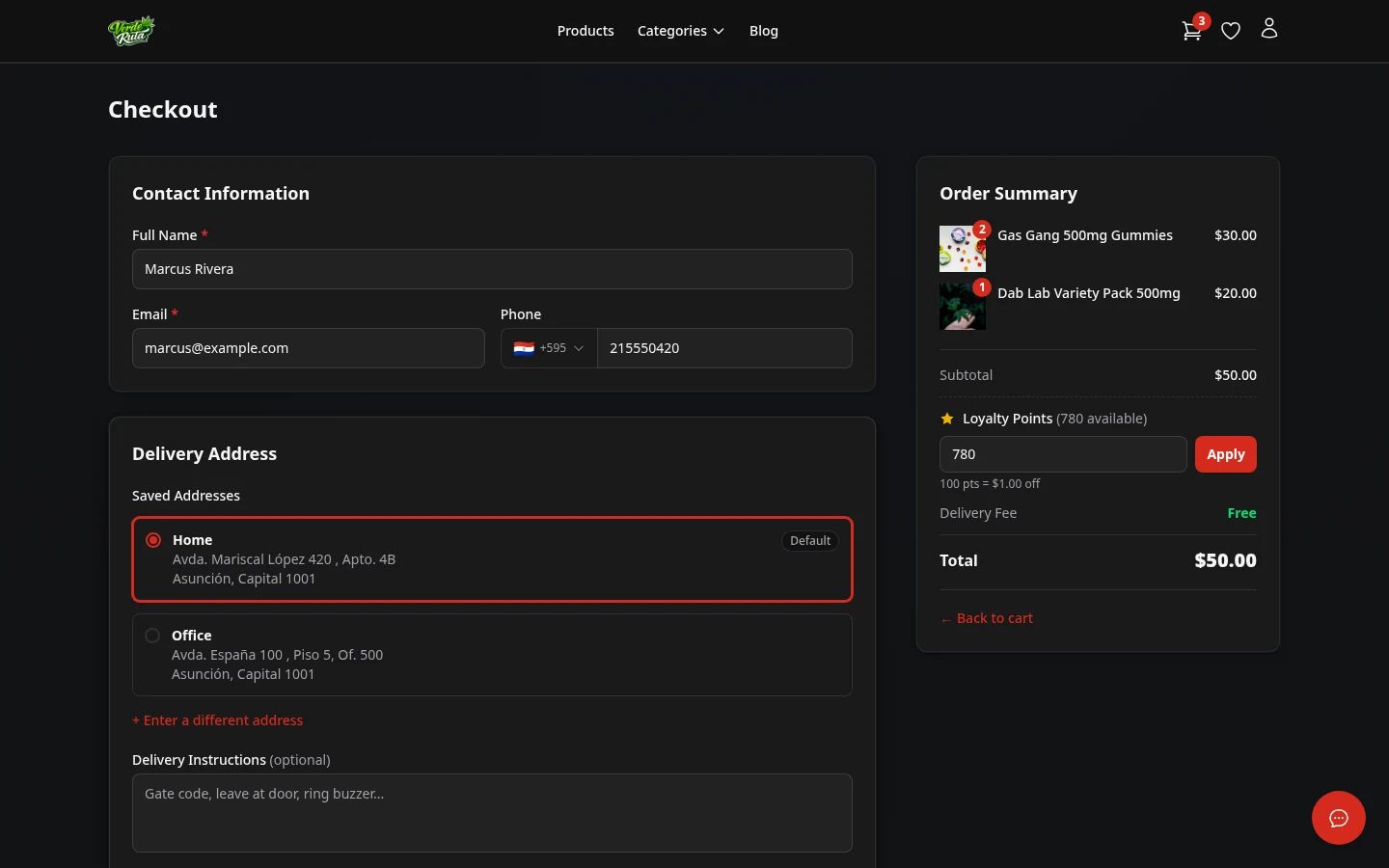
This is where the order is placed. The delivery address and zone are already set from the cart page. The page shows a summary of the cart, your contact details, a delivery time picker, and the payment methods the store accepts.
The checkout page shows a summary of the cart, contact details, and a delivery time picker. Once everything looks right, one click places the order.
Guest Checkout
Customers who are not logged in fill in their name, email, phone number, and delivery details. An account is not required to place an order.
Returning Customer Checkout
Customers who are logged in see their saved details already filled in. The name, email, phone, and address carry over from the account. Just pick a delivery time and confirm.

Delivery Time
Available times from the delivery schedule are shown as windows. Full windows are not shown — only open times appear. Picking a time locks it in for the order.
The available times depend on the store's delivery schedule and how many orders are already booked in each slot.
ID Verification
Some stores require a government-issued photo ID before an order can be placed. When this is enabled, an ID Verification section appears on the checkout page.
- ID already on file
- If your account already has a verified ID, a green confirmation appears and no upload is needed.
- Upload a new ID
- Take a clear photo of your government ID (driver's licence, passport, or national ID card) and upload it. Accepted formats: JPG, PNG, or WebP up to 10 MB.
- ID on file but not yet verified
- If you have previously uploaded an ID that hasn't been reviewed yet, a preview of your existing photo appears. You can replace it or keep it.
Your uploaded ID is stored securely and is only visible to the store owner. It is never shared with third parties.
How You Pay
Checkout shows a "How would you like to pay?" section with the payment methods the store has turned on. Each store chooses its own — so what you see depends on the store. Options can include:
- Cash on Delivery — the driver collects cash when the order arrives. There is no online card form.
- Crypto — if the store accepts it, picking crypto reveals a network and wallet to send payment to; the order is credited once the transfer confirms on-chain.
- Payment link / QR code — some stores send a payment link or show a QR code with instructions for paying through their own provider.
If the store only offers one method, there is no selector — that method is used automatically. Pick the method you want before placing the order.
Placing the Order
Clicking Place Order confirms everything, including the payment method you chose. For cash on delivery the driver collects payment at the door; for other methods the store's instructions appear on the confirmation.
If any required fields are missing, an error message points to what needs to be filled in. Nothing is submitted until all details are complete.
Order Confirmation
After placing the order, a confirmation page shows the order number, what was ordered, delivery details, and the total amount due on delivery.
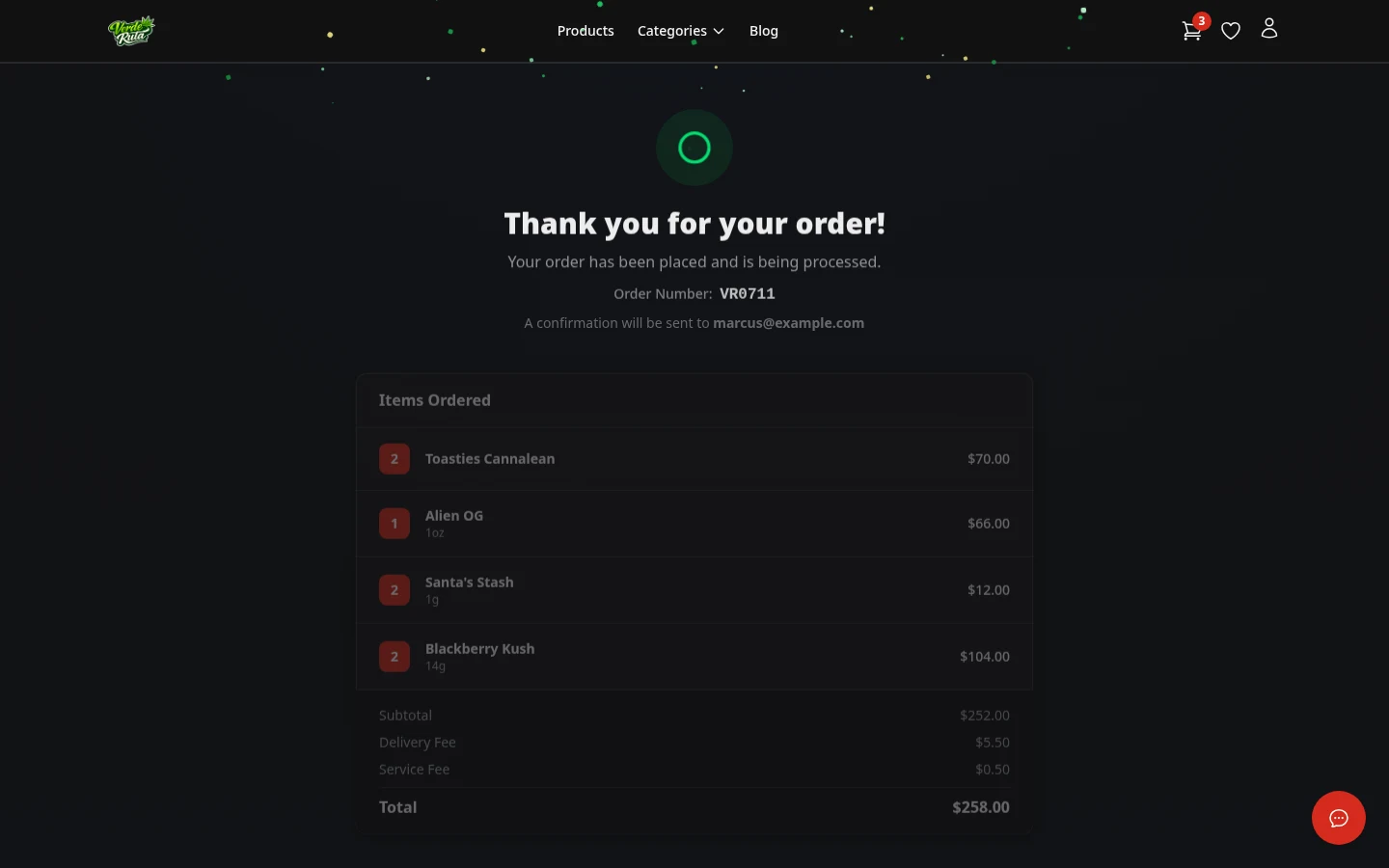
Logged-in customers can also find this order in their account order history at any time.
Frequently Asked Questions
Does DabDash take online card payments?
No. DabDash stores use cash on delivery. Customers place orders online and pay the driver in cash when the order arrives. There is no credit card form at checkout.
What happens after placing an order on a DabDash store?
A confirmation page shows the order number, delivery details, and a summary of what was ordered. The store receives a notification and the order appears in their dashboard ready to process.
Can customers check out without creating an account?
Yes. Guest checkout is always available. Customers enter their name, email, phone, and delivery address without signing up. Logged-in customers see their saved details pre-filled.
How do delivery time slots work at checkout?
The checkout page shows available delivery windows. Each slot has a time range and limited capacity. Full or past-cutoff slots are not shown. Picking a time locks it in for the order.