See every feature
before you sign up
Walk through DabDash — from your dashboard to one-click delivery zone setup. Real screenshots. No demo login required.
No credit card required. 14-day free trial. Cancel anytime.
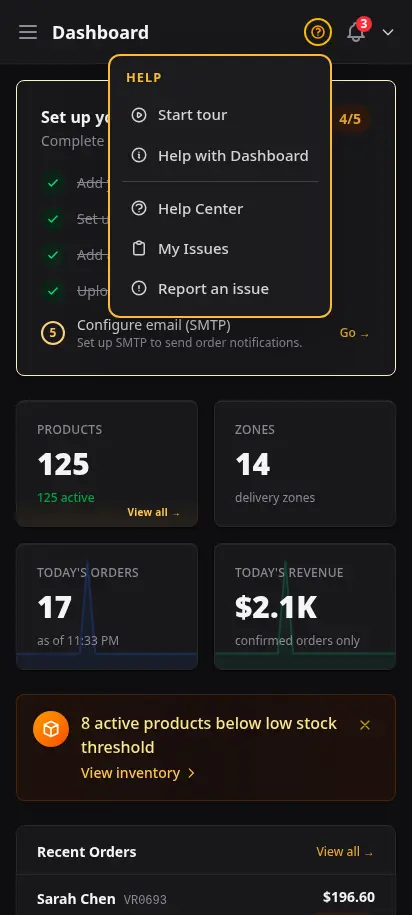
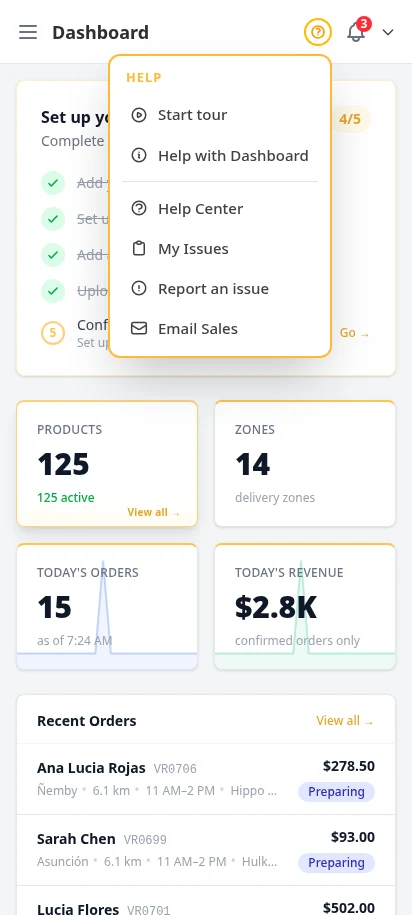
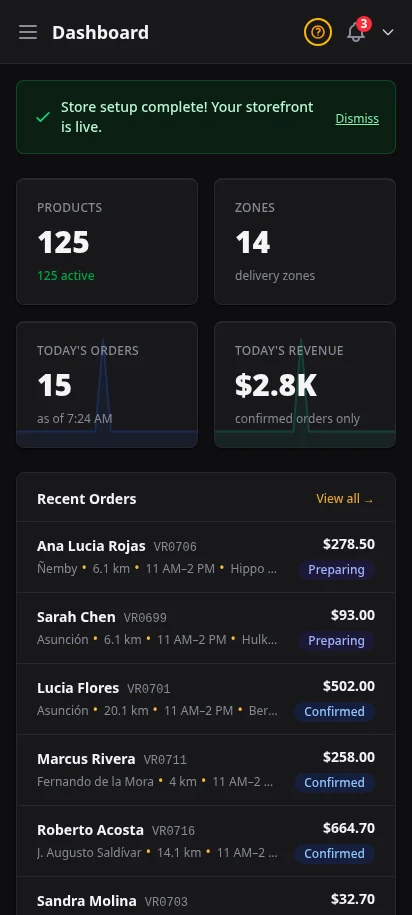
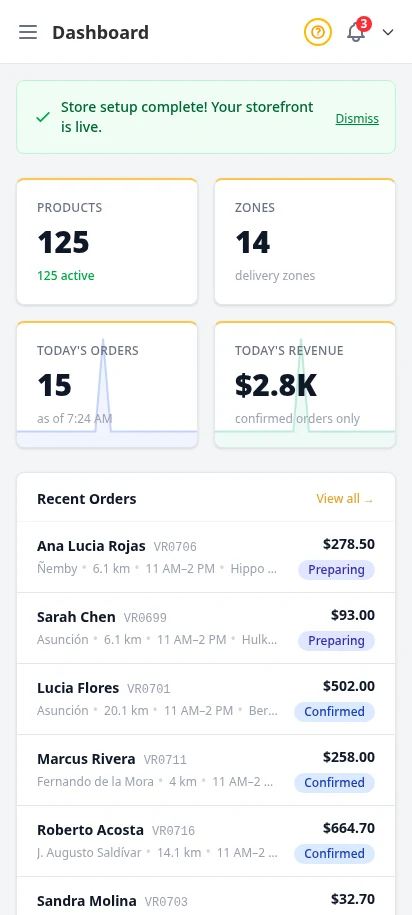
Your business at a glance
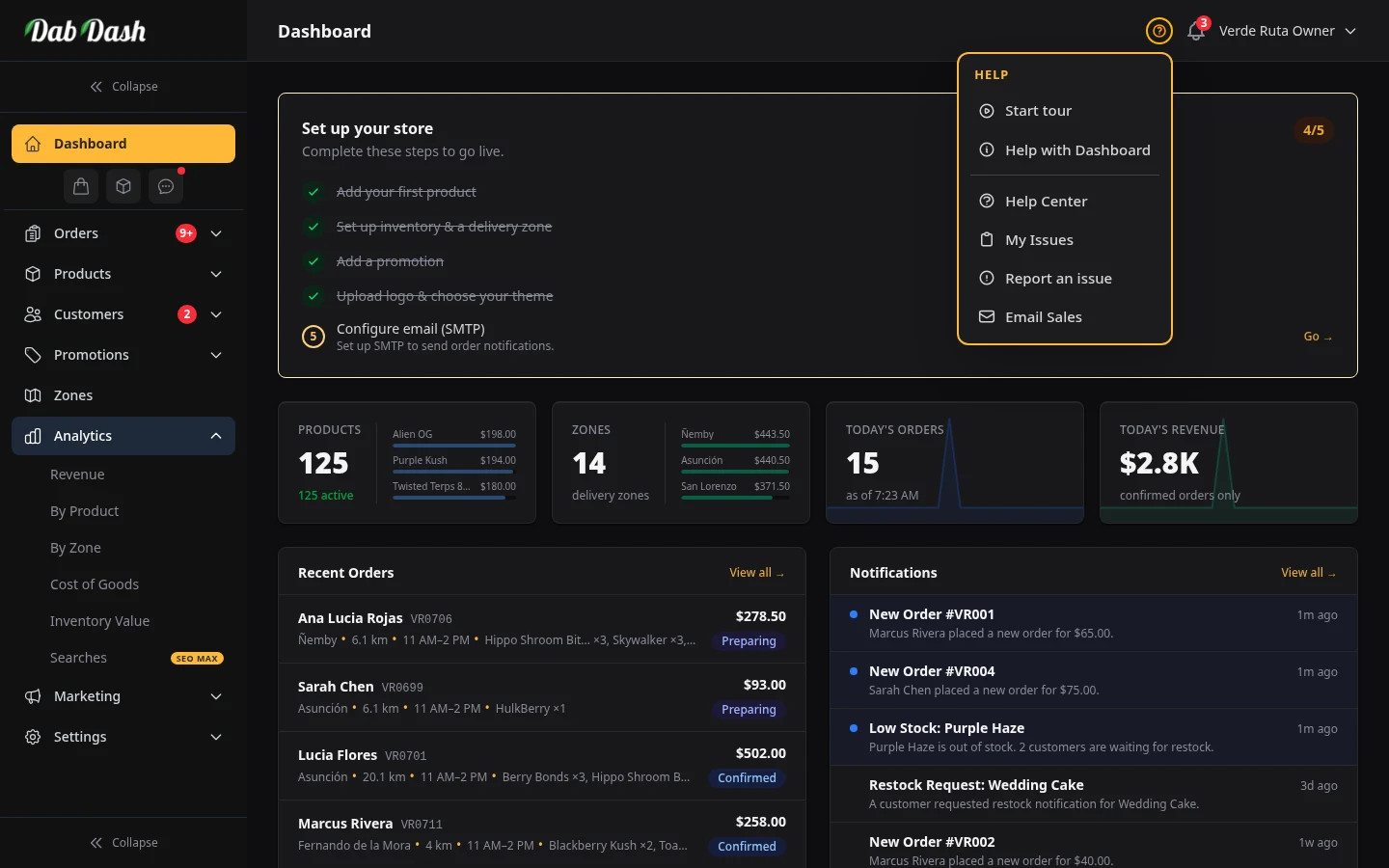
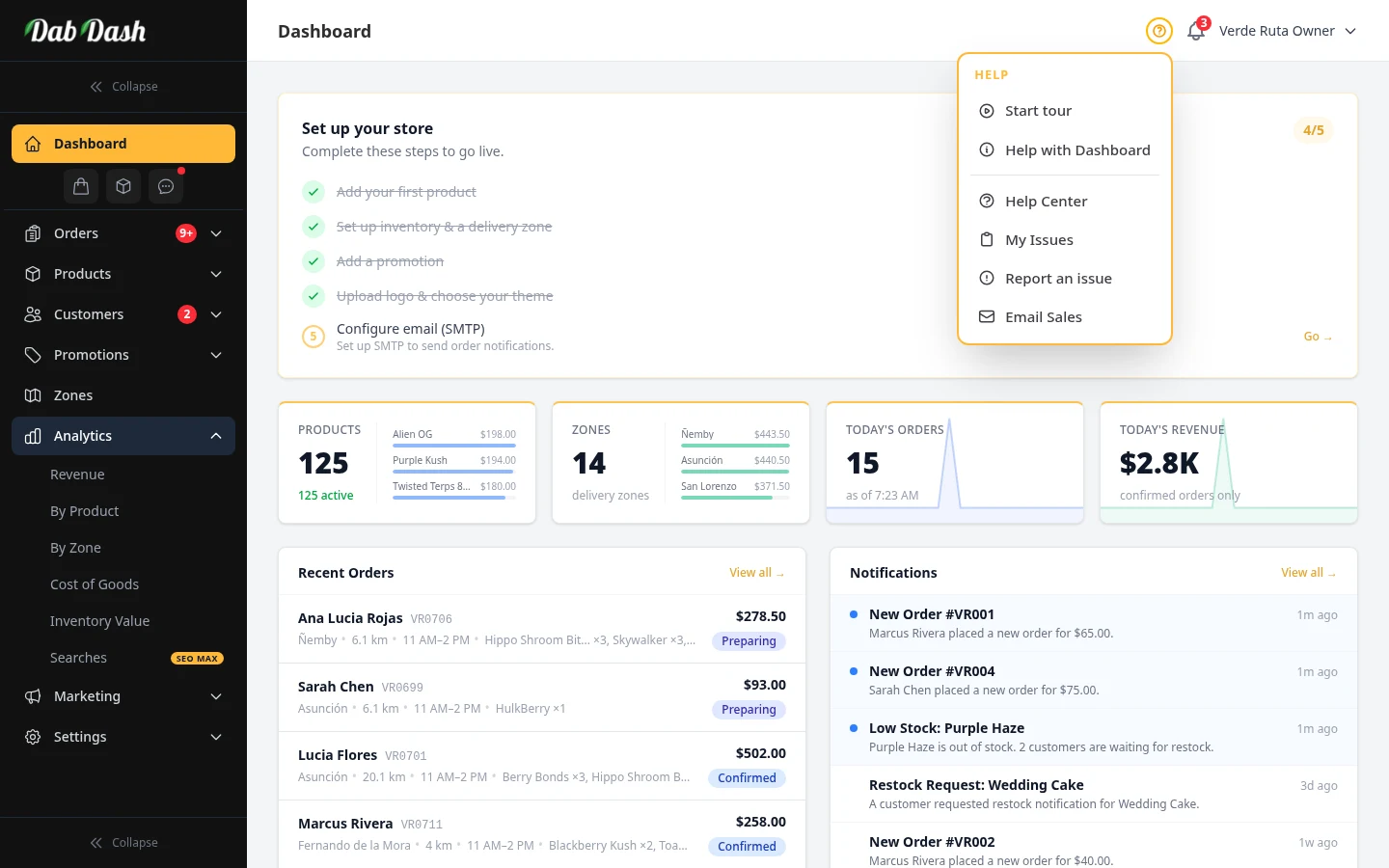
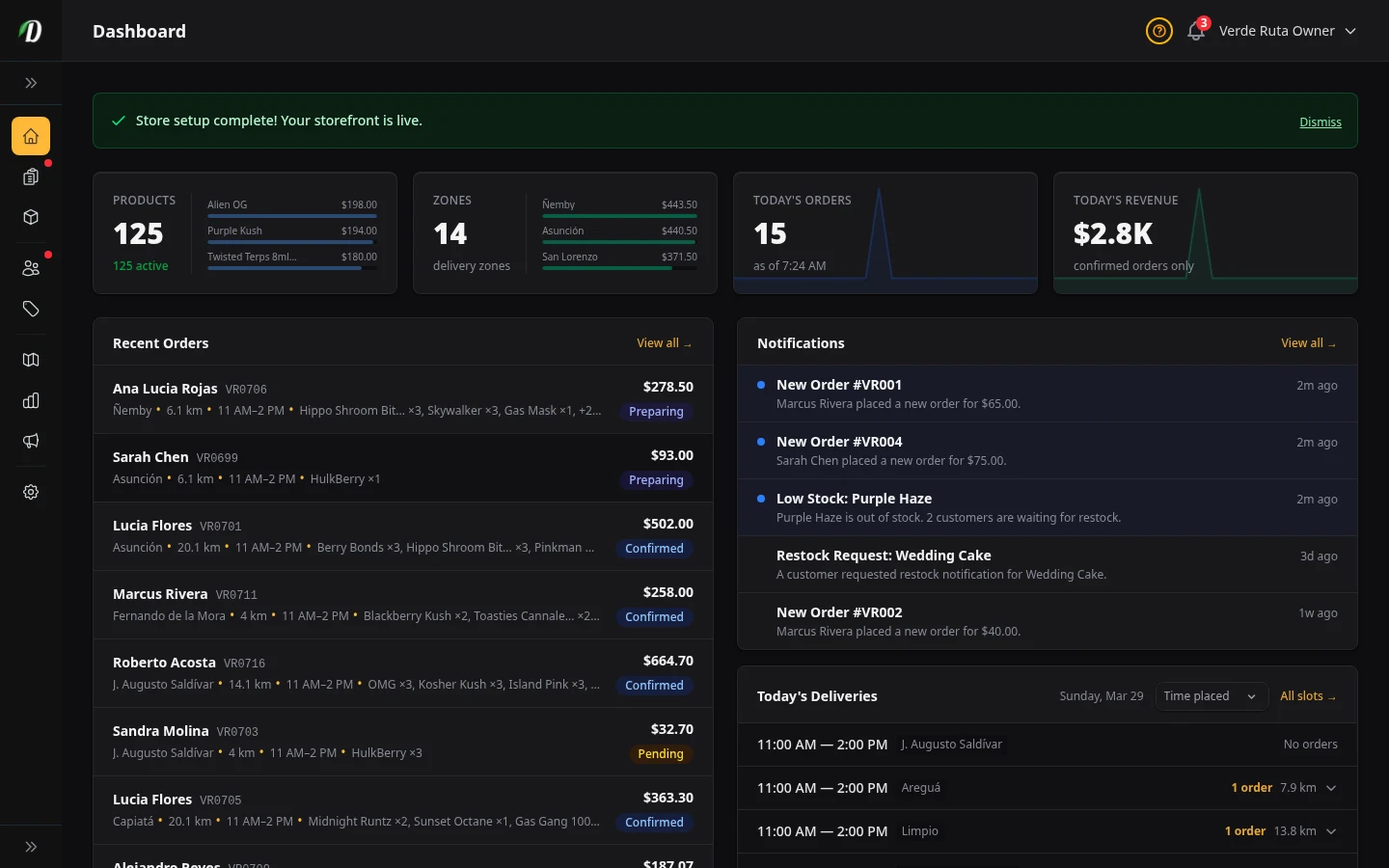
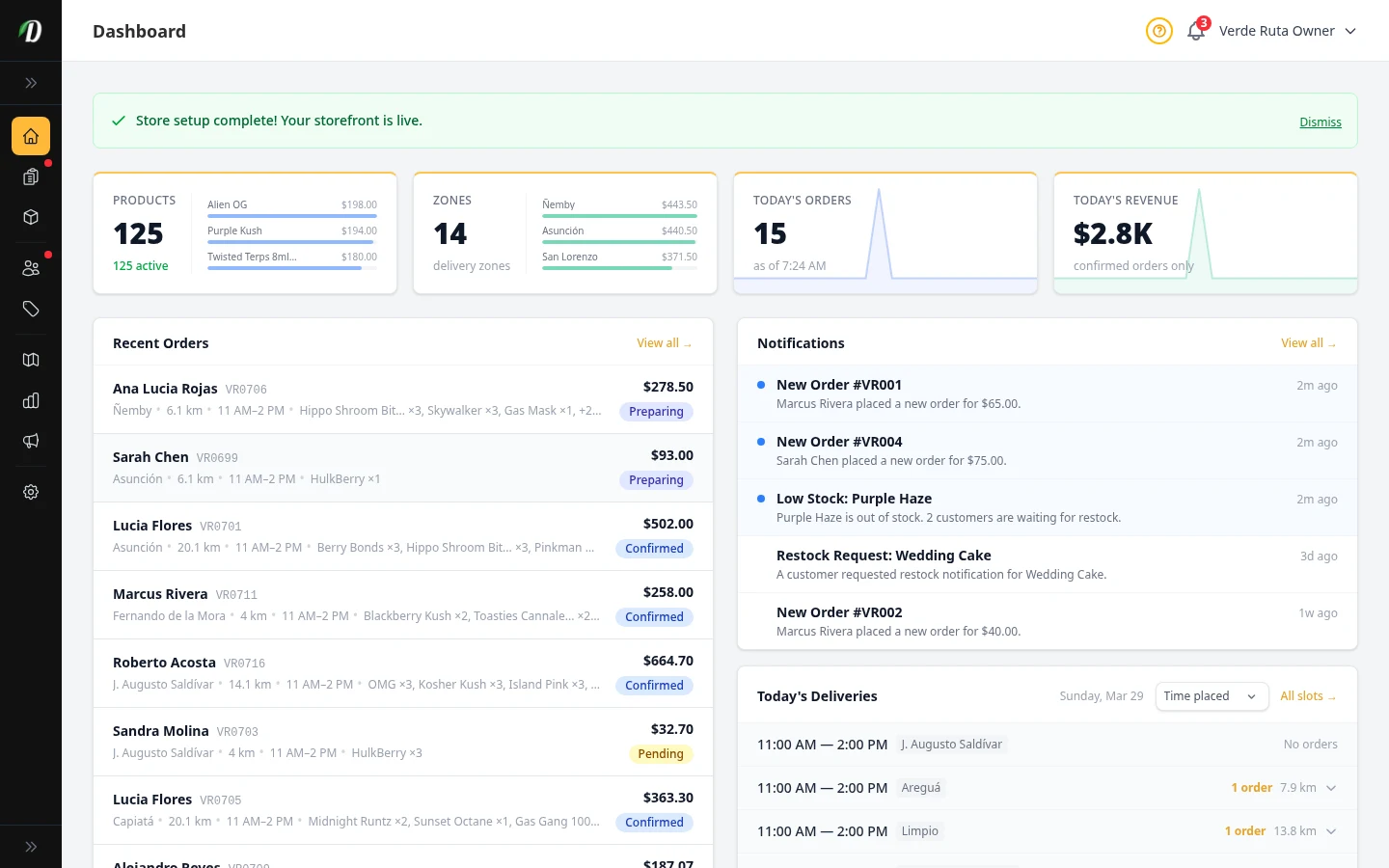
The moment you log in, you see exactly where your business stands. Product counts, active delivery zones, today's orders, and revenue — all on a single screen. Low stock alerts surface problems before they cost you sales.
- Real-time order count and revenue stats
- Low stock alerts with direct links to inventory
- Onboarding checklist for new stores
- Quick actions: add product, create zone, update stock
- Recent orders with status badges
- Guided tours and knowledge base from the help menu on every page
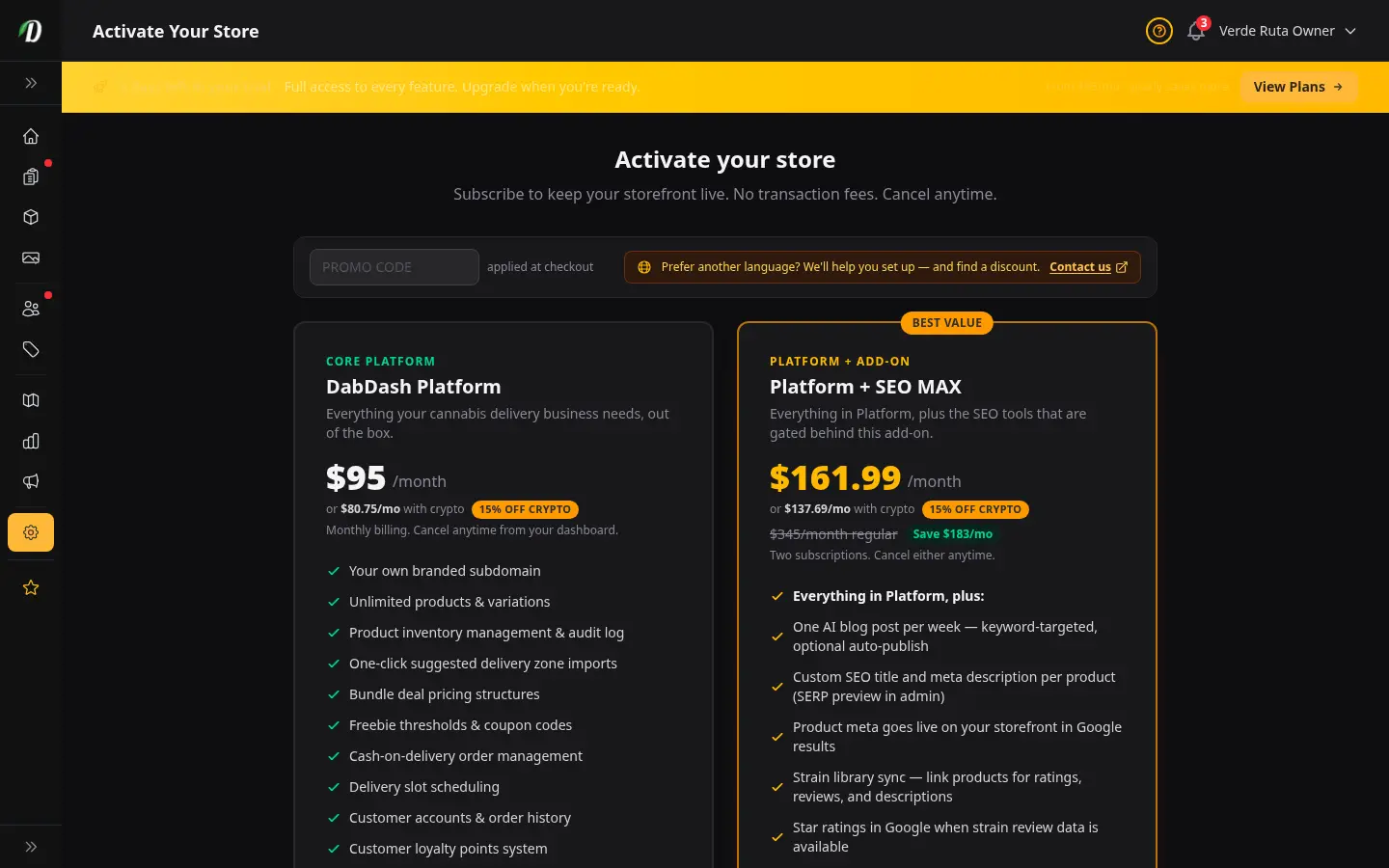
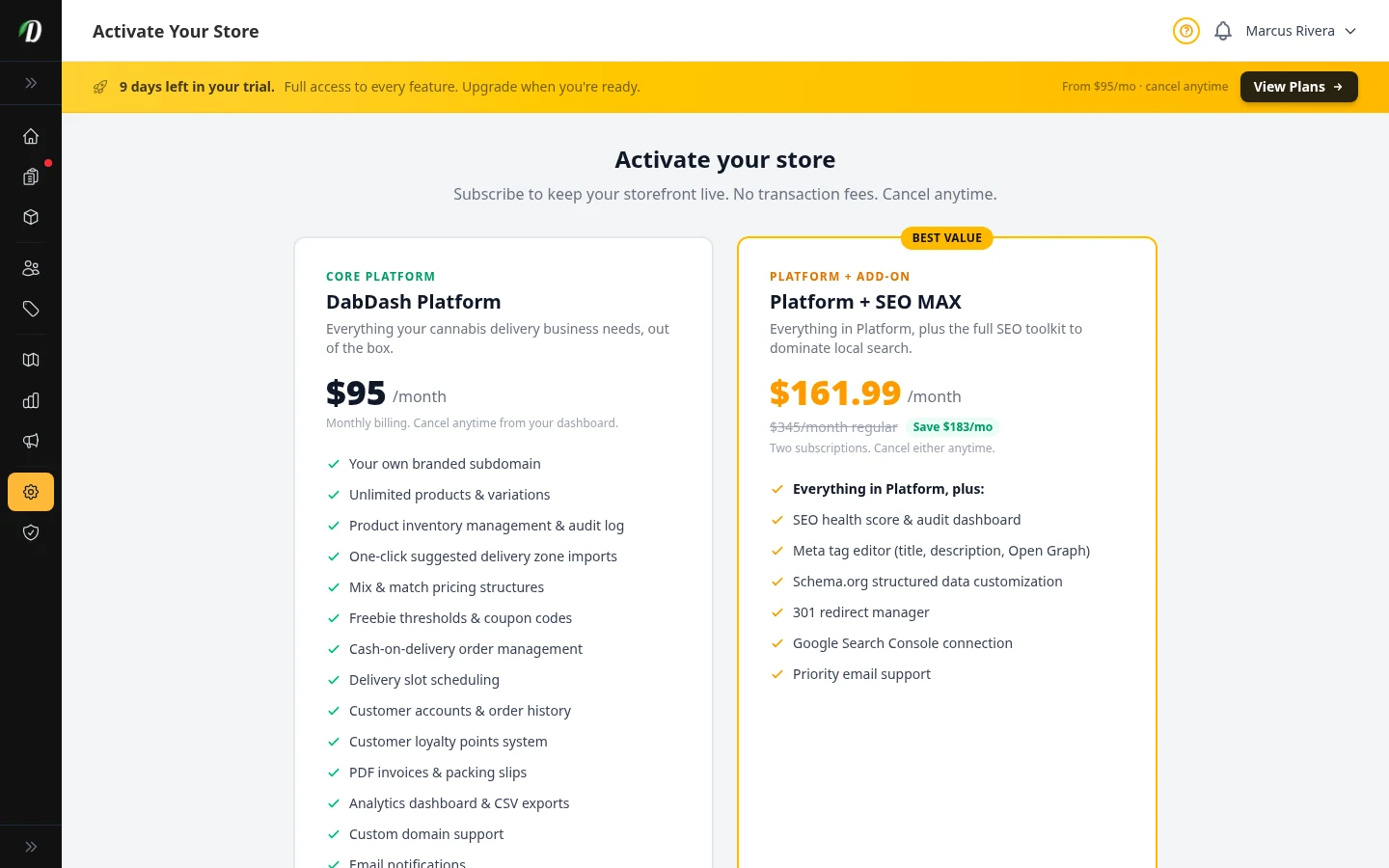
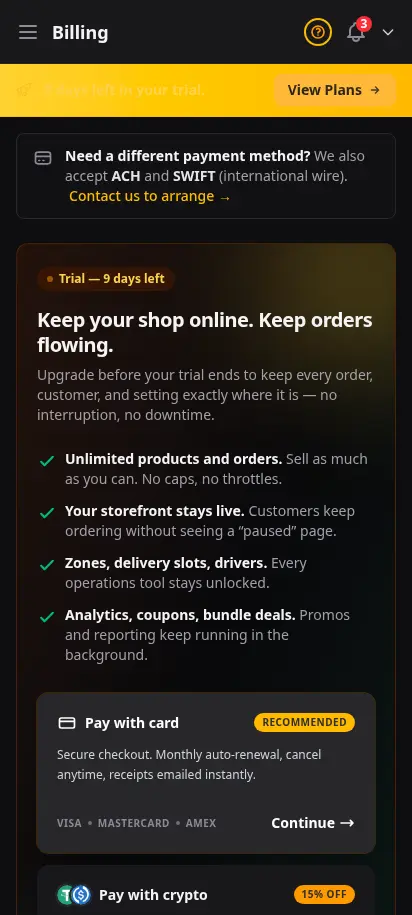
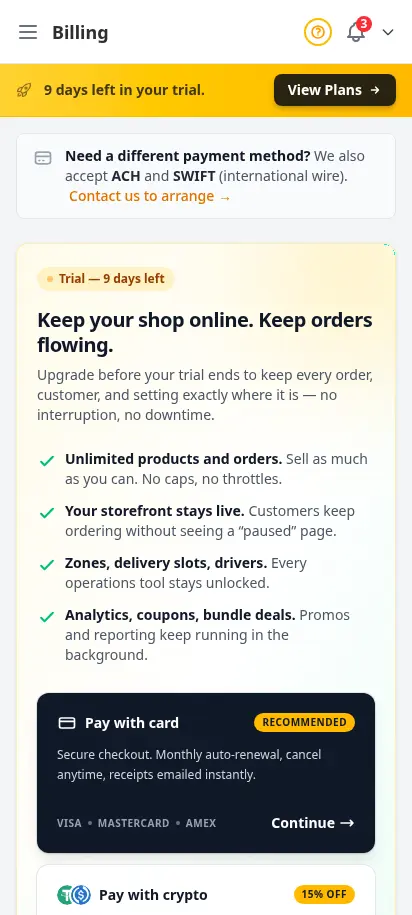
Know exactly what you pay — and stay in control
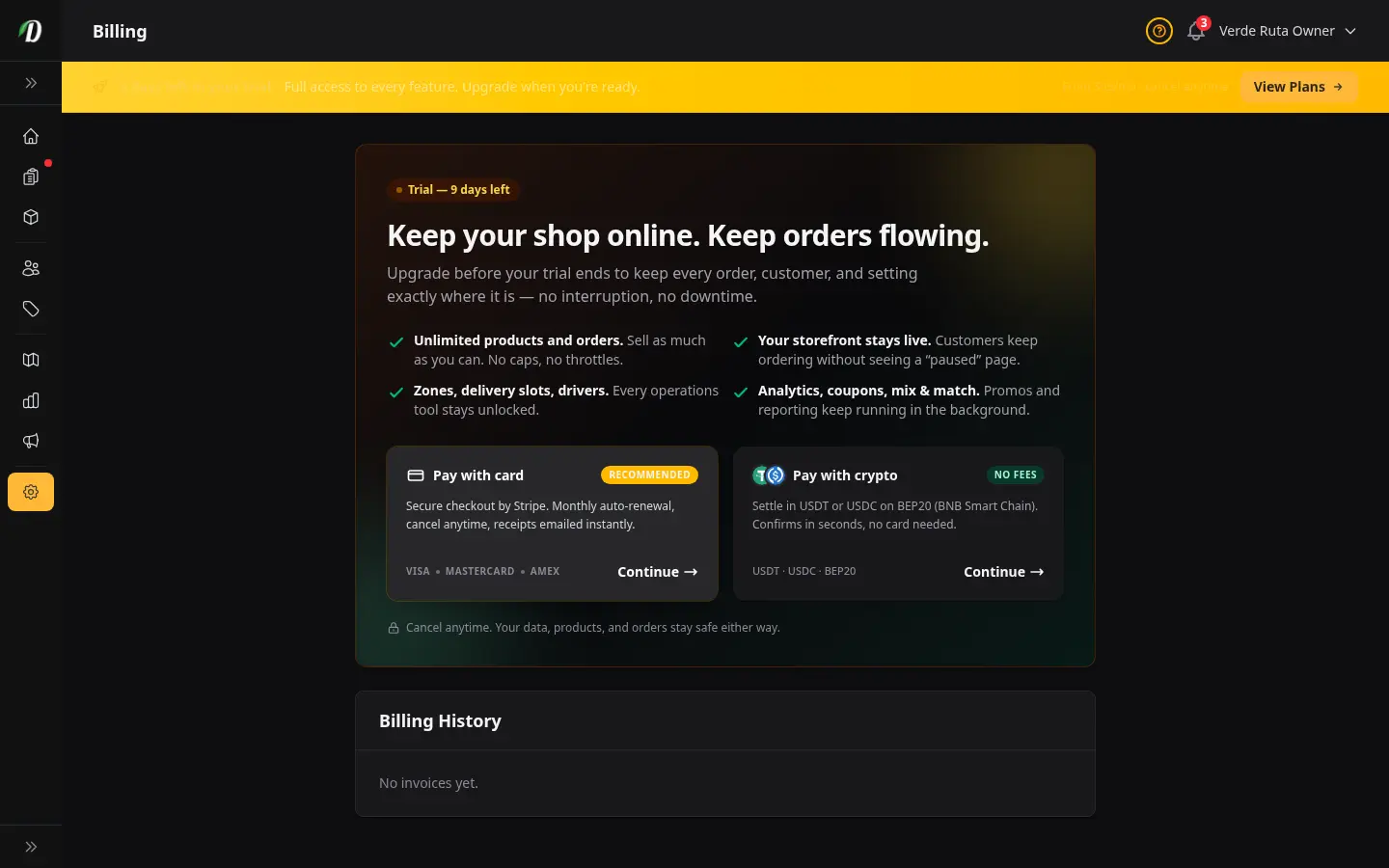
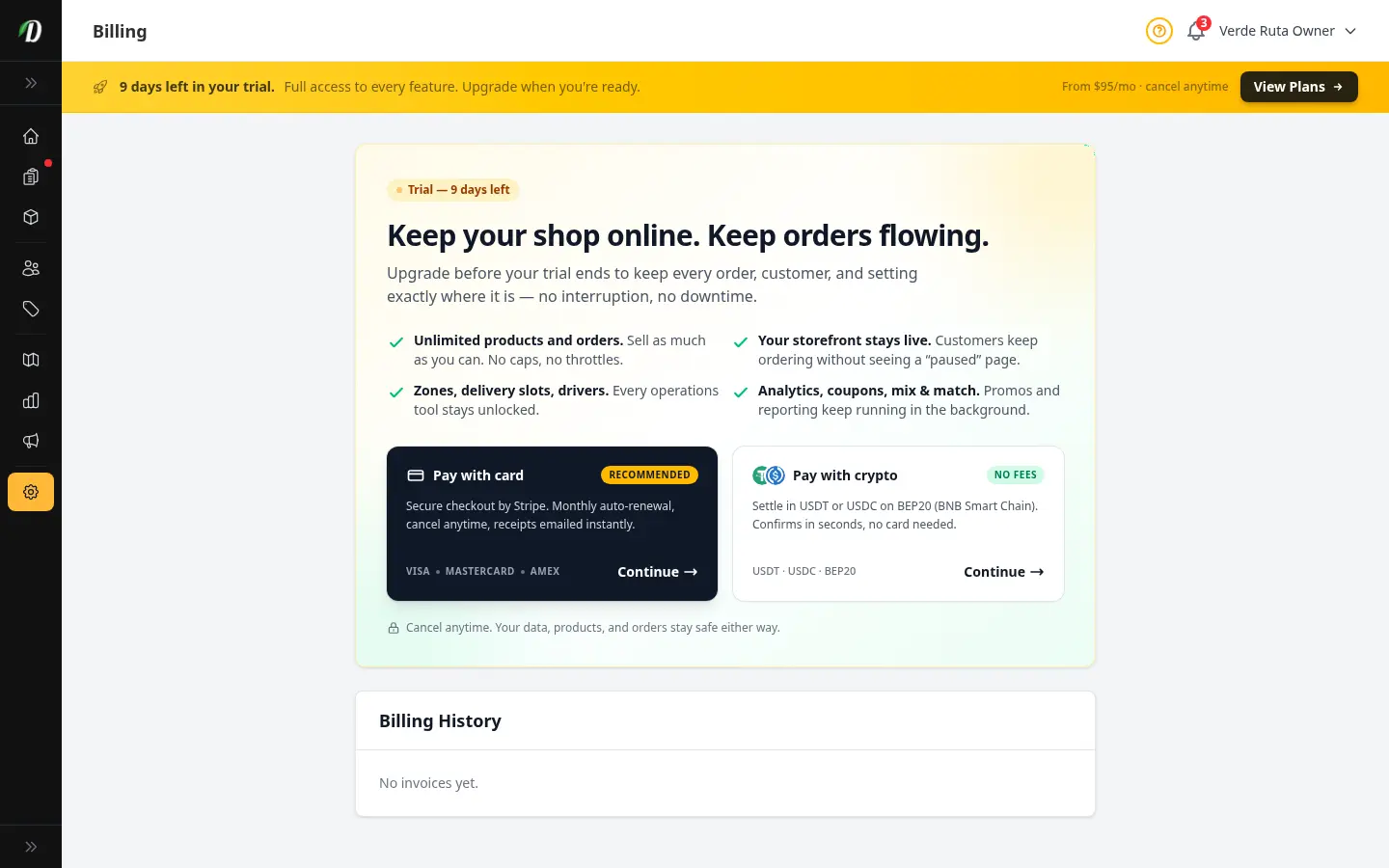
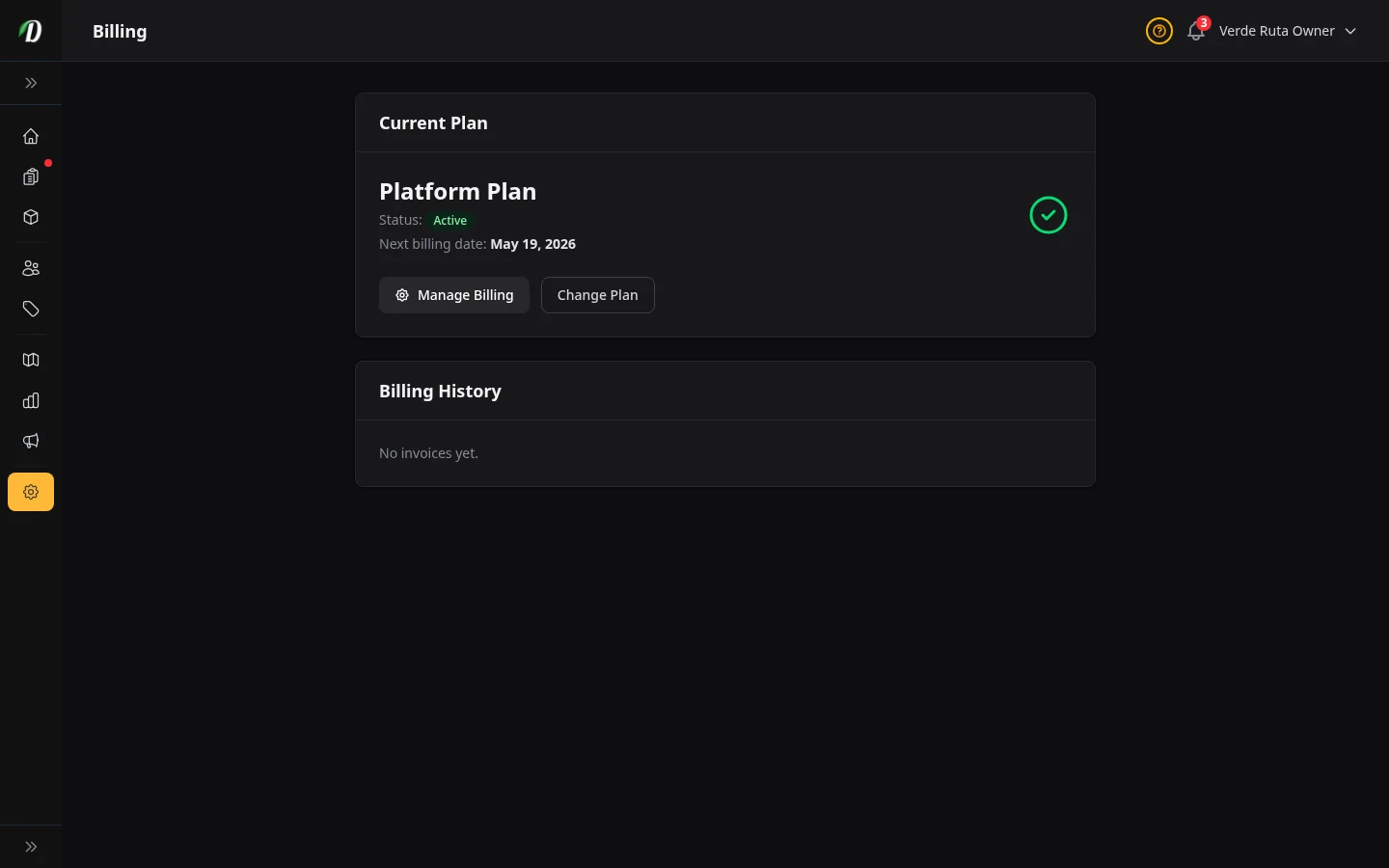
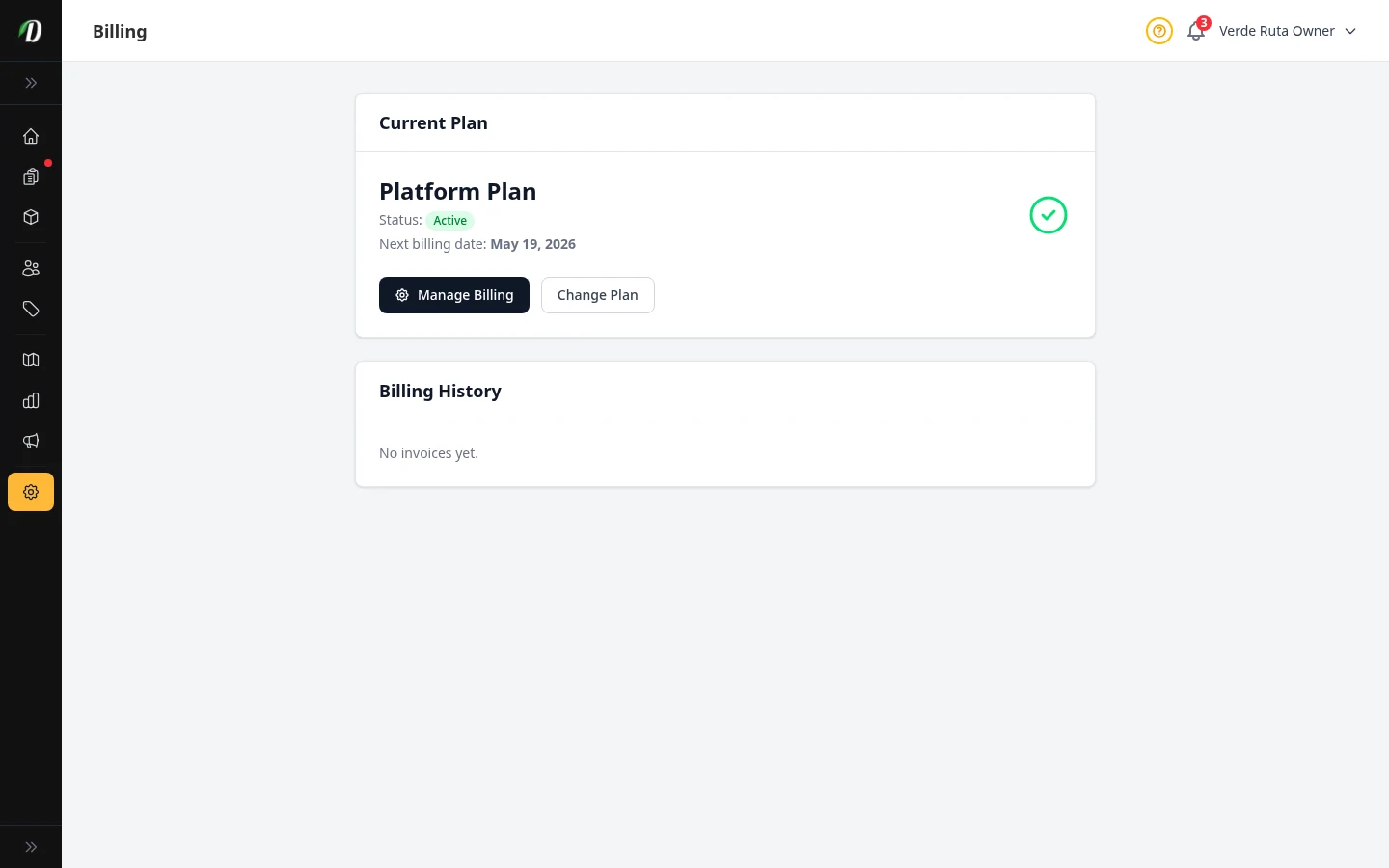
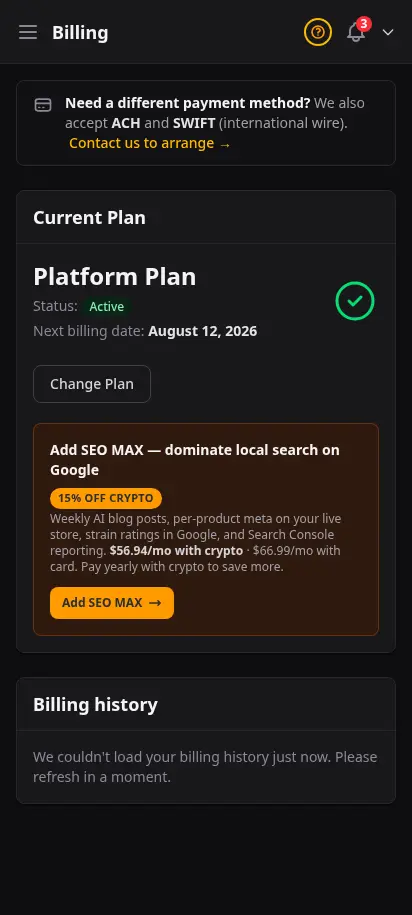
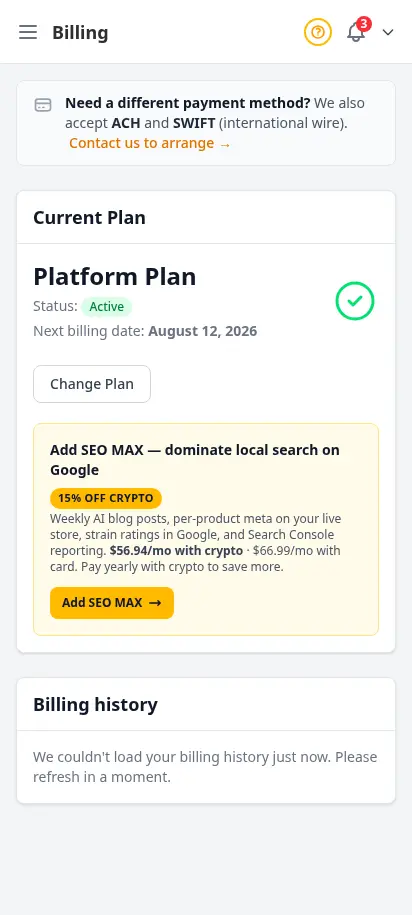
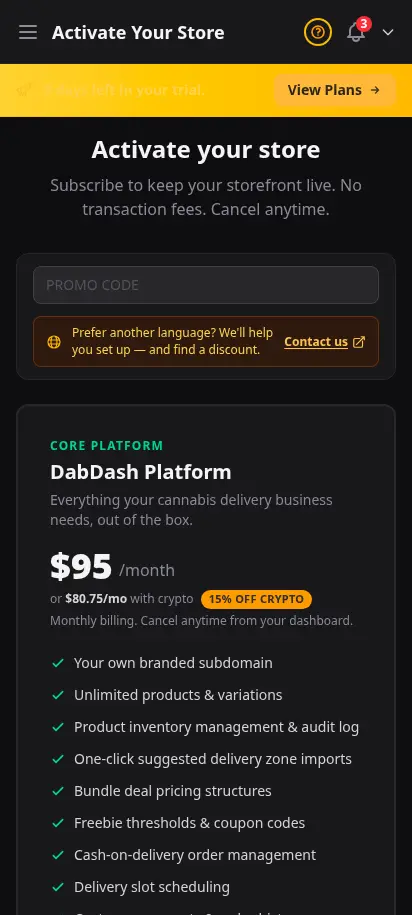
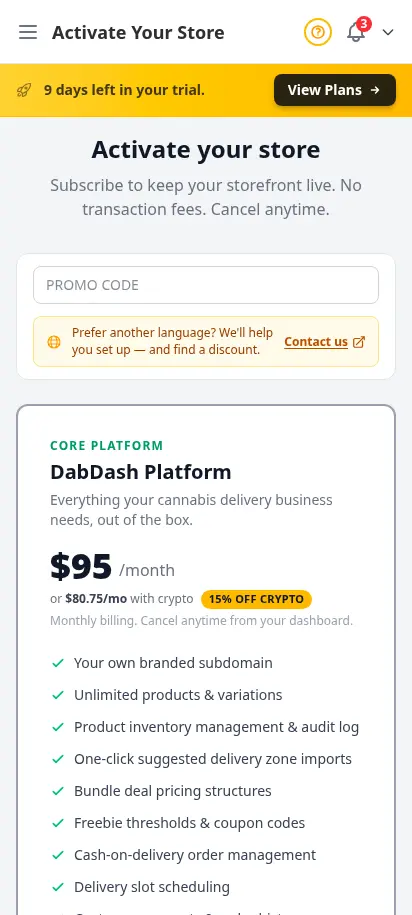
Licensed cannabis operators told us billing clarity matters as much as features. Your Billing page shows your plan, renewal date, and payment status in plain language. Change plans, add SEO MAX, or pay with crypto — all without leaving the dashboard you already use daily.
- 14-day free trial with full admin access
- Secure checkout for Platform and SEO MAX plans
- Crypto option with lower processing cost
- Manage subscription and invoices from one page
- Owner-only access — staff never see billing
Every order, tracked from start to finish
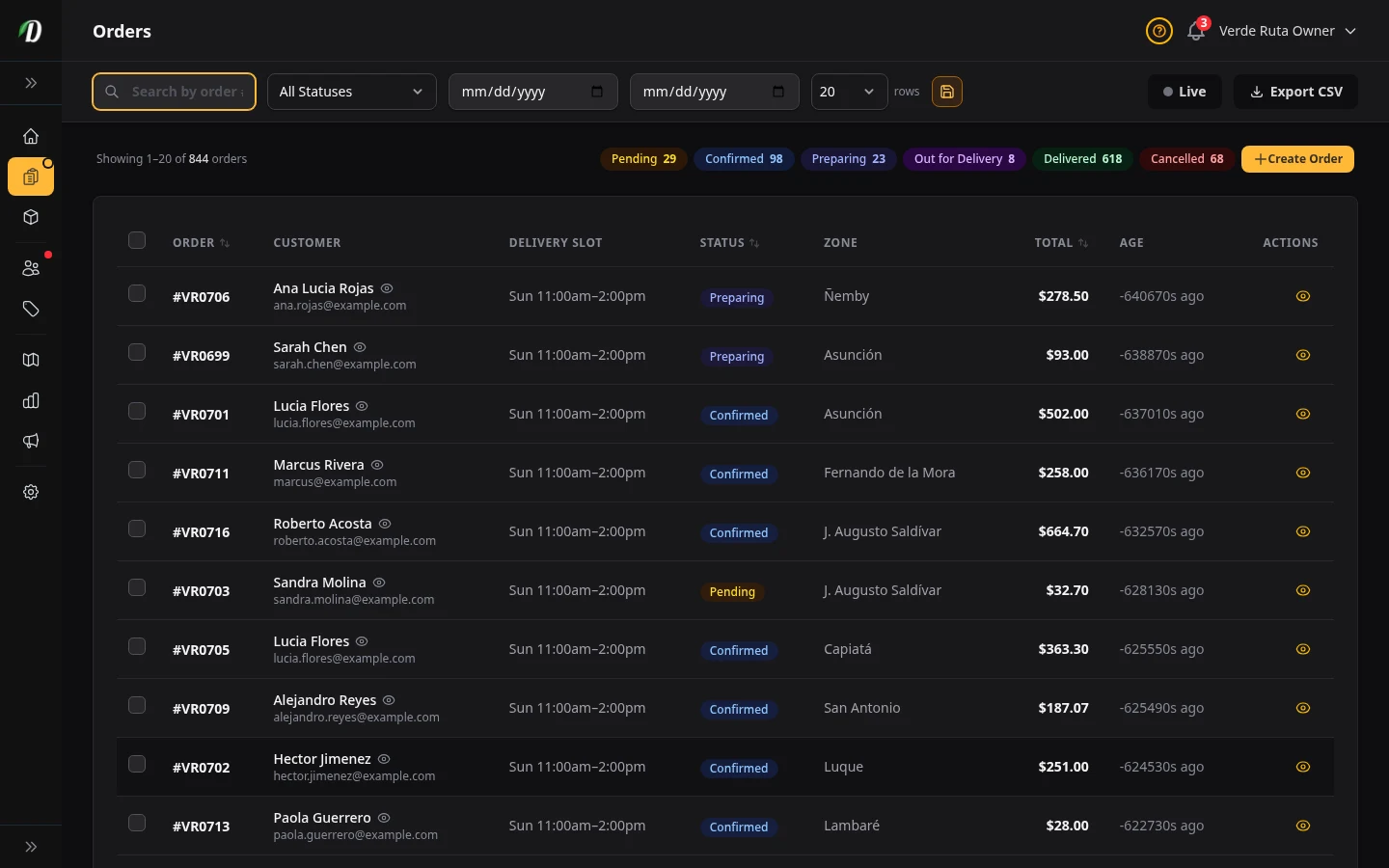
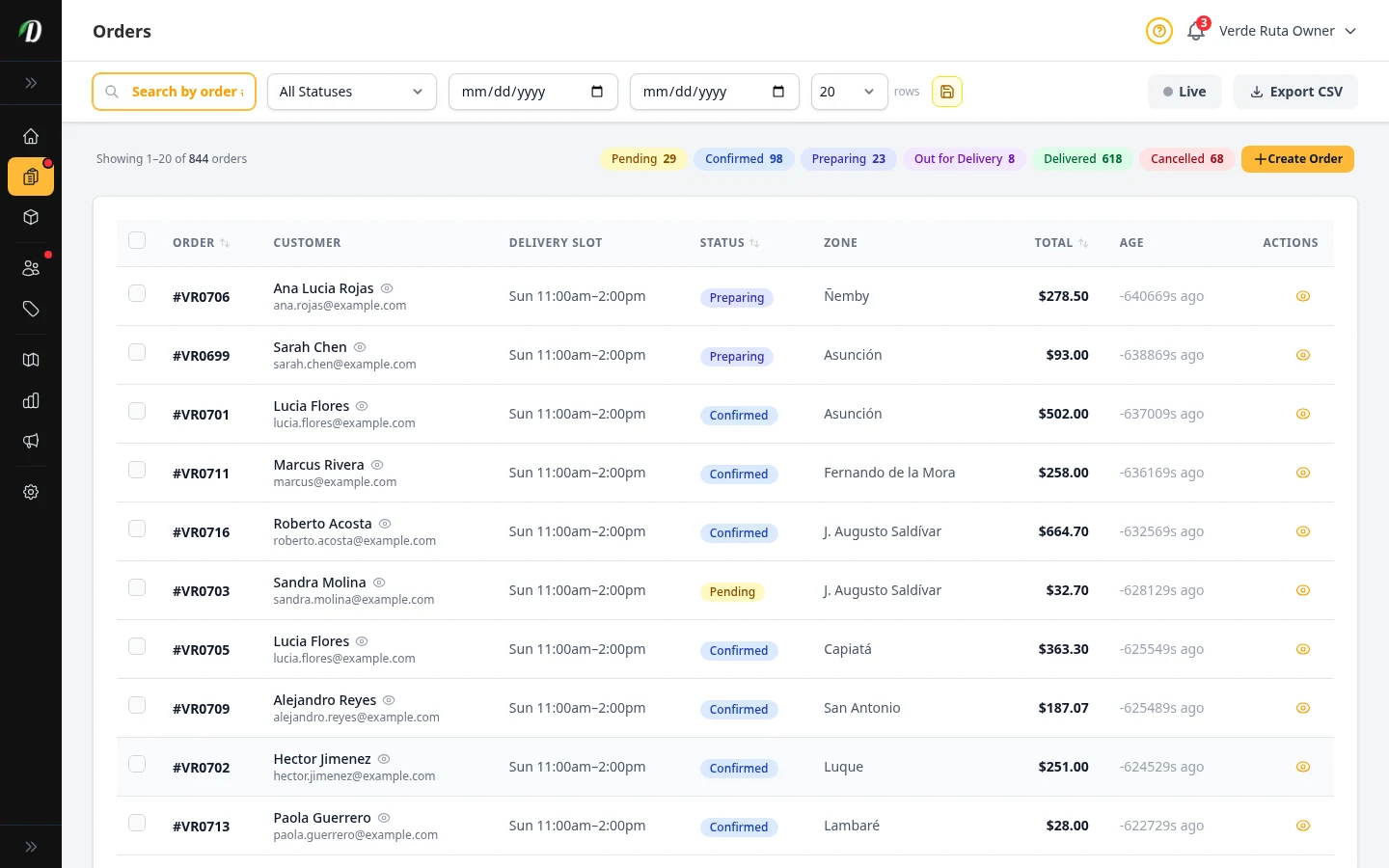
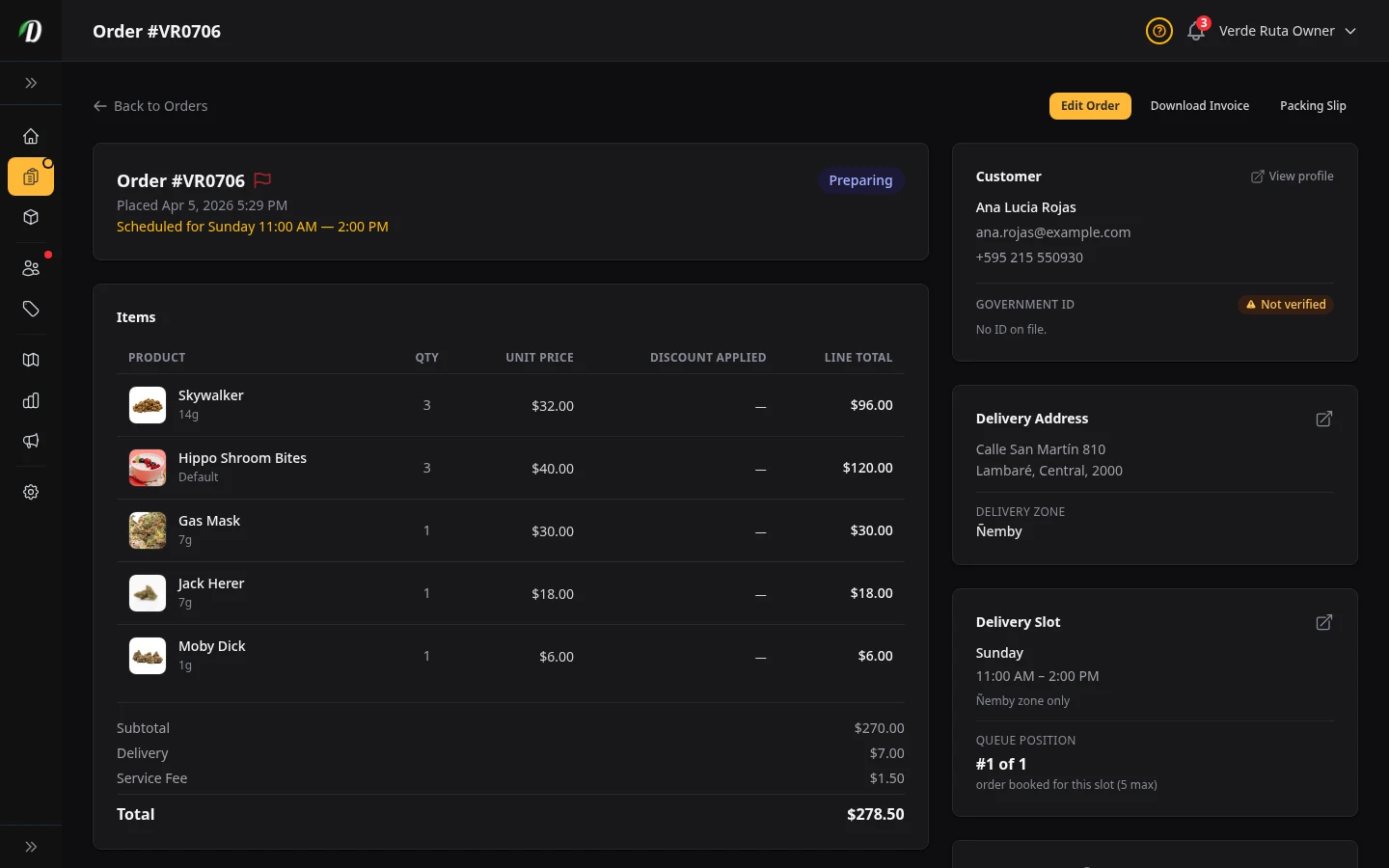
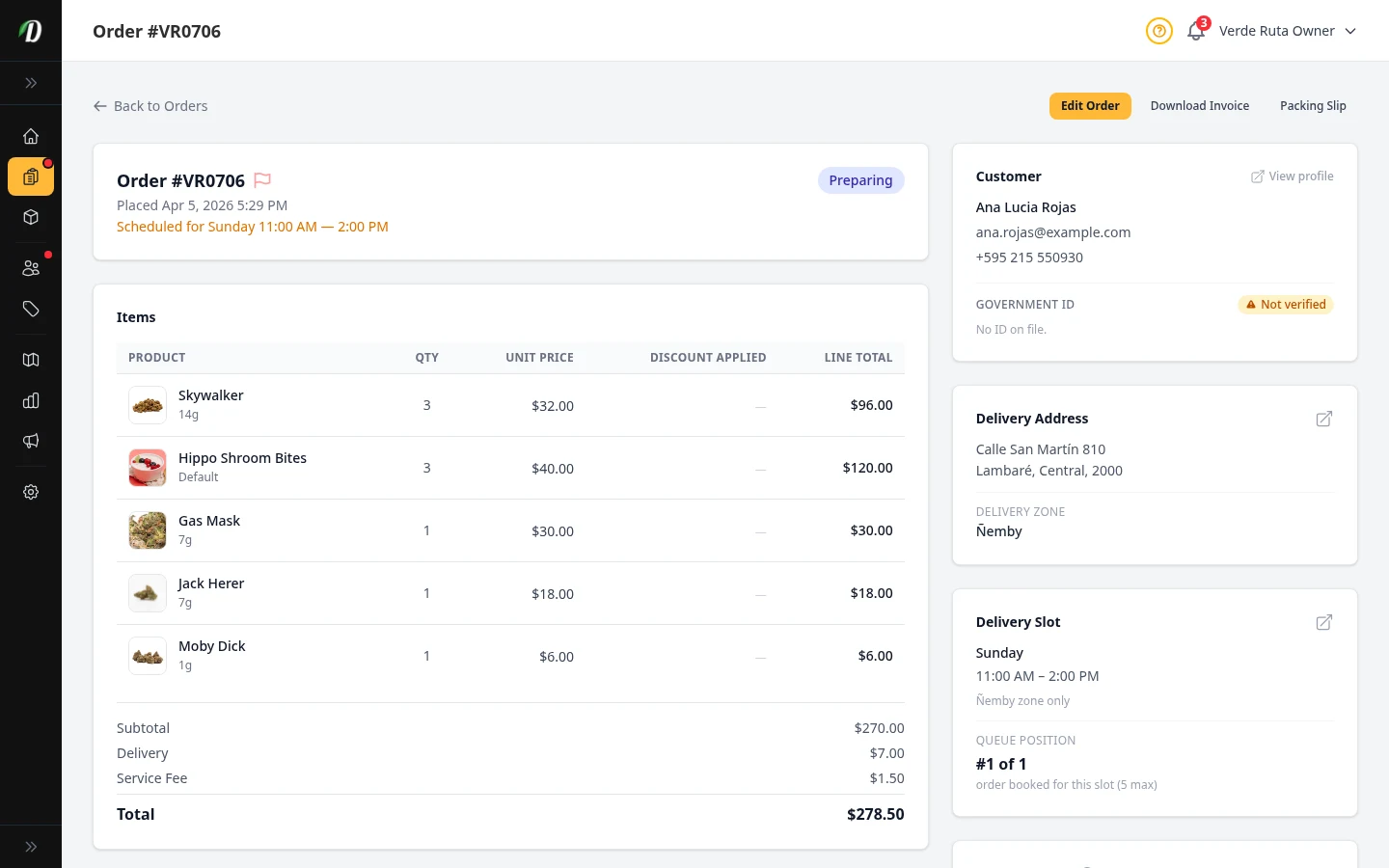
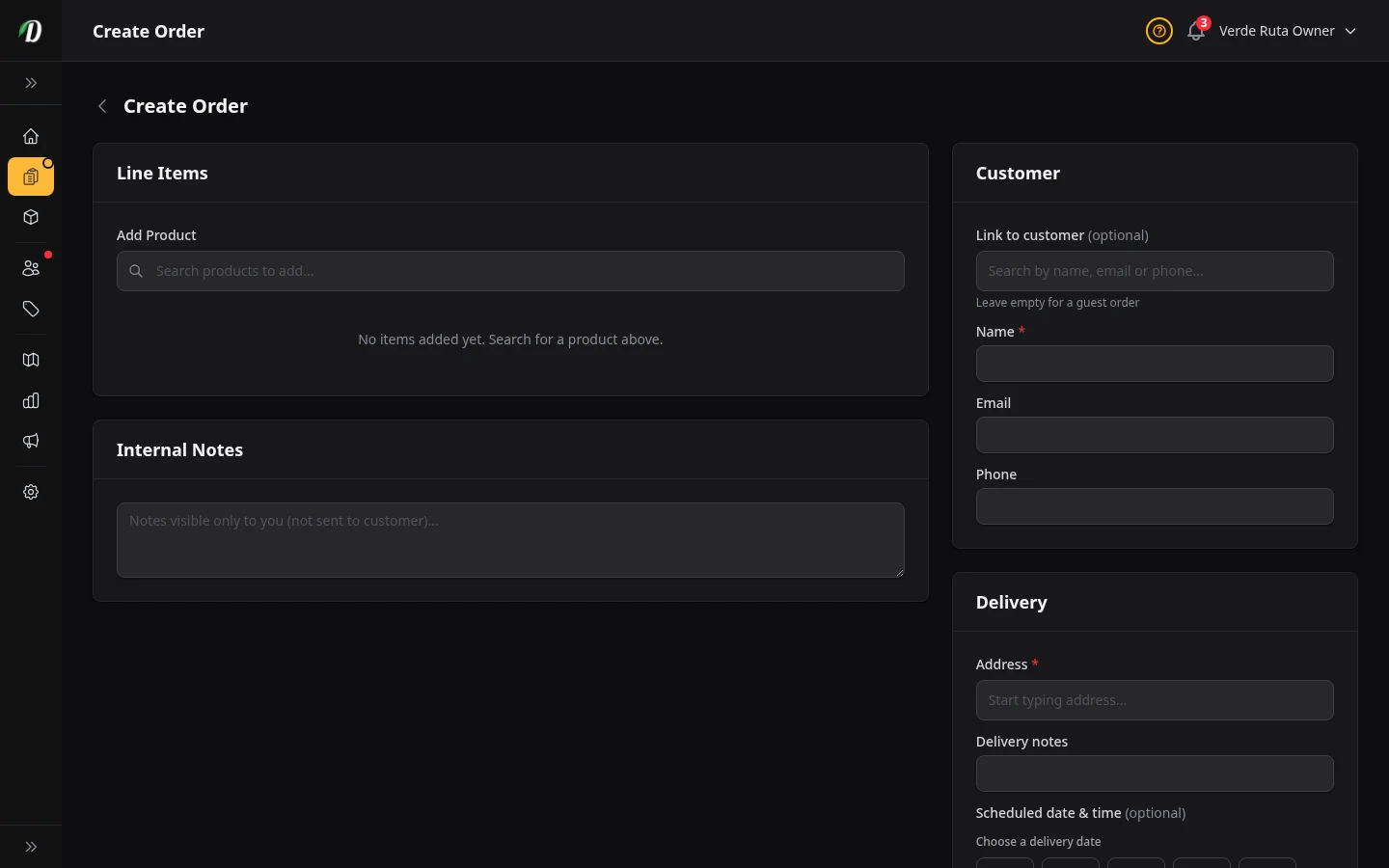
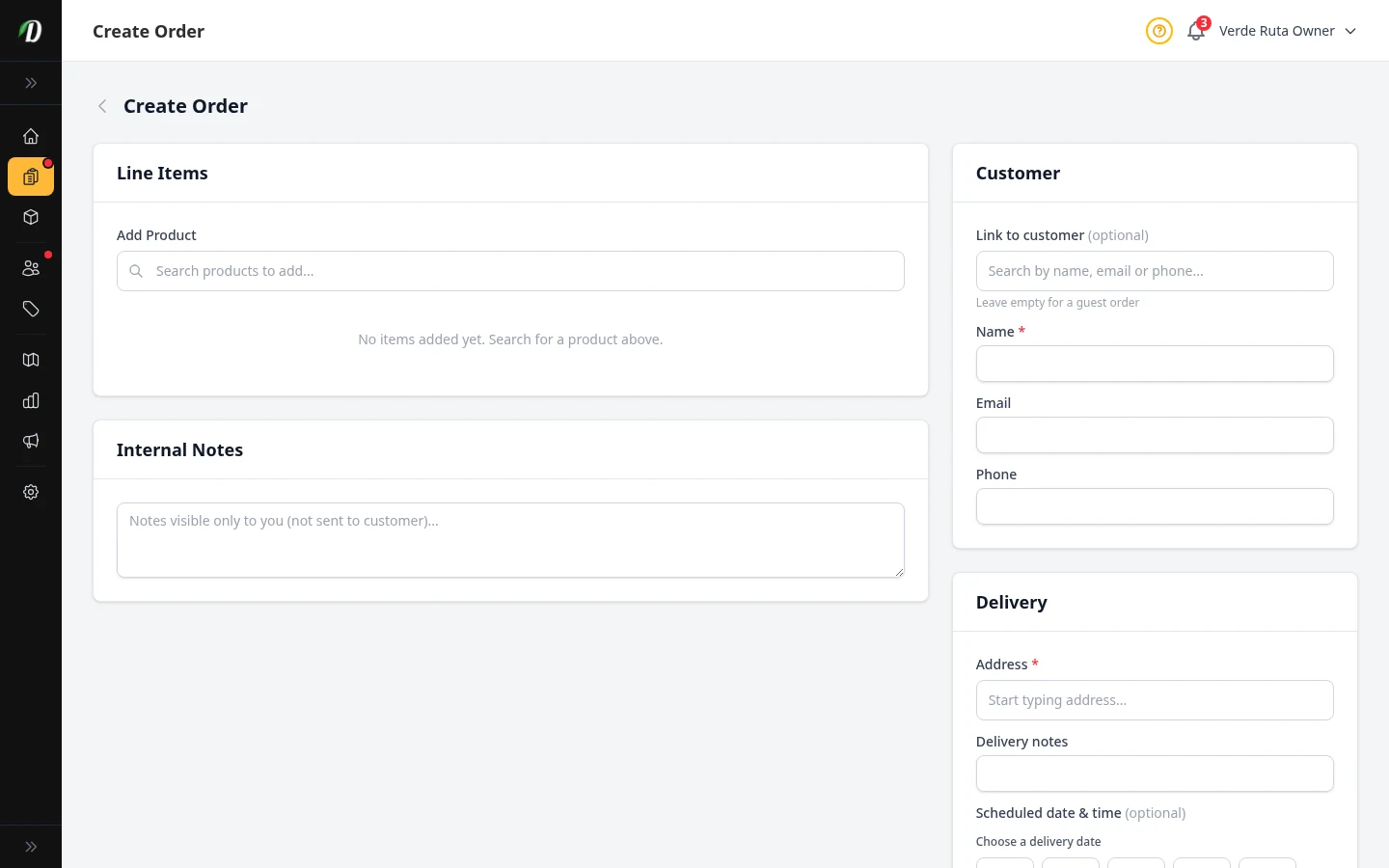
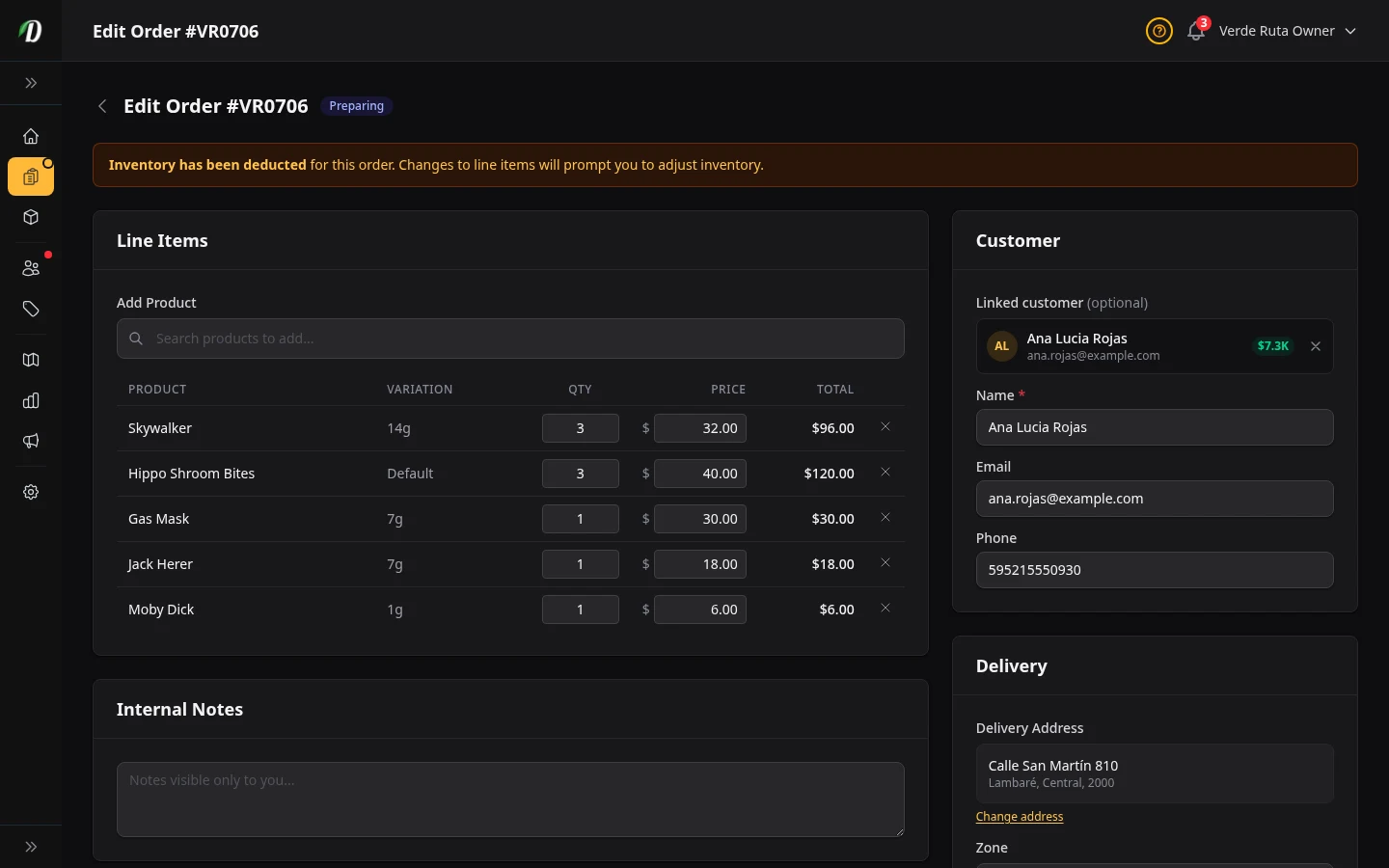
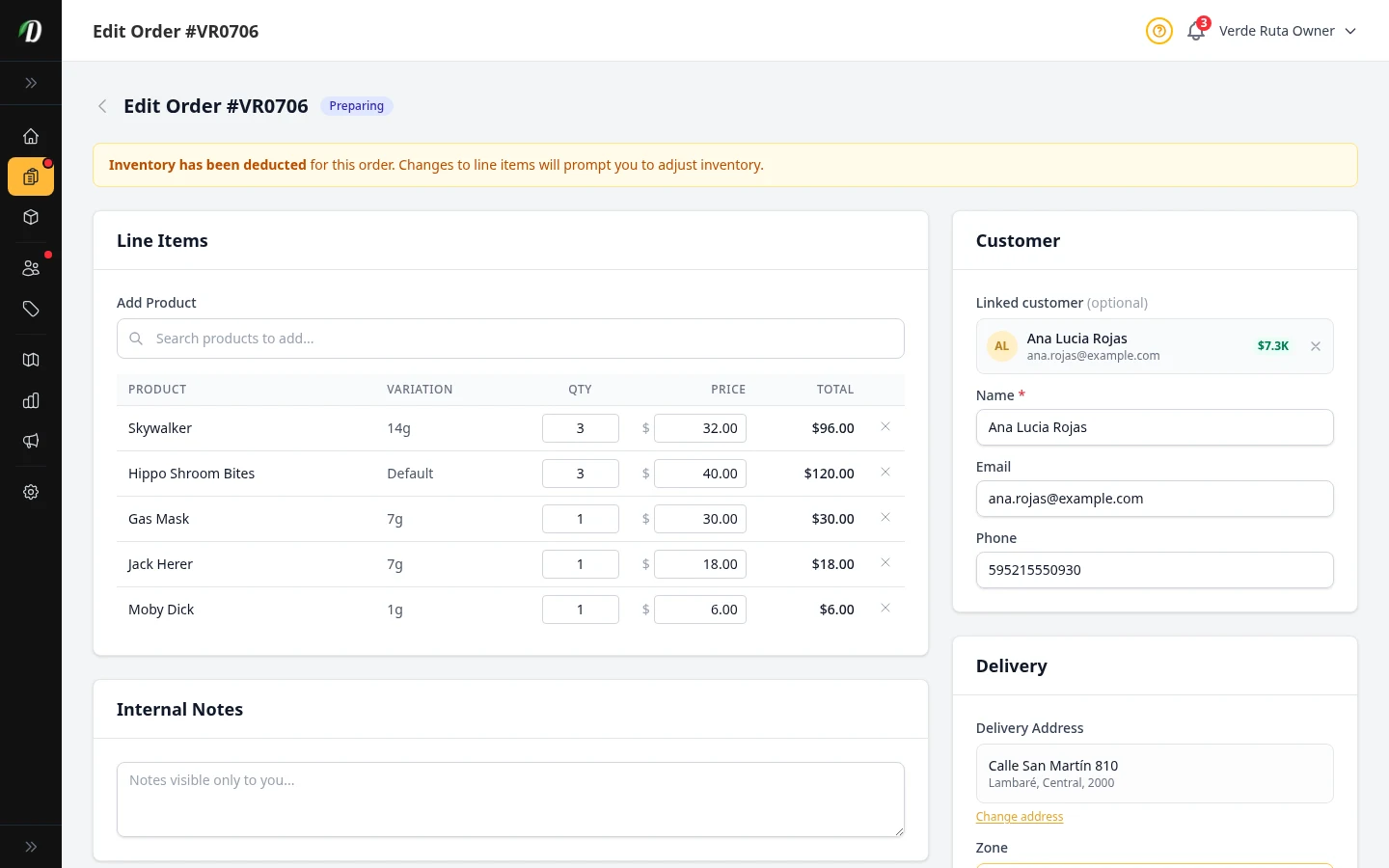
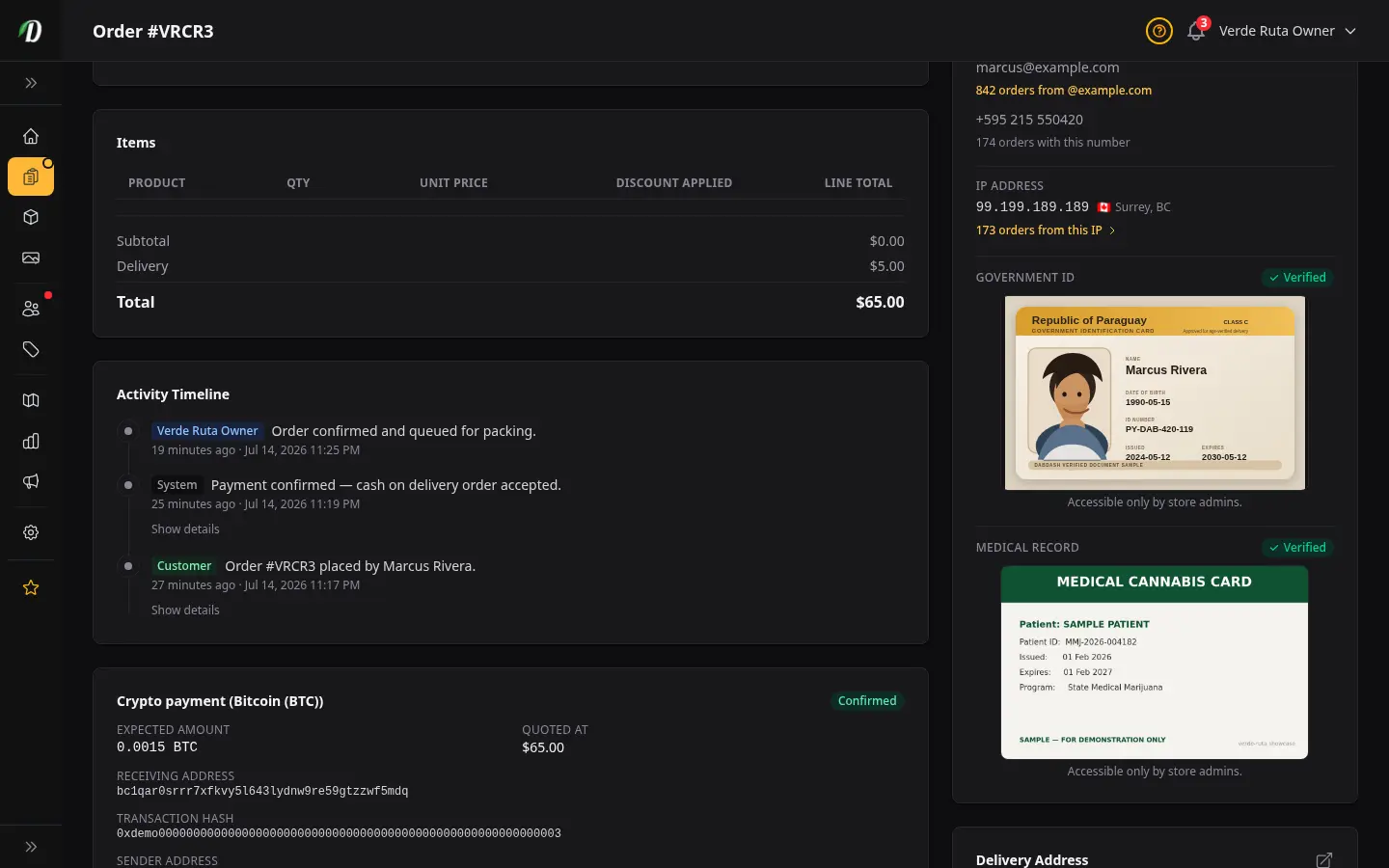
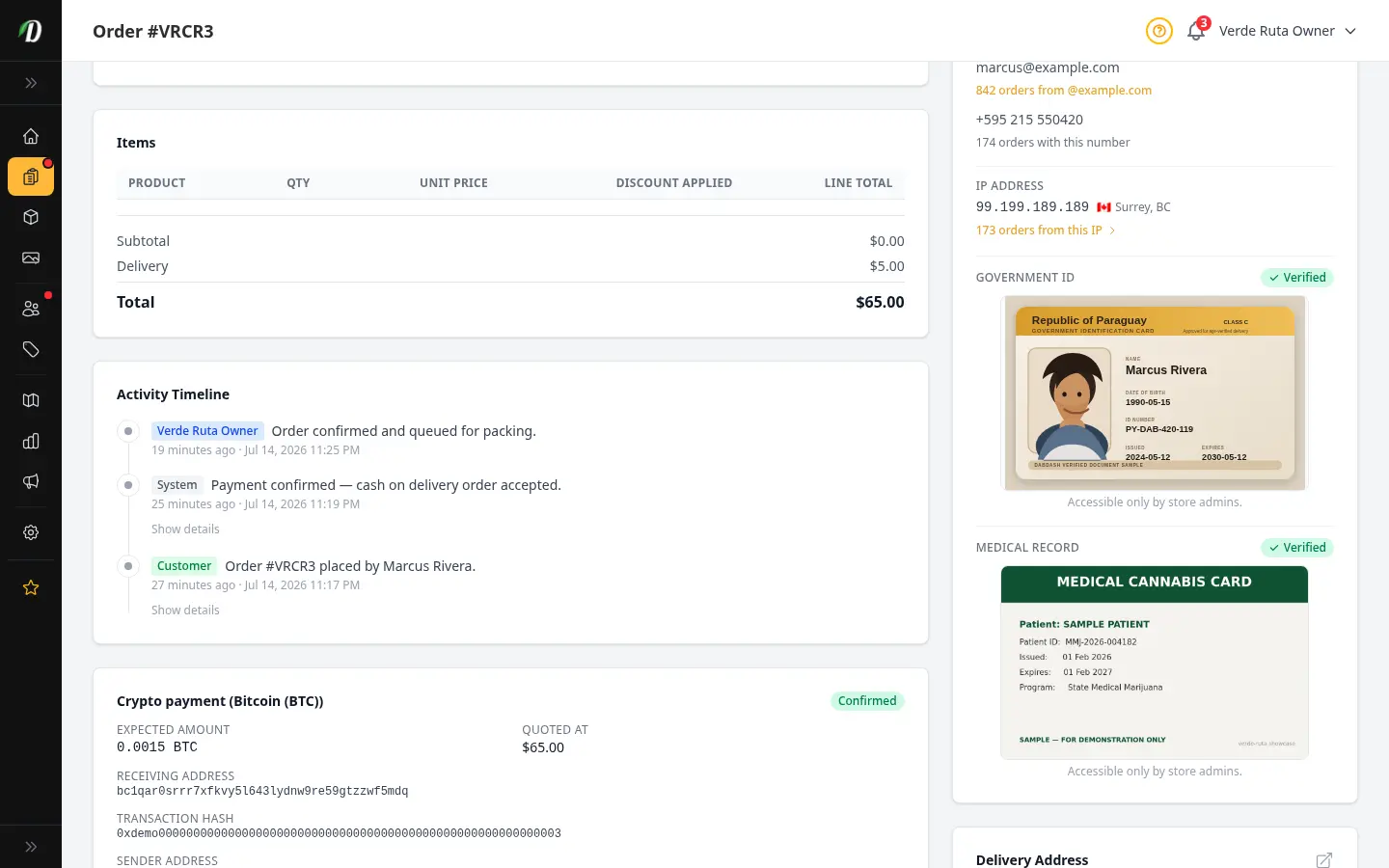
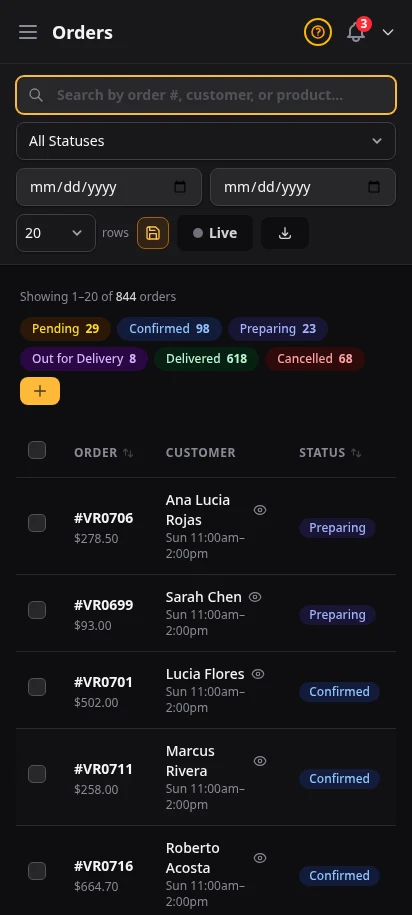
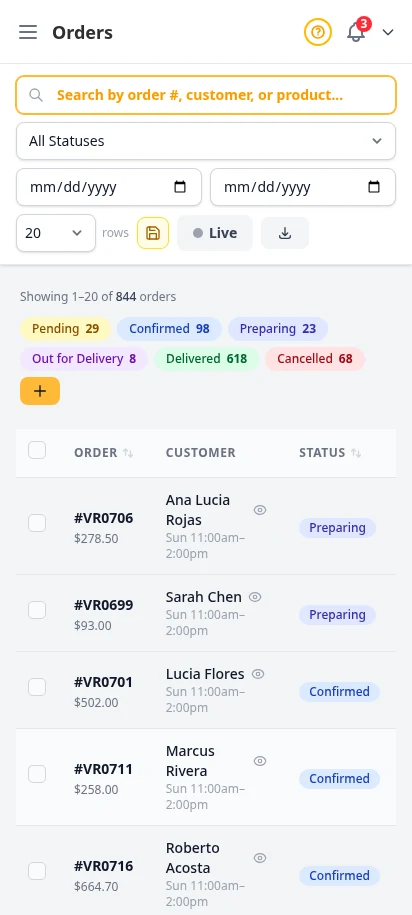
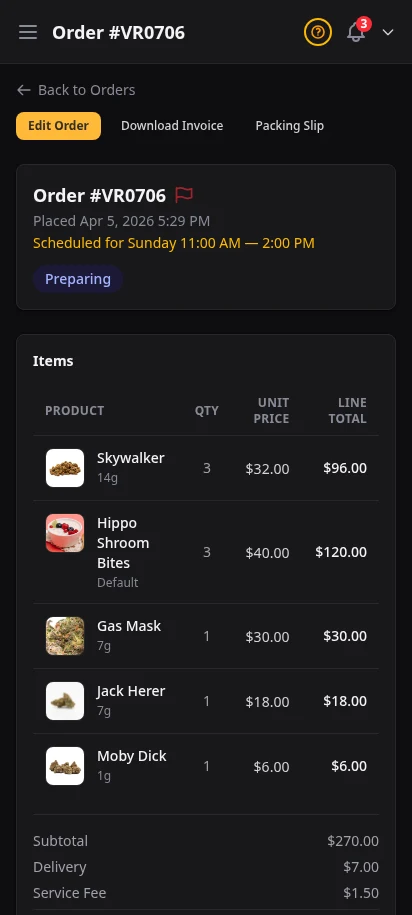
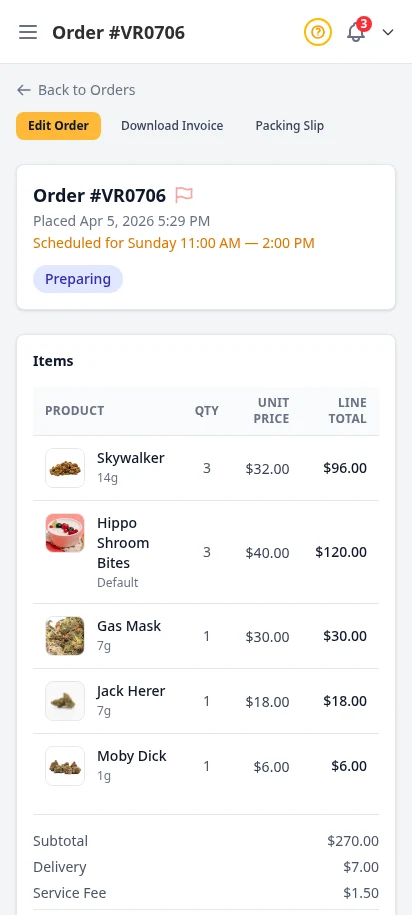
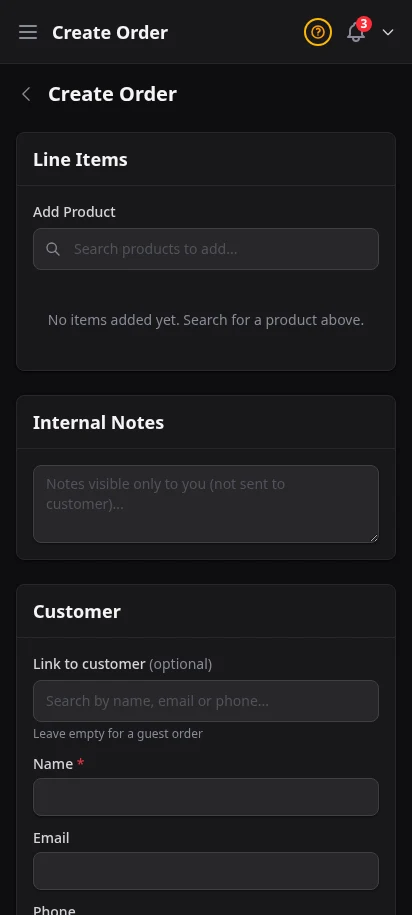
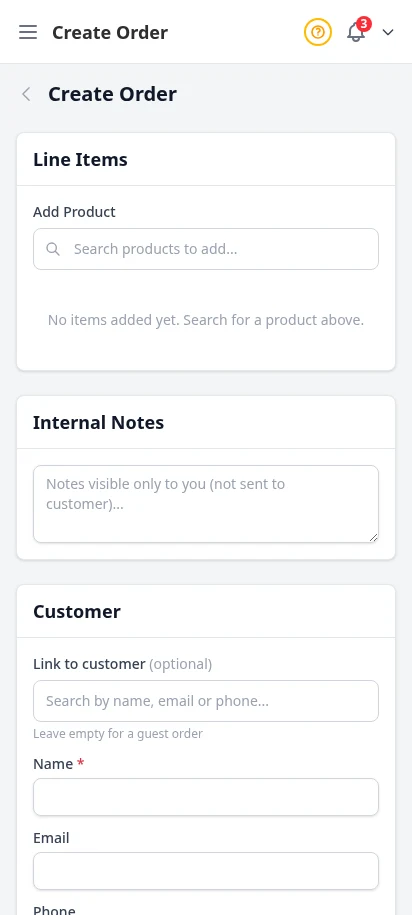
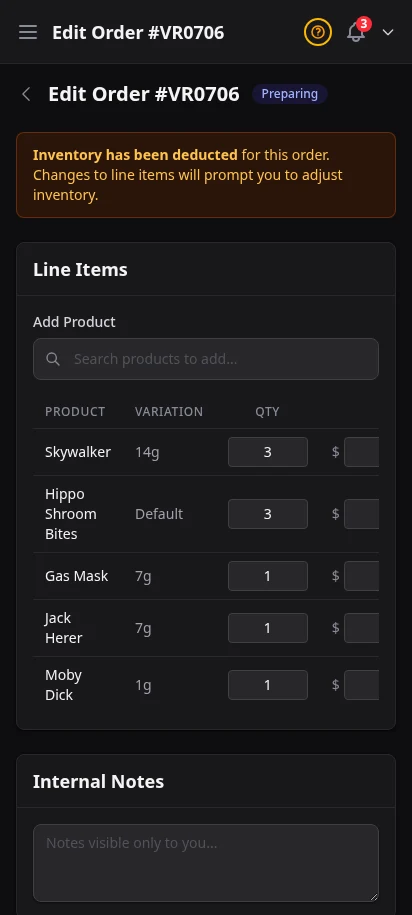
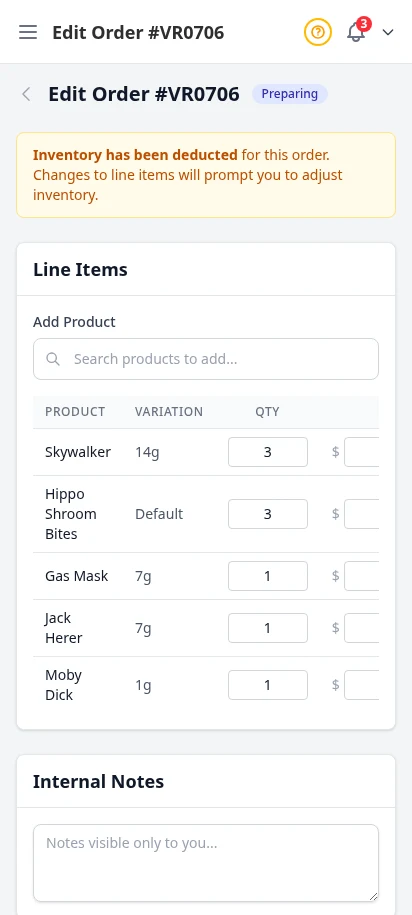
See all your orders in one filterable table — pending, confirmed, out for delivery, completed, or cancelled. Click any order for the full detail view with customer info, line items, delivery zone, fees, and payment status.
- Filterable order table with status badges
- Detailed order view with line items and totals
- Order status management (confirm, dispatch, complete, cancel)
- PDF invoice and packing slip generation
- CSV export with date and status filters
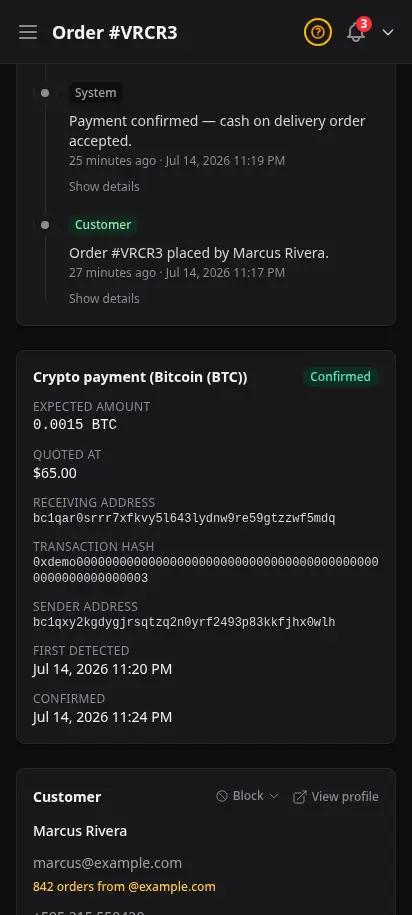
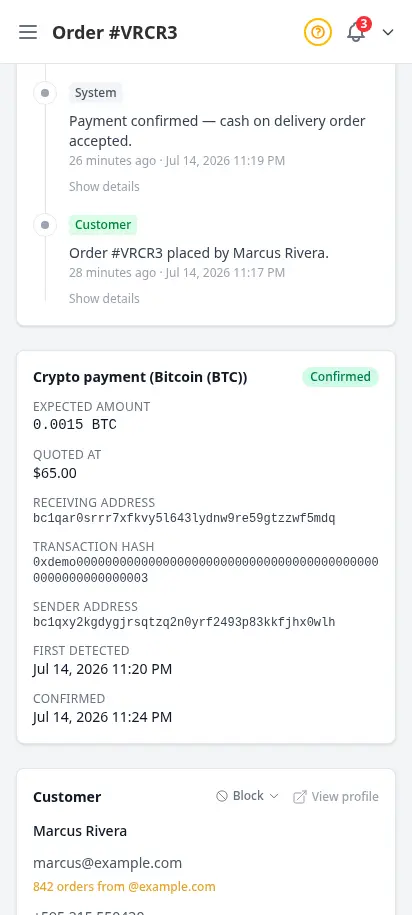
Order alerts that follow you everywhere
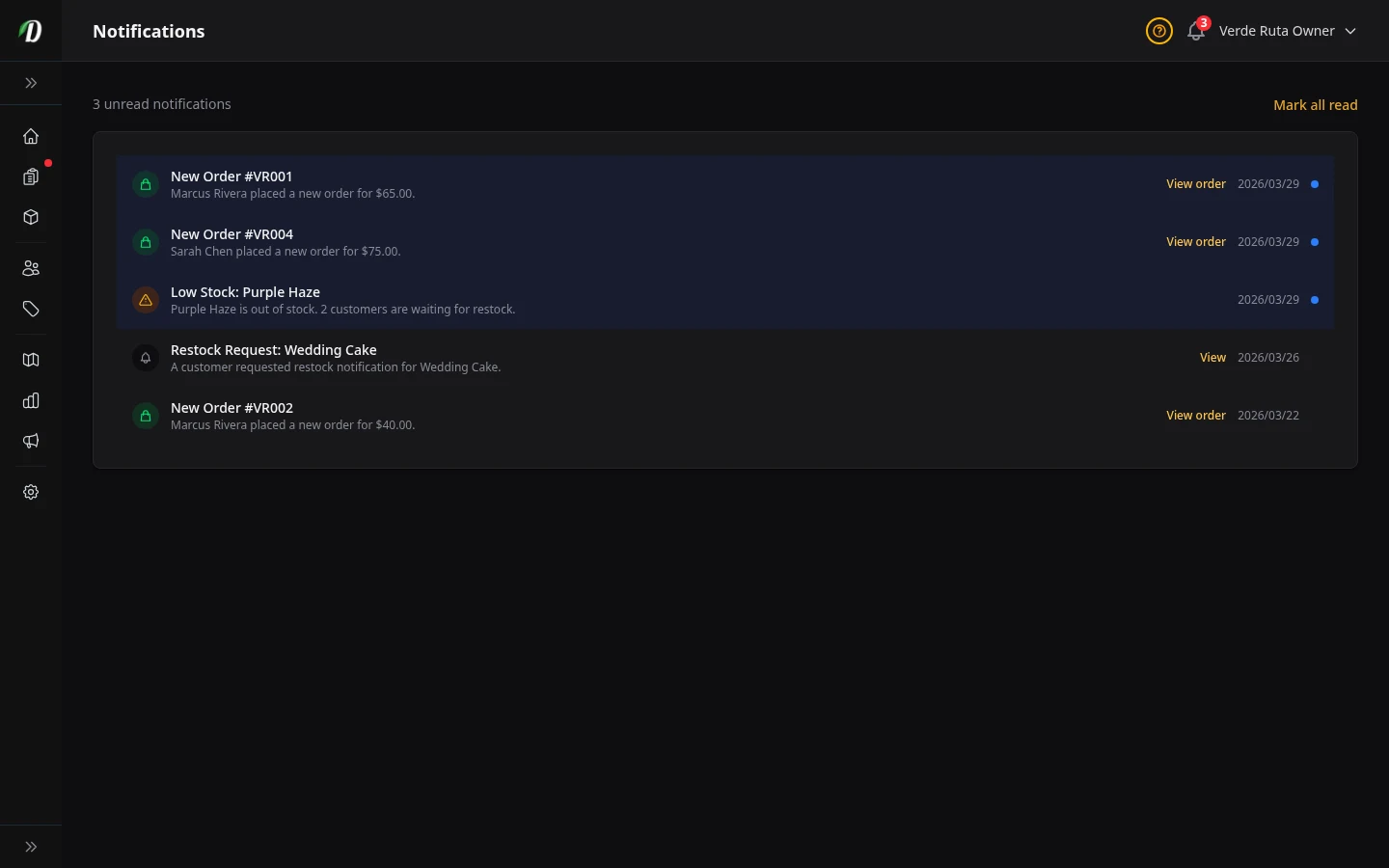
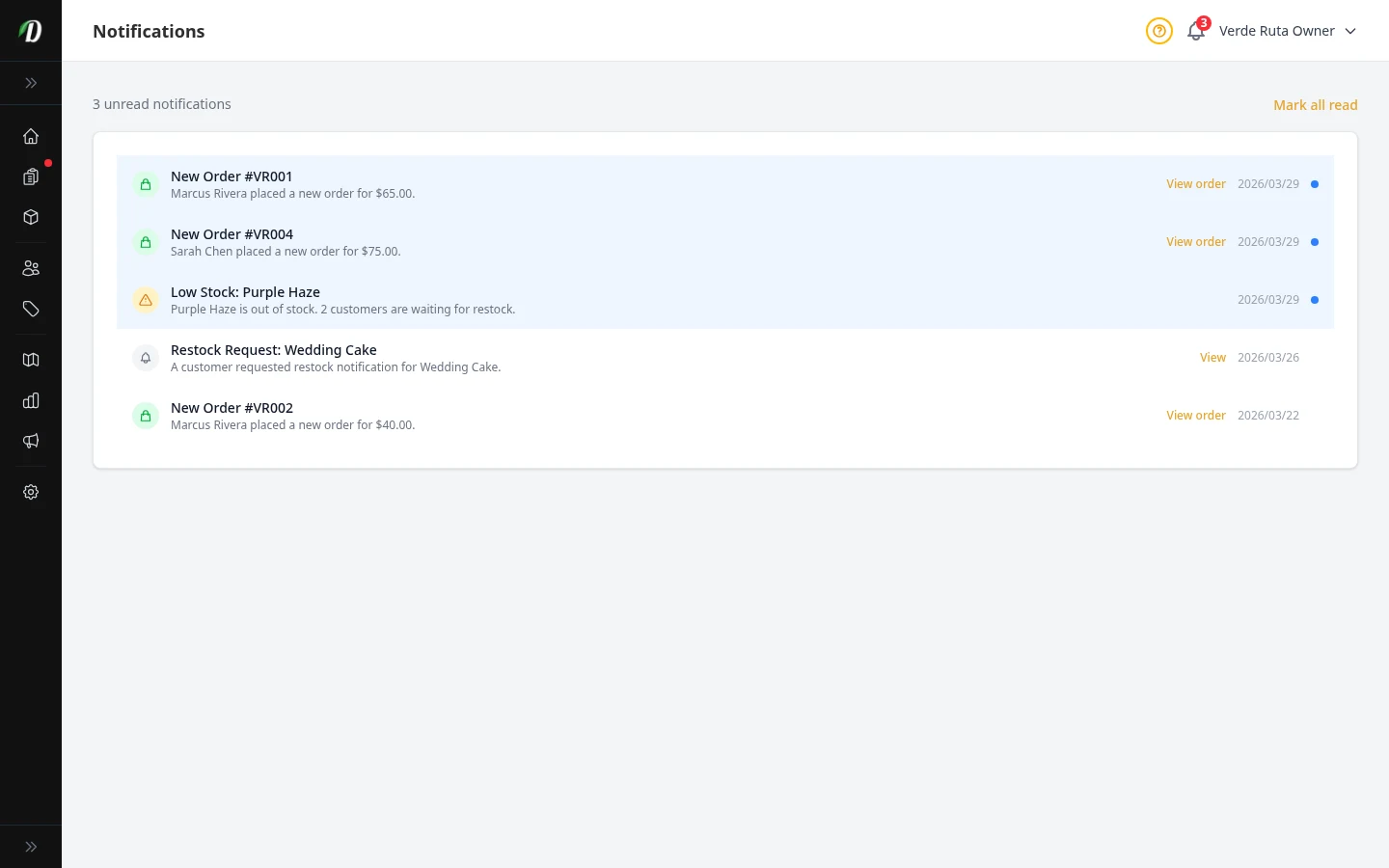
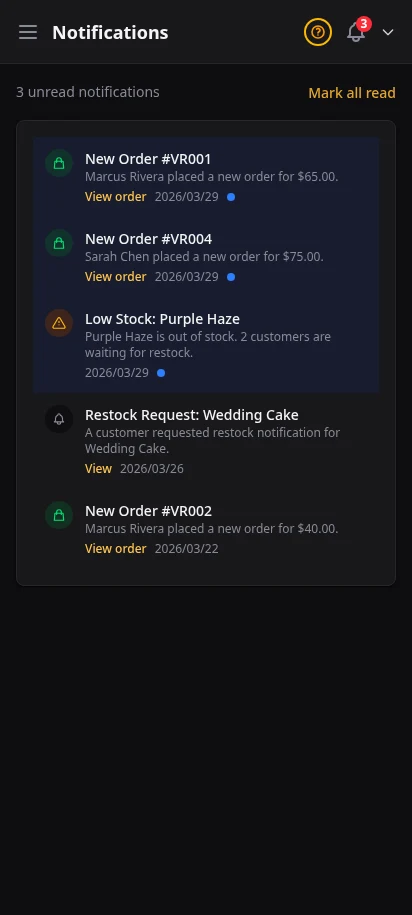
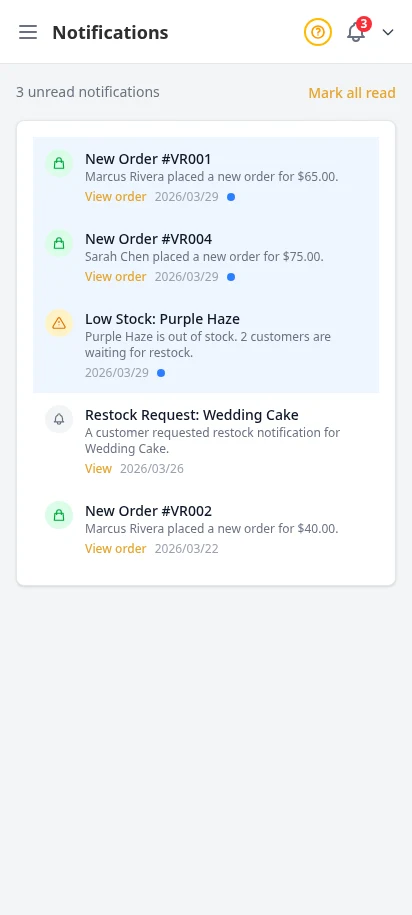
Every new order triggers a real-time notification in your admin — a bell icon with an unread count so nothing slips by. View your full notification feed, mark items read, and configure which events trigger push alerts to your phone.
- Bell icon with unread badge in admin header
- Paginated notification feed with timestamps
- New order, low stock, and restock alerts
- Mark all as read in one click
- Push notifications to mobile (FCM)
Know your customers by name
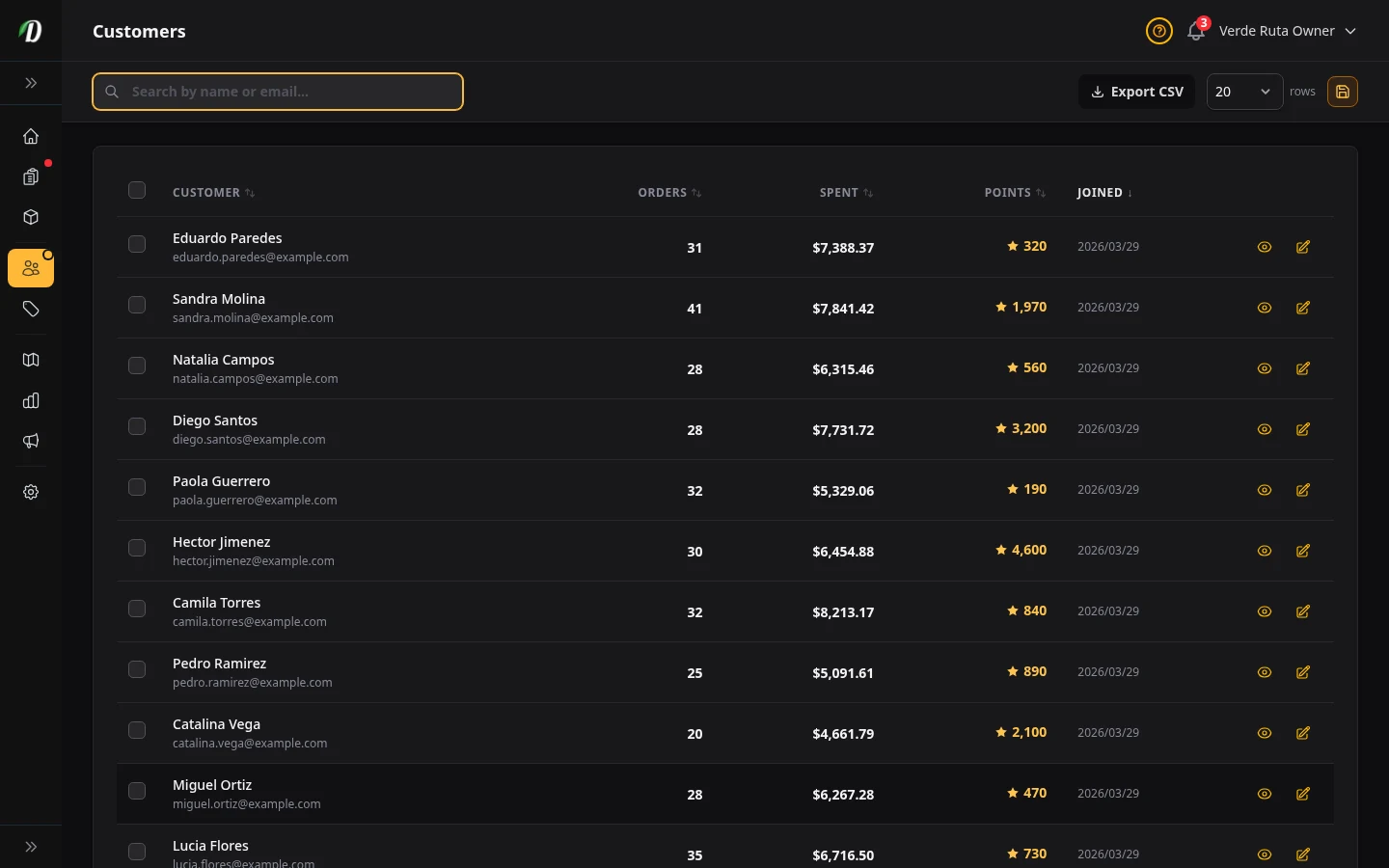
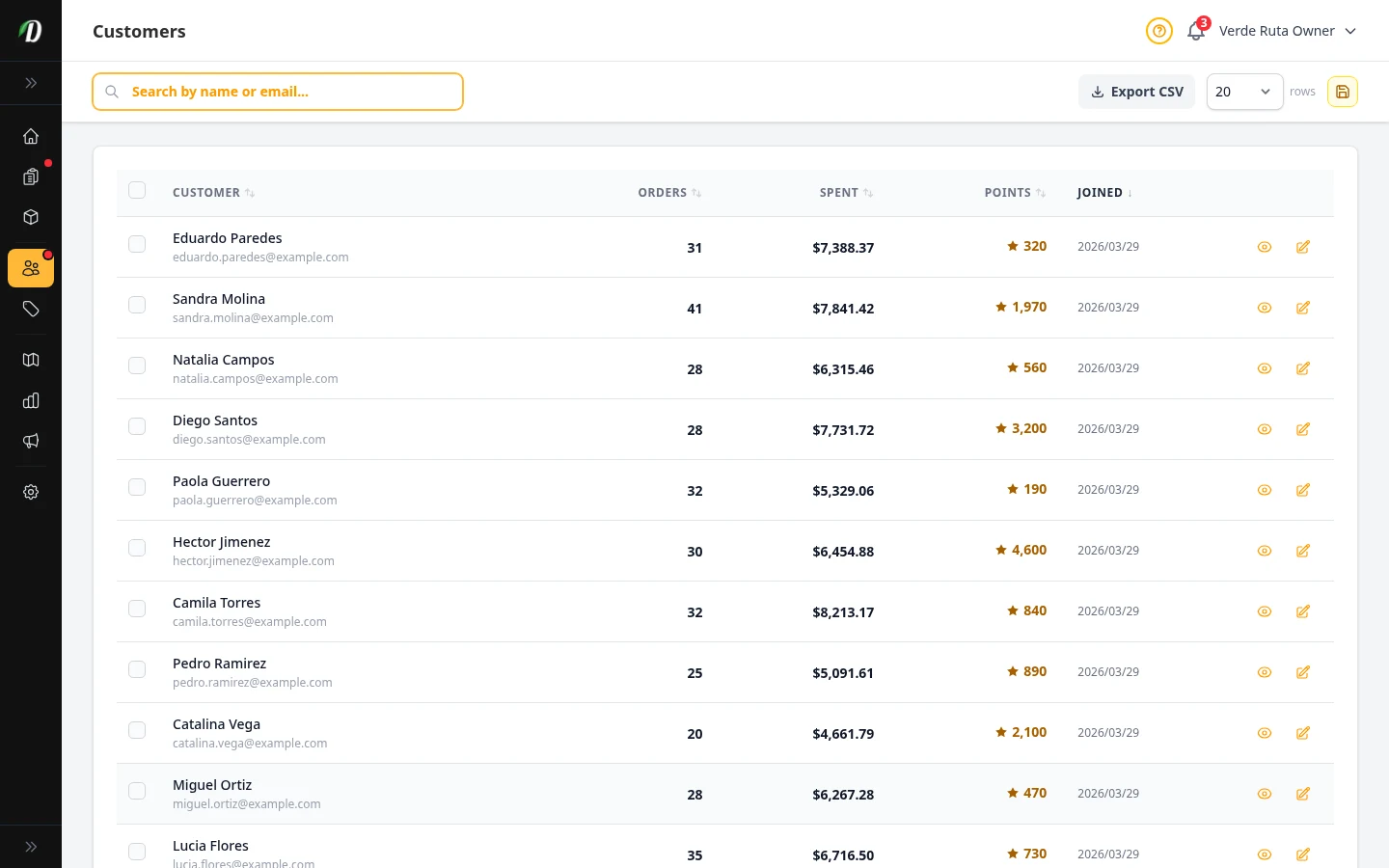
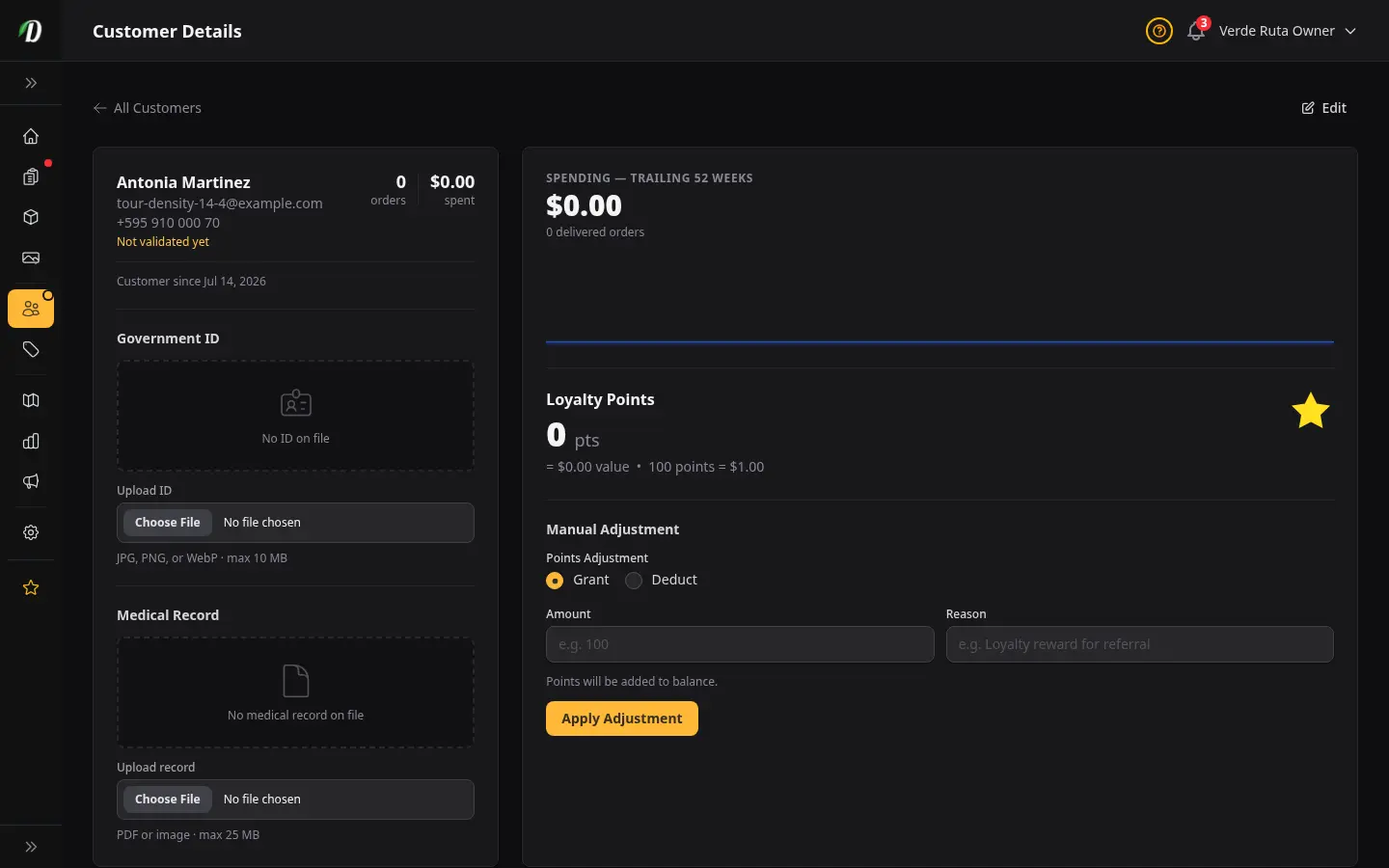
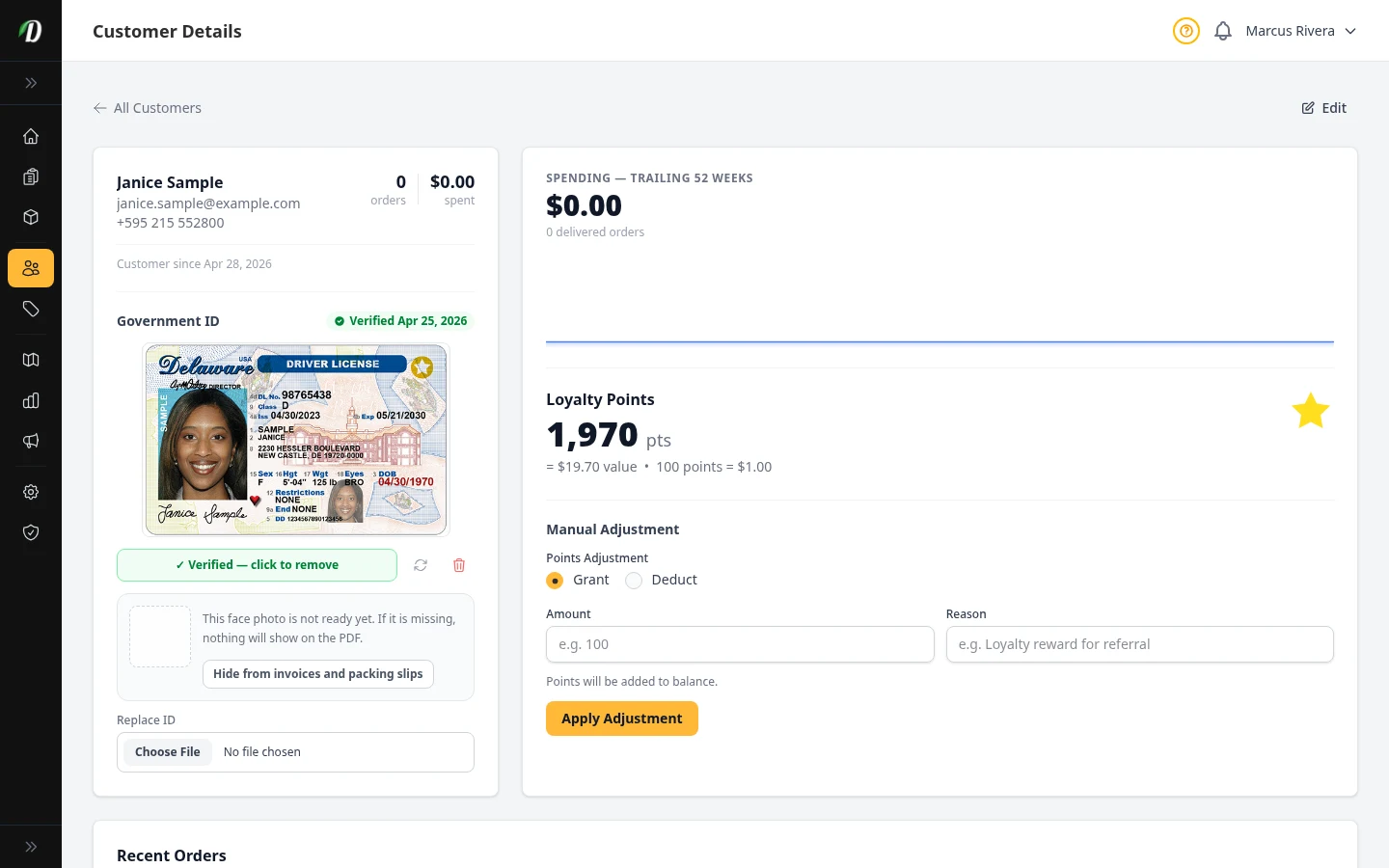
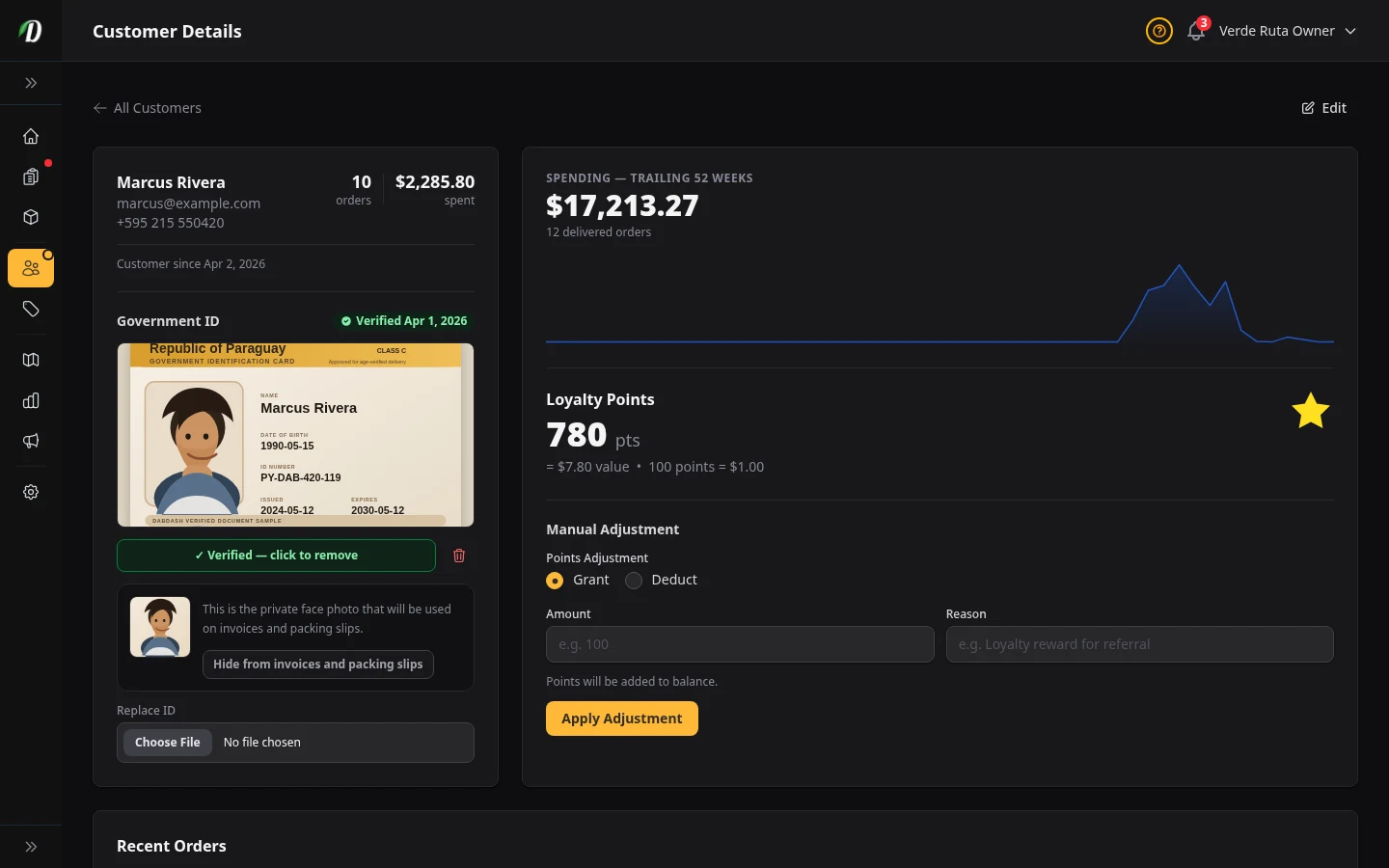
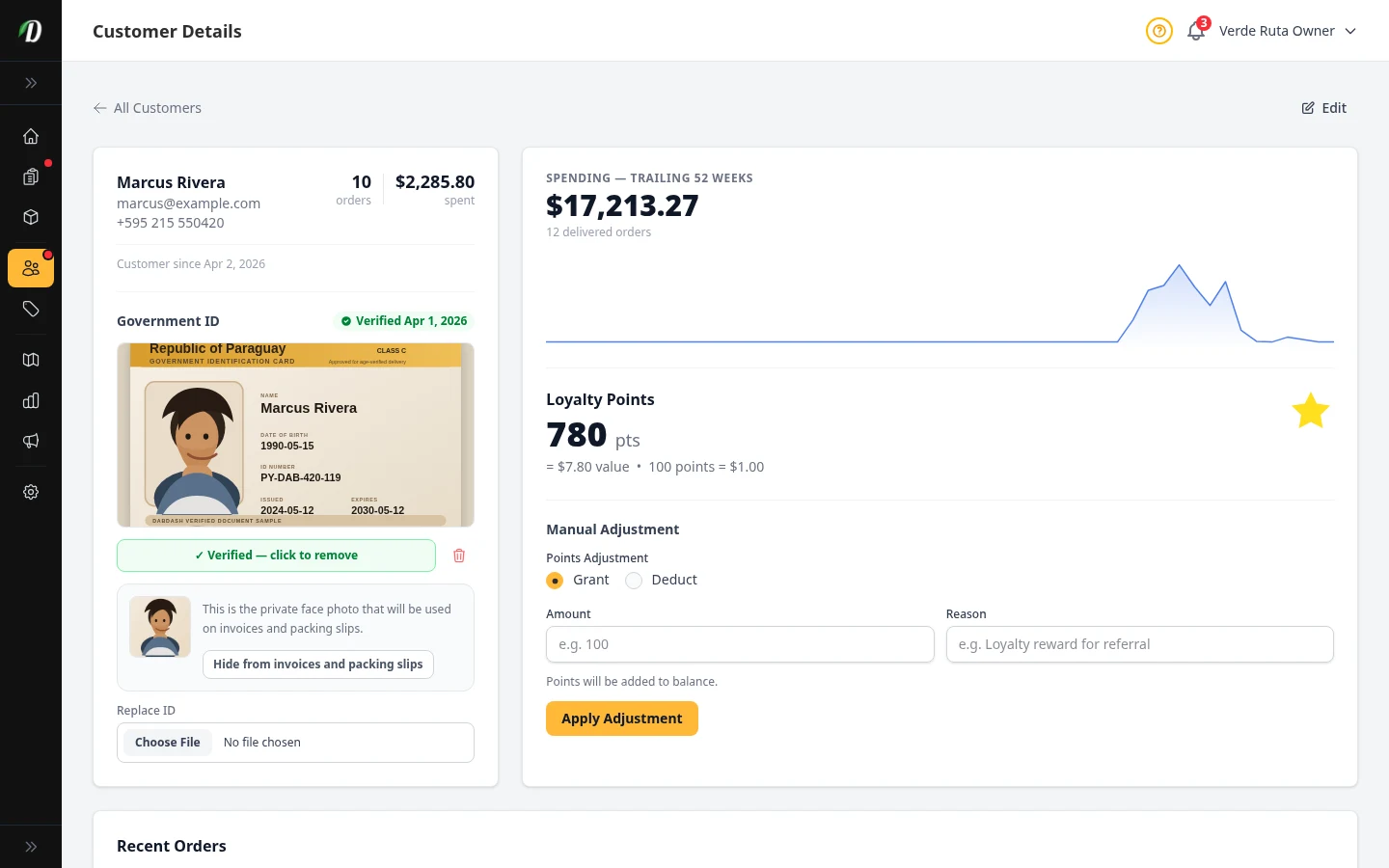
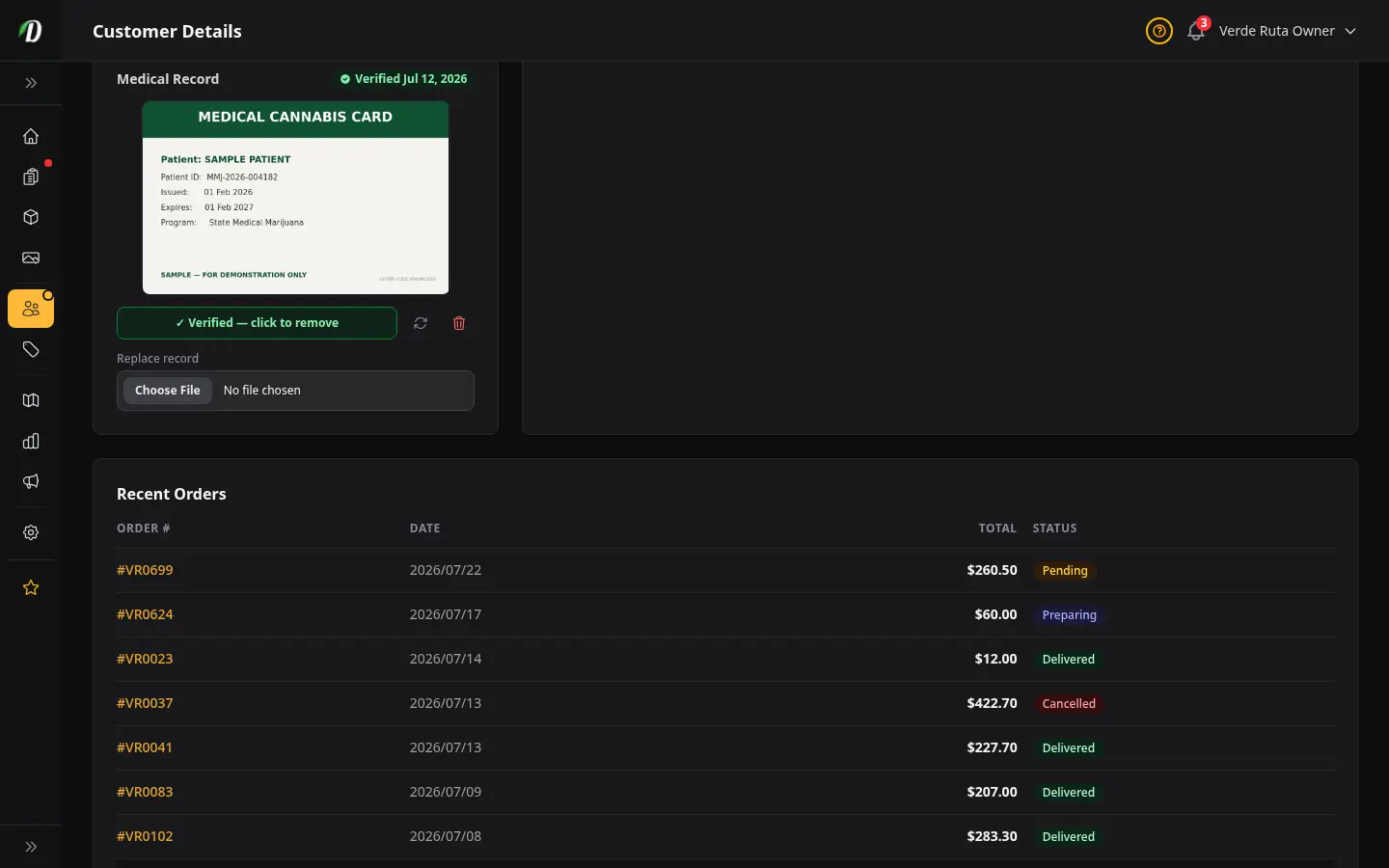
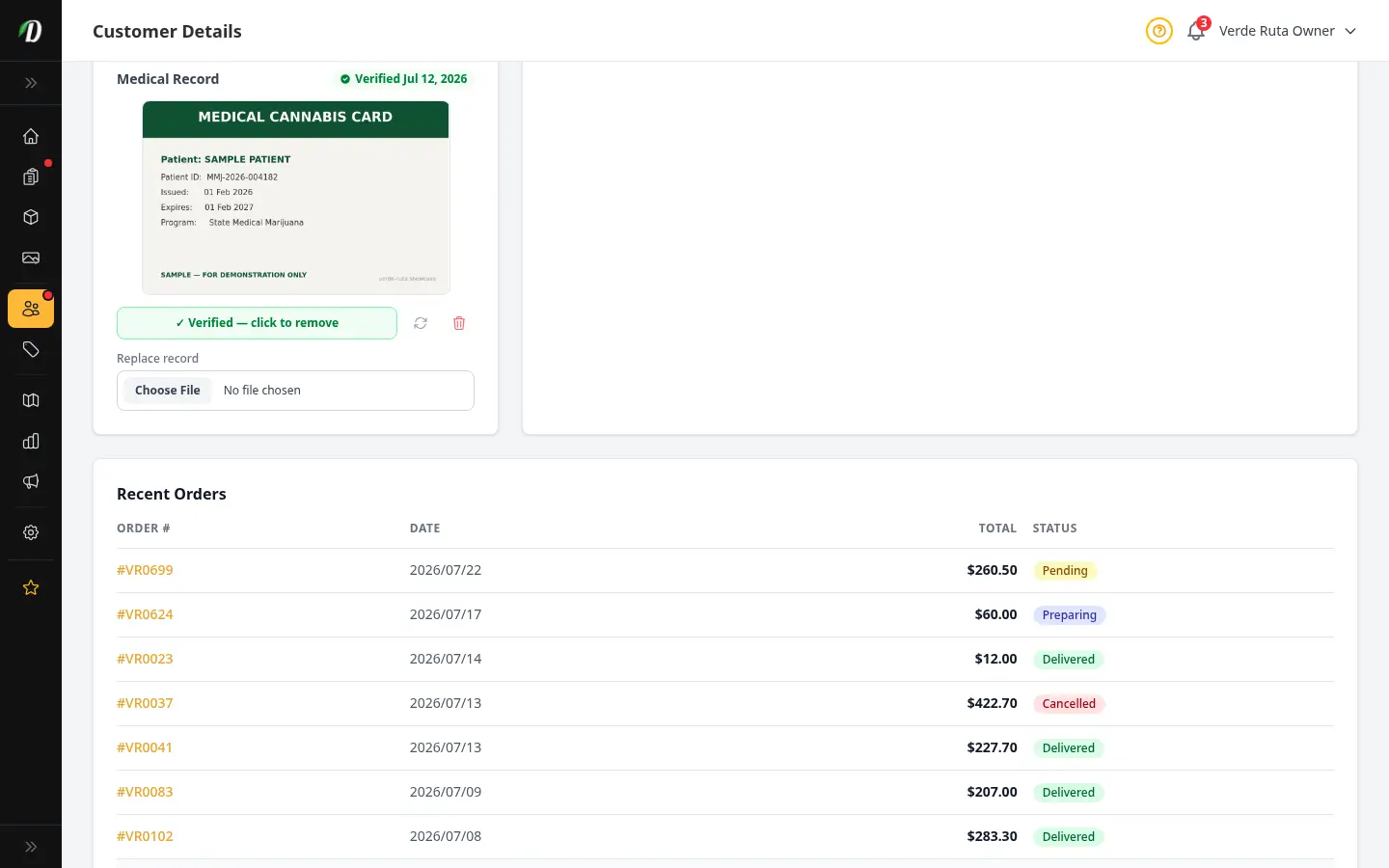
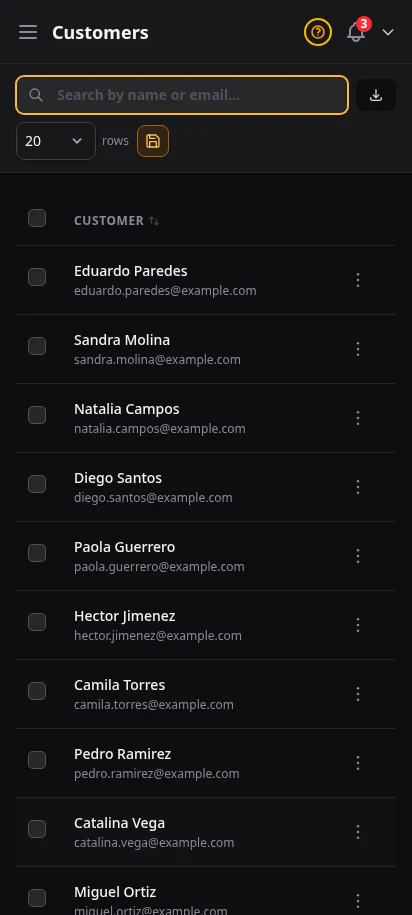
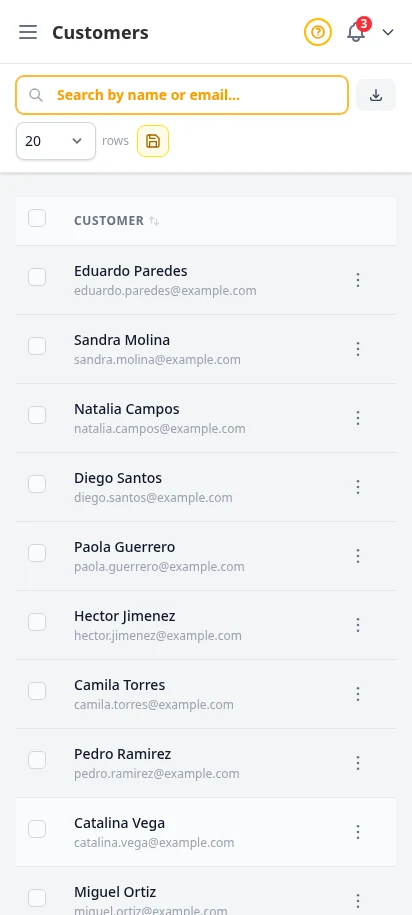
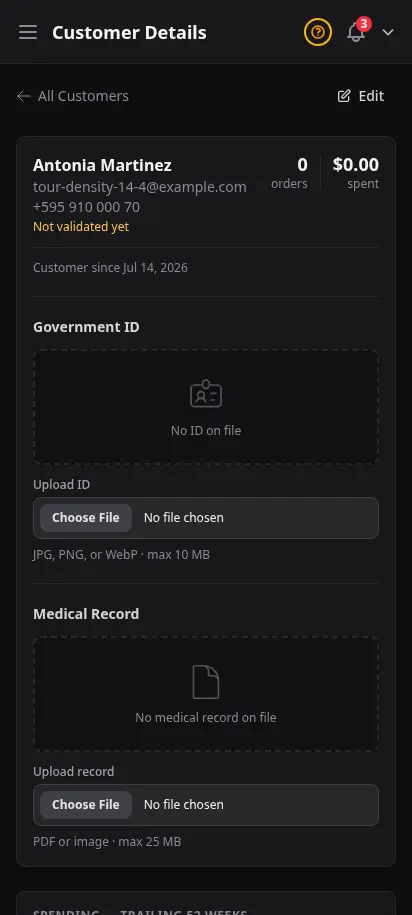
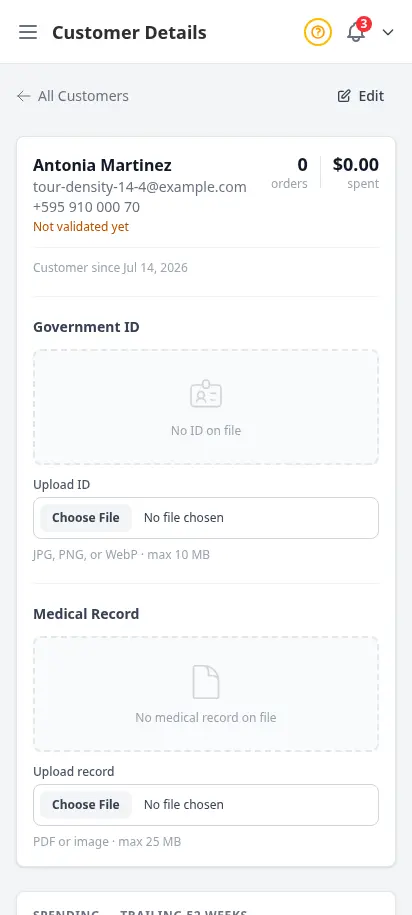
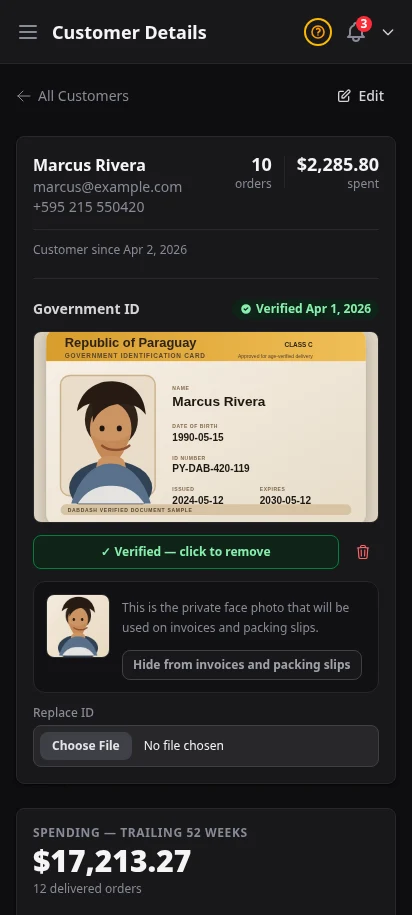
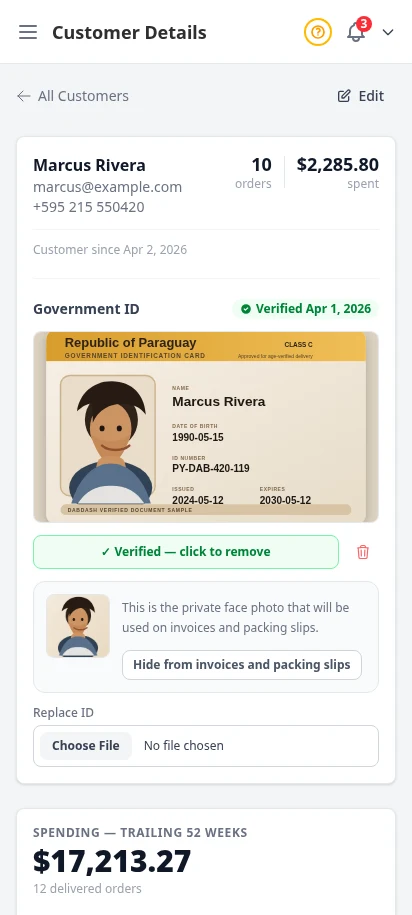
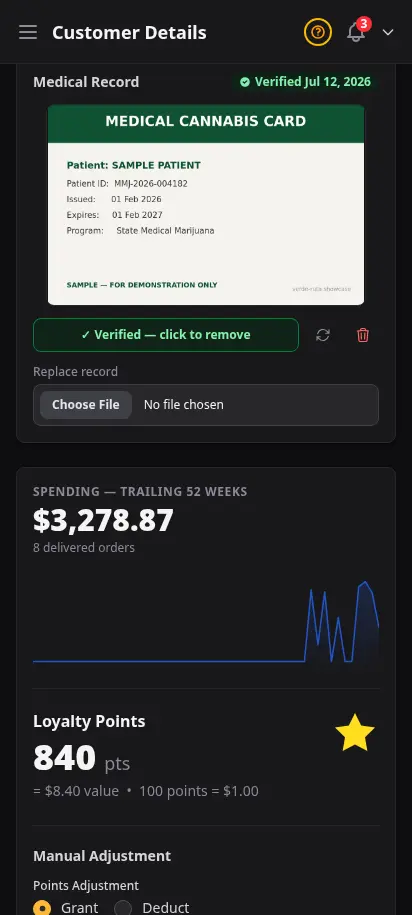
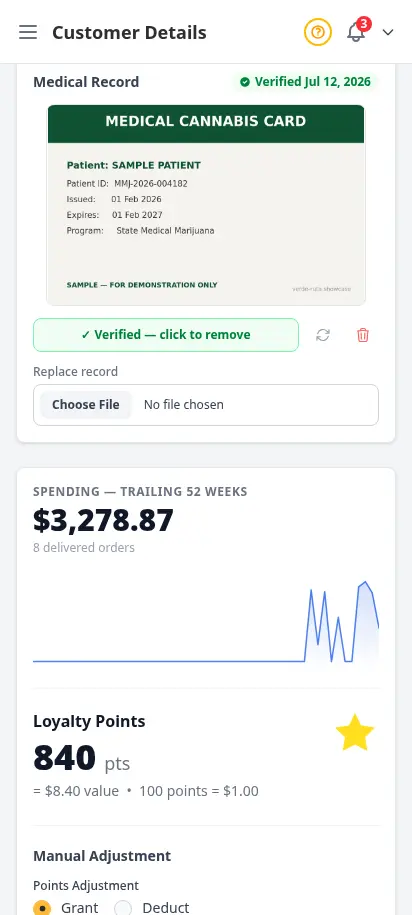
Every customer who creates an account appears in your customer directory. See their order history, total spend, loyalty points, saved addresses, and any uploaded ID right inside the profile, including the private face crop DabDash can reuse on fulfillment documents.
- Searchable customer list with order count and total spend
- Individual customer profiles with order history and loyalty balances
- Uploaded government IDs with verification status
- Private face crop generated for invoices and packing slips
Print docs that keep the whole order story visible
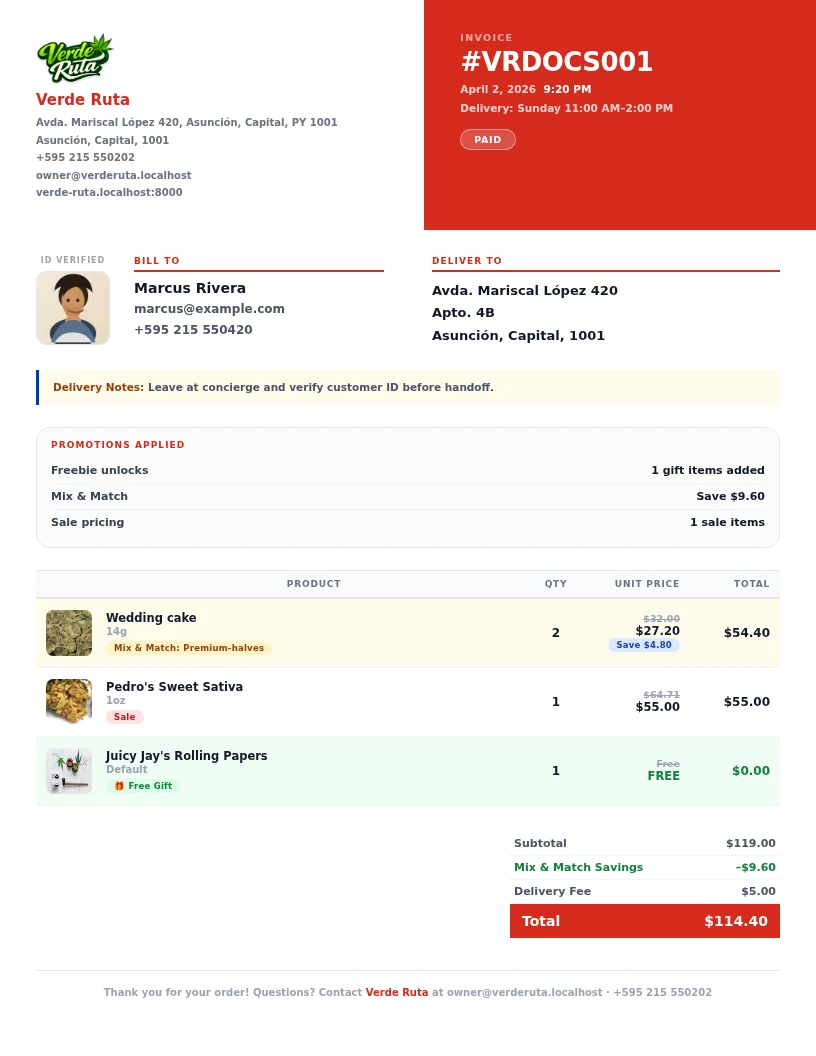
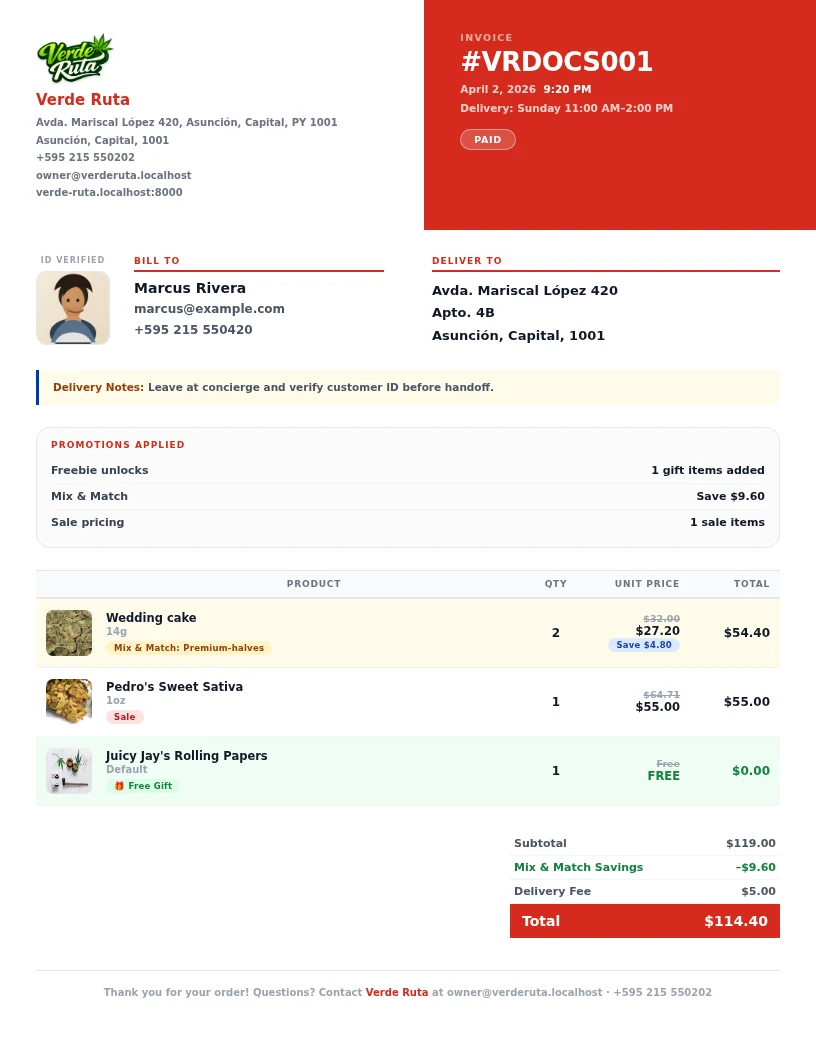
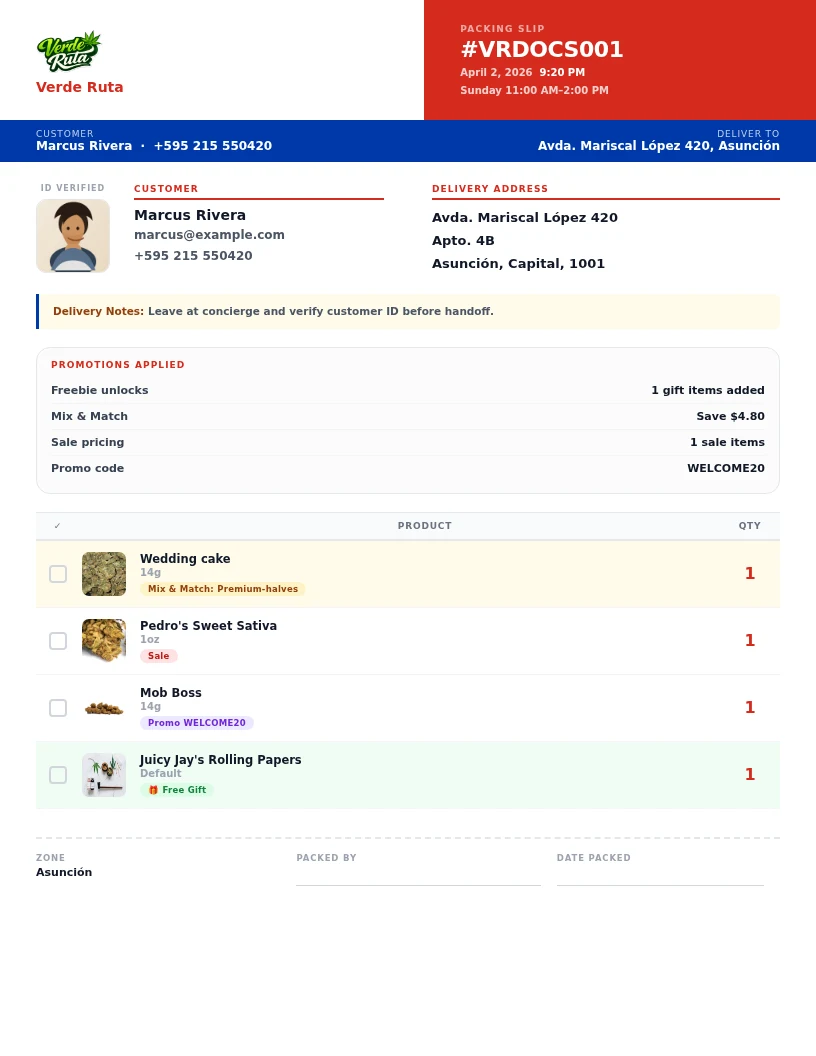
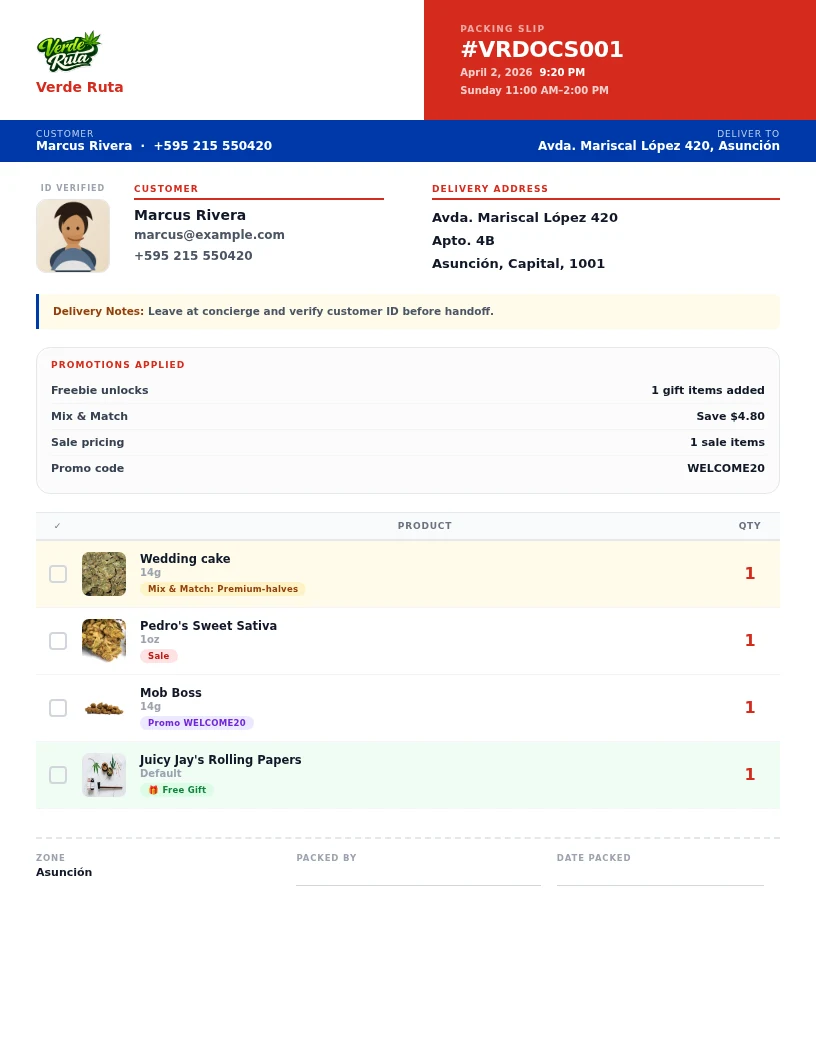
Invoices and packing slips can carry the customer's cropped face photo plus a clean promotion summary, so your team can see freebies, bundle deal savings, sale pricing, and the promo code on the same order without bouncing between screens.
- Invoice preview with customer face crop
- Packing slip preview with the same customer lookup
- Promotions stacked together on the order: freebie, bundle deal, sale, and promo code
- Cleaner handoff for packing, verification, and support
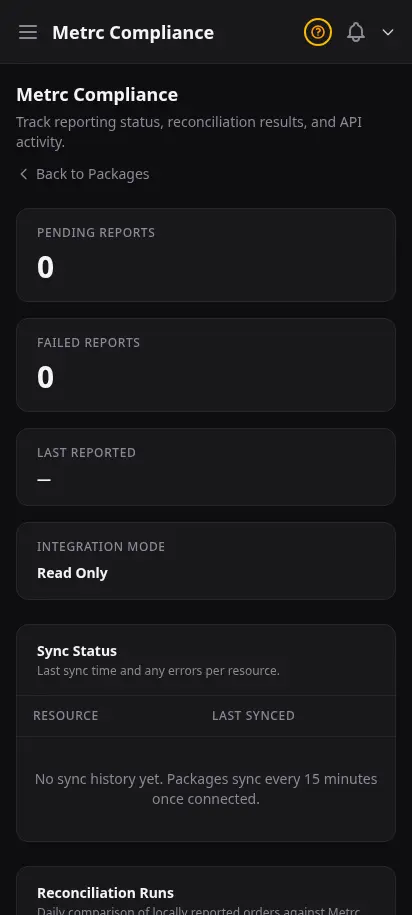
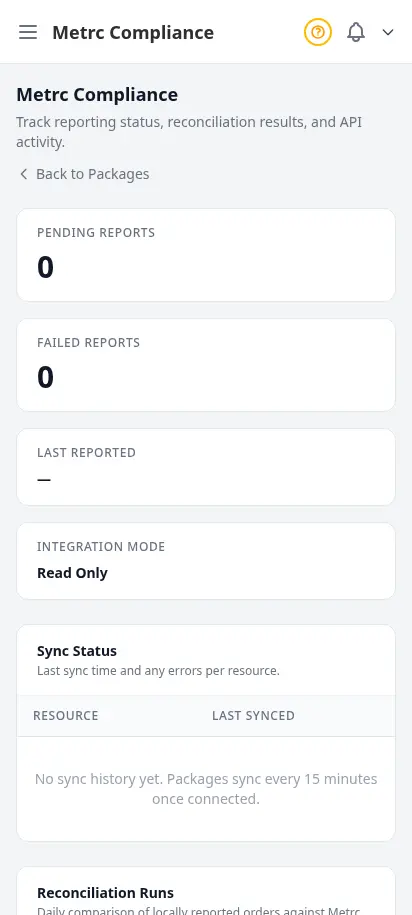
Stay state-compliant without the spreadsheets
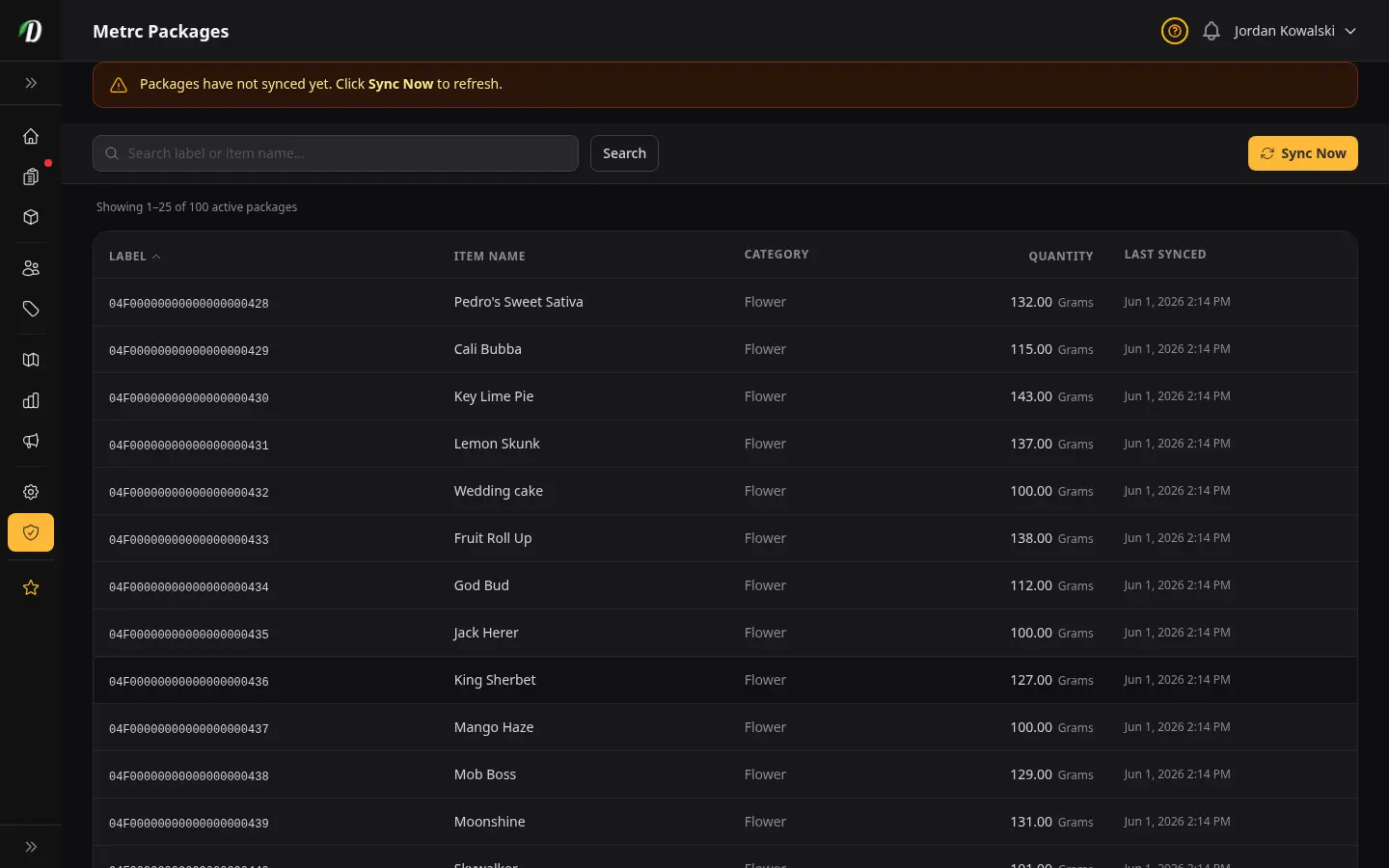
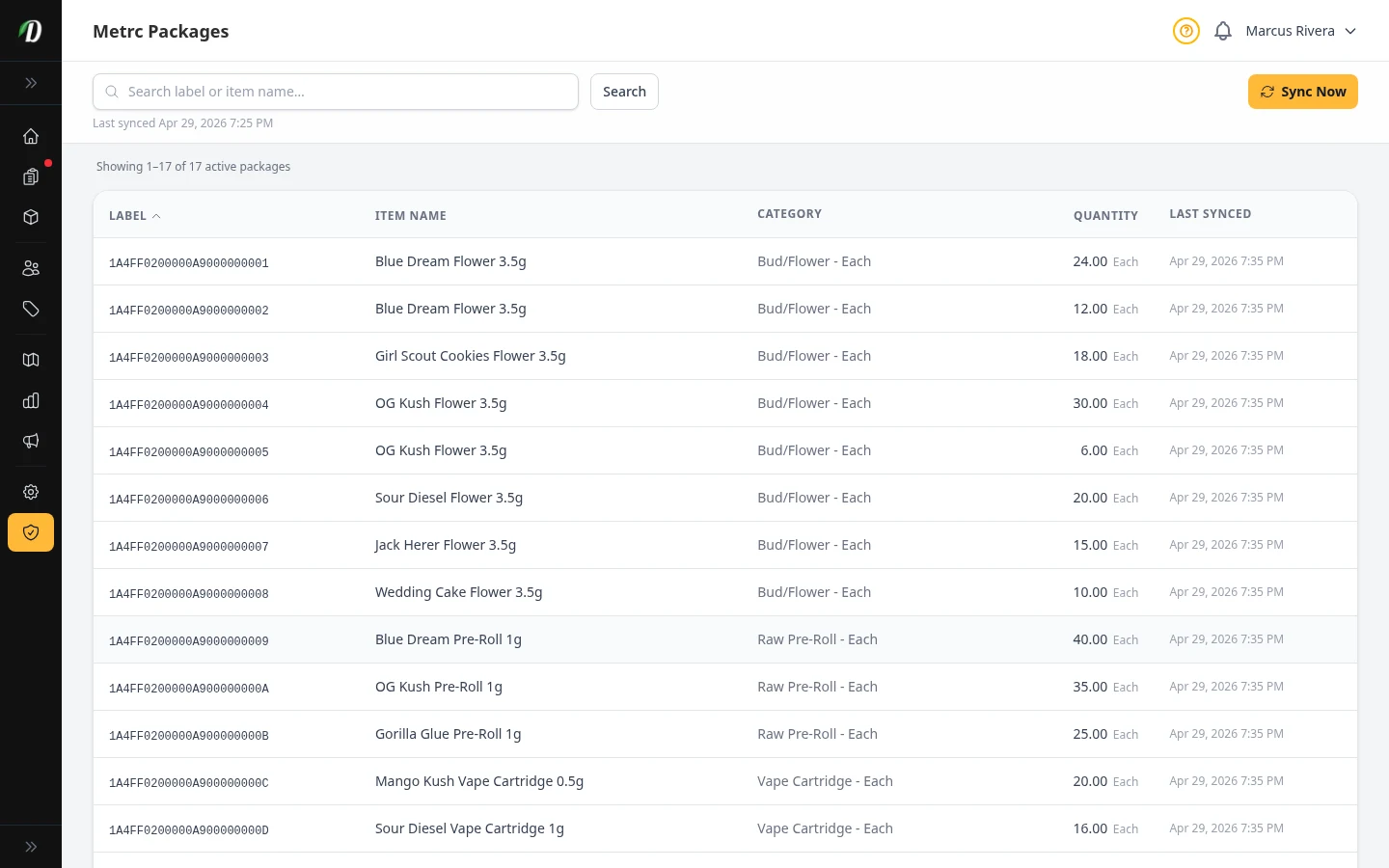
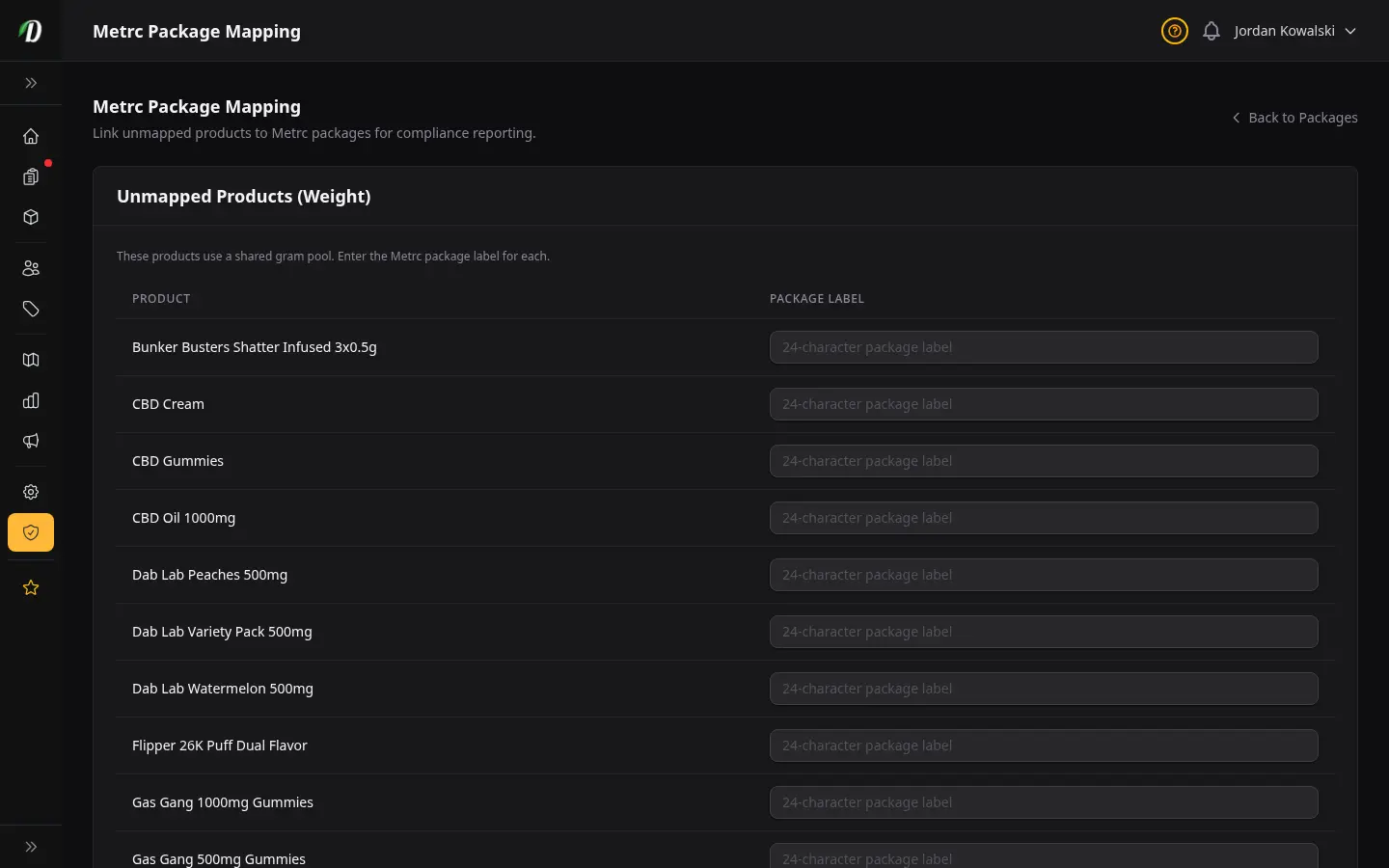
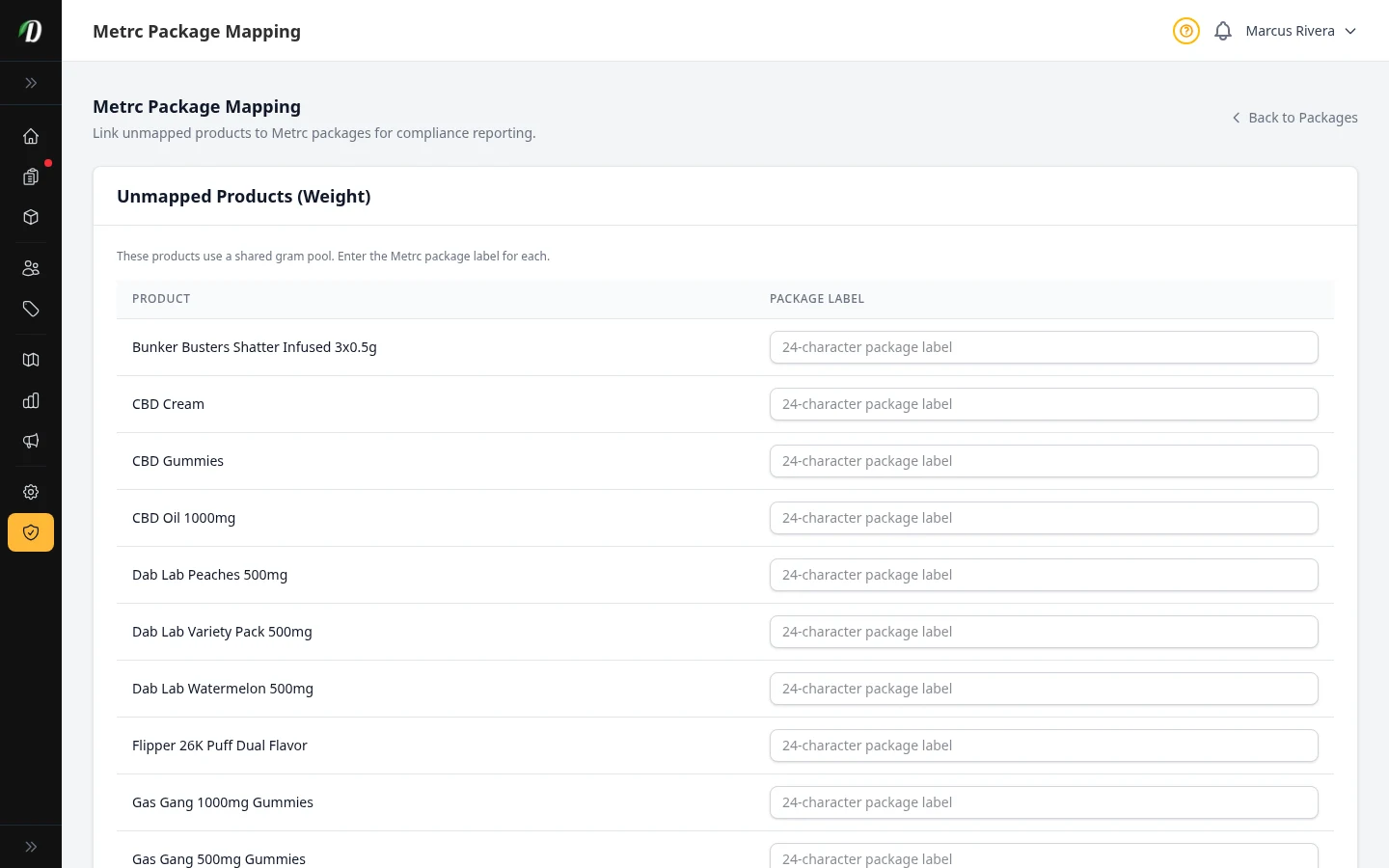
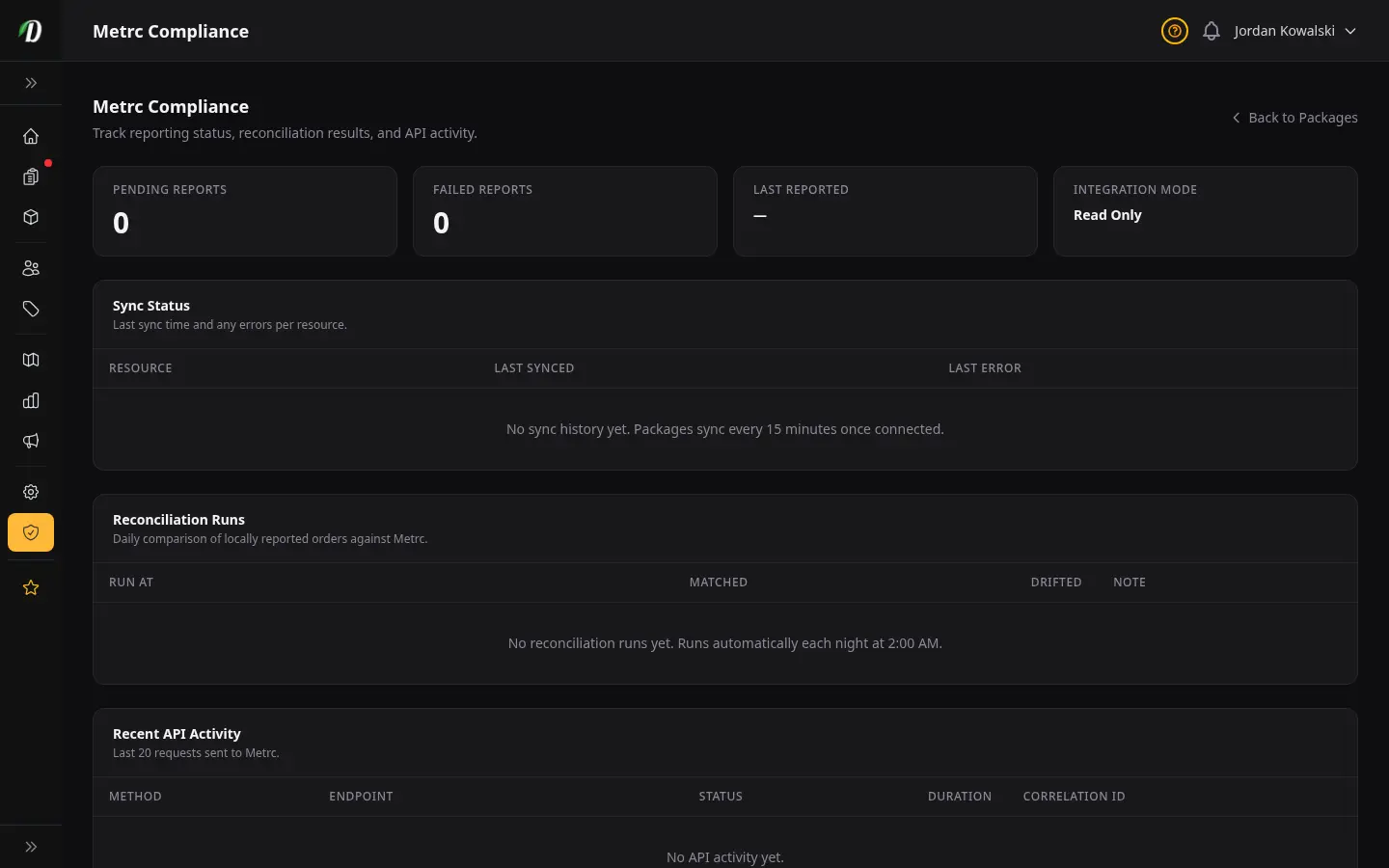
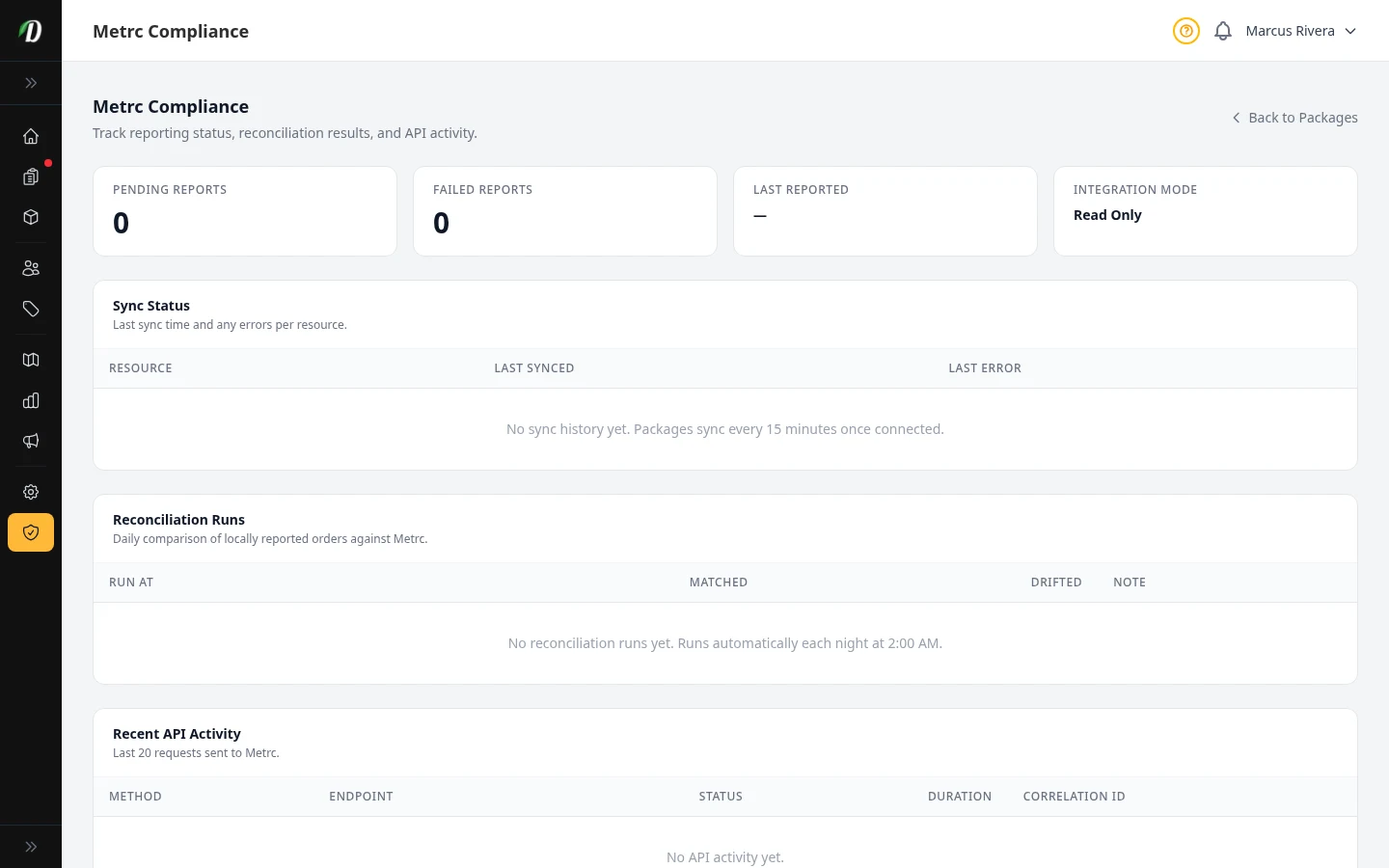
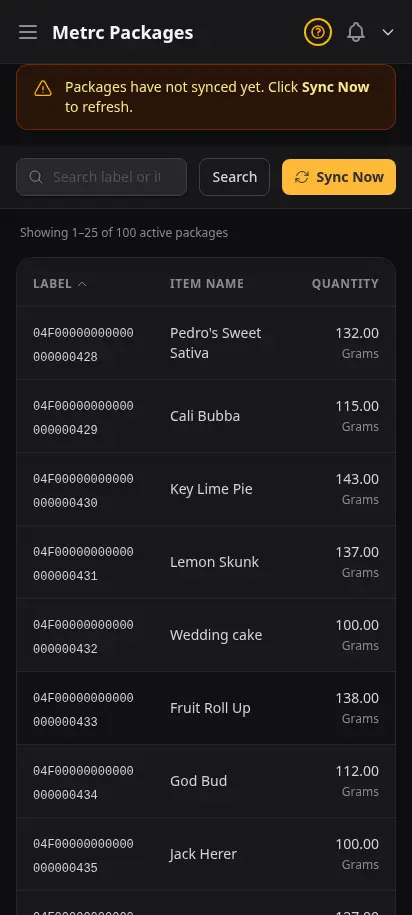
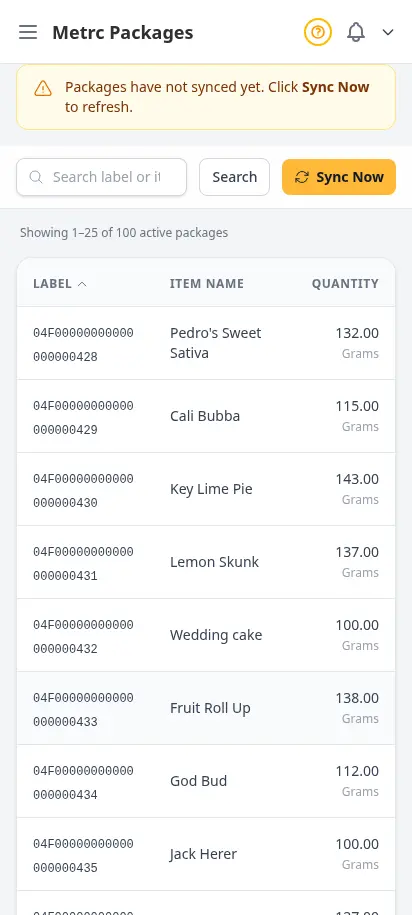
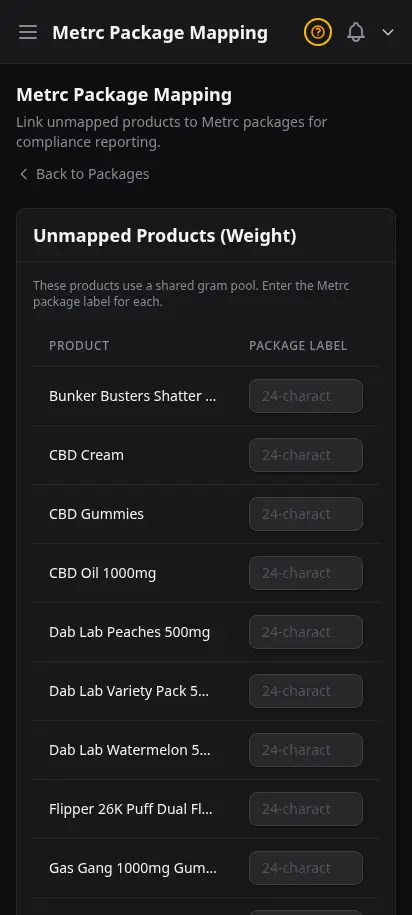
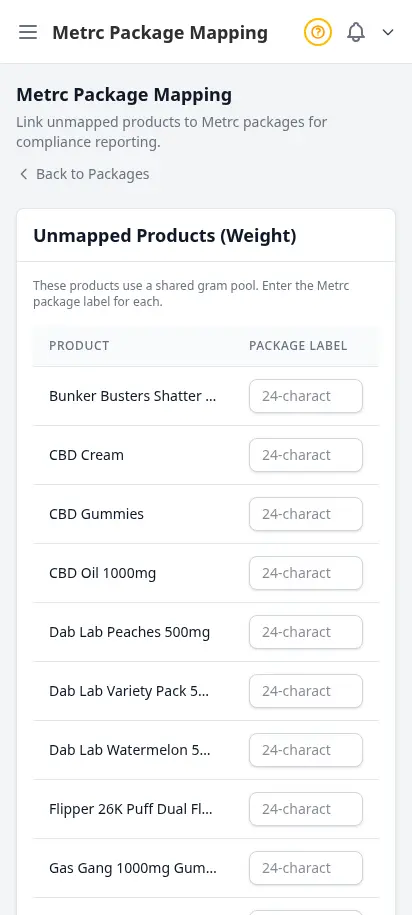
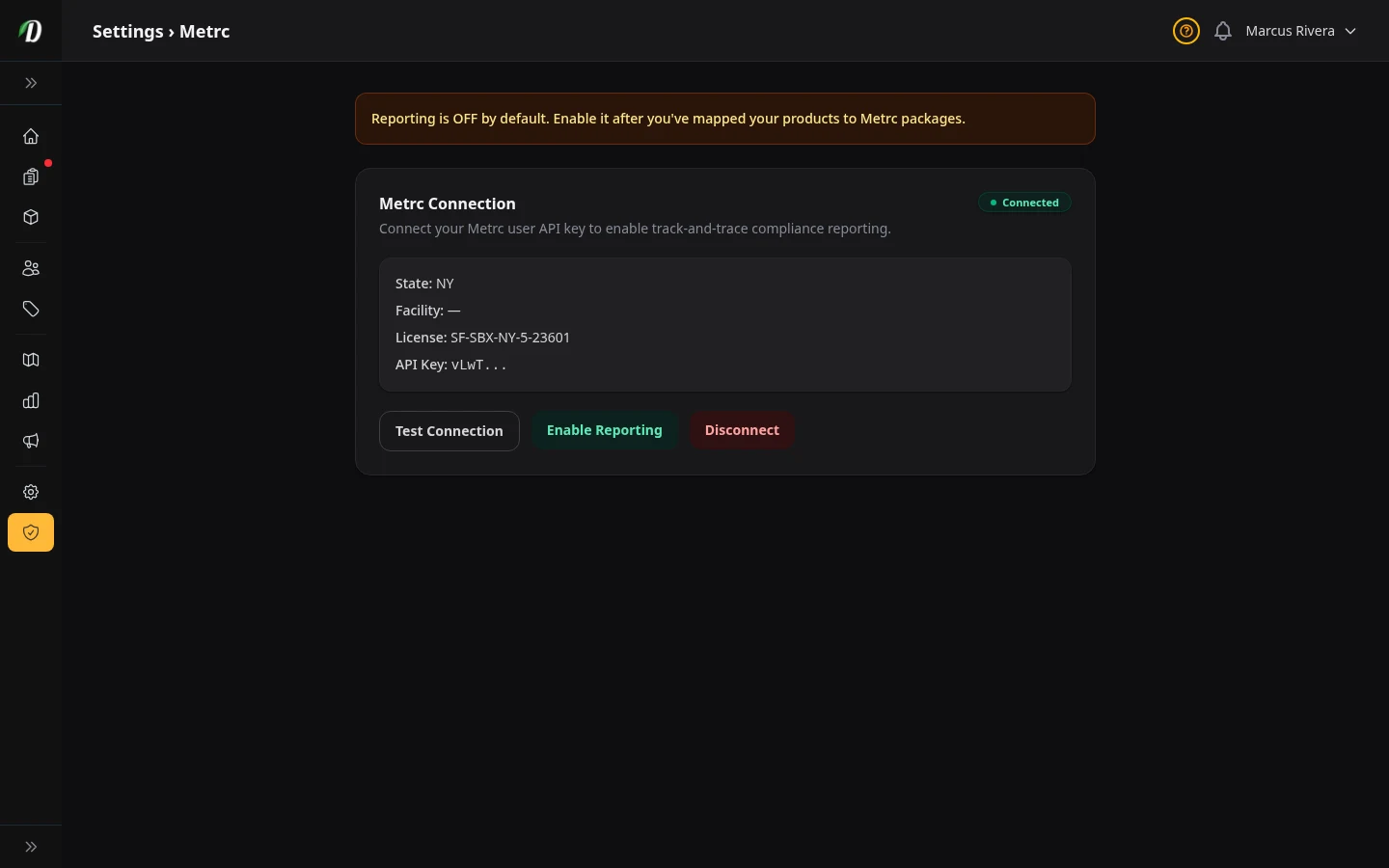
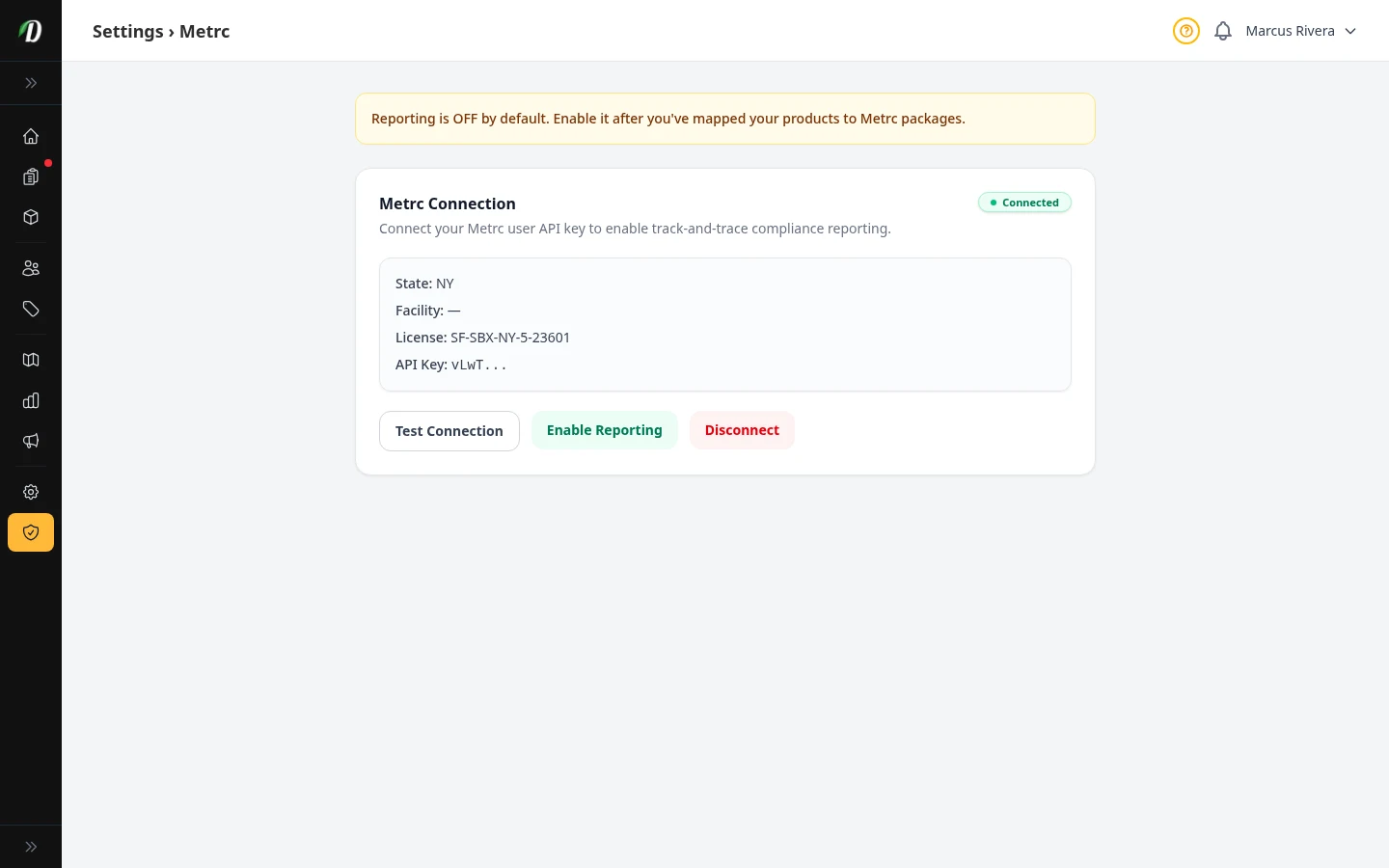
For US retailers in Metrc states, DabDash syncs your packages, maps them to your products, and runs scheduled reconciliation against state inventory — all from inside the dashboard. You see the same totals the state sees, with a clear audit trail and recent API activity.
- Live Metrc package inventory pulled from the state API
- Map state packages to your DabDash products once, reuse forever
- Scheduled reconciliation runs flag drift between you and Metrc
- Full API activity log for compliance audits
- Works across Metrc states — Michigan, Colorado, California, and more
Talk to your customers in real time
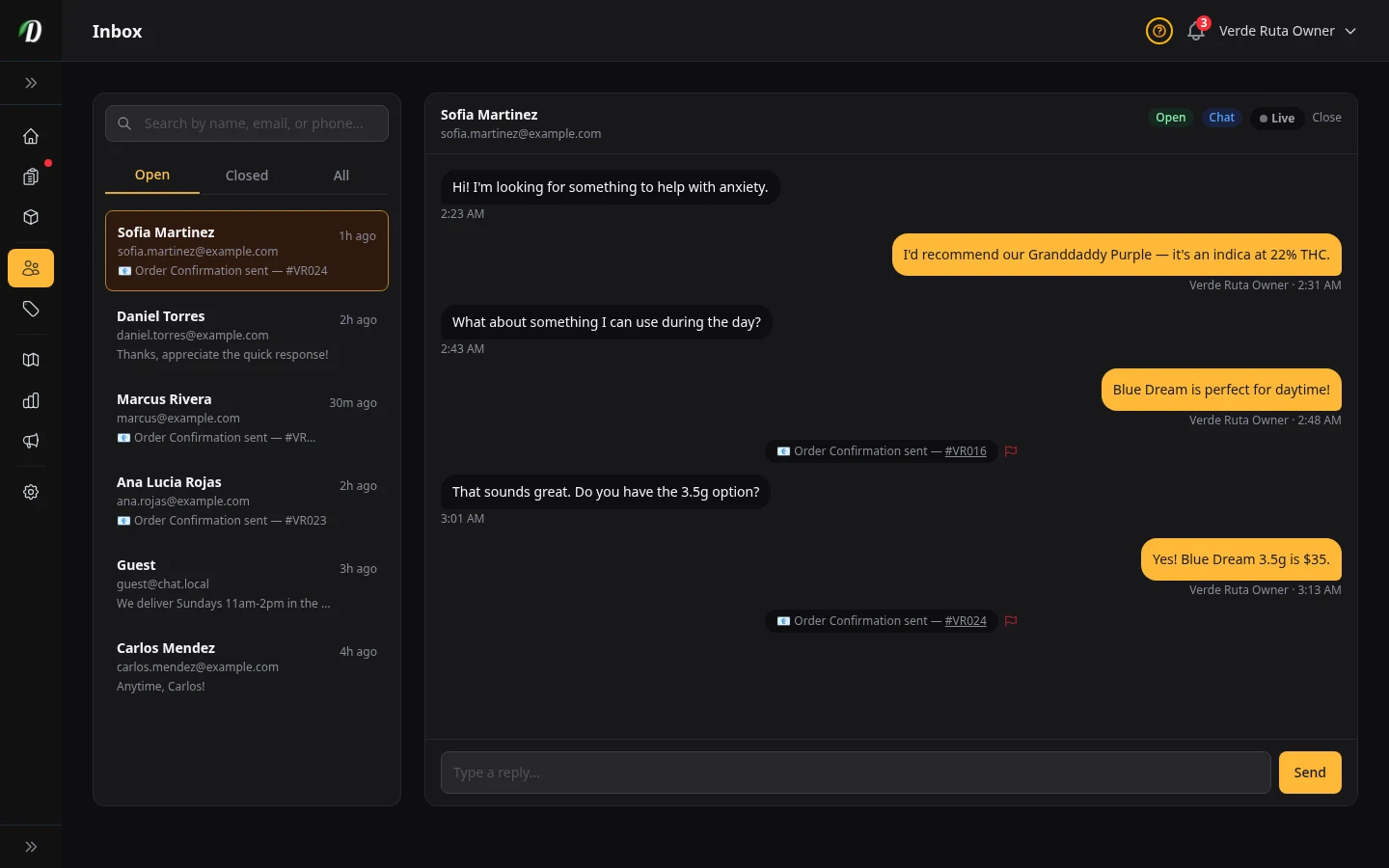
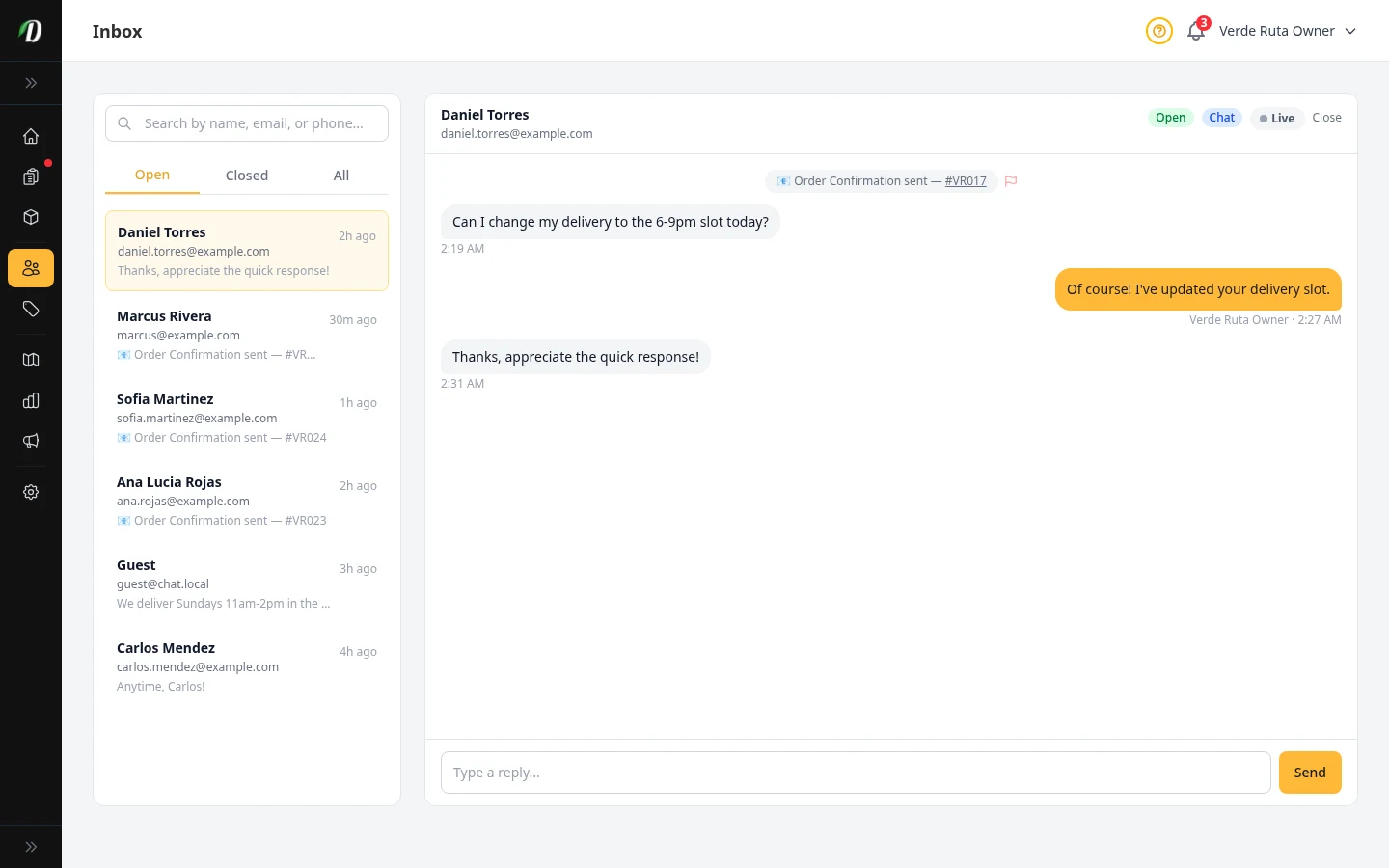
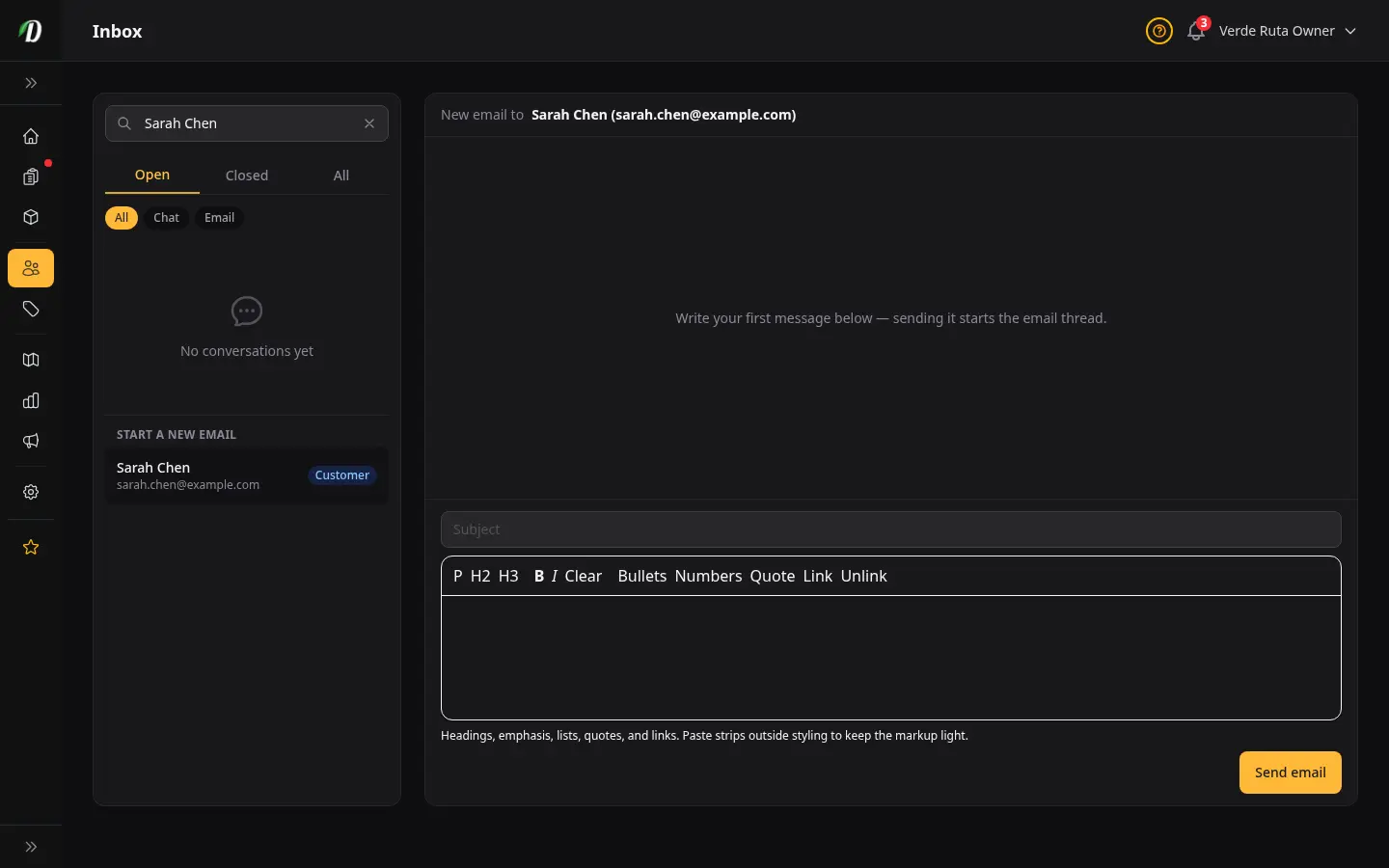
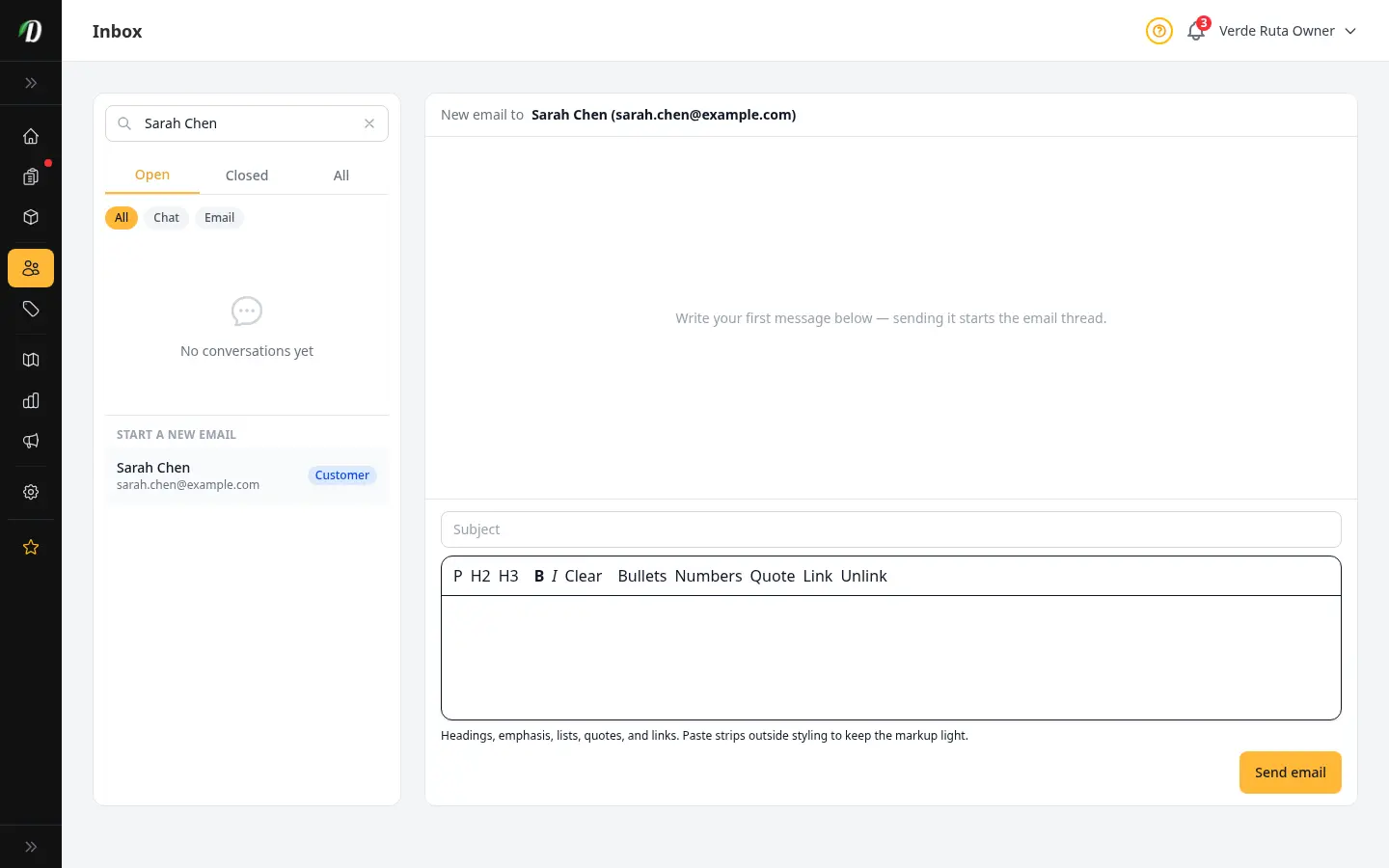
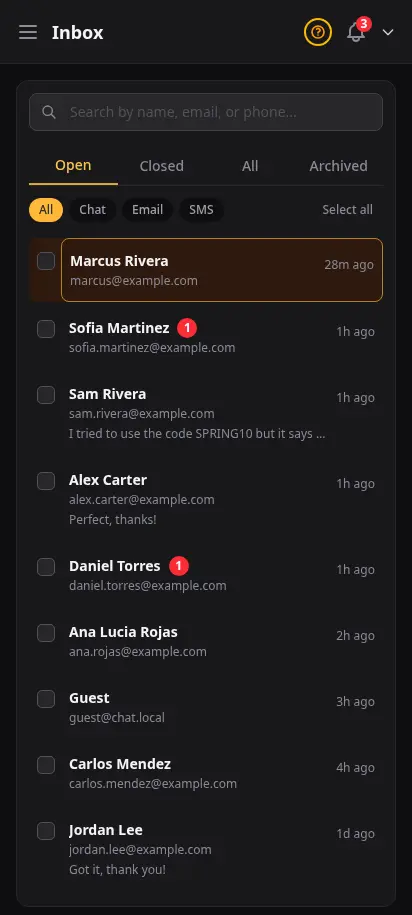
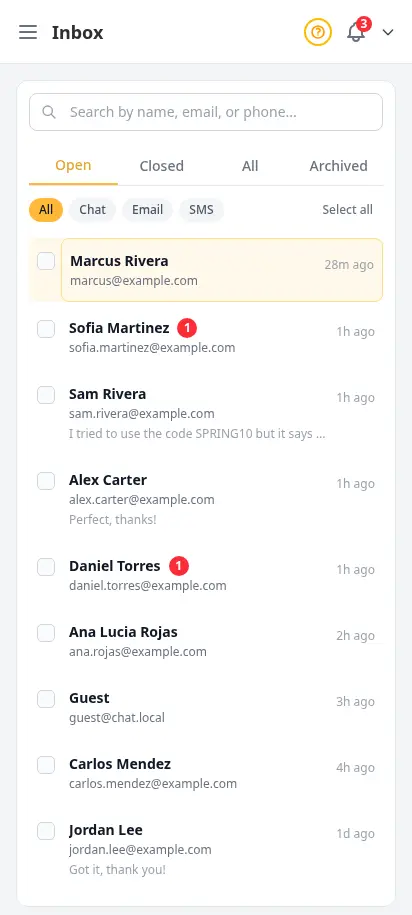
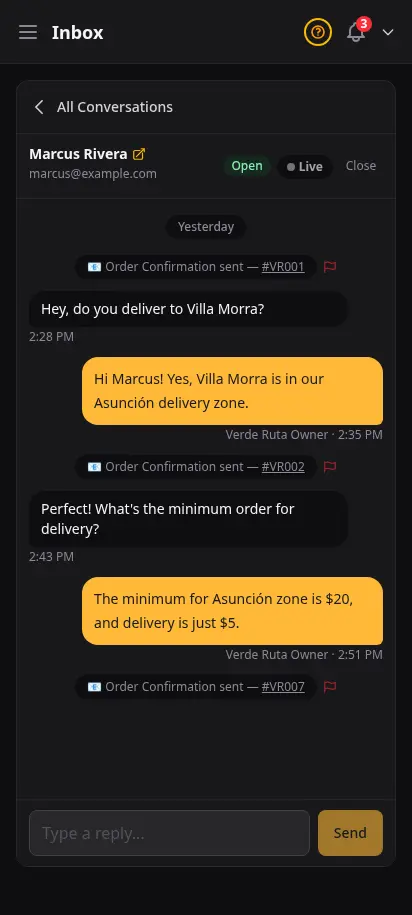
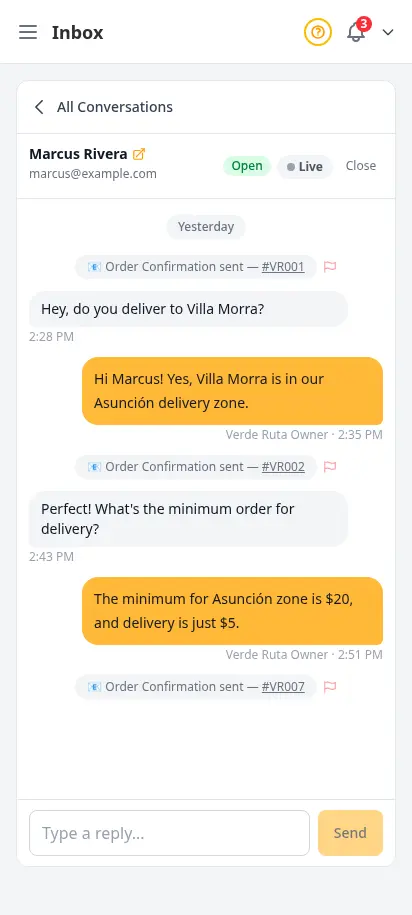
Answer delivery questions, recommend strains, and resolve order issues without leaving the dashboard. Every conversation is saved, searchable, and organized by status so nothing slips through the cracks.
- Live chat widget embedded on your storefront
- Inbox with unread badges and conversation status
- Full message thread with visitor and agent bubbles
- Strain recommendations, delivery questions, order issues
- Closed conversation archive for follow-up reference

Talk to DabDash support without leaving the dashboard
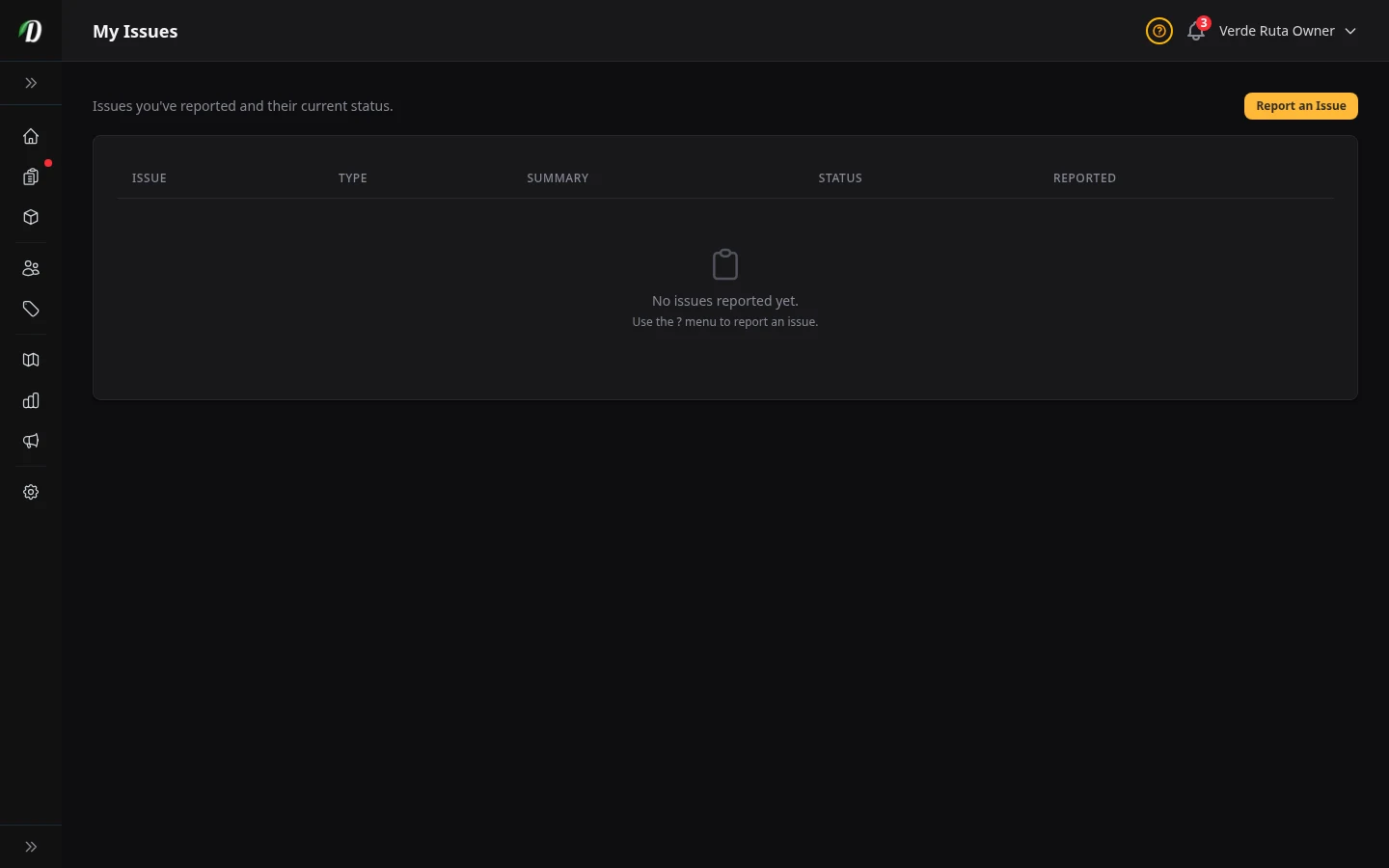
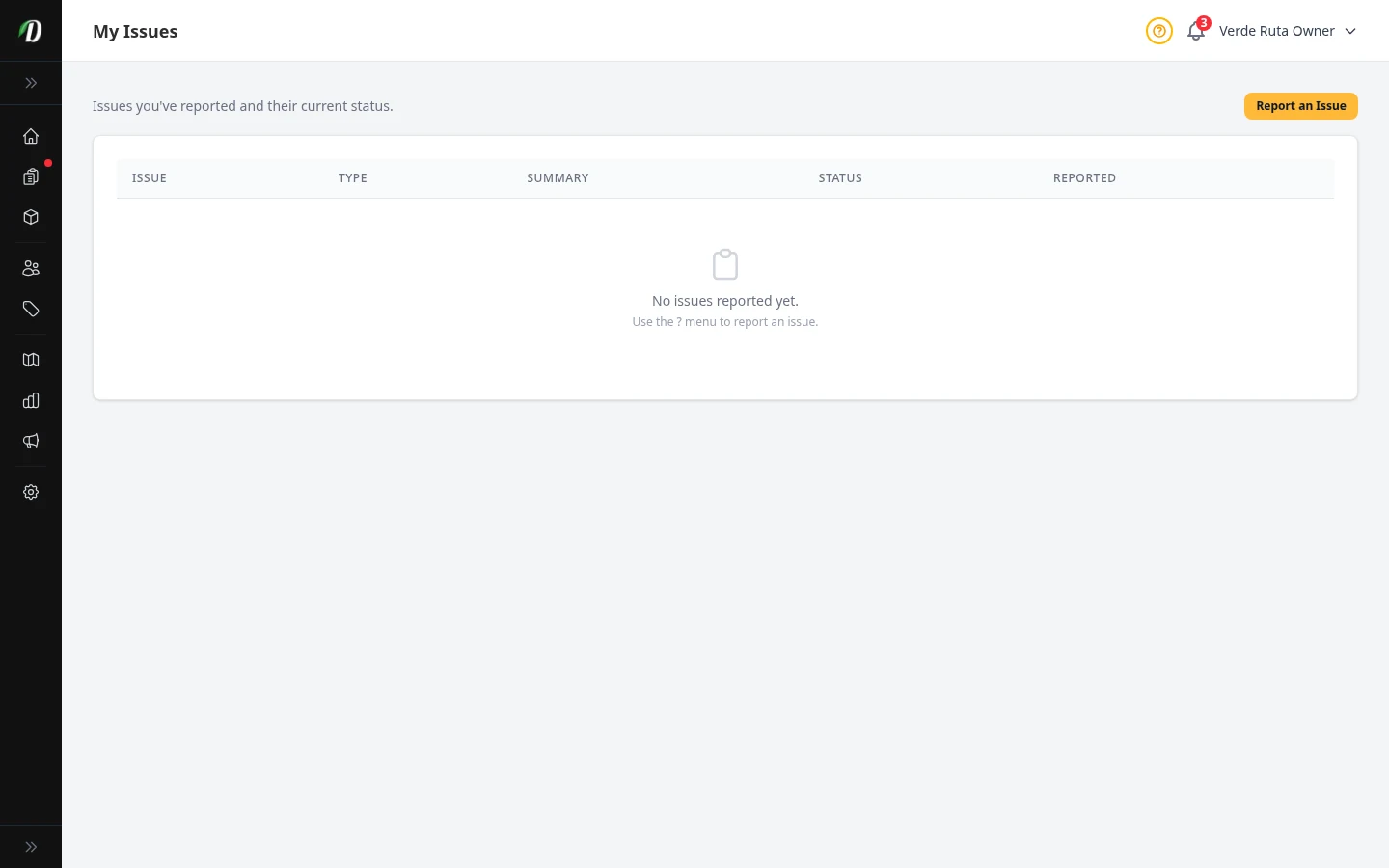
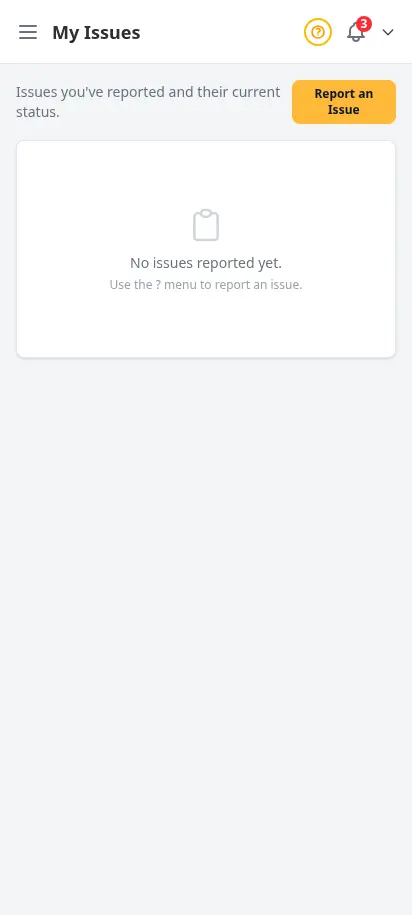
When something needs the DabDash team — a bug, a question, a feature request — file it from the help menu and track the ticket right here. Every issue has a status, a type, and a date so you always know where things stand. No email threads, no lost replies.
- Report bugs, questions, or feature requests from any page
- Track every ticket with status, type, and submitted date
- Tickets stay on the same screen, scoped to your store
- Direct line to the team building the platform
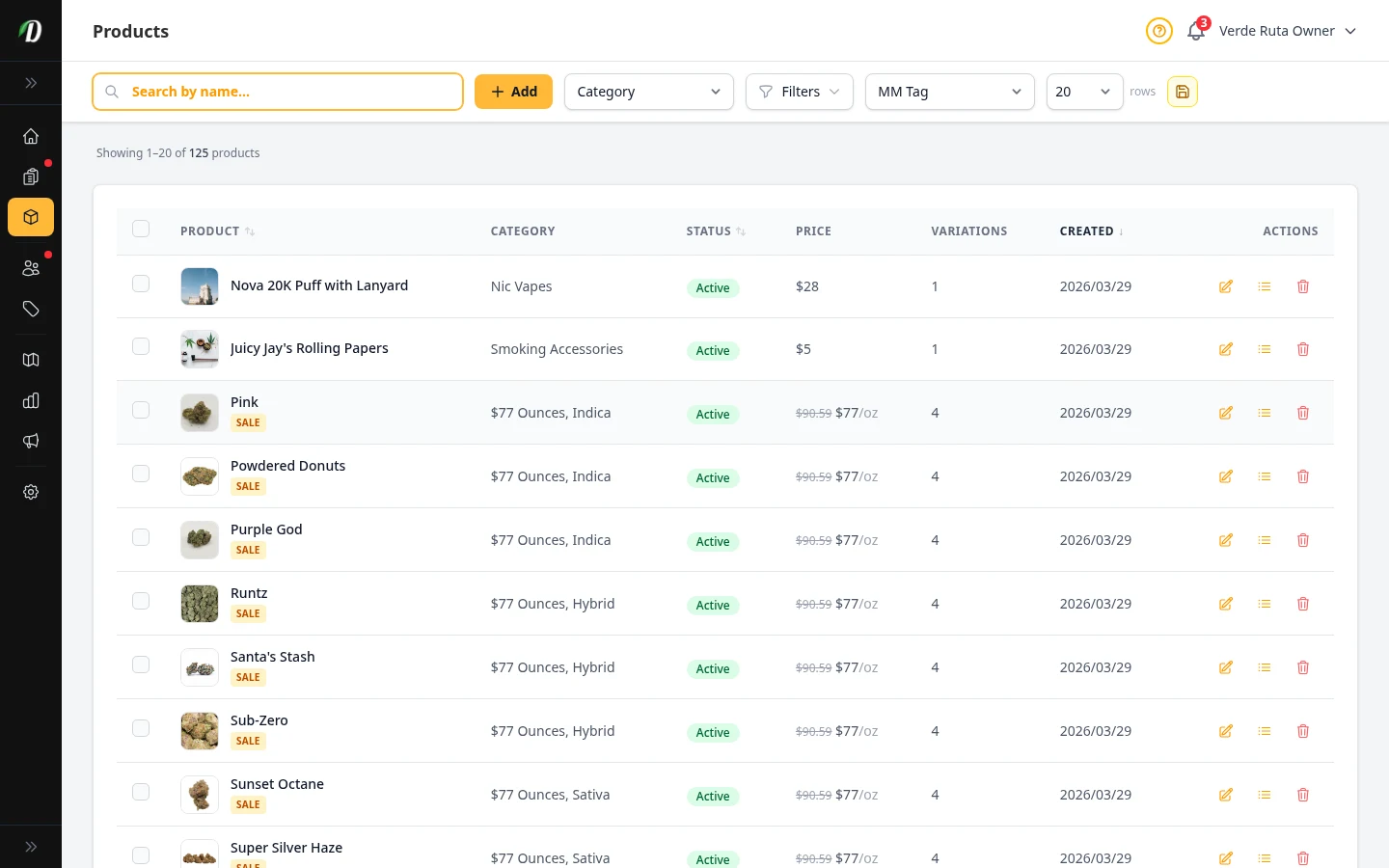
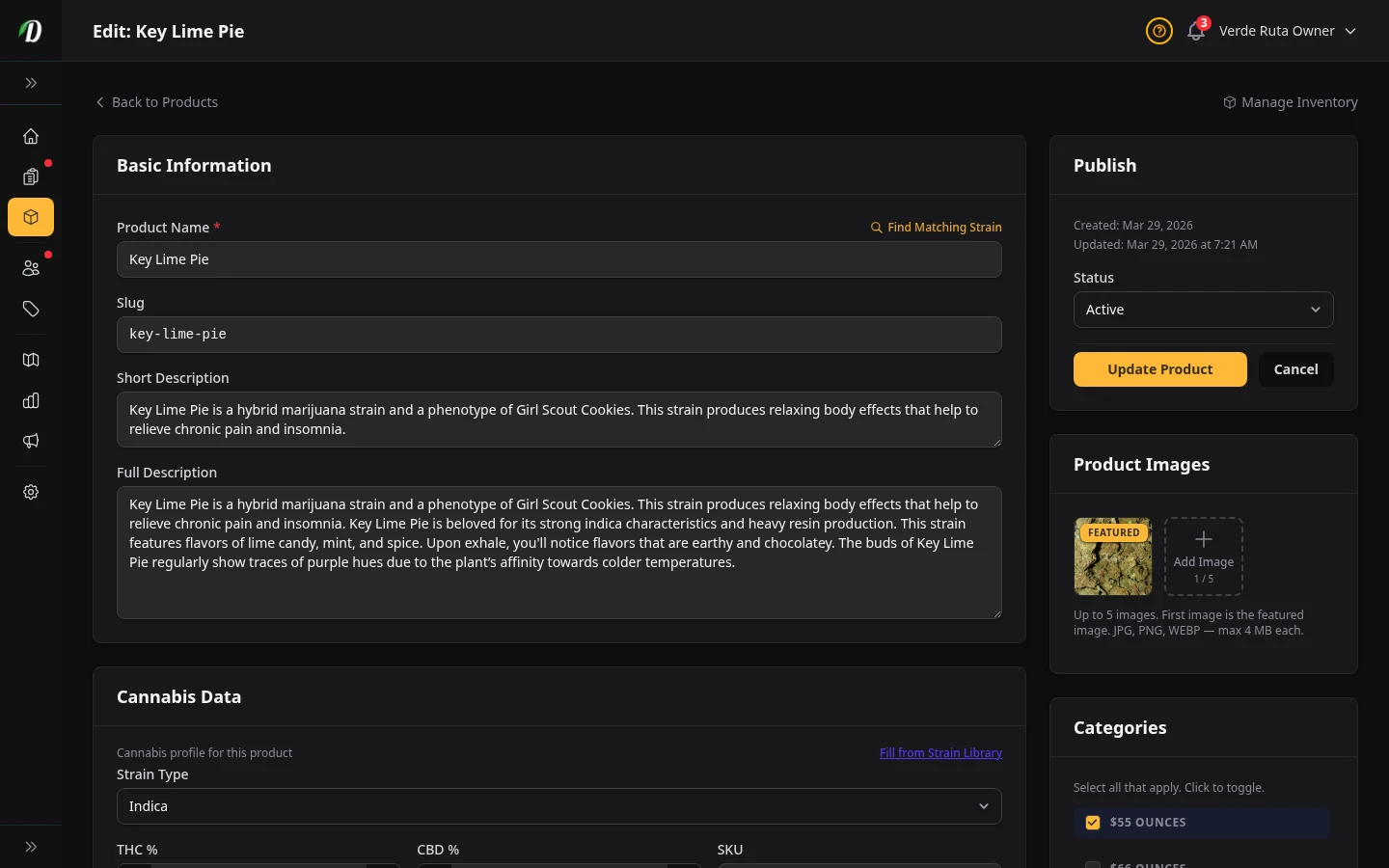
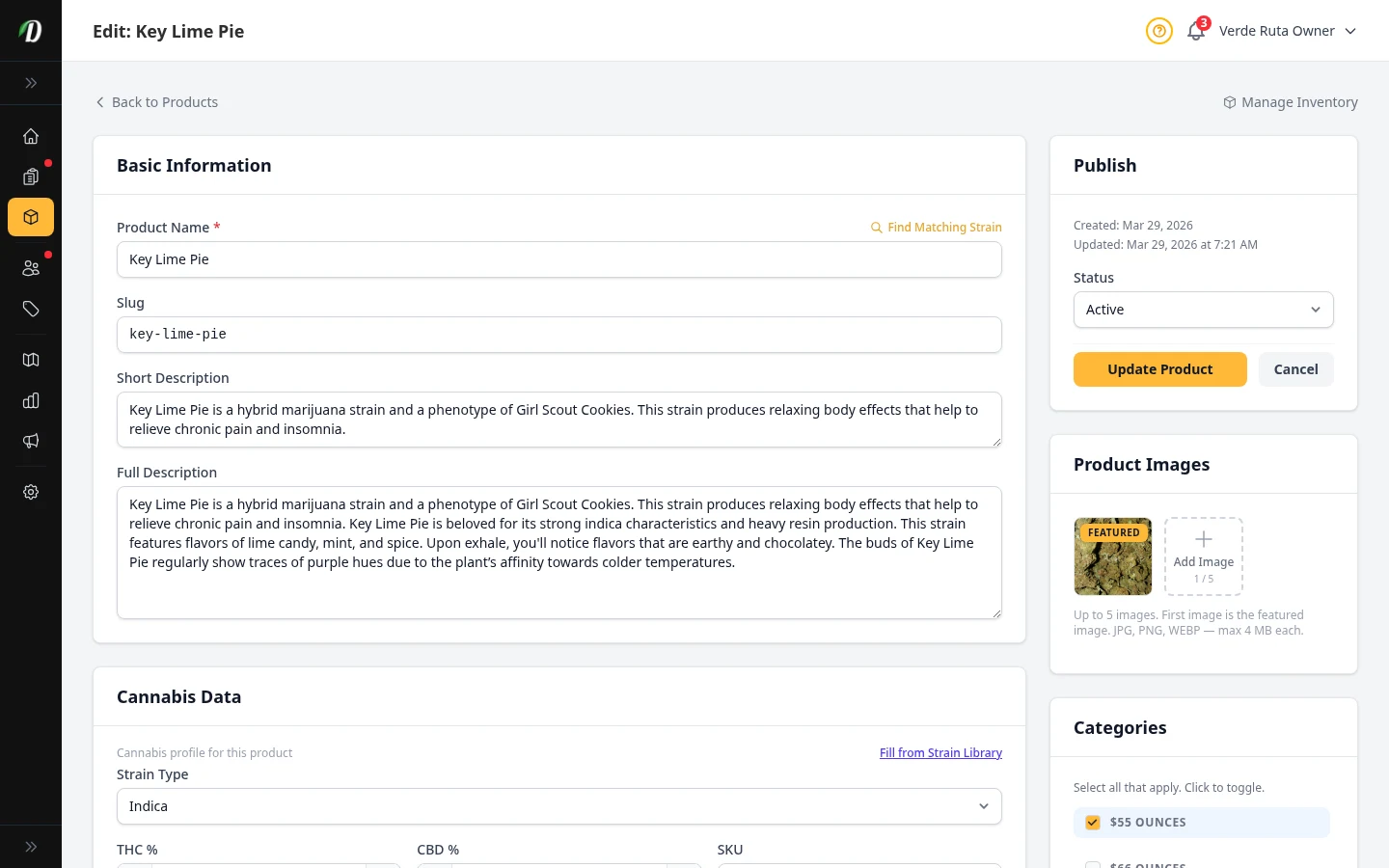
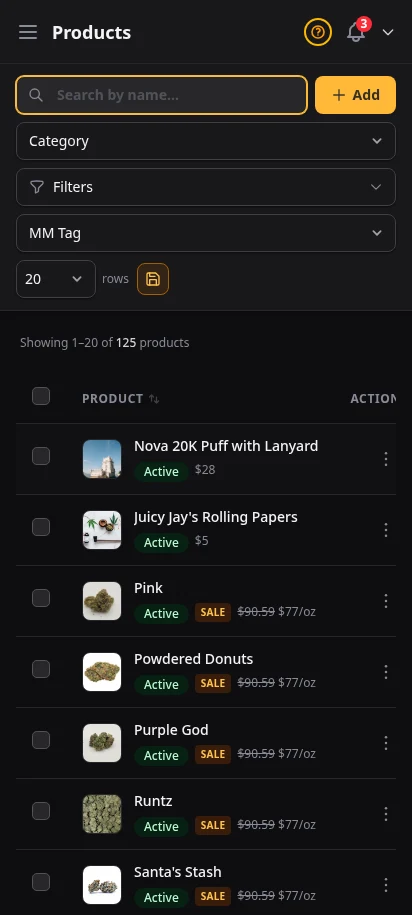
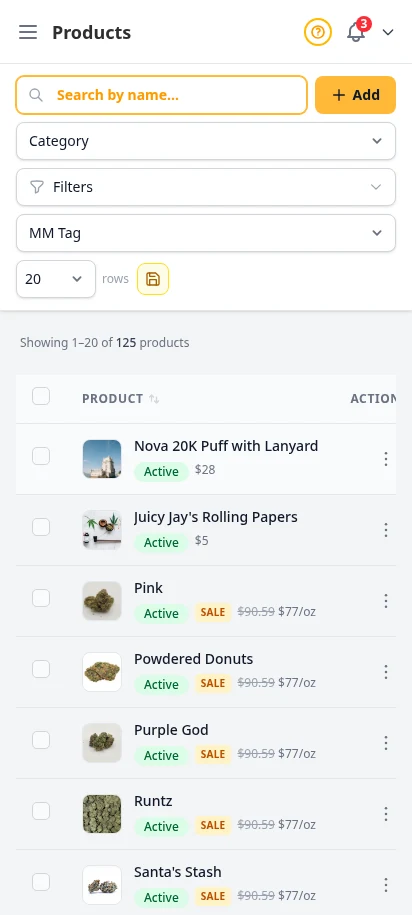
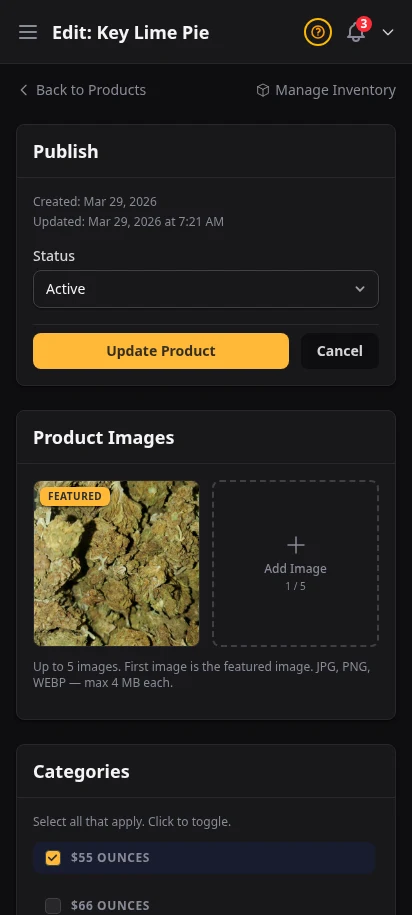
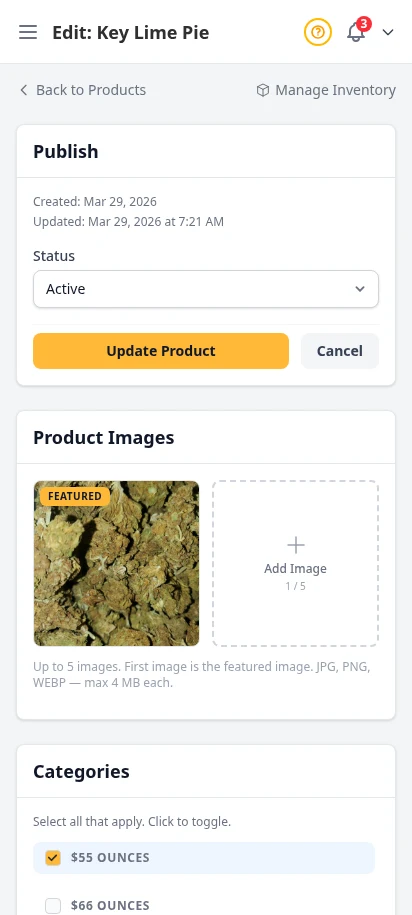
Your full product catalog, beautifully organized
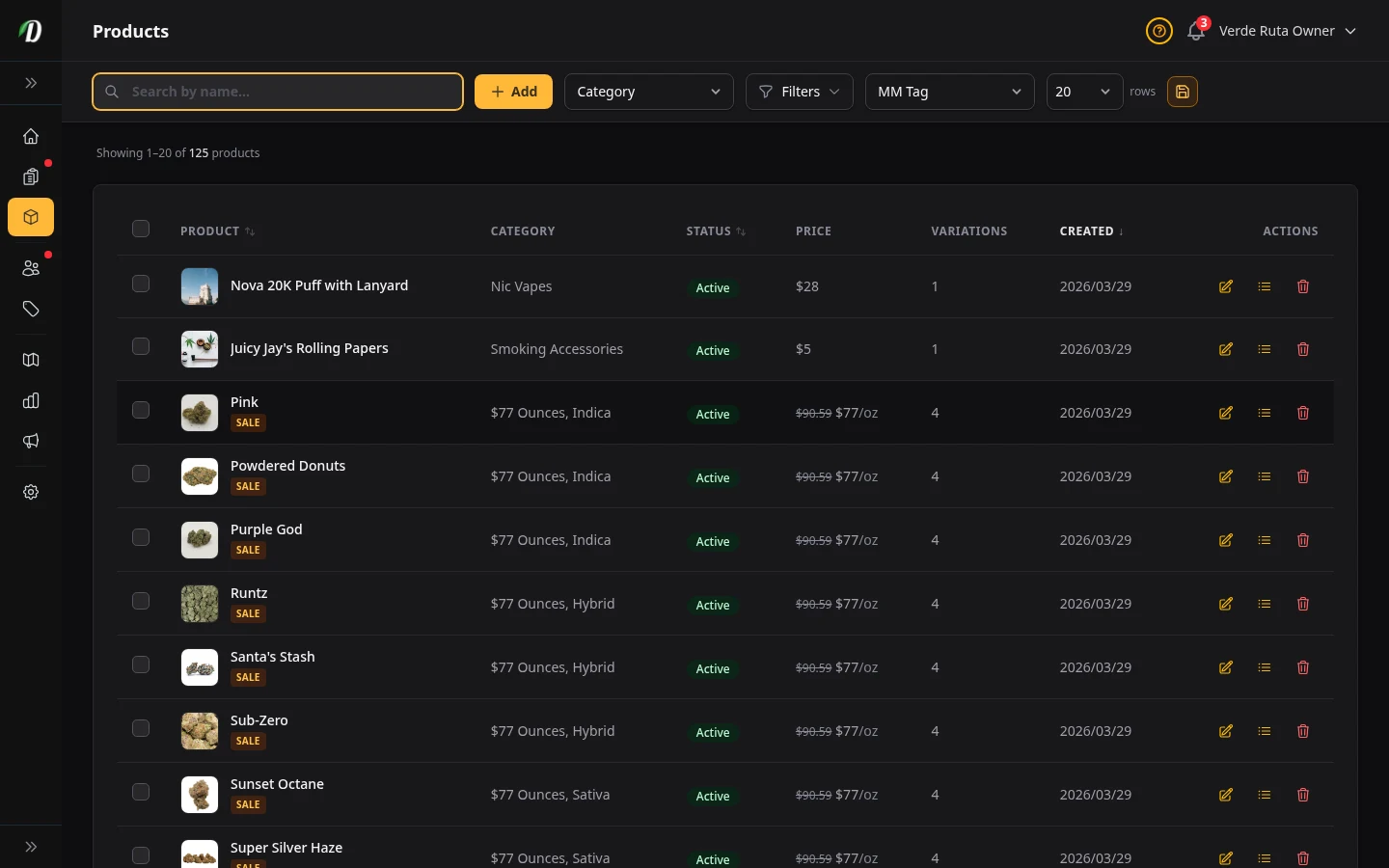
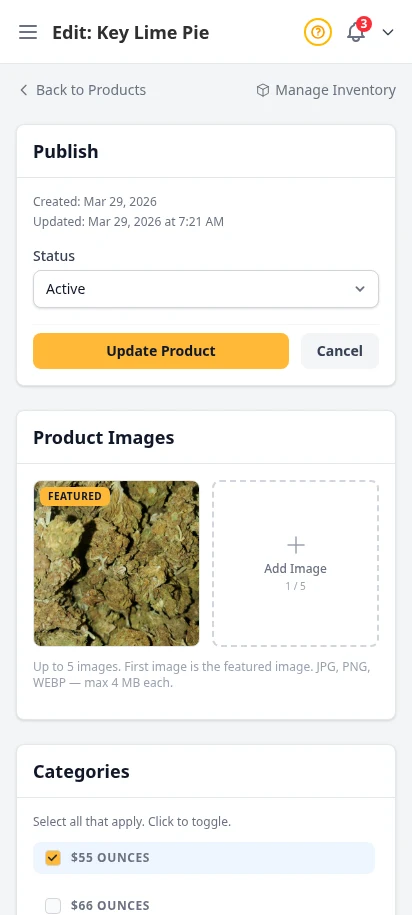
Add flowers, edibles, concentrates, topicals, and accessories with all the detail your customers expect. Strain data auto-fill, weight-based or unit-based variations, gallery images, and built-in SEO fields that improve how products appear on Google.
- Strain auto-fill from built-in cannabis strain database
- Weight presets (1g, 3.5g, 7g, 14g, 28g) and custom variations
- Featured image upload with strain image fallback
- SEO fields for Google-facing meta title, description, and Open Graph
- Filterable product index with status tabs and search
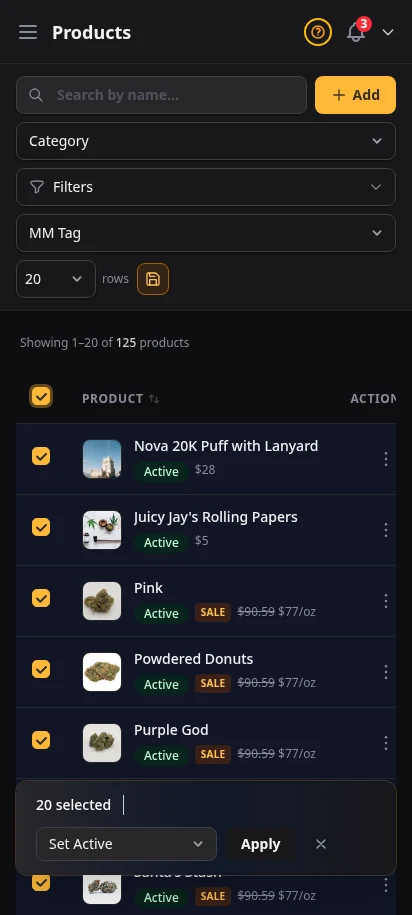
- Bulk actions: activate, archive, delete
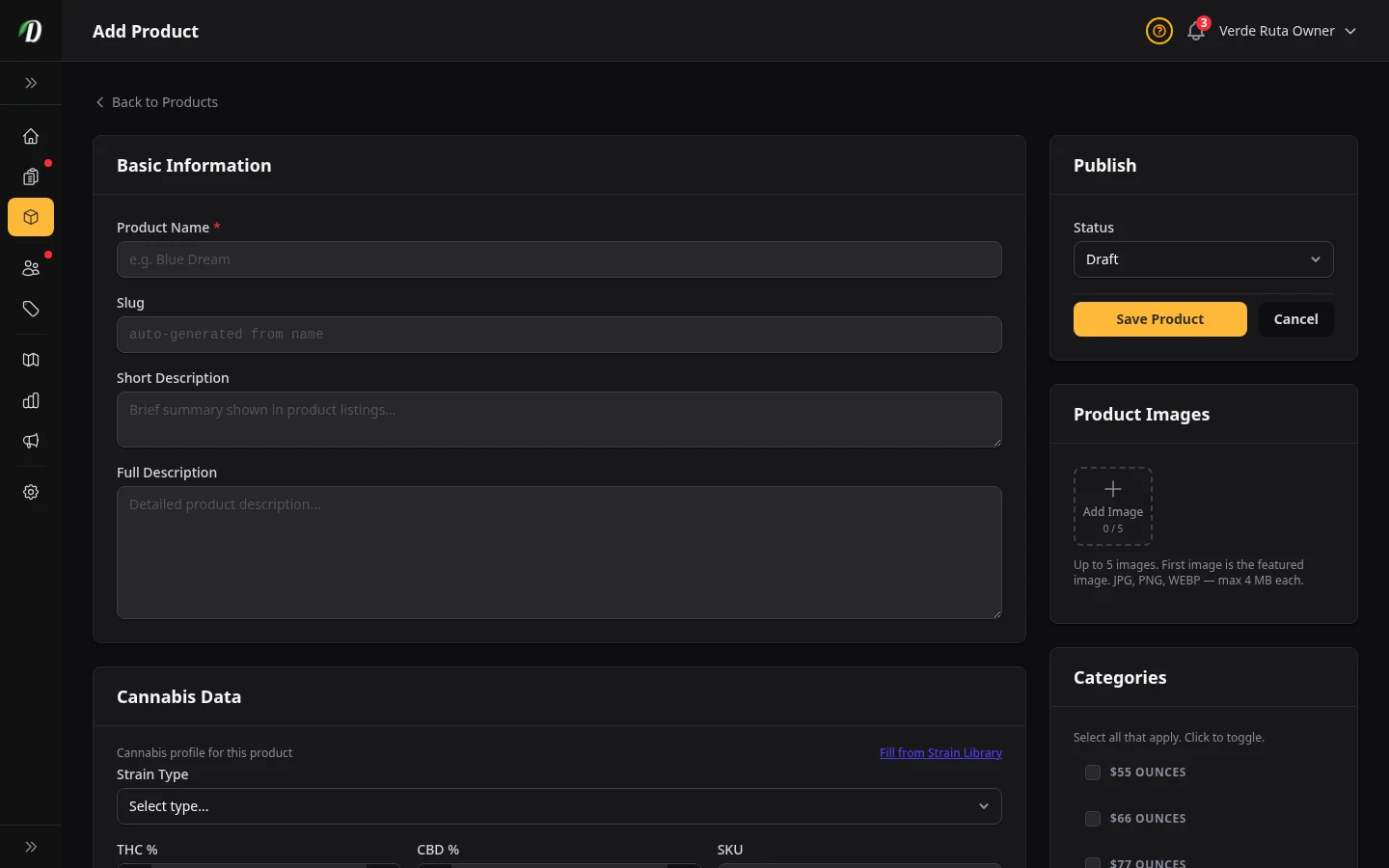
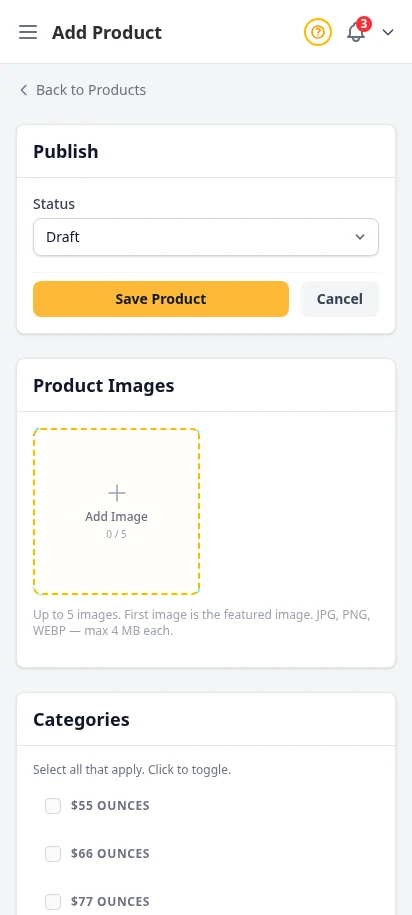
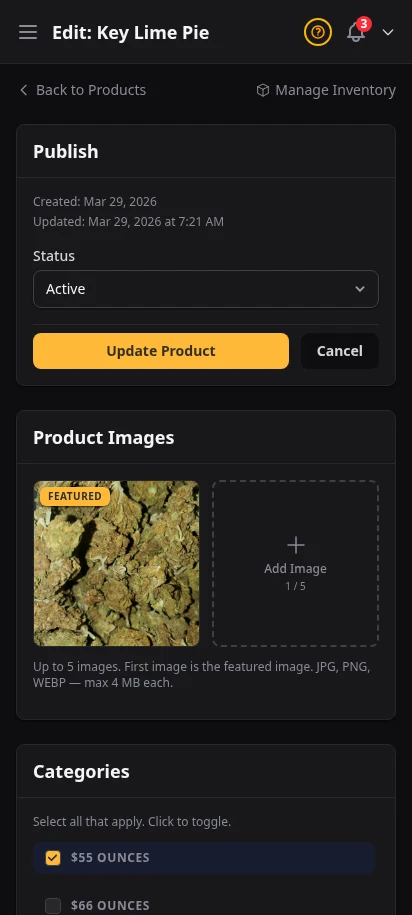
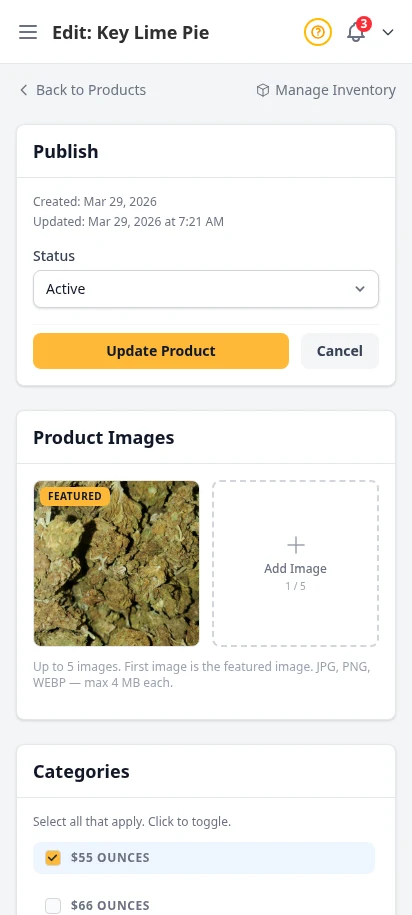
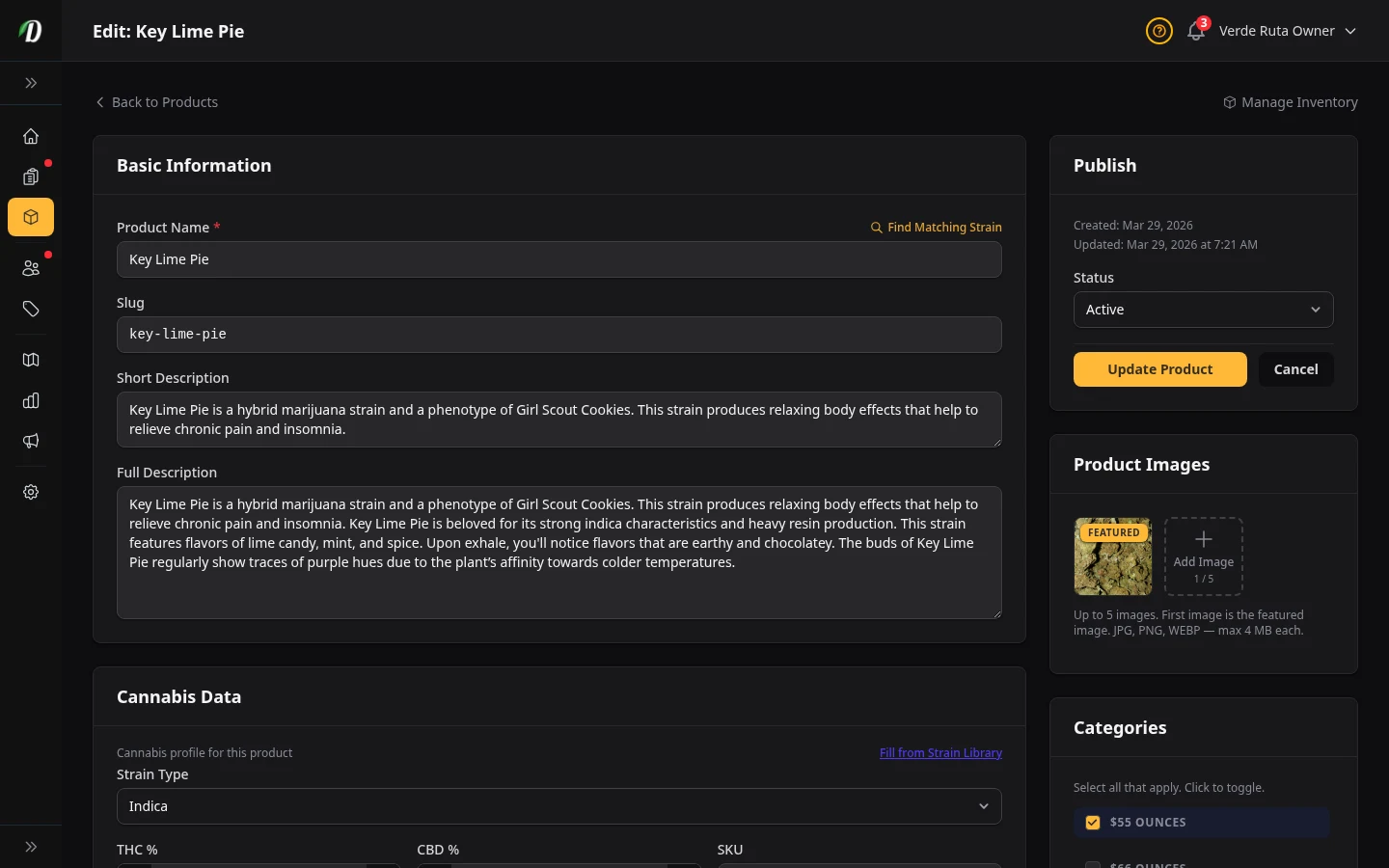
From blank form to live product in minutes
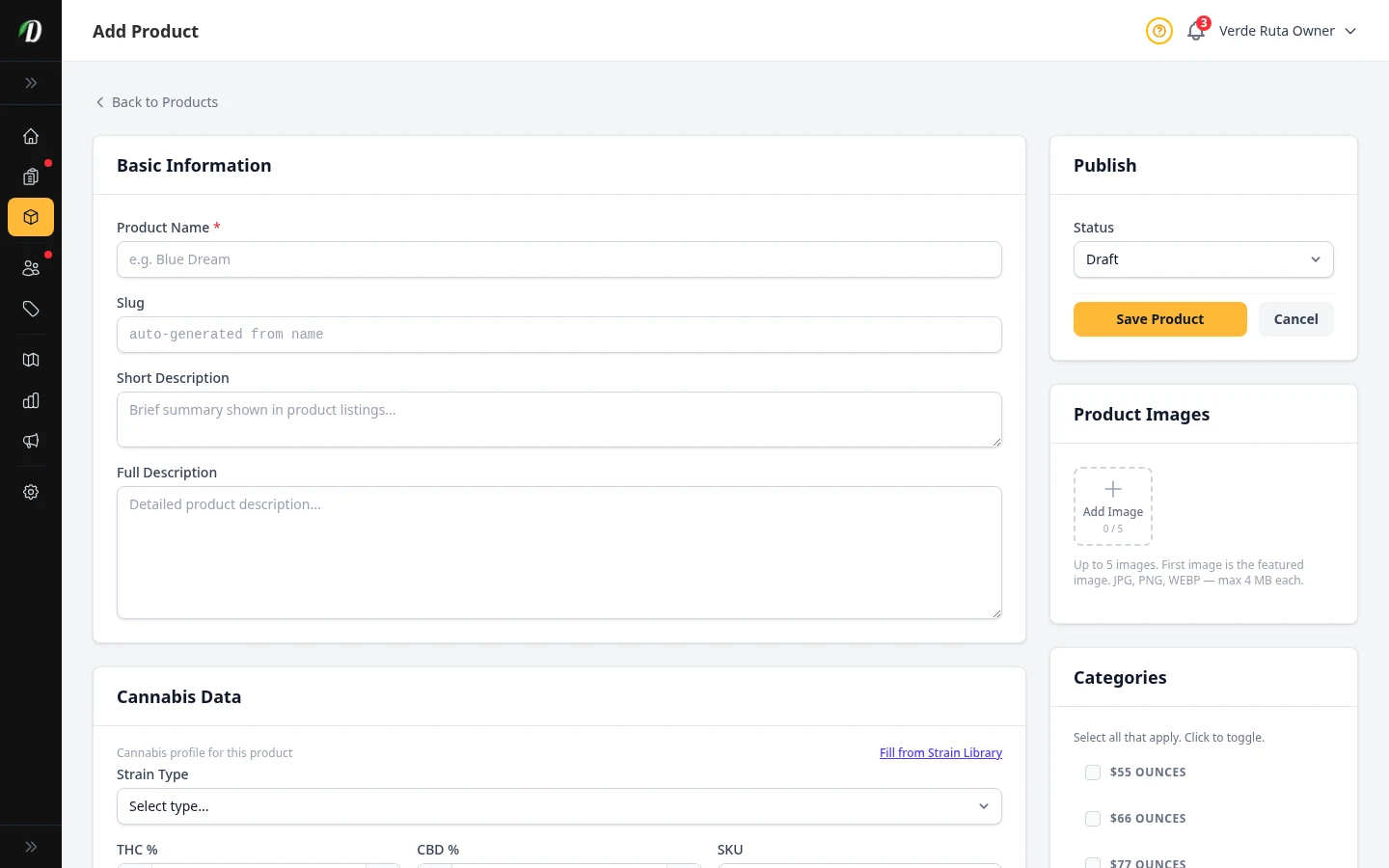
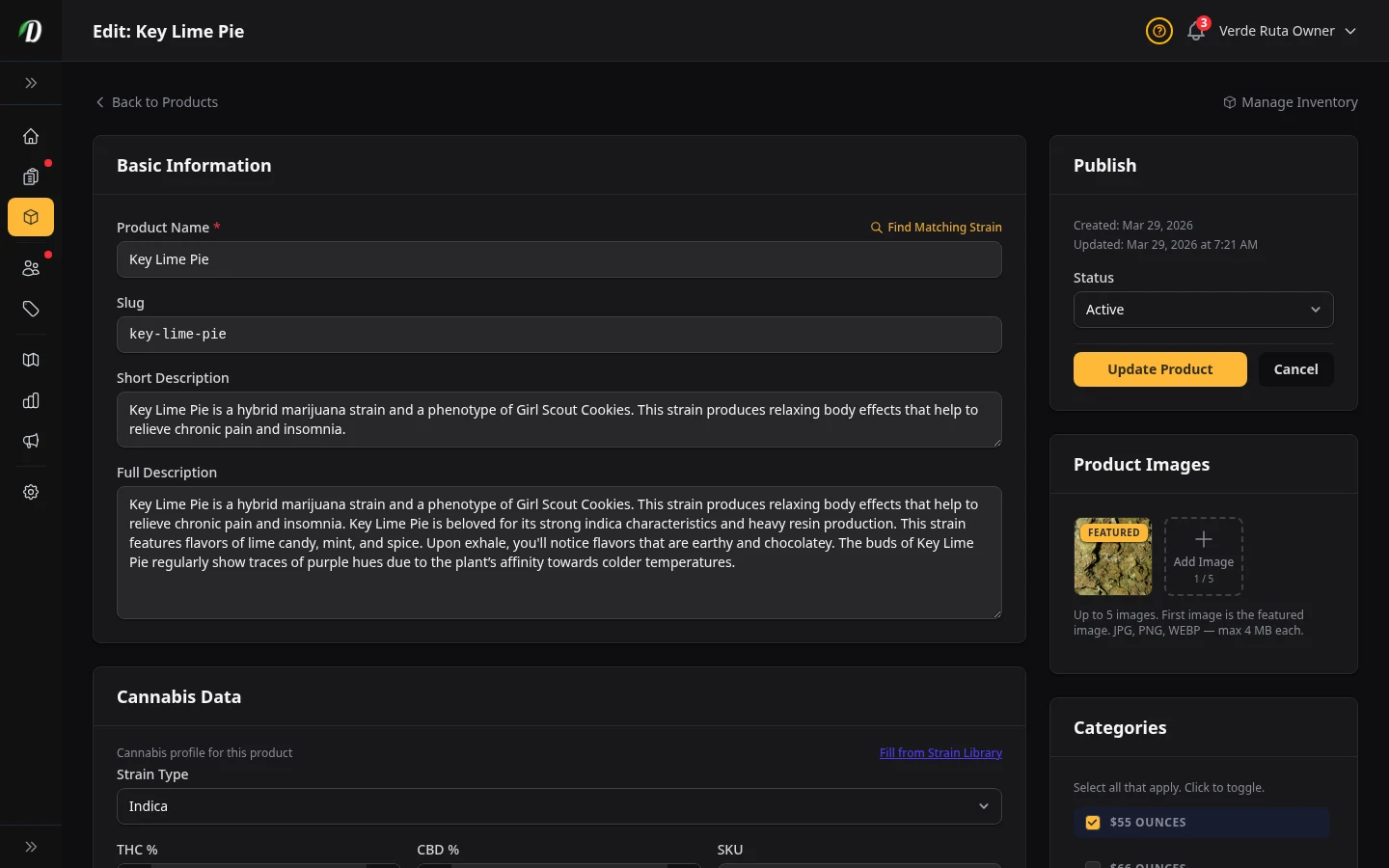
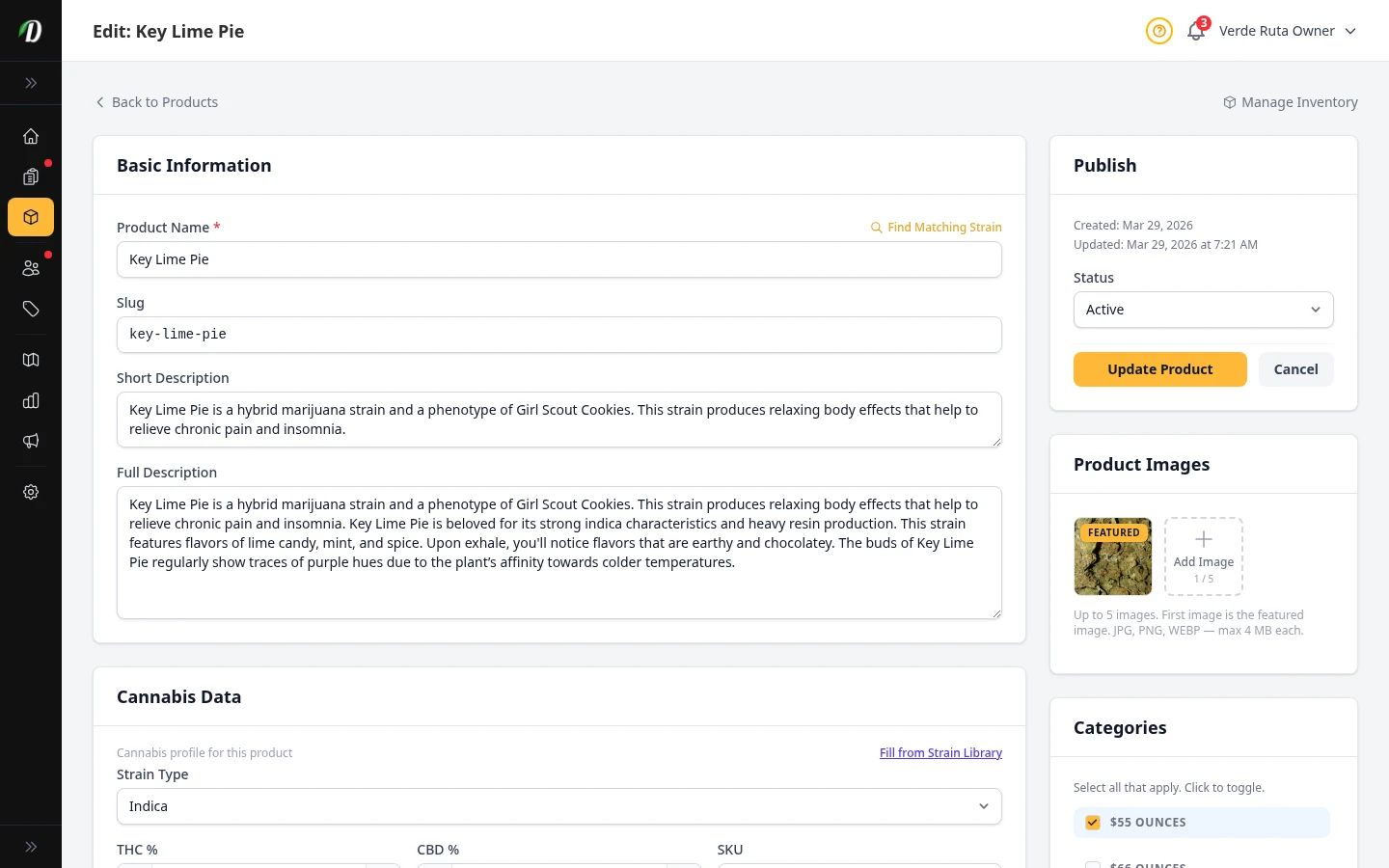
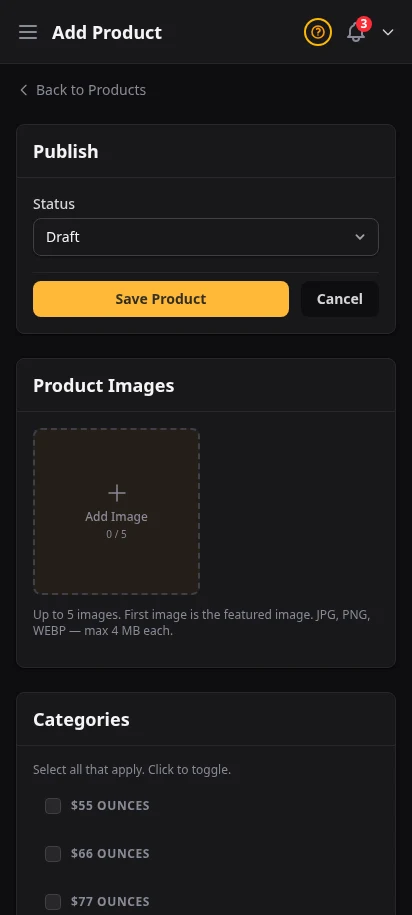
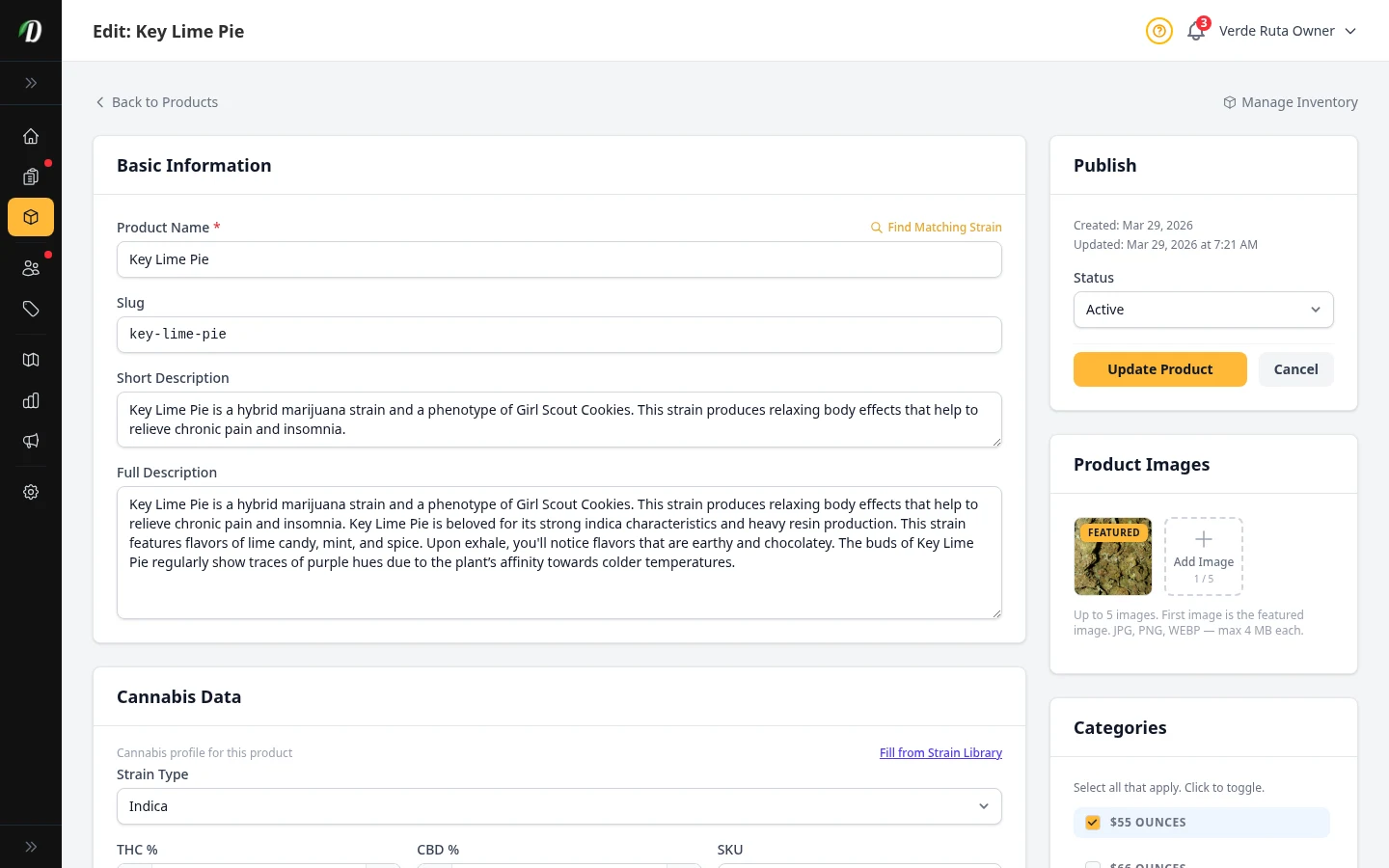
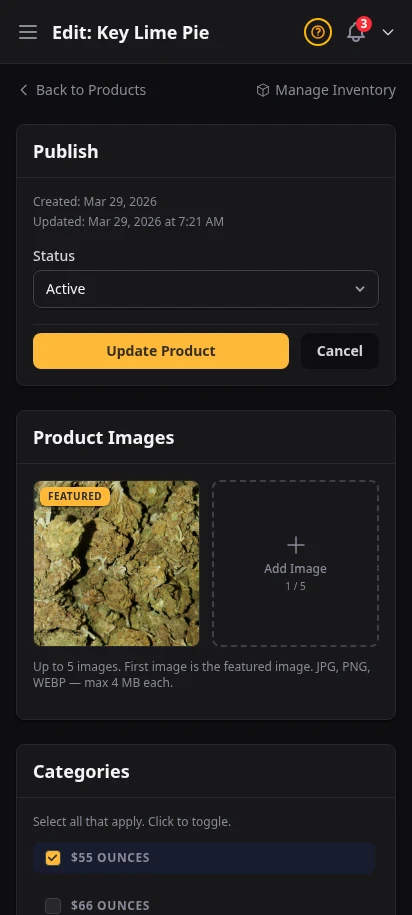
The product creation form is straightforward: name, strain type, description, category, weight variations, and pricing. Pick a strain from the built-in database and THC/CBD percentages, effects, and flavors auto-fill. Upload a featured image or it falls back to the strain's photo.
- Strain auto-fill from 15,300+ strain database
- Weight presets and custom variation names
- Featured image upload with strain image fallback
- Price per variation with optional sale price
- SEO fields for Google: meta title, description, Open Graph
Complex pricing made simple — at any scale
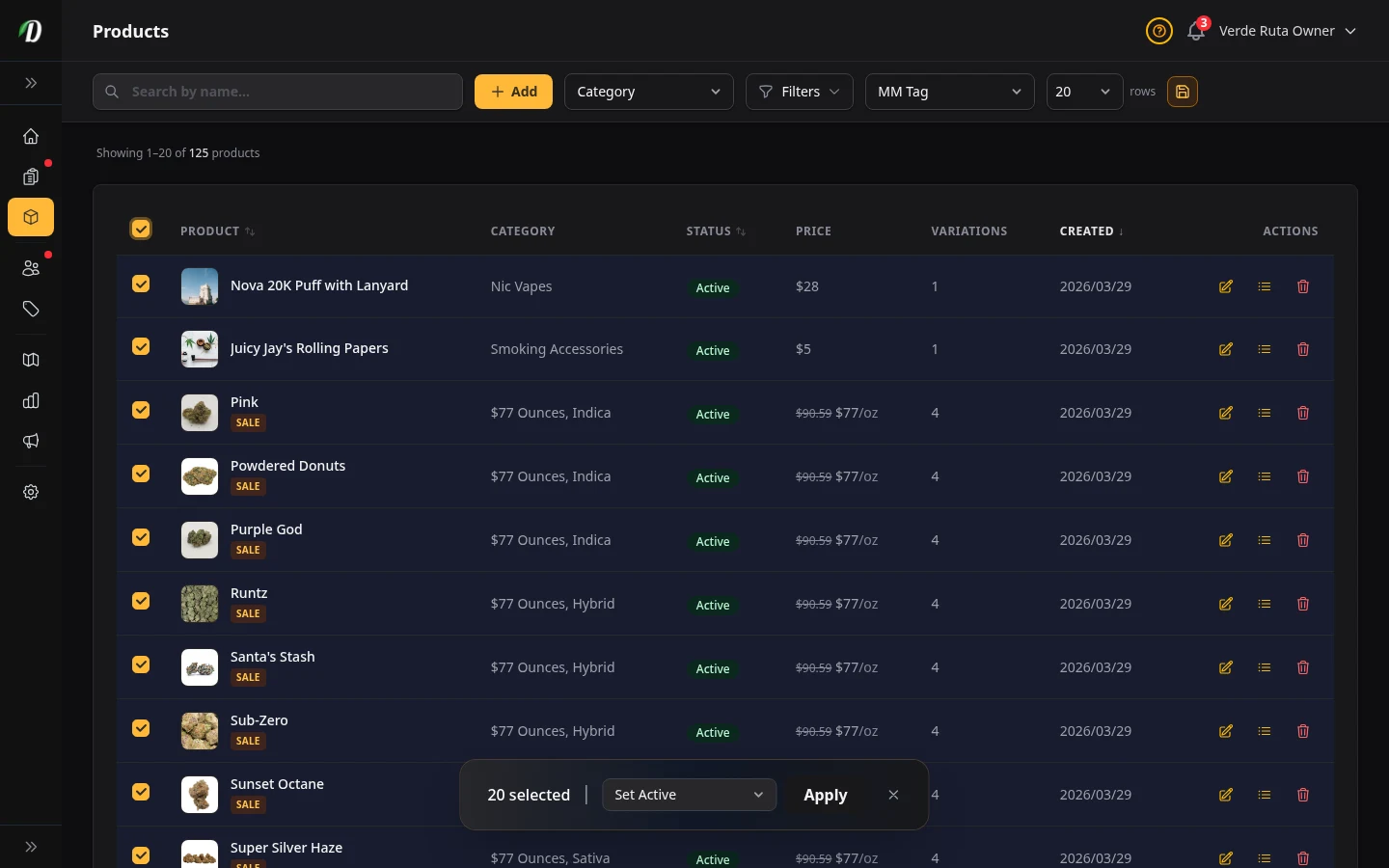
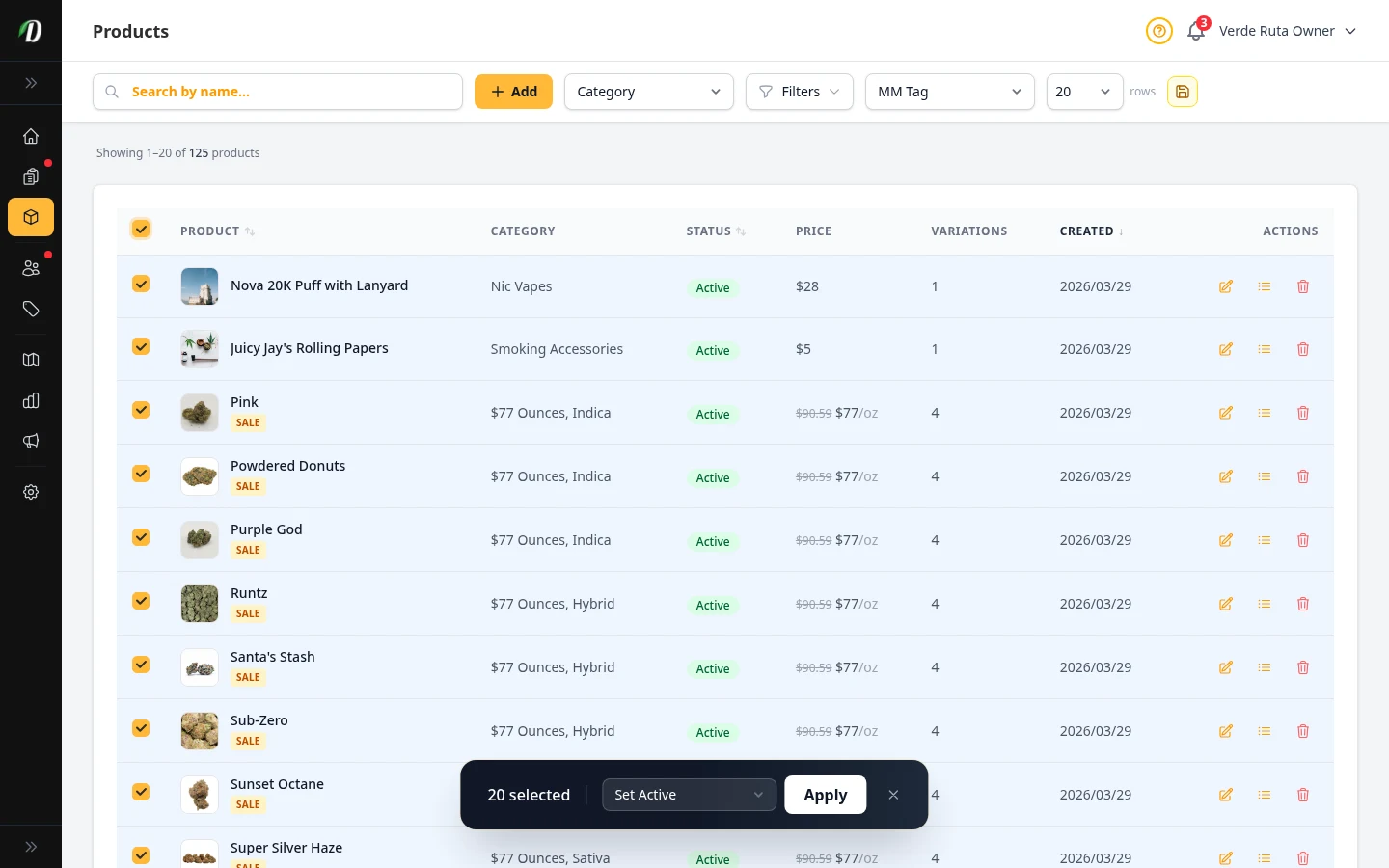
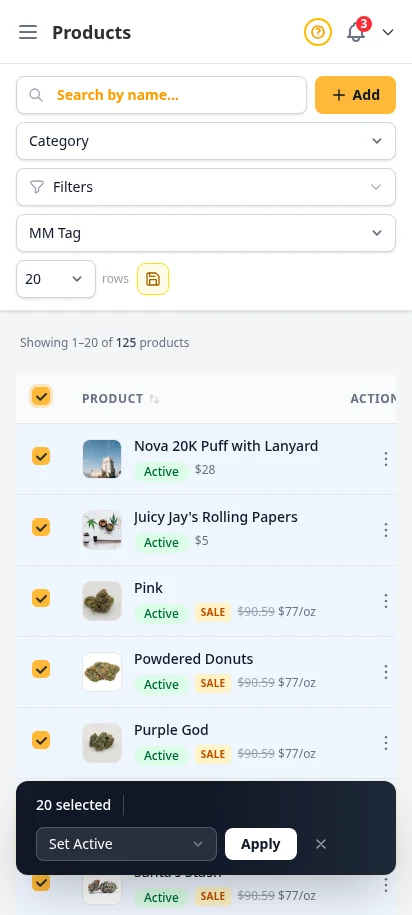
Build saved weight variations, connect them to reusable price menus, and keep your cost fields organized in one place. When the catalog gets large, bulk-select products and enrich them all at once — DabDash matches each product to its strain and fills in cannabinoid data, effects, and flavors in a single operation.
- Saved variation rows with per-SKU pricing fields
- Reusable price menus with cost and label fields
- Select all / select page for bulk operations
- AI-assisted bulk strain enrich for large catalogs
- THC, CBD, effects, and flavors auto-filled across multiple products
Organize by category, sell by intent
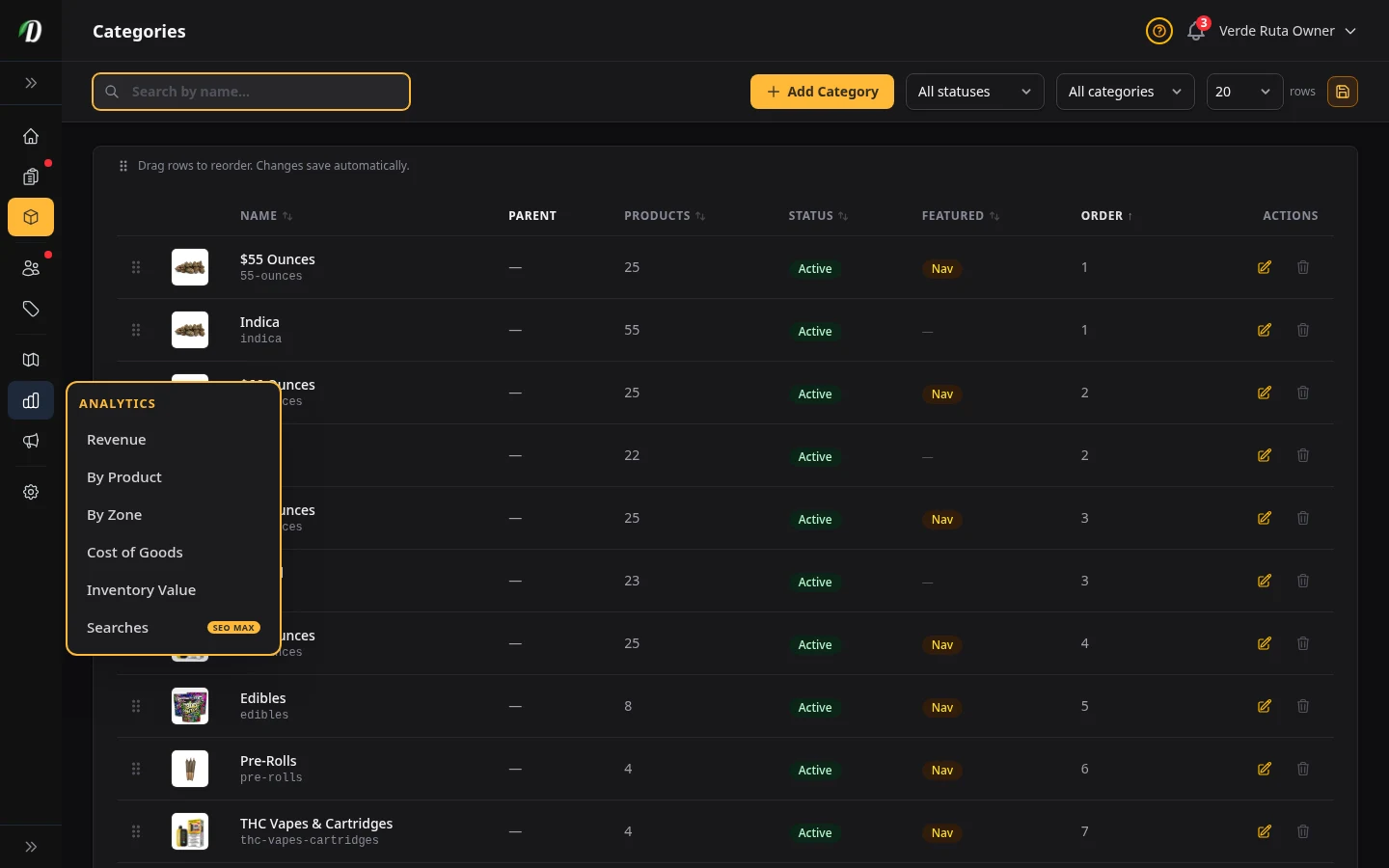
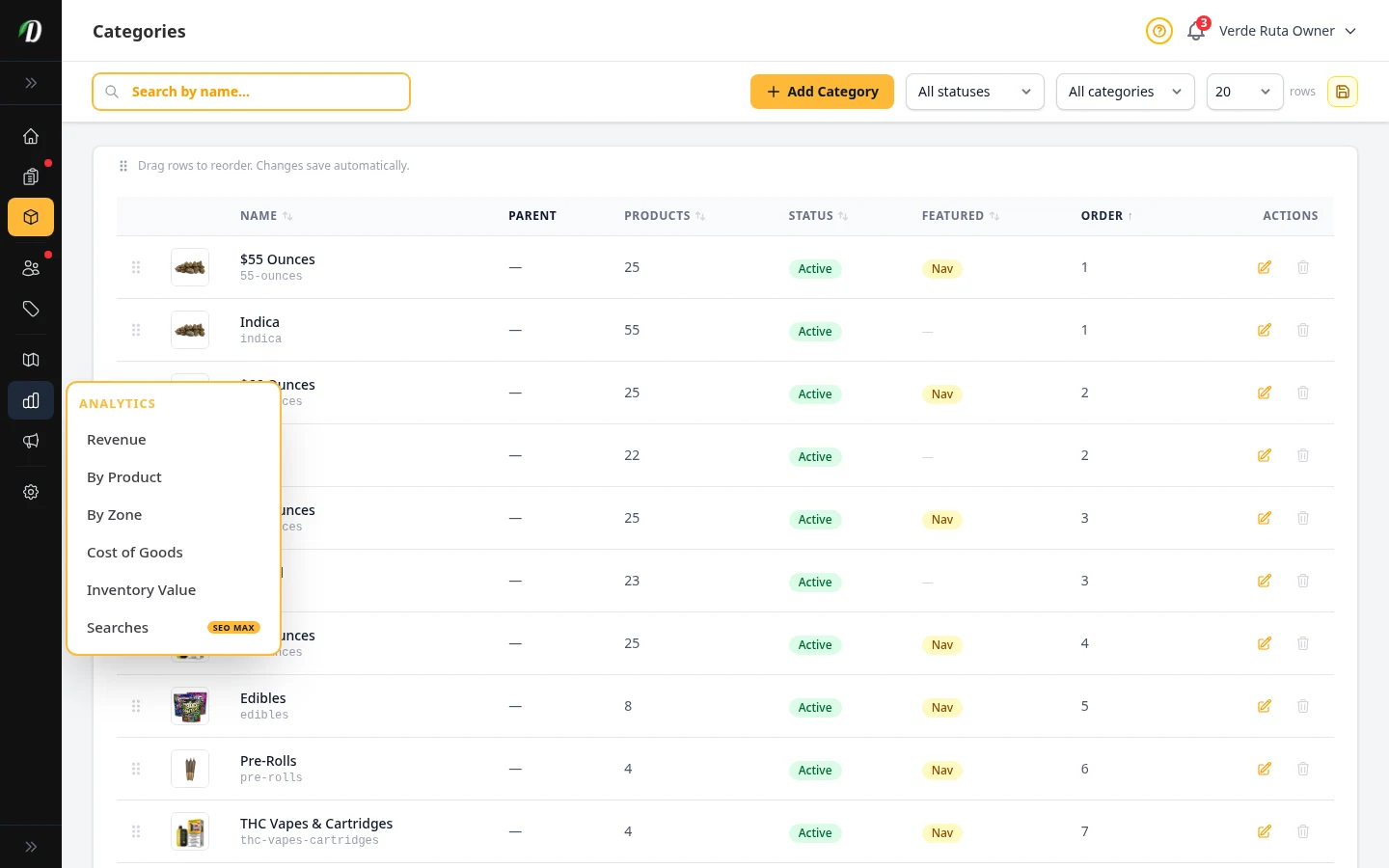
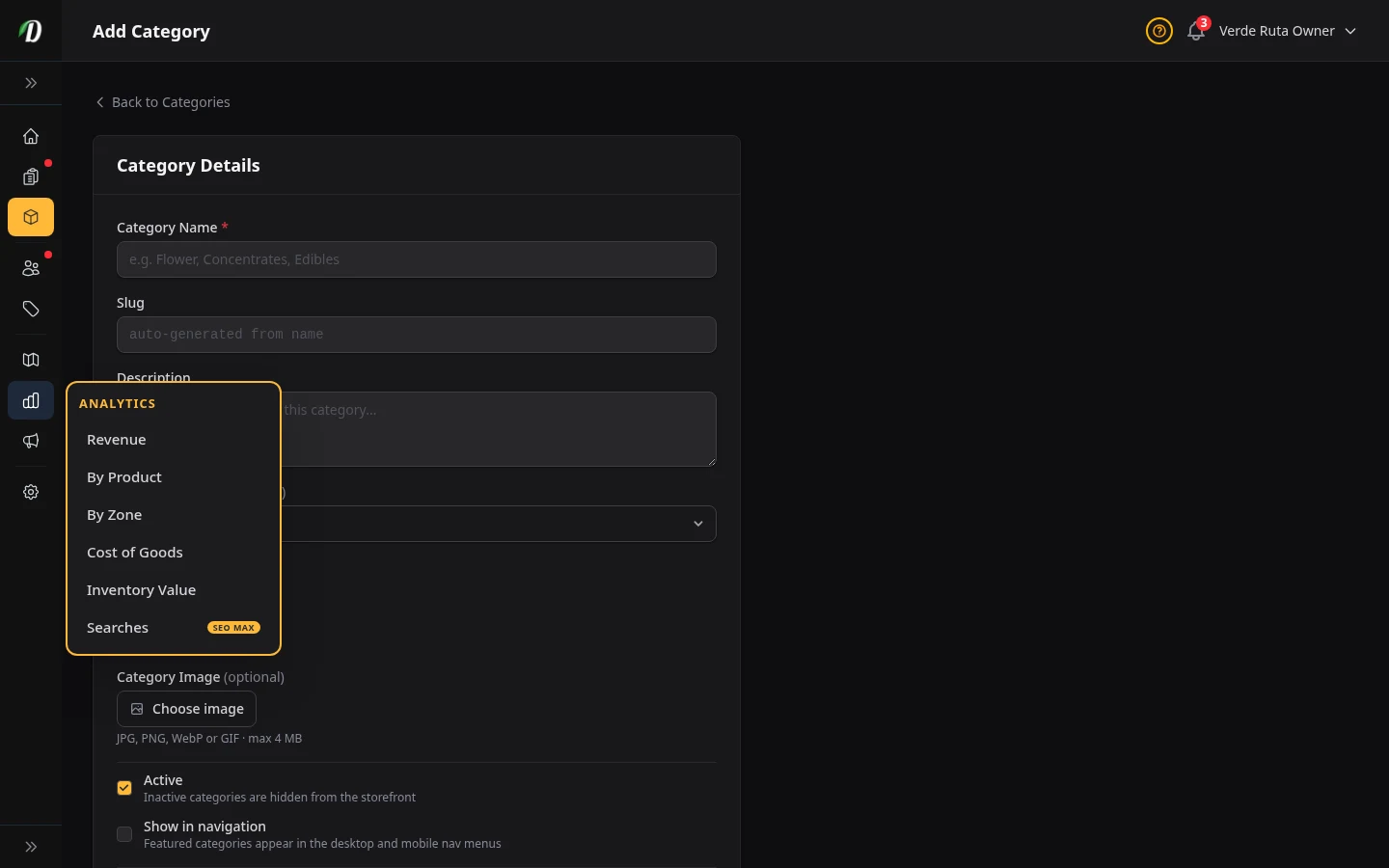
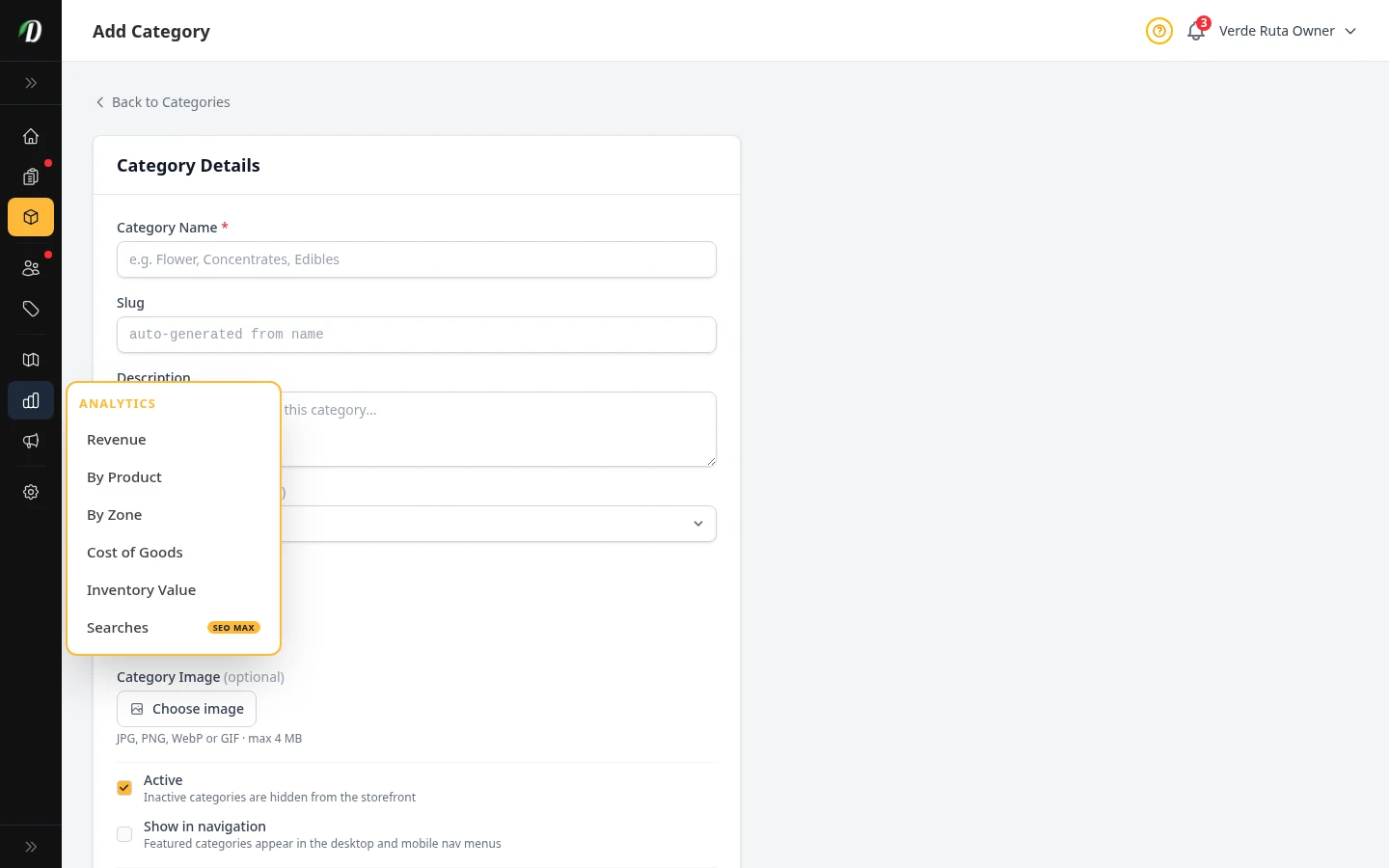
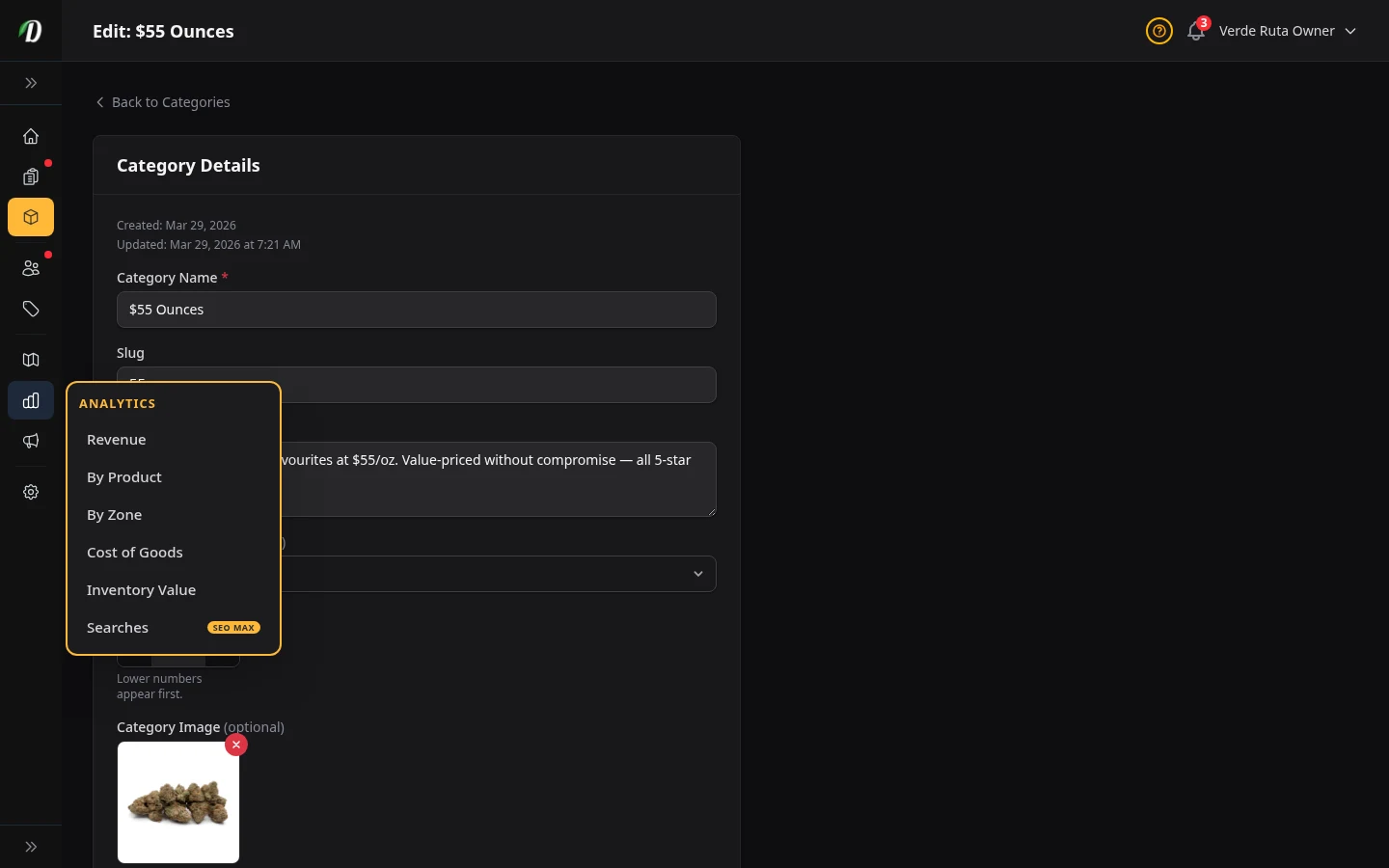
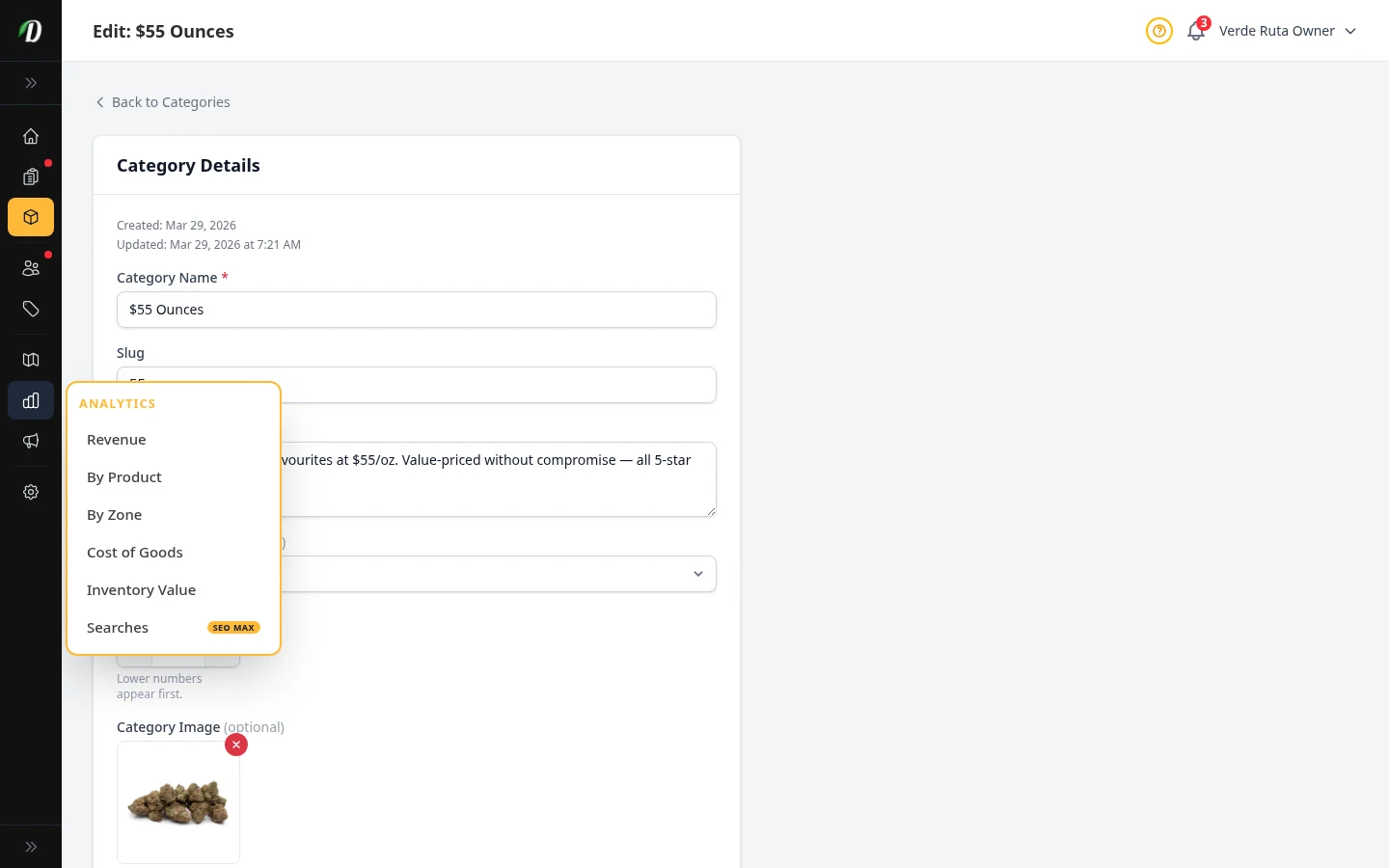
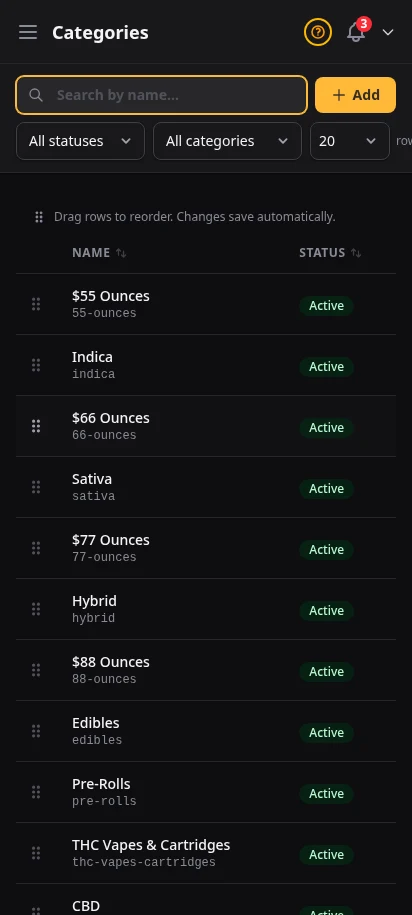
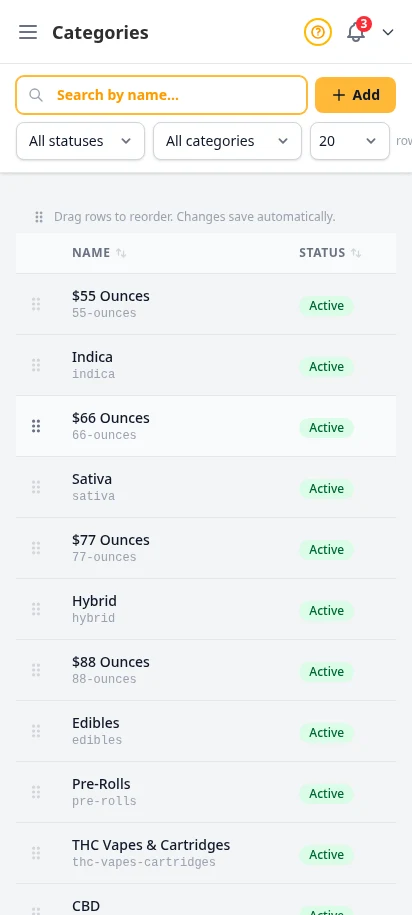
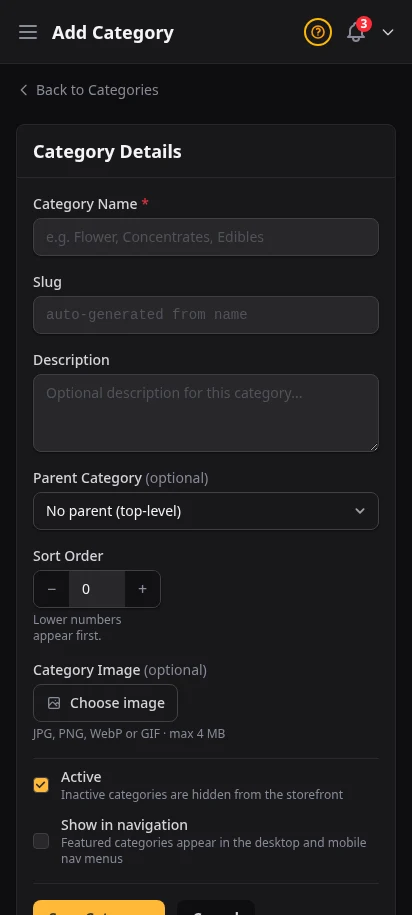
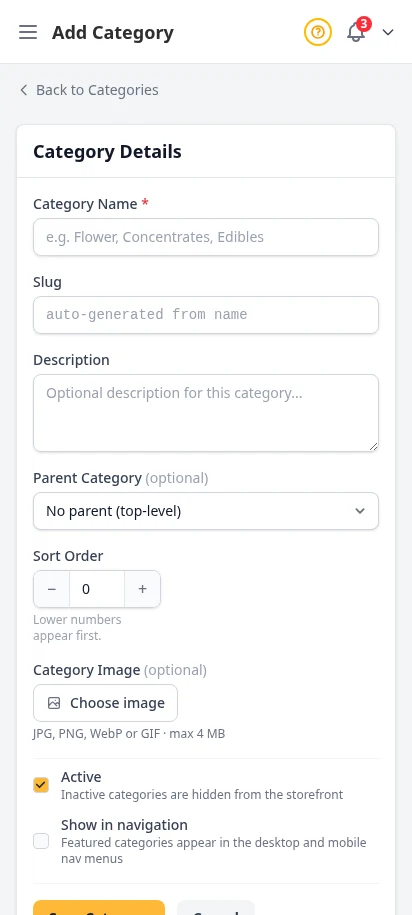
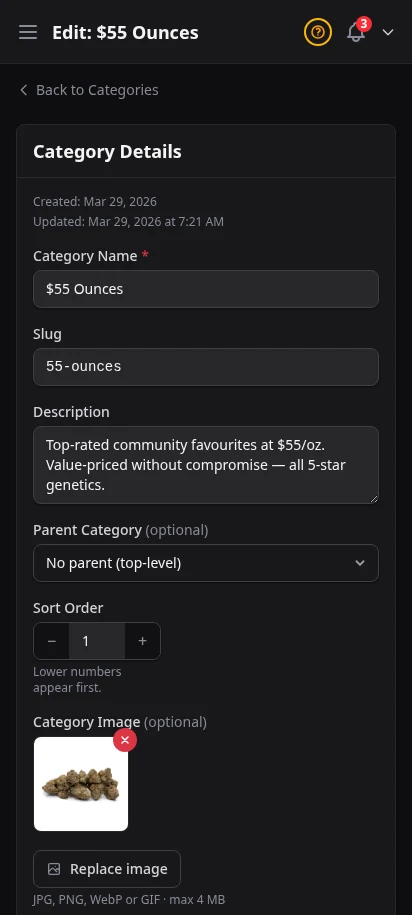
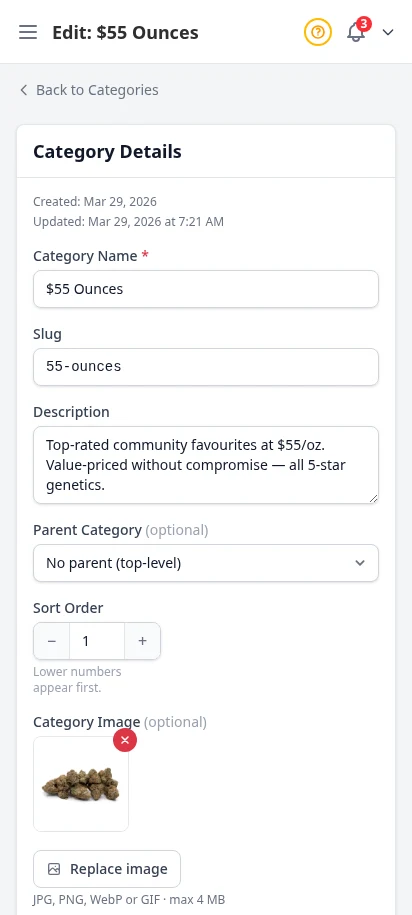
Create categories like Flower, Edibles, Concentrates, Pre-Rolls, and Topicals. Each category has its own name, slug, description, and display order. Customers browse your store by category — make it intuitive for them.
- Unlimited categories with custom slugs
- Category descriptions for storefront SEO on Google
- Product count per category at a glance
- Edit categories inline
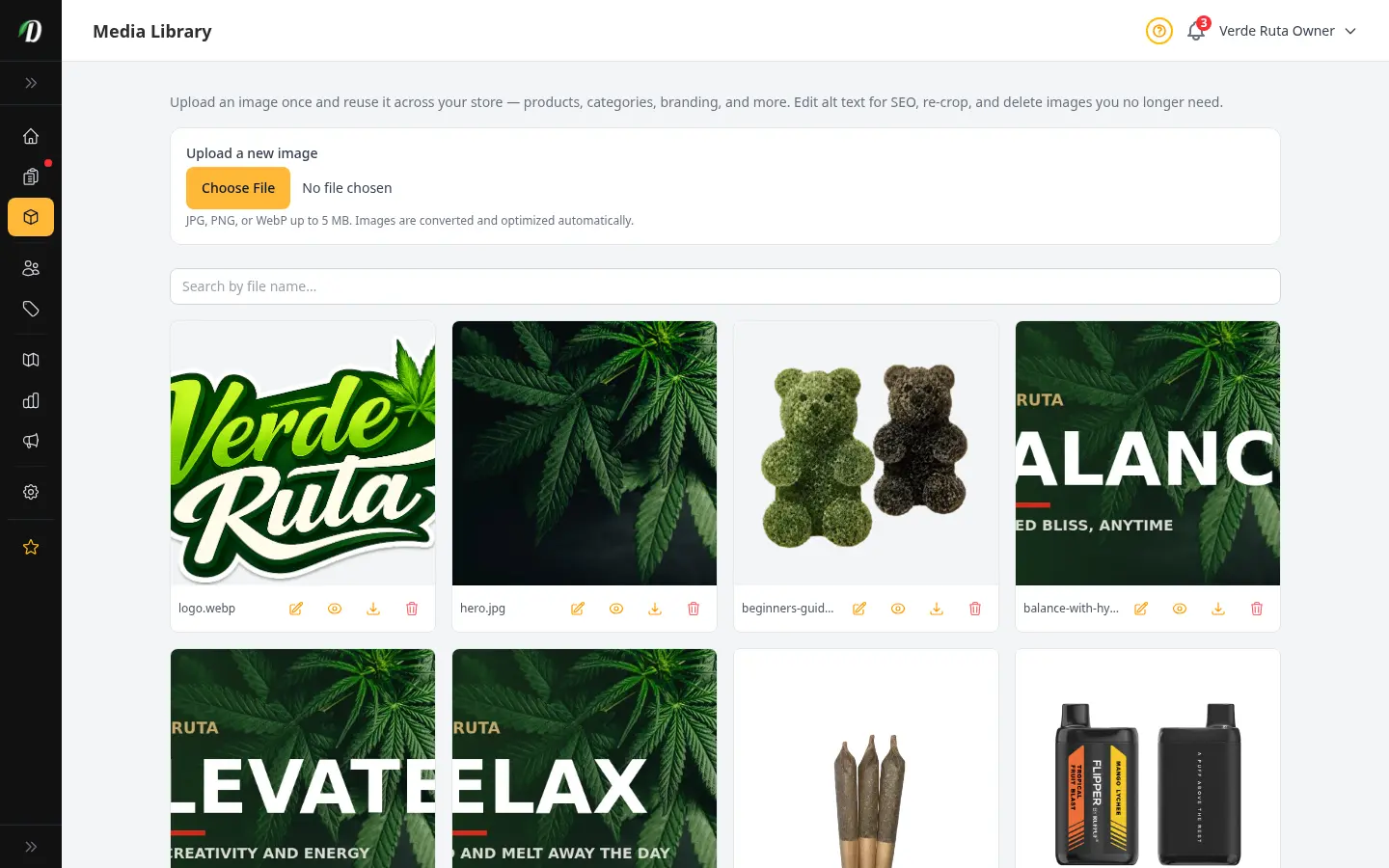
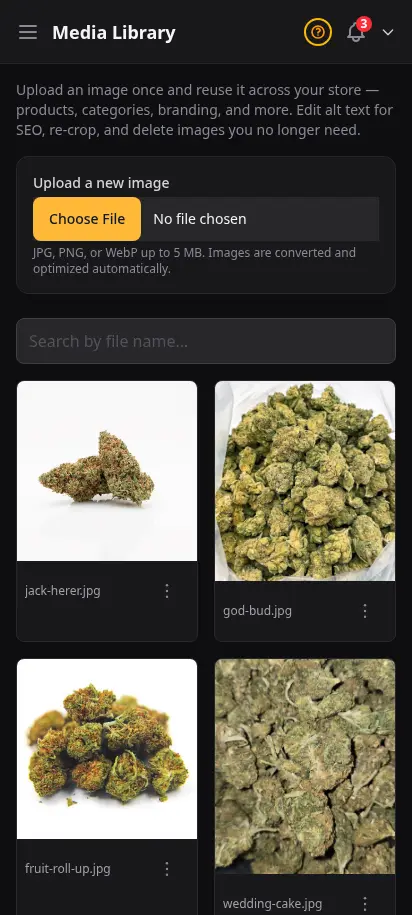
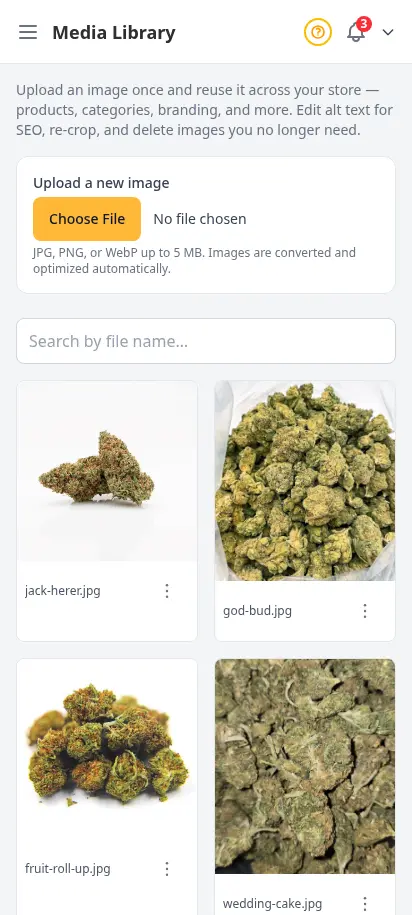
Upload once, reuse everywhere
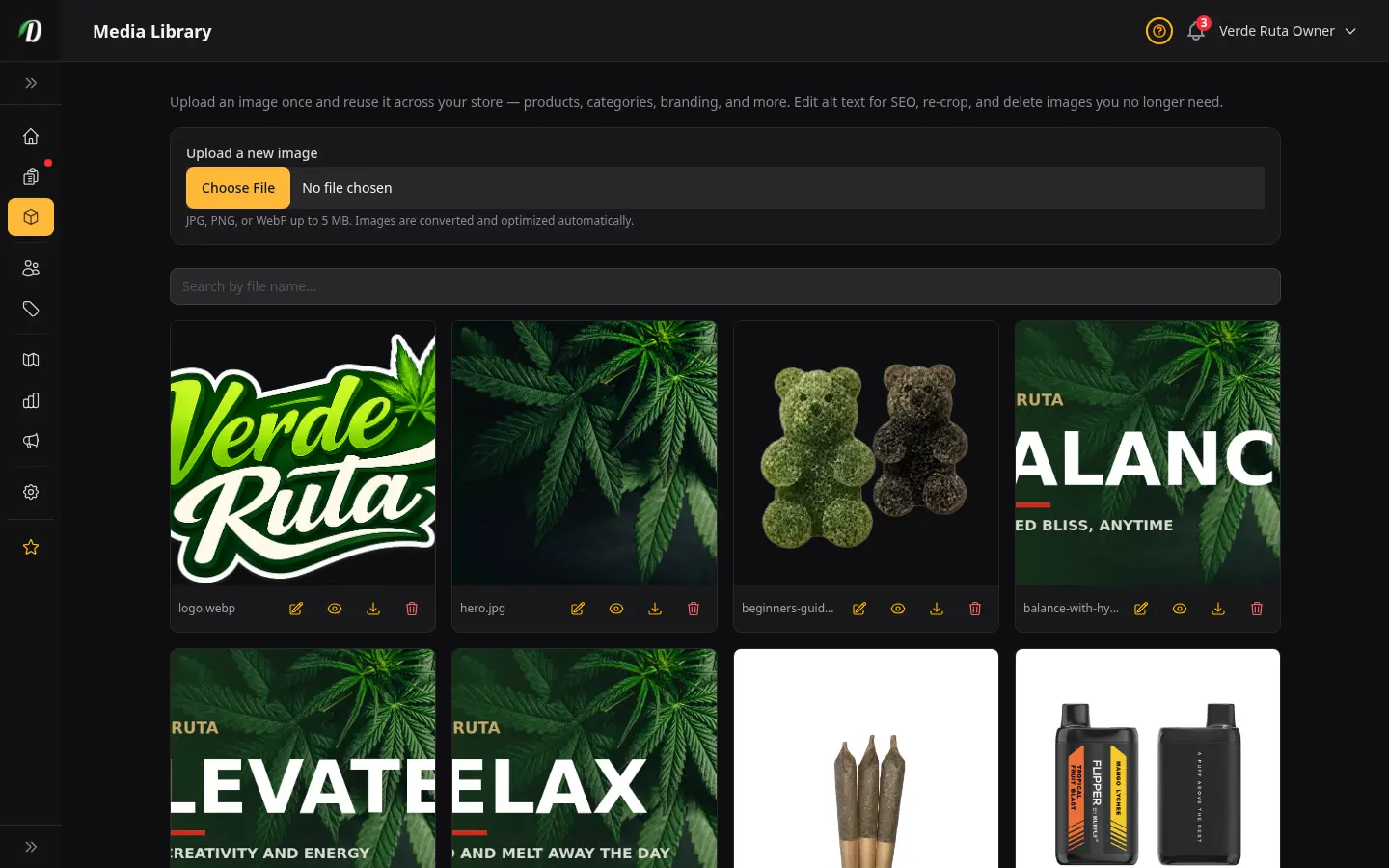
Stop re-uploading the same product photo five times. The Media Library is where experienced operators centralize store images — crop once, add alt text for Google, and drop assets into products, categories, widgets, and campaigns without hunting through old uploads.
- Upload JPG, PNG, or WebP — optimized automatically
- Search and folder filters for large catalogs
- Edit alt text for SEO and accessibility
- Re-crop without re-uploading the original
- Safe delete warns when an image is still in use
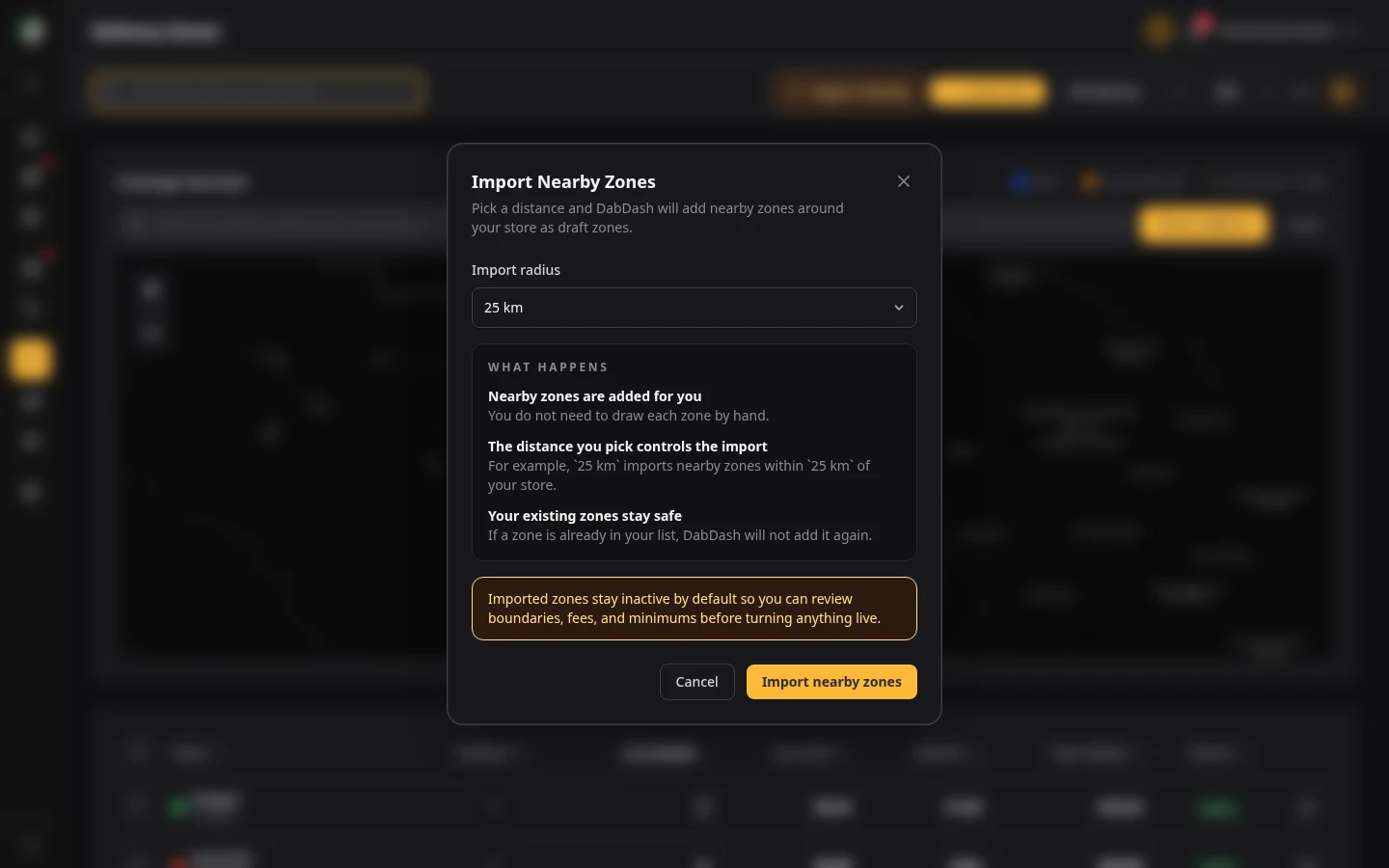
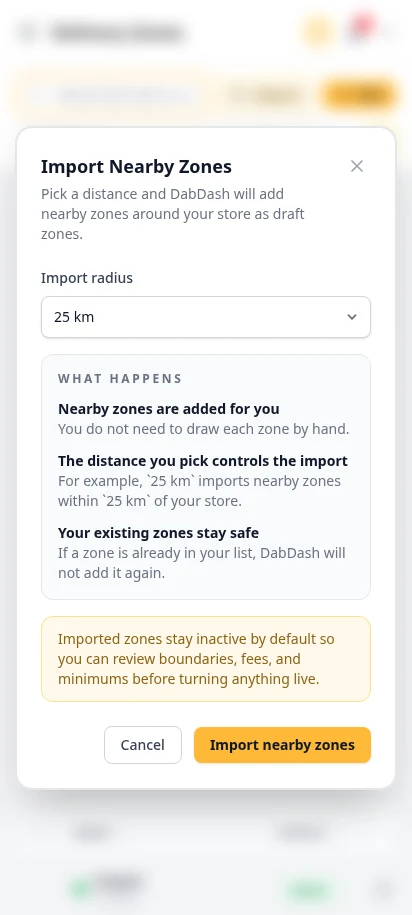
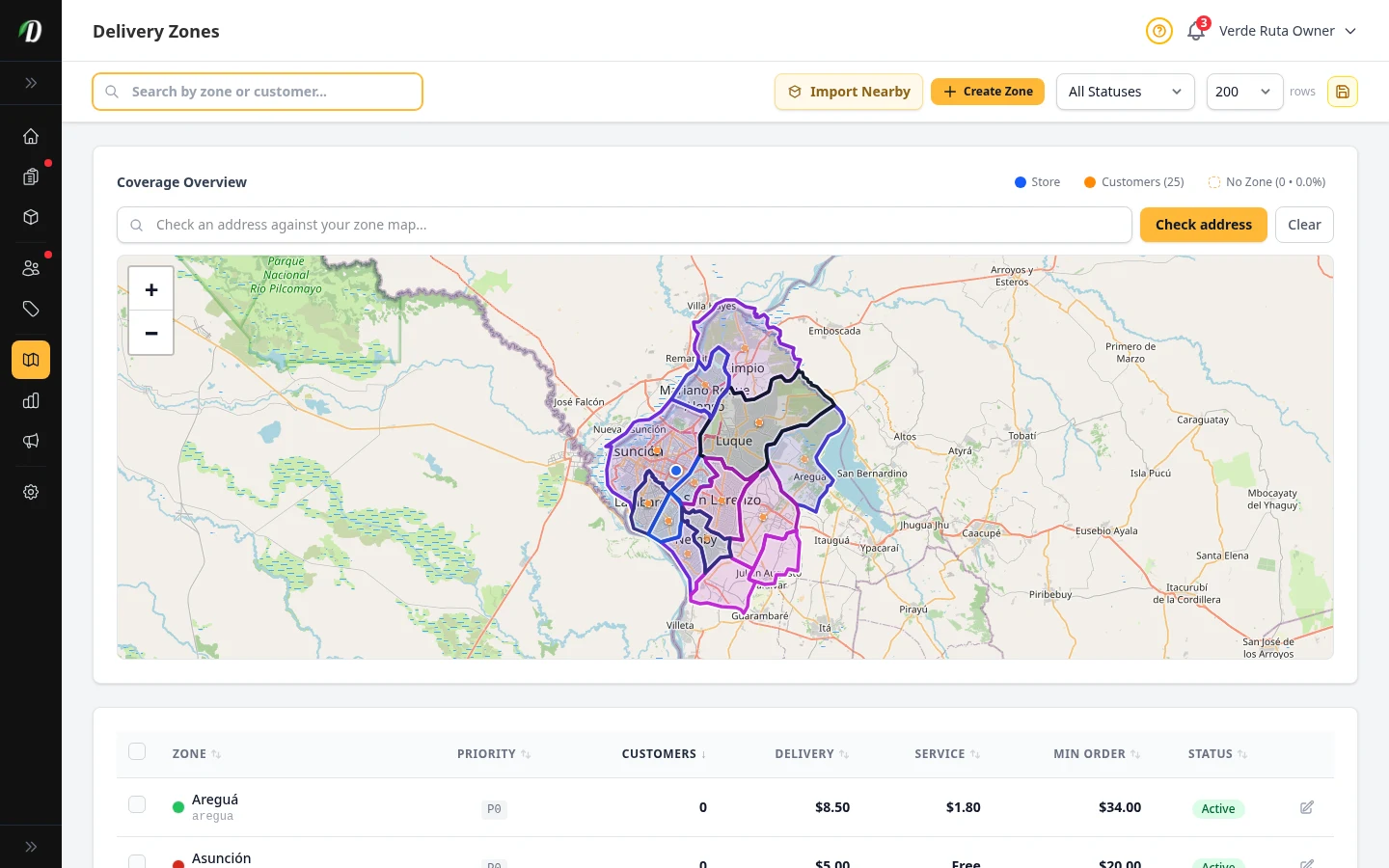
Launch your coverage in one click
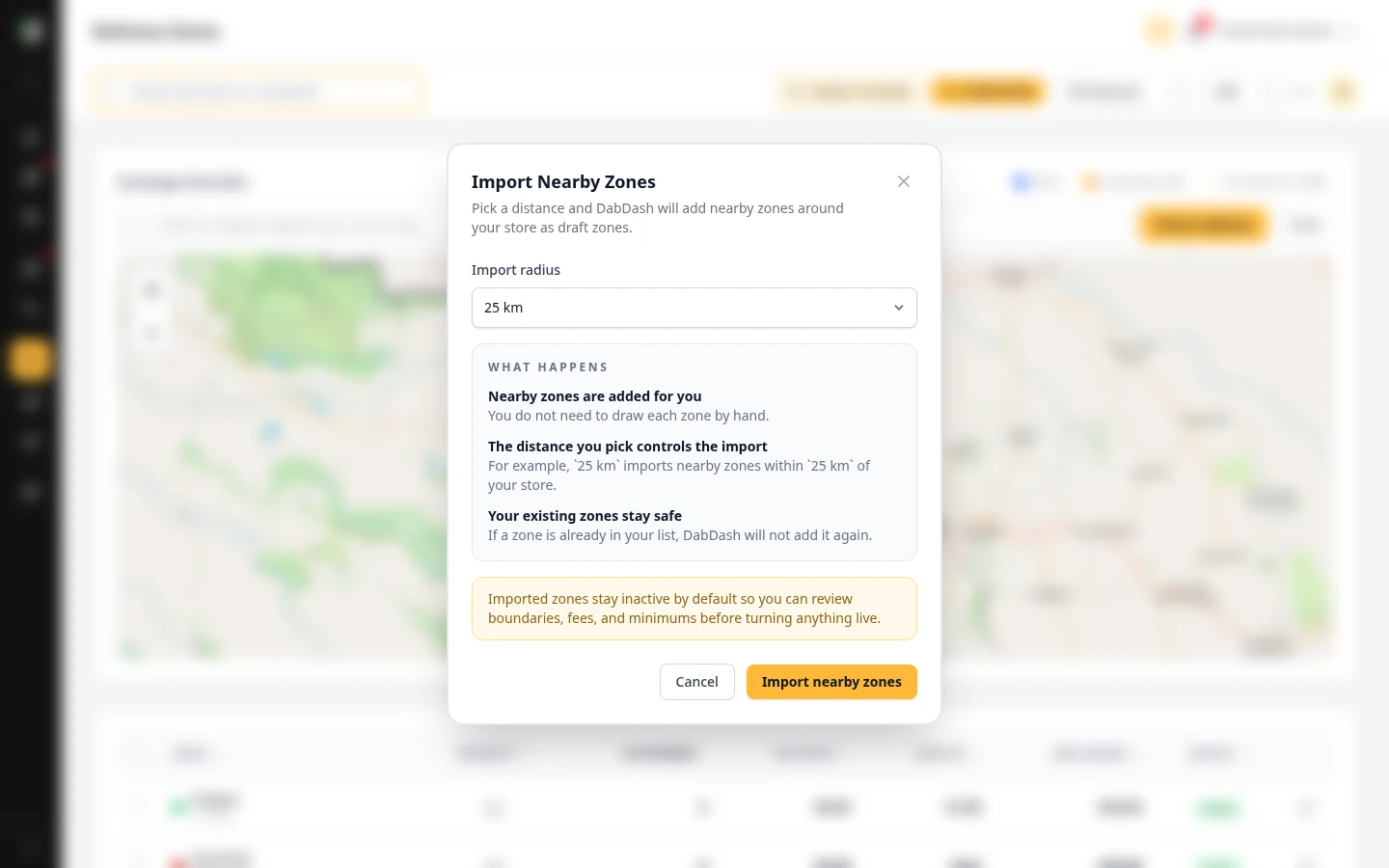
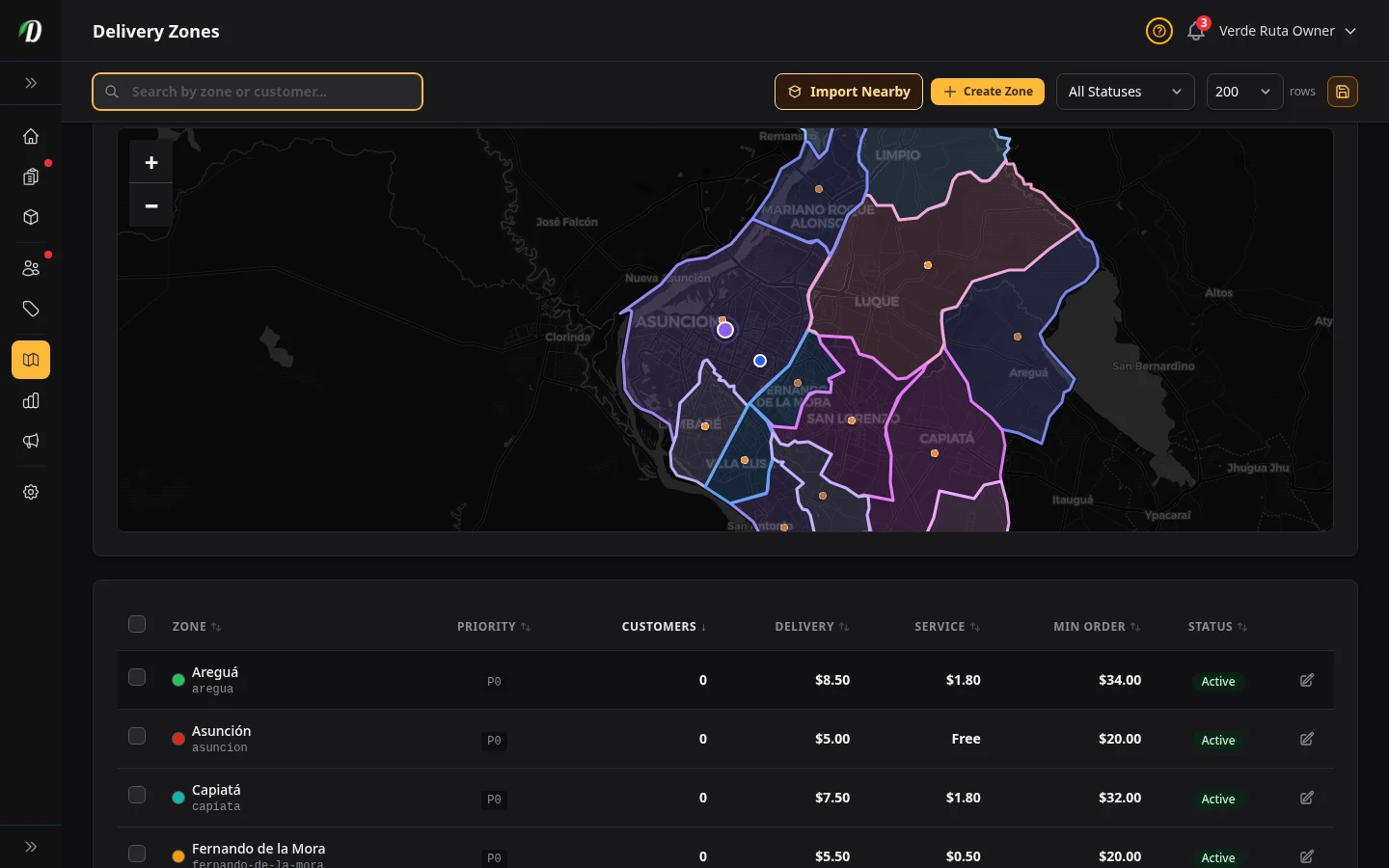
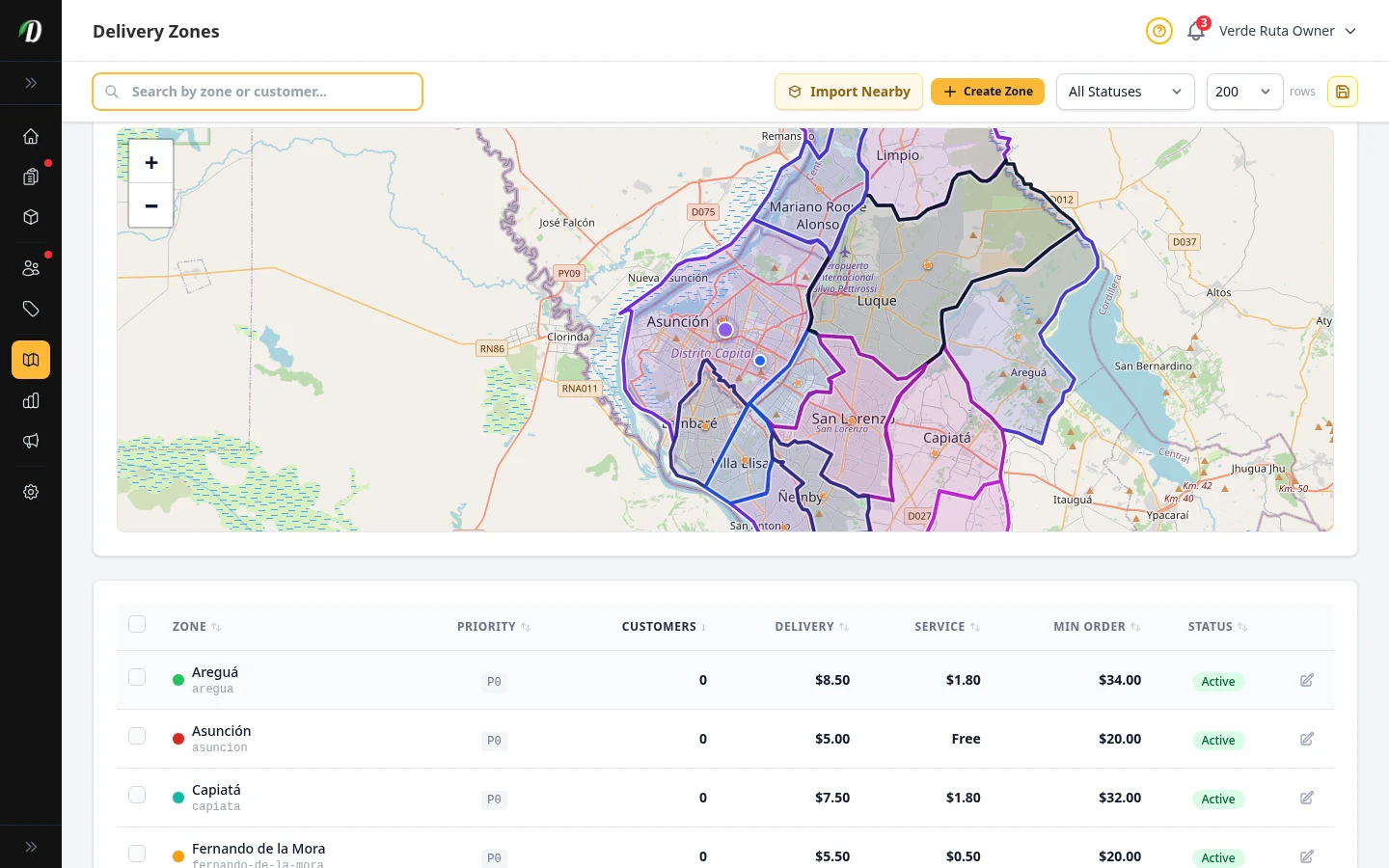
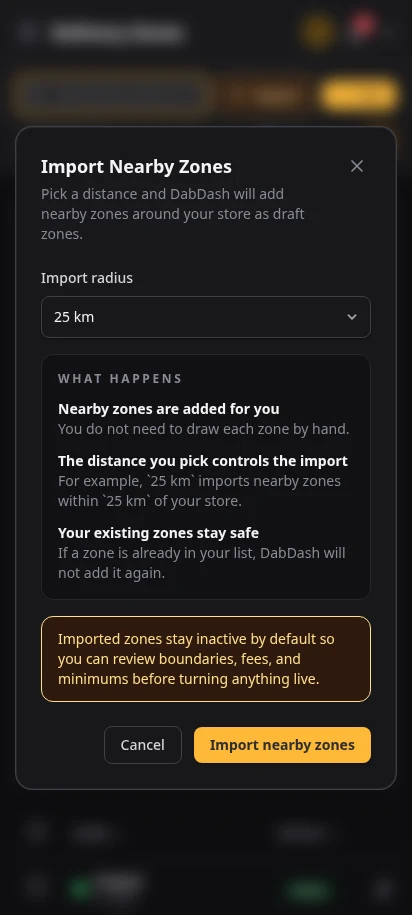
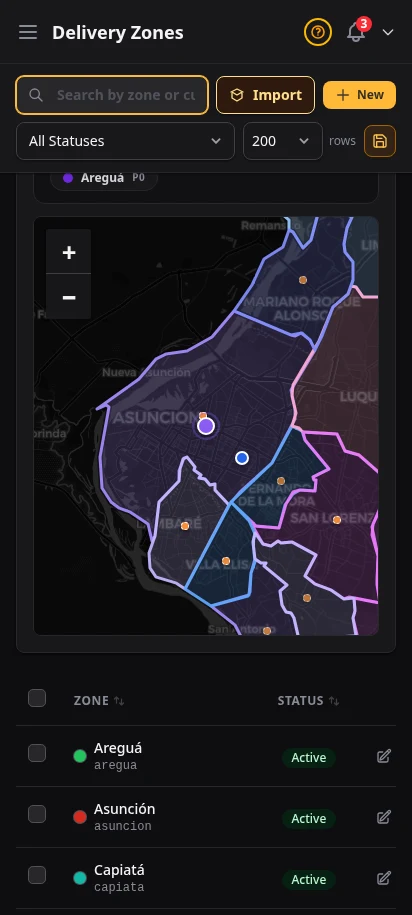
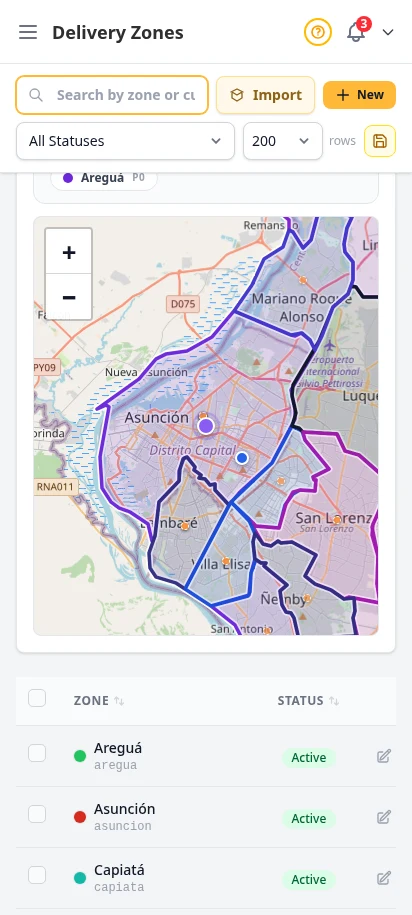
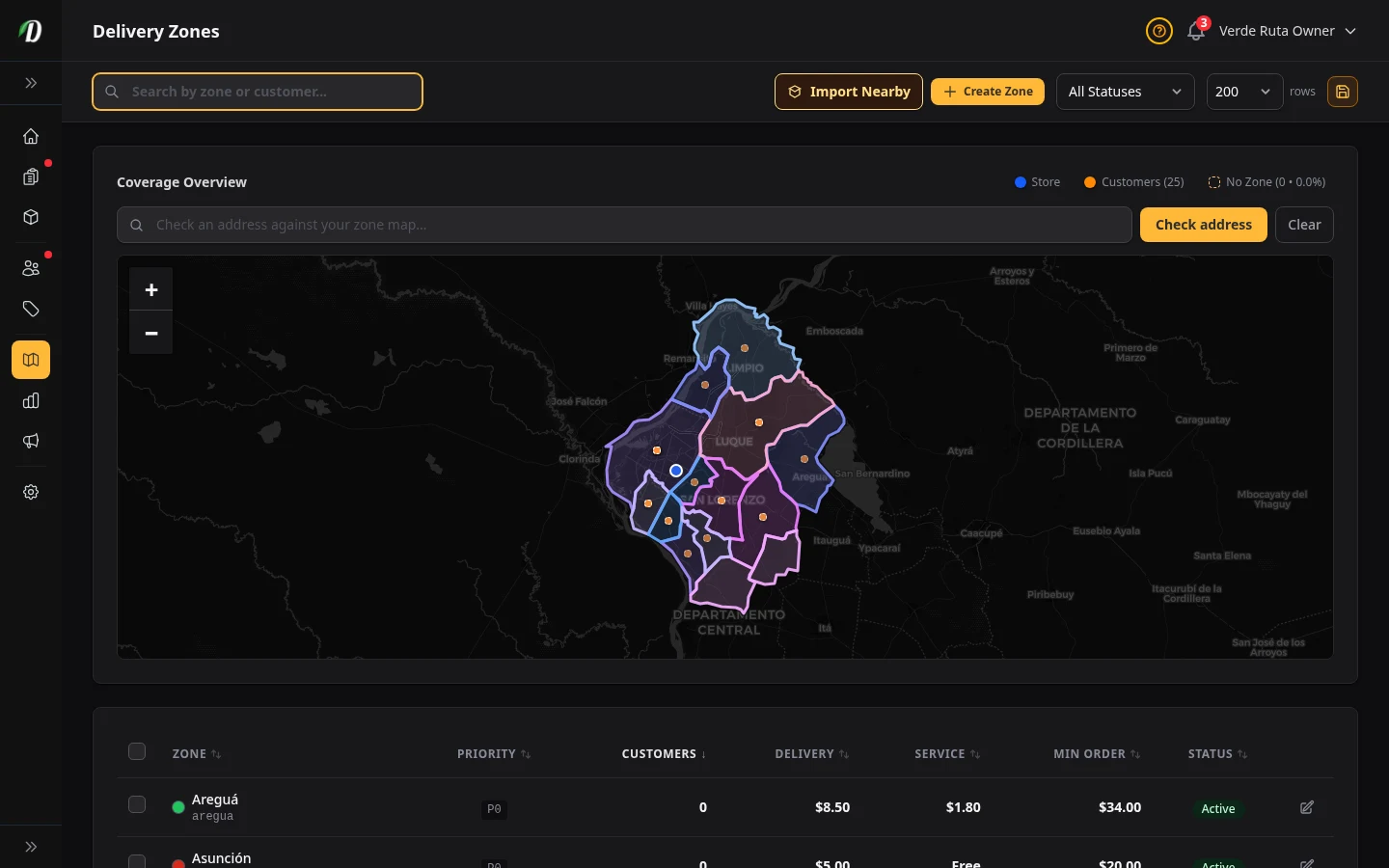
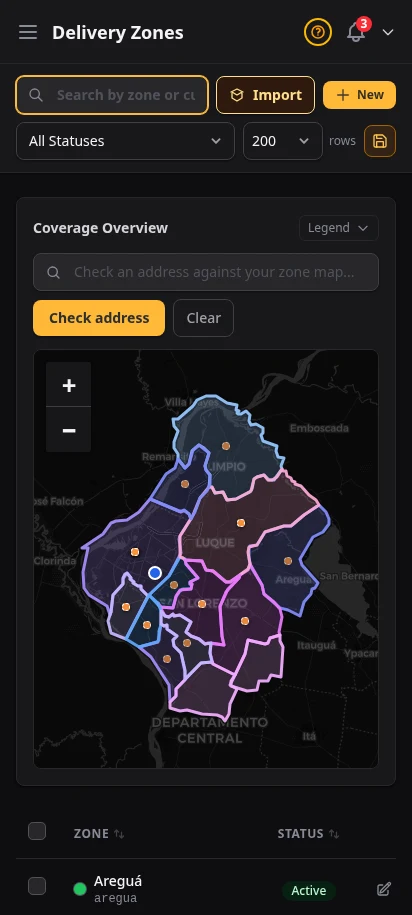
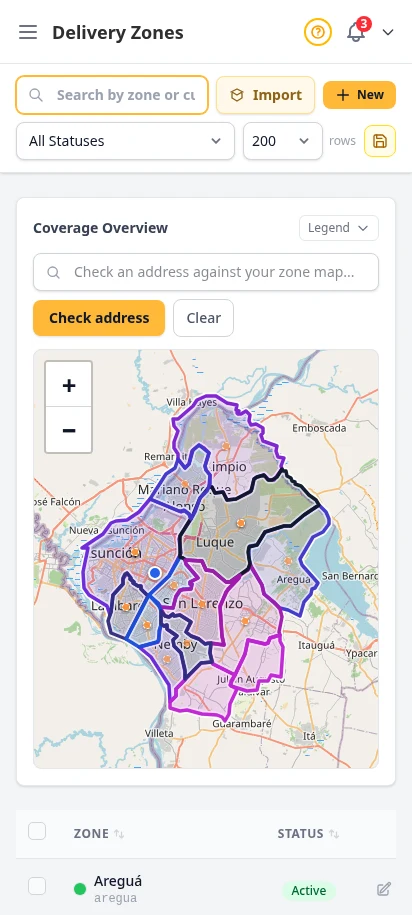
New stores can skip the slow part. Import nearby delivery zones in one click, choose how far out from your store to pull, then review the inactive draft boundaries before you turn anything live. Once you are live, the same page lets you test any address against the map and explain coverage instantly.
- One-click nearby zone imports with flexible radius options
- Draft zones stay inactive until you approve them
- Address coverage checker drops the customer location directly on the map
- Customer overlays show where real shoppers live before you expand
- Fastest path from signup to taking orders
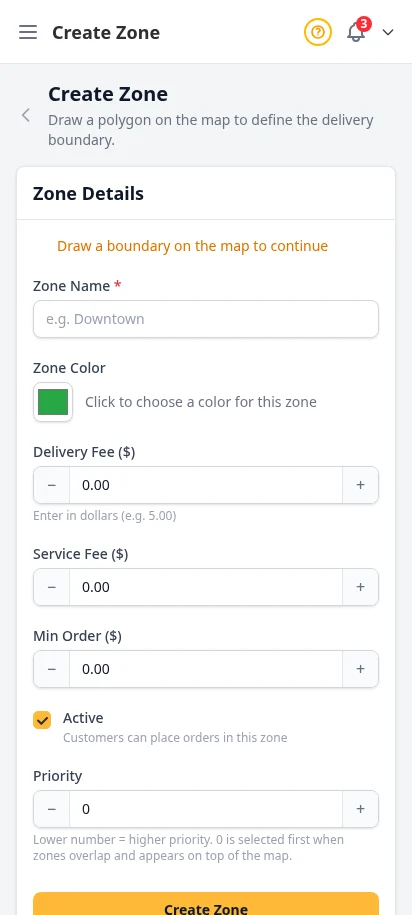
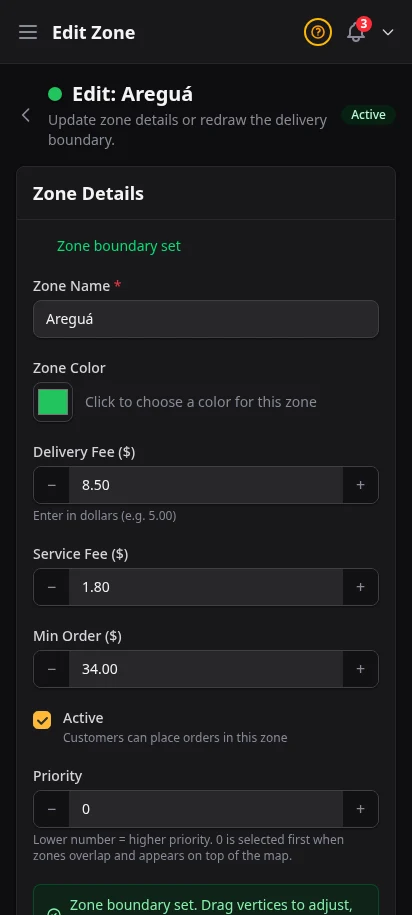
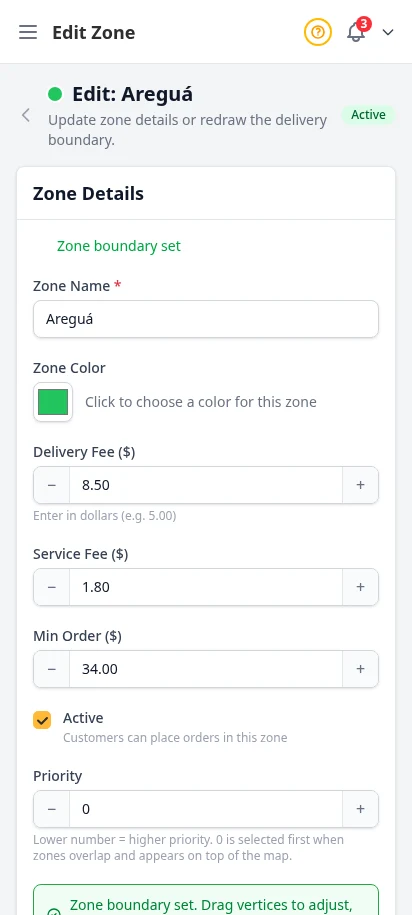
Fine-tune your map when you need precision
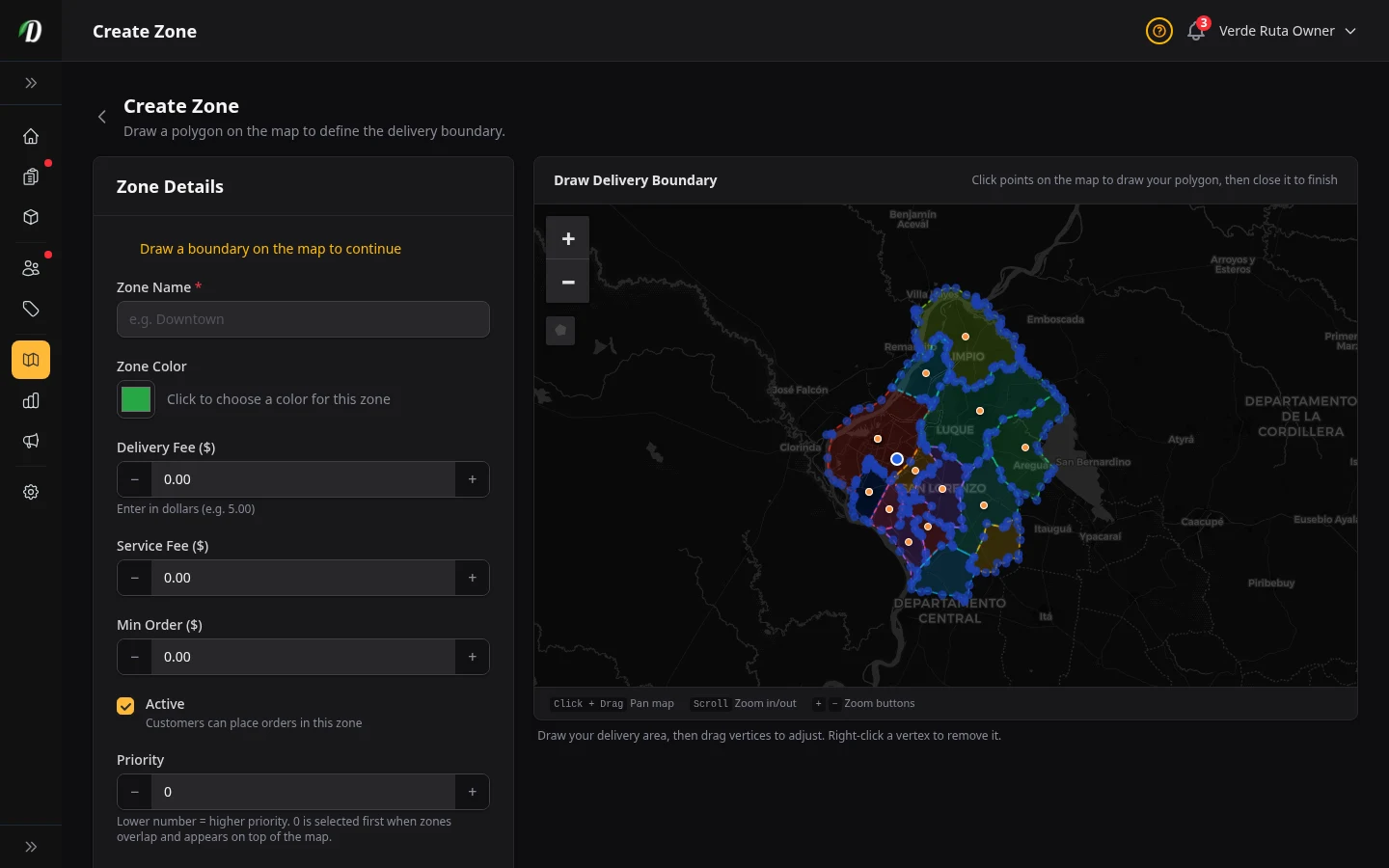
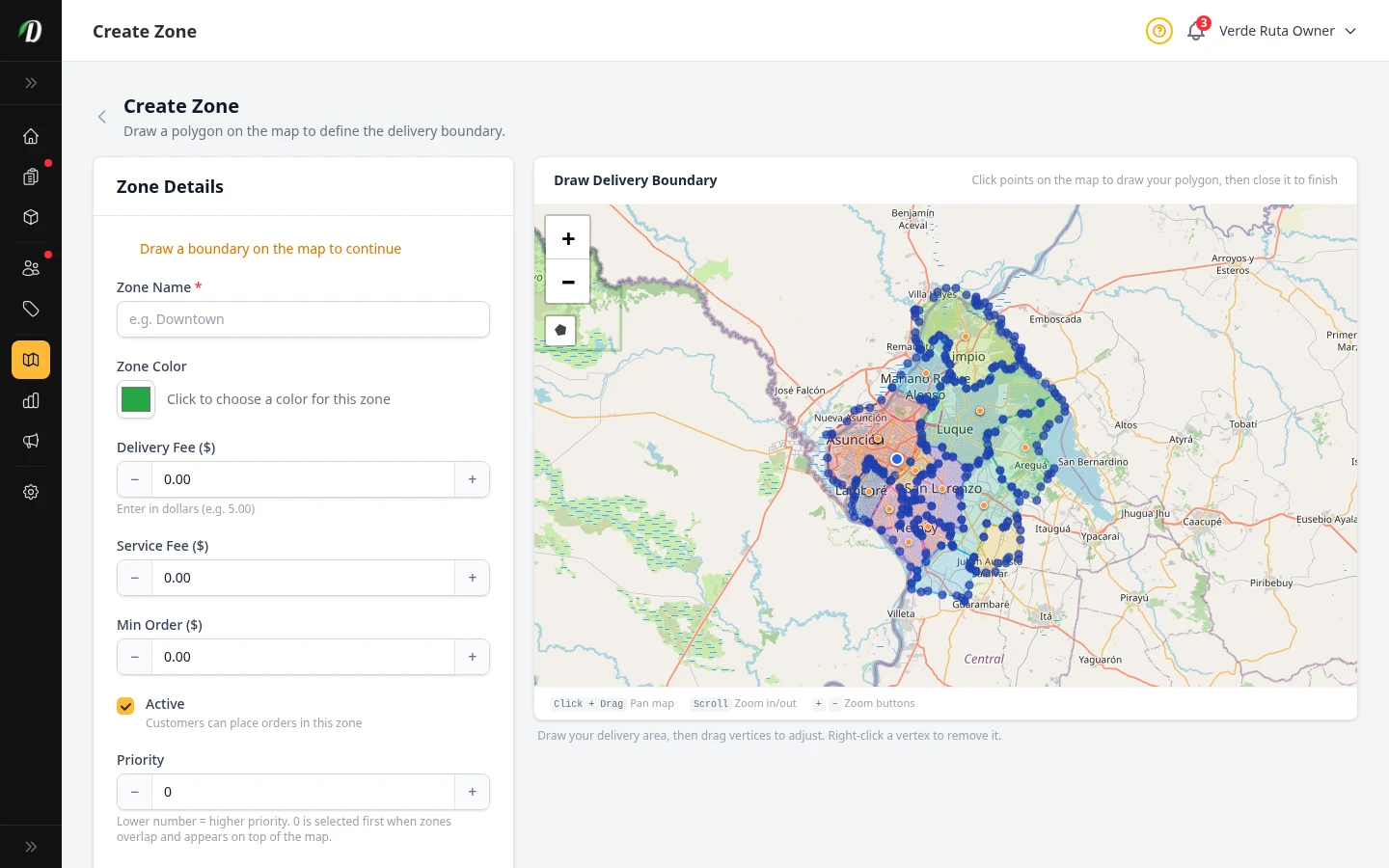
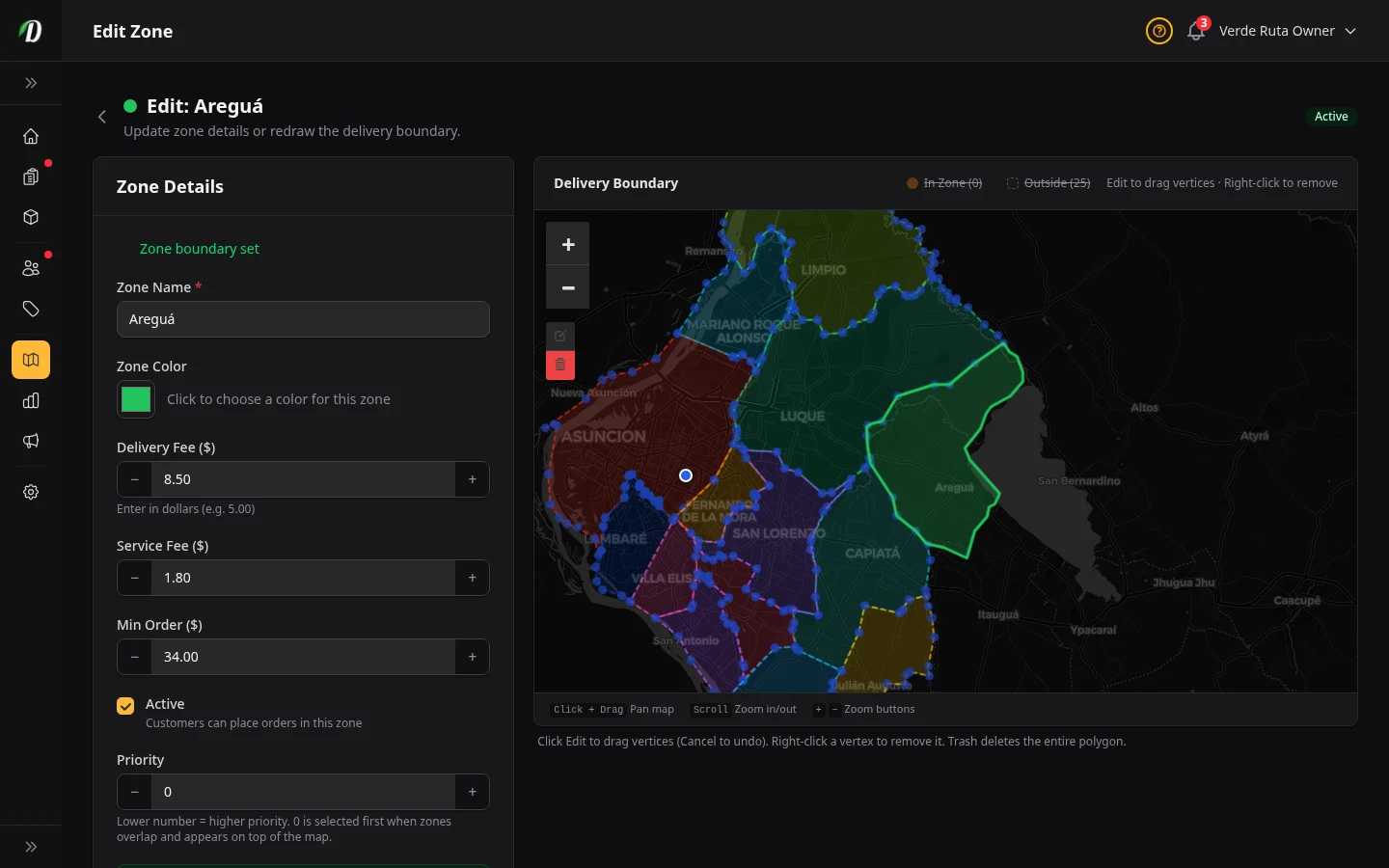
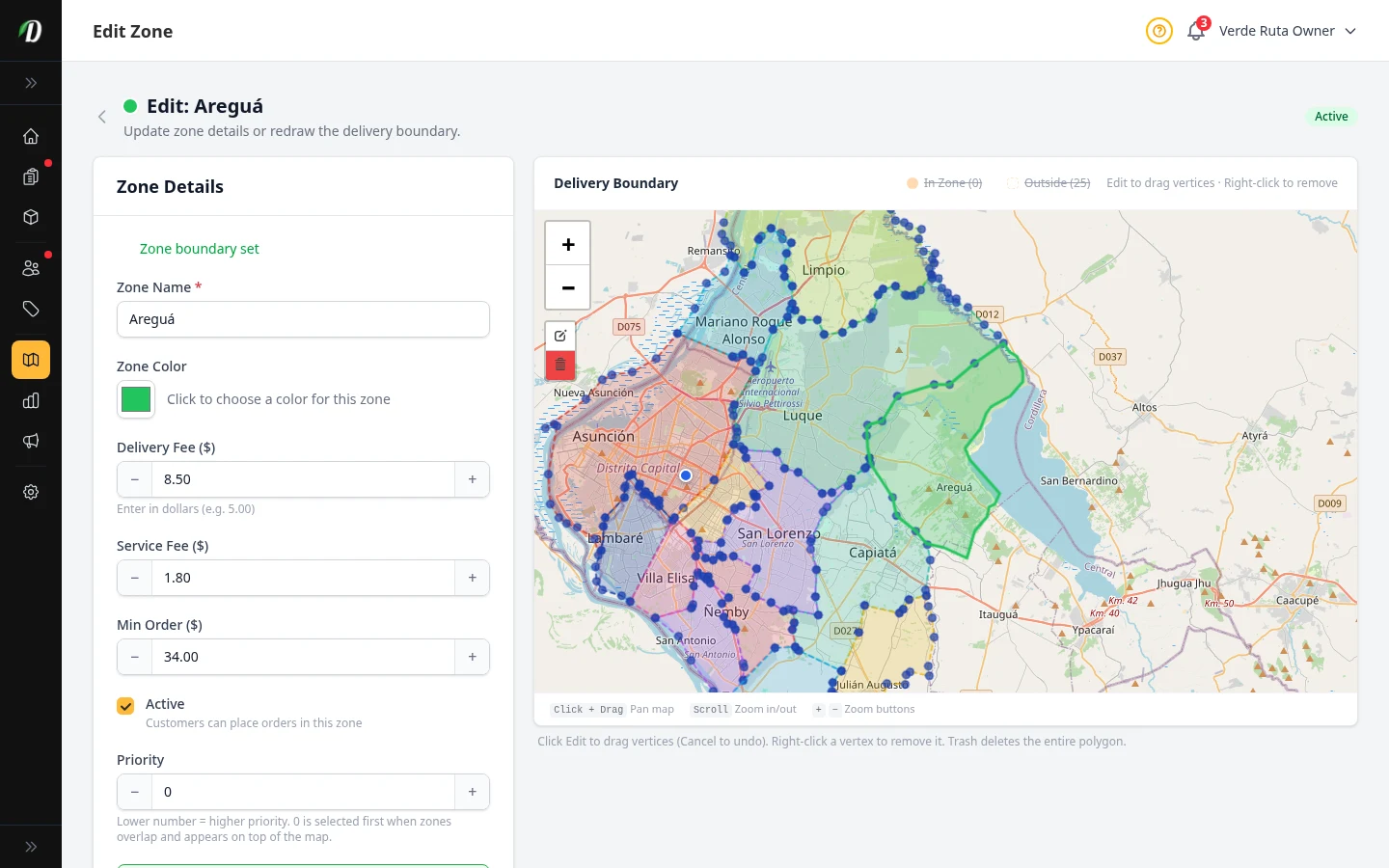
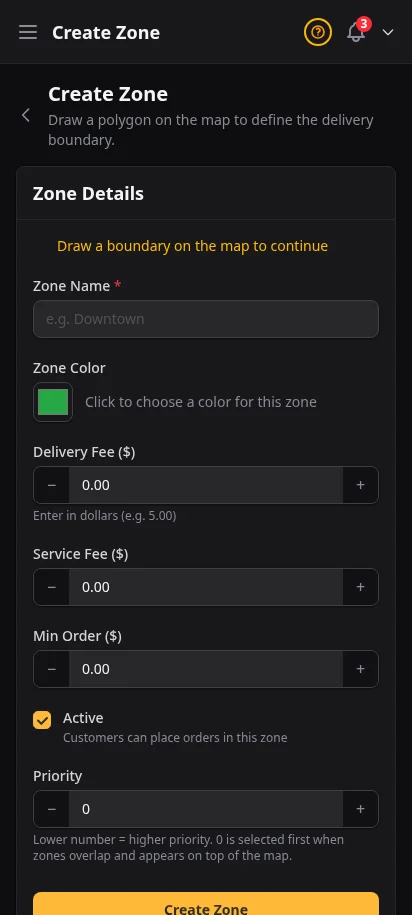
When you want custom territory edges, DabDash gives you the full interactive Leaflet editor too. Adjust imported drafts or draw new polygon zones, set per-zone delivery fees, service fees, and minimum order amounts, and reference nearby zones so your coverage stays clean.
- Interactive polygon drawing on real-world maps
- Edit imported drafts or build completely custom zones
- Per-zone delivery fee and service fee
- Per-zone minimum order amount
- Color-coded zones for visual clarity
- Auto zone detection by customer address
Track every gram, log every change
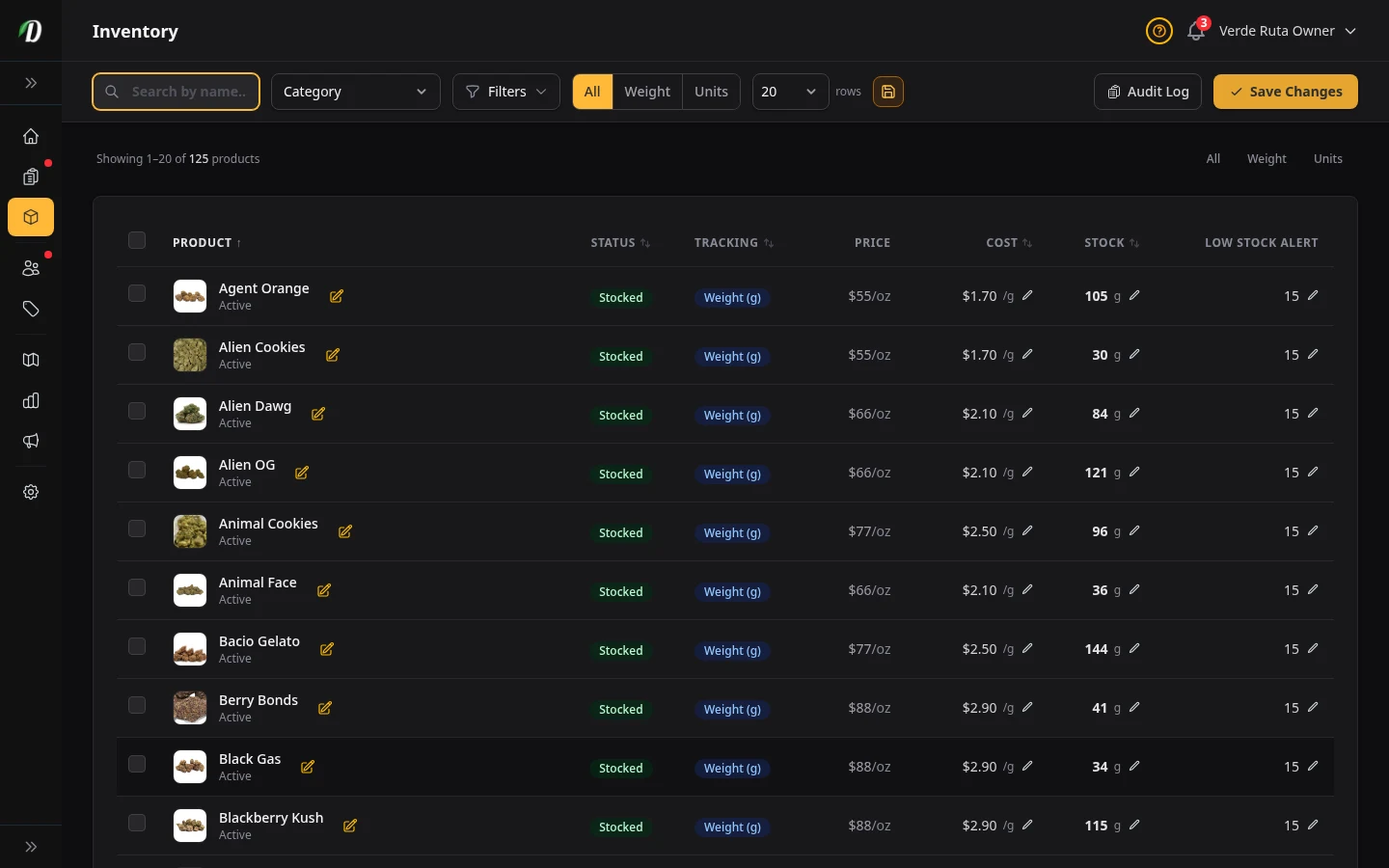
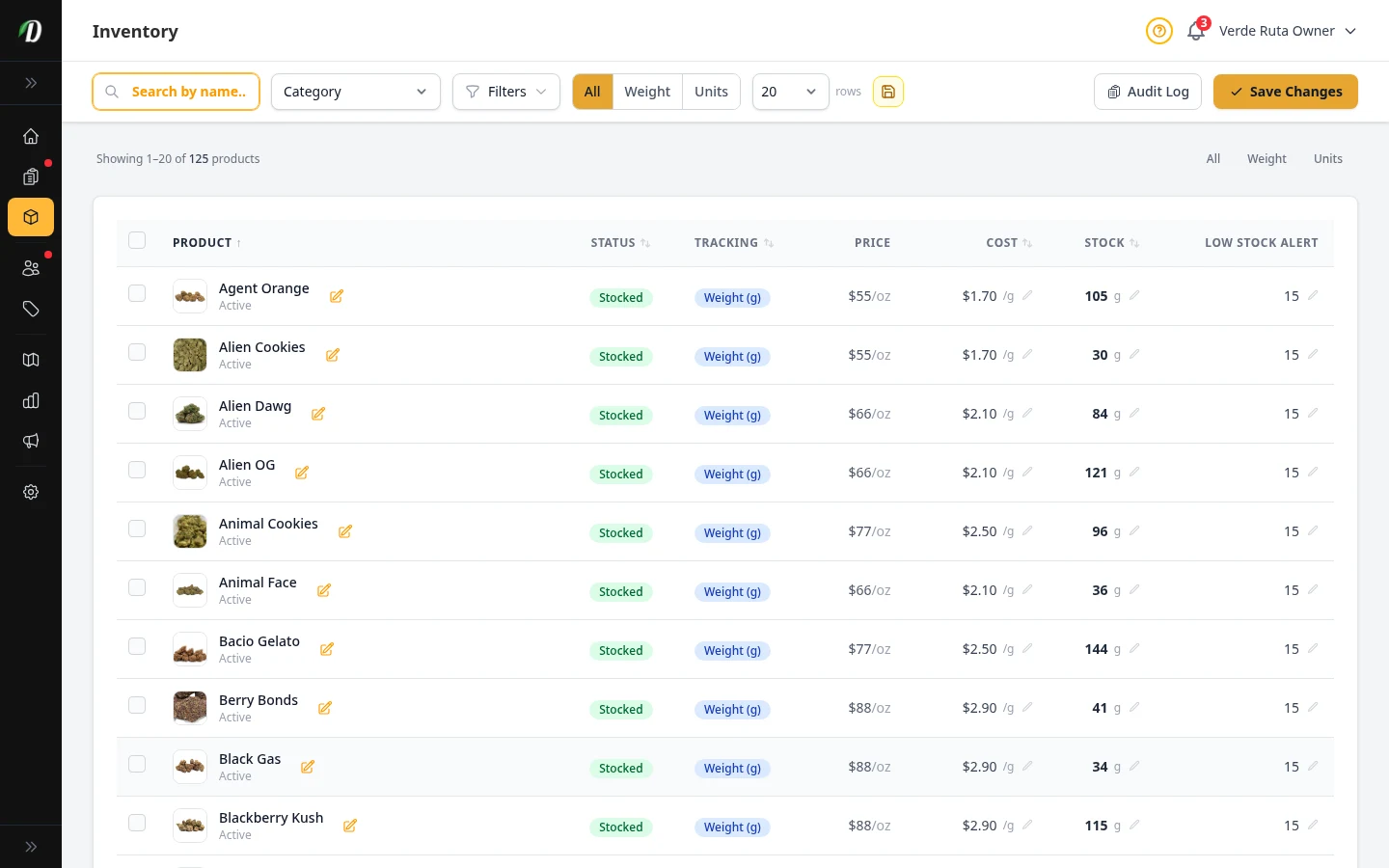
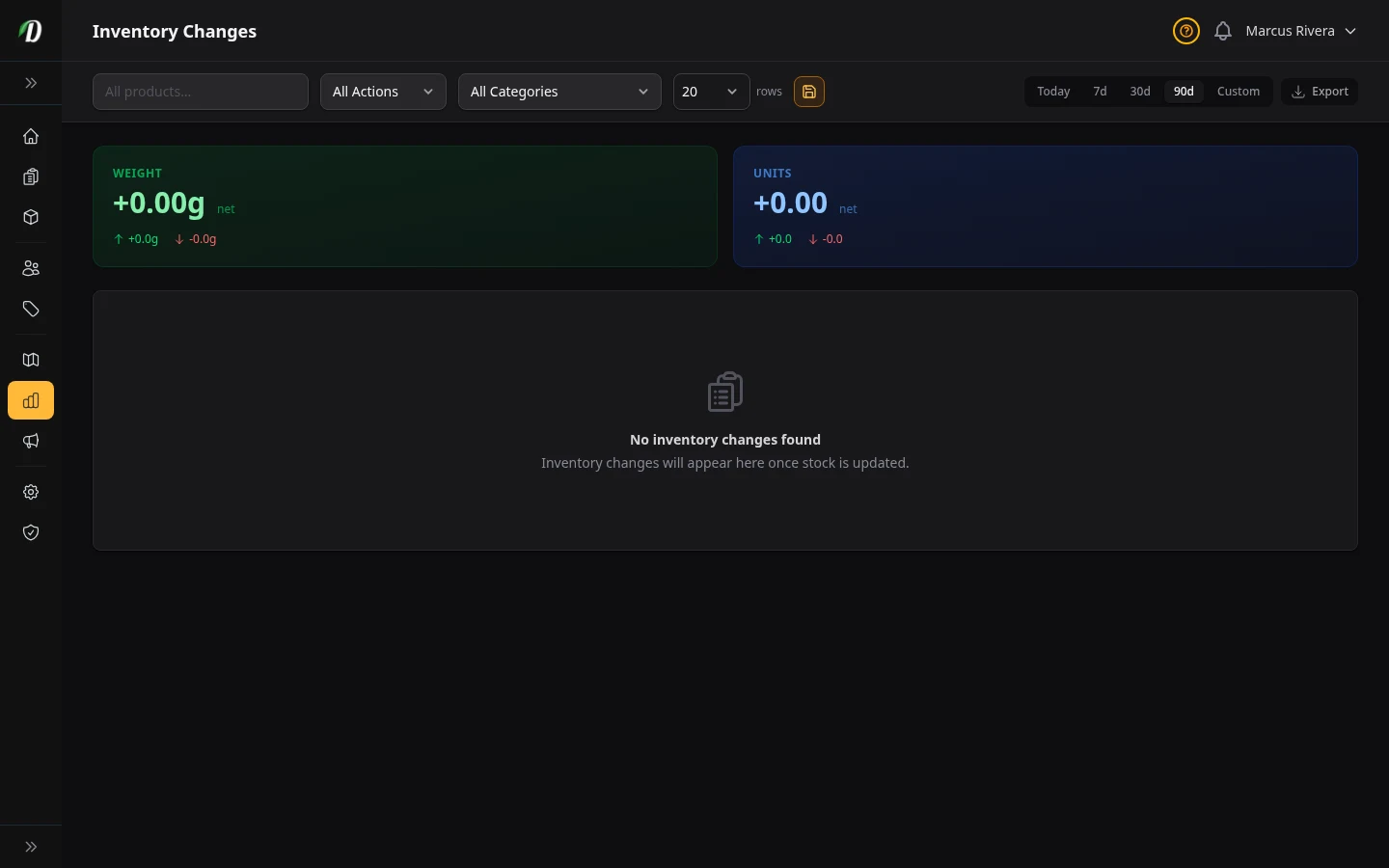
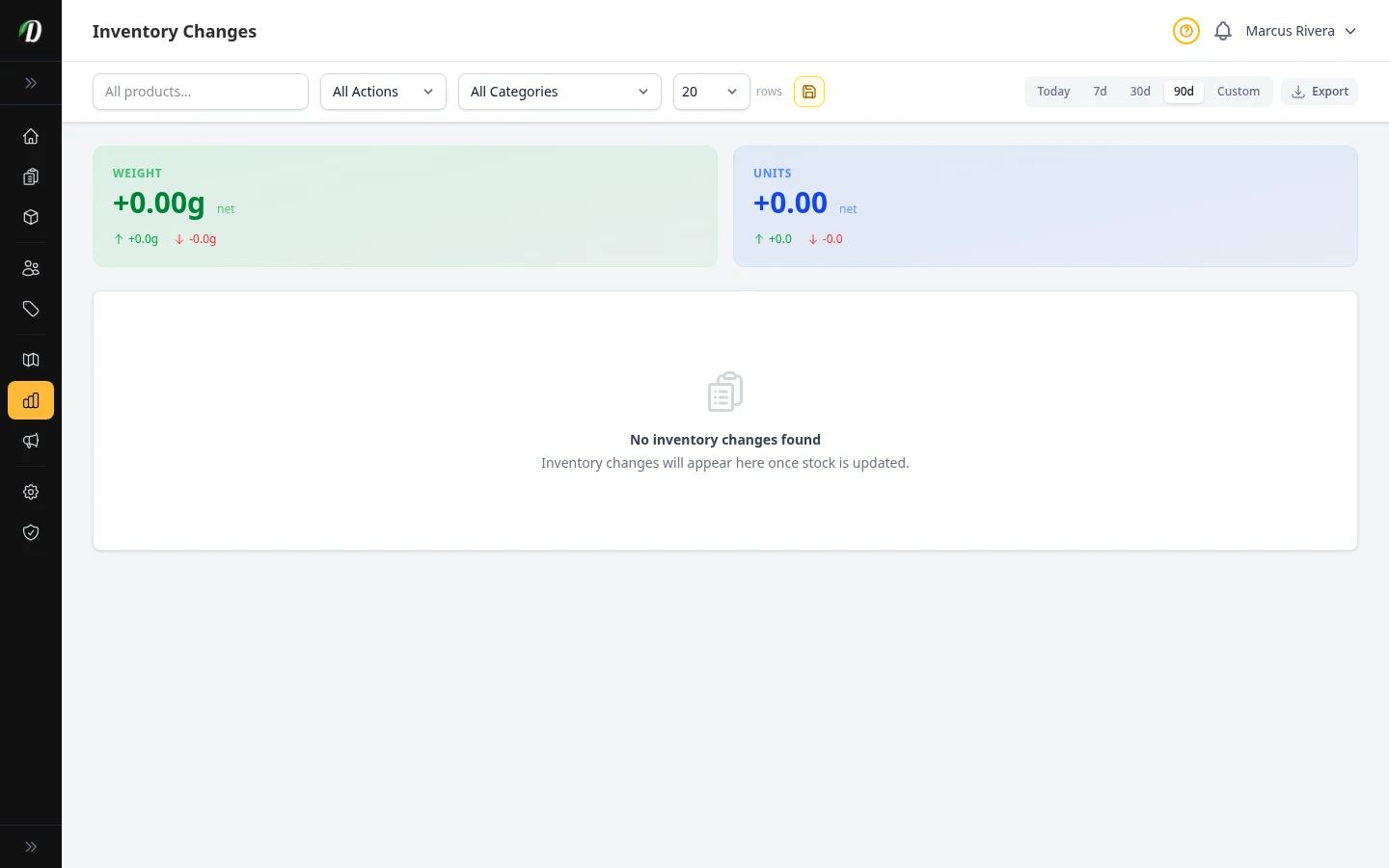
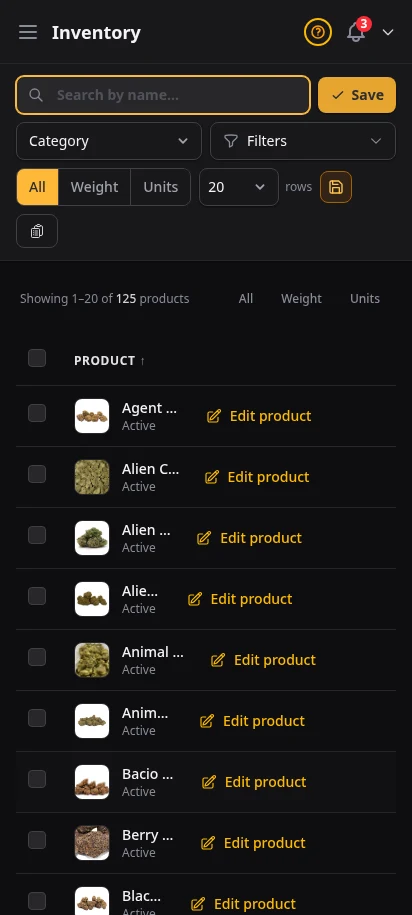
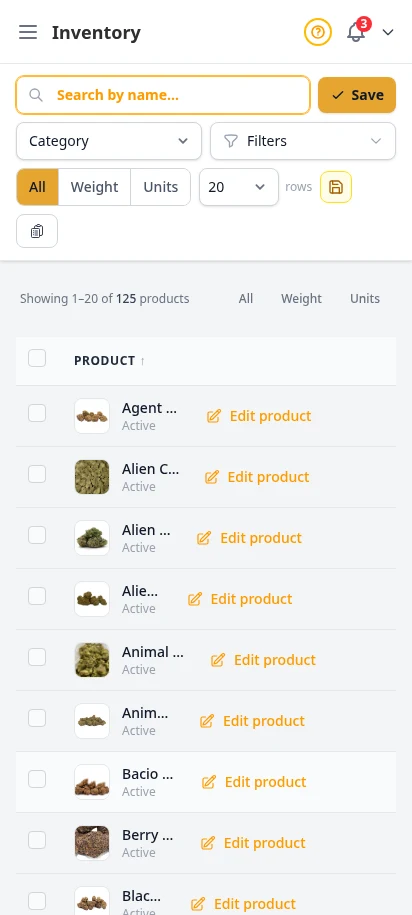
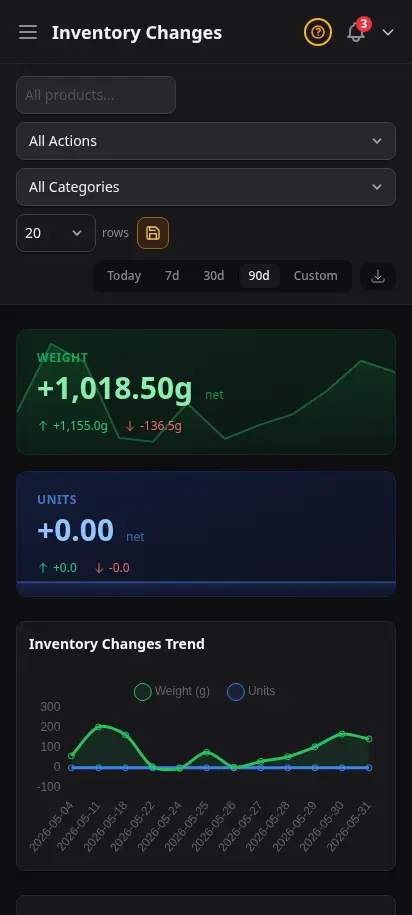
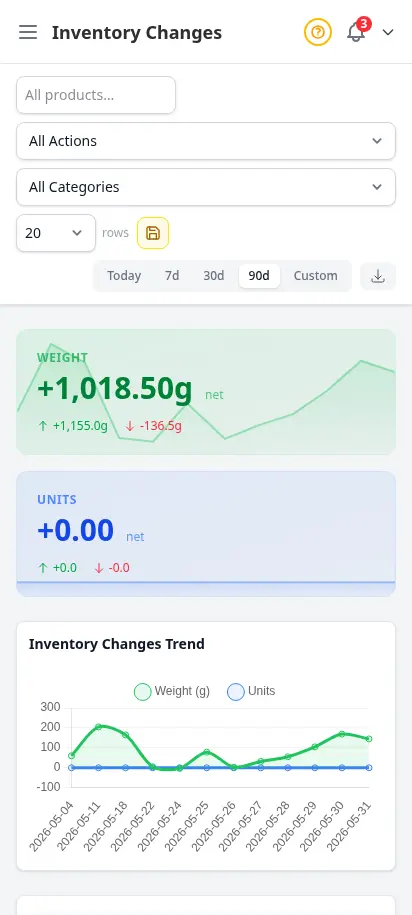
Manage stock levels for all your products from one central dashboard. Every stock adjustment — whether from an order, a manual update, or a restock — is logged in the audit trail with the exact timestamp, user, reason, and quantity change.
- Central inventory dashboard with stock levels for every product
- Weight-tracked (grams) and unit-tracked product support
- Full audit log of every inventory change
- Adjustment reasons: sale, restock, manual, damage
- Low stock threshold alerts
- CSV export of audit log
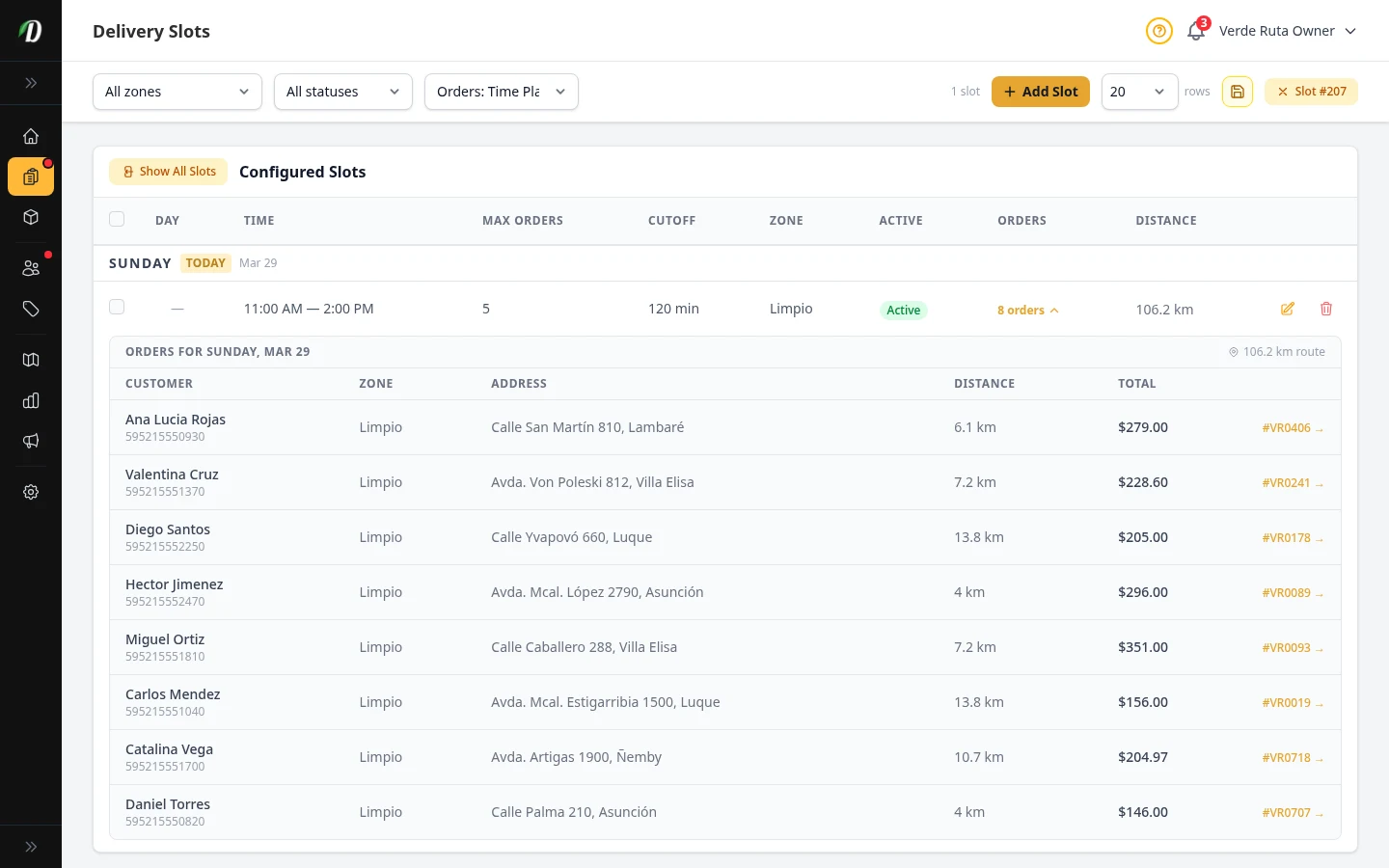
Let customers pick their delivery window
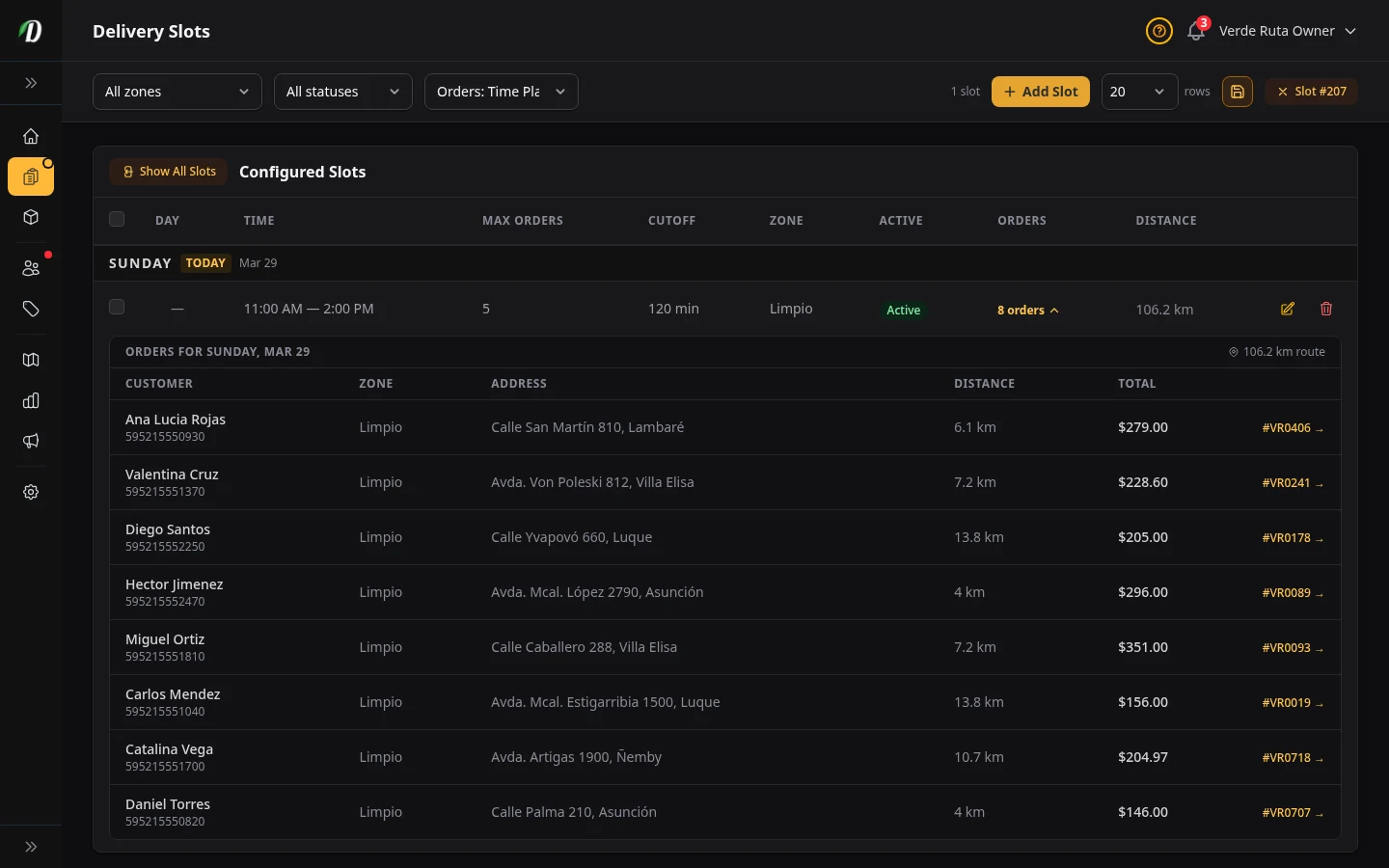
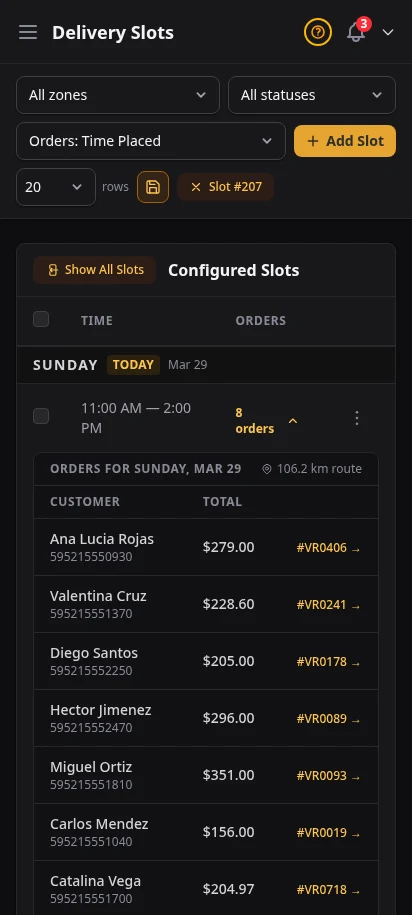
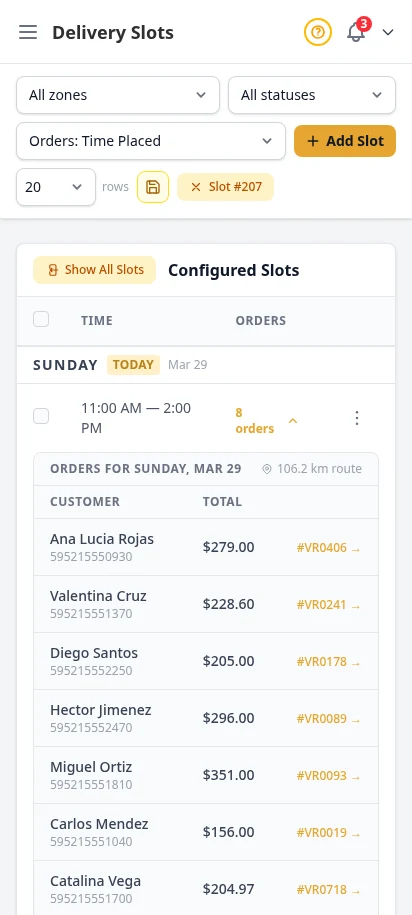
Create delivery time windows so customers can choose when their order arrives. Set capacity limits per slot, specify available days of the week, and define time windows that match your driver schedules.
- Configurable time windows (e.g., 10am–12pm, 2pm–4pm)
- Per-slot capacity limits
- Day-of-week scheduling
- Customers select their preferred slot at checkout
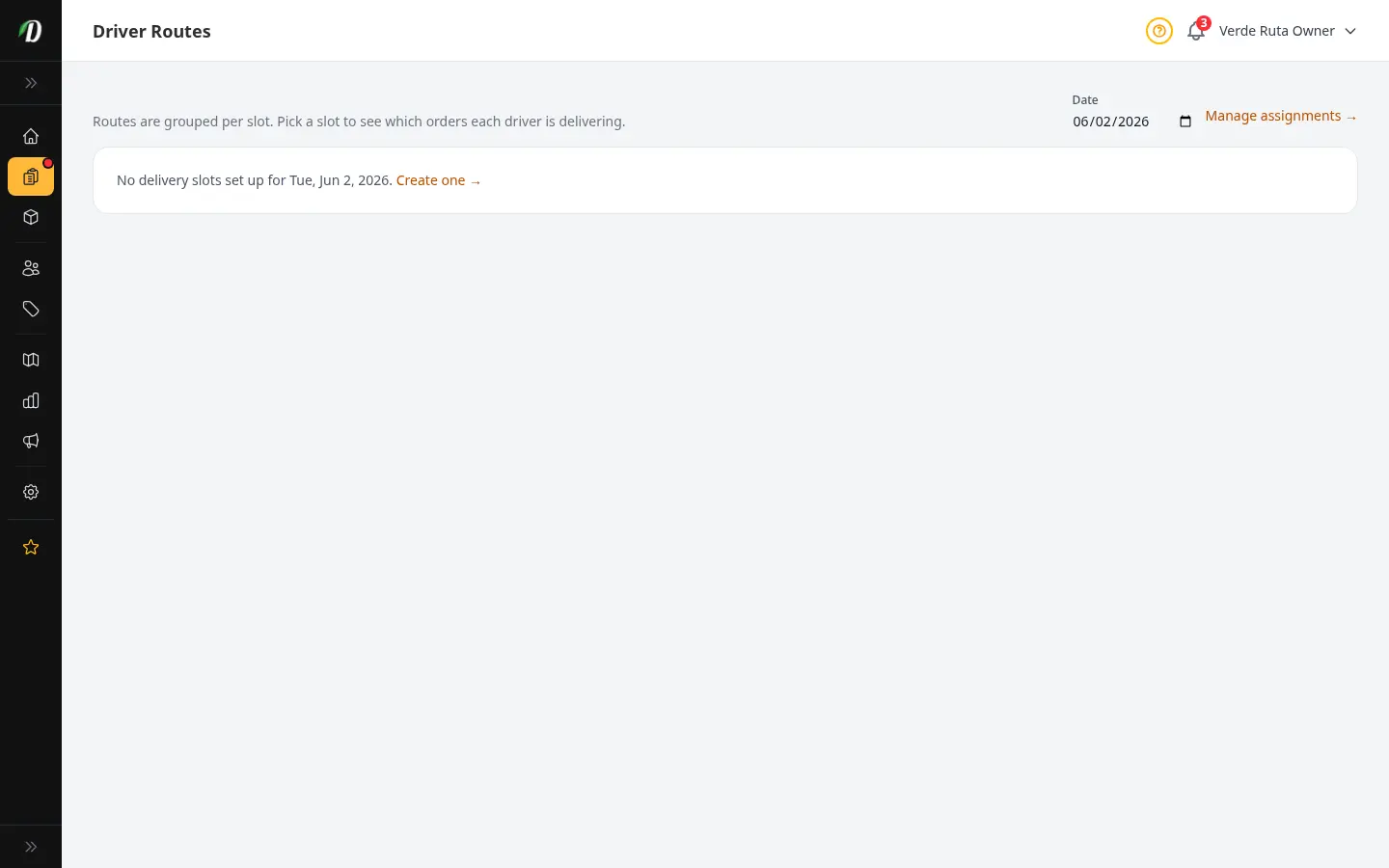
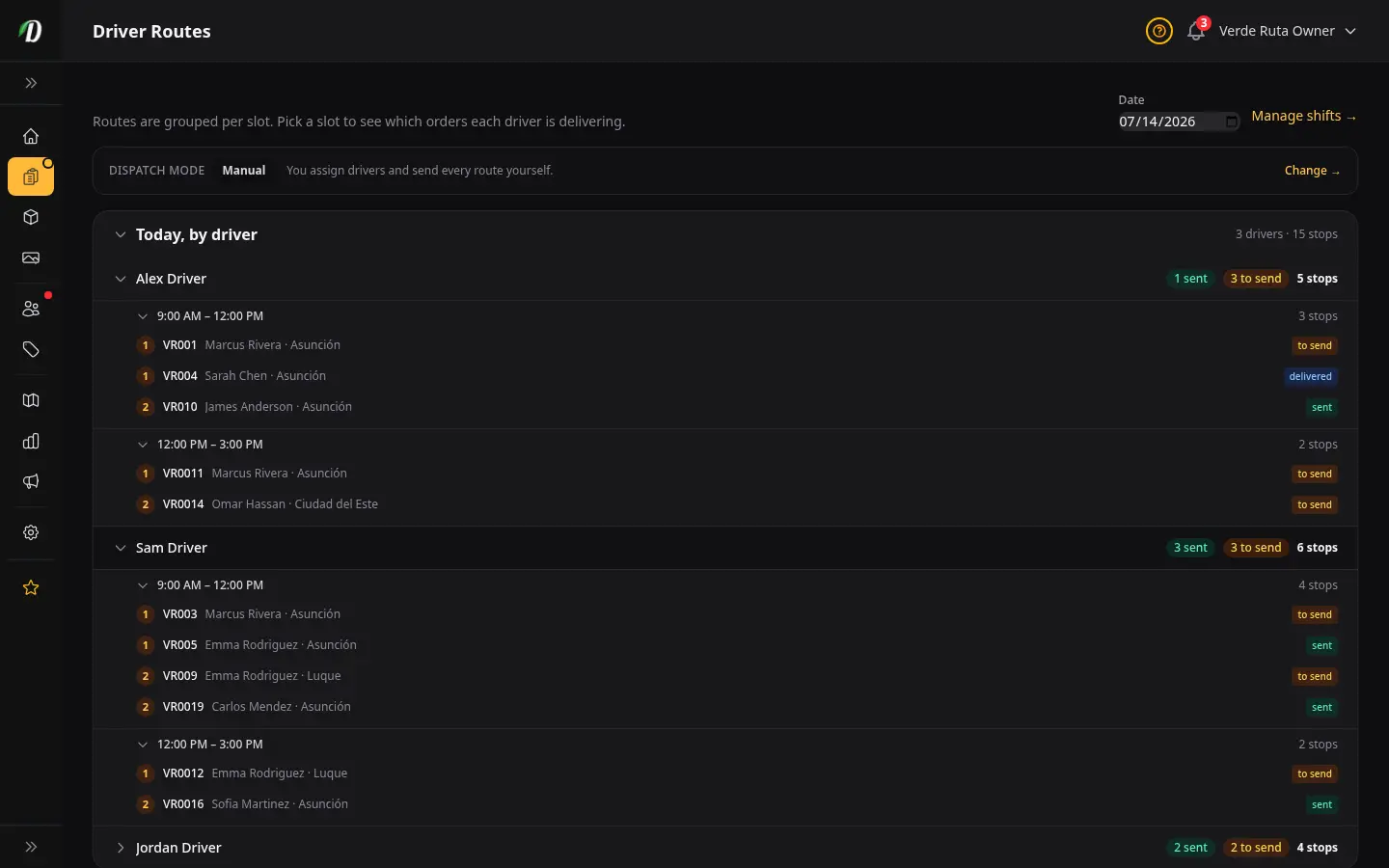
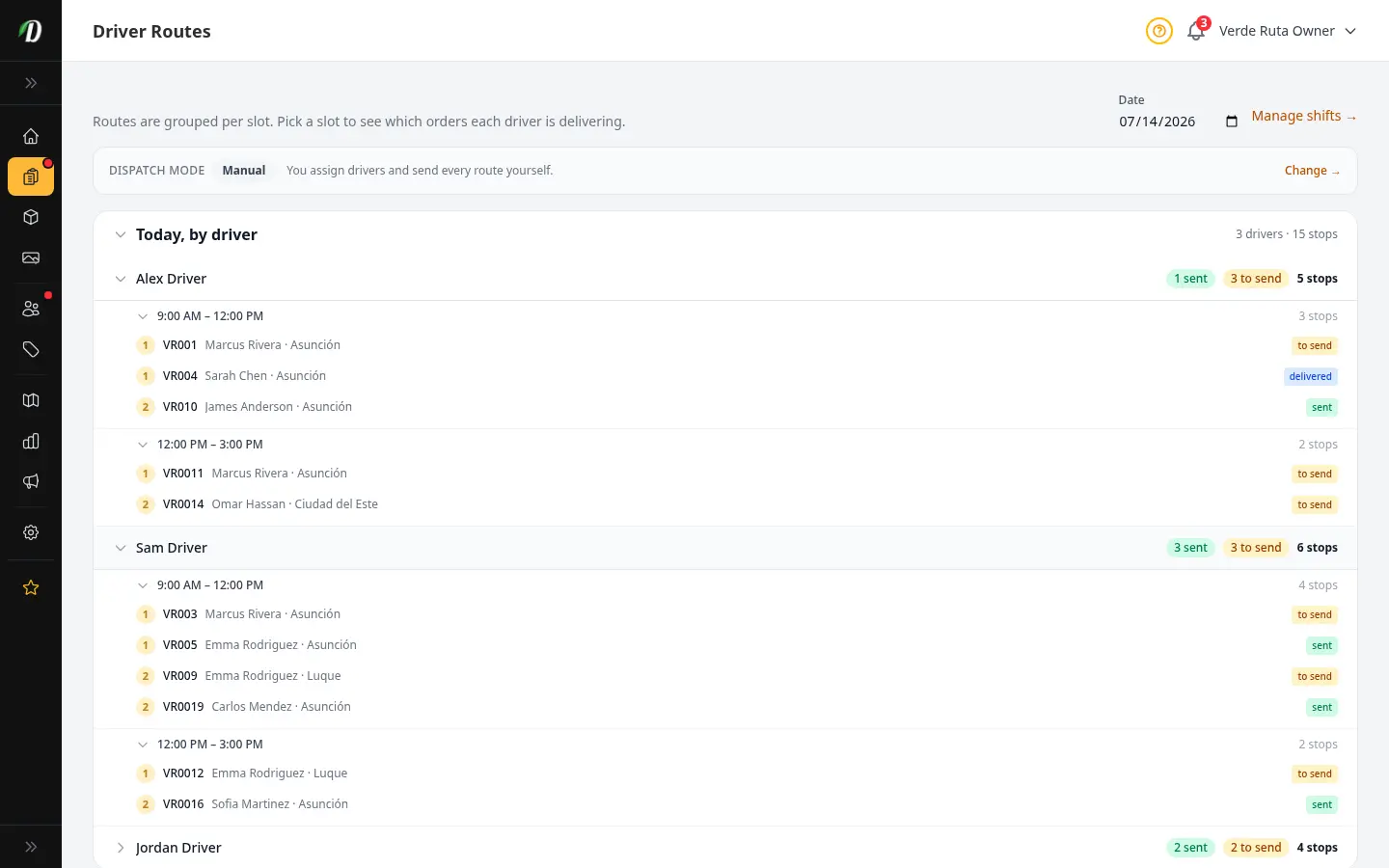
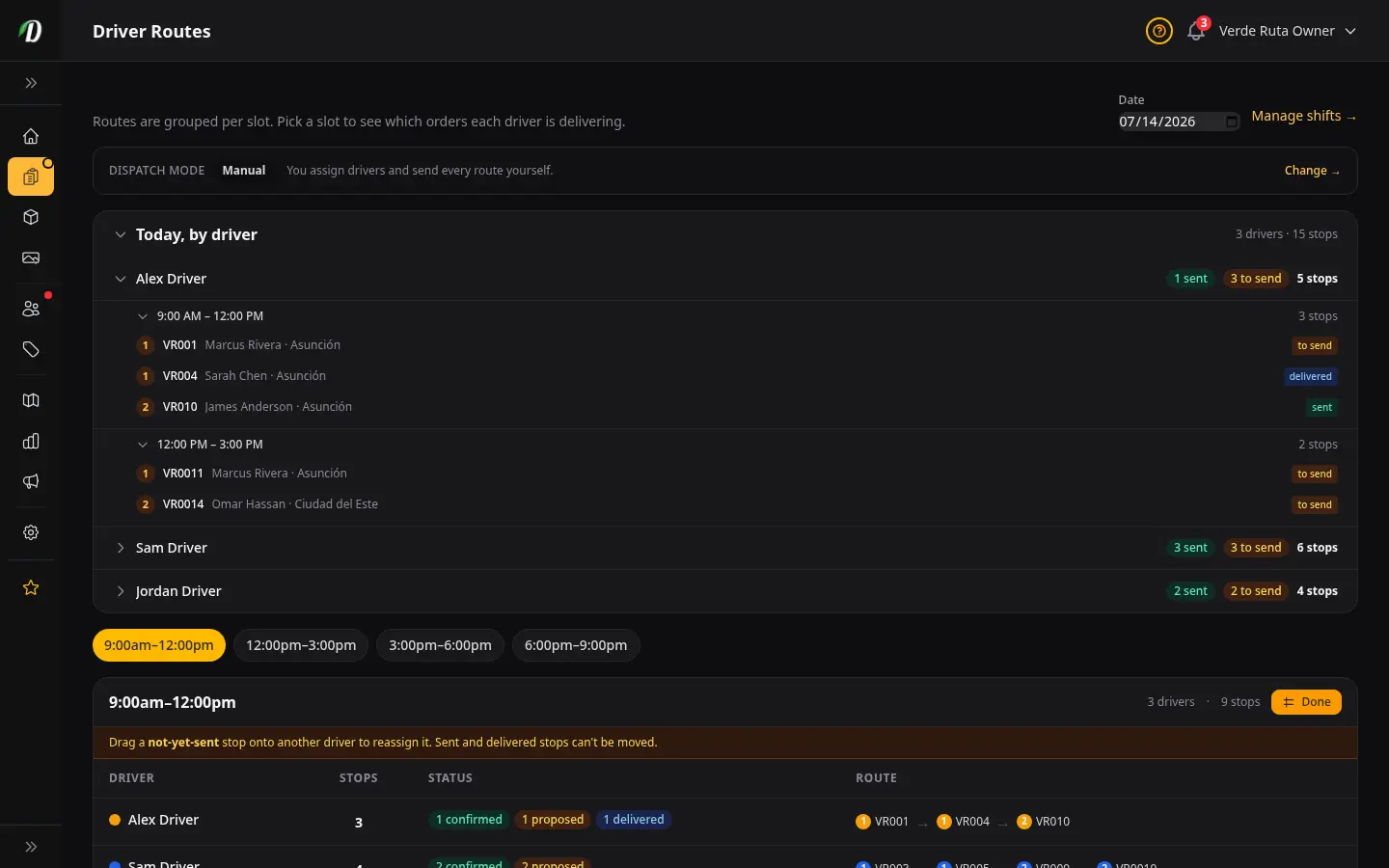
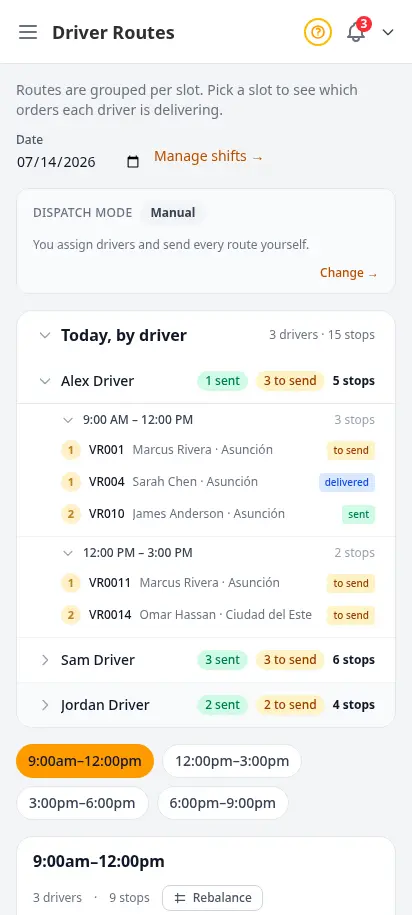
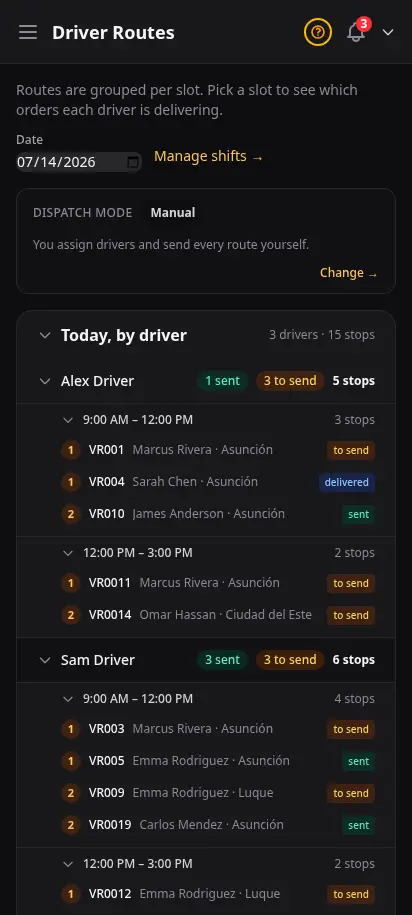
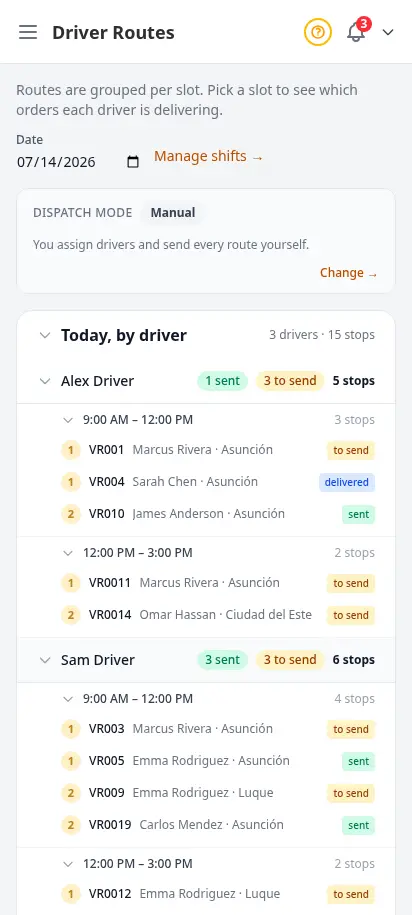
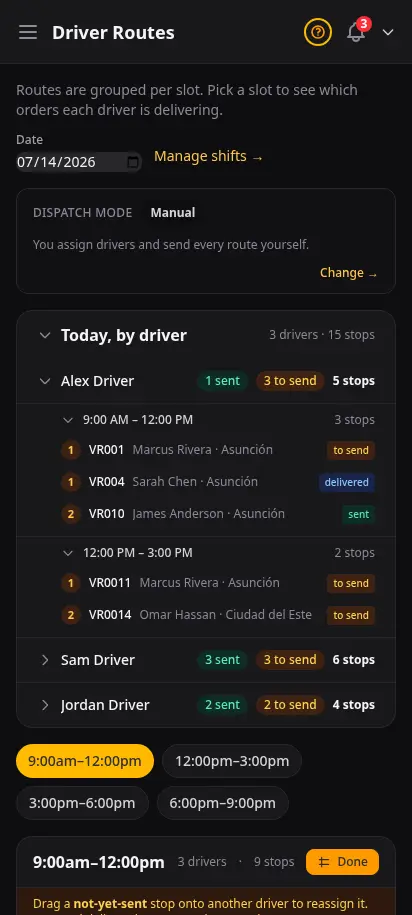
Every driver, every stop, at a glance
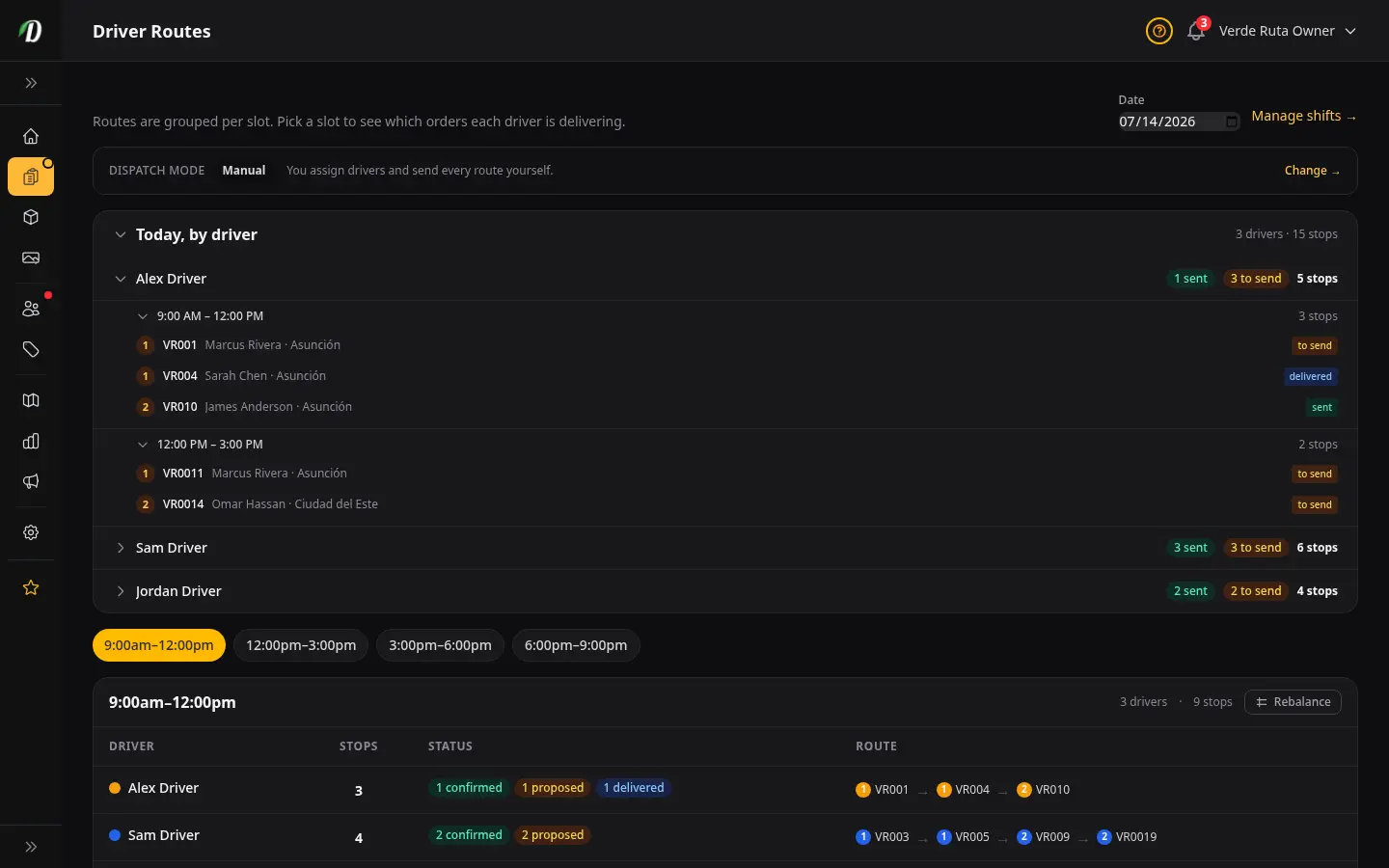
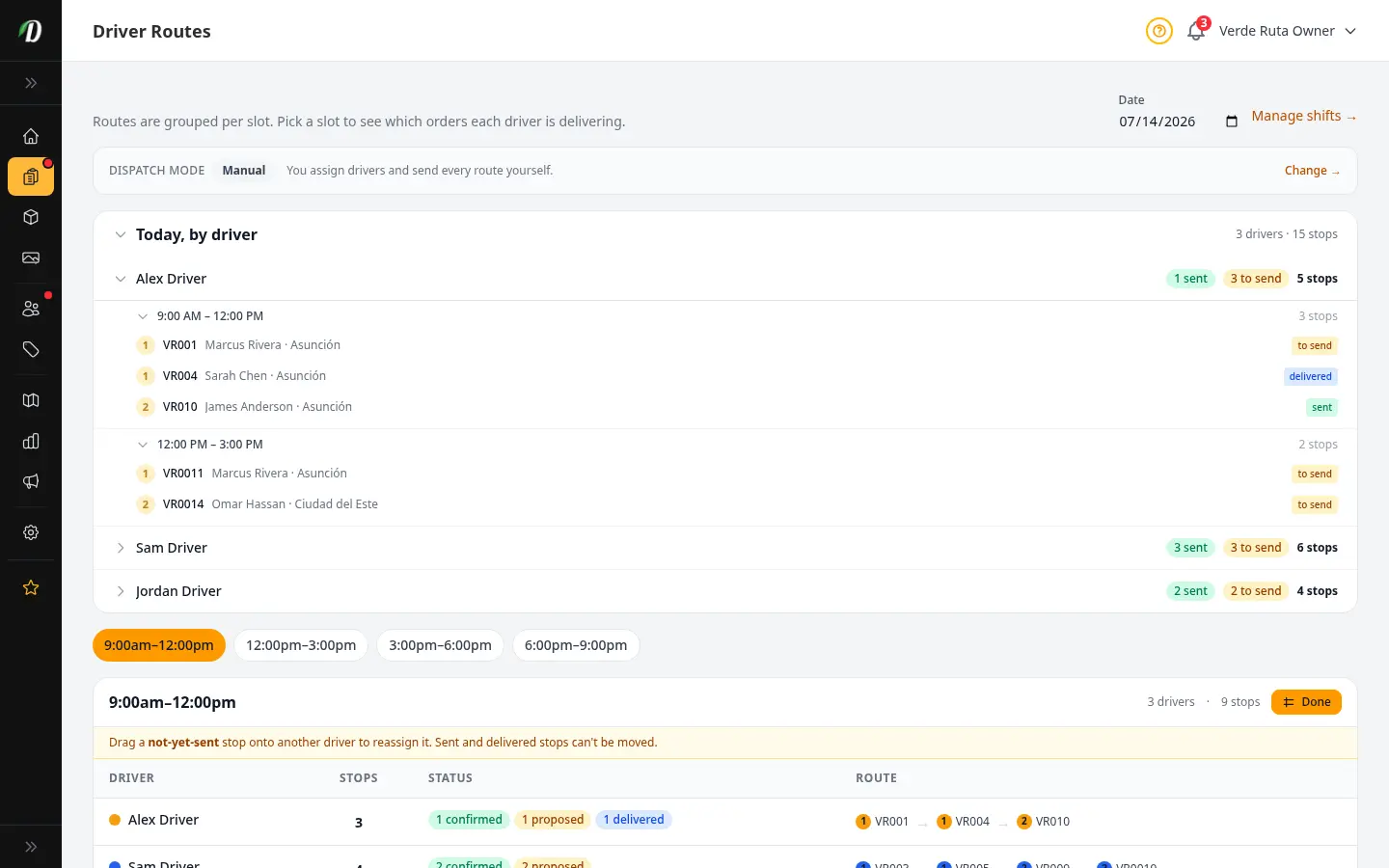
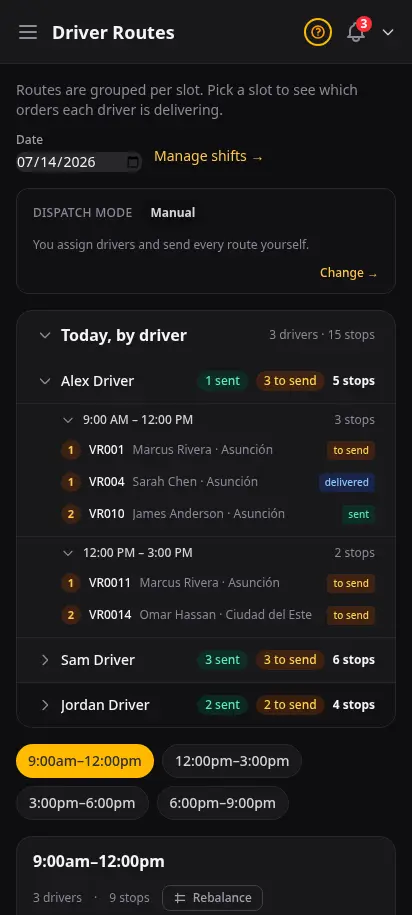
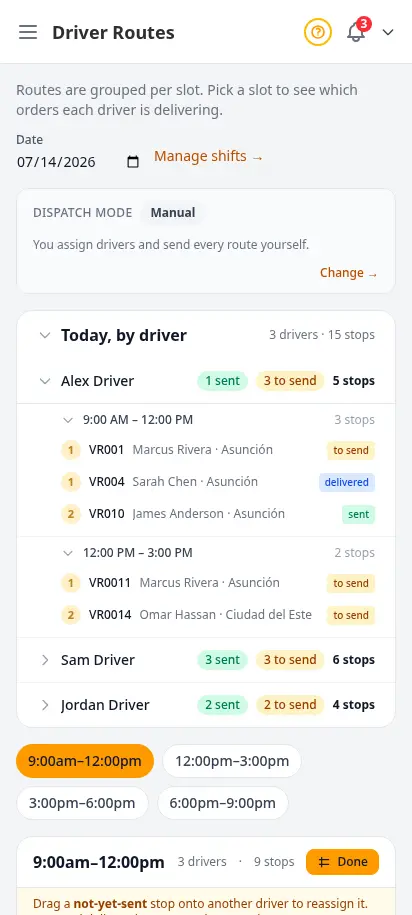
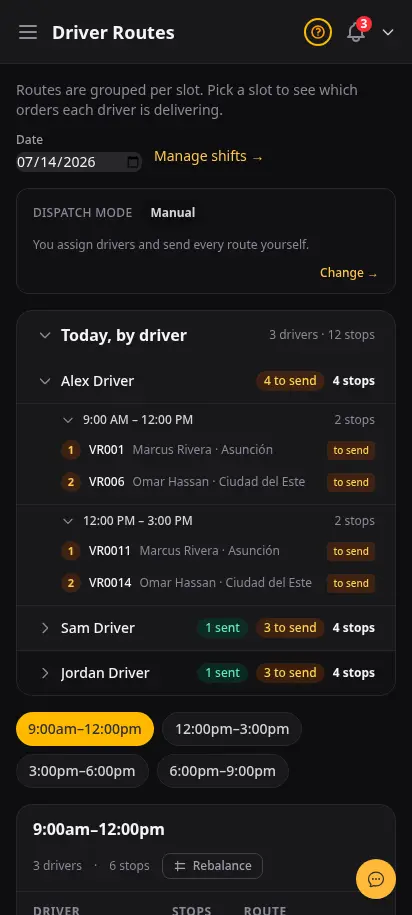
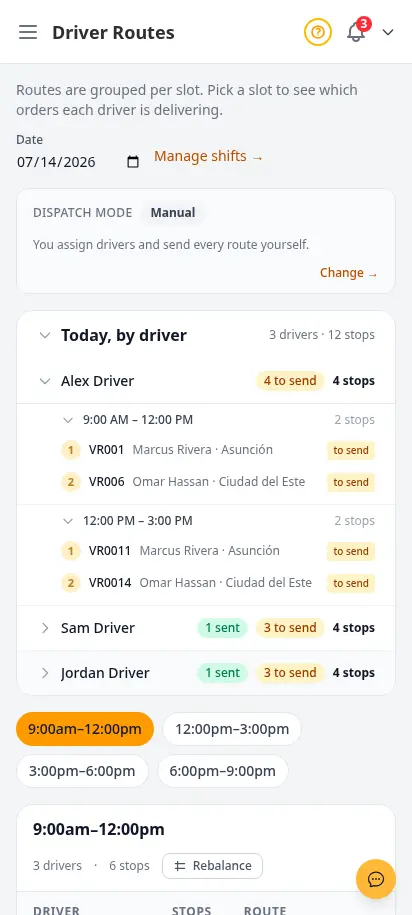
See exactly what each driver is delivering today — grouped by driver, then time window, then stop, in the order they will drive it. Pick how hands-on you want to be: assign everything yourself, let us draft routes for you to review, or fully automate it. When you need to rebalance, drag a not-yet-sent stop onto another driver and it moves instantly.
- Driver → time window → ordered stops, on one screen
- Manual, Hybrid, or Automatic dispatch — your call
- Smart route optimization so drivers do more per shift
- Drag-to-rebalance stops between drivers in seconds
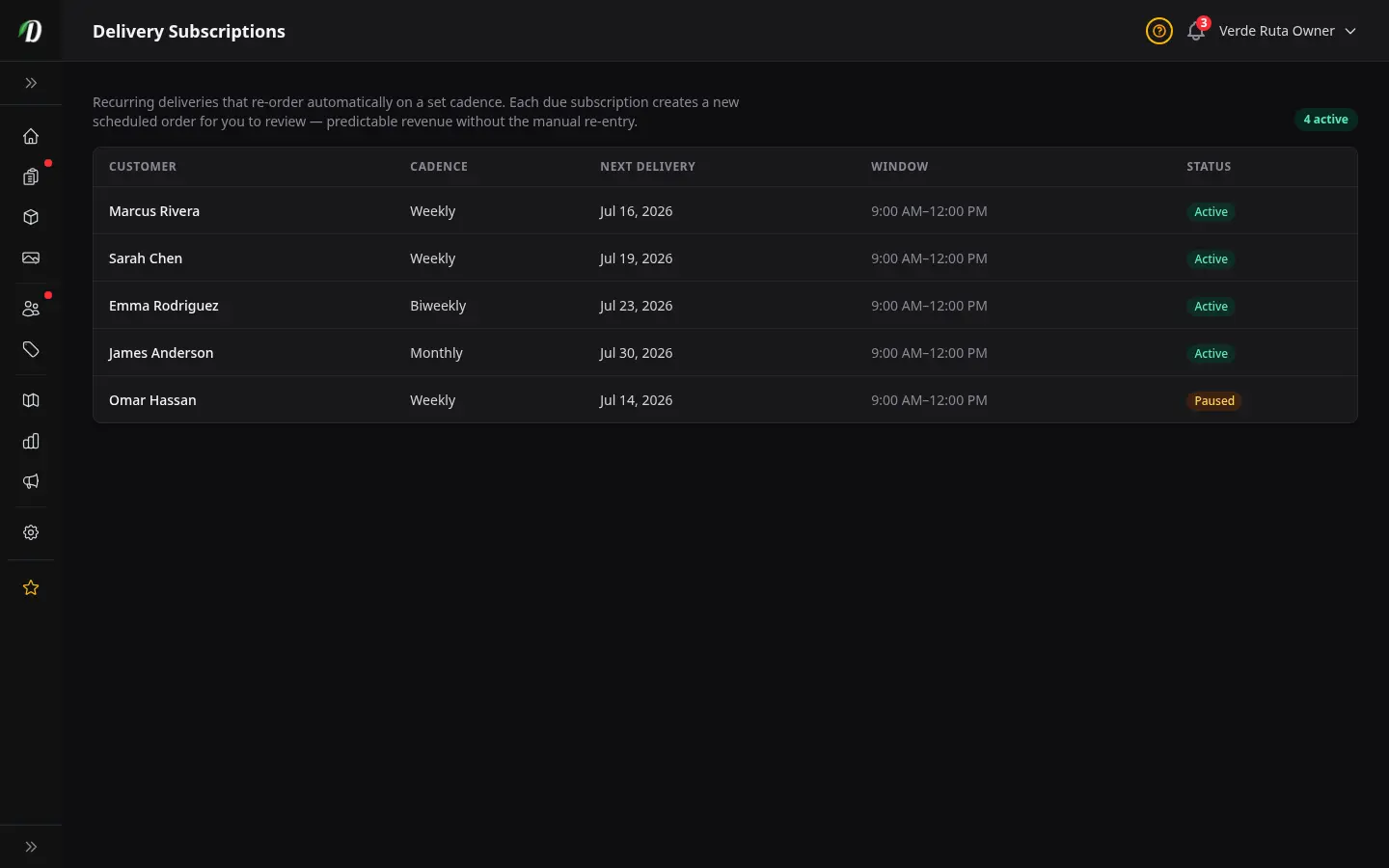
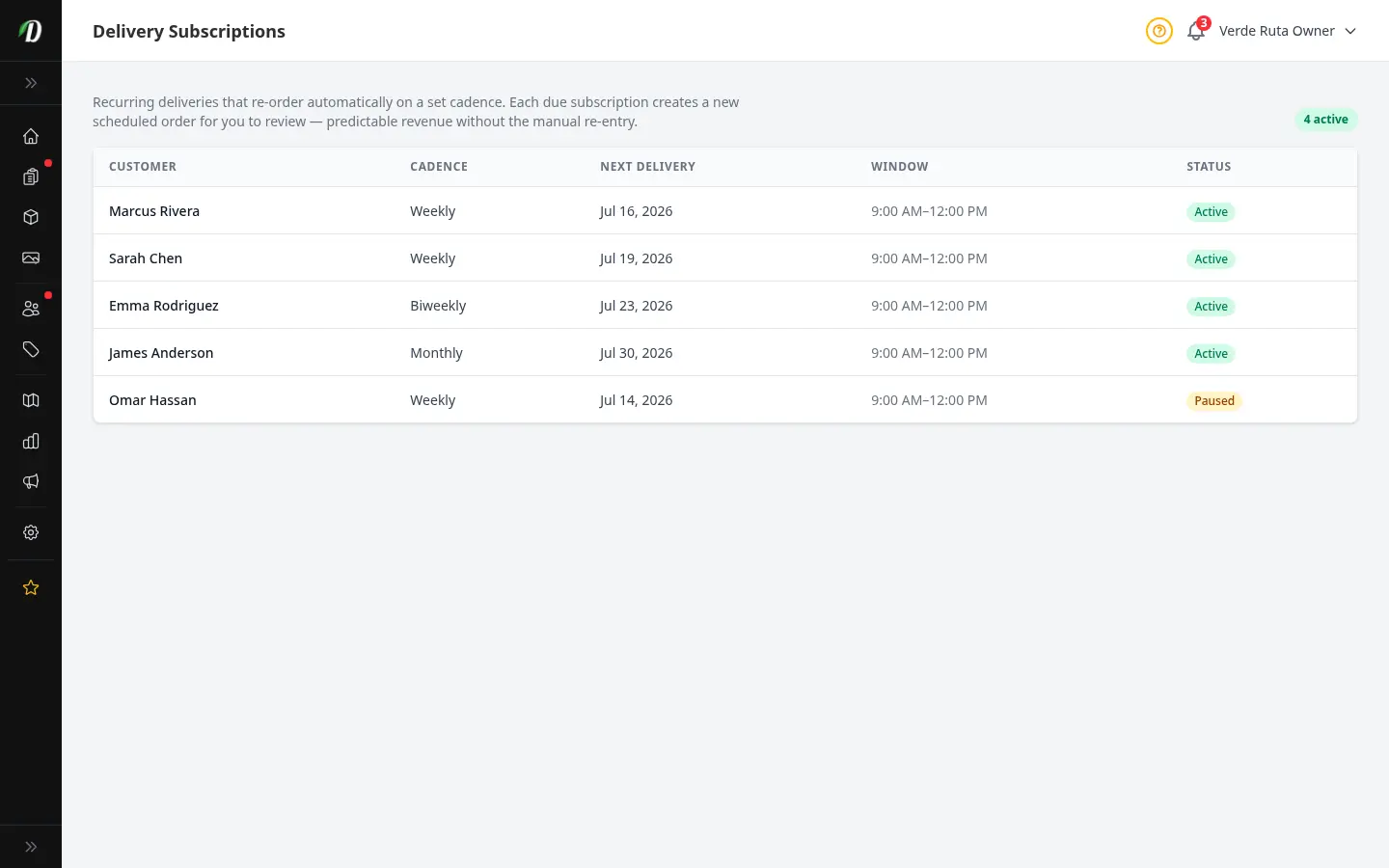
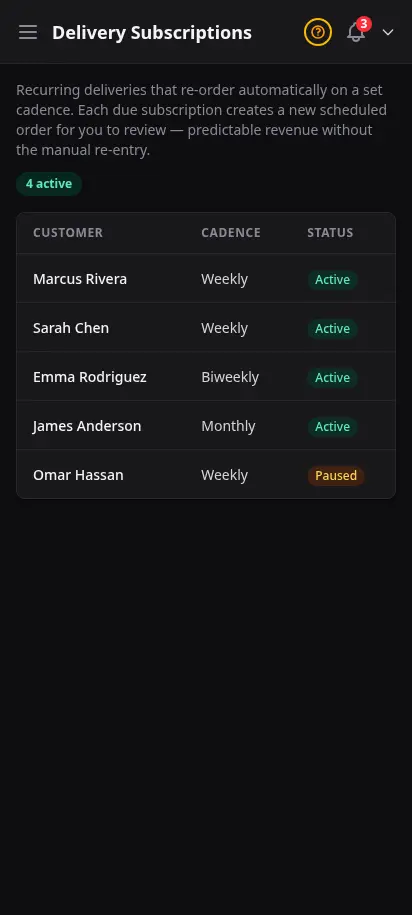
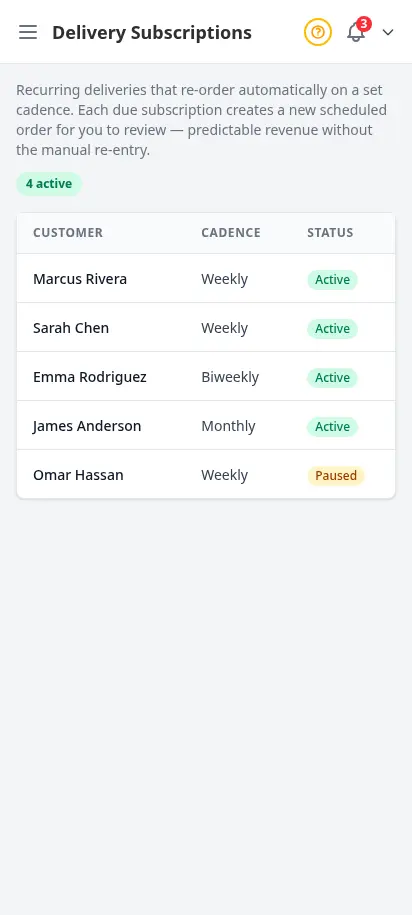
- Recurring delivery subscriptions for predictable revenue
Schedule your fleet like a delivery pro
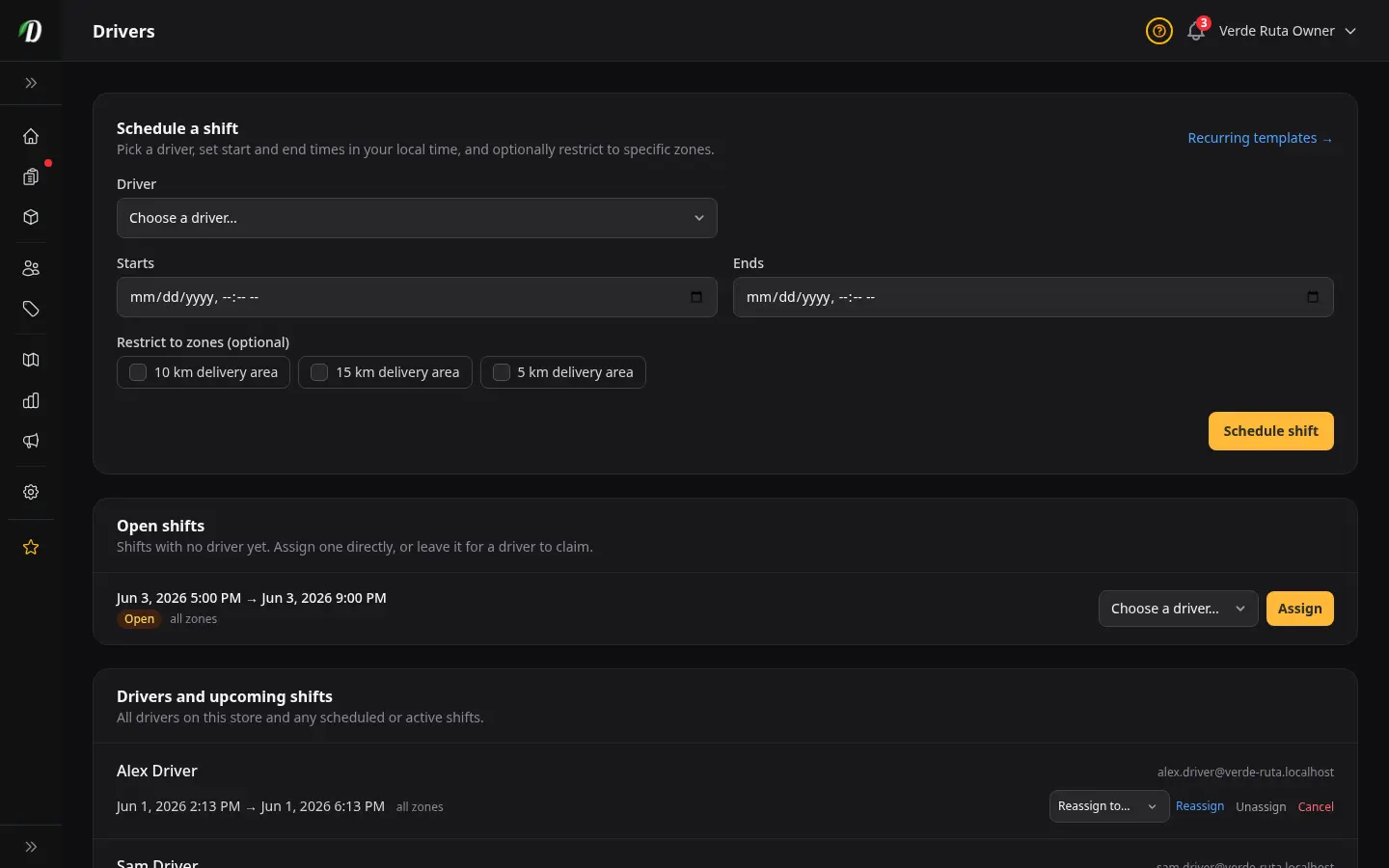
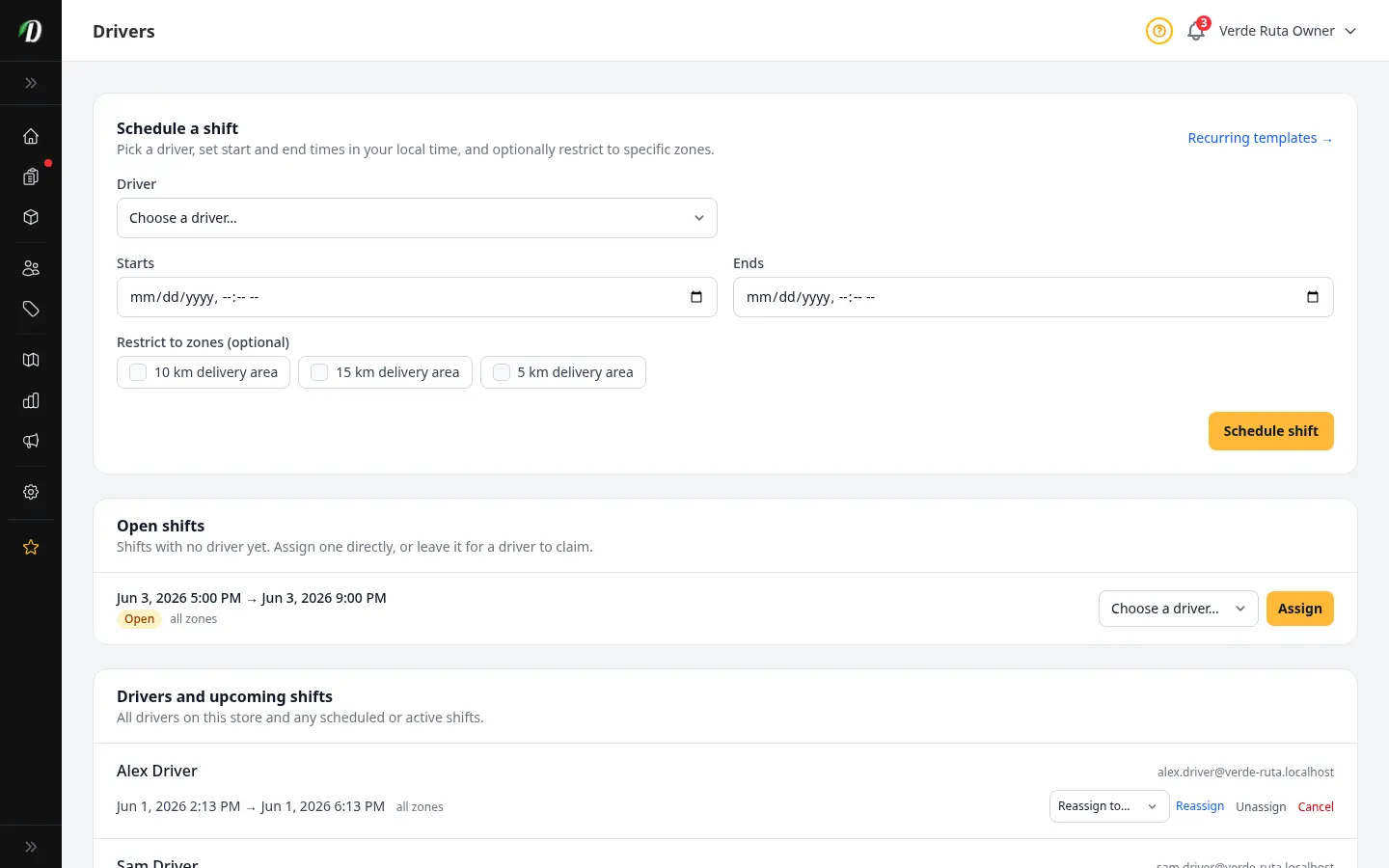
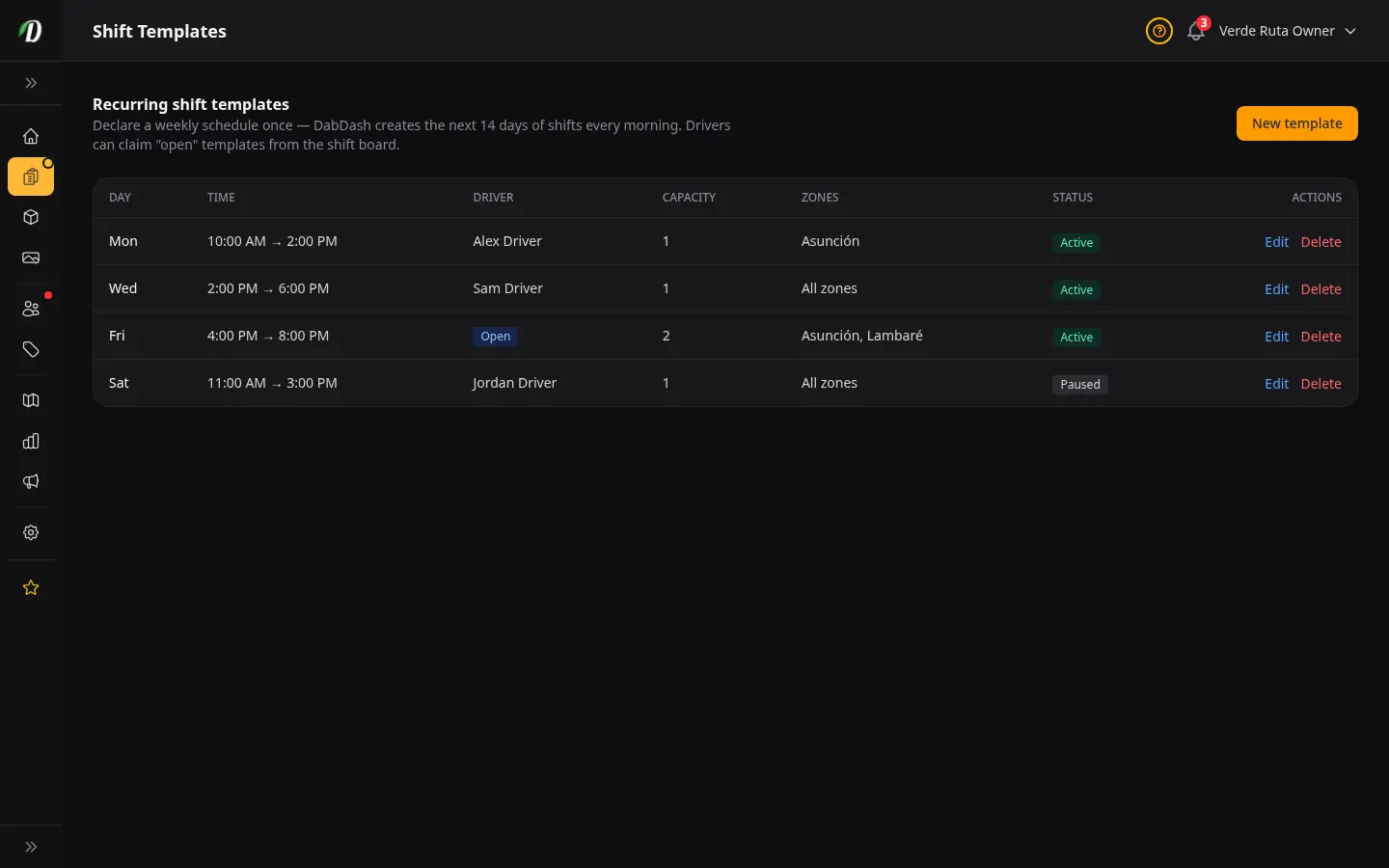
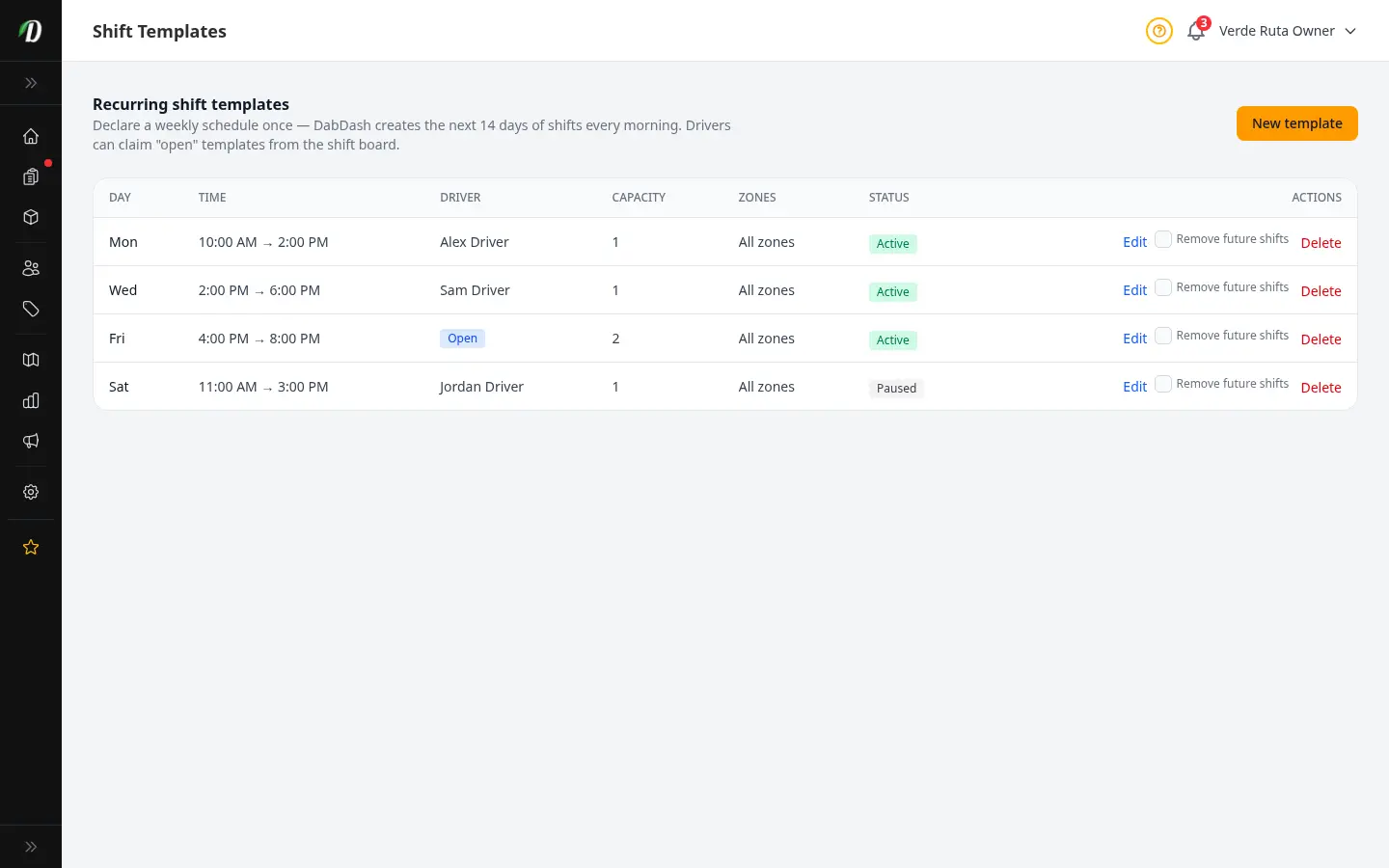
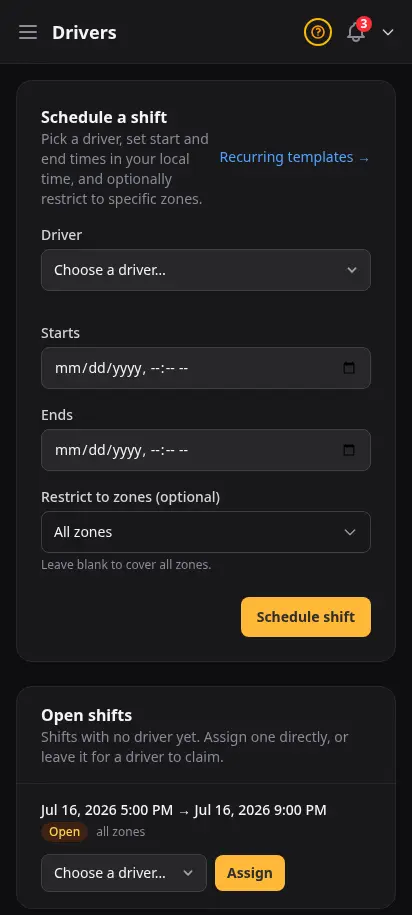
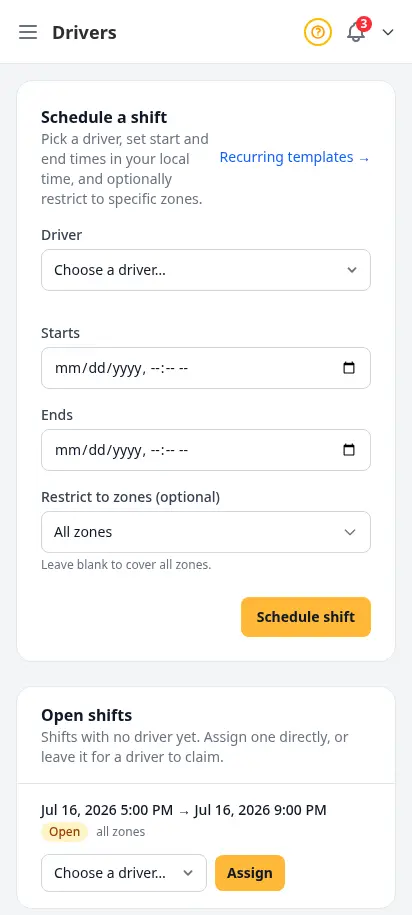
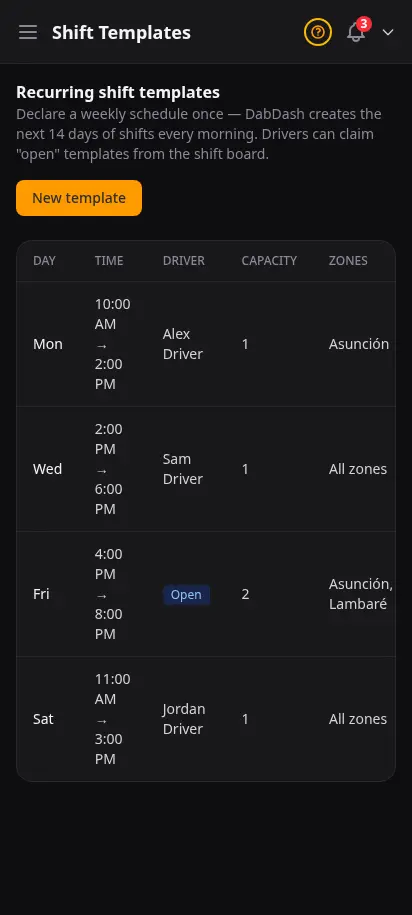
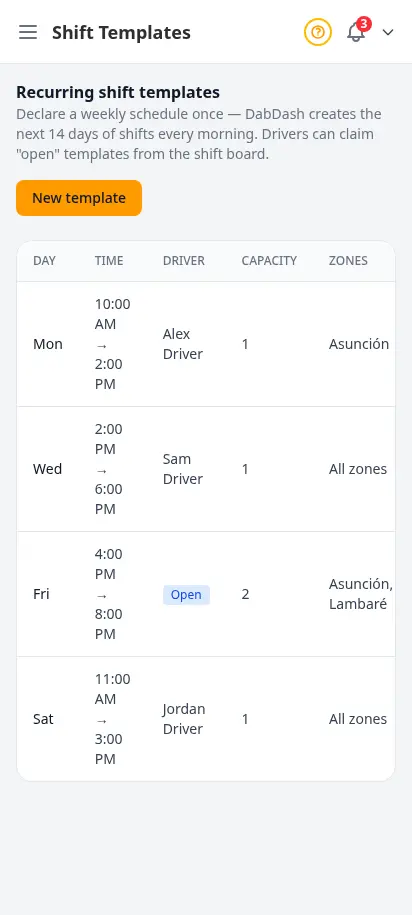
Route planning only works when drivers show up. Assign recurring shifts, set capacity per window, and let drivers claim open slots from their app — the same workflow multi-store operators use to keep weekends covered without spreadsheet chaos.
- Driver roster with contact details and roles
- One-off and recurring shift scheduling
- Weekly shift templates with zones and capacity
- Pause templates without deleting history
- Drivers see assignments in the driver app
Approve swaps and cancellations before they hit the route
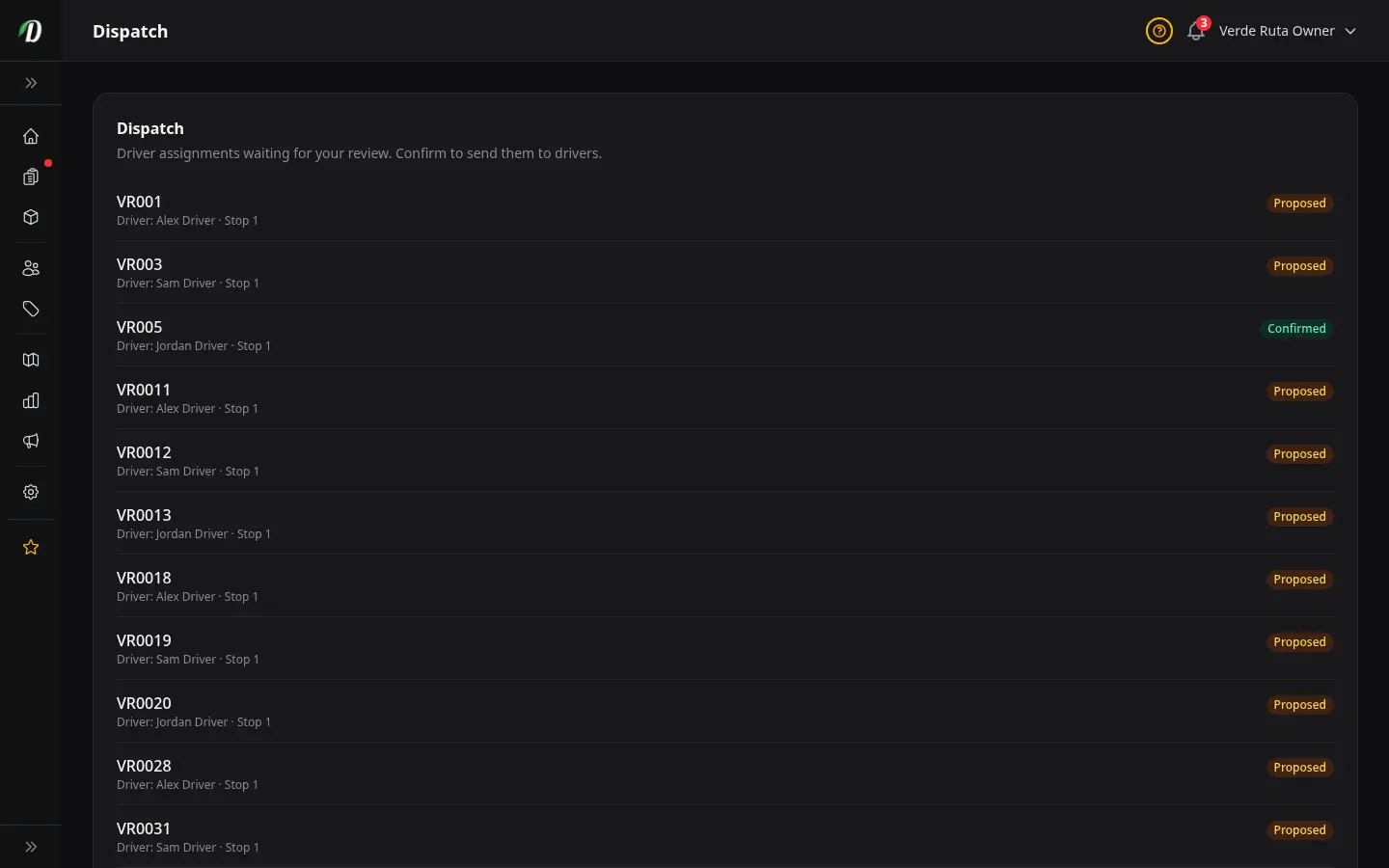
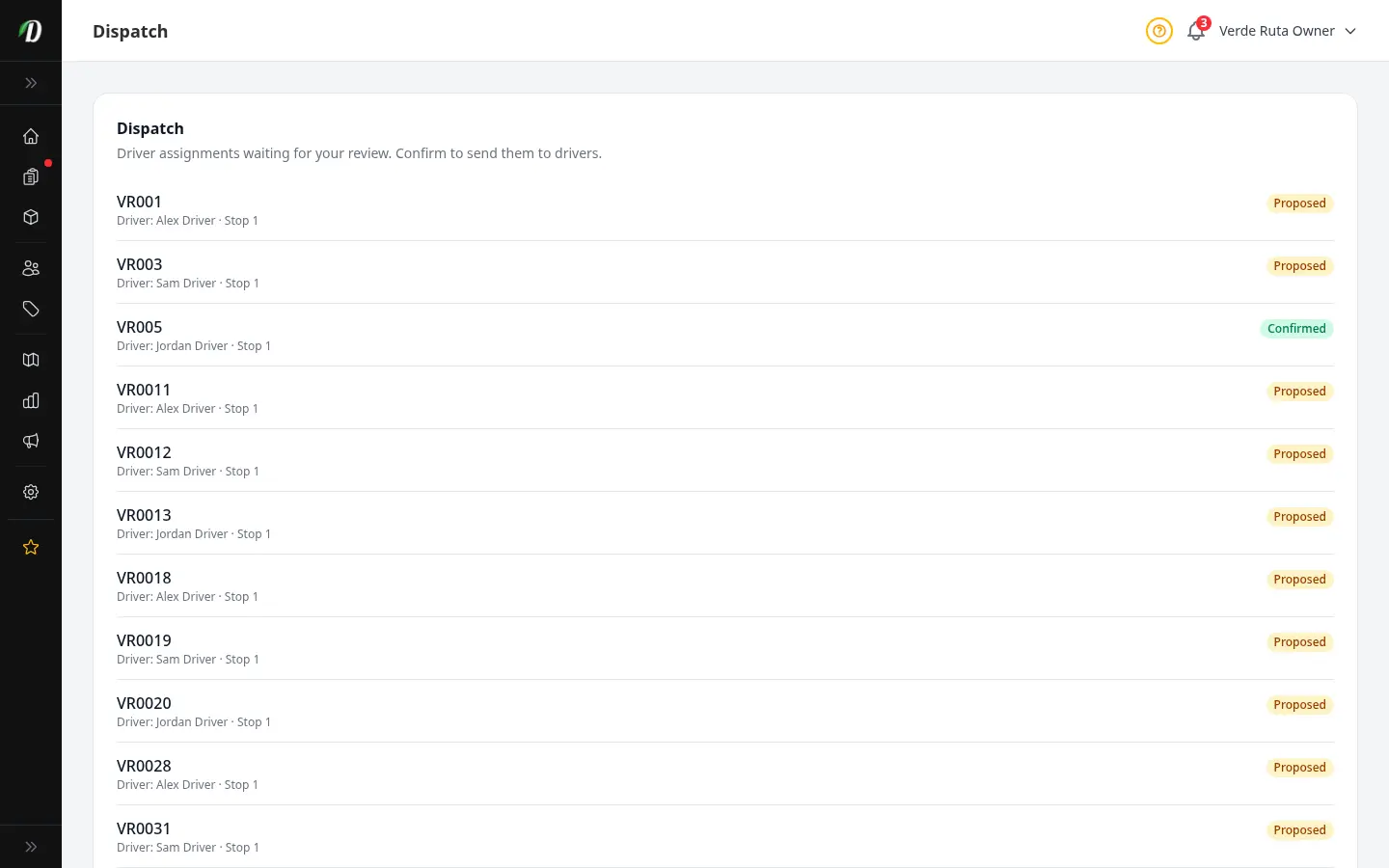
When a driver requests a swap or can't make a shift, you see it here first. Confirm proposed assignments, resolve conflicts, and keep customers informed — built from real dispatch desk feedback from licensed delivery teams.
- Pending cancellation and swap requests in one queue
- Proposed delivery assignments awaiting your OK
- Driver-first rollup tied to today's routes
- Fewer last-minute surprises on delivery day
- Works with the command center and map mode
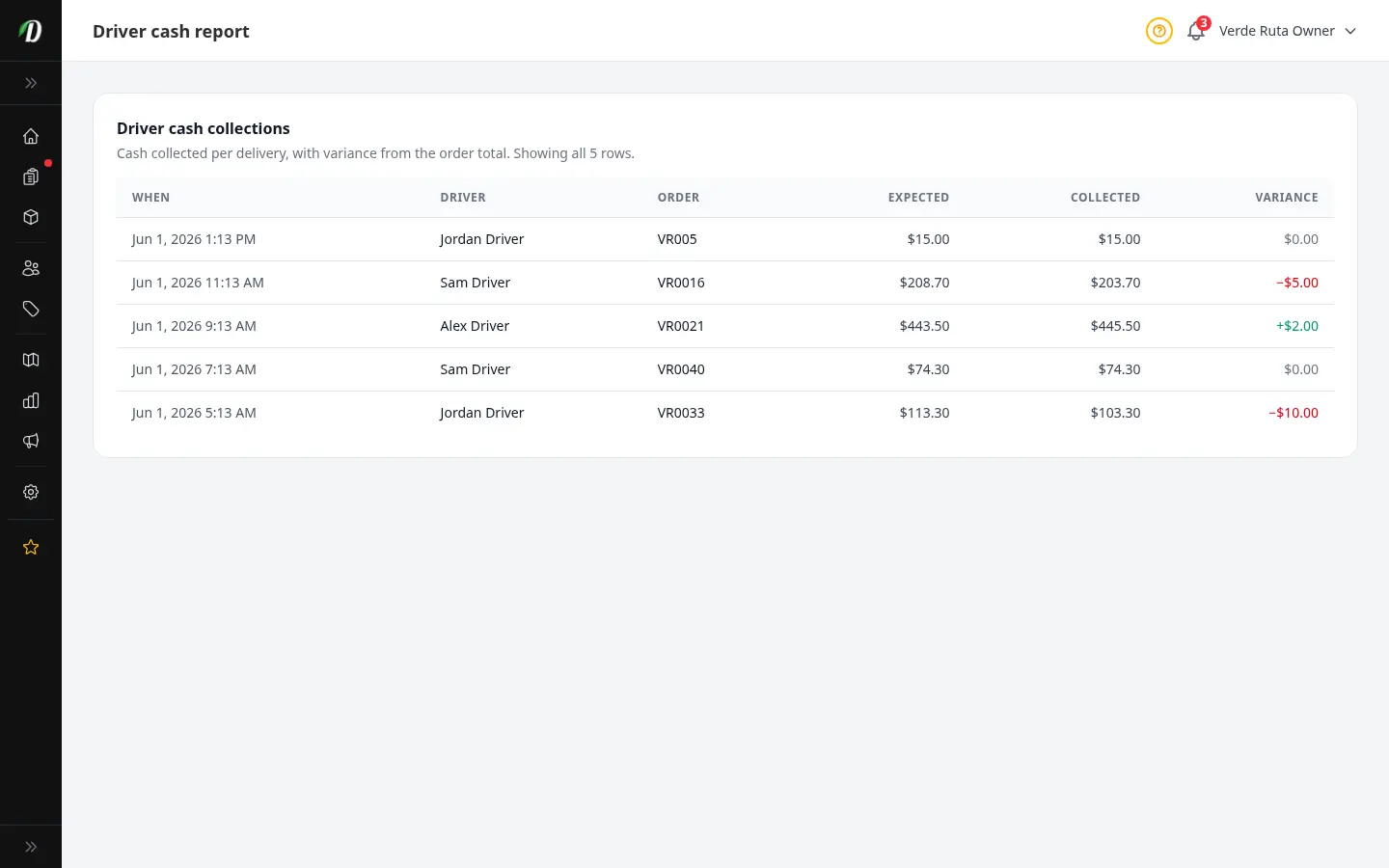
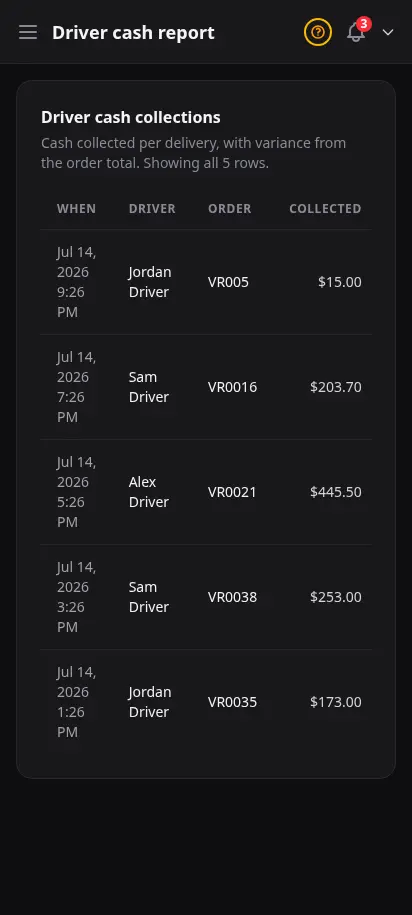
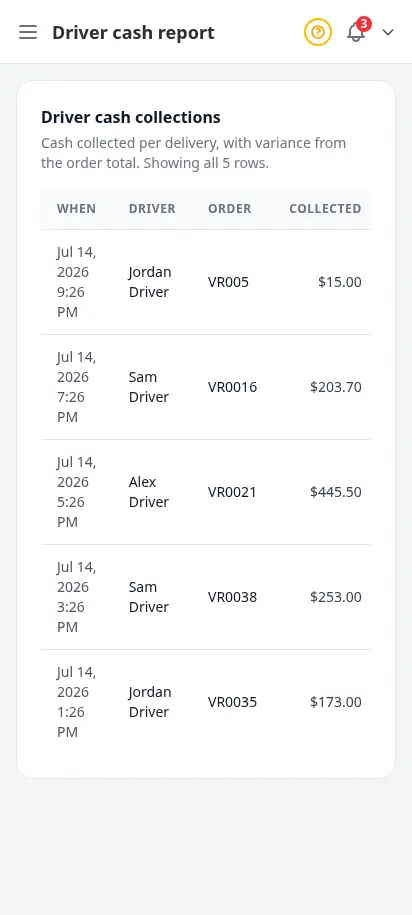
Close the day knowing every dollar is accounted for
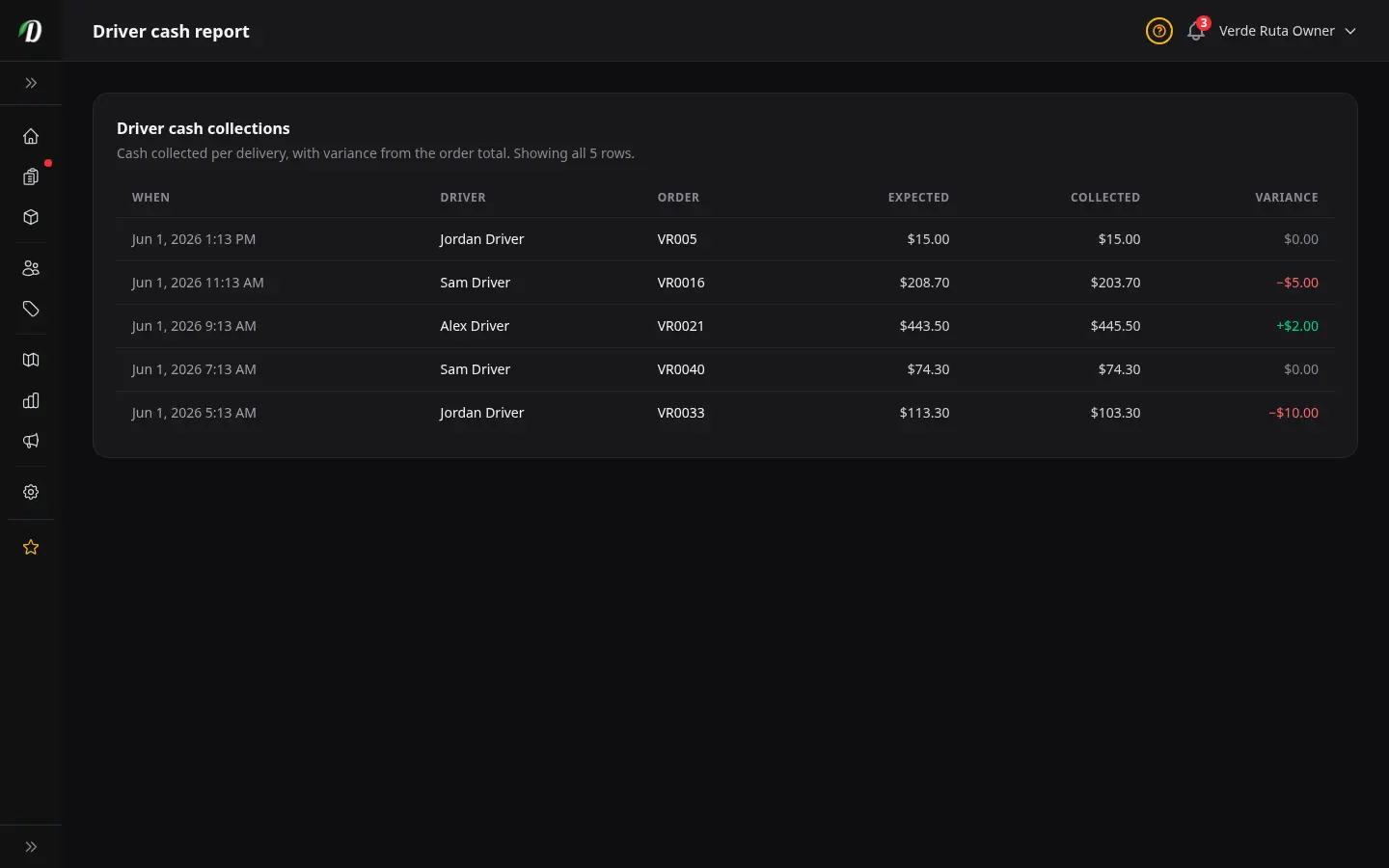
Cash-on-delivery stores lose margin when collections drift. This report compares what each order was worth against what drivers handed in — the same reconciliation view finance leads ask for before they sign off on nightly totals.
- Expected vs collected per order
- Variance column flags shorts and overages
- Filter by date and driver
- Pairs with cash-on-delivery payment method
- Audit-friendly export for your bookkeeper
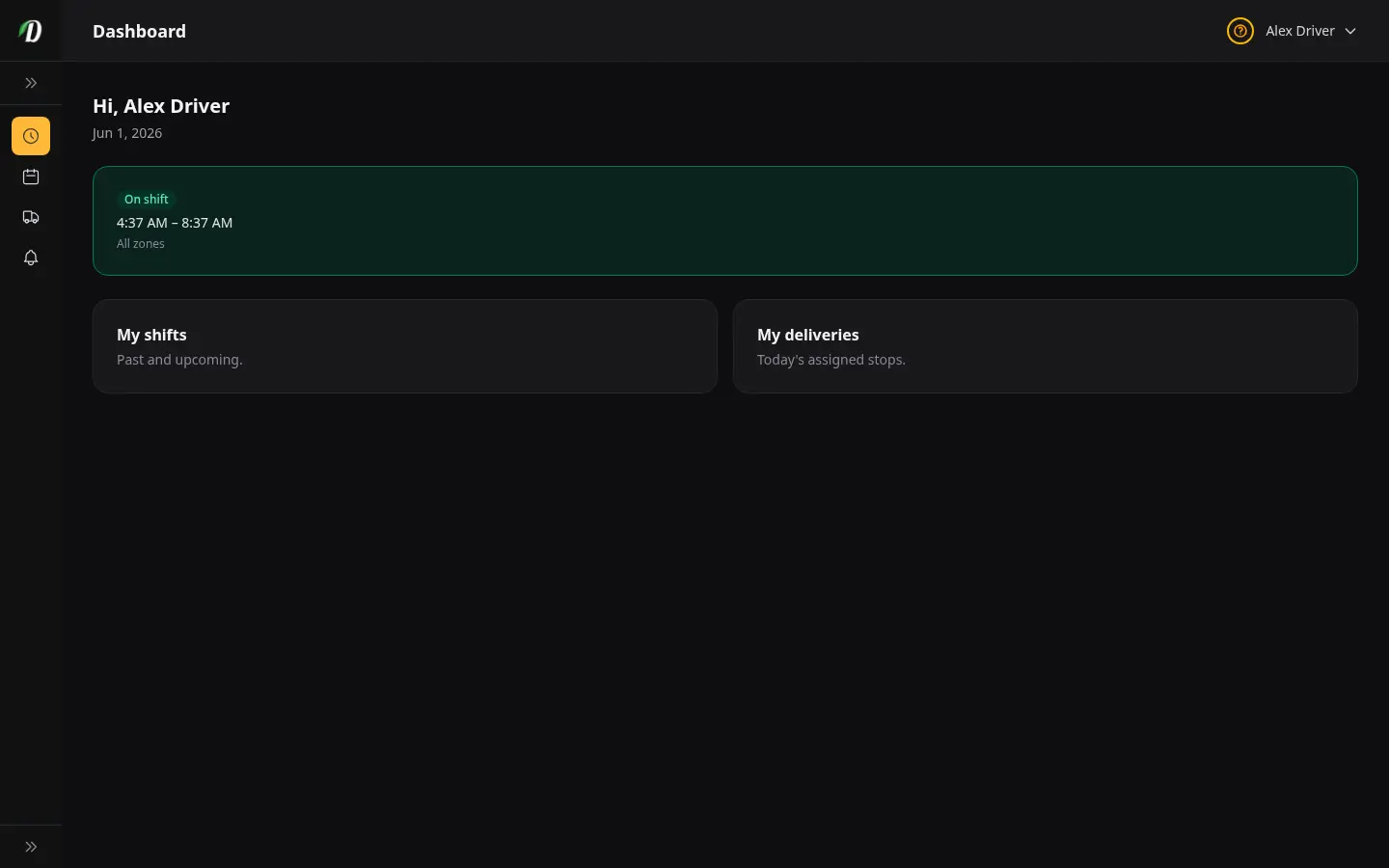
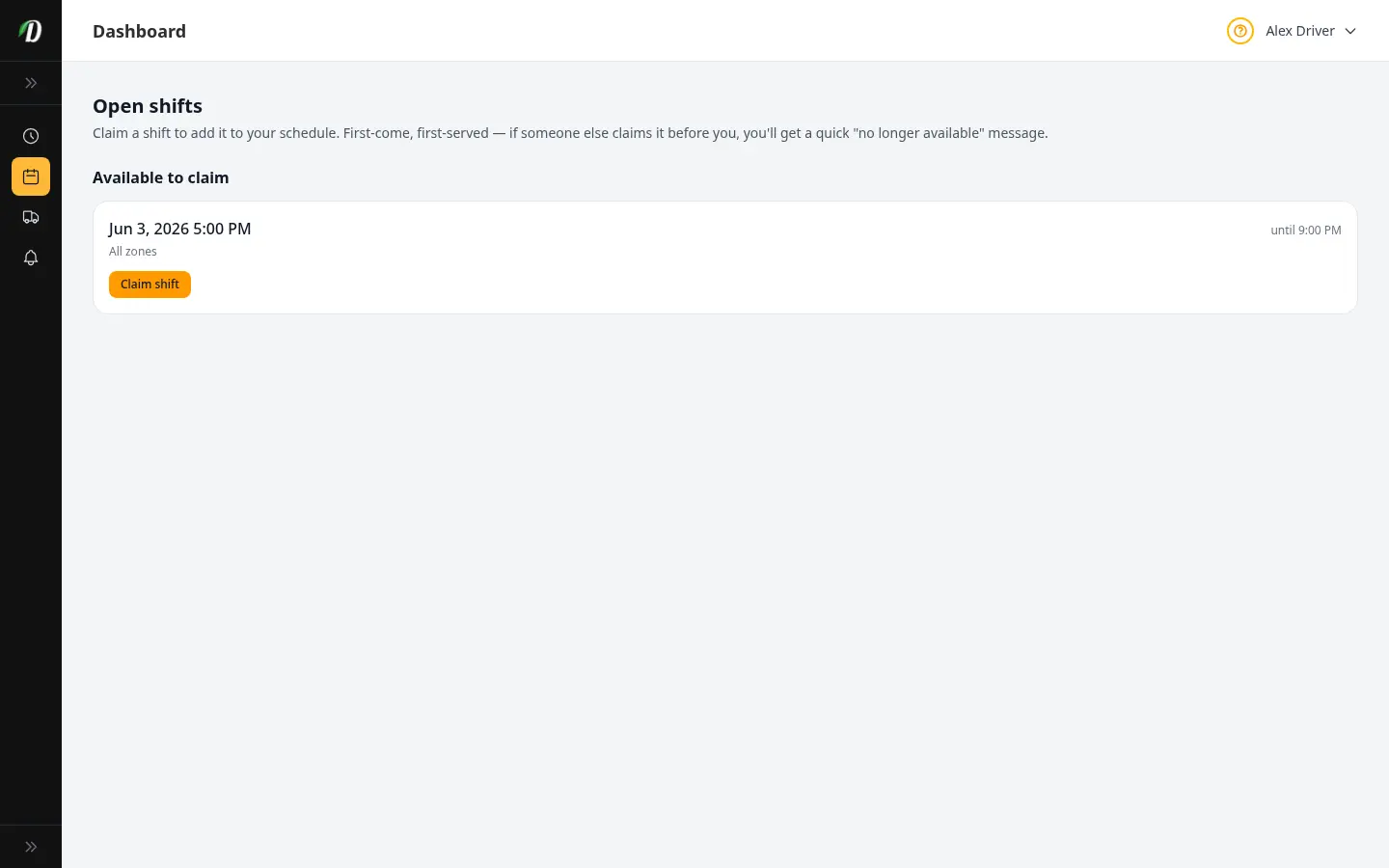
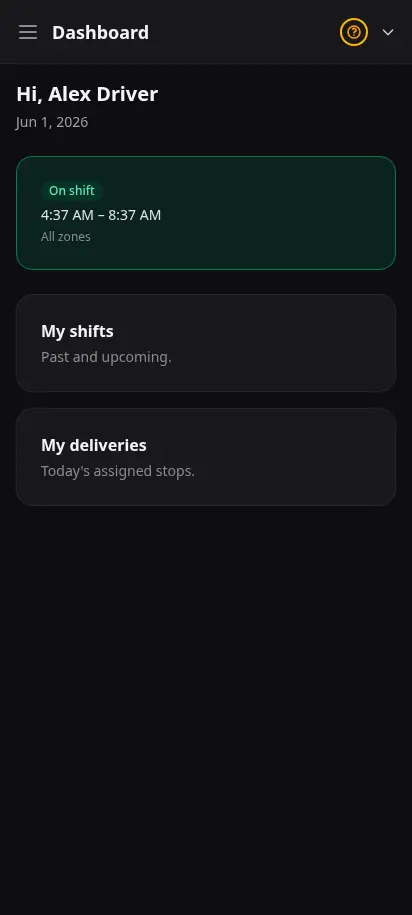
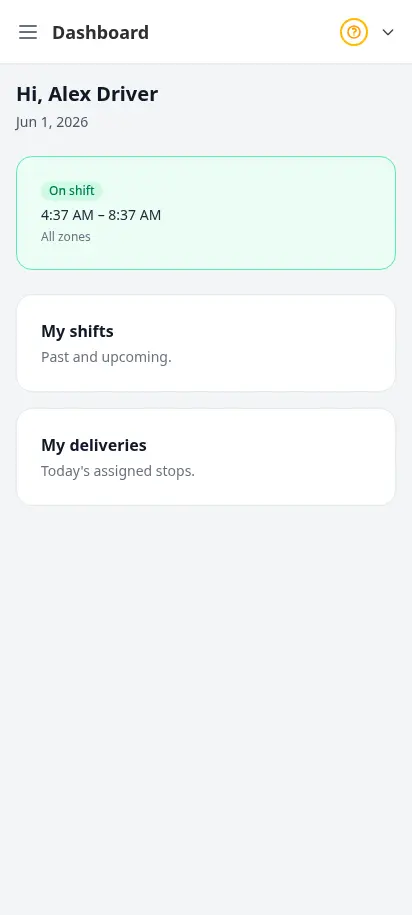
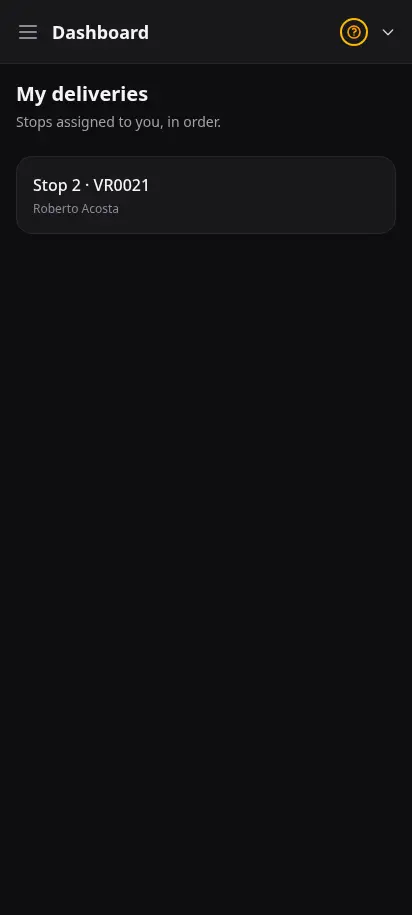
What your drivers see in the field
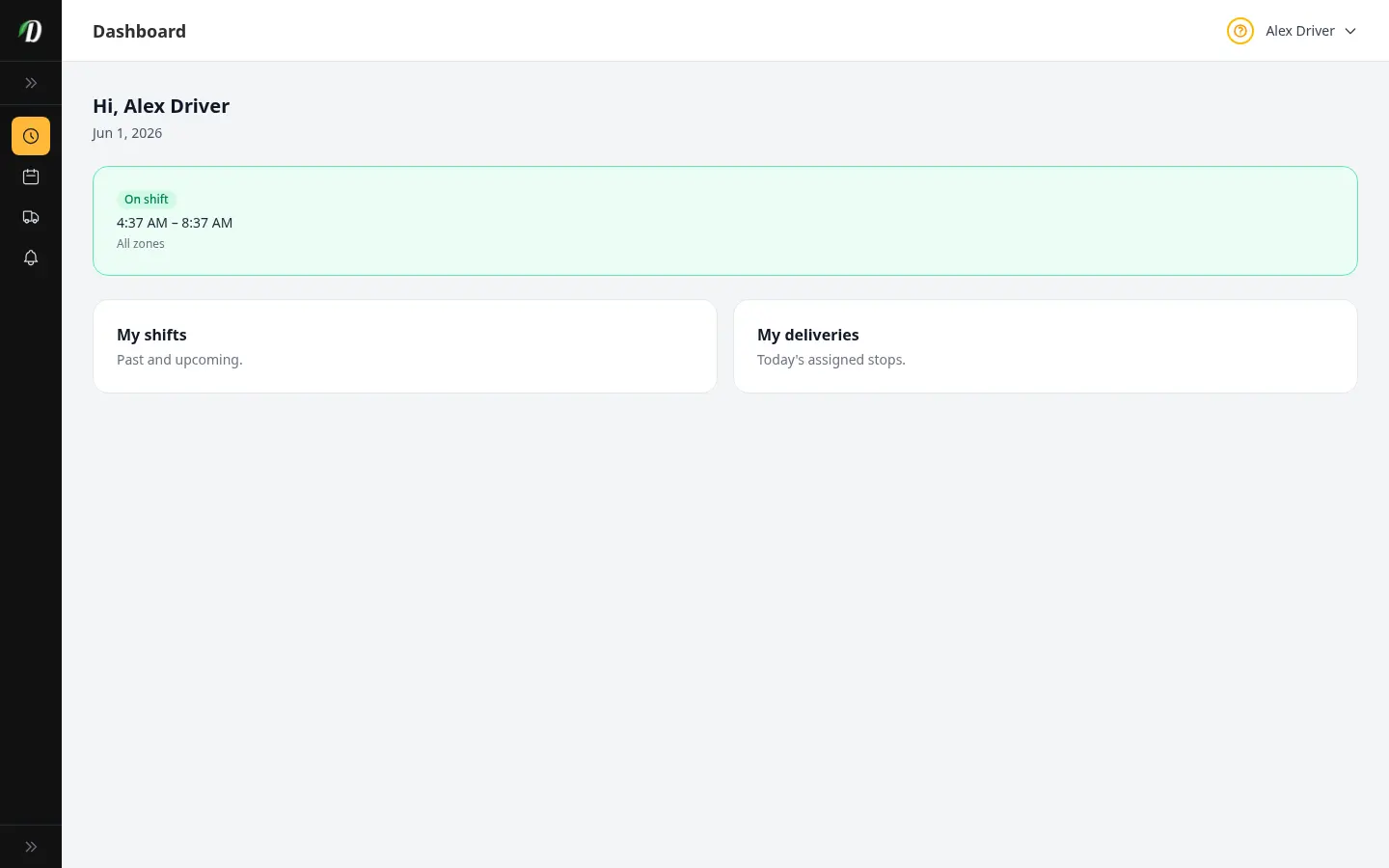
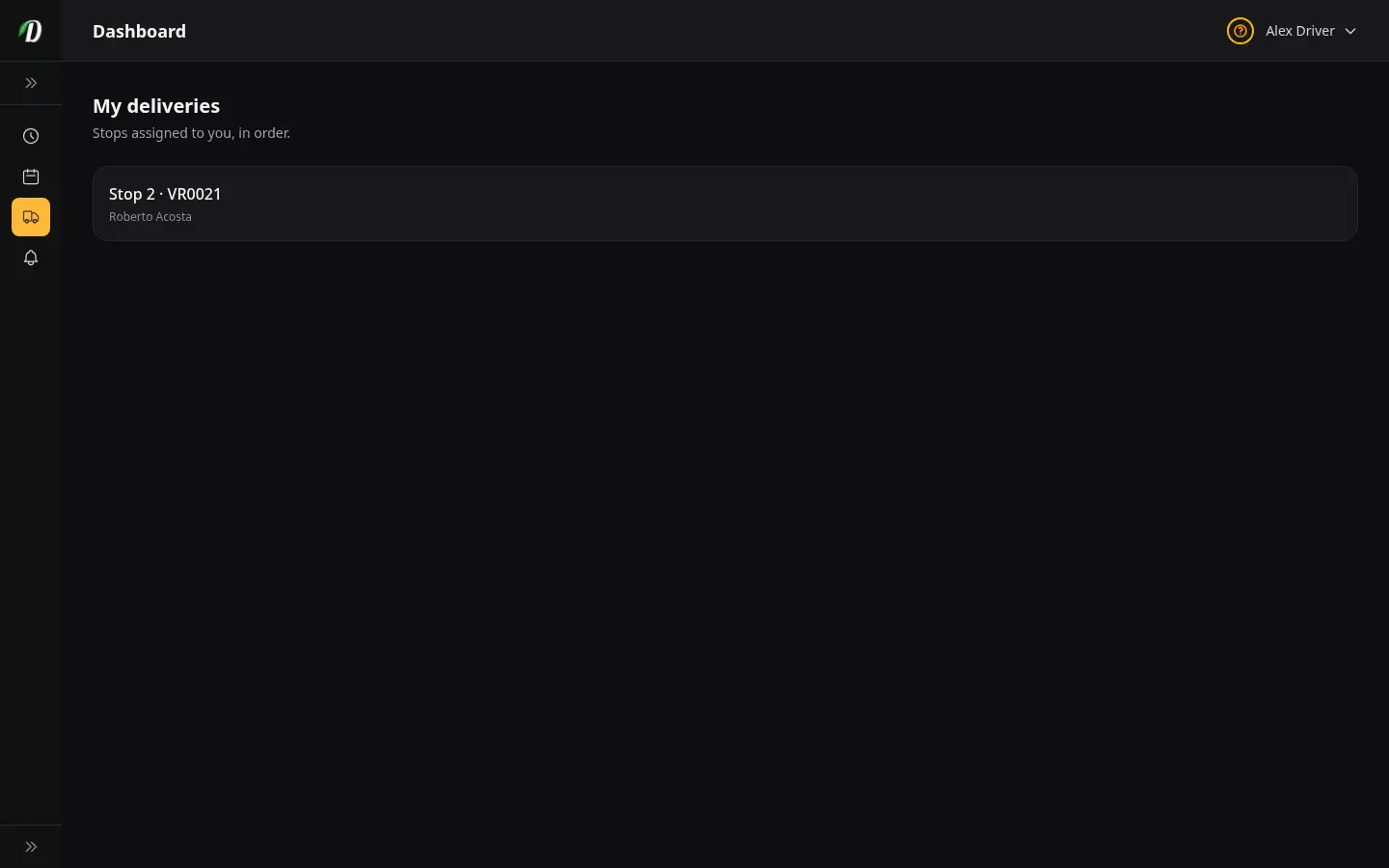
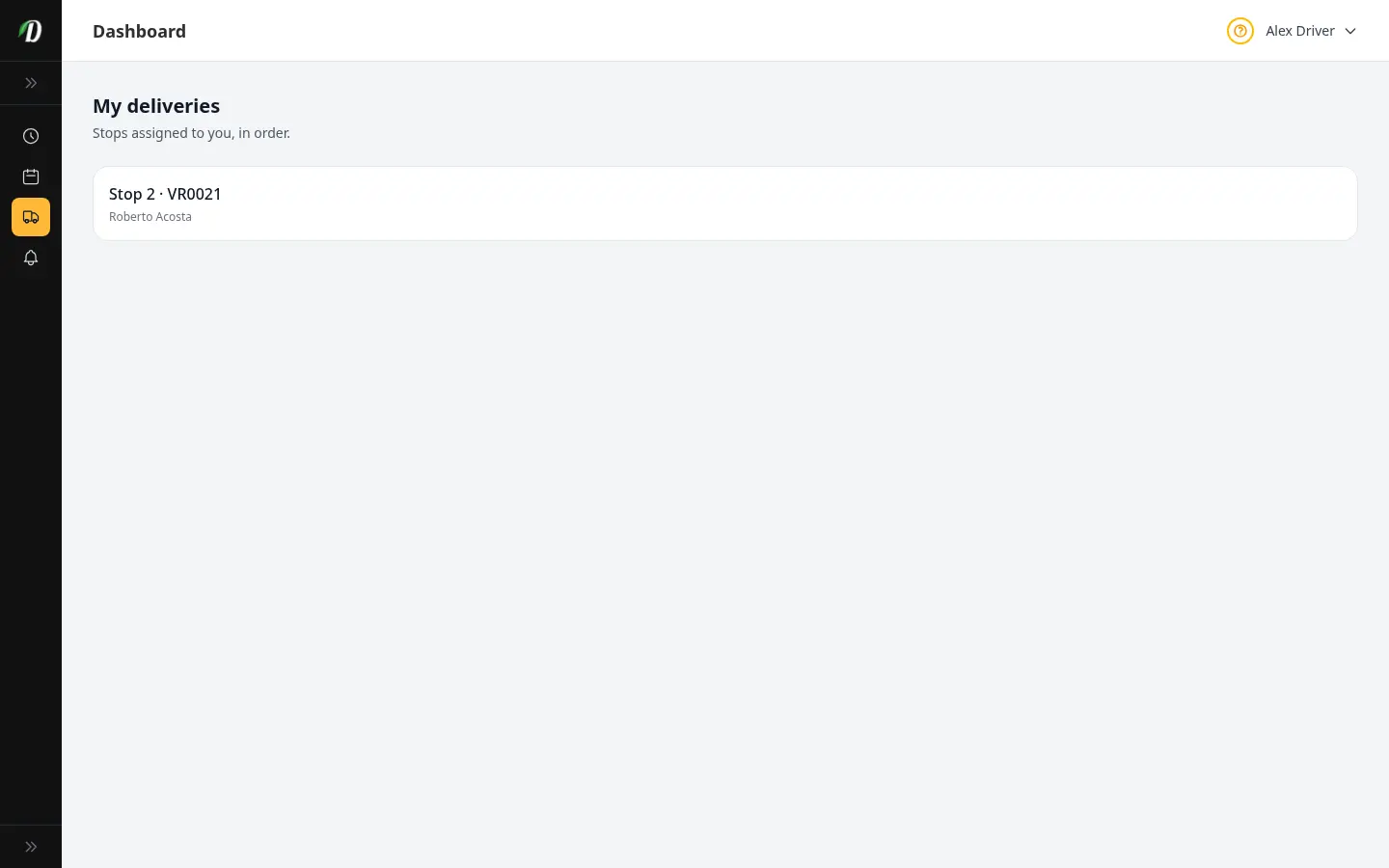
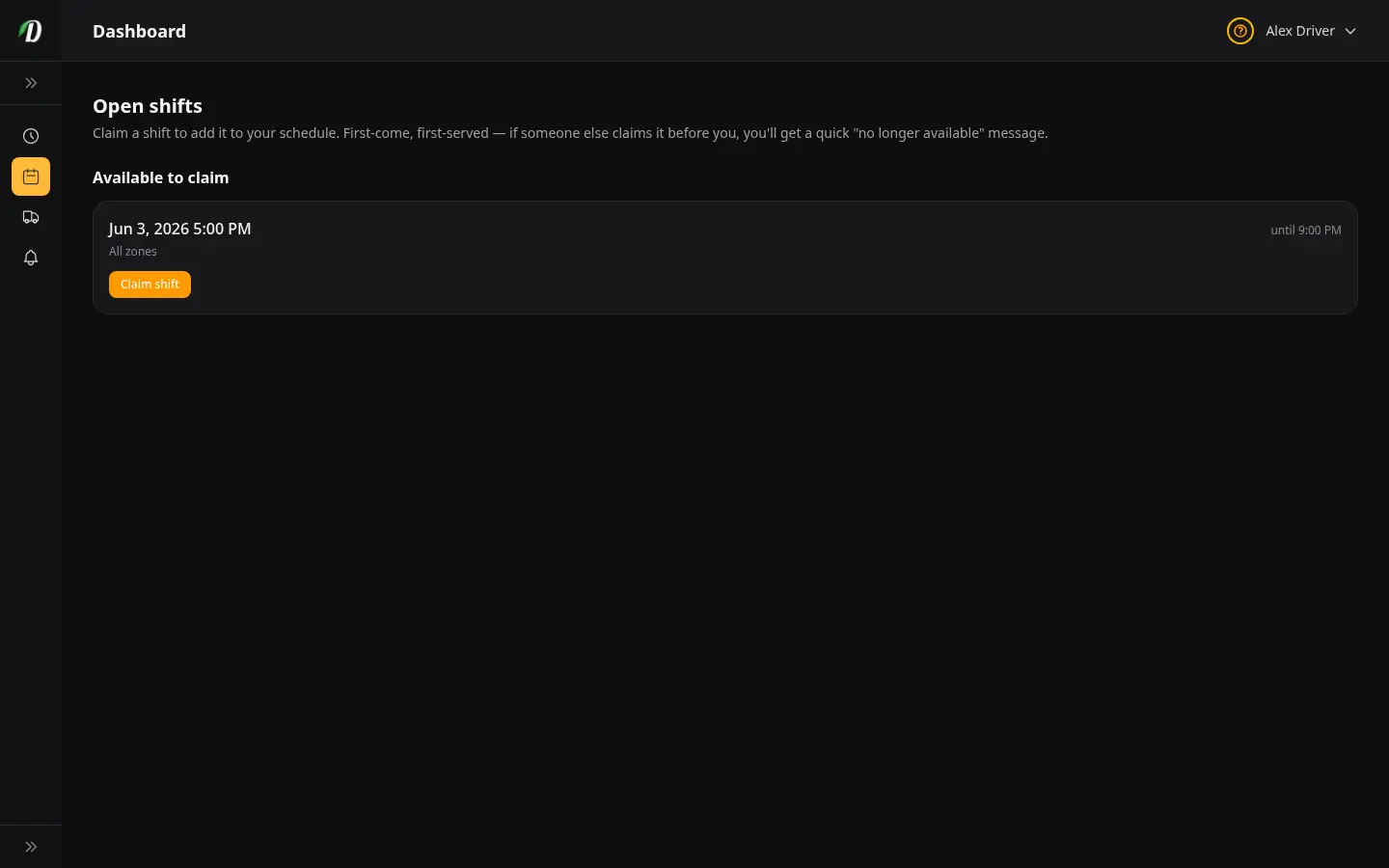
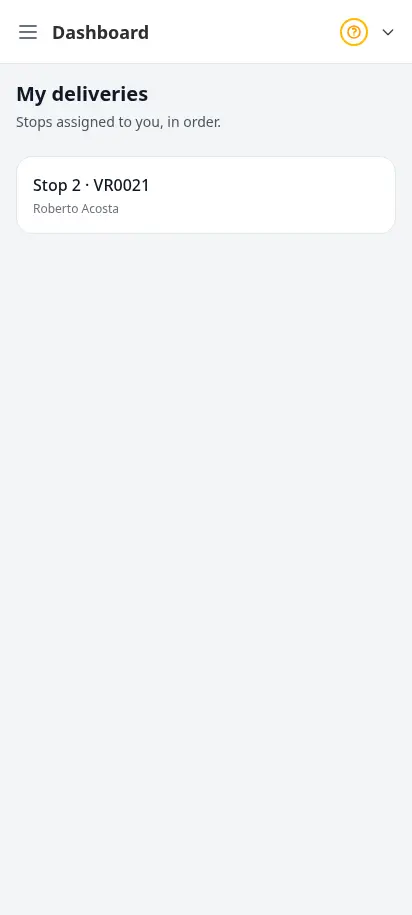
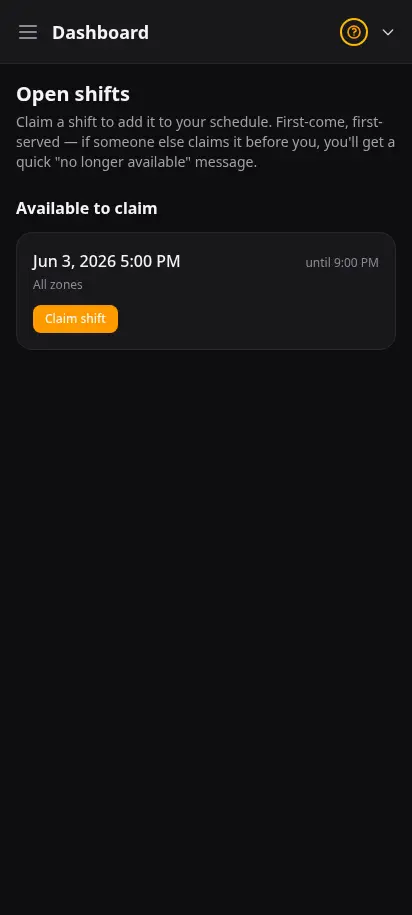
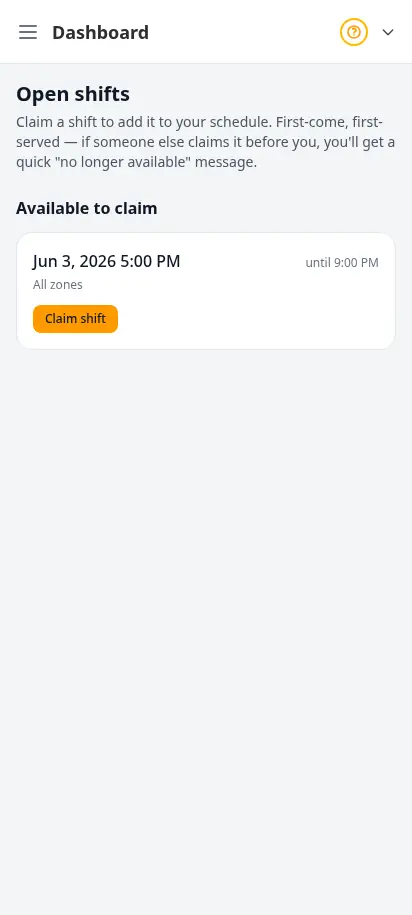
Your drivers get their own simple app — no training required. They pick up open shifts, see their stops in delivery order, navigate to each door, and confirm delivery with a photo or signature. Cash collected is tracked automatically, so end-of-shift reconciliation is effortless.
- Pick up open shifts and manage their schedule
- Today's stops in route order, one tap to navigate
- Proof of delivery — photo or signature at the door
- Cash collection tracked automatically per shift
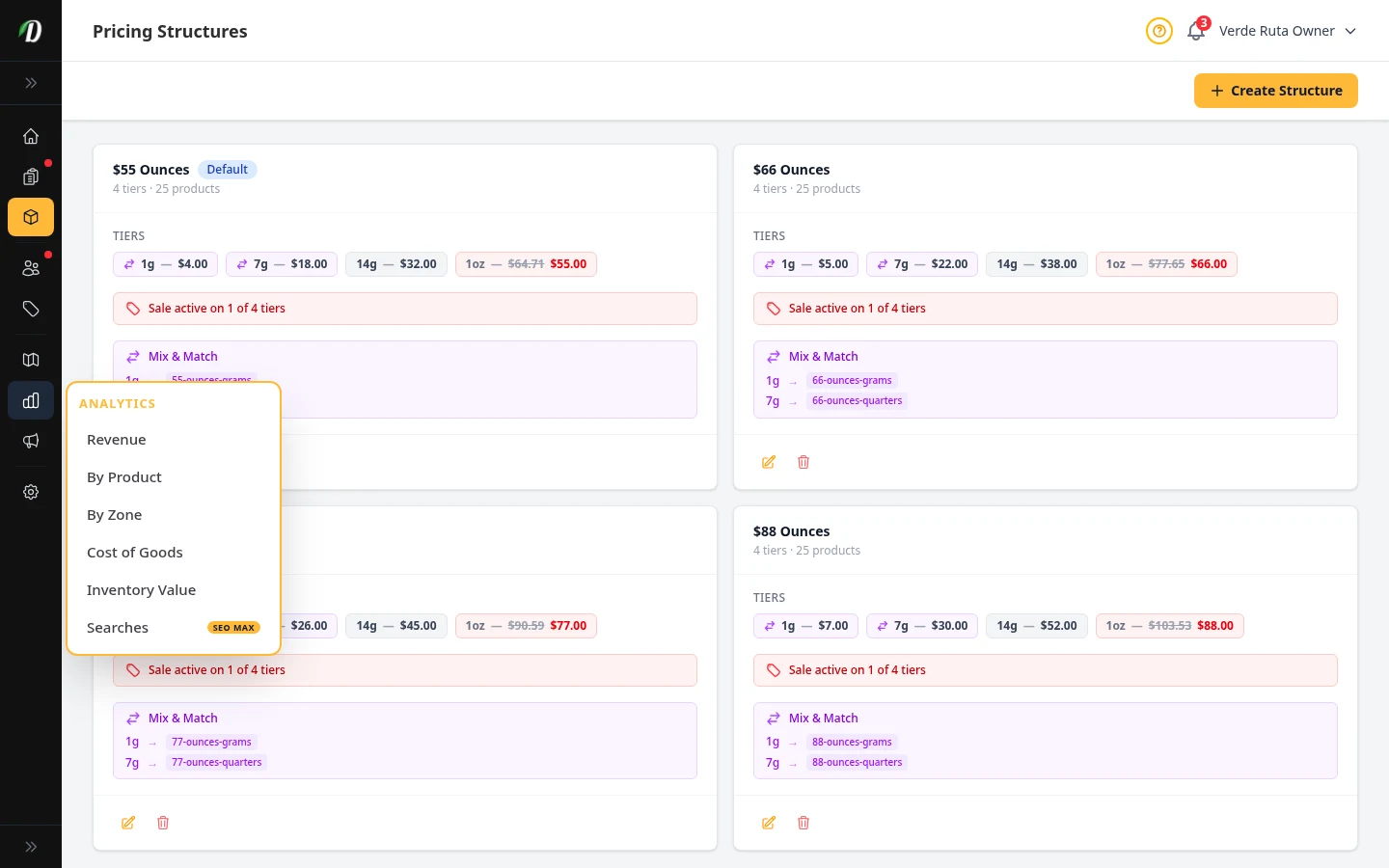
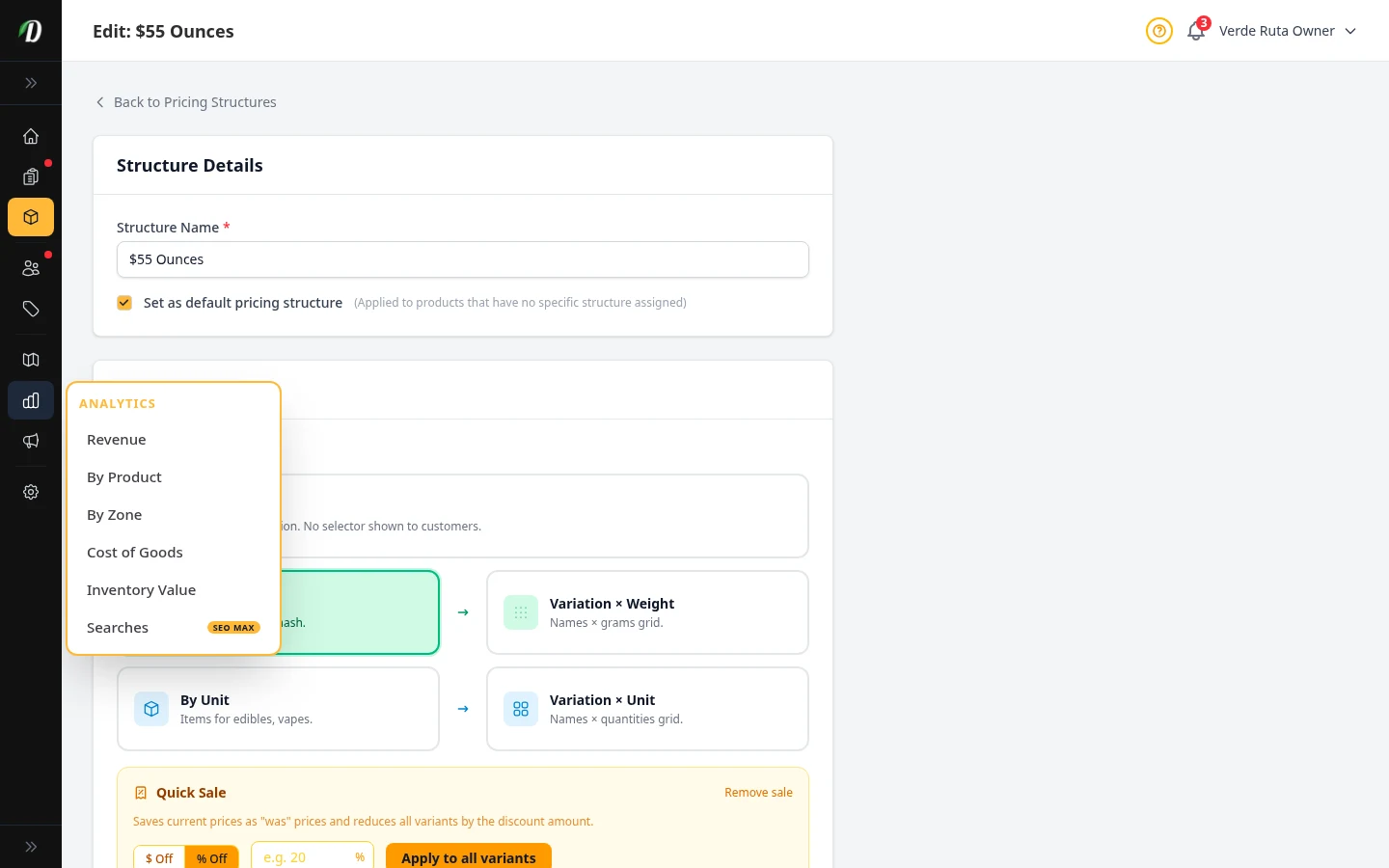
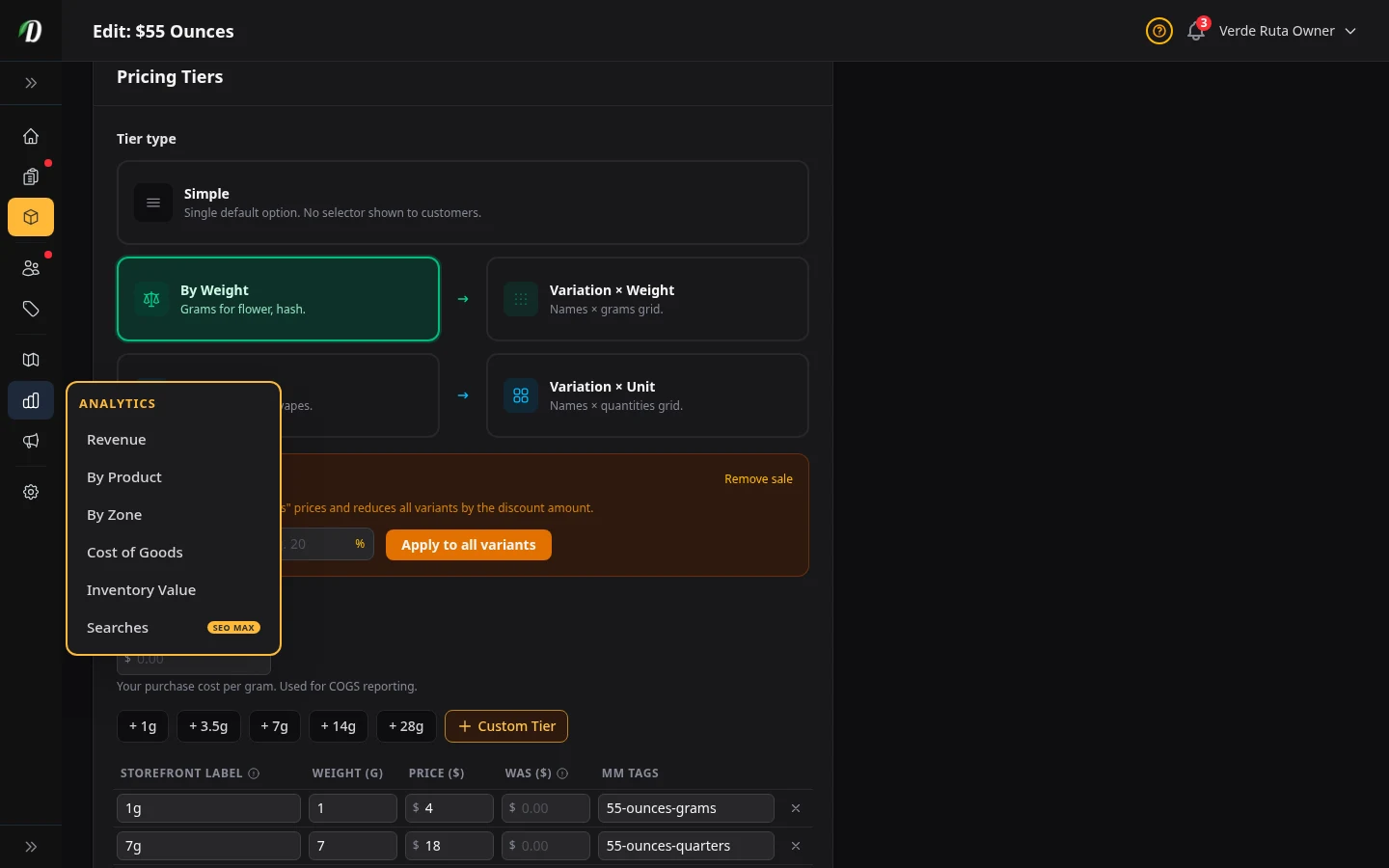
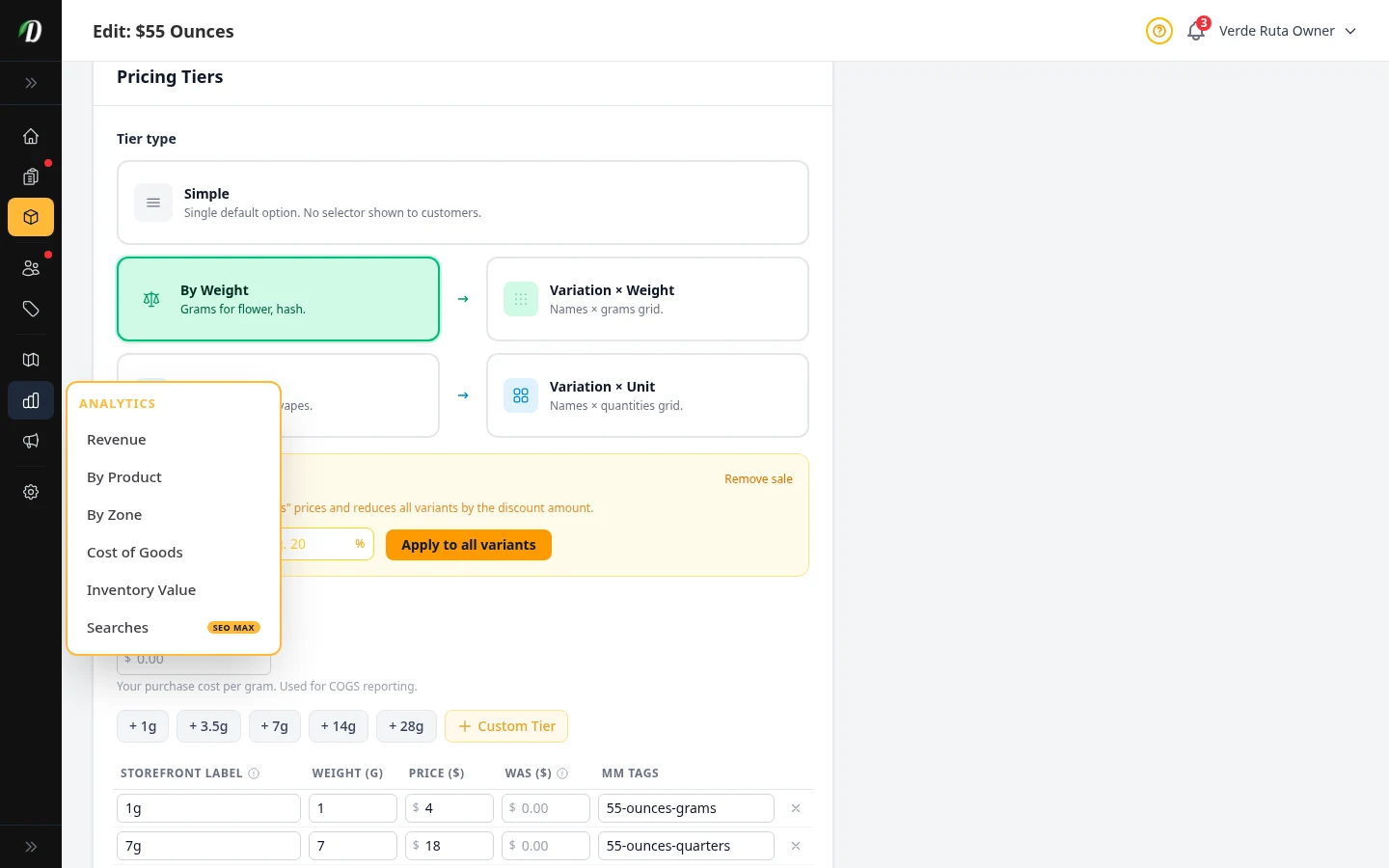
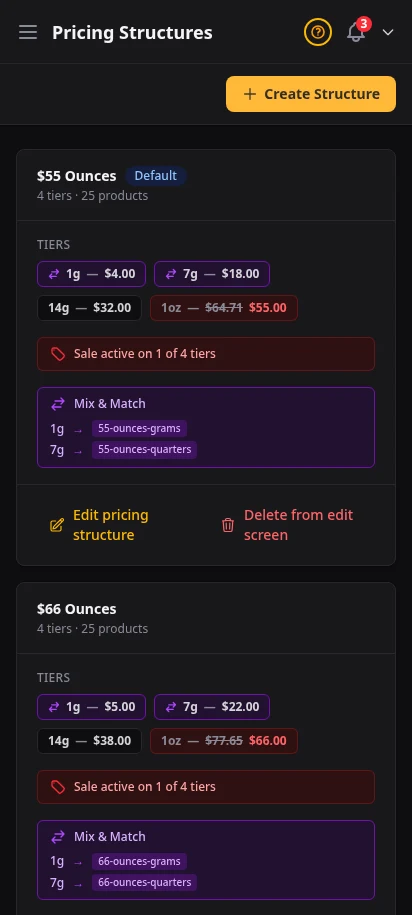
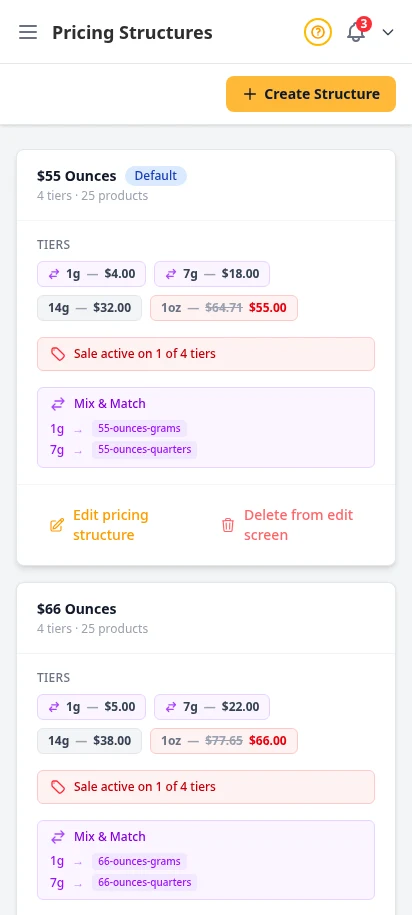
One price menu, every product that uses it
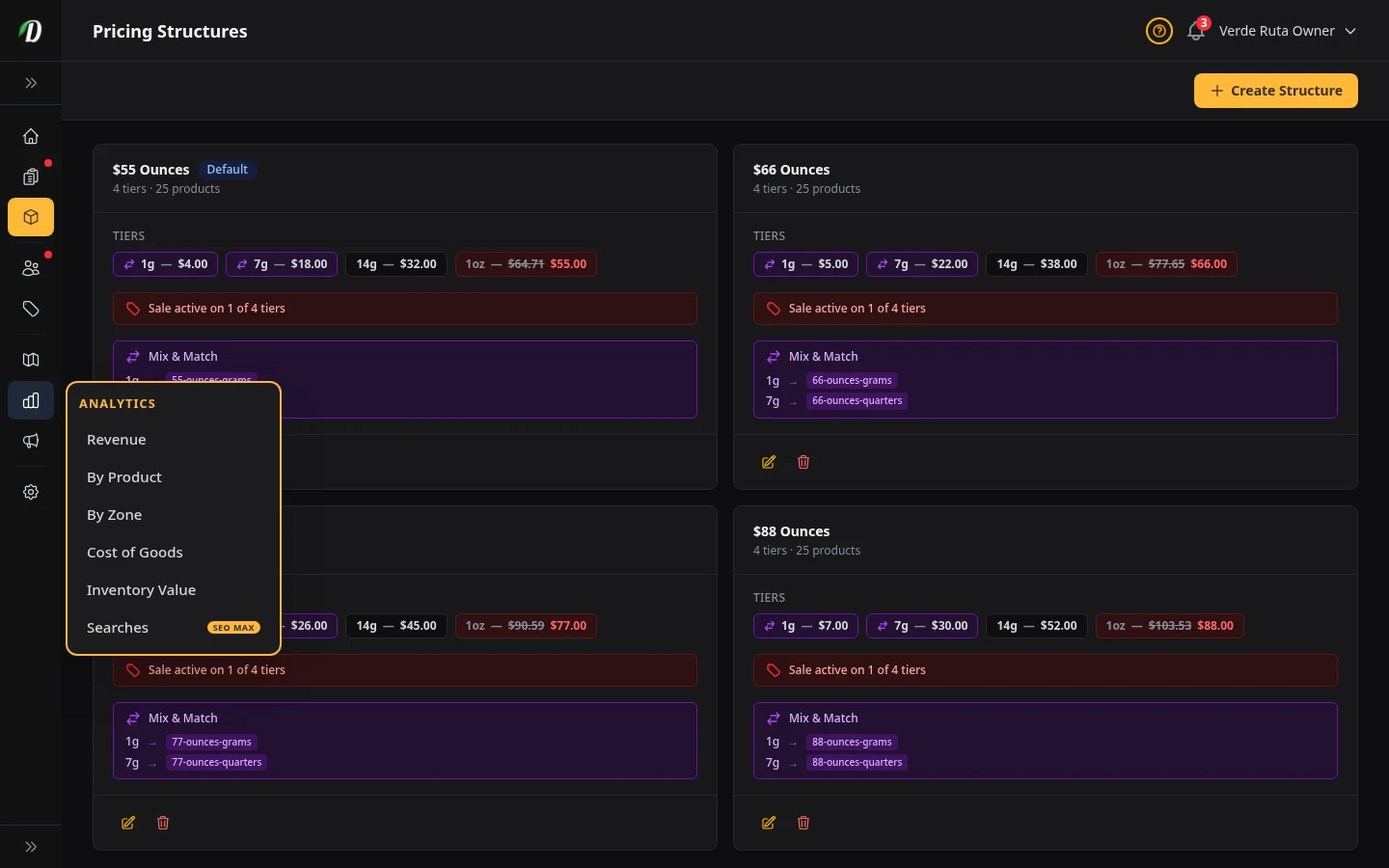
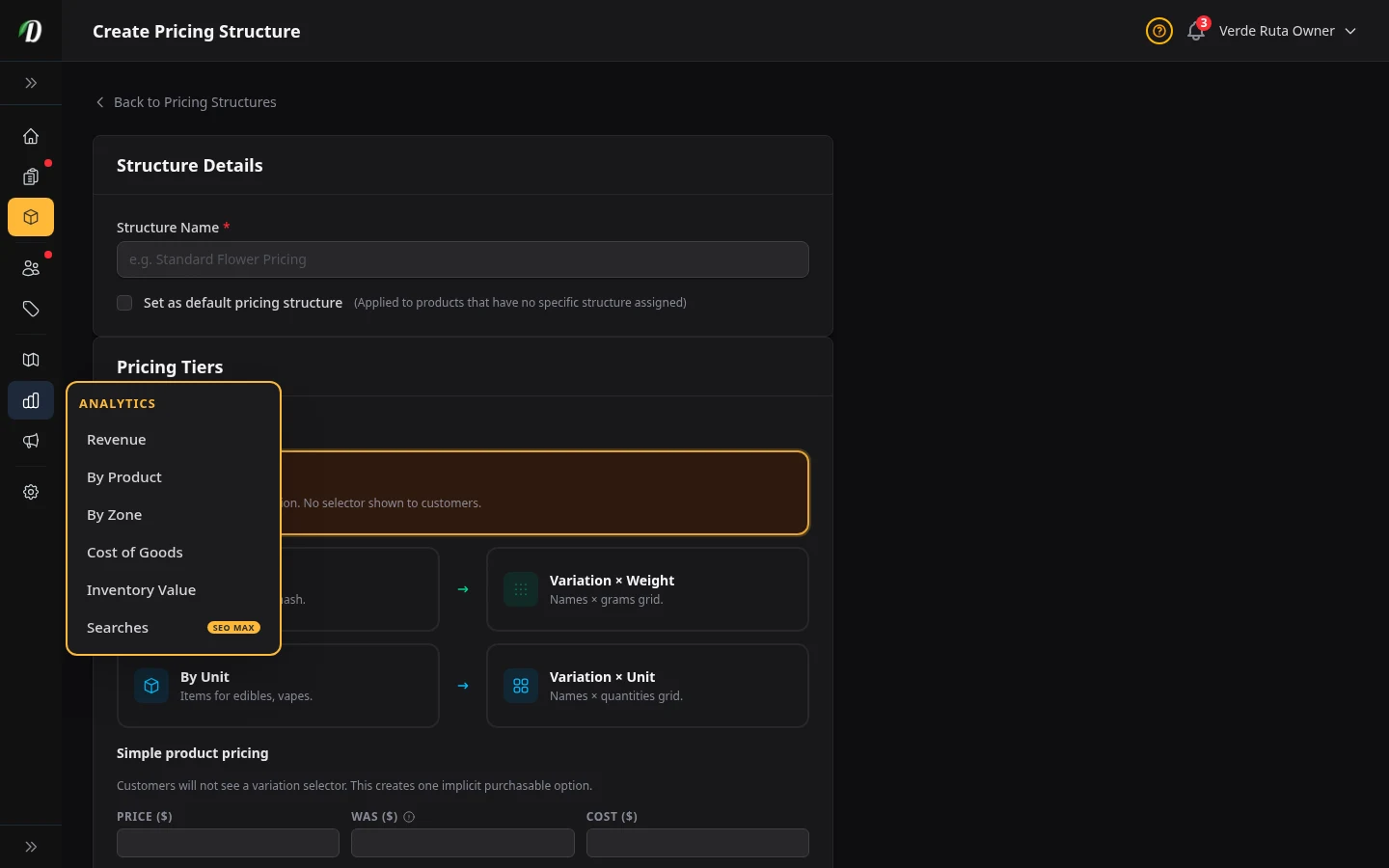
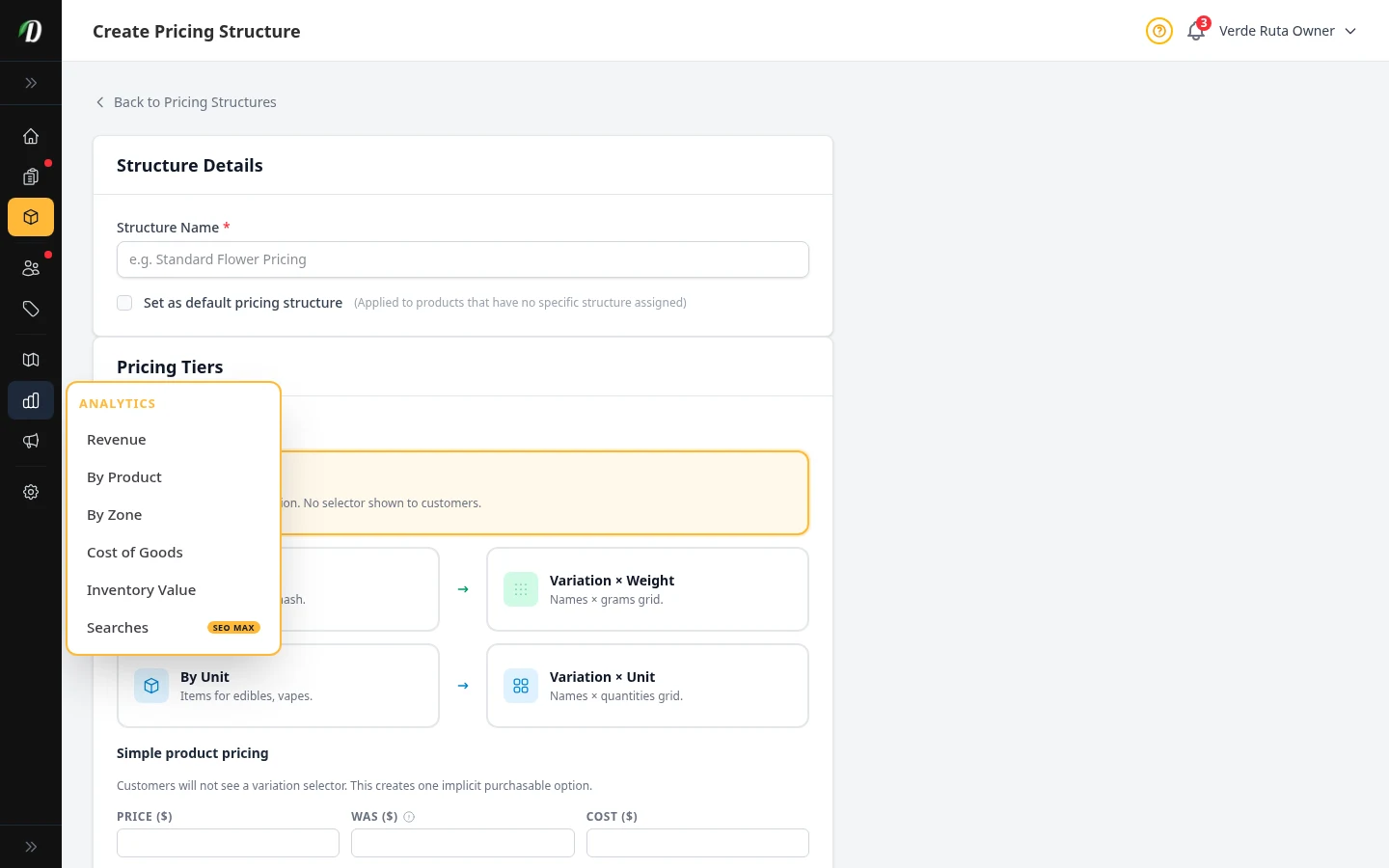
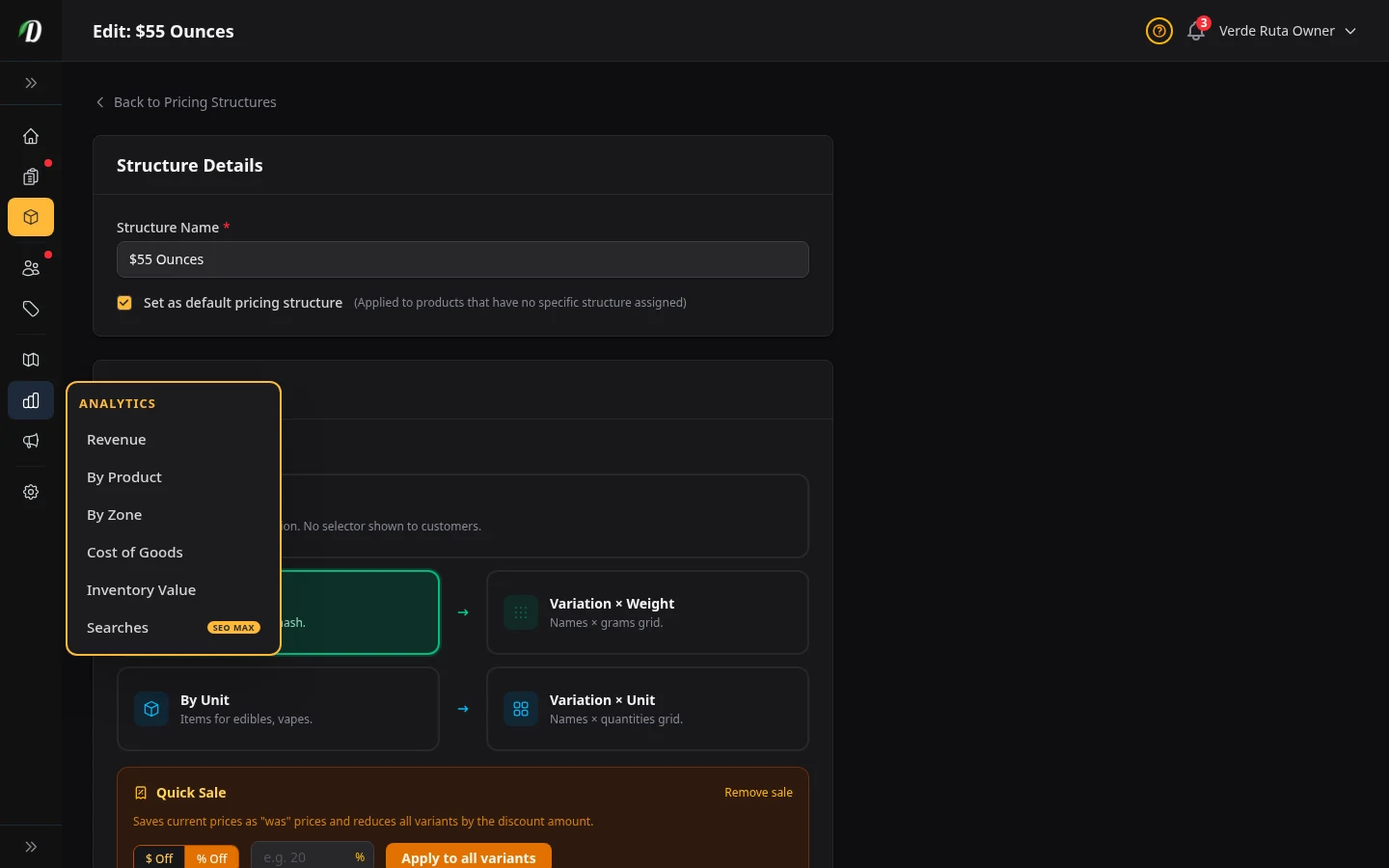
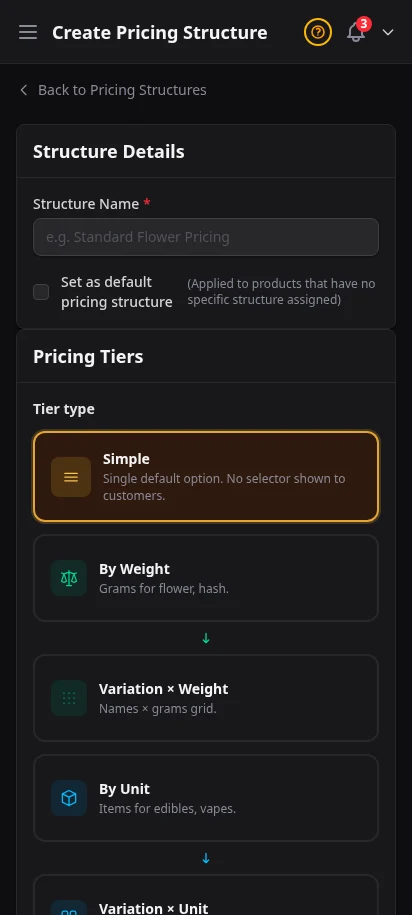
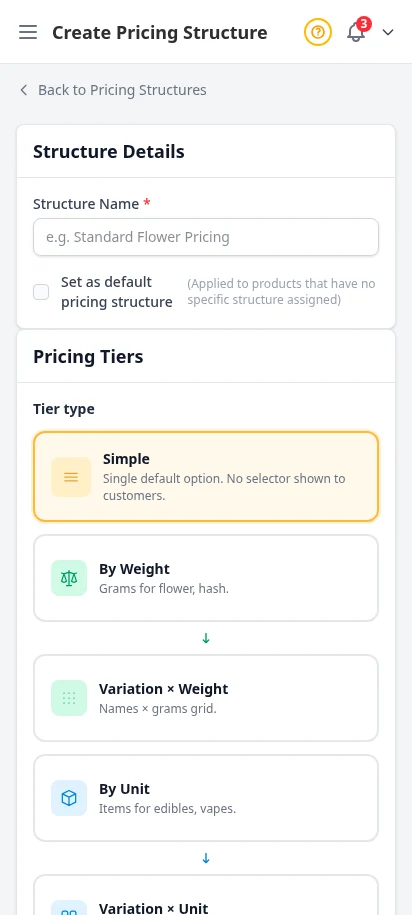
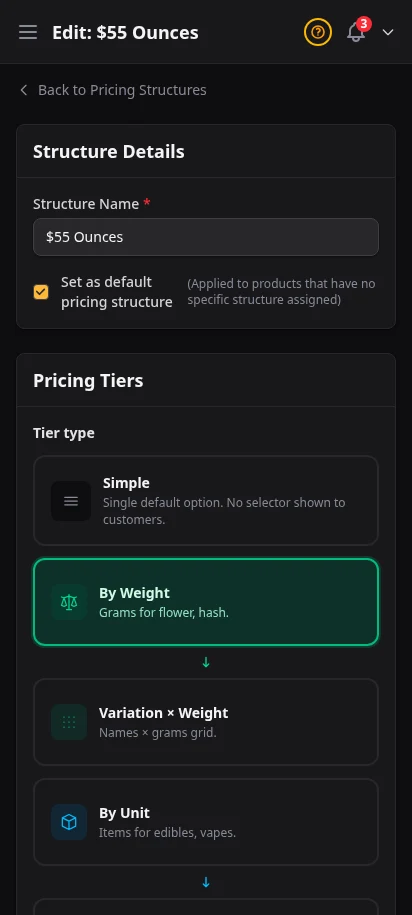
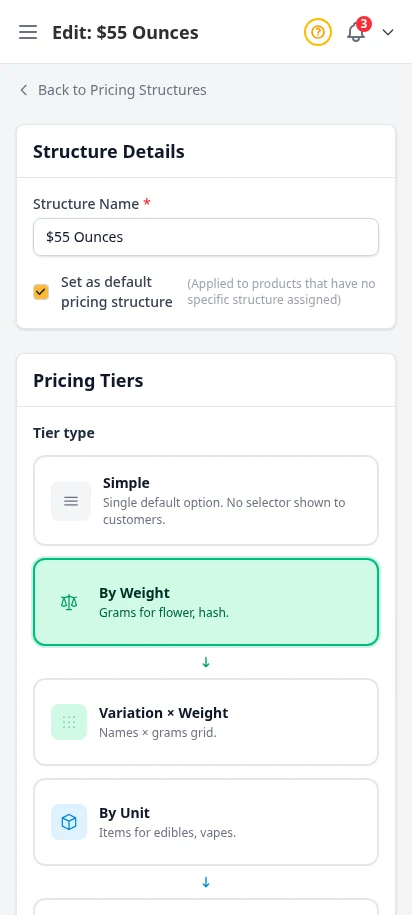
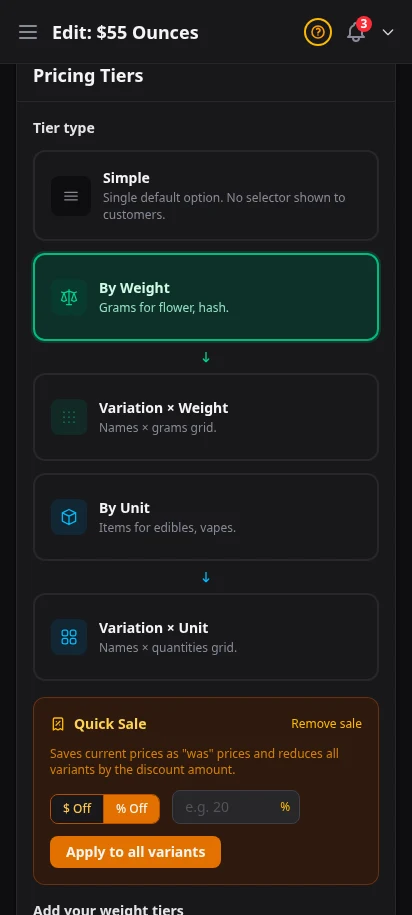
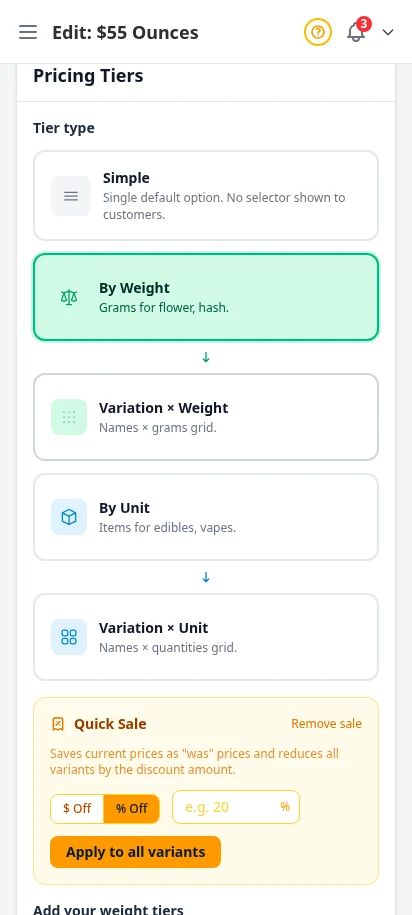
Build reusable price menus once, then attach them to as many products as you want. Set weight tiers like 1g, 3.5g, 7g, 14g, 28g — or unit-based menus for pre-rolls, edibles, and accessories. Change a price on the menu and every linked product updates instantly. No more editing prices on each product, one by one.
- Reusable weight menus (1g, 3.5g, 7g, 14g, 28g) and unit menus
- Per-tier price, cost, and label fields
- Attach one menu to dozens of products at once
- Edit the menu — every linked product updates instantly
- Multiple menus for different product groups (top-shelf, mid-shelf, value)
Buy more, save more — automatically
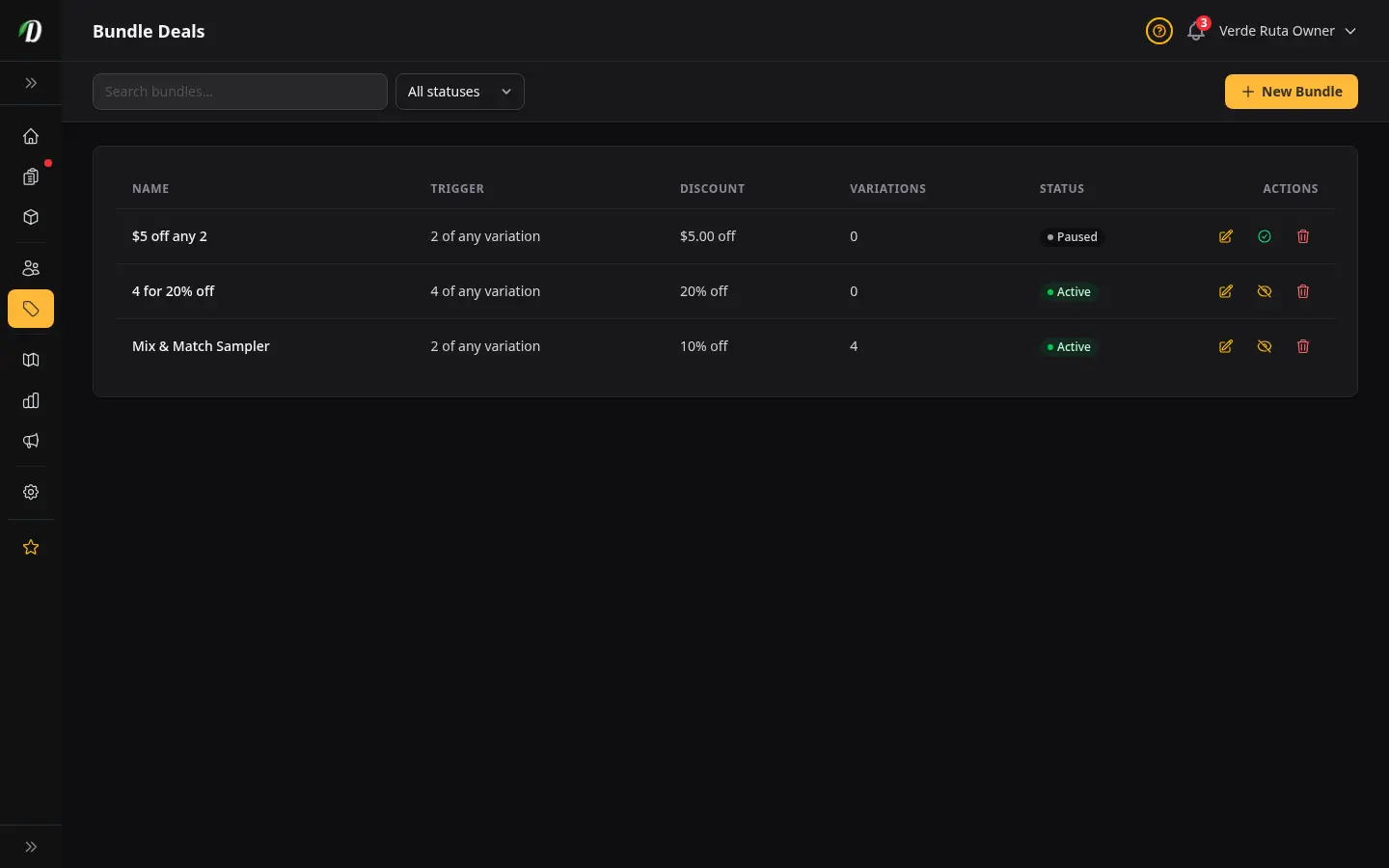
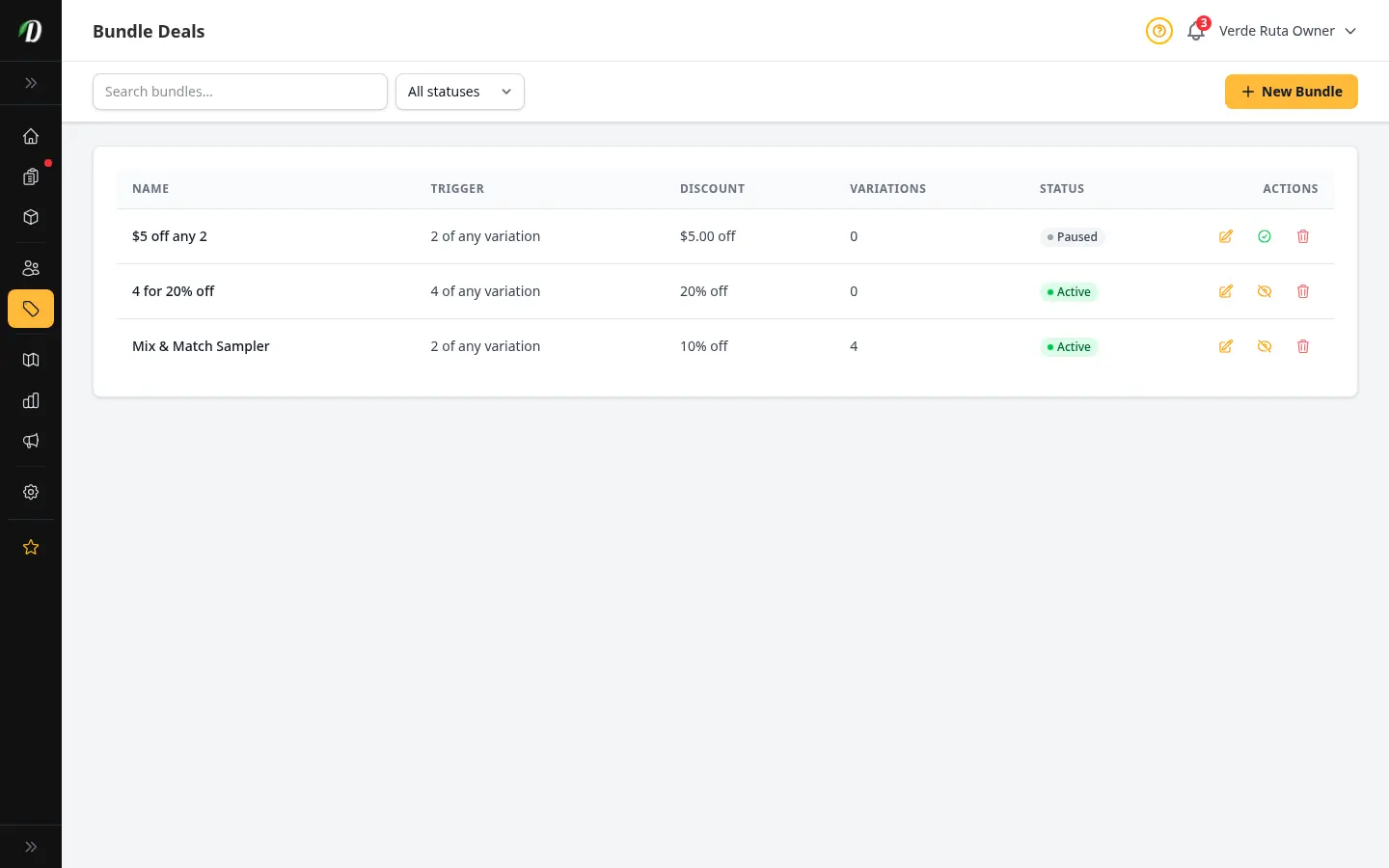
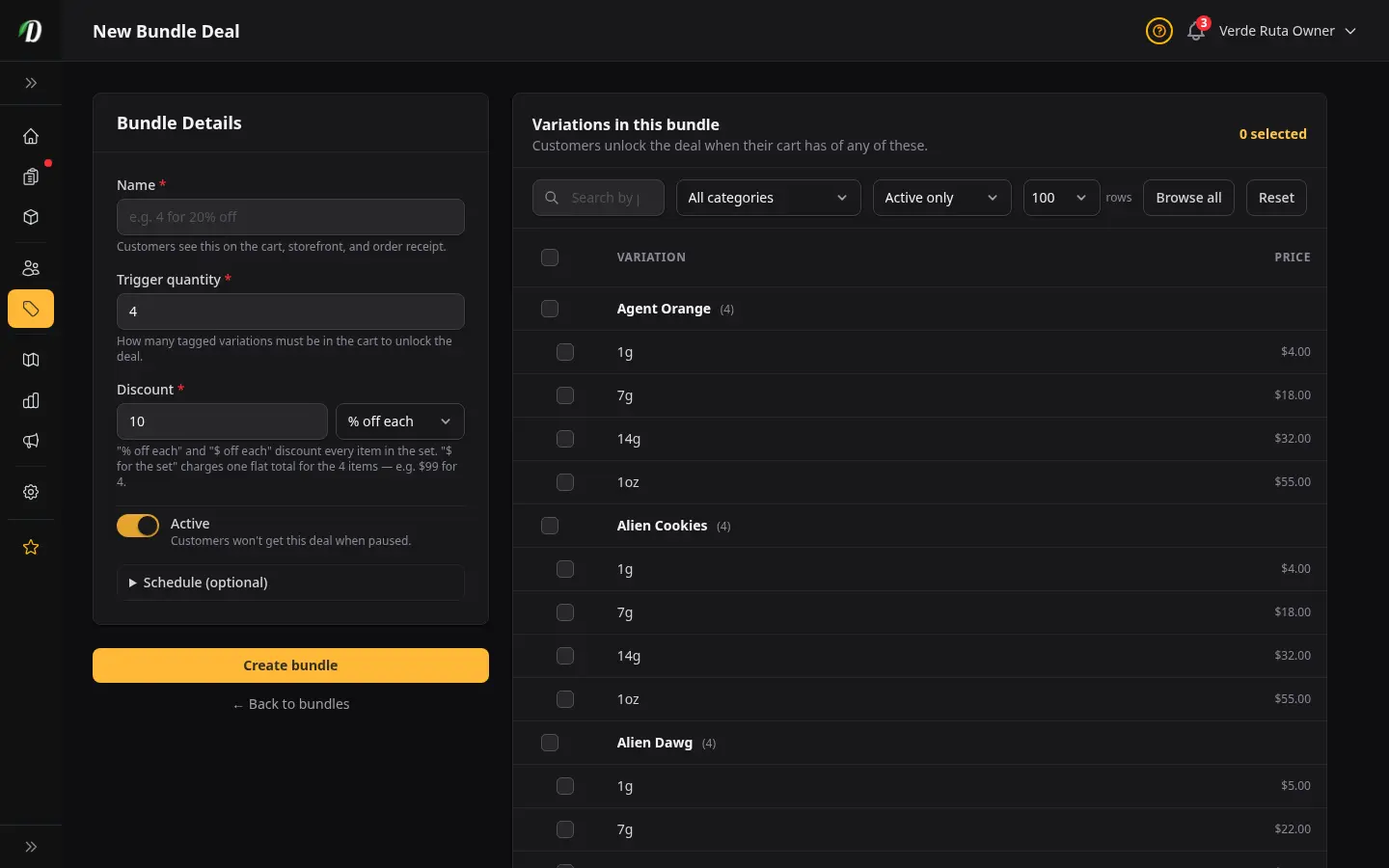
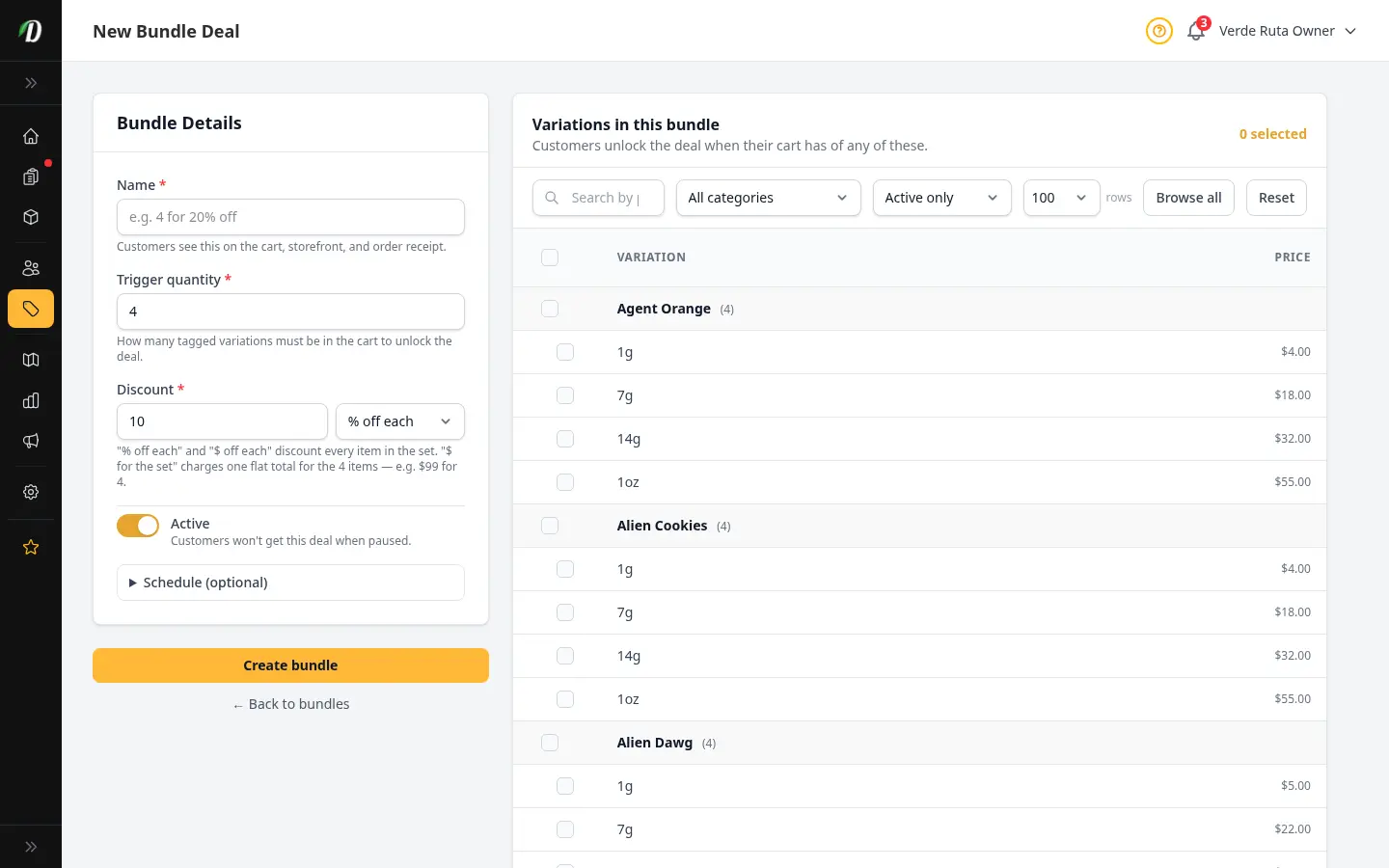
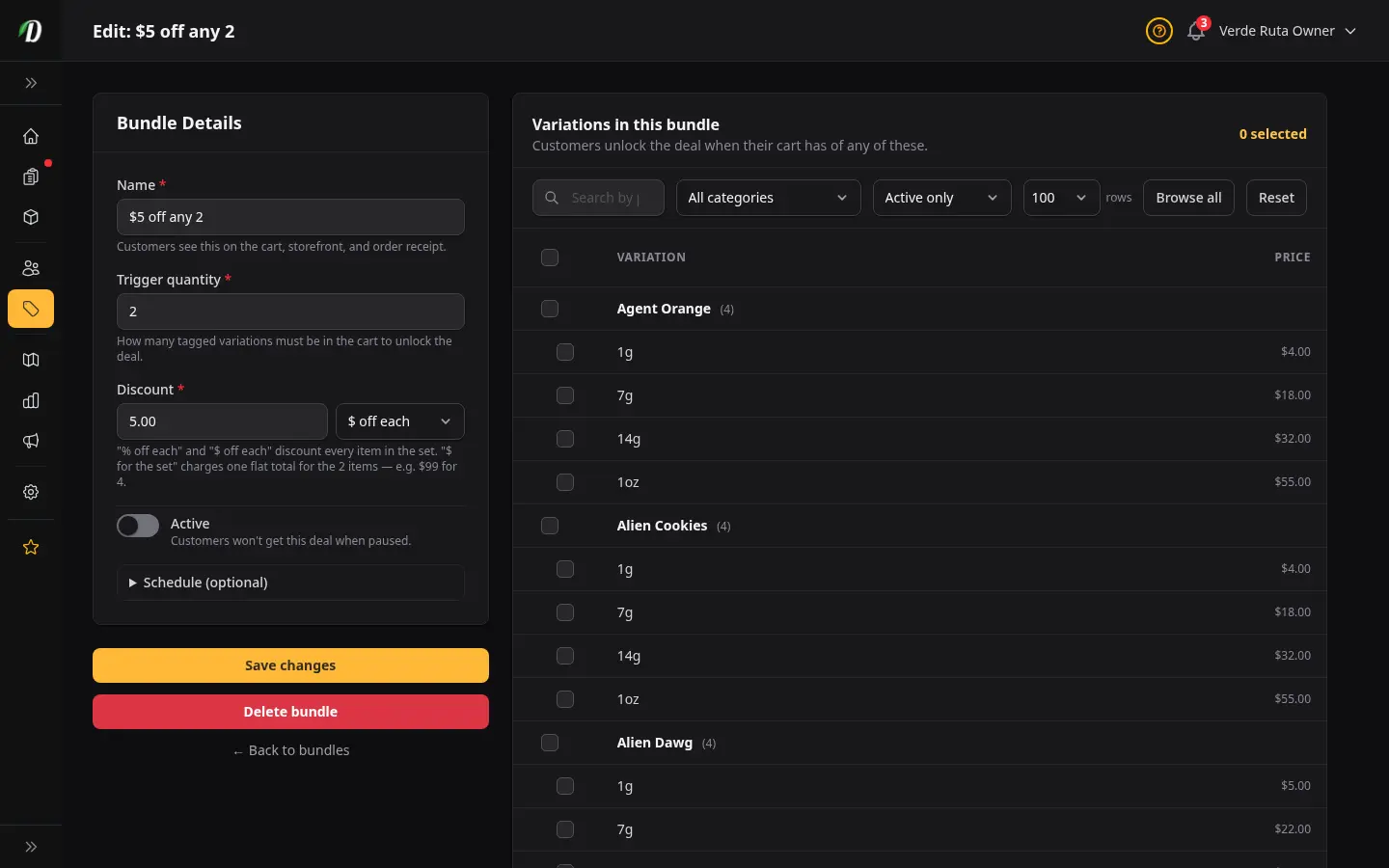
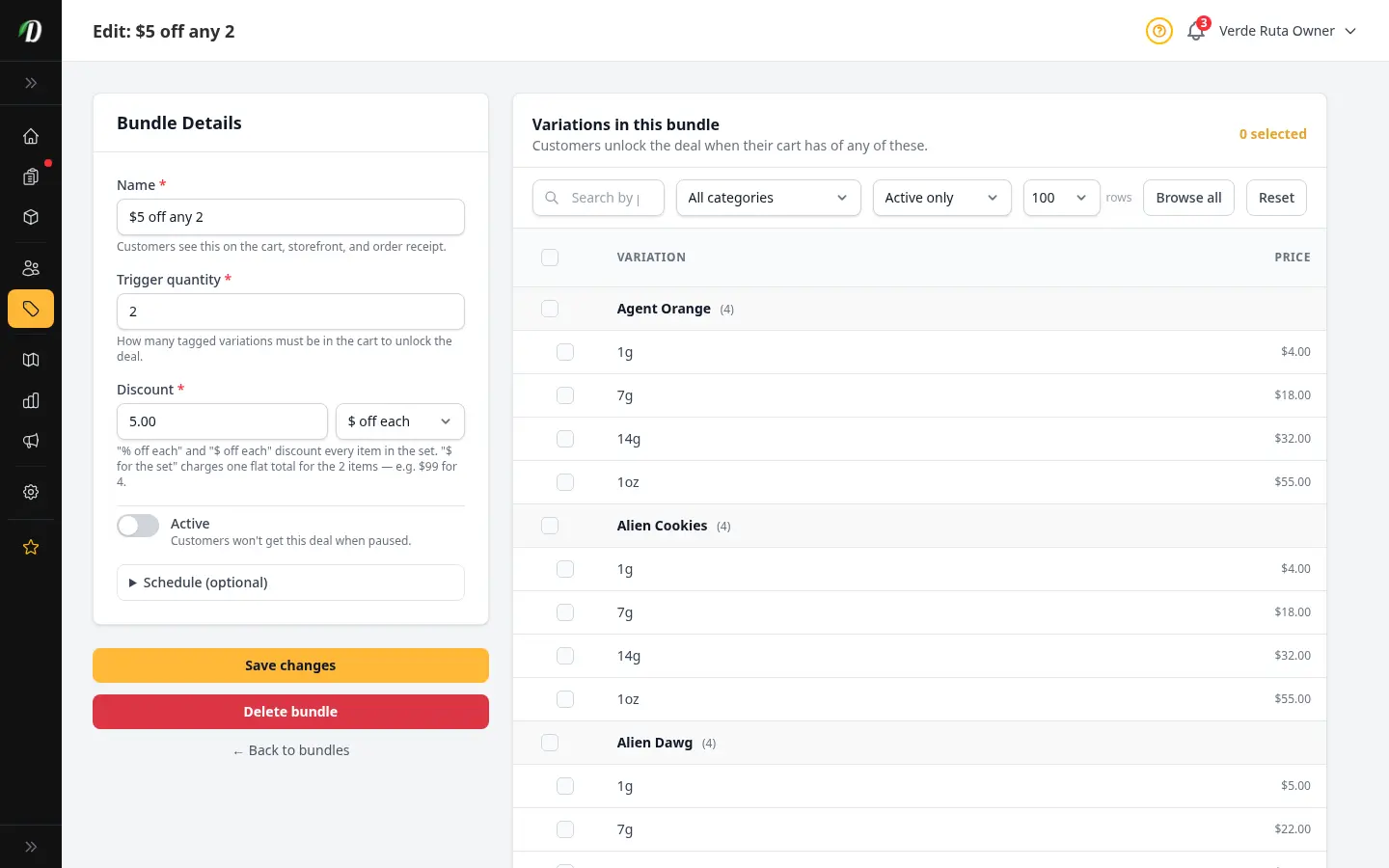
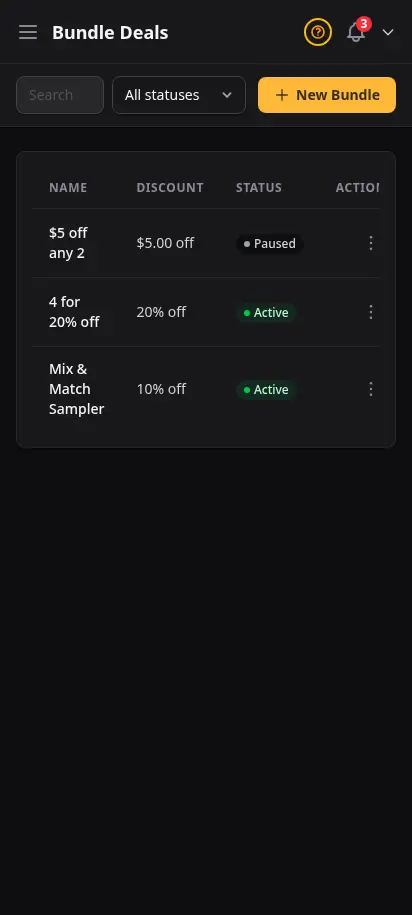
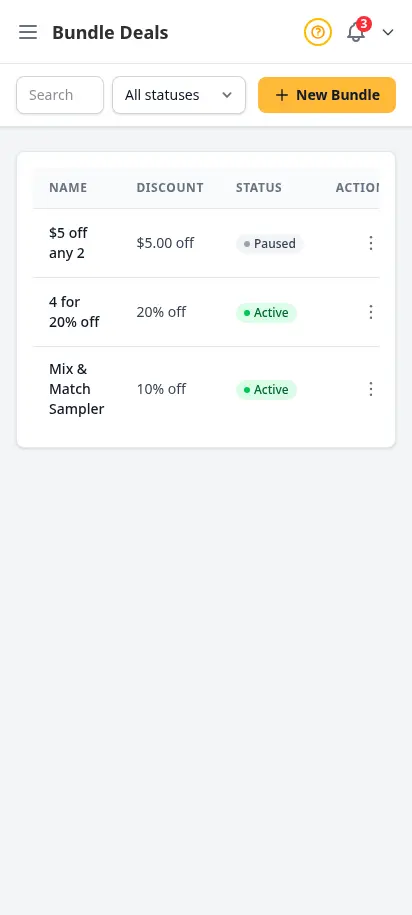
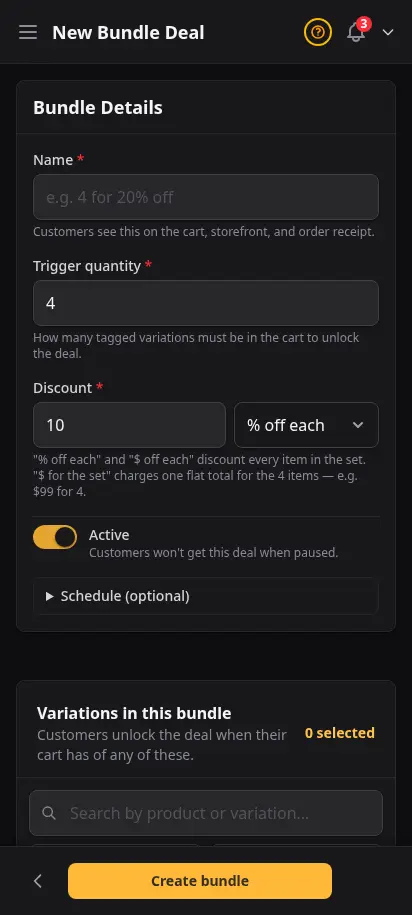
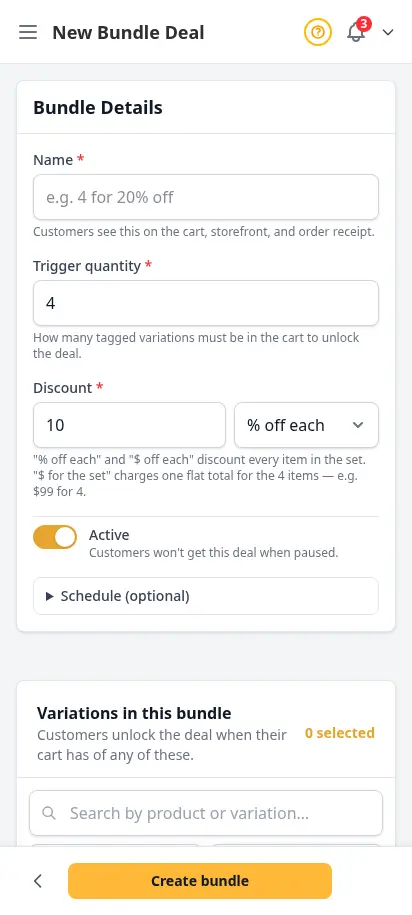
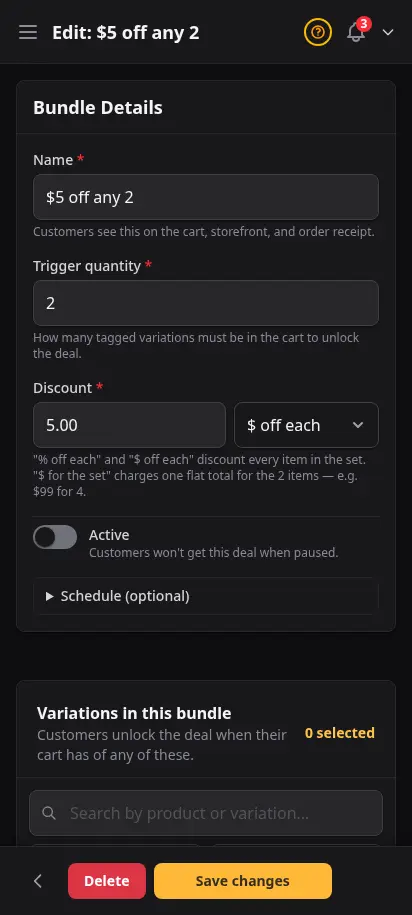
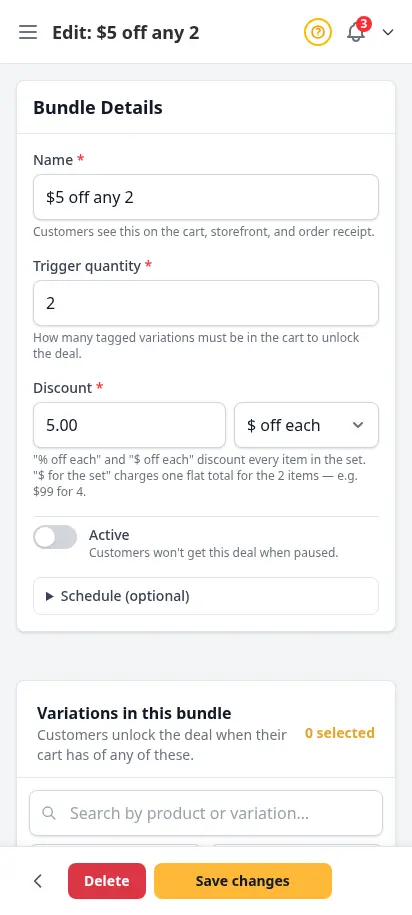
Create quantity-based bundle deals that fire automatically when customers add the right mix of products to their cart. Set a trigger quantity, choose a percentage or fixed discount, and pick which variations qualify.
- Automatic discount when the trigger quantity is hit
- Percentage or fixed dollar discount per unit
- Choose exactly which variations qualify
- Pause and resume deals without deleting them
- Optional date range for seasonal promotions
Discount codes that drive repeat business
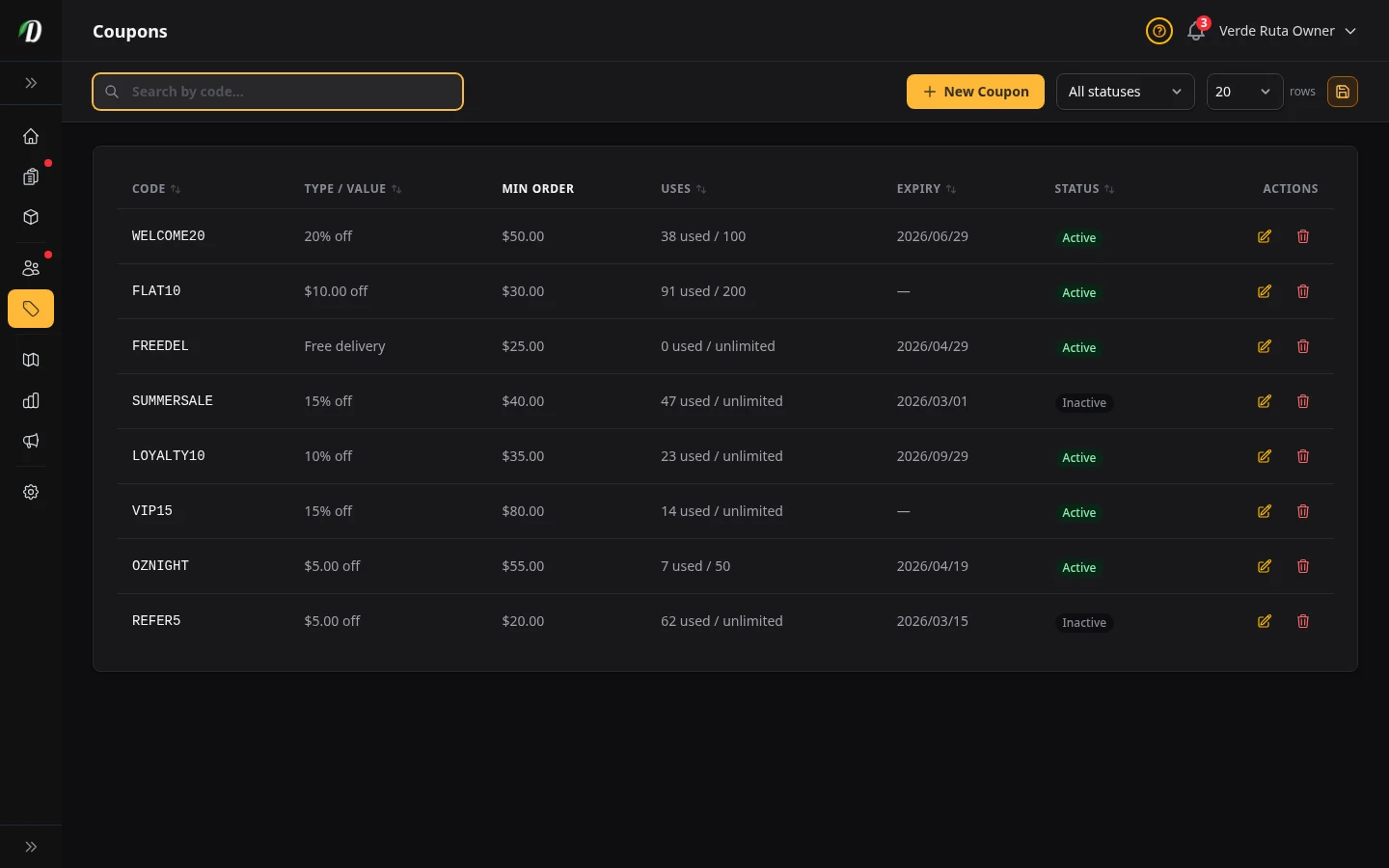
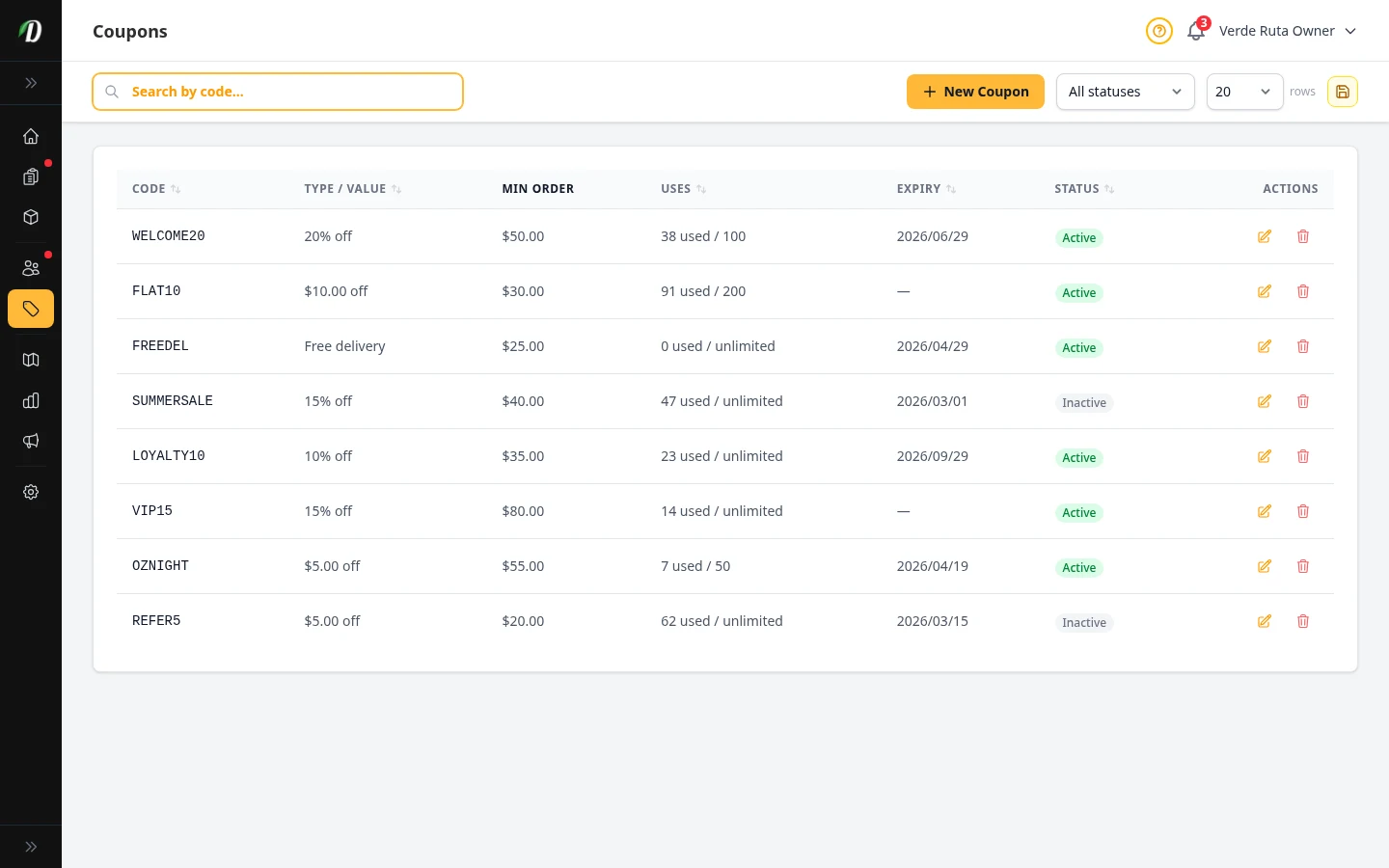
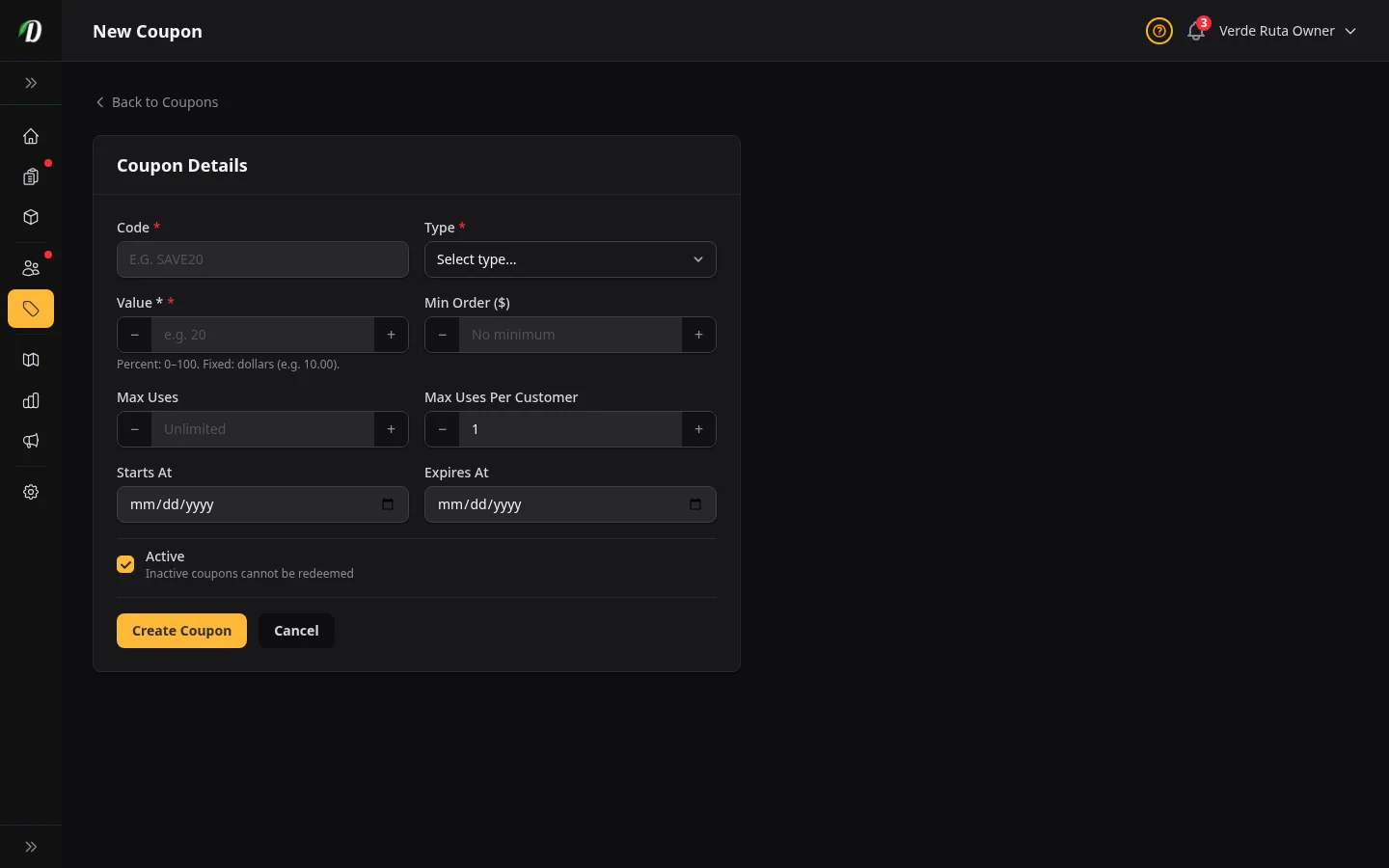
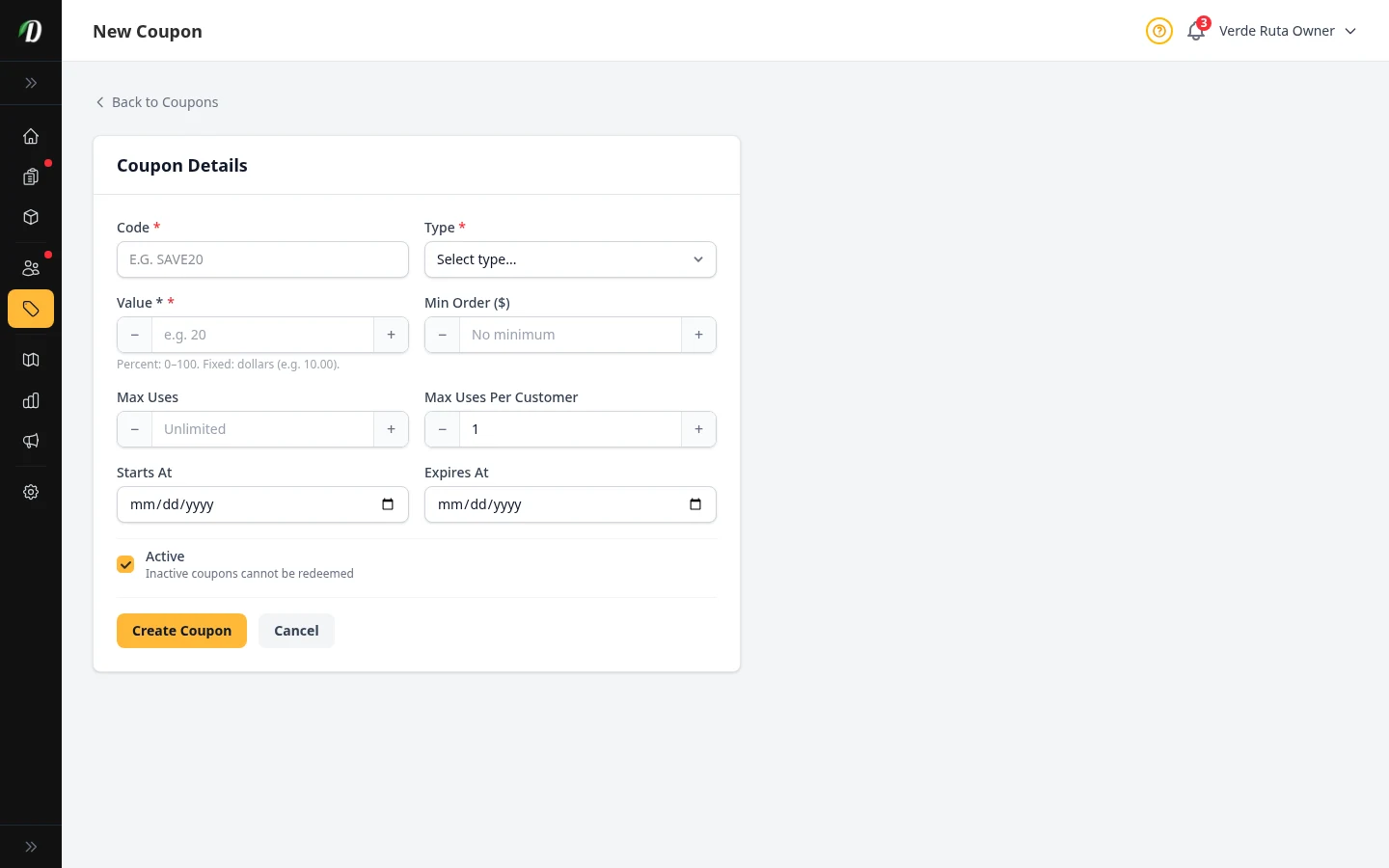
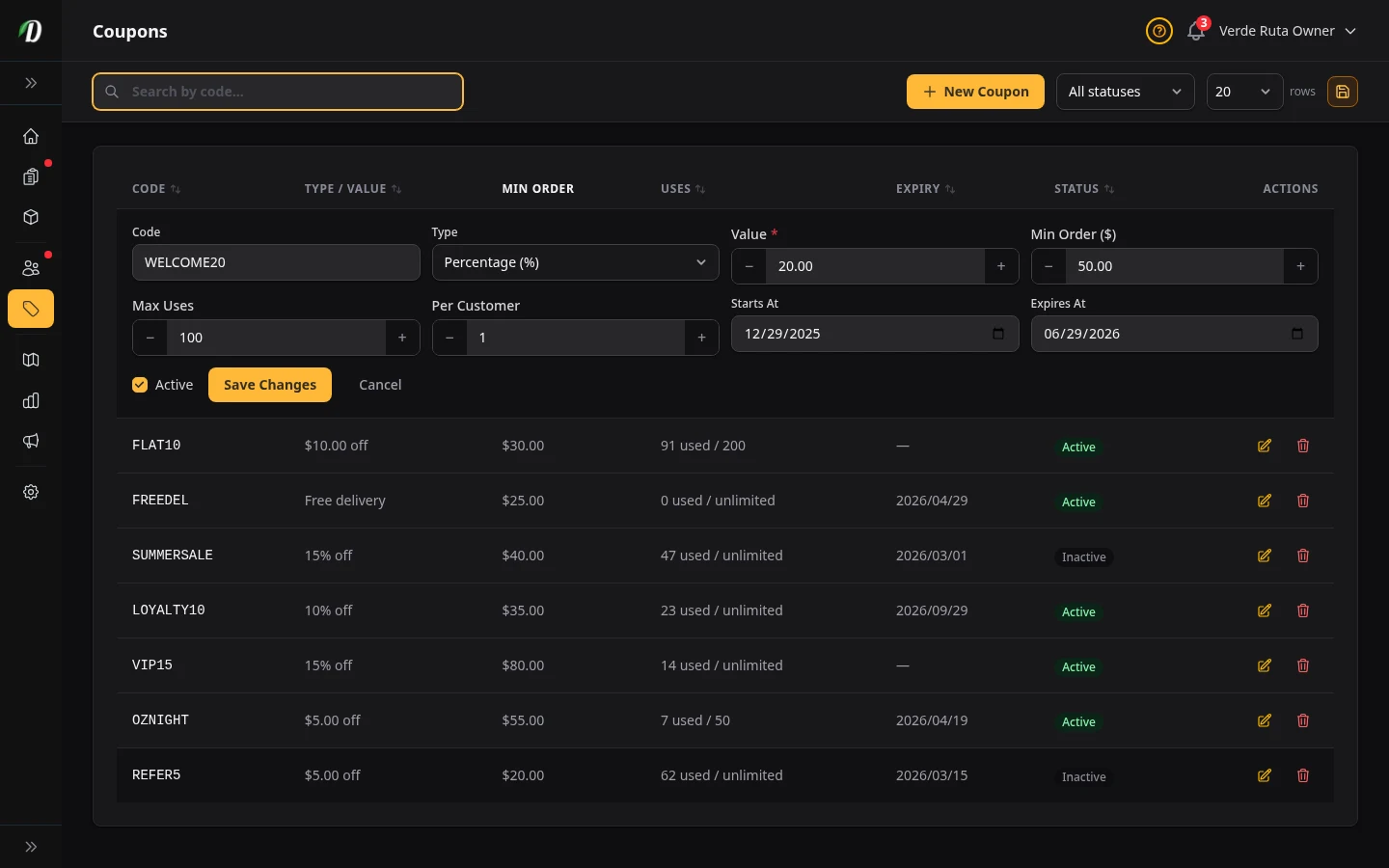
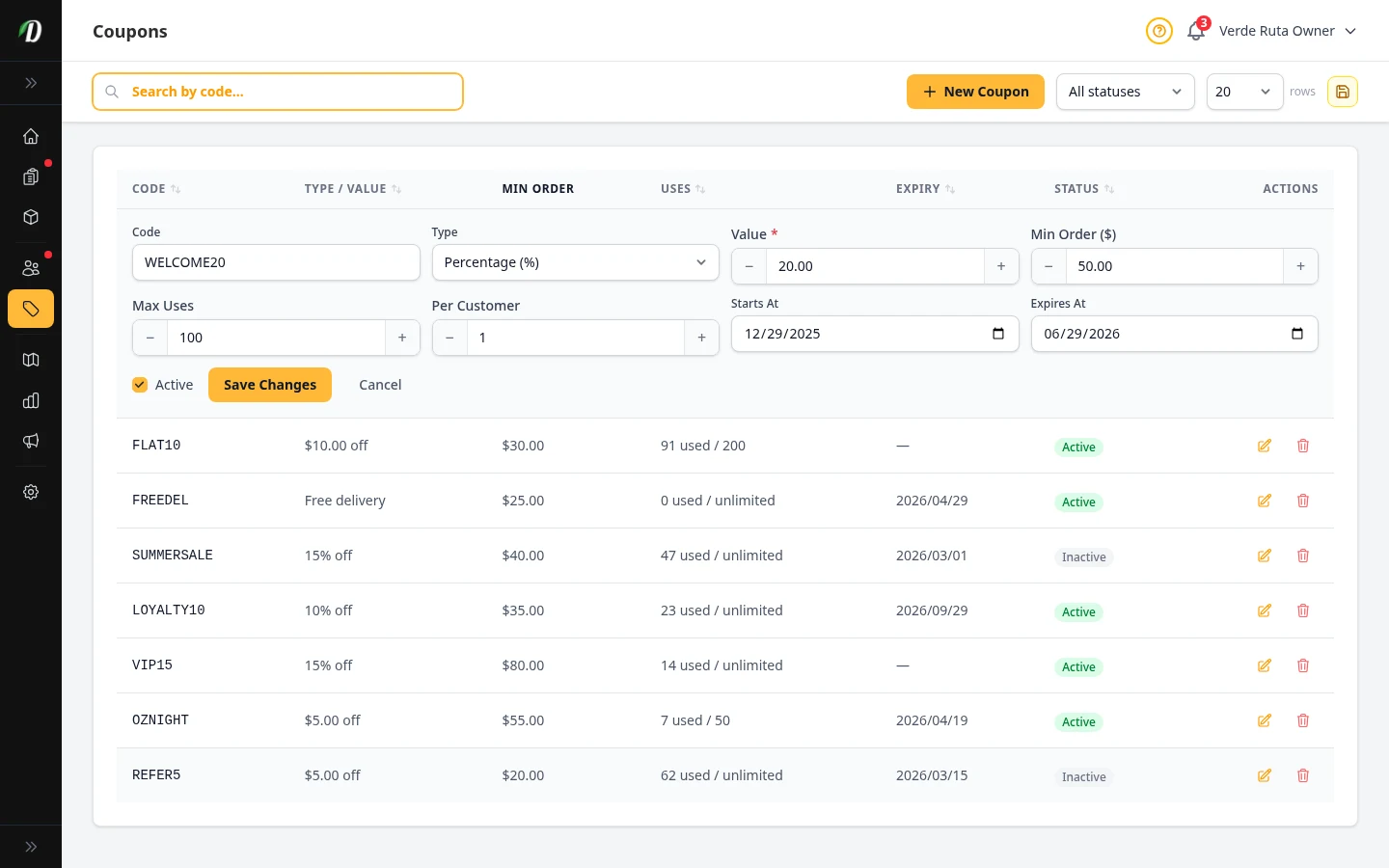
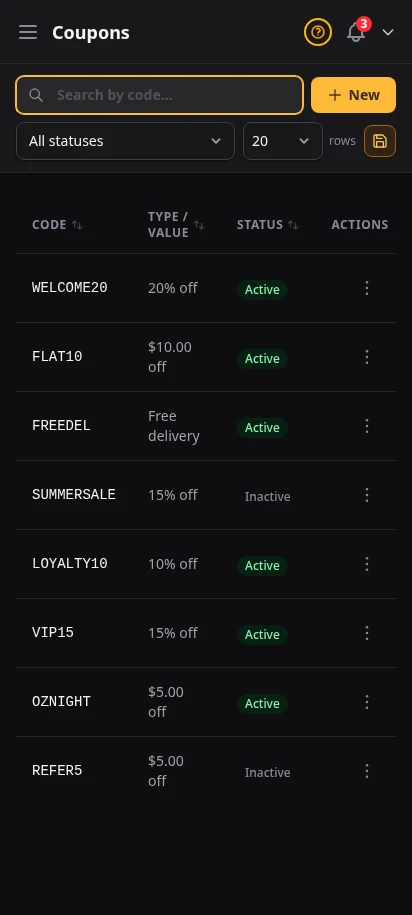
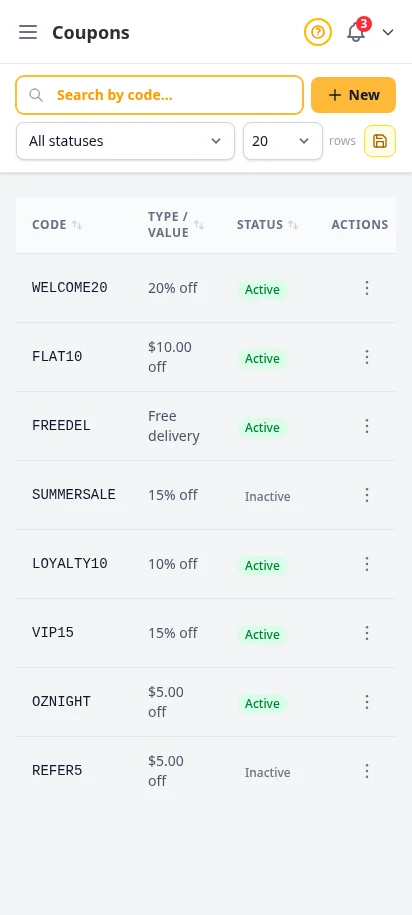
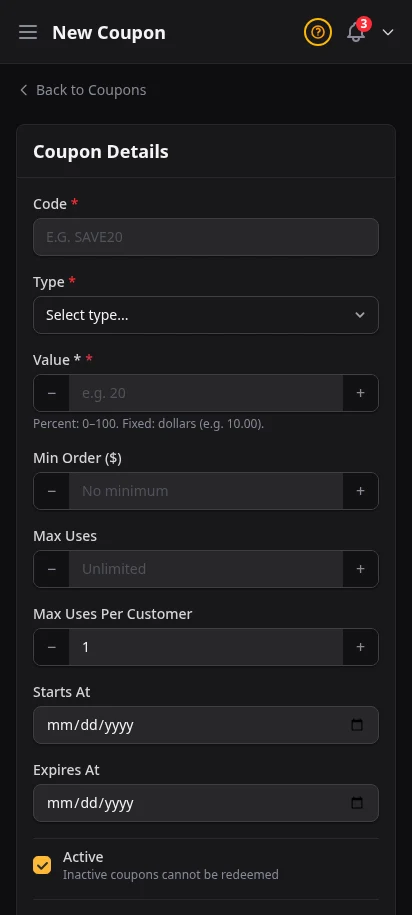
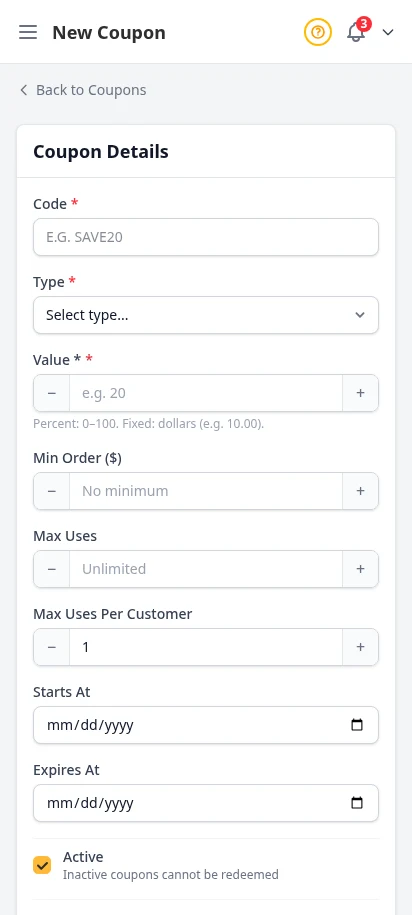
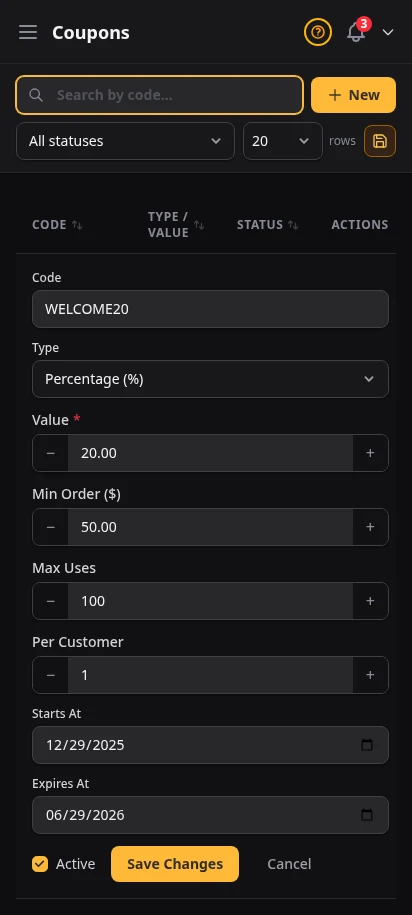
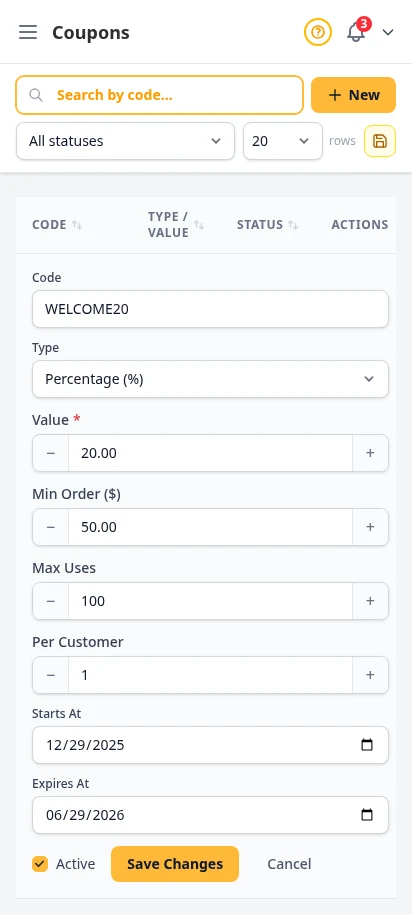
Create percentage or fixed-amount coupon codes with usage limits, expiration dates, and minimum order requirements. Track redemption counts in real time.
- Percentage or fixed-amount discounts
- Per-coupon usage limits
- Expiration dates
- Minimum order amount requirements
- Real-time redemption tracking
Reward big spenders with free products
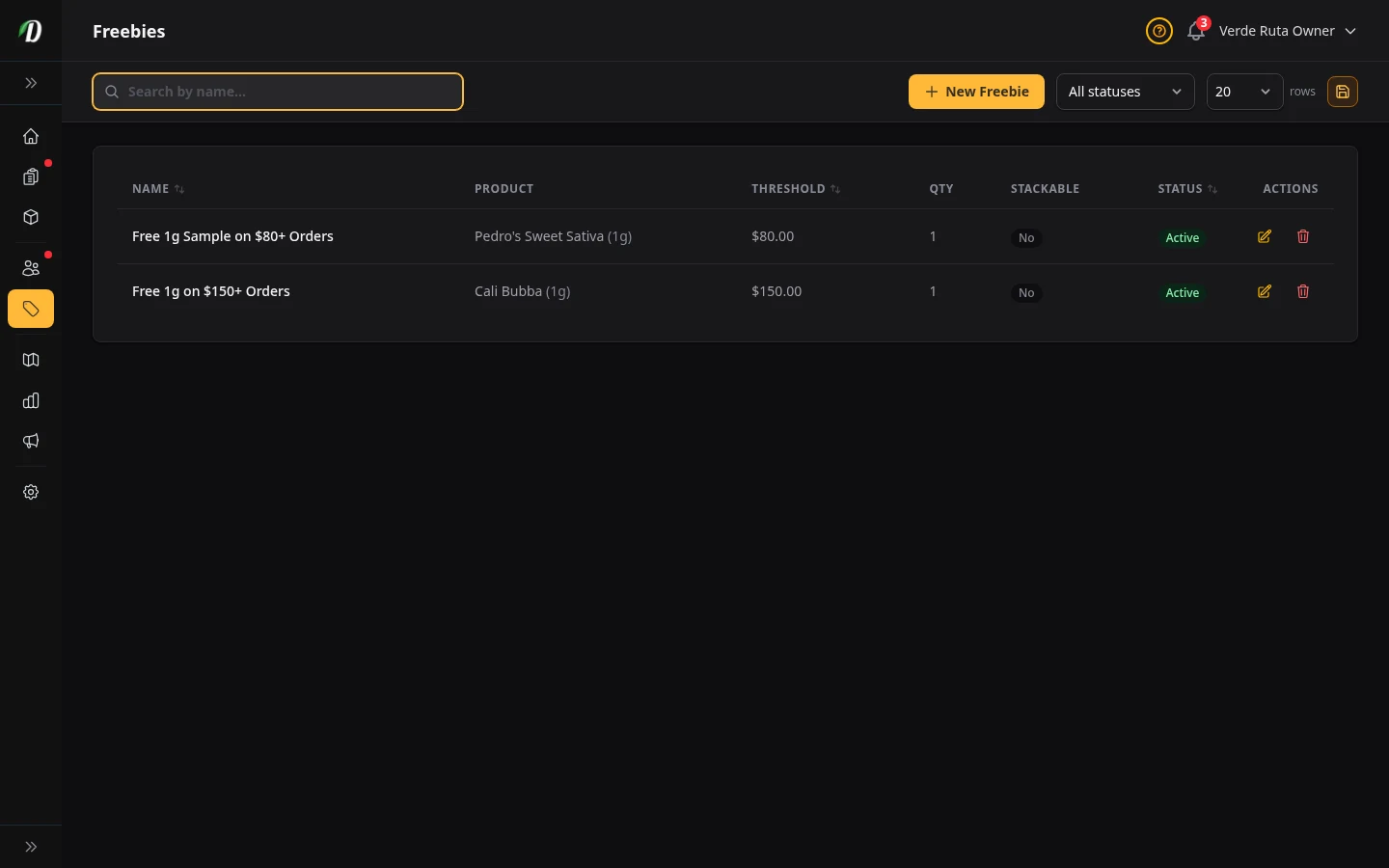
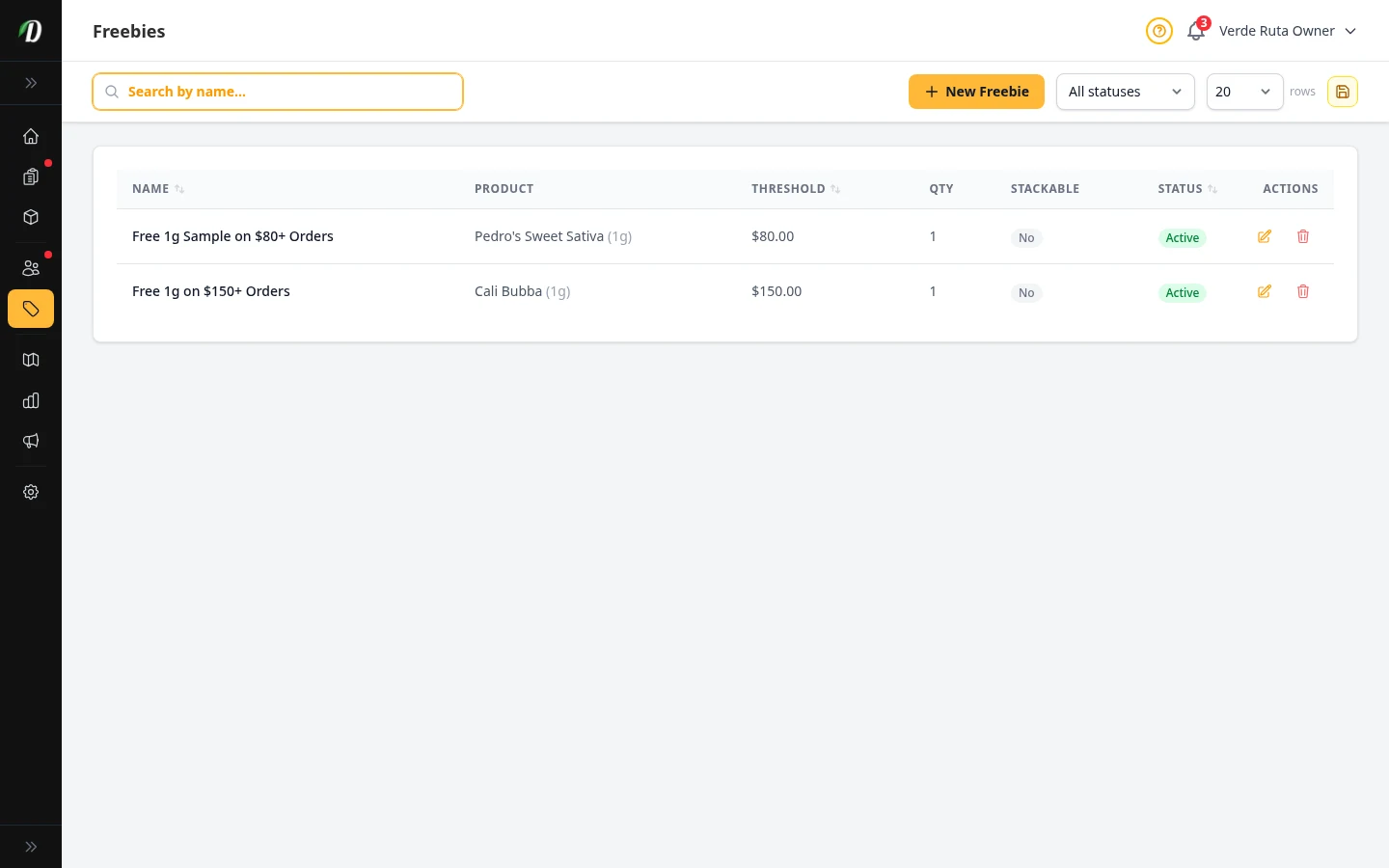
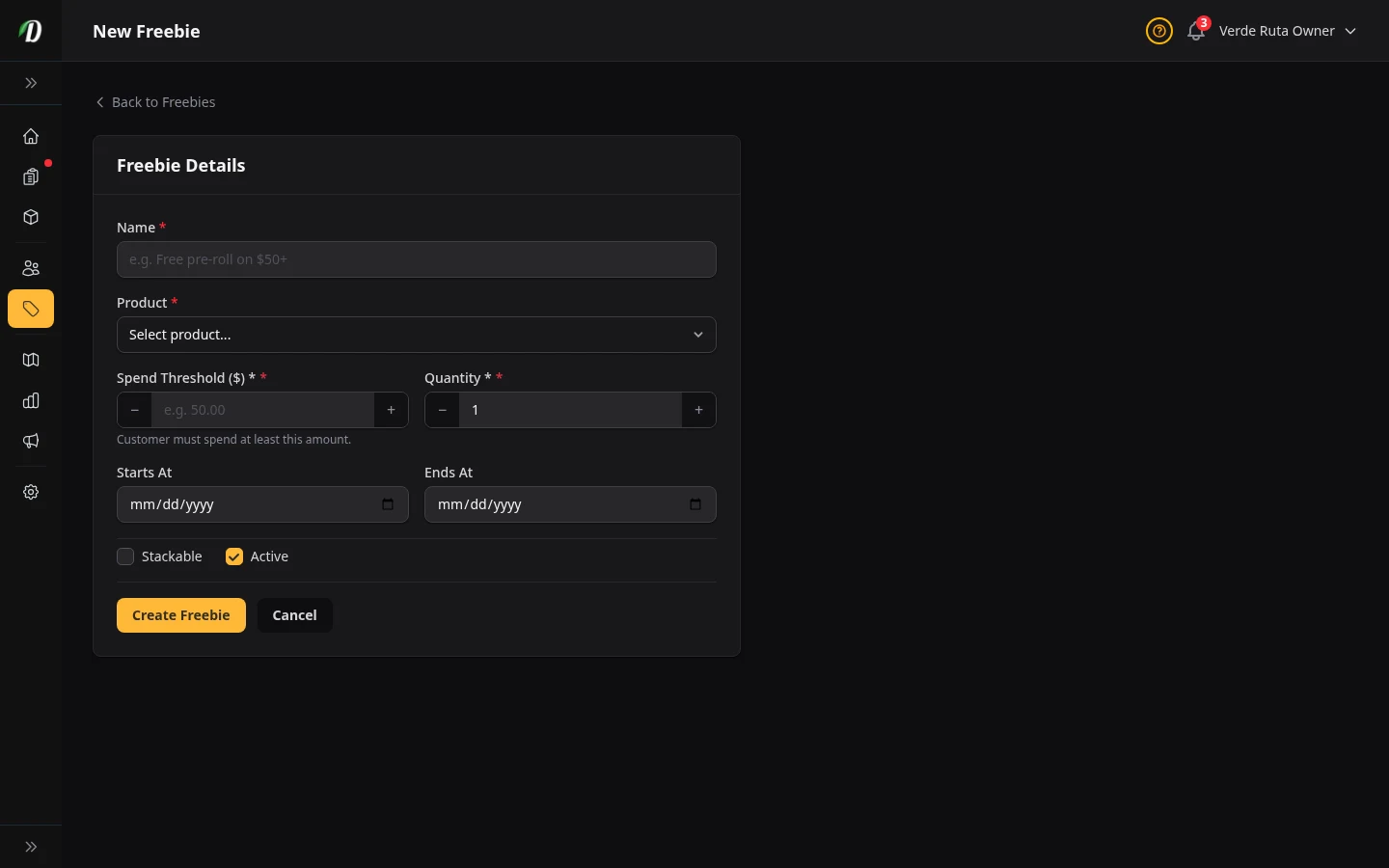
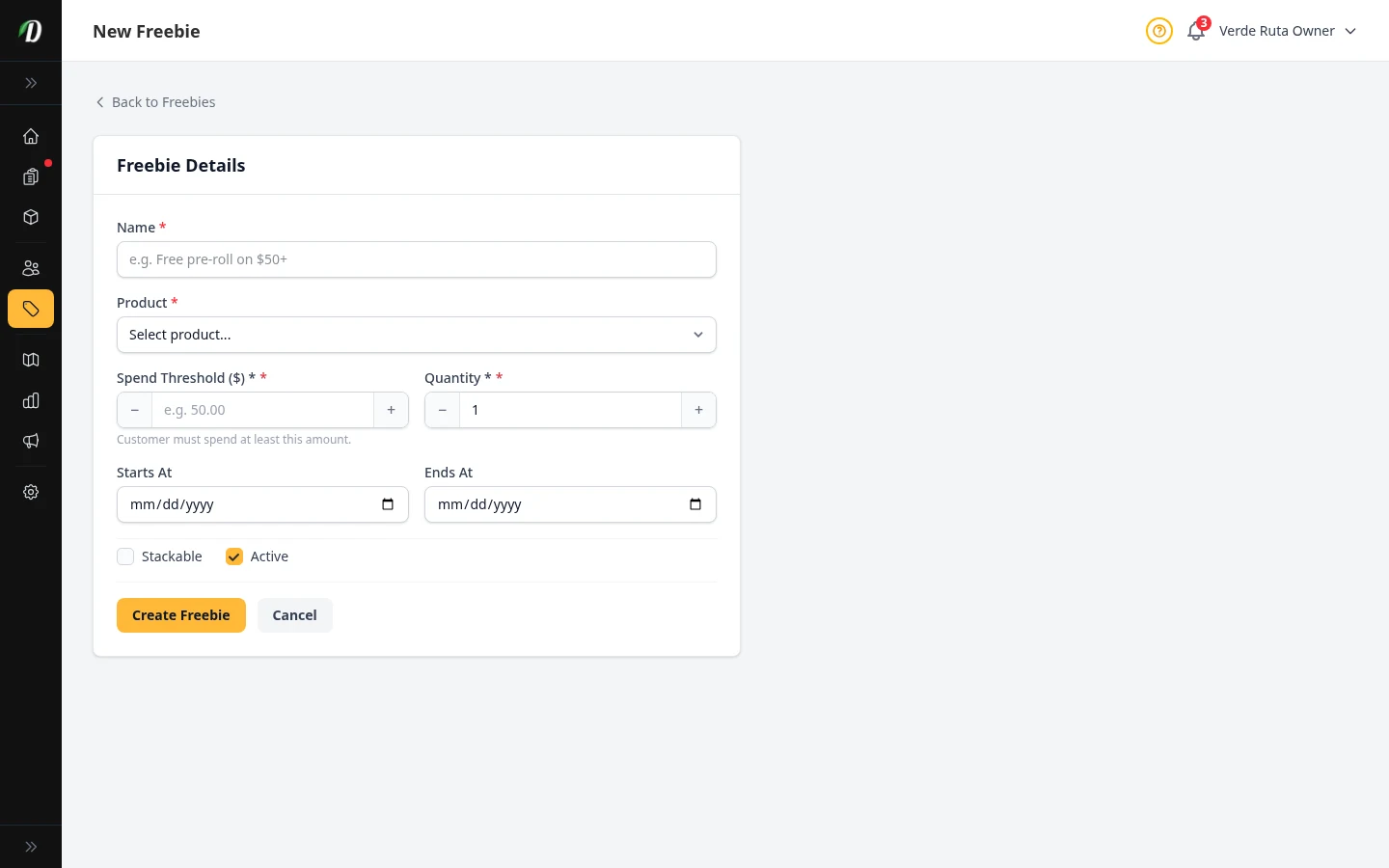
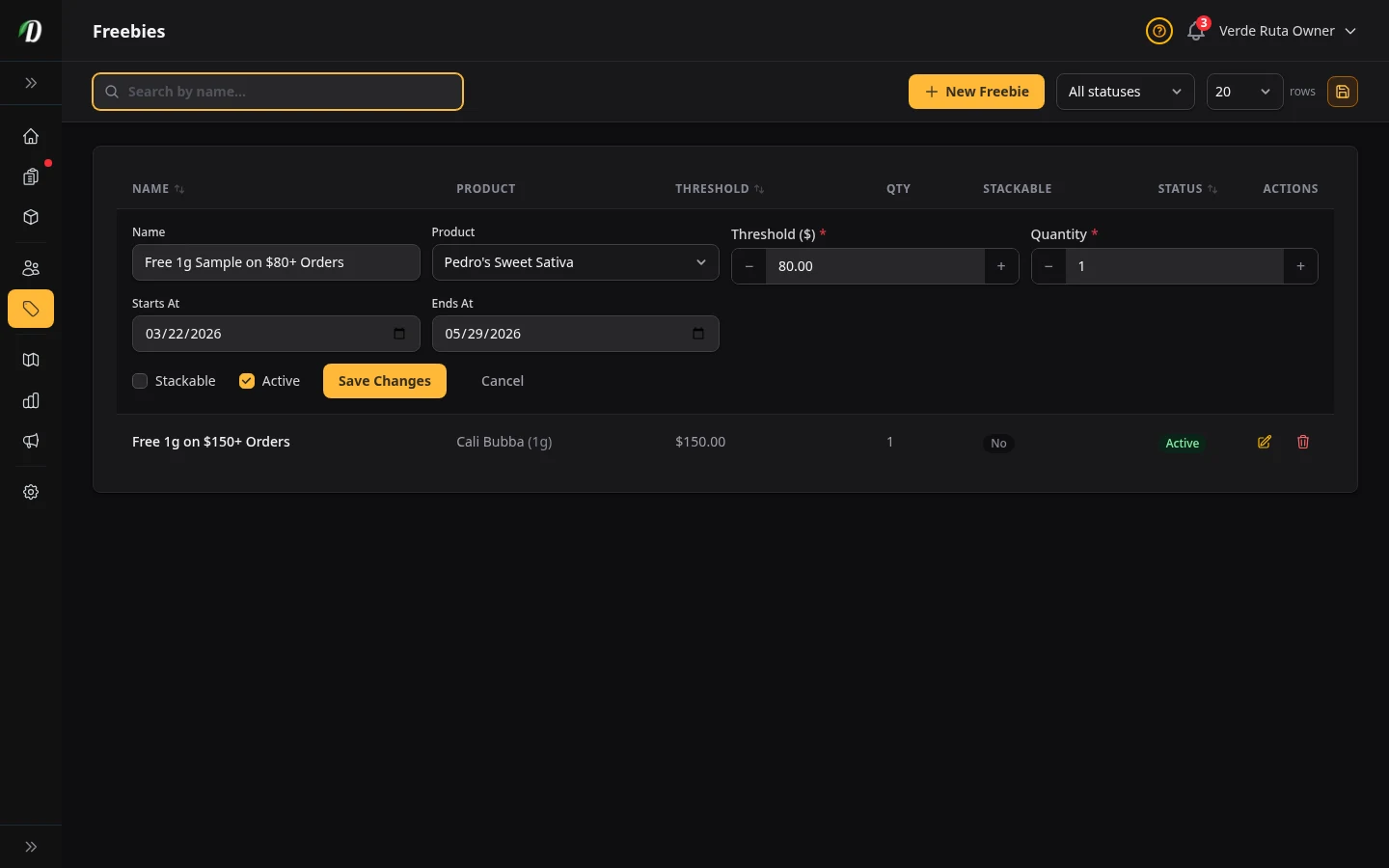
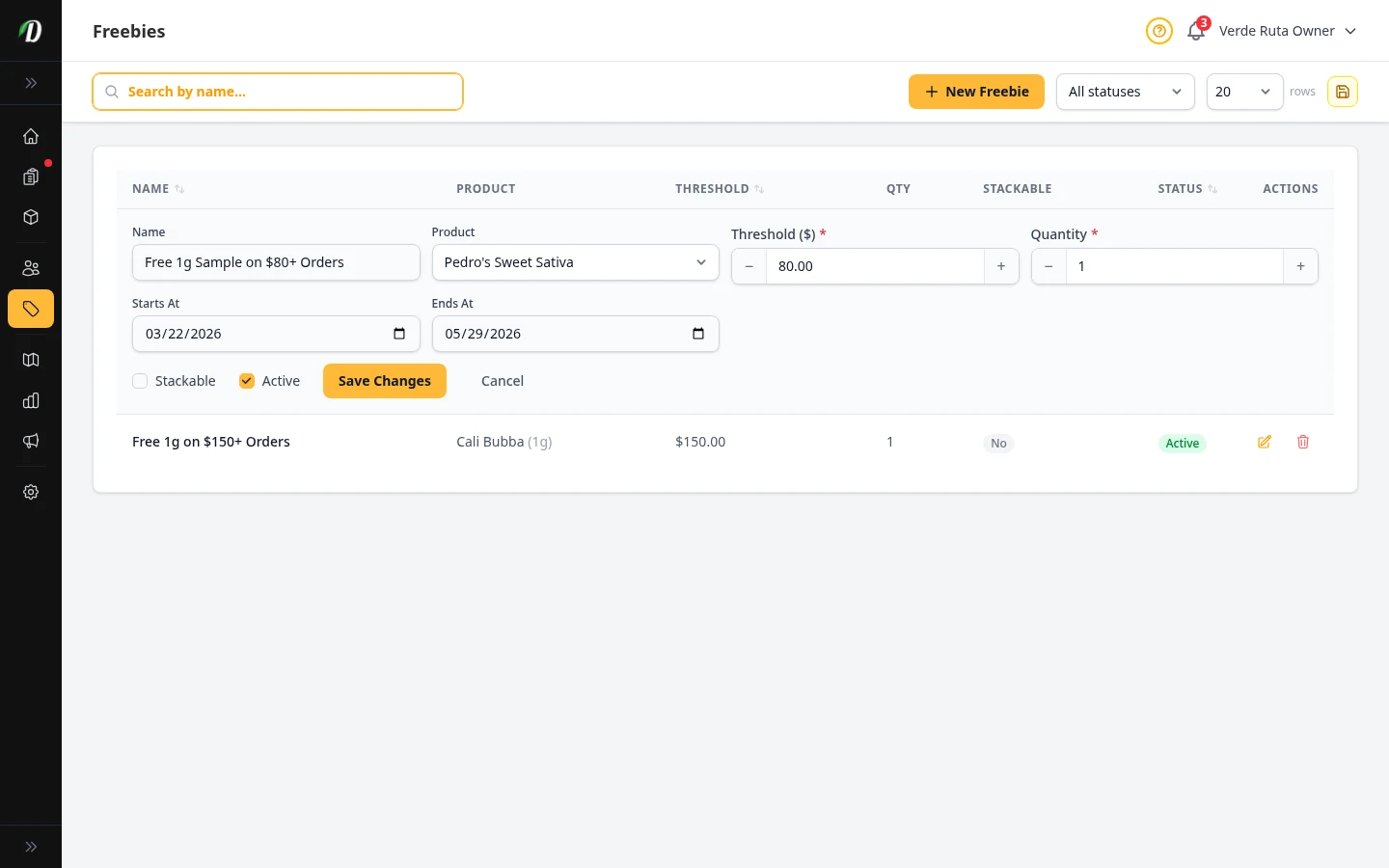
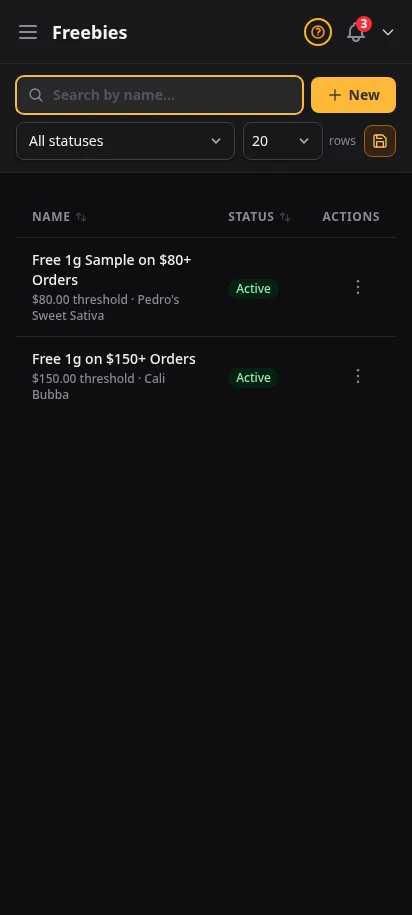
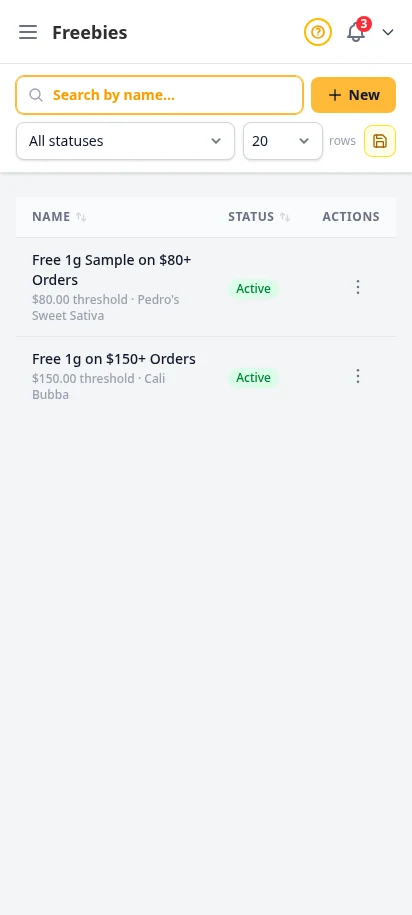
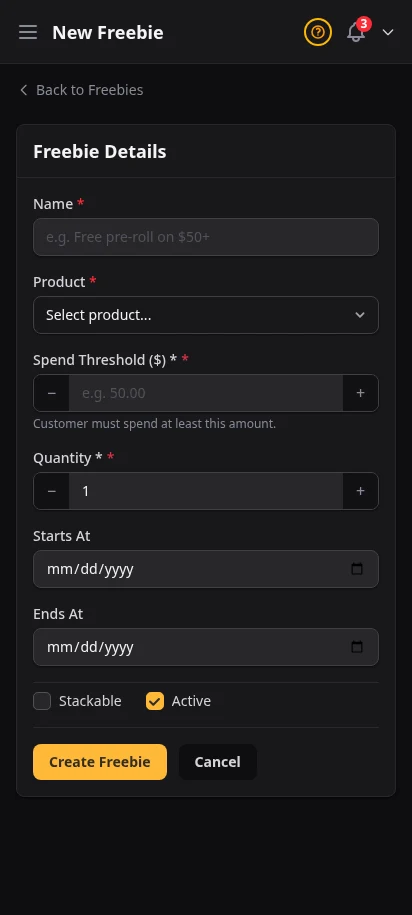
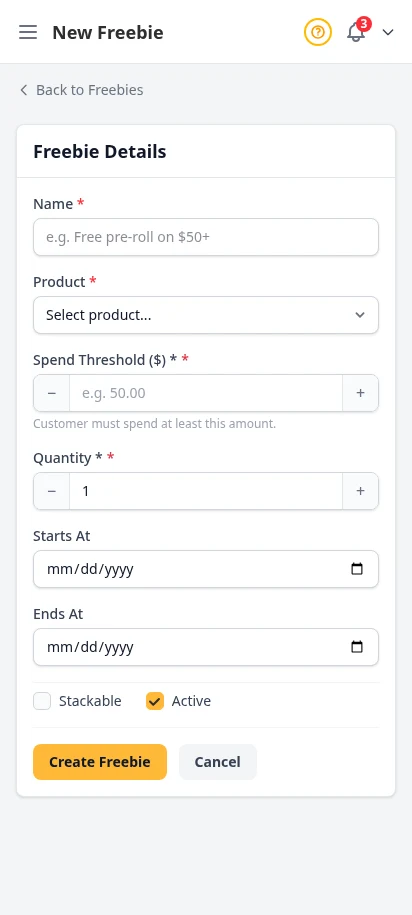
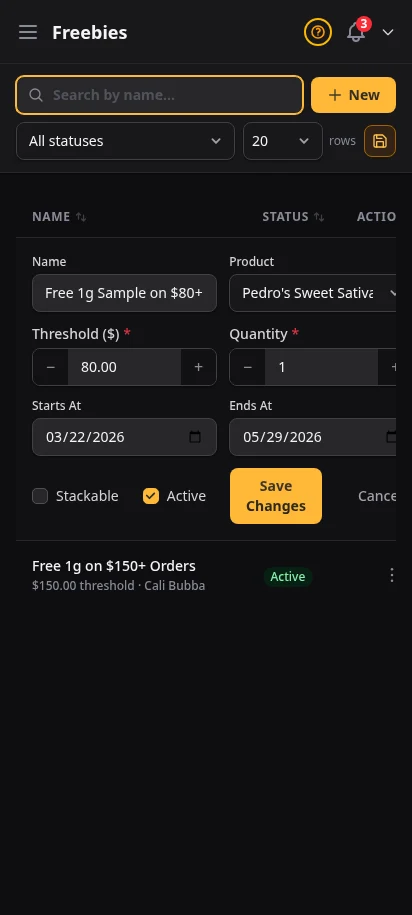
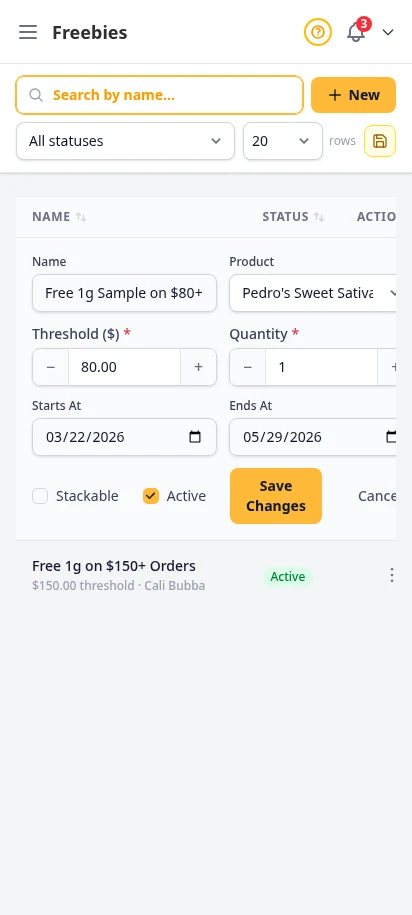
Set spend thresholds that automatically add free products to the customer's cart. Spend $100, get a free pre-roll. Spend $200, get a free edible. Customers see the freebie appear at checkout — it drives conversion and increases average order value.
- Spend-threshold based automatic freebies
- Choose which products are given free
- Multiple tiers for escalating rewards
- Visible to customers at checkout for conversion
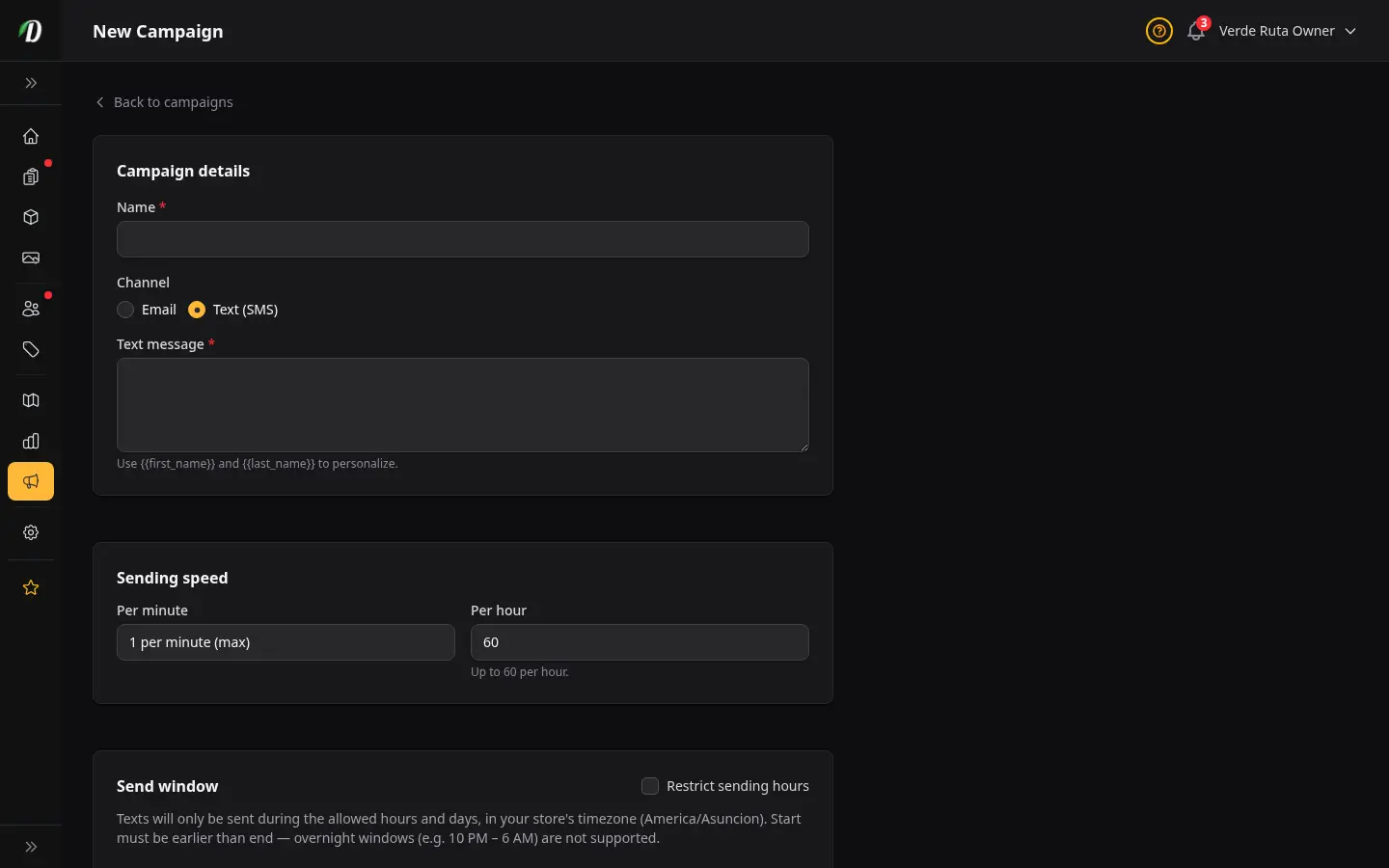
Send newsletters and promotions to your customer list
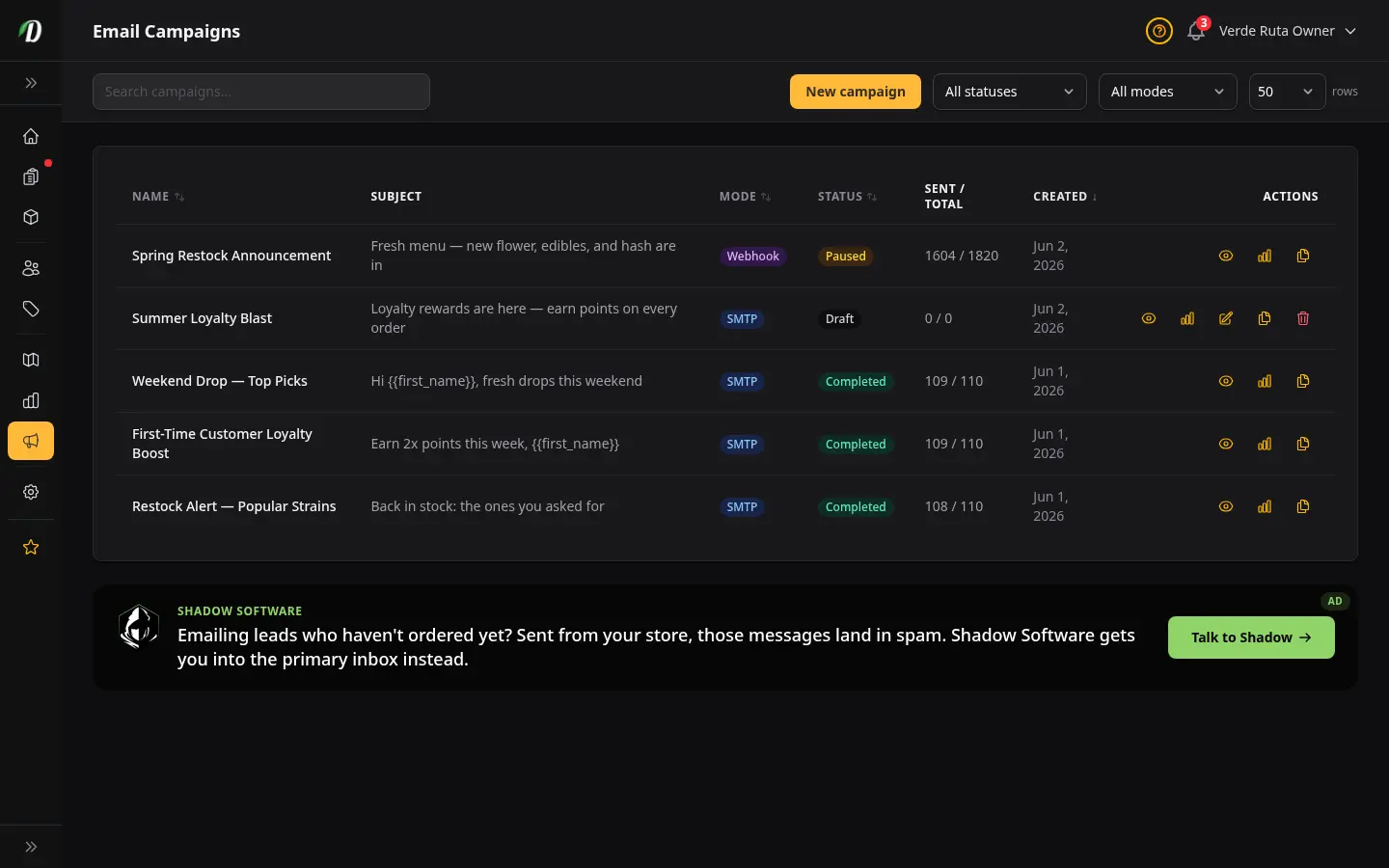
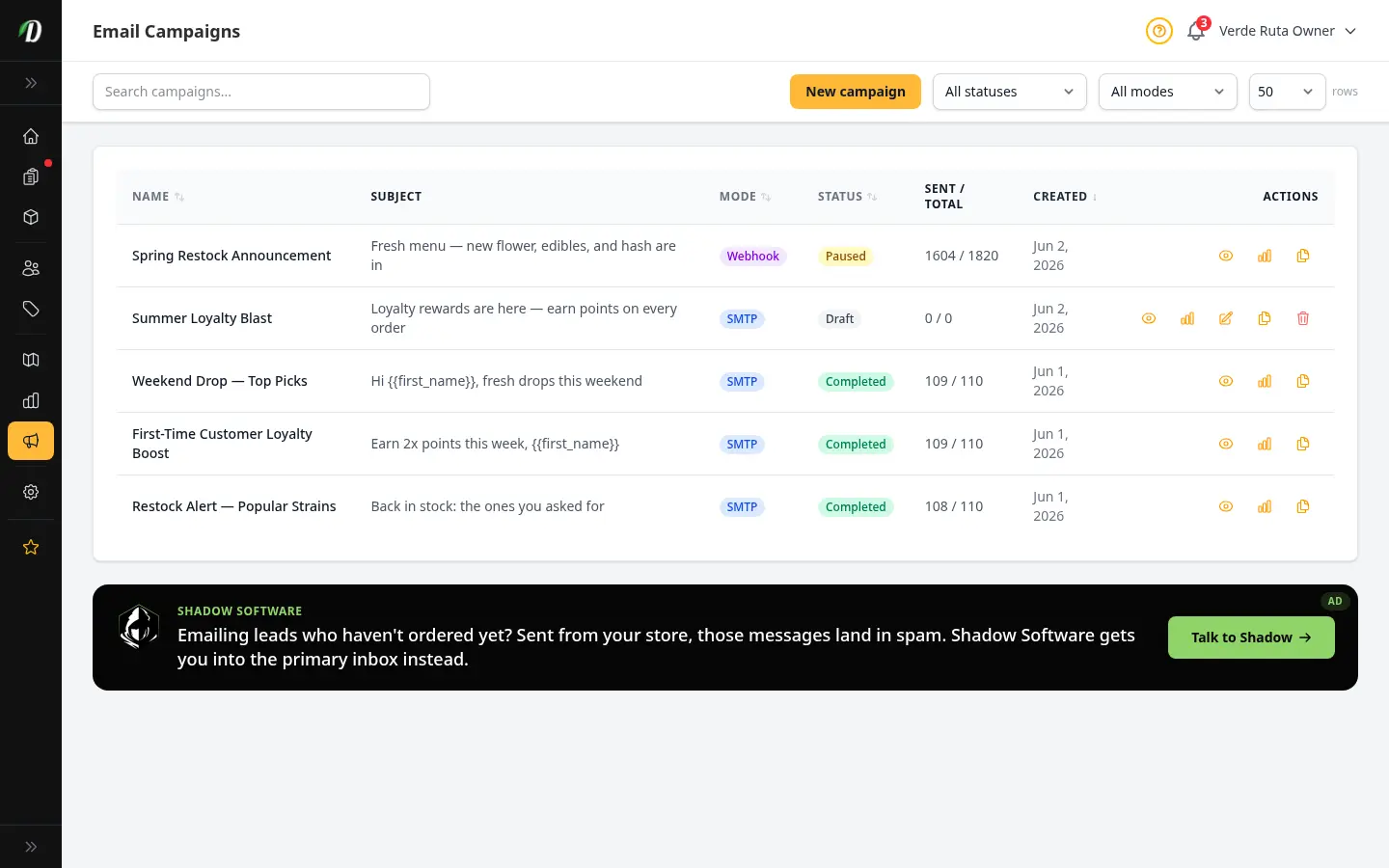
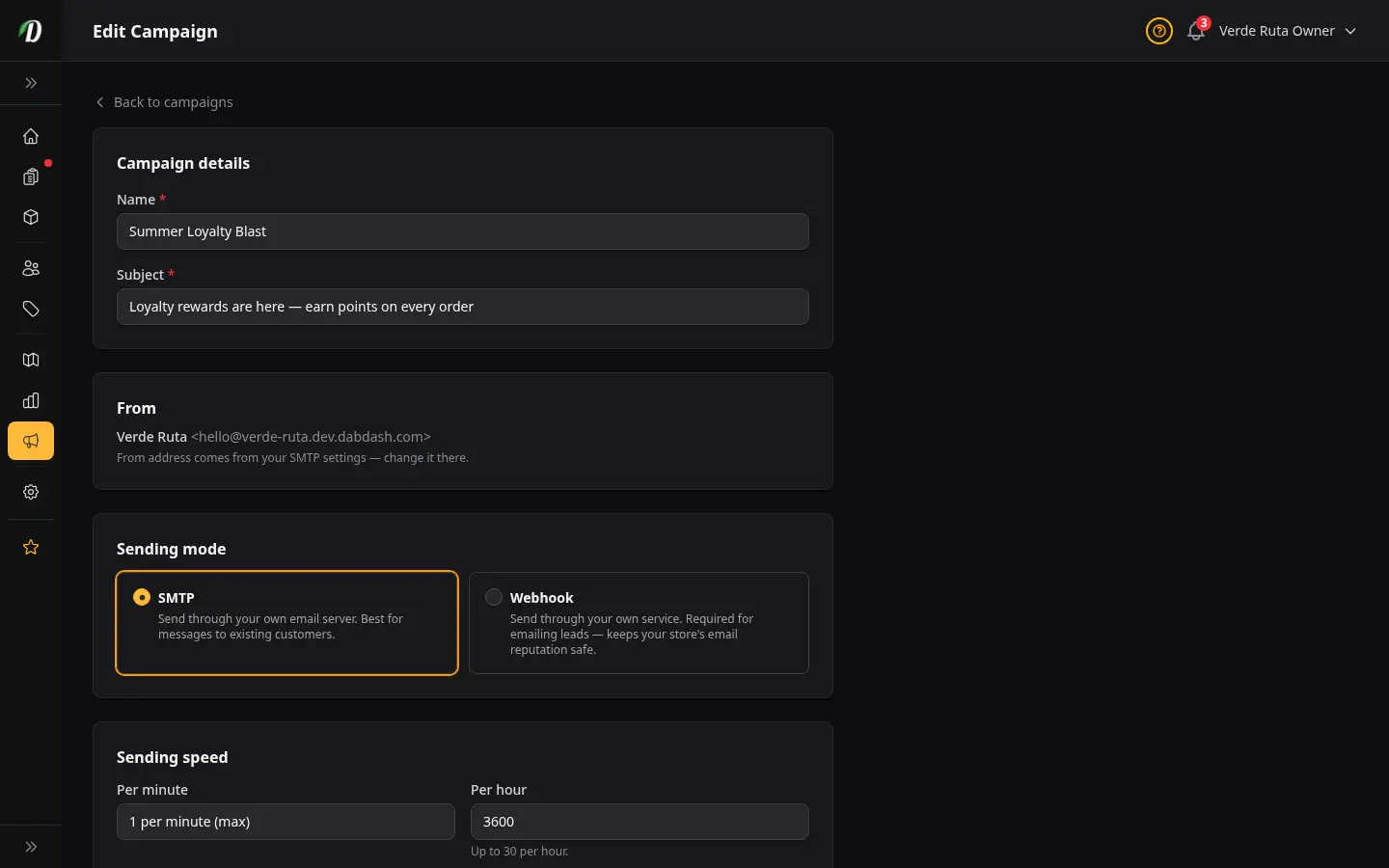
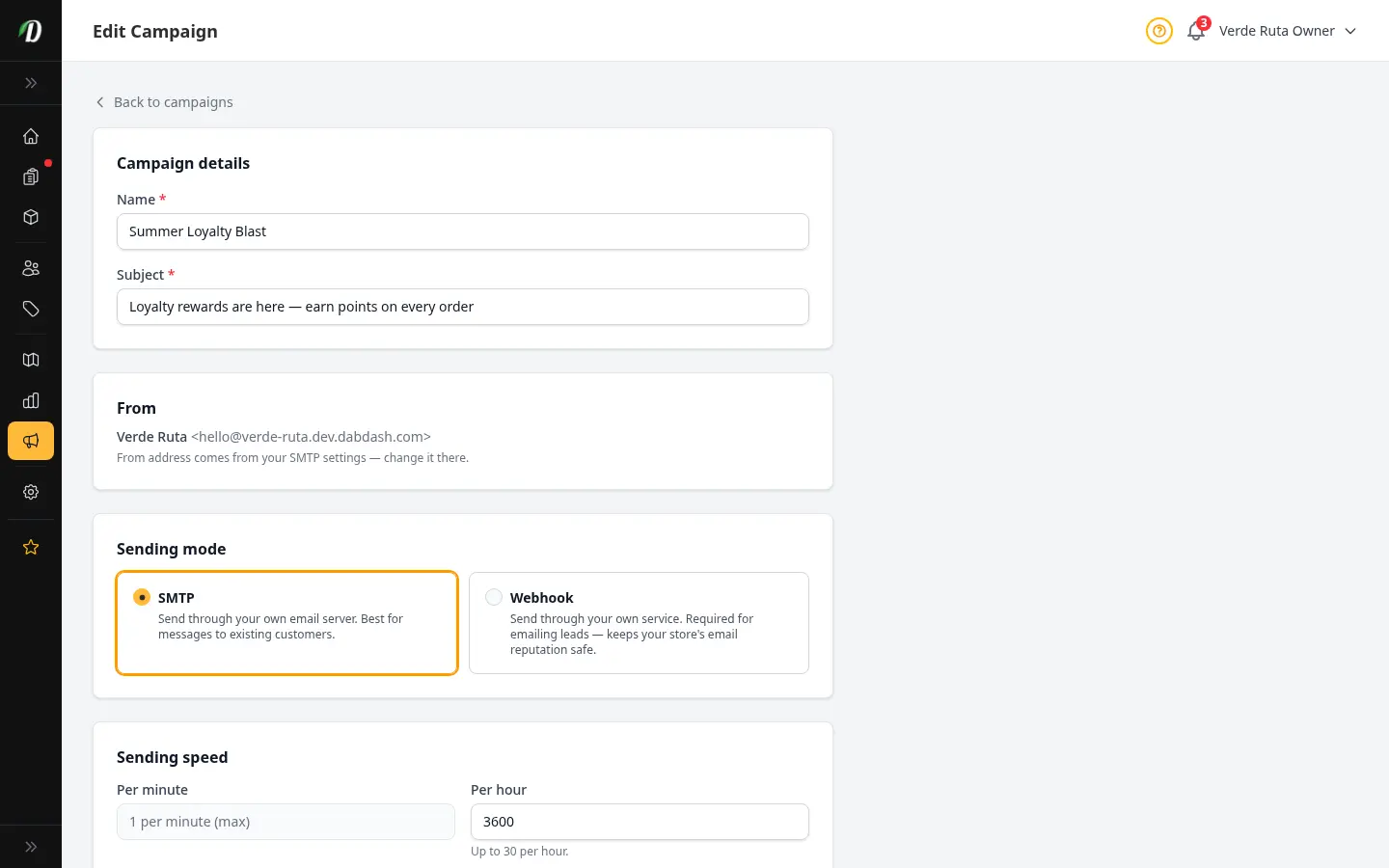
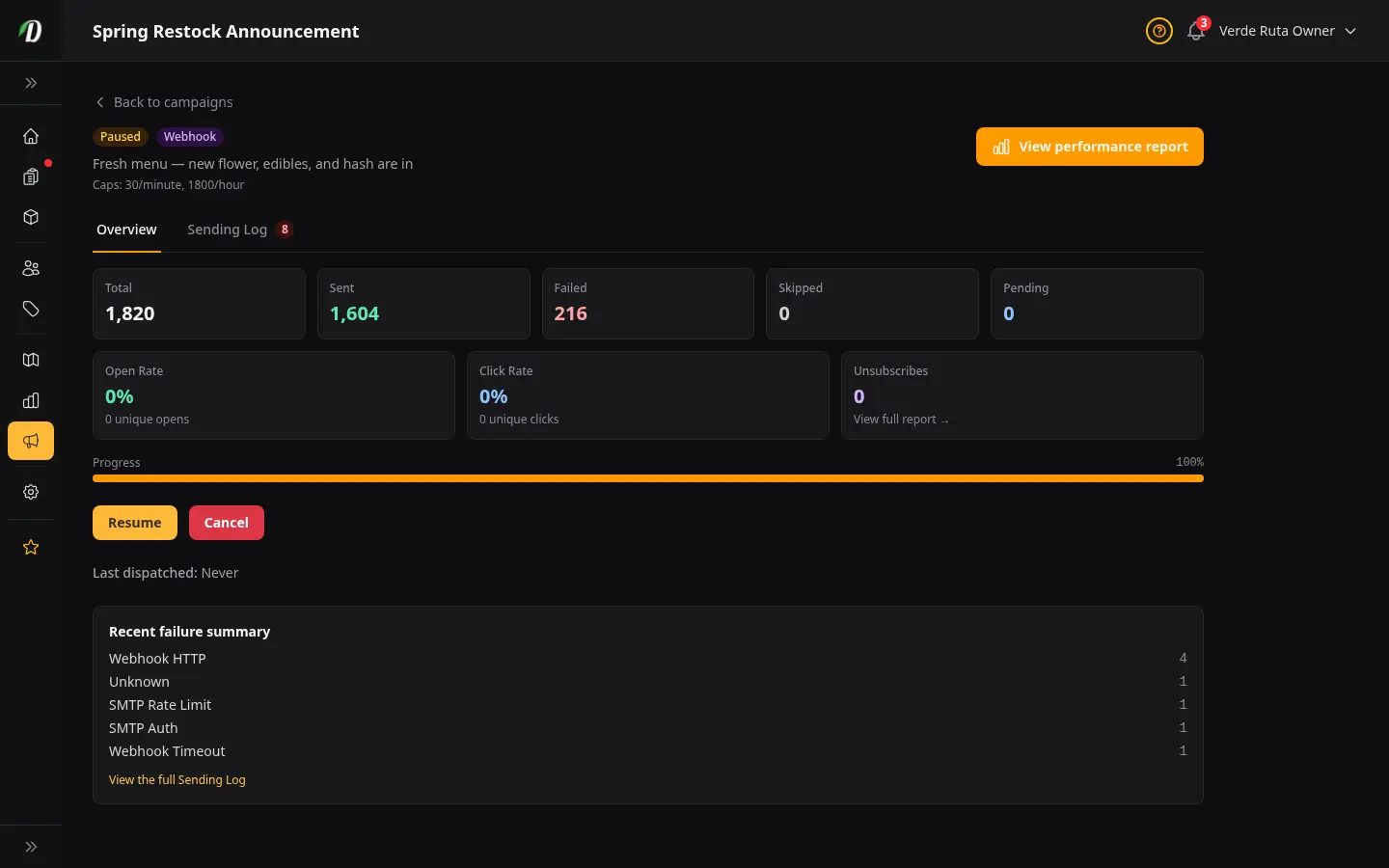
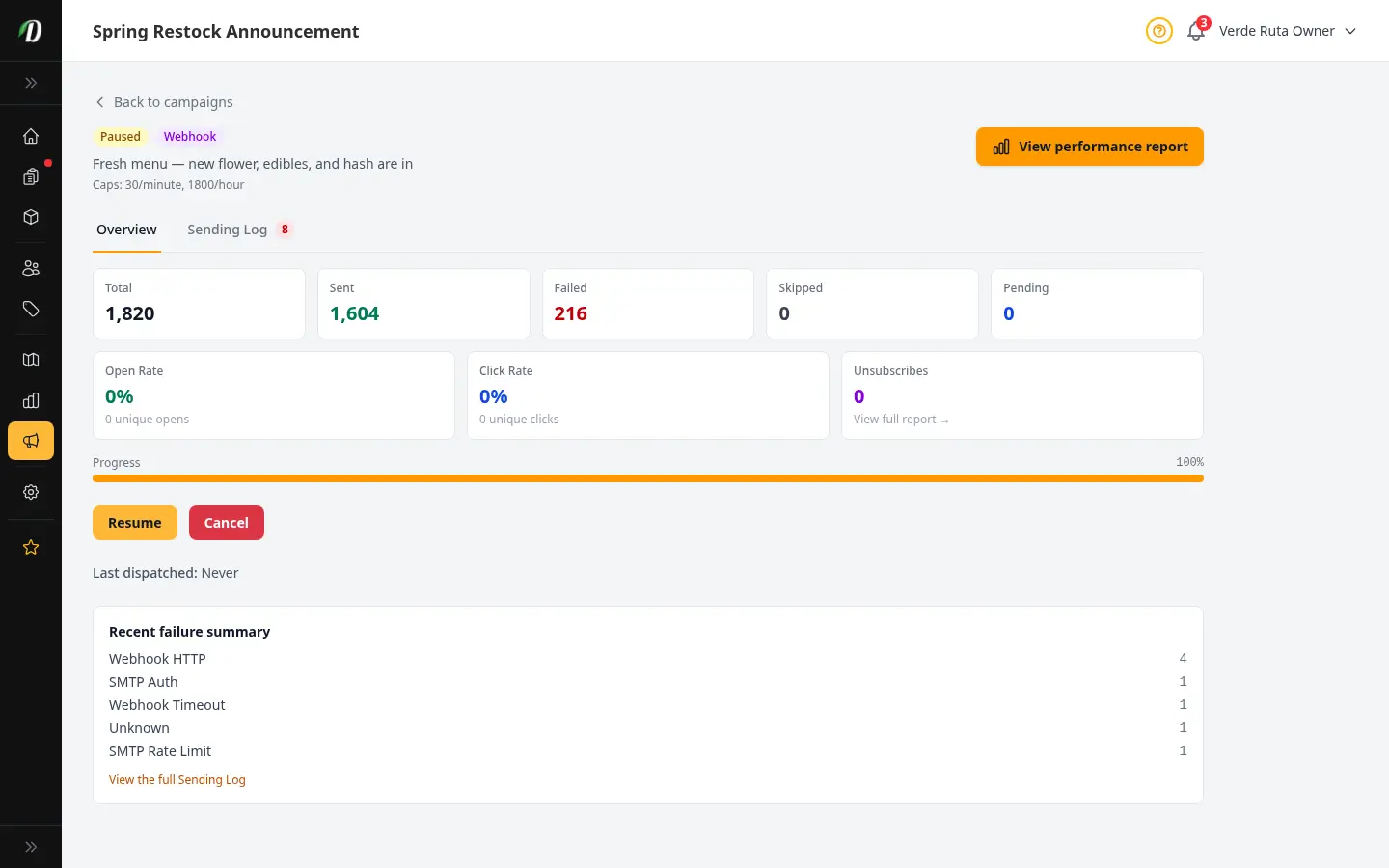
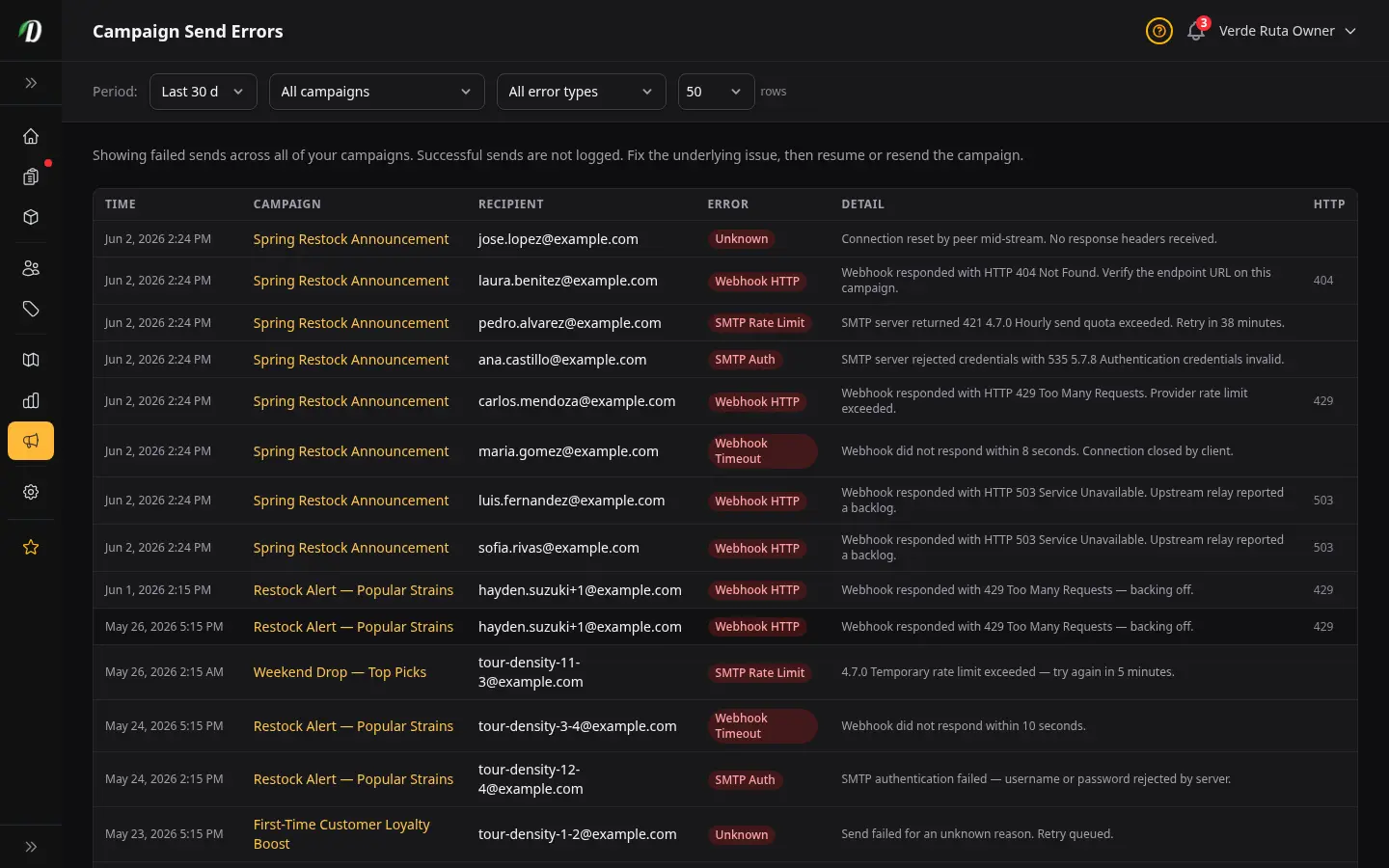
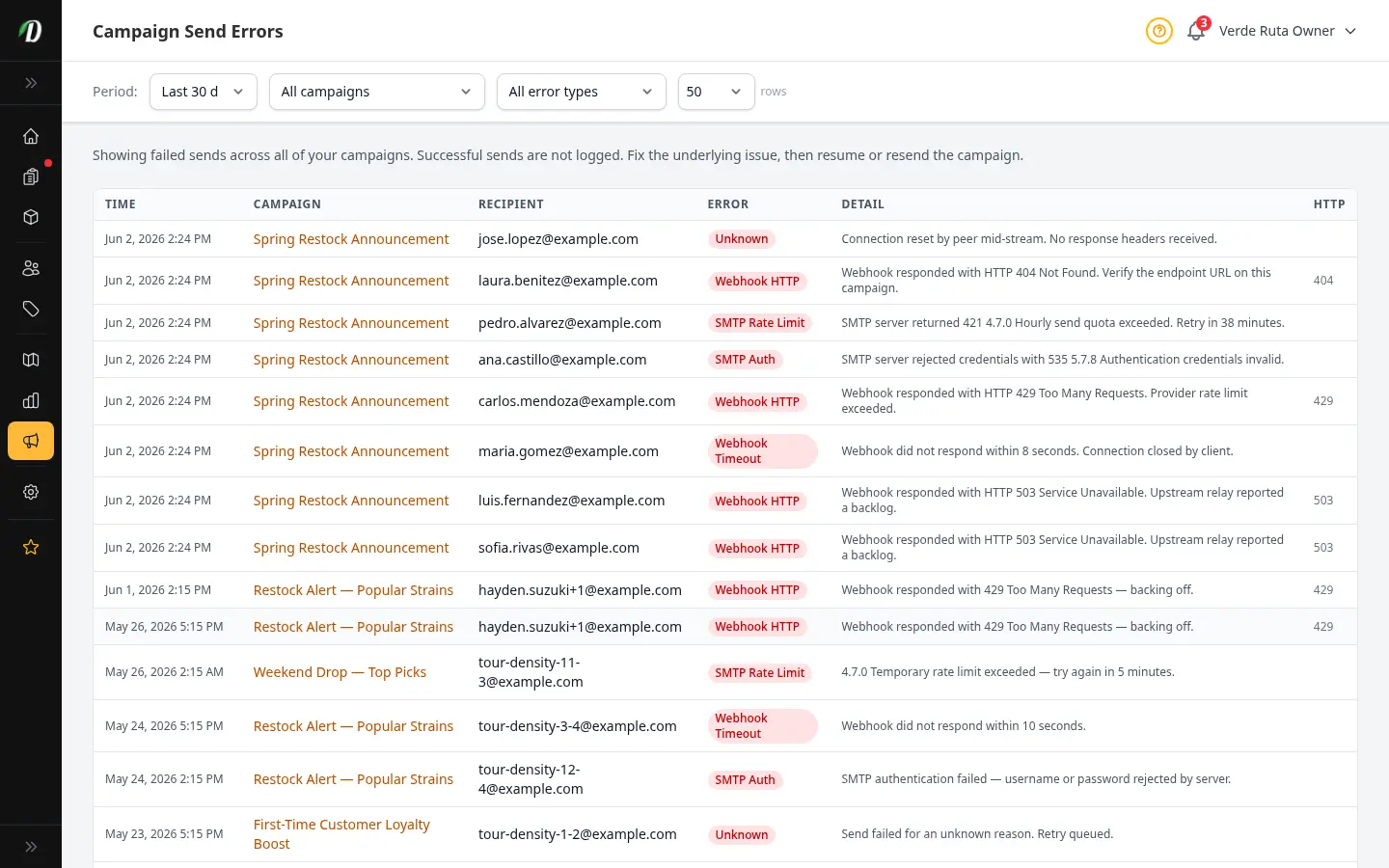
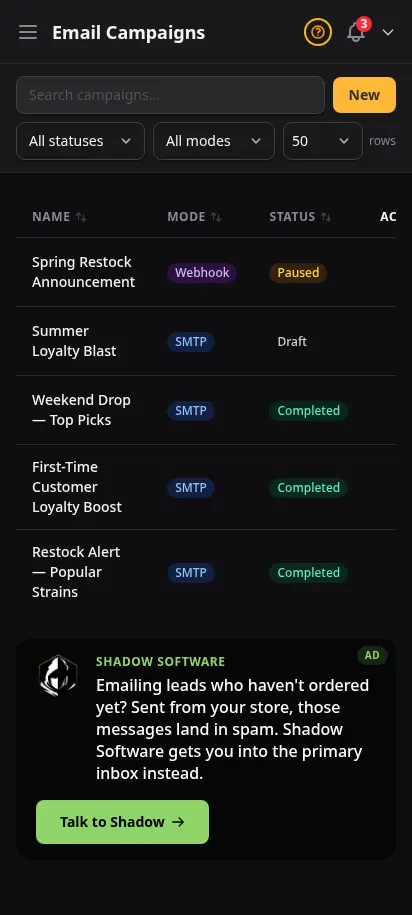
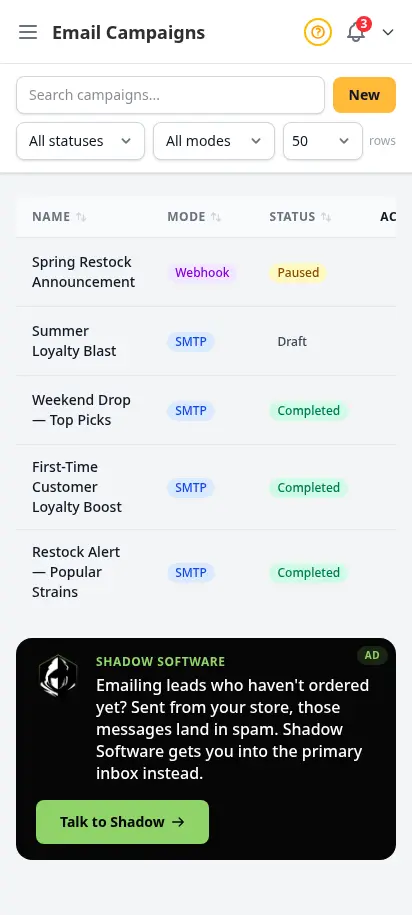
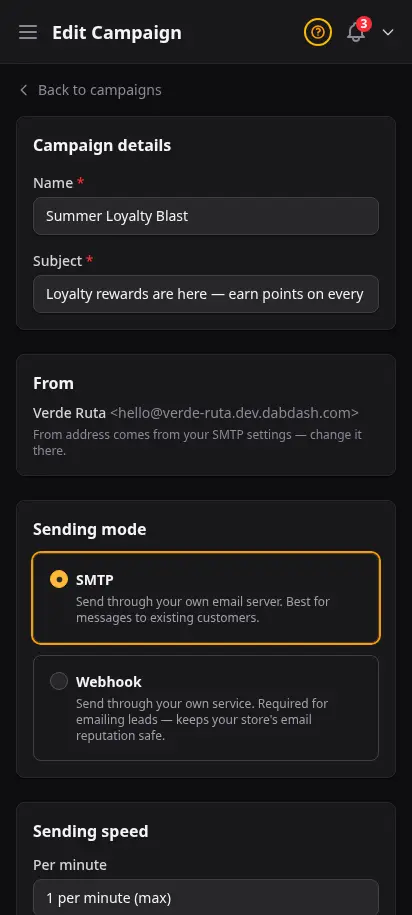
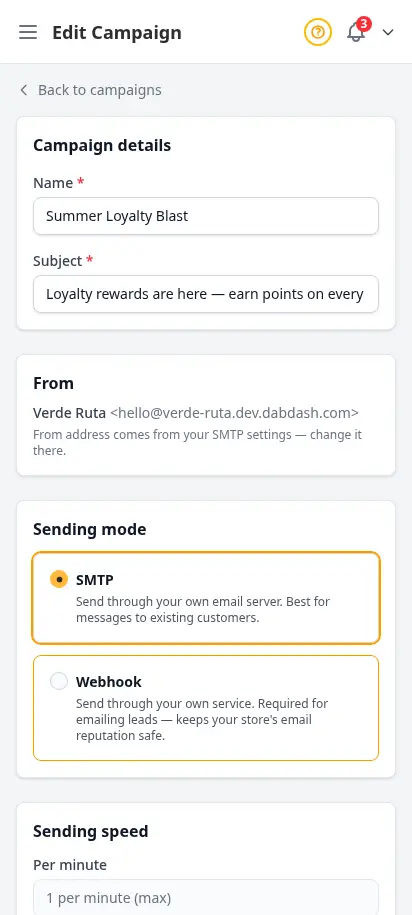
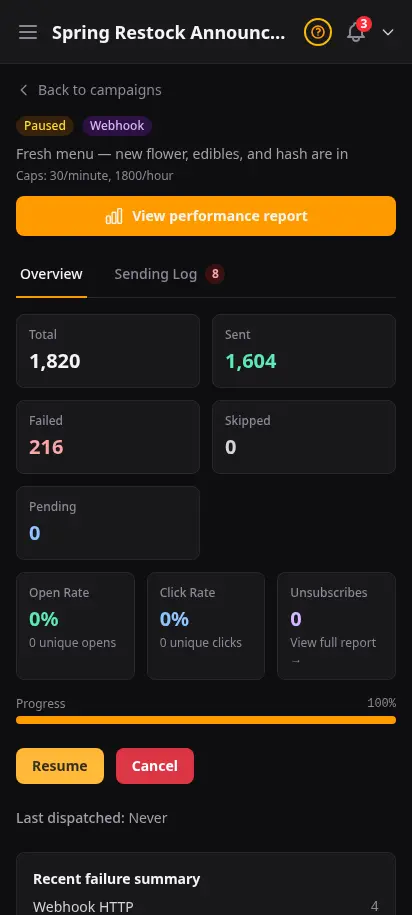
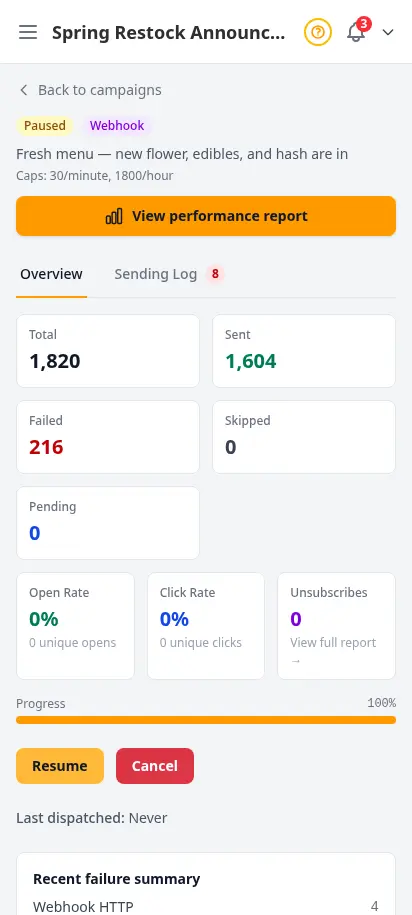
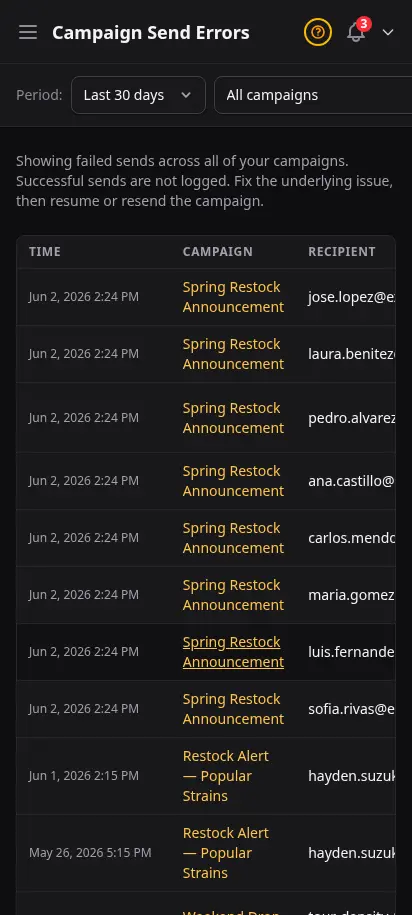
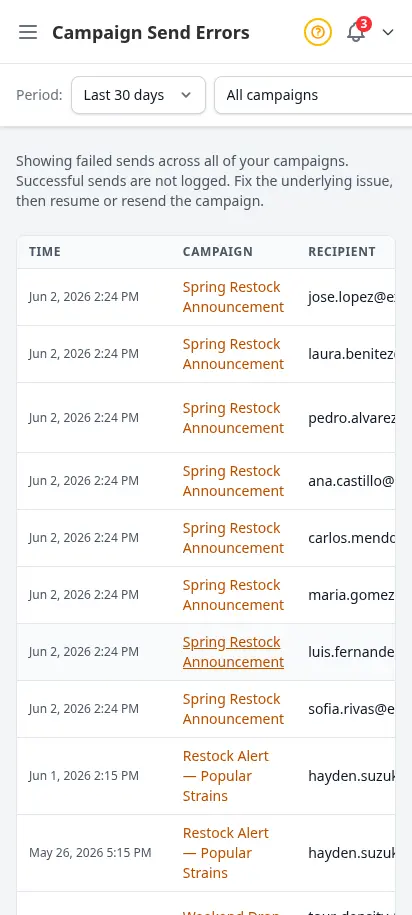
Build and send email campaigns to your customers directly from your dashboard. Import your list, write your email, and deliver it via SMTP or your own webhook relay. Track who received it, how many opened, and catch any delivery errors before they pile up.
- SMTP and webhook delivery — use your existing email provider
- Draft, schedule, and send campaigns at your own pace
- A/B testing for subject lines to improve open rates
- Per-recipient delivery tracking and error reporting
- Pause campaigns mid-send and resume when ready
Homepage promos you can swap in minutes
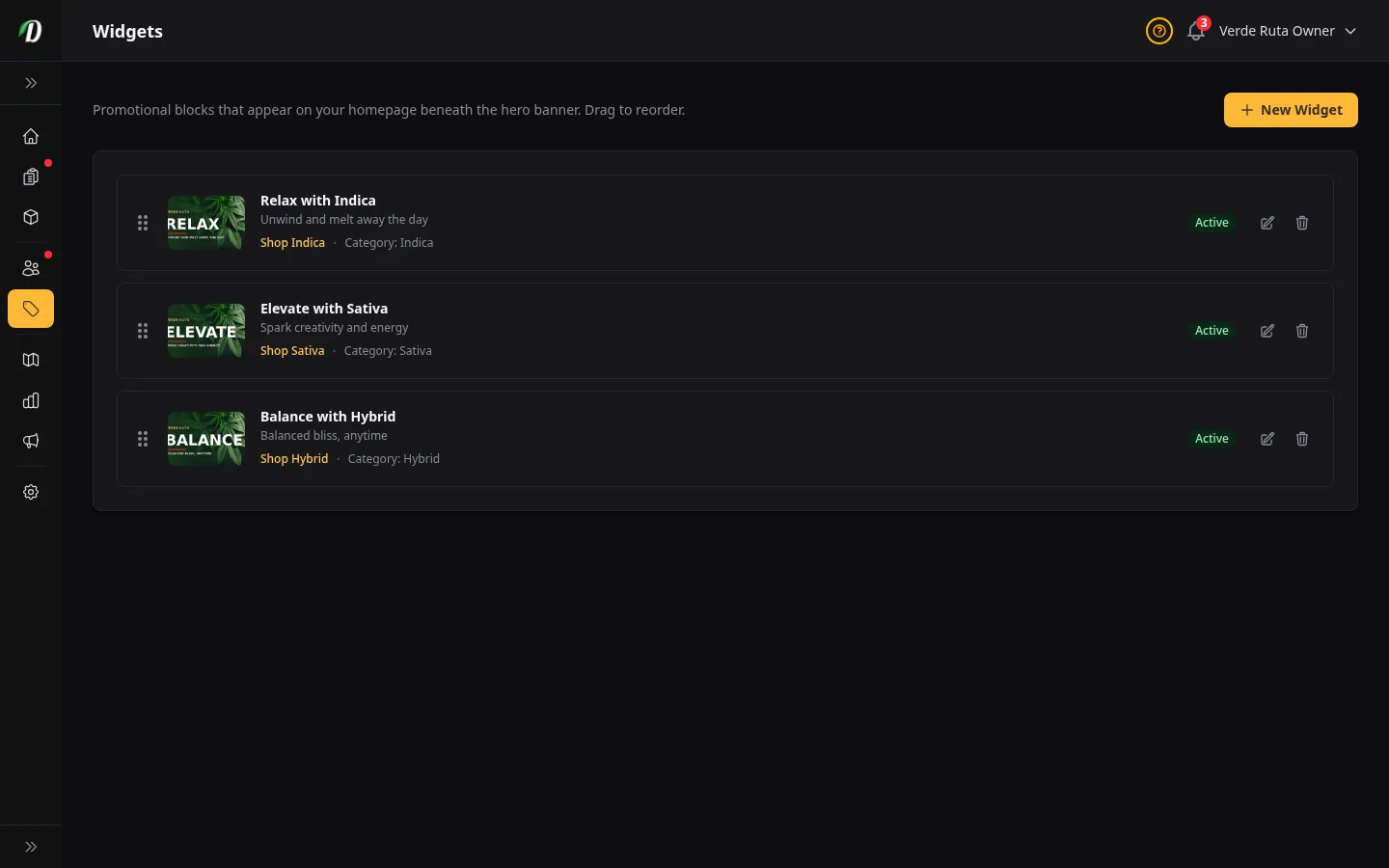
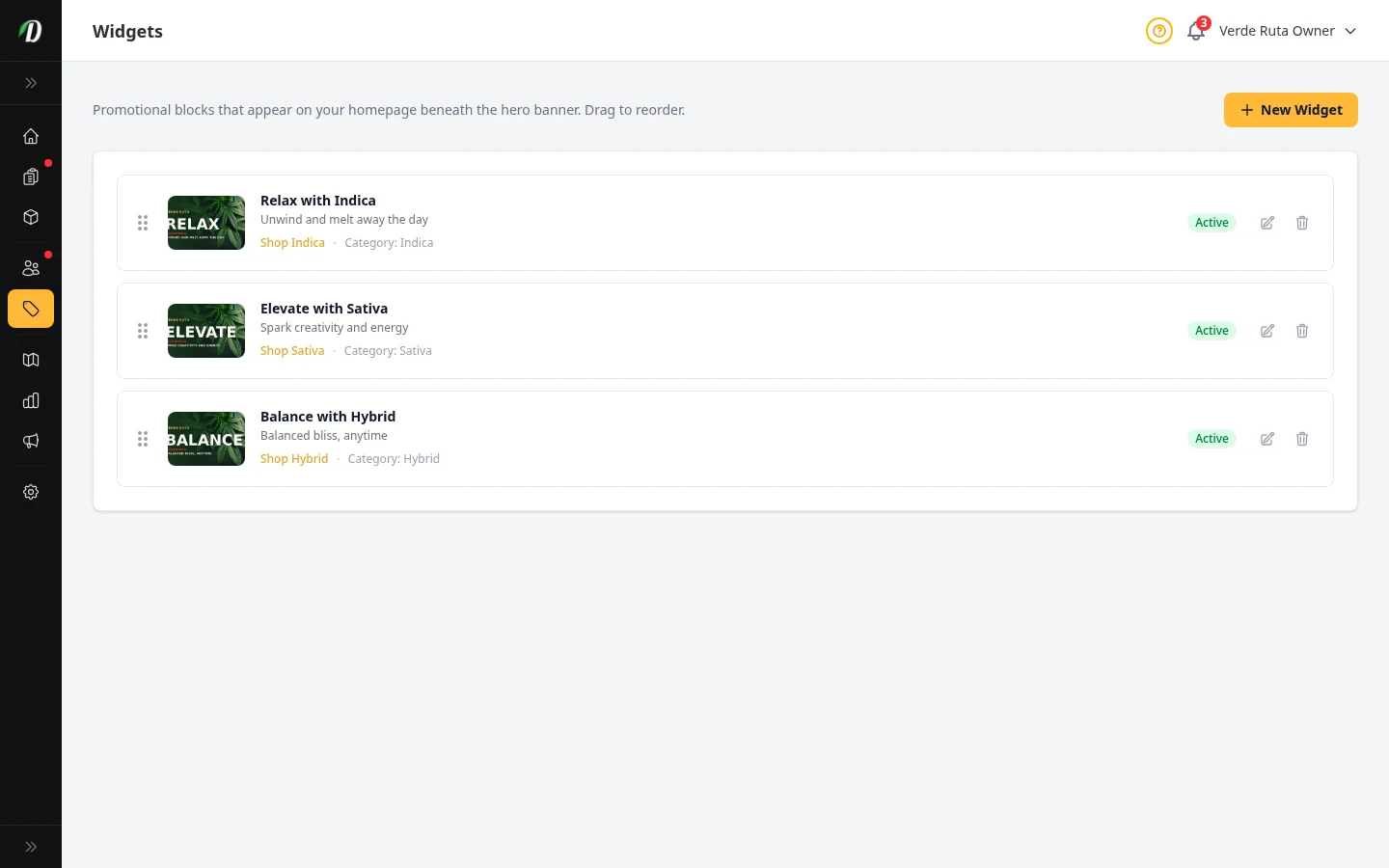
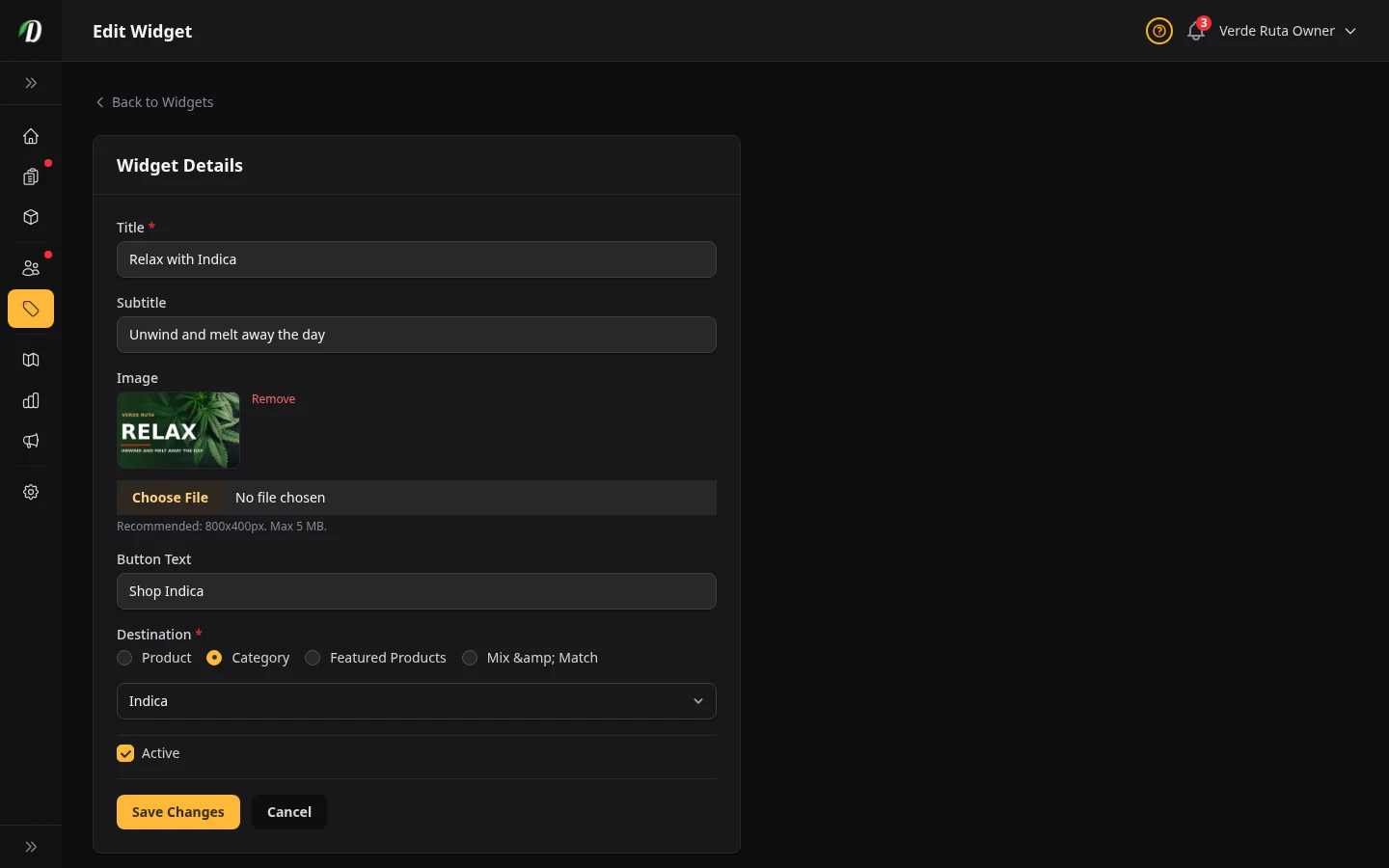
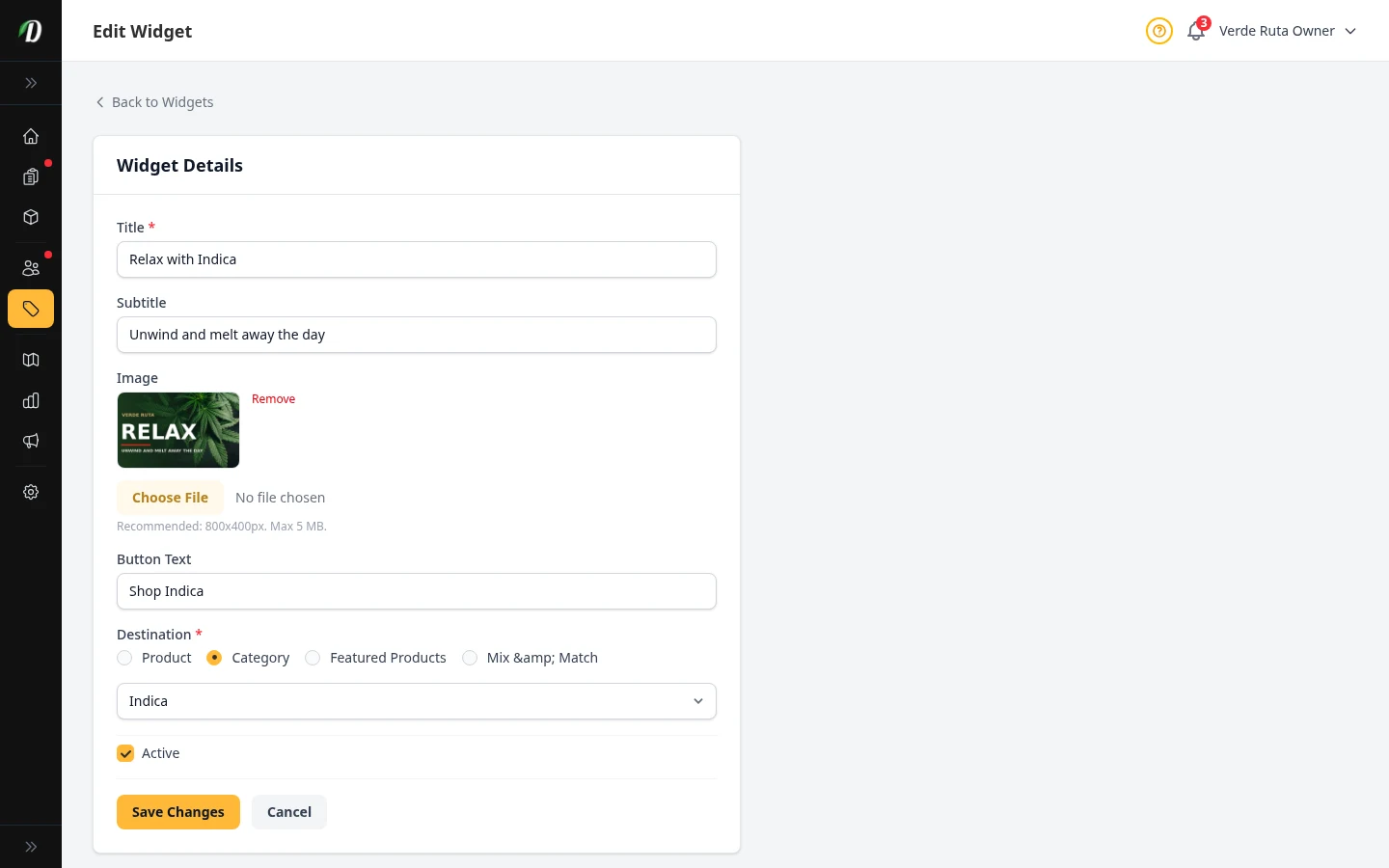
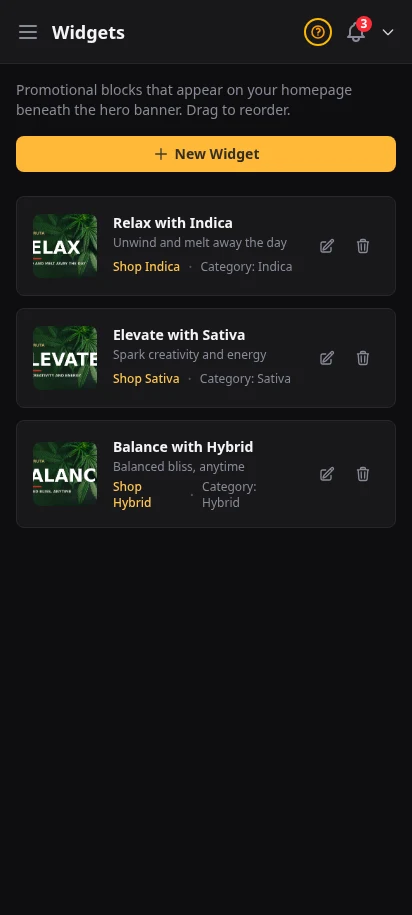
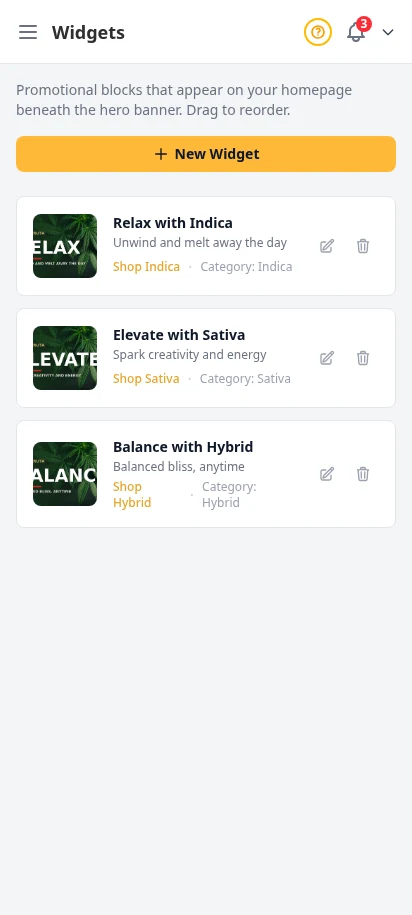
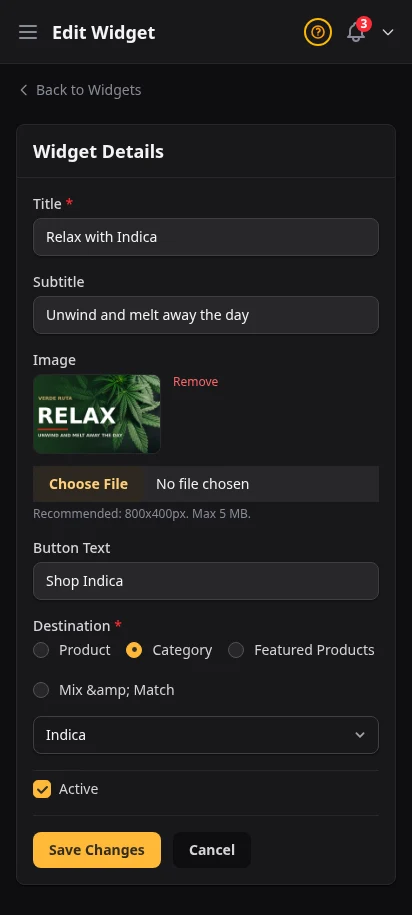
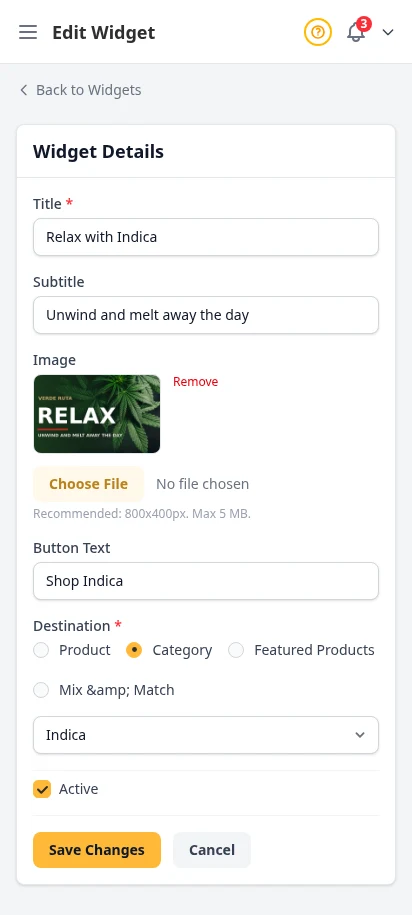
Build homepage promo cards for featured products, categories, or featured collections. Reorder them, swap the image, change the button text, and turn them on or off without touching code.
- Homepage promo cards with image, headline, and CTA
- Link each widget to a product, category, or featured products
- Drag to reorder your homepage story
- Active toggle for quick seasonal changes
Own your audience — not just your inbox
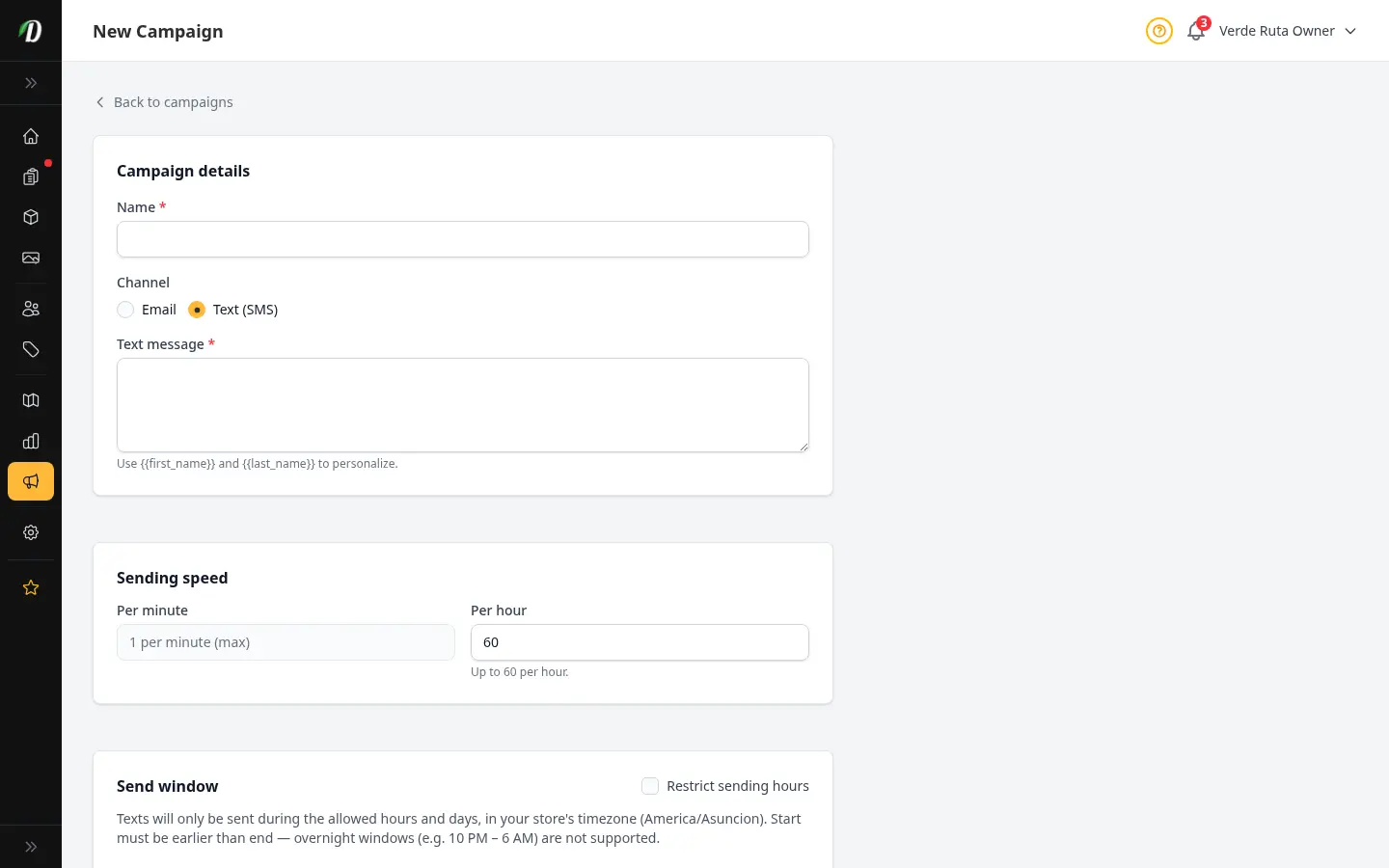
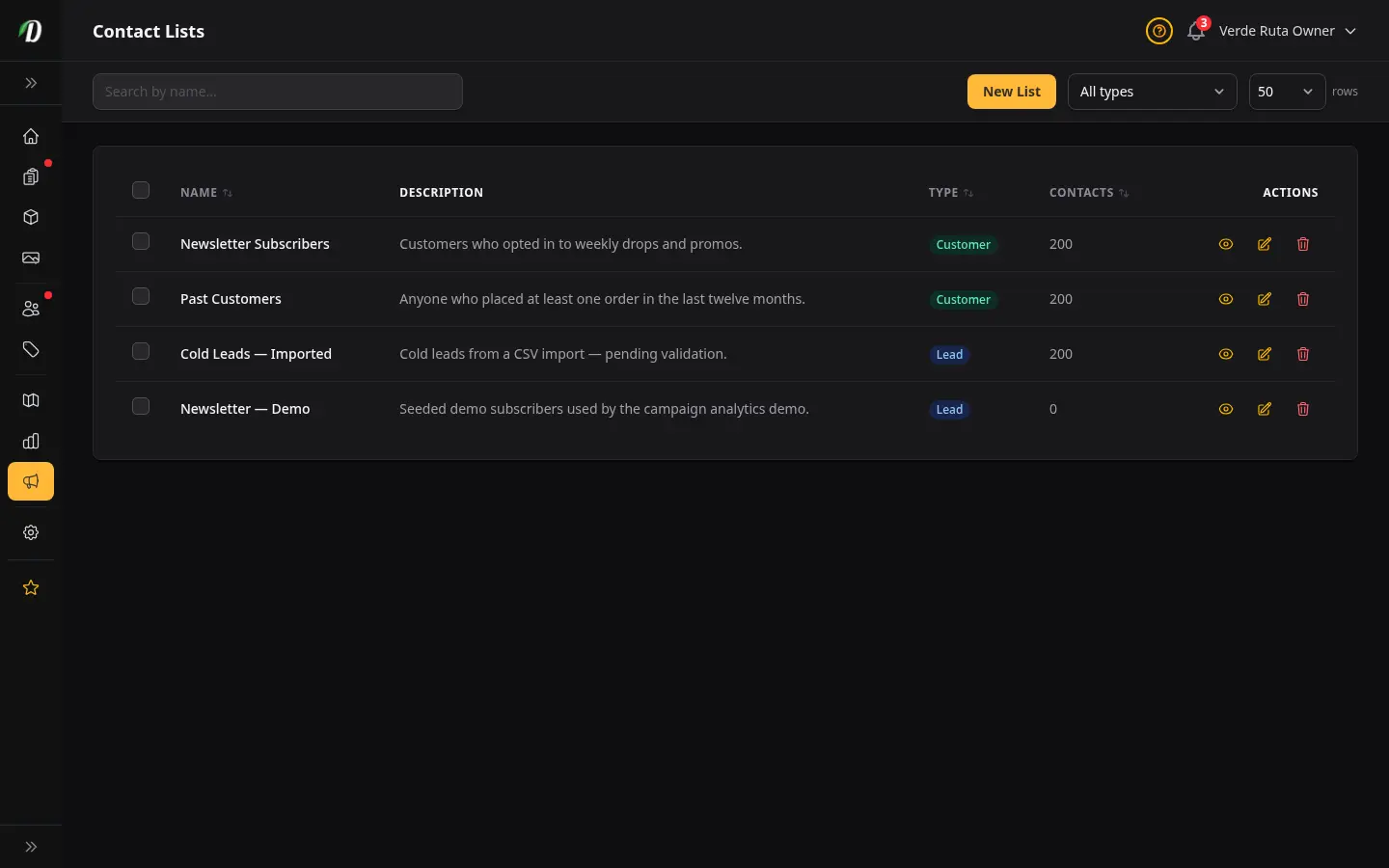
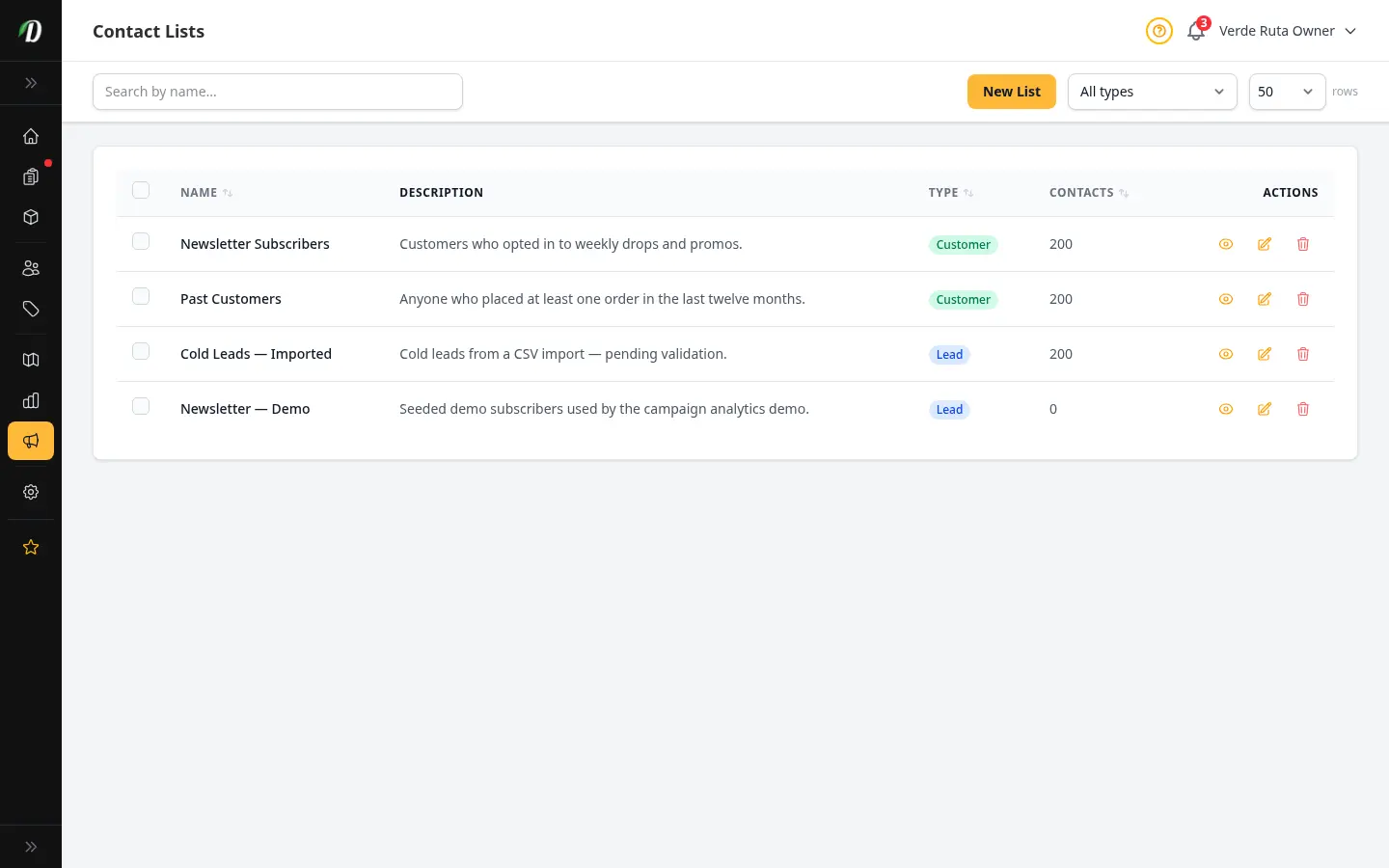
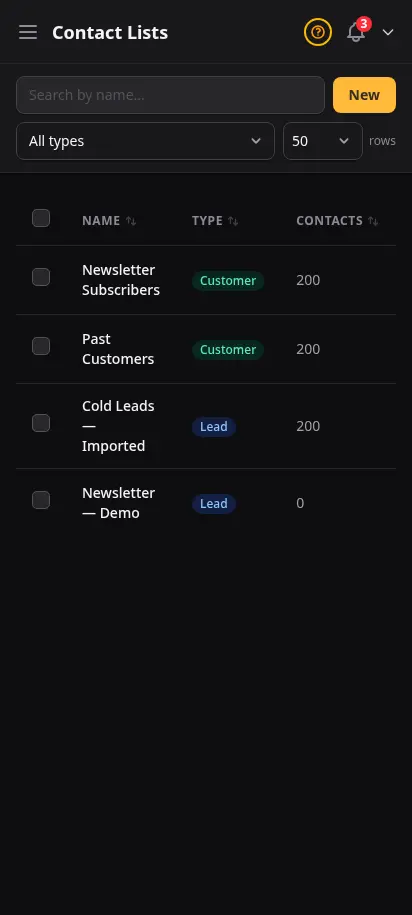
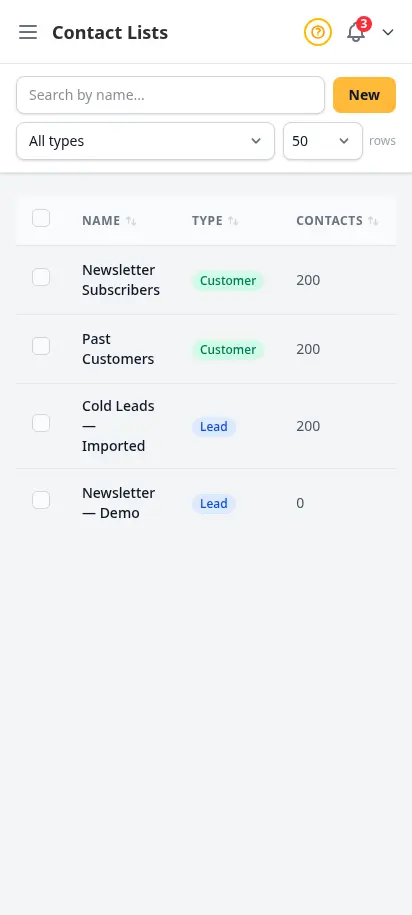
Import customer emails, build segmented lists, and launch campaigns to people who already know your brand. Operators who grew repeat revenue fastest treat lists as an asset — separate from one-off inbox replies.
- Create lists for promos, VIPs, or zones
- Import CSV contacts with preview
- Per-contact subscribe and unsubscribe state
- Tie lists to email campaign audiences
- GDPR-friendly unsubscribe handling
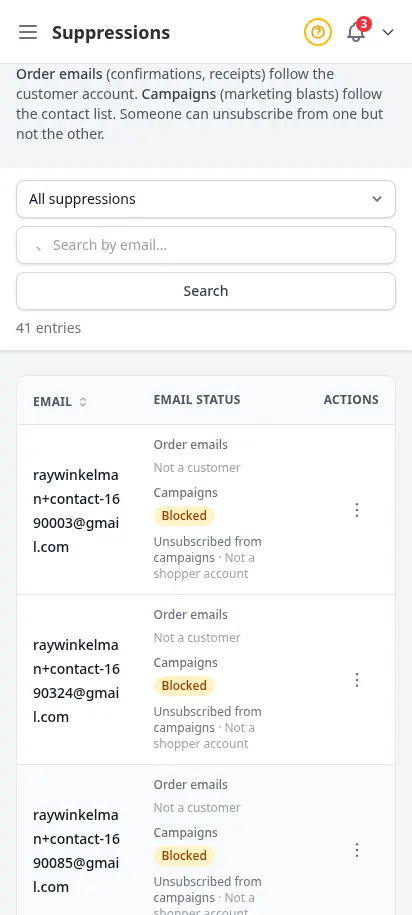
Protect deliverability when addresses bounce or opt out
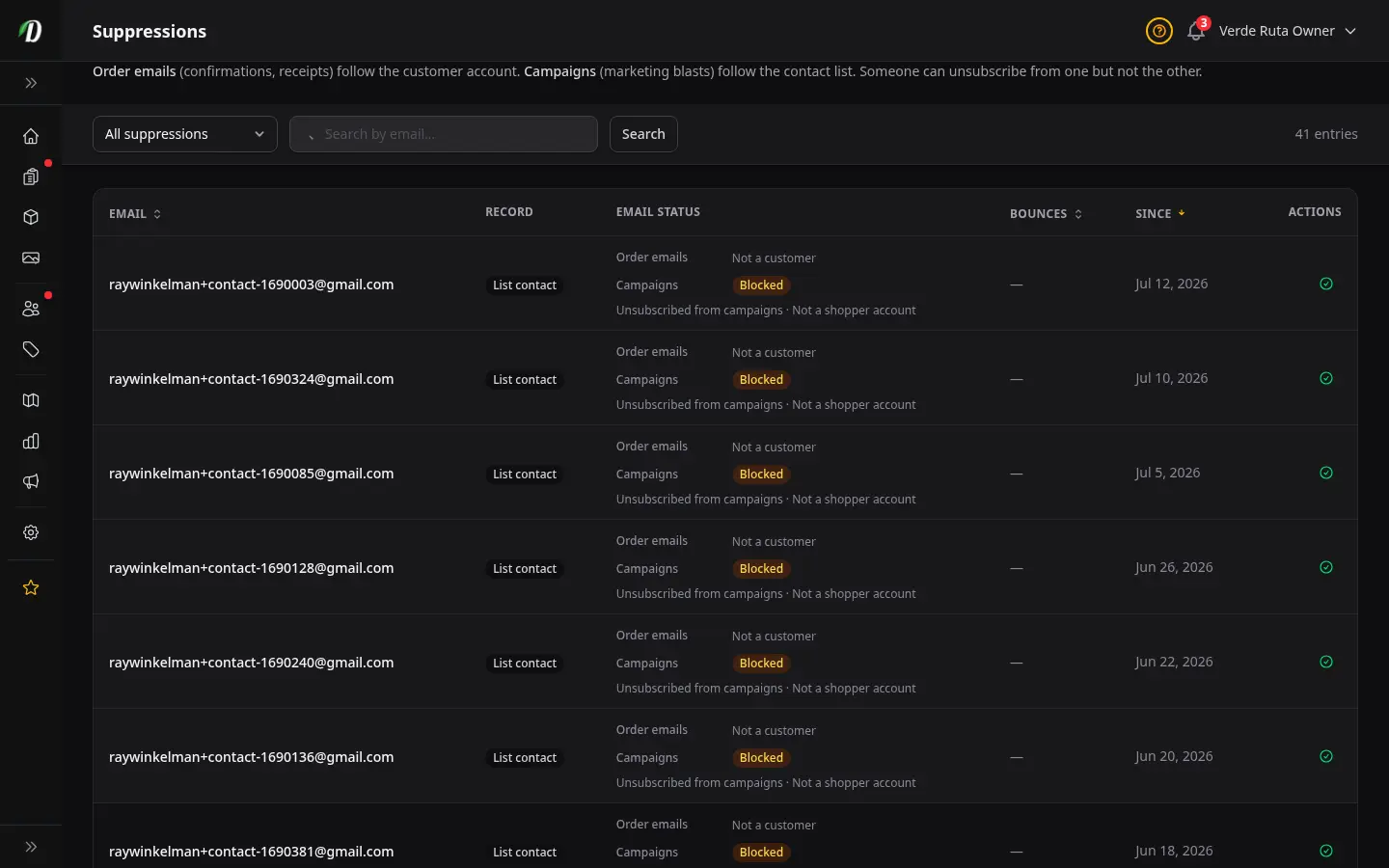
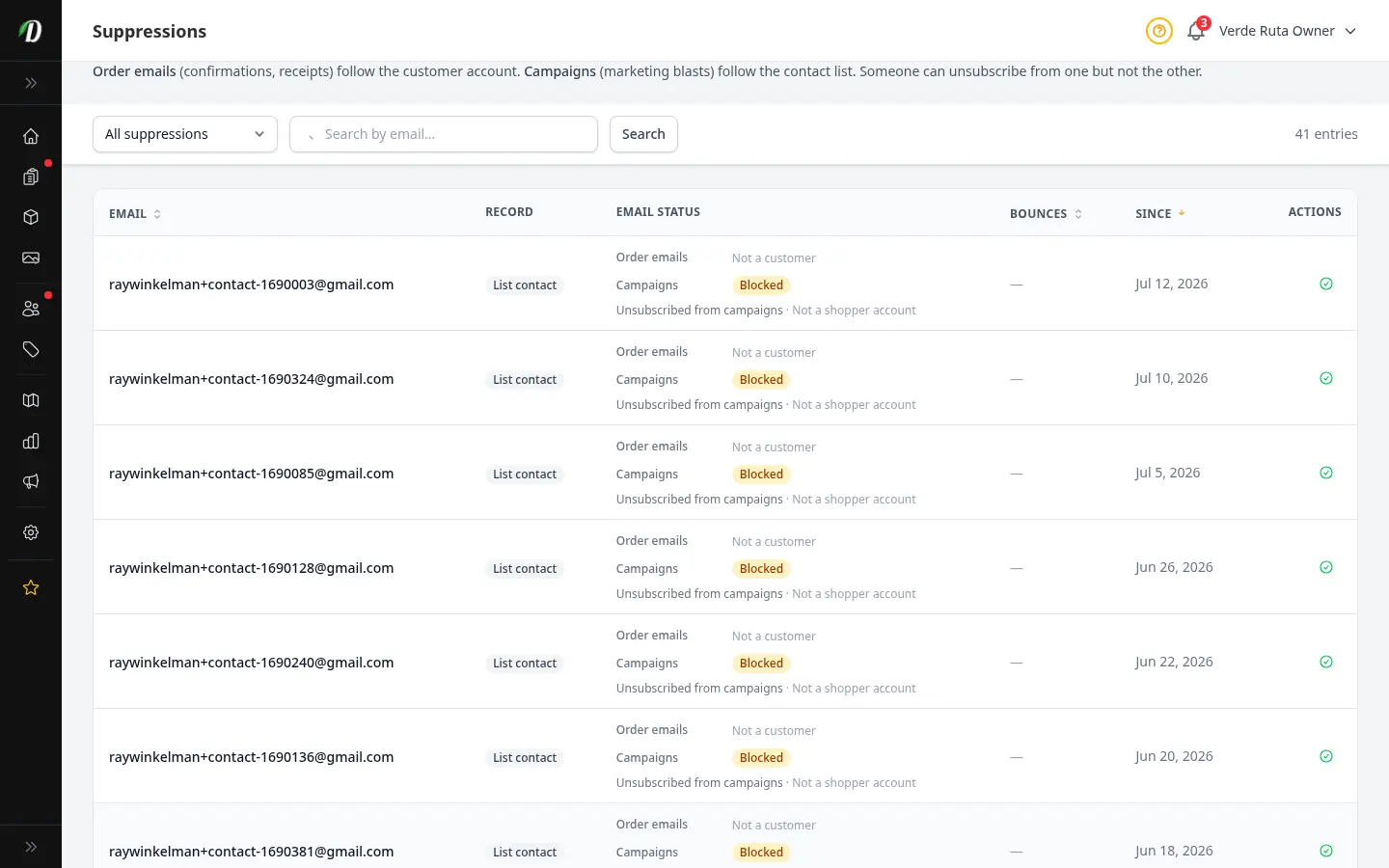
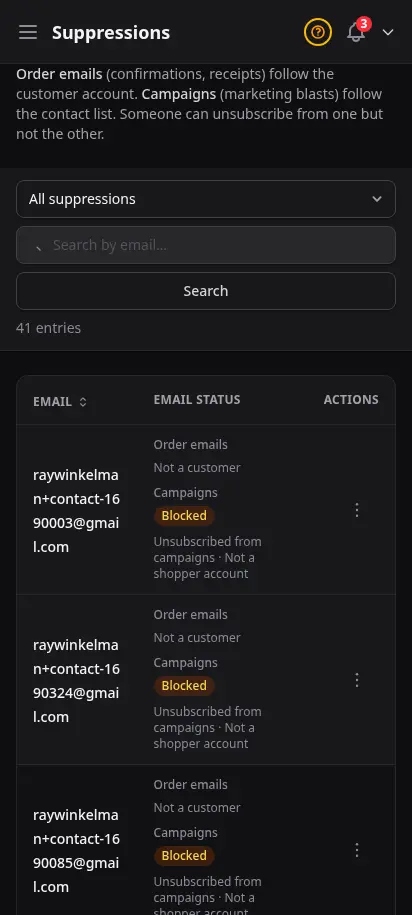
Sending to bad addresses hurts everyone's inbox reputation. The Suppressions page shows every blocked email — bounces, unsubscribes, and customer opt-outs — so you can lift a suppression when a customer asks to hear from you again.
- Transactional vs campaign suppression types
- Bounce reasons with hard/soft detail
- Search and filter by status
- Lift or resubscribe in one click
- Keeps order emails compliant and deliverable
Data-driven decisions, not guesswork
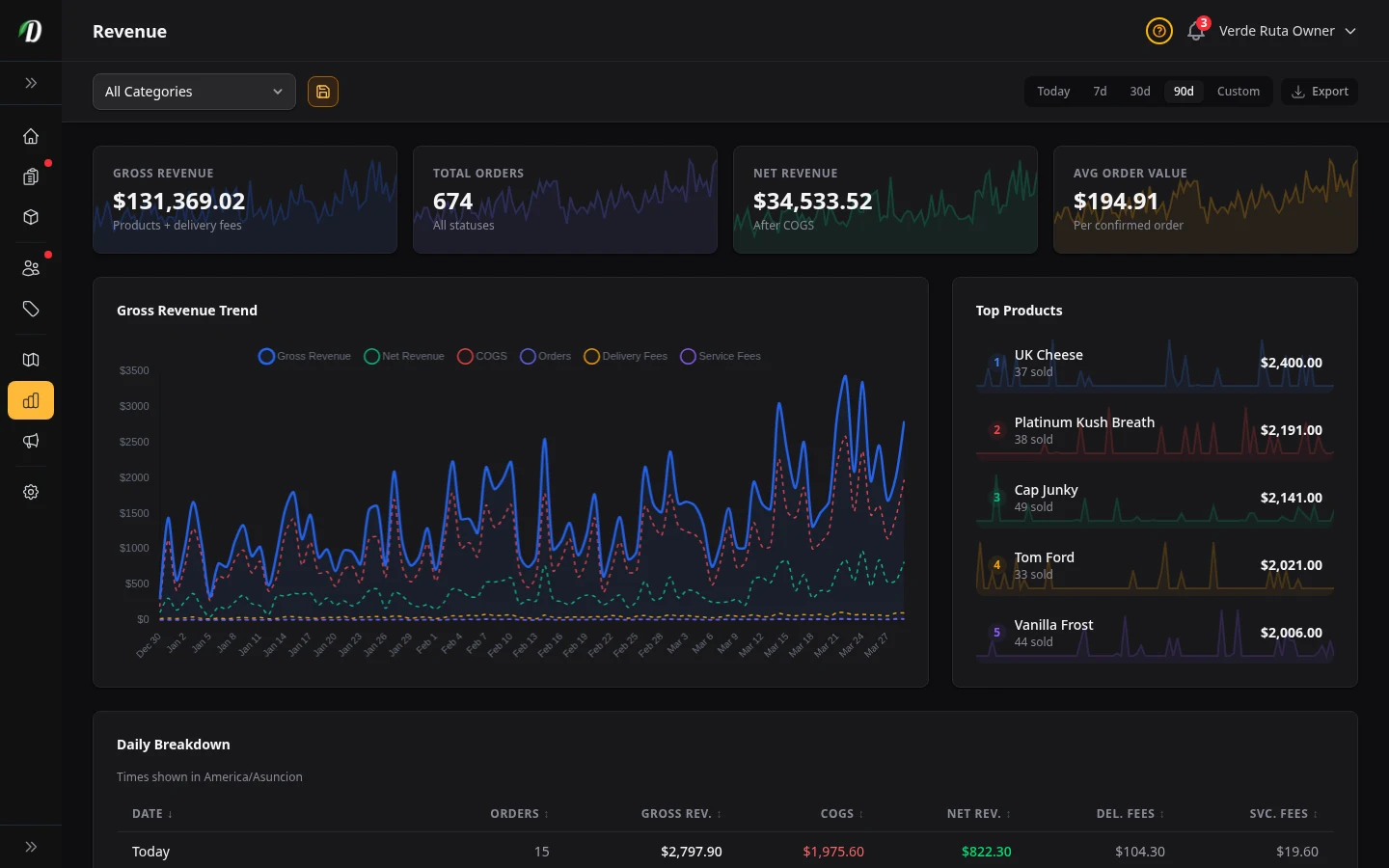
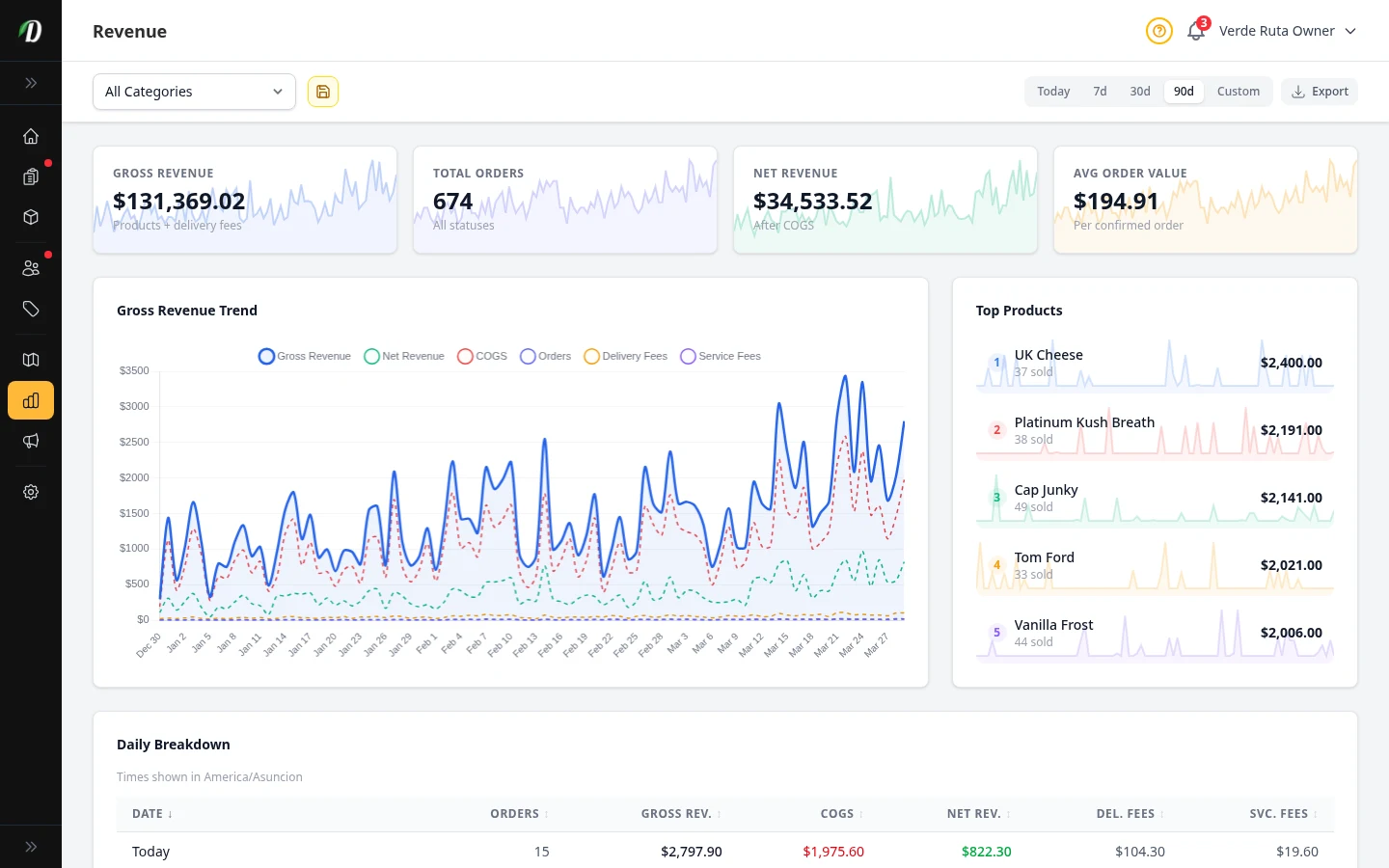
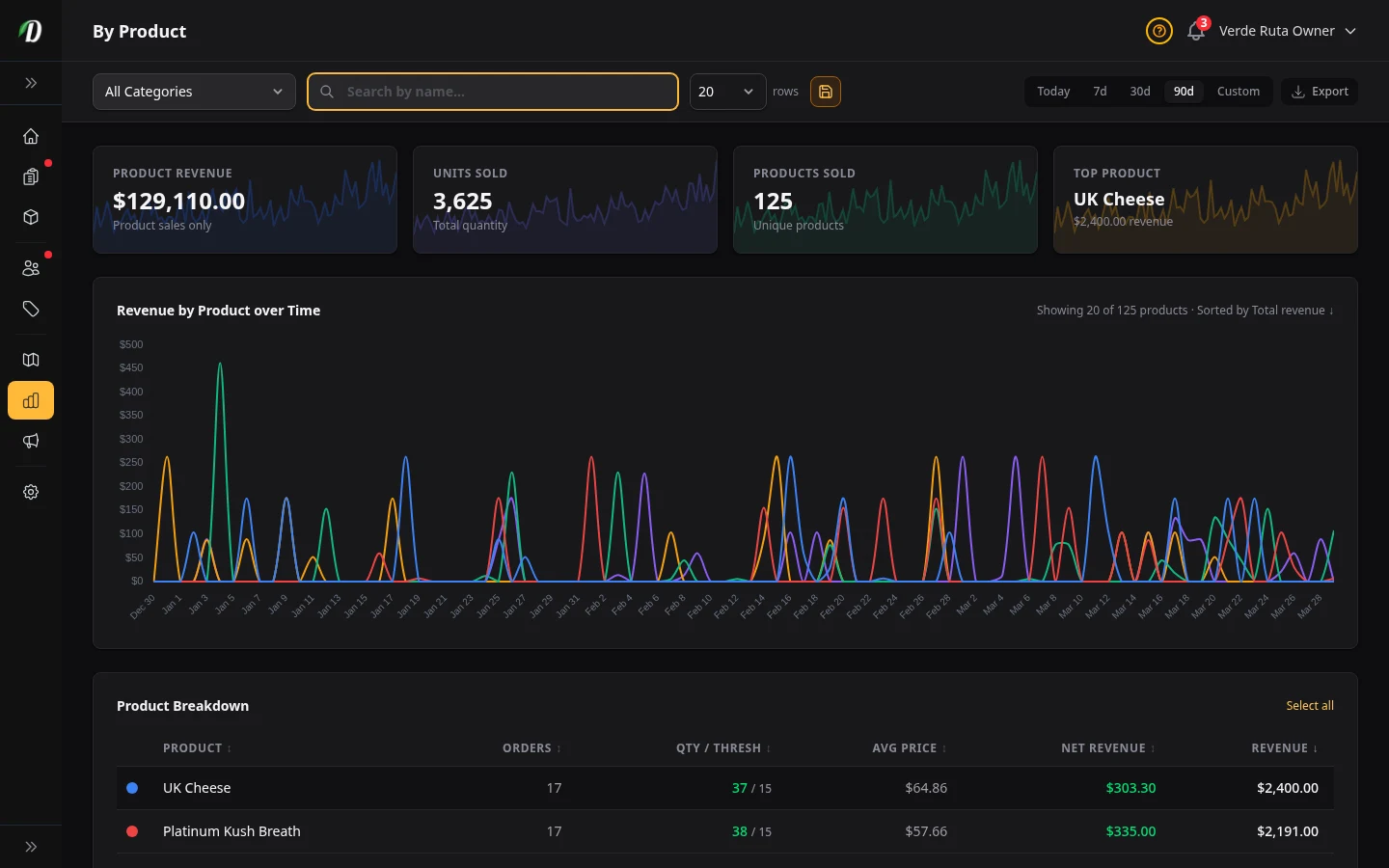
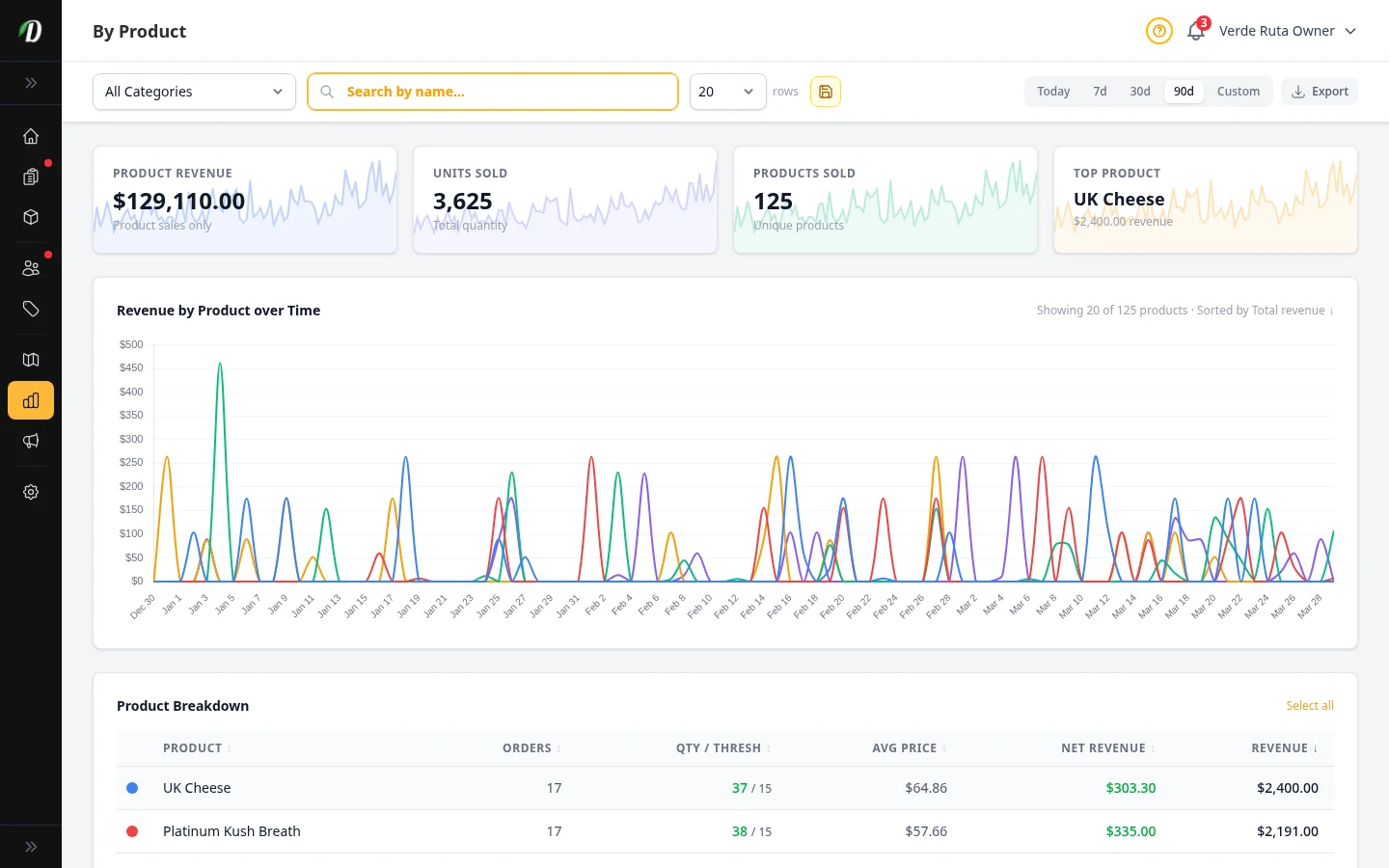
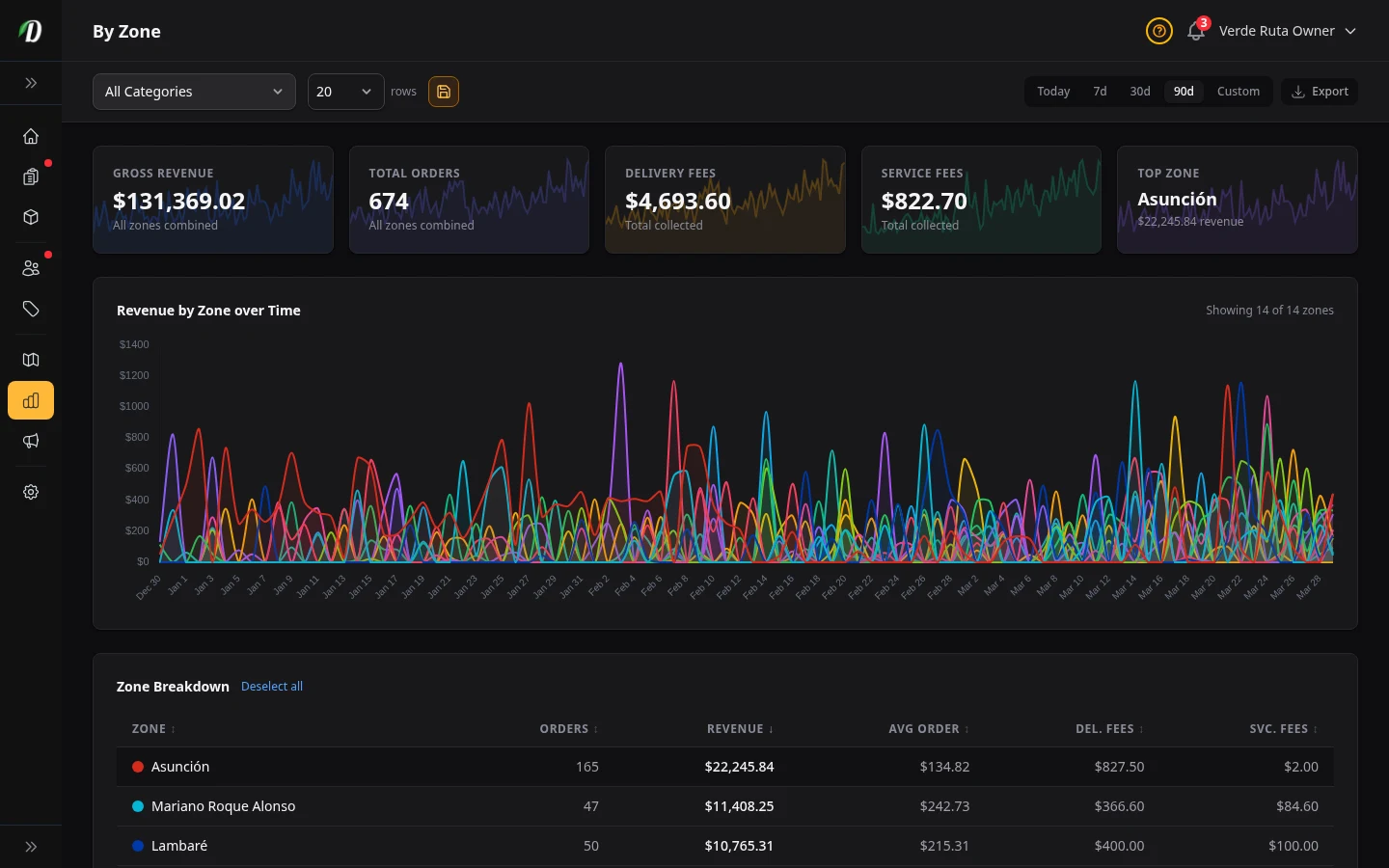
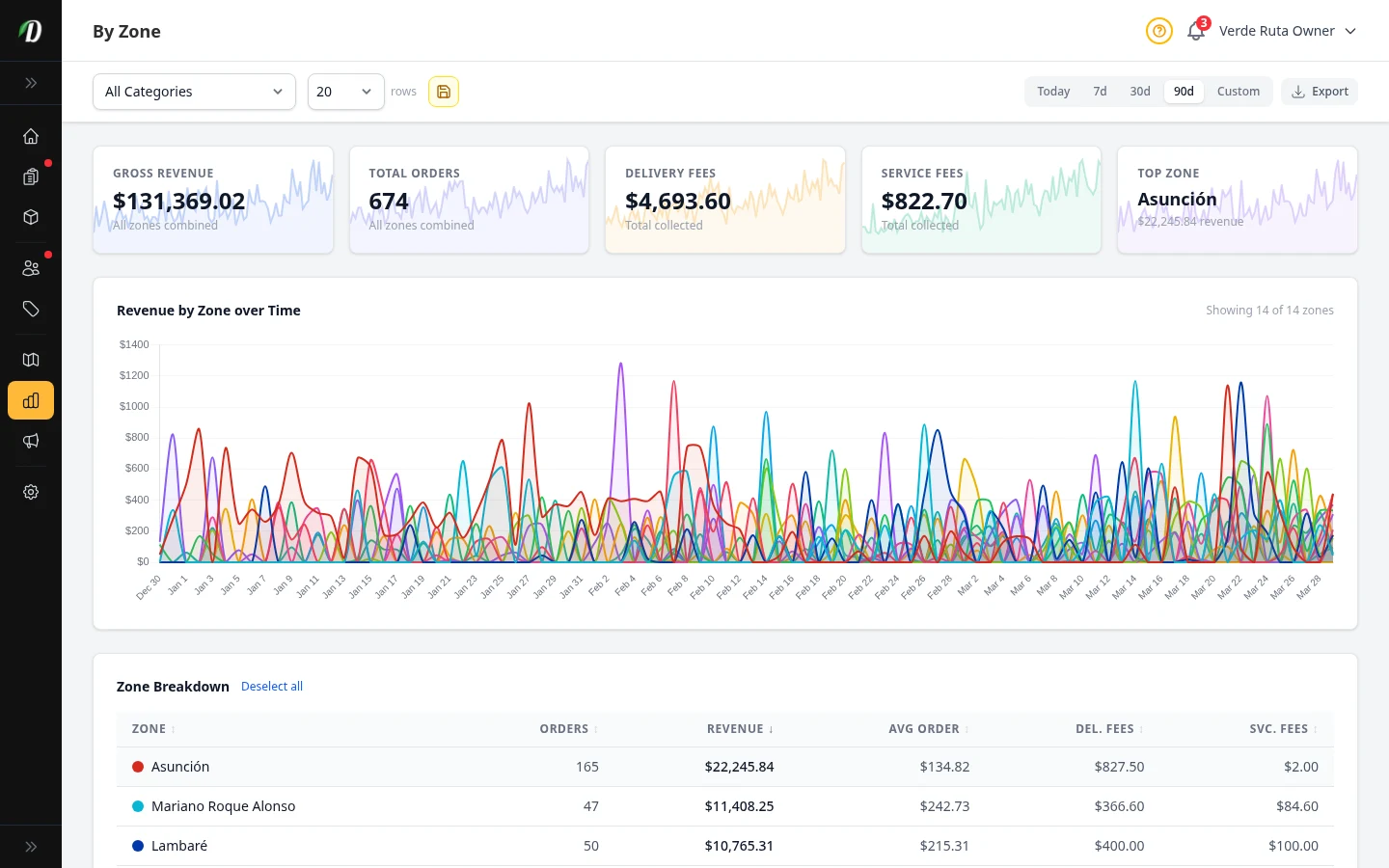
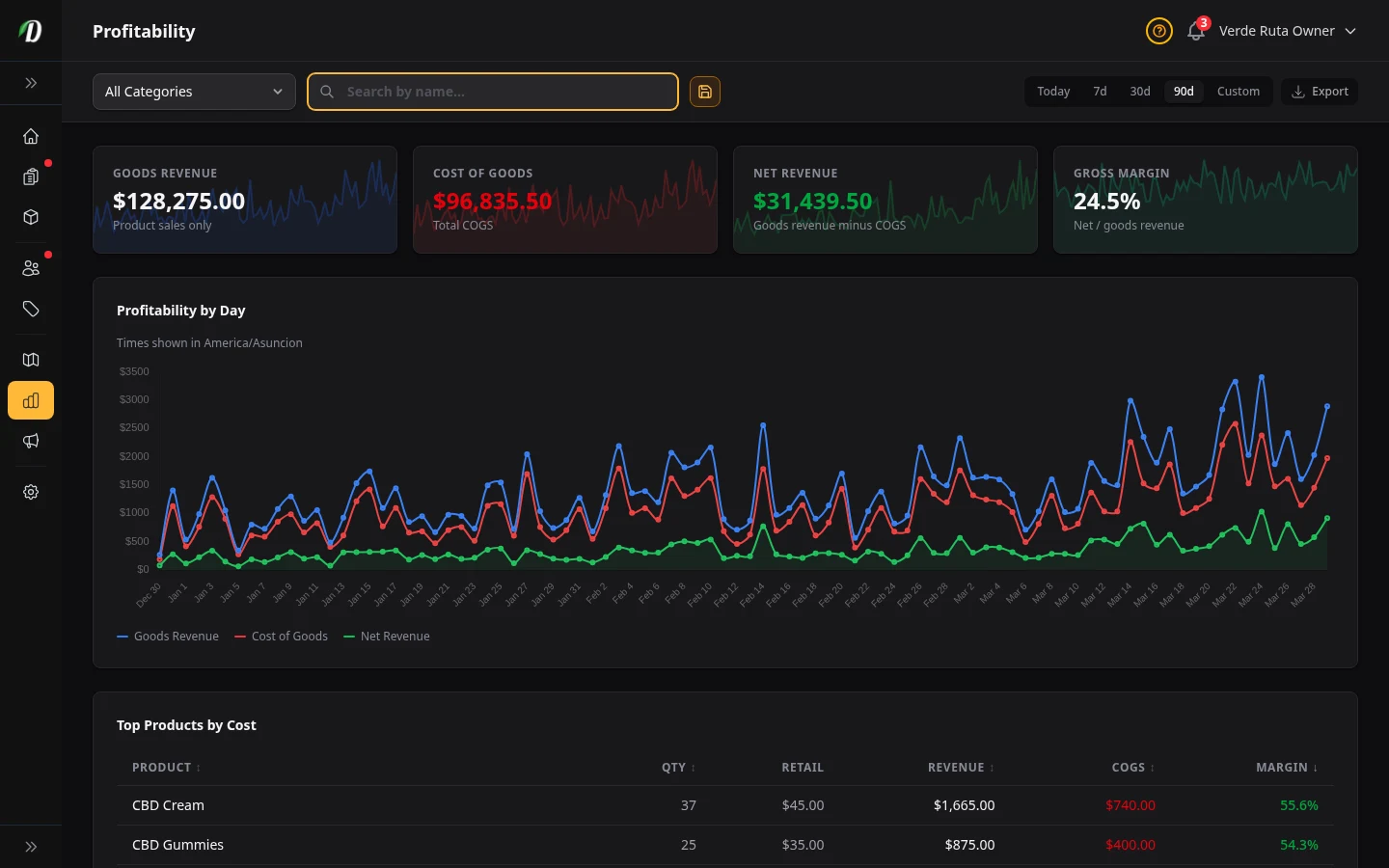
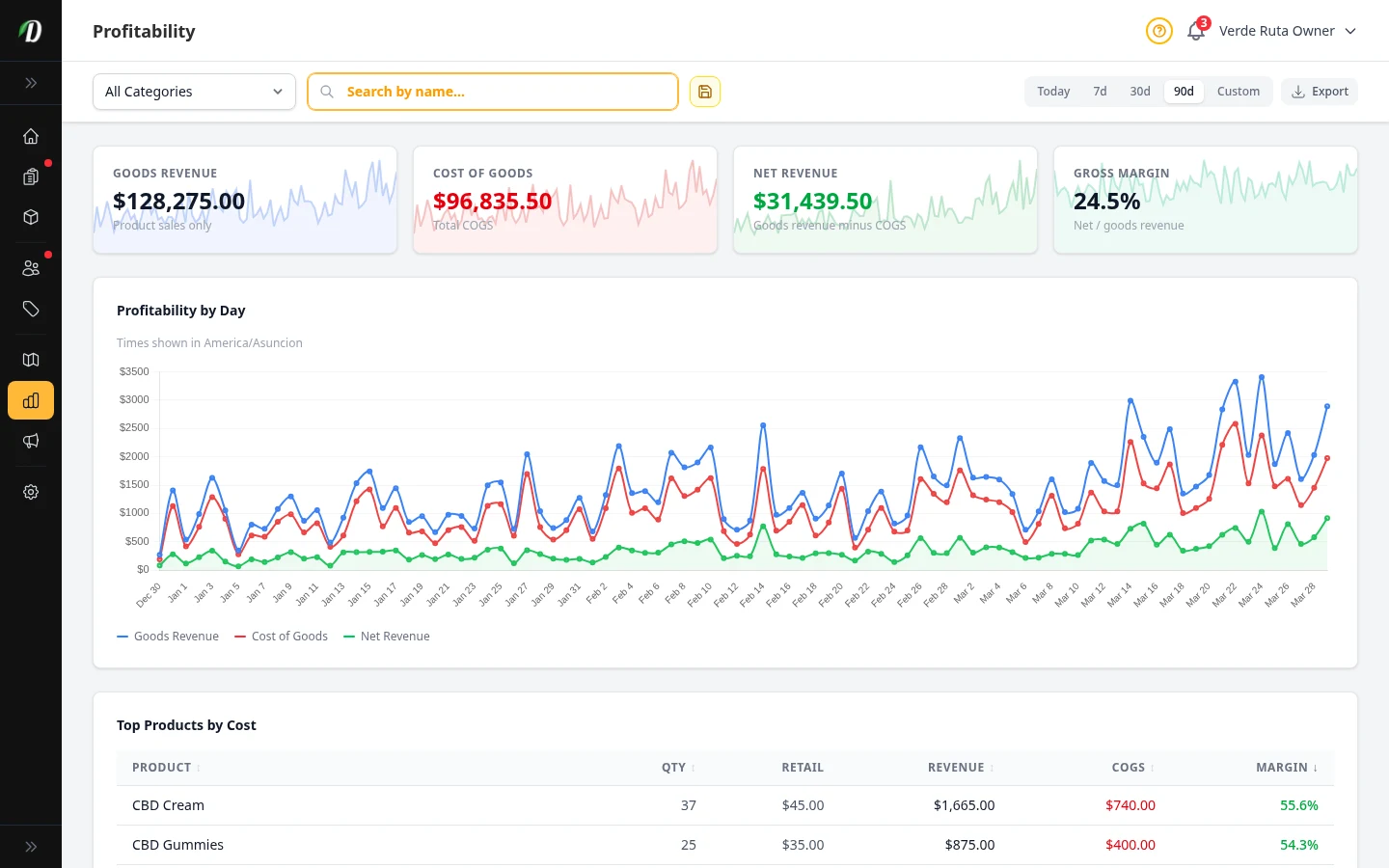
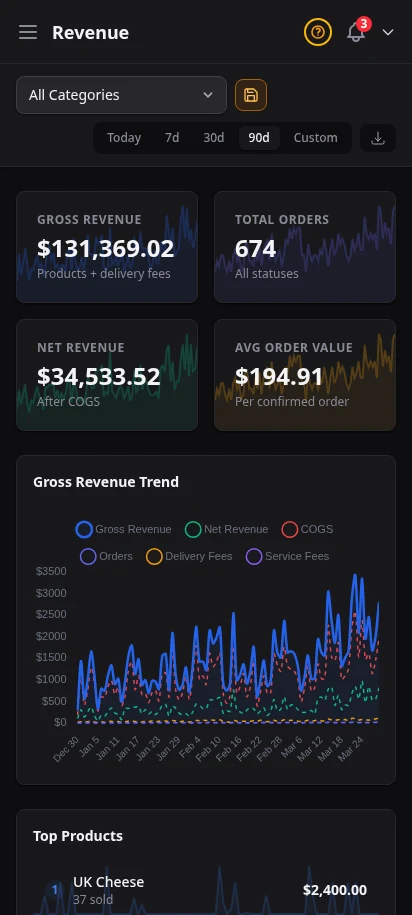
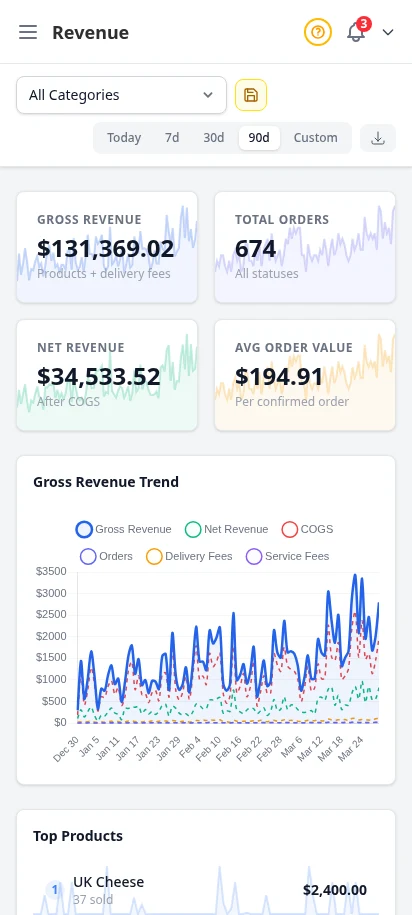
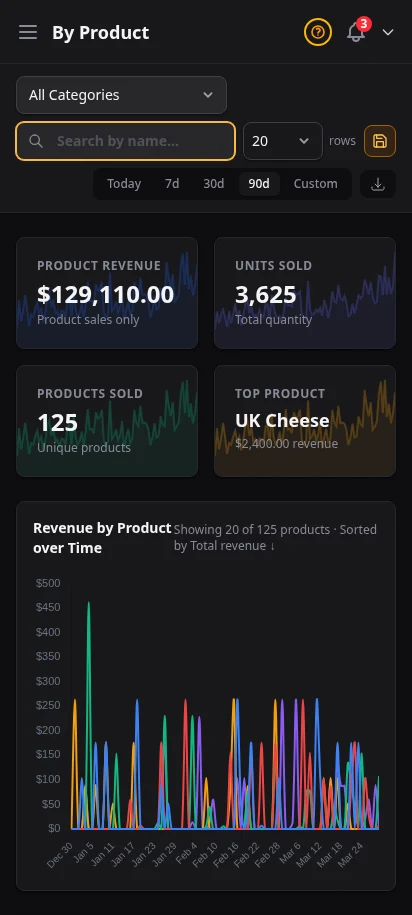
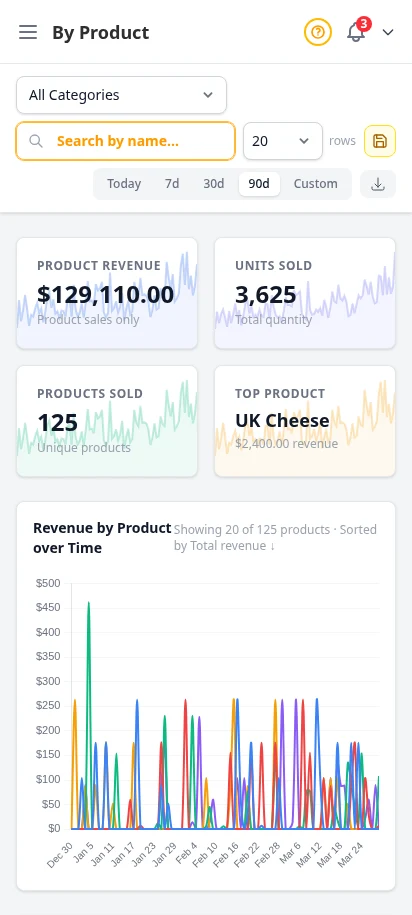
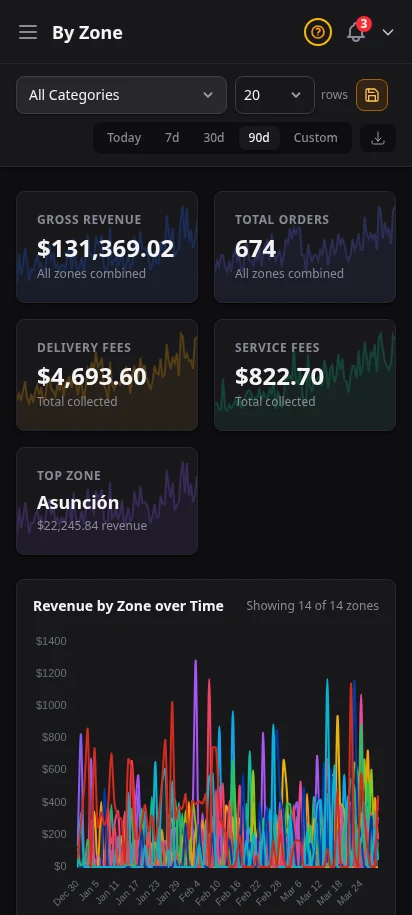
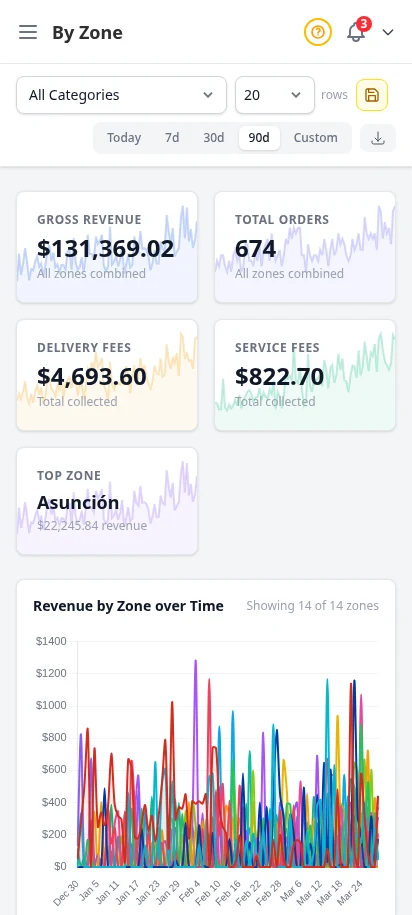
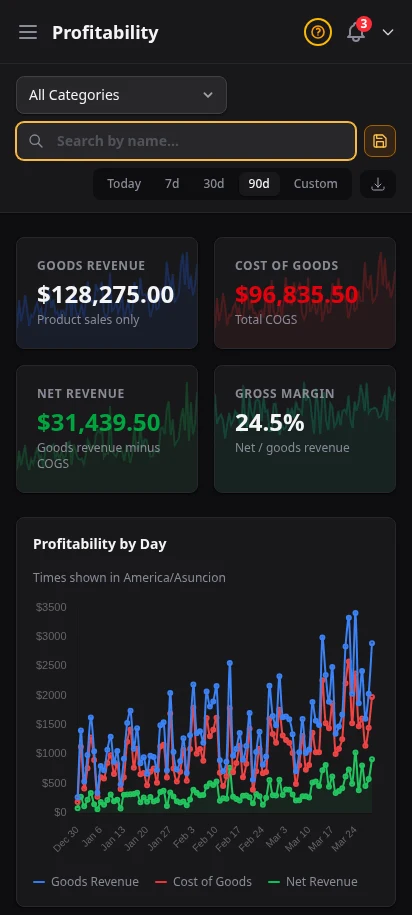
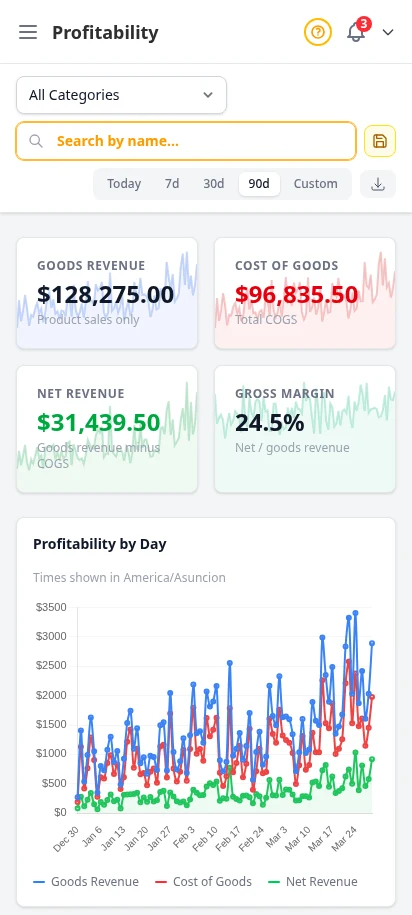
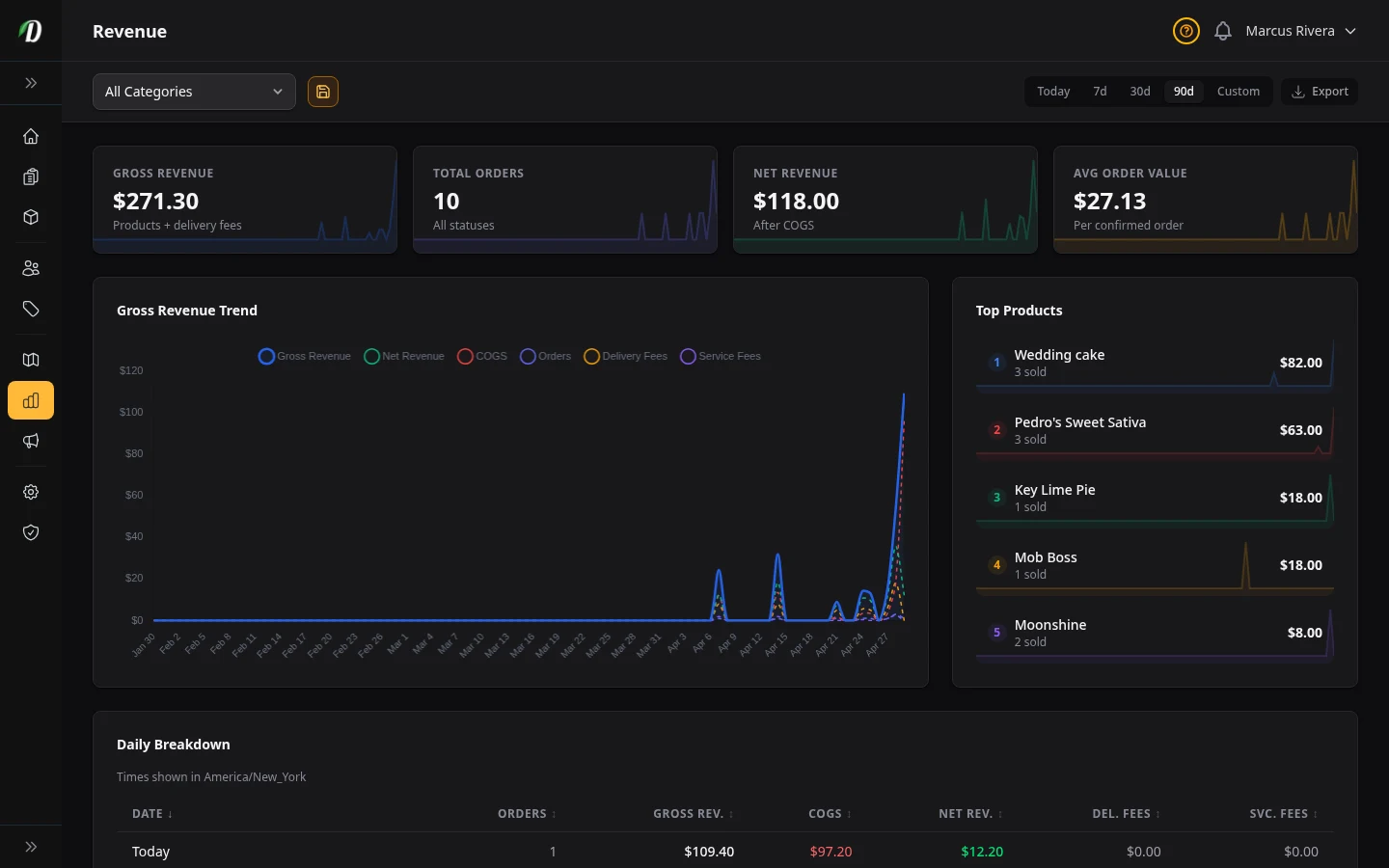
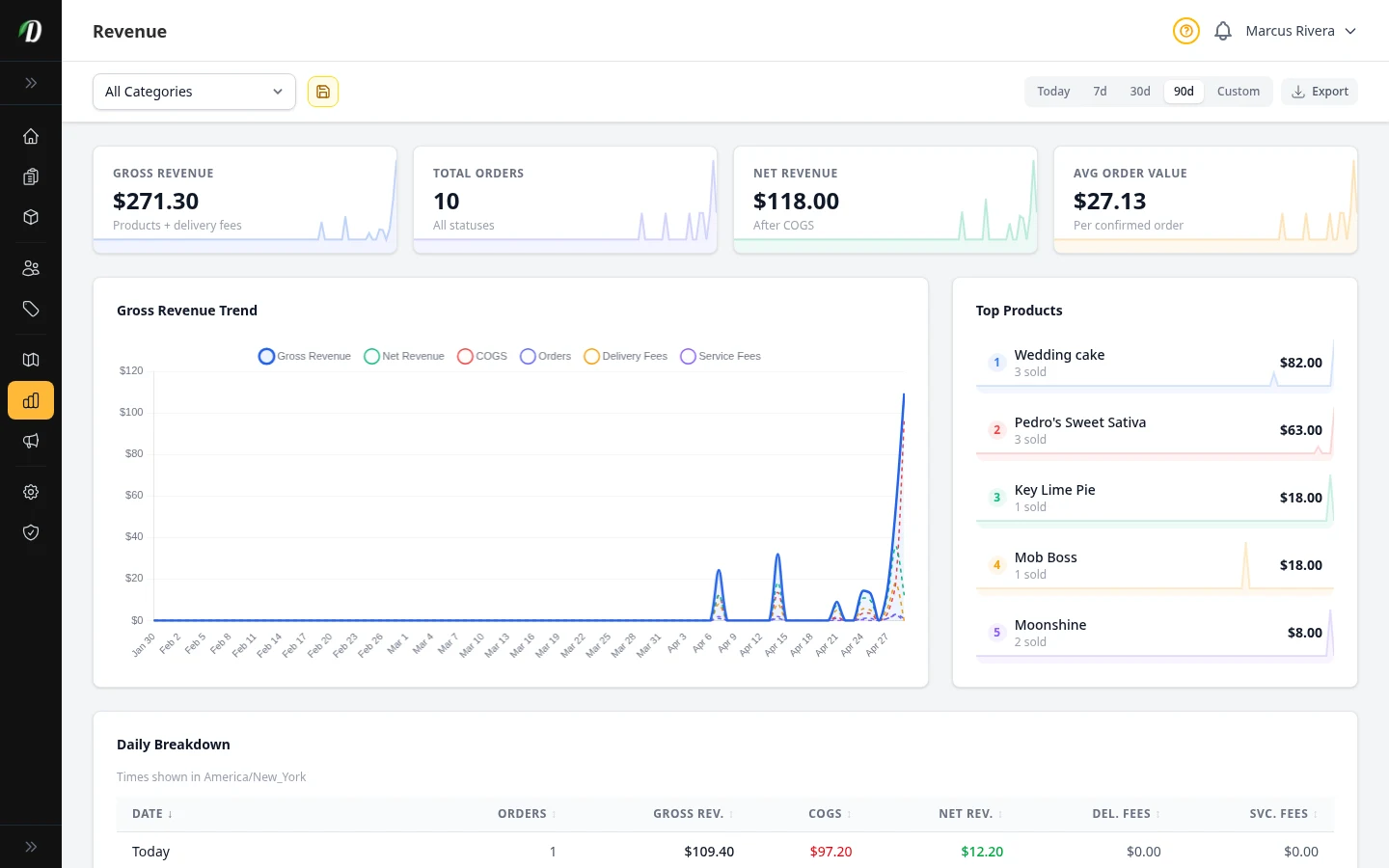
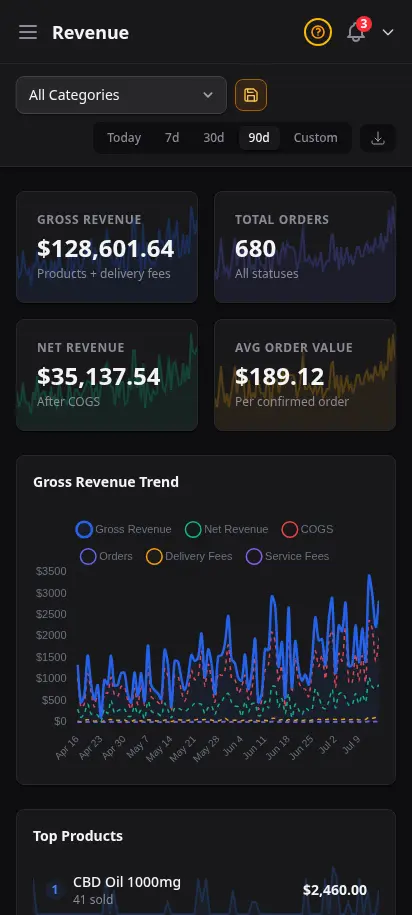
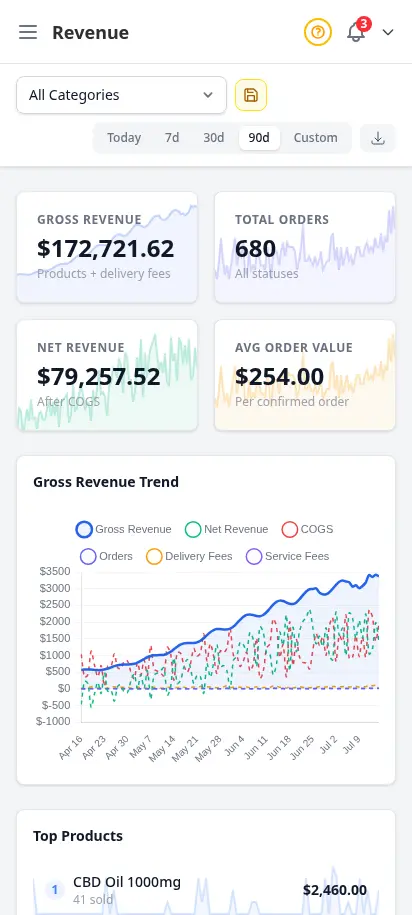
Revenue tracking, cost of goods analysis, and profitability reports — all in your store timezone. Switch between 7-day, 30-day, and 90-day views. Know your margins, spot your best sellers, and export everything to CSV.
- Revenue charts with date range selector (7d, 30d, 90d)
- Cost of goods tracking with gross margin analysis
- Revenue by product — top sellers, units sold, average price
- Revenue by zone — delivery performance per zone
- CSV export for all analytics data
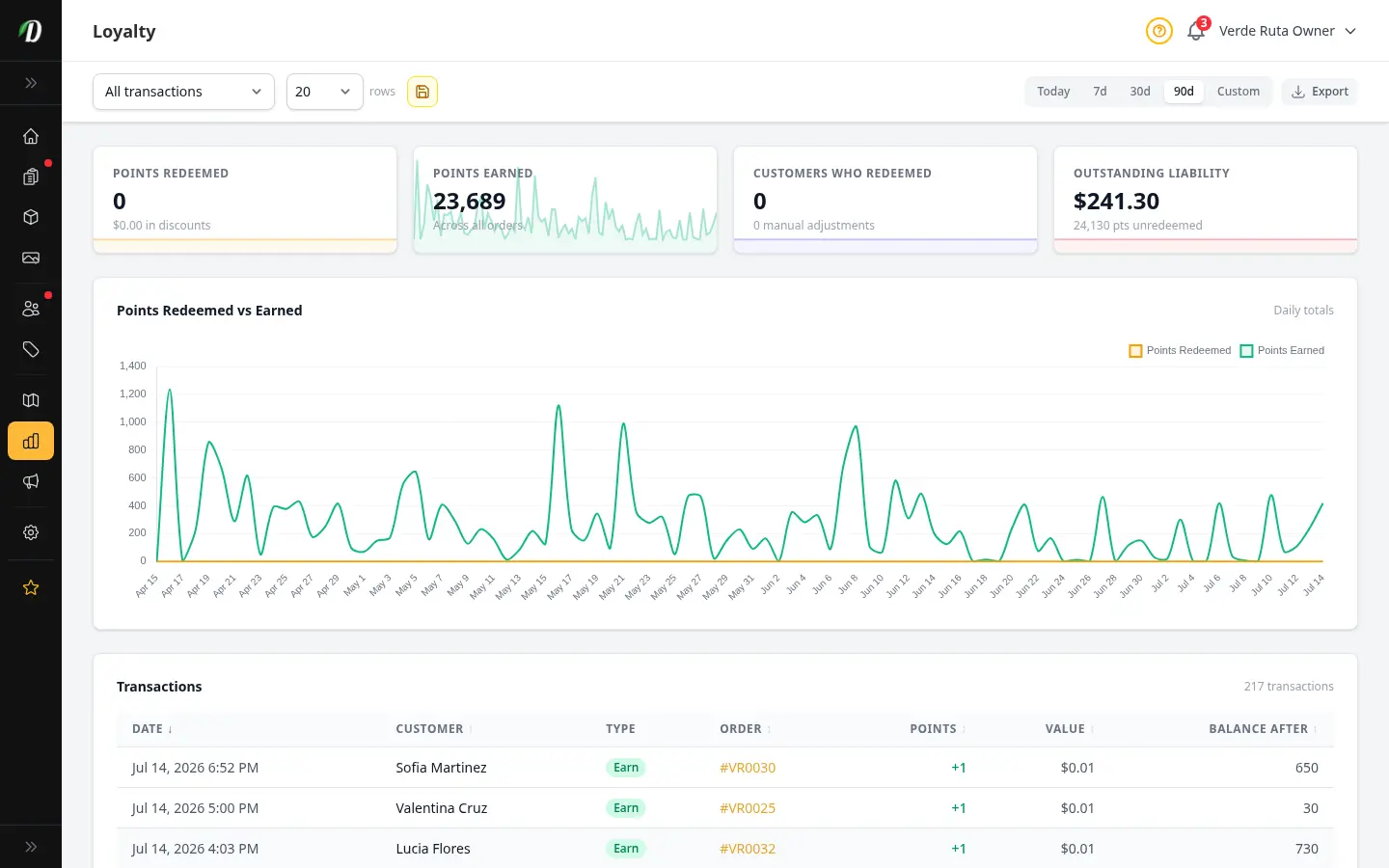
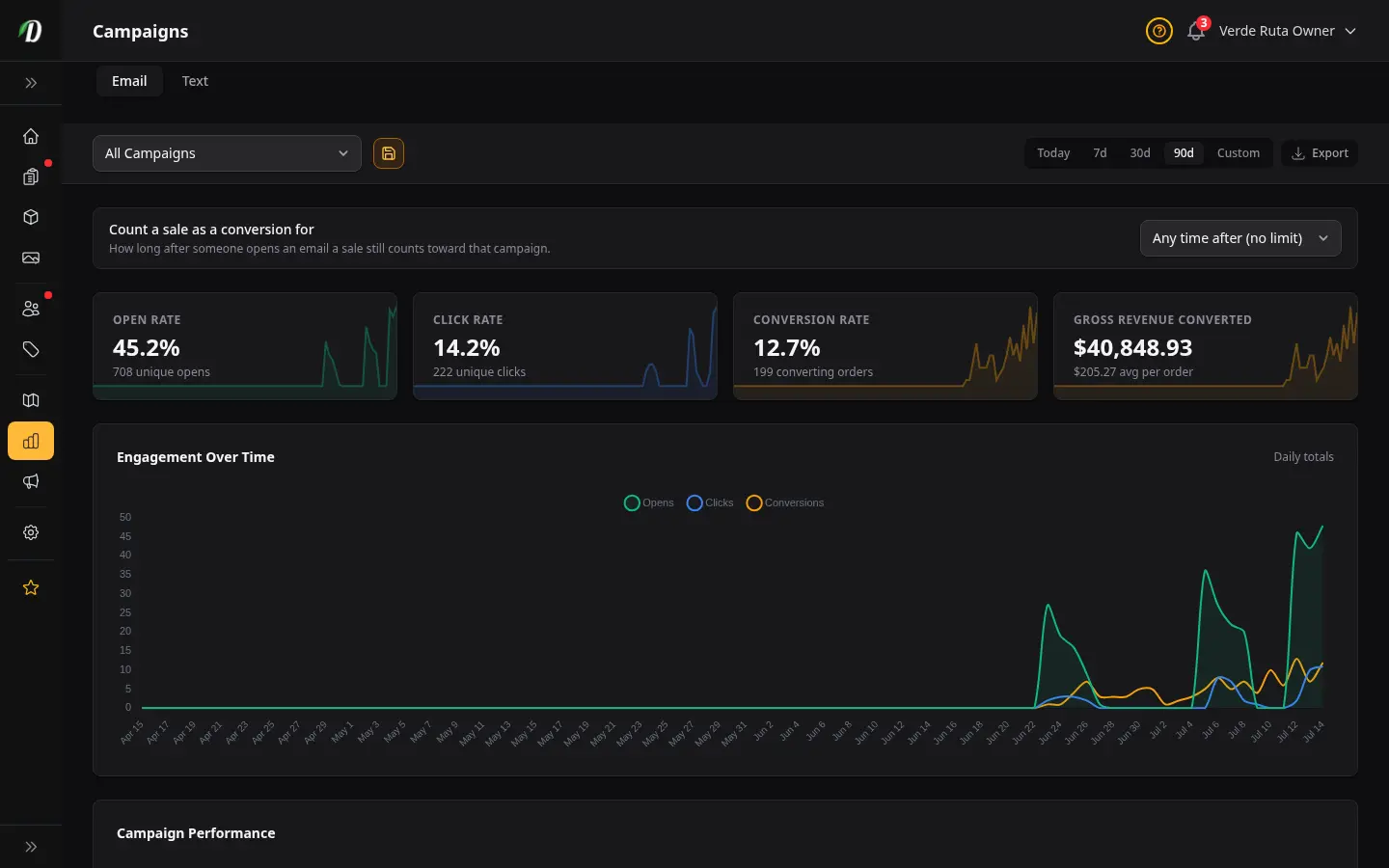
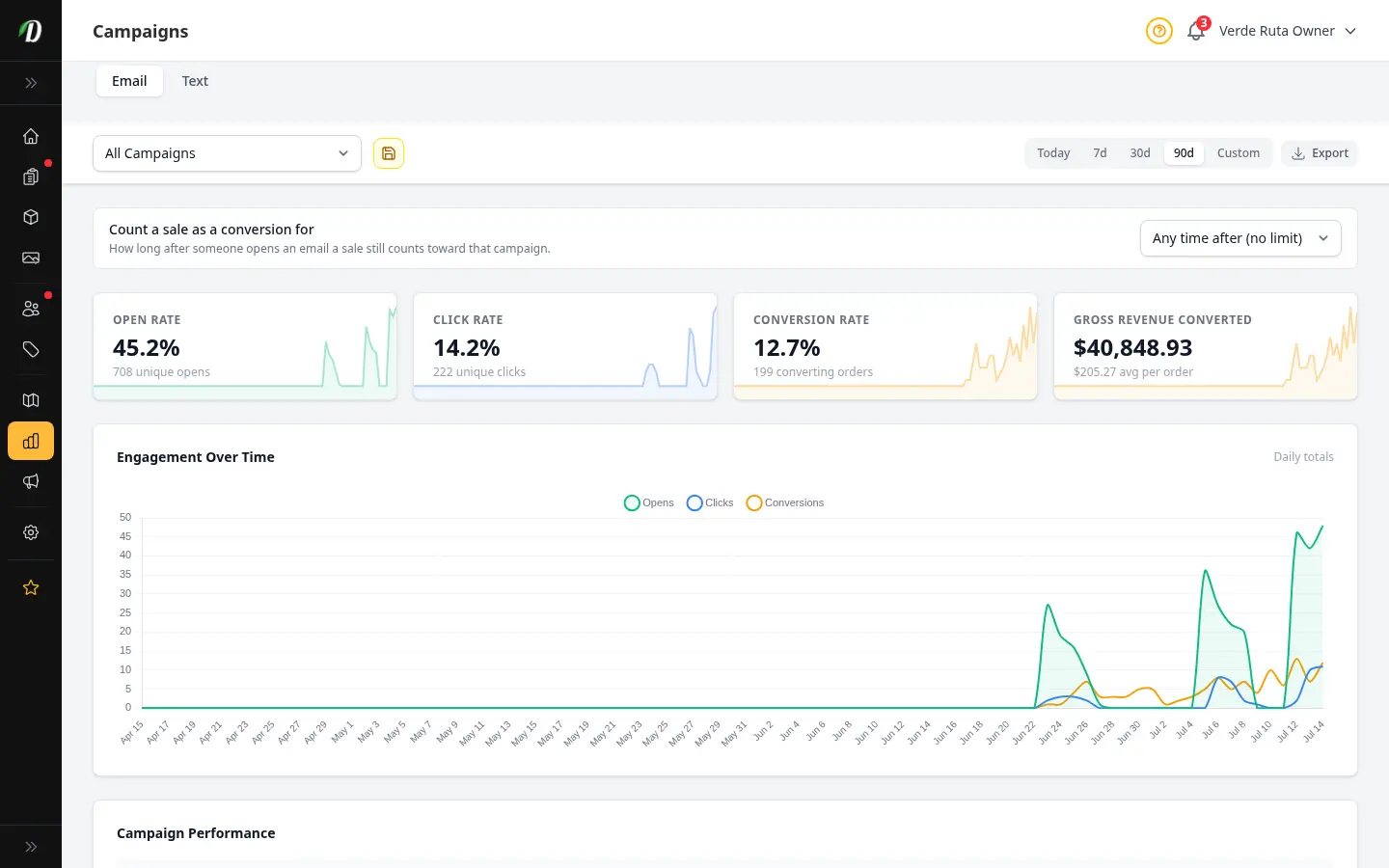
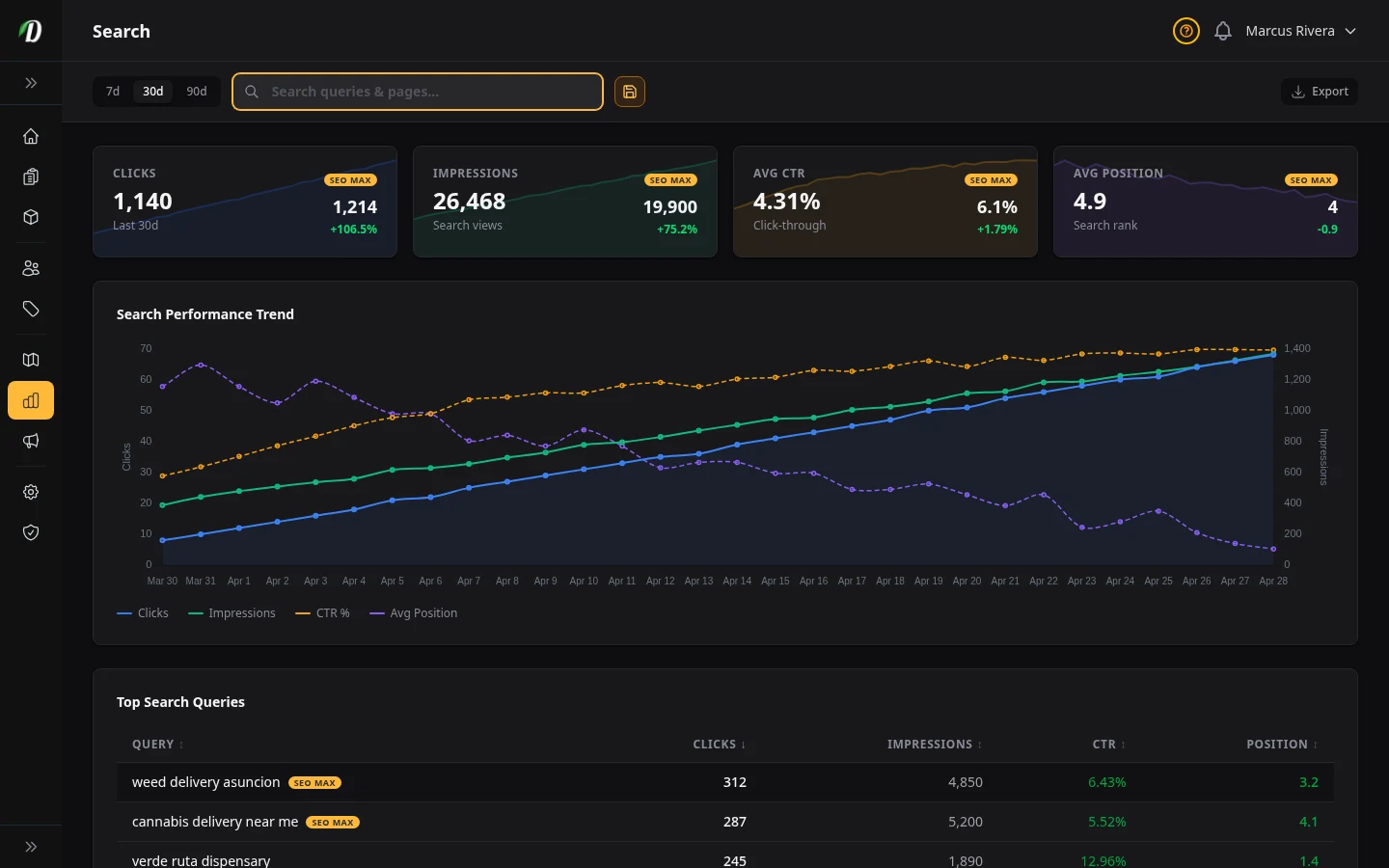
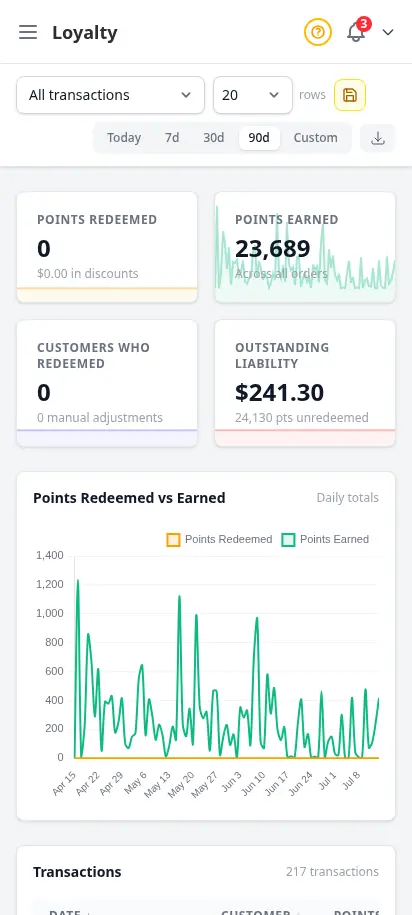
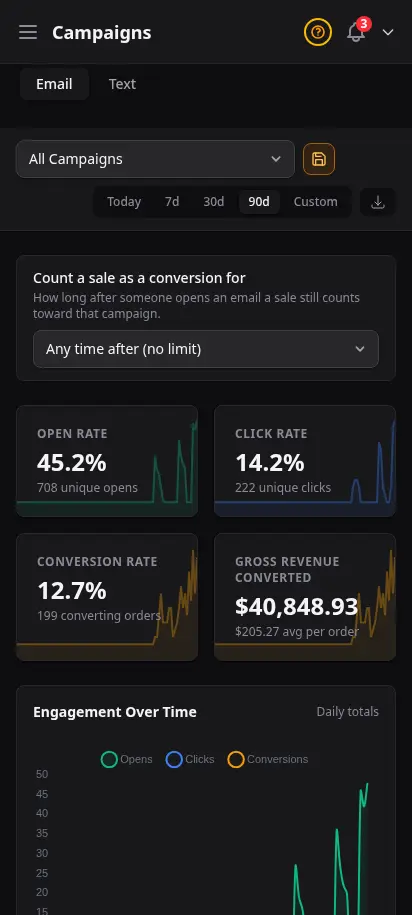
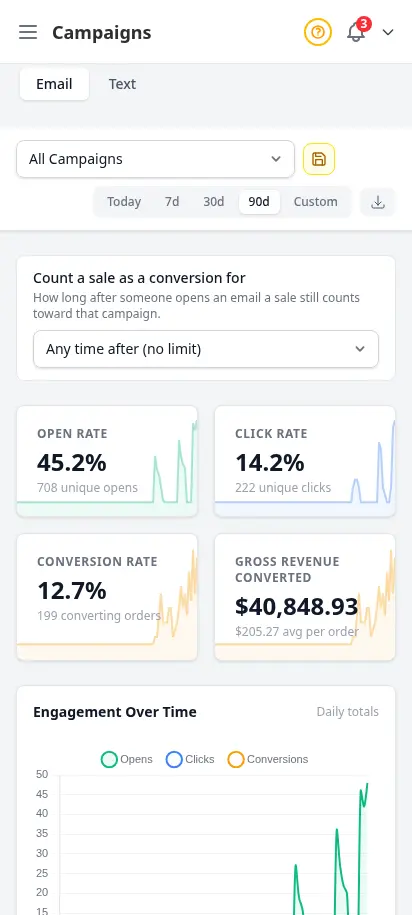
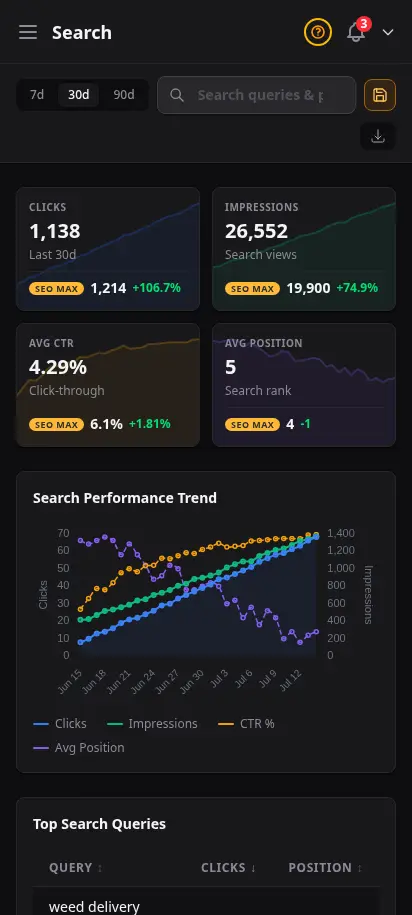
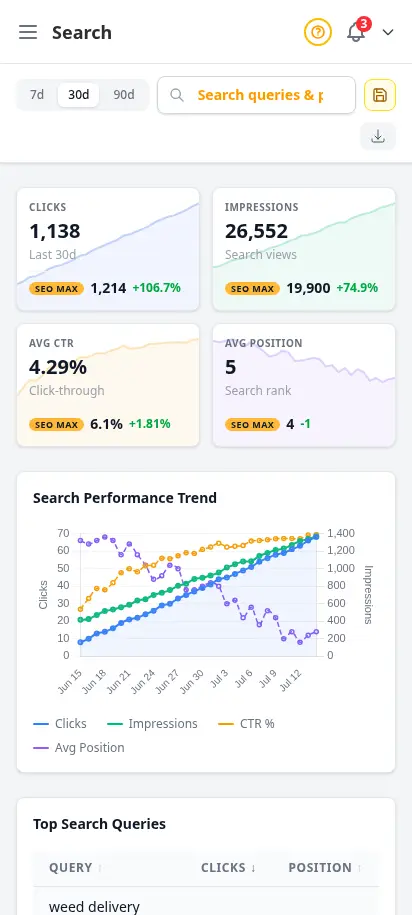
Inventory value, loyalty, campaigns, and search — in one place
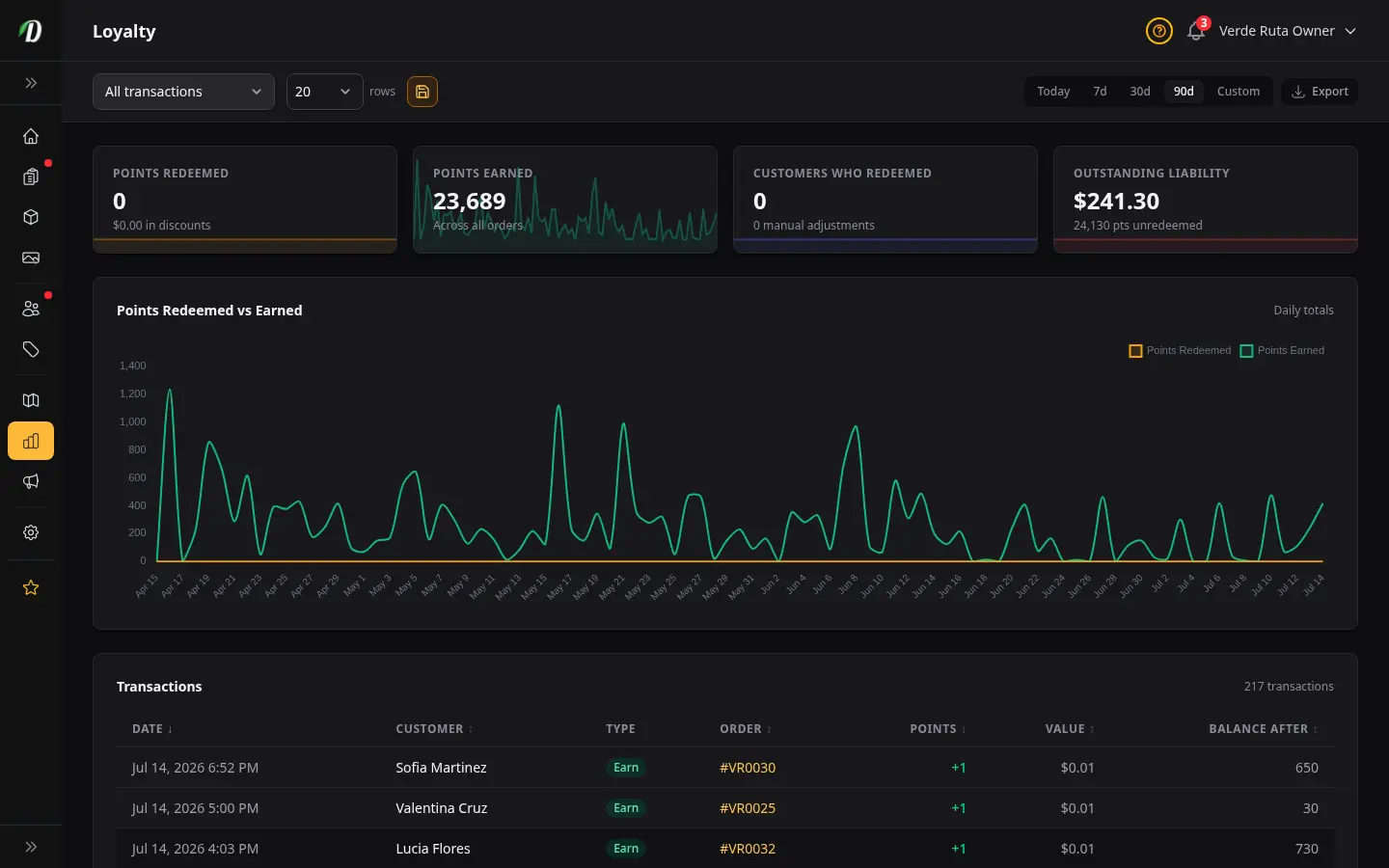
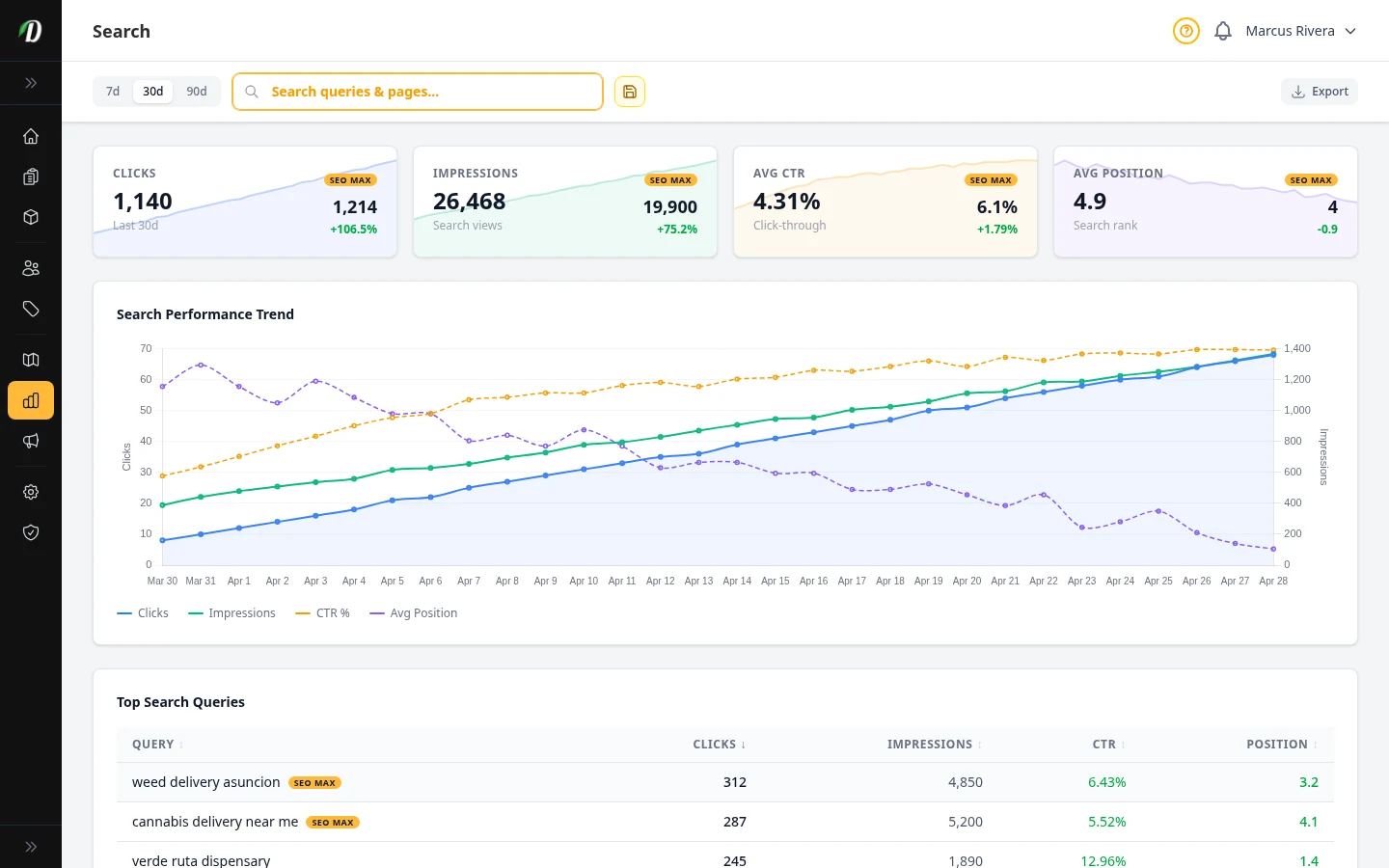
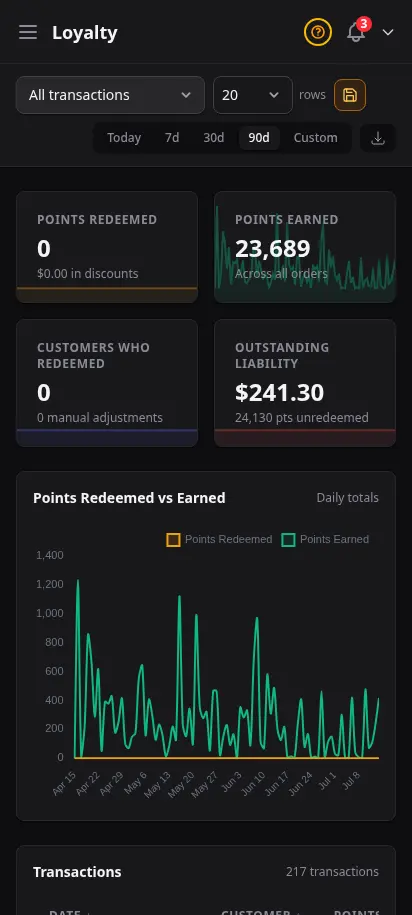
Revenue is the headline; margin and retention tell the story. SEO MAX subscribers get search-term performance. Every store gets loyalty balances, campaign attribution, and inventory valuation — the reports operators use in weekly ops reviews.
- Inventory valuation at cost and retail
- Loyalty points earned and redeemed
- Campaign revenue attribution
- SEO search performance (SEO MAX)
- Inventory change audit with reasons
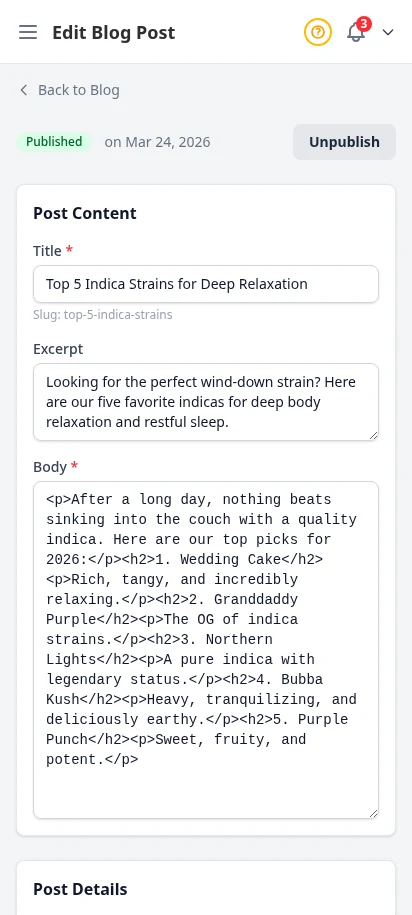
Publish content that brings customers back
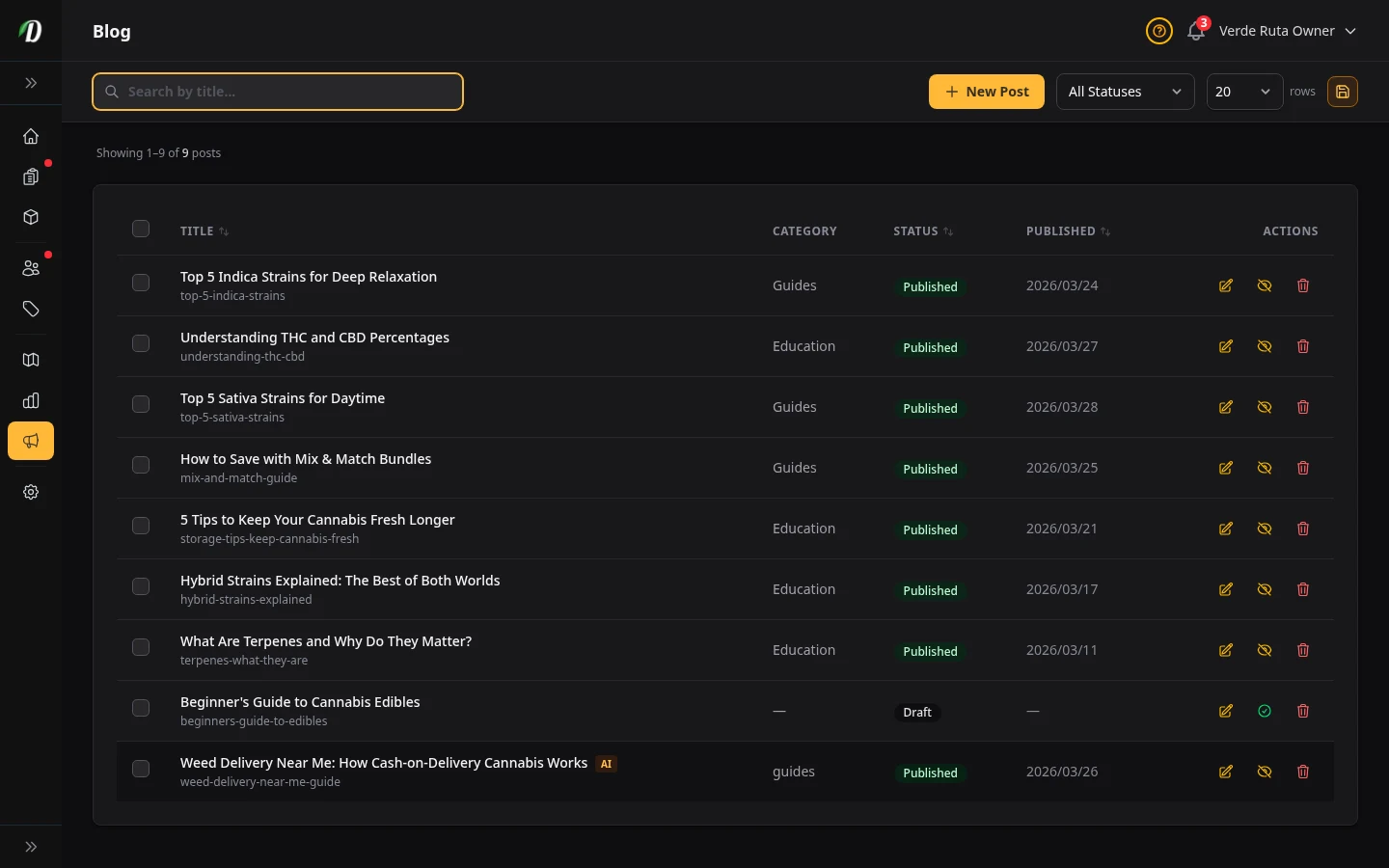
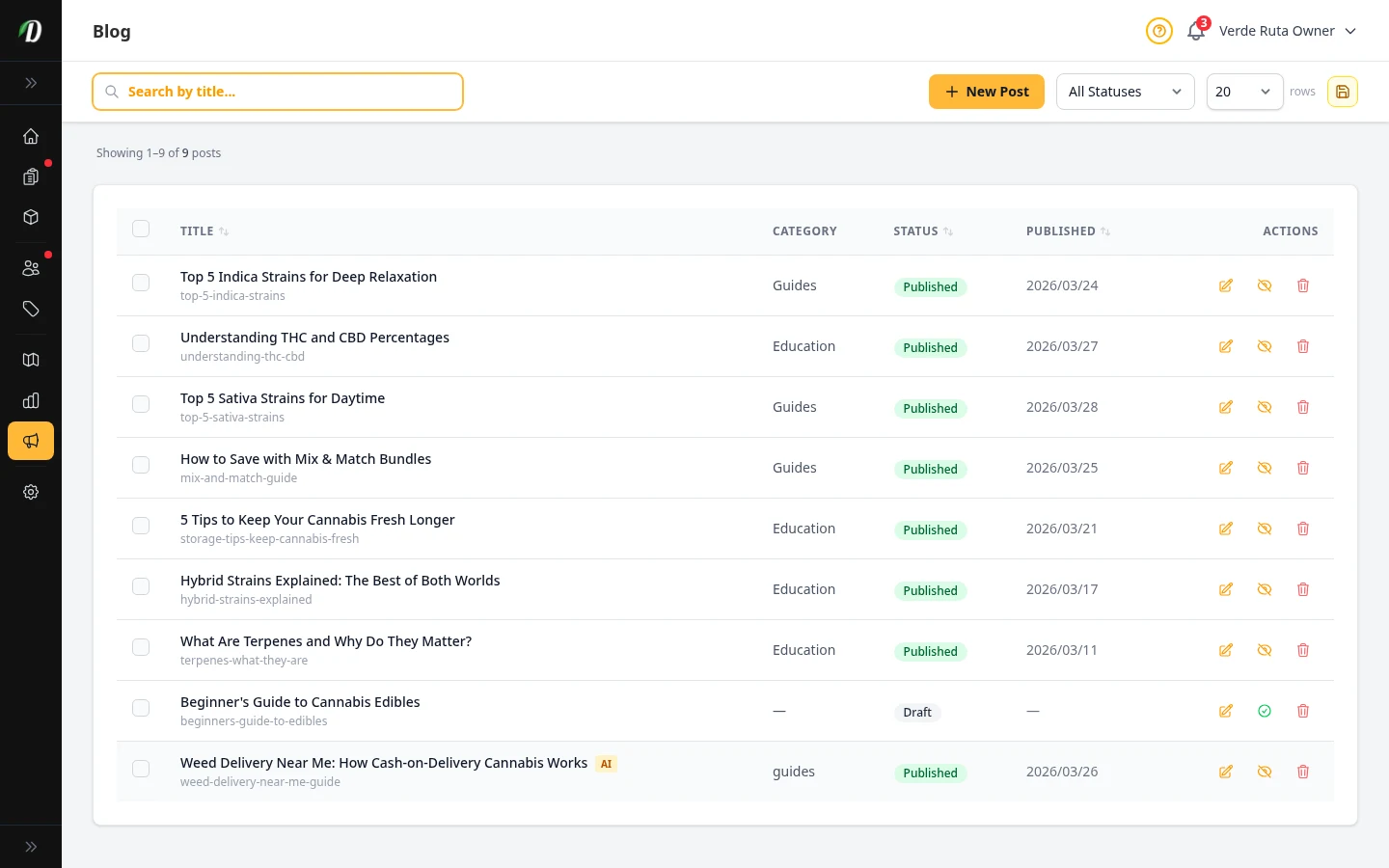
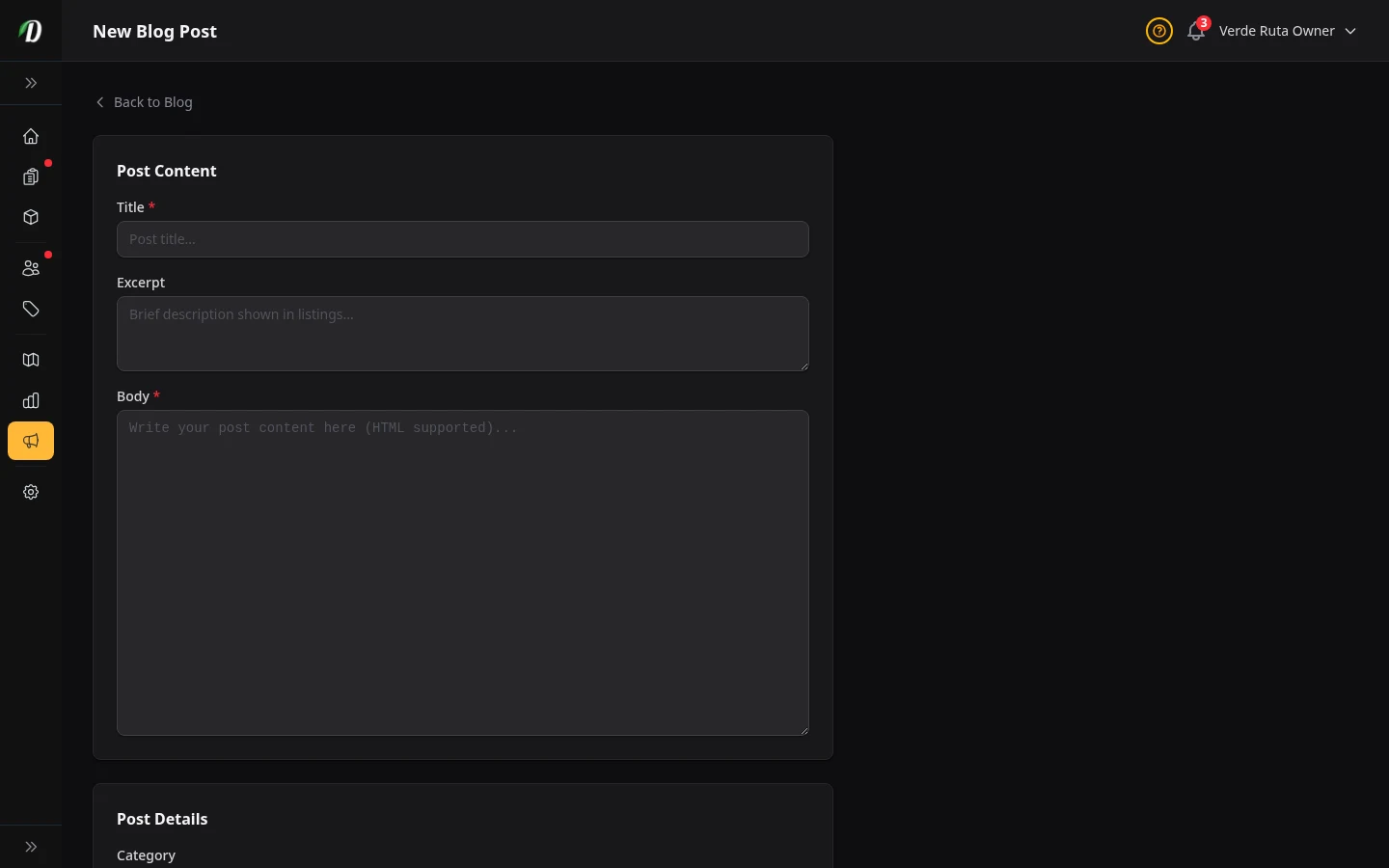
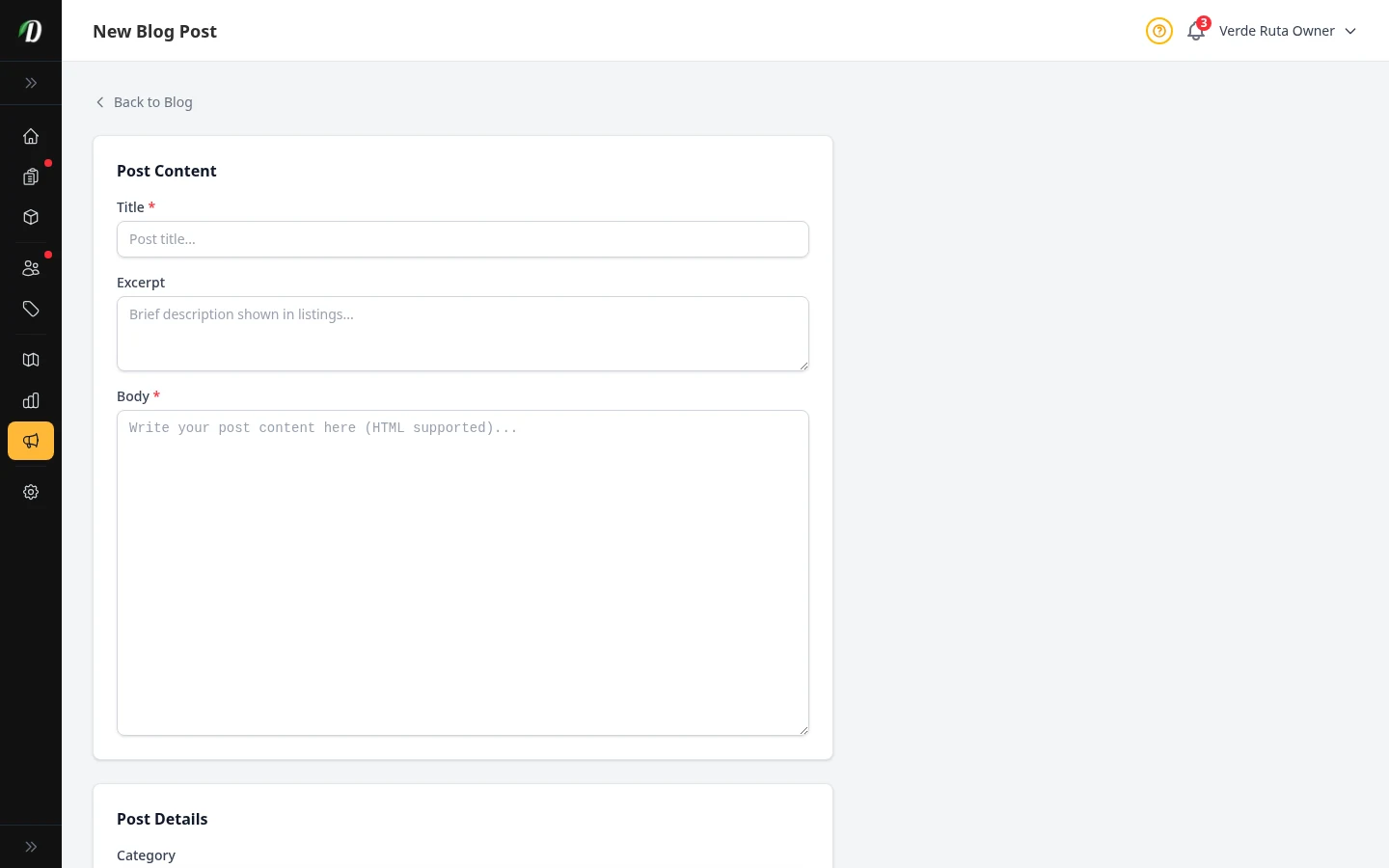
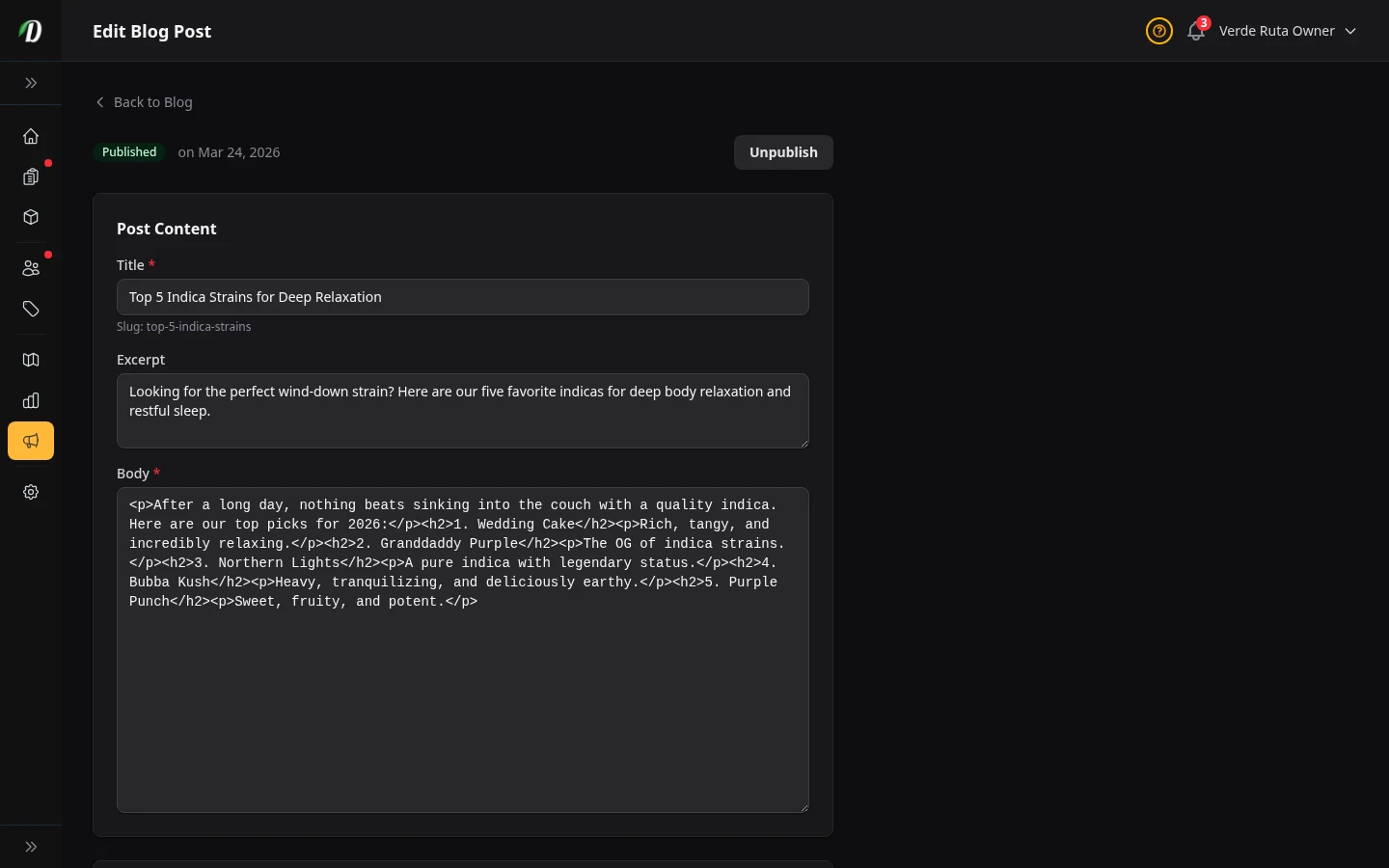
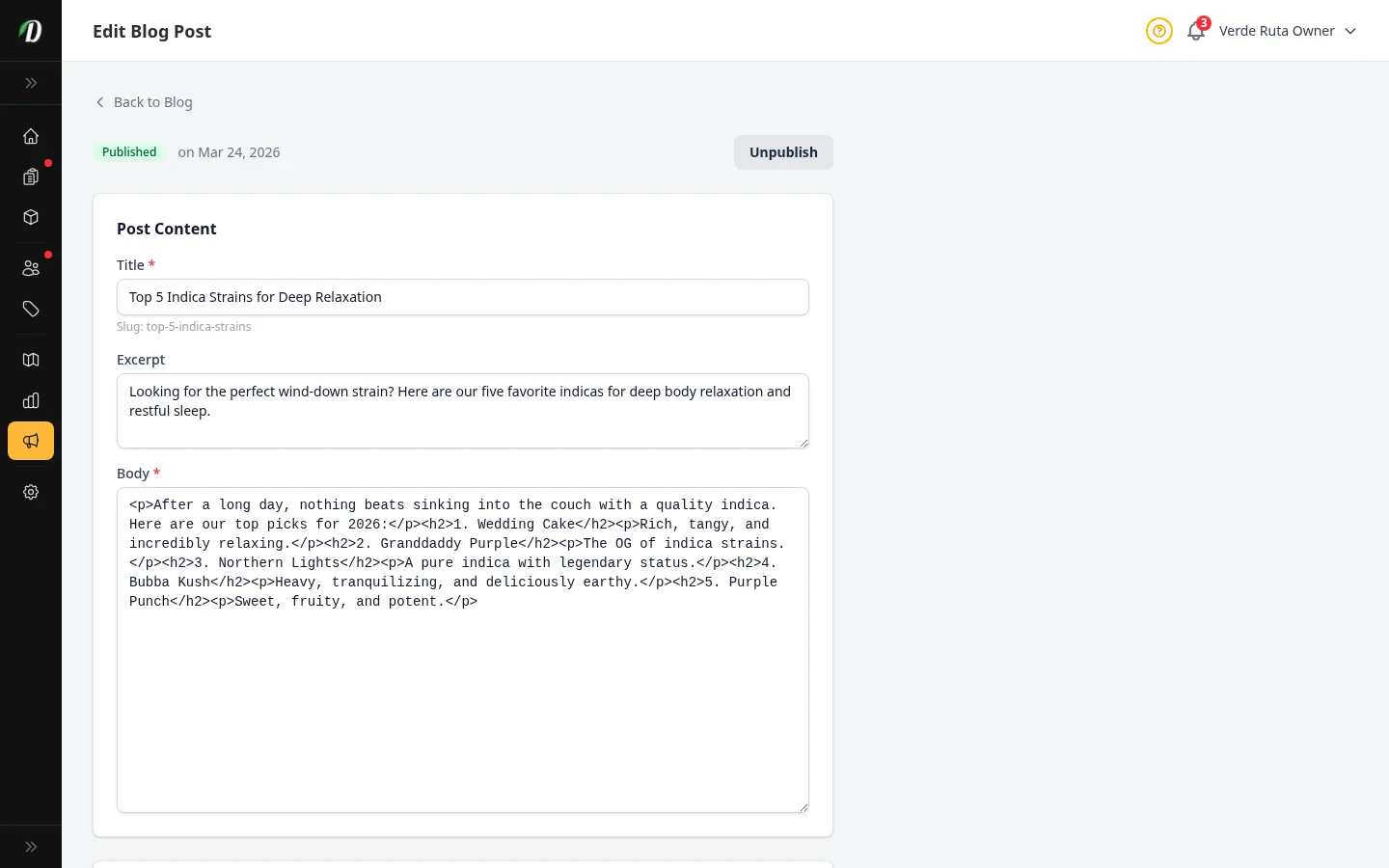
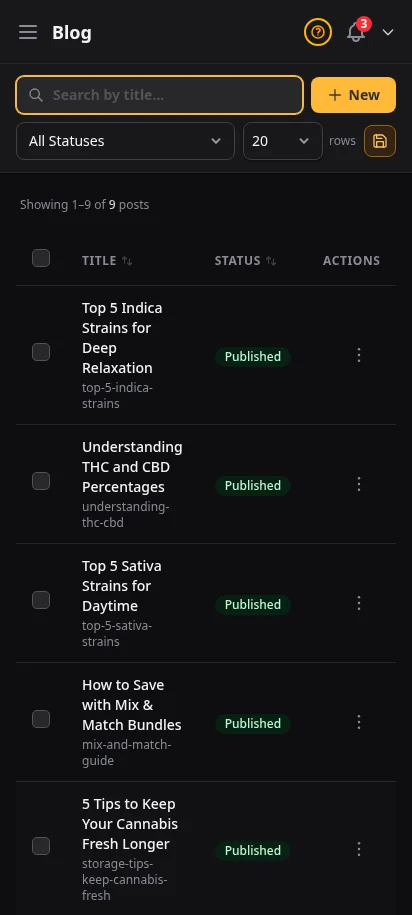
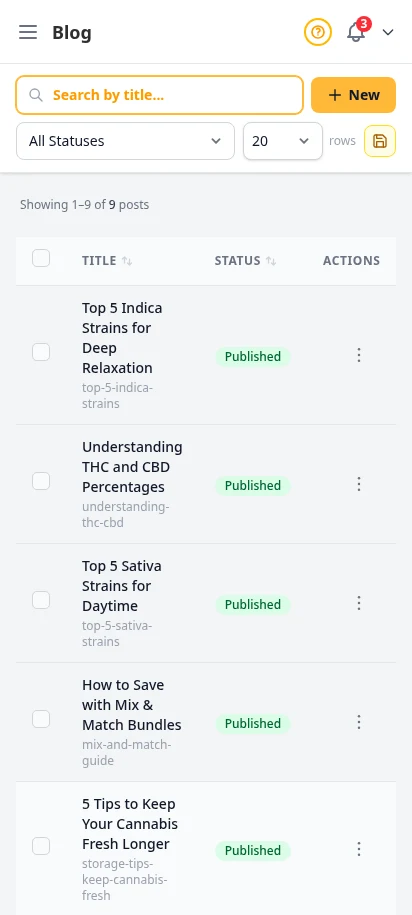
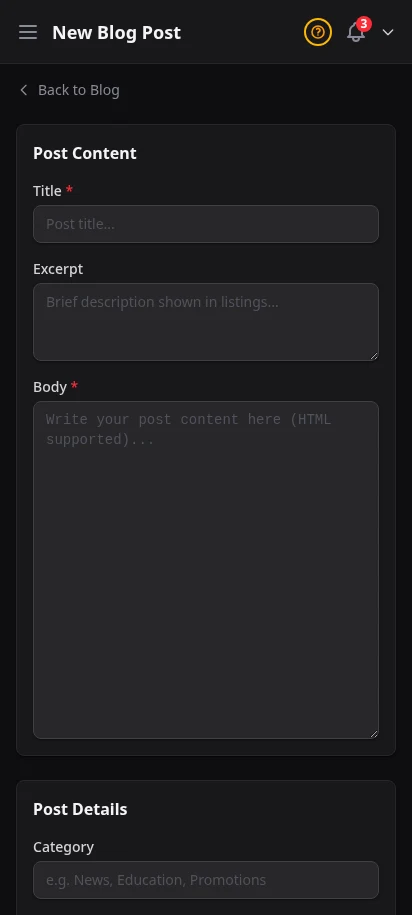
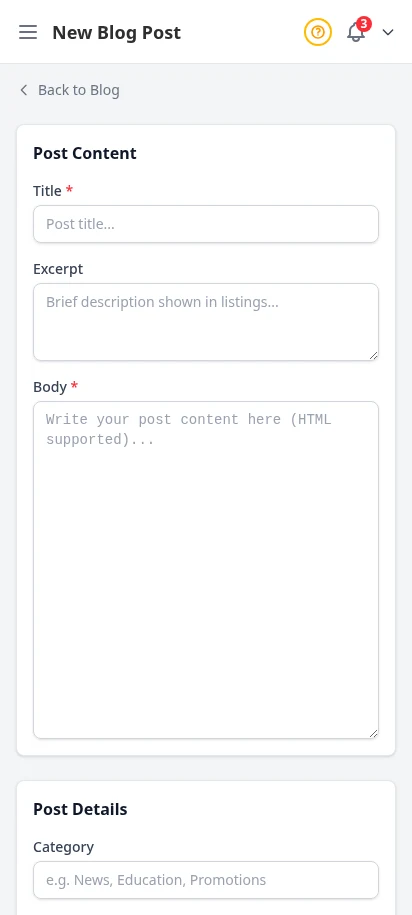
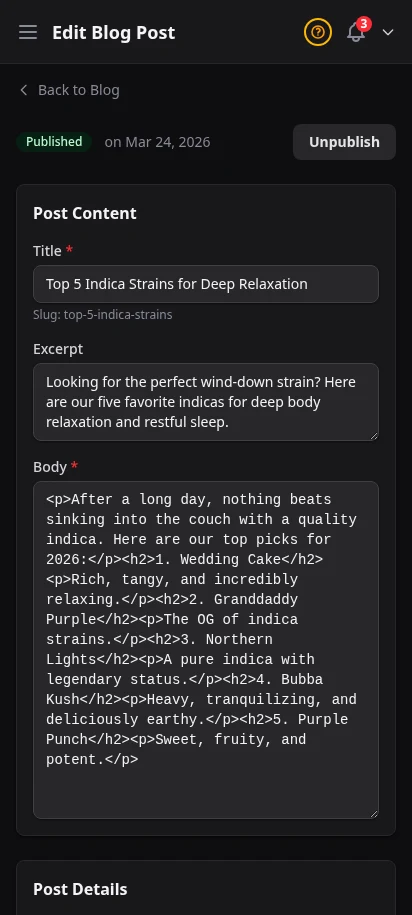
Write blog posts directly in your dashboard. Each post gets its own SEO-friendly page on your storefront so it can rank on Google. Strain reviews, product announcements, educational content — content marketing builds organic traffic over time.
- Rich text blog editor
- SEO-friendly URLs with custom slugs for Google indexing
- Draft and published status workflow
- Posts appear on your storefront blog section
- Featured images per post
Never lose a sale to "out of stock"
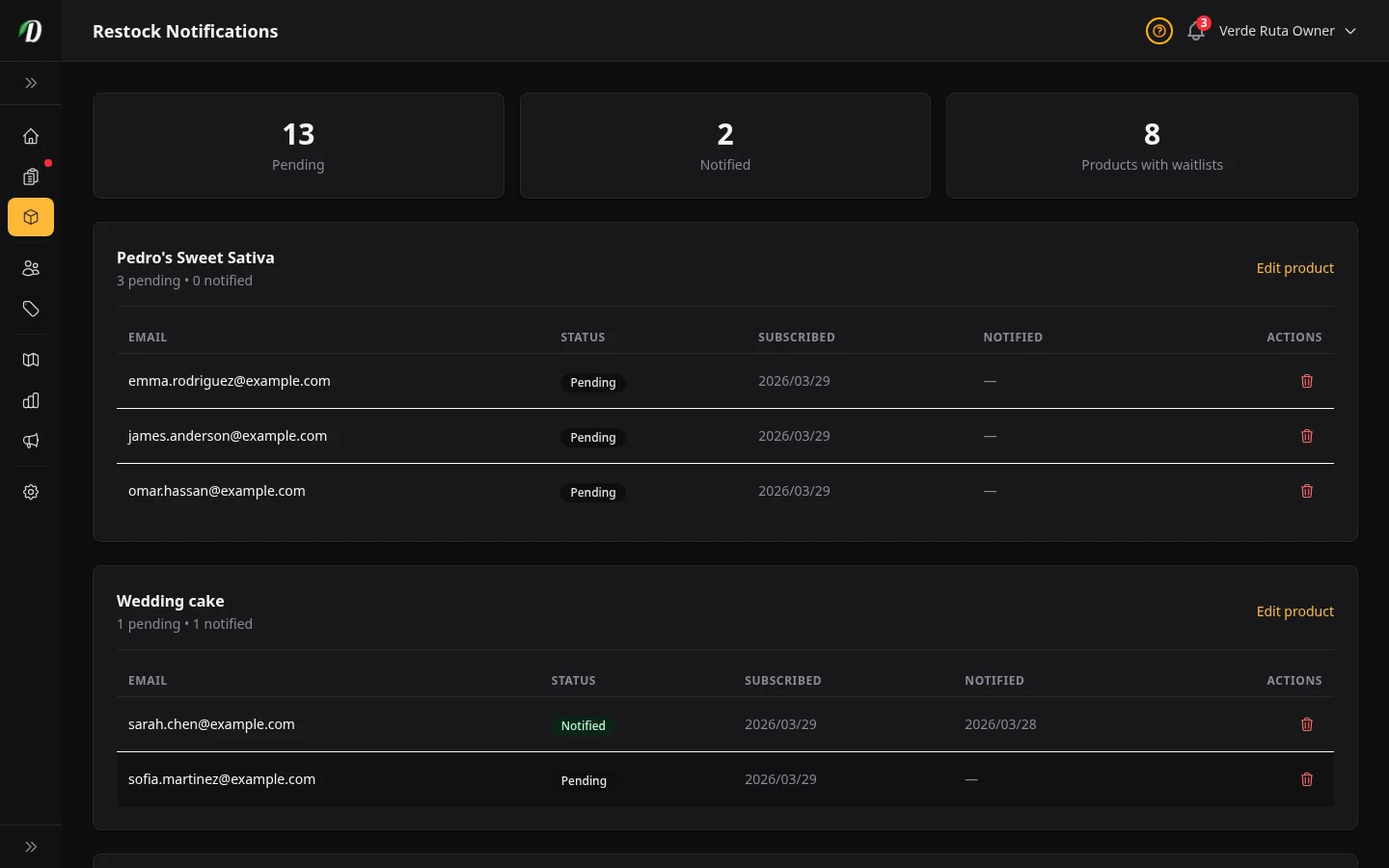
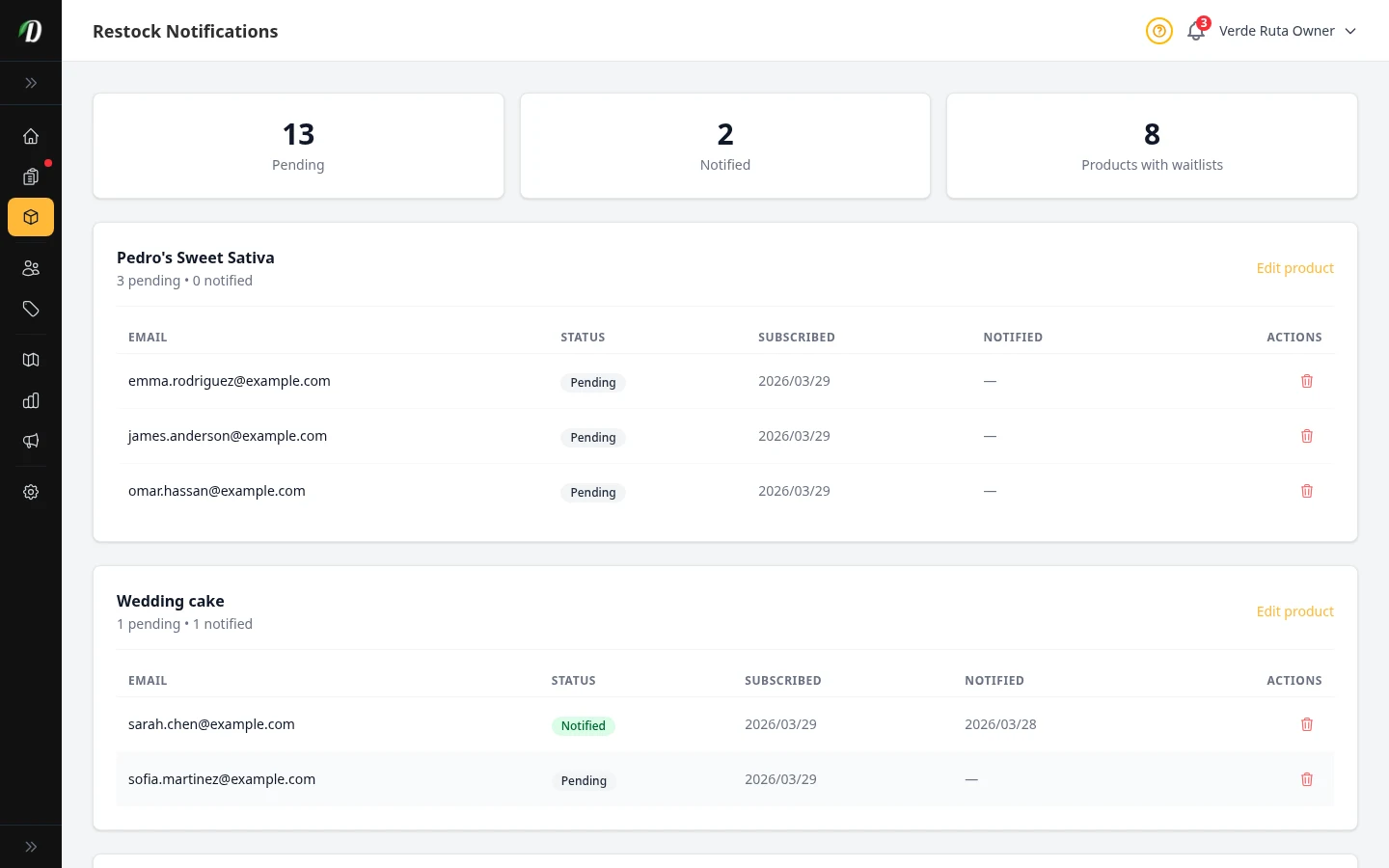
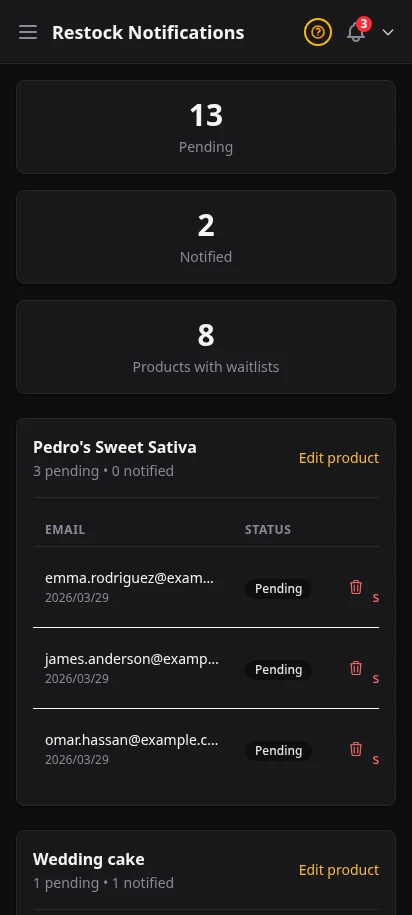
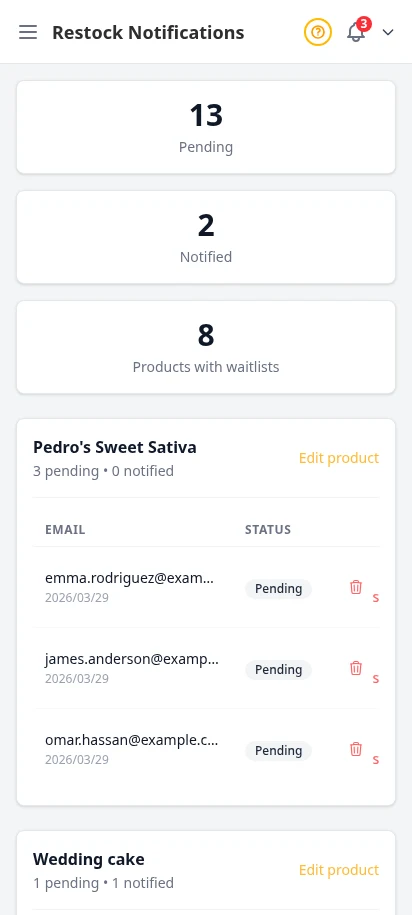
When a product goes out of stock, customers can subscribe to a restock notification. The moment you add stock back, they receive an email automatically. You see all pending notifications in your admin — it's a built-in demand signal.
- Customer-initiated restock email subscriptions
- Automatic email when stock is added
- View all pending notification requests
- Built-in demand signal for restocking decisions
Rank higher in local cannabis search
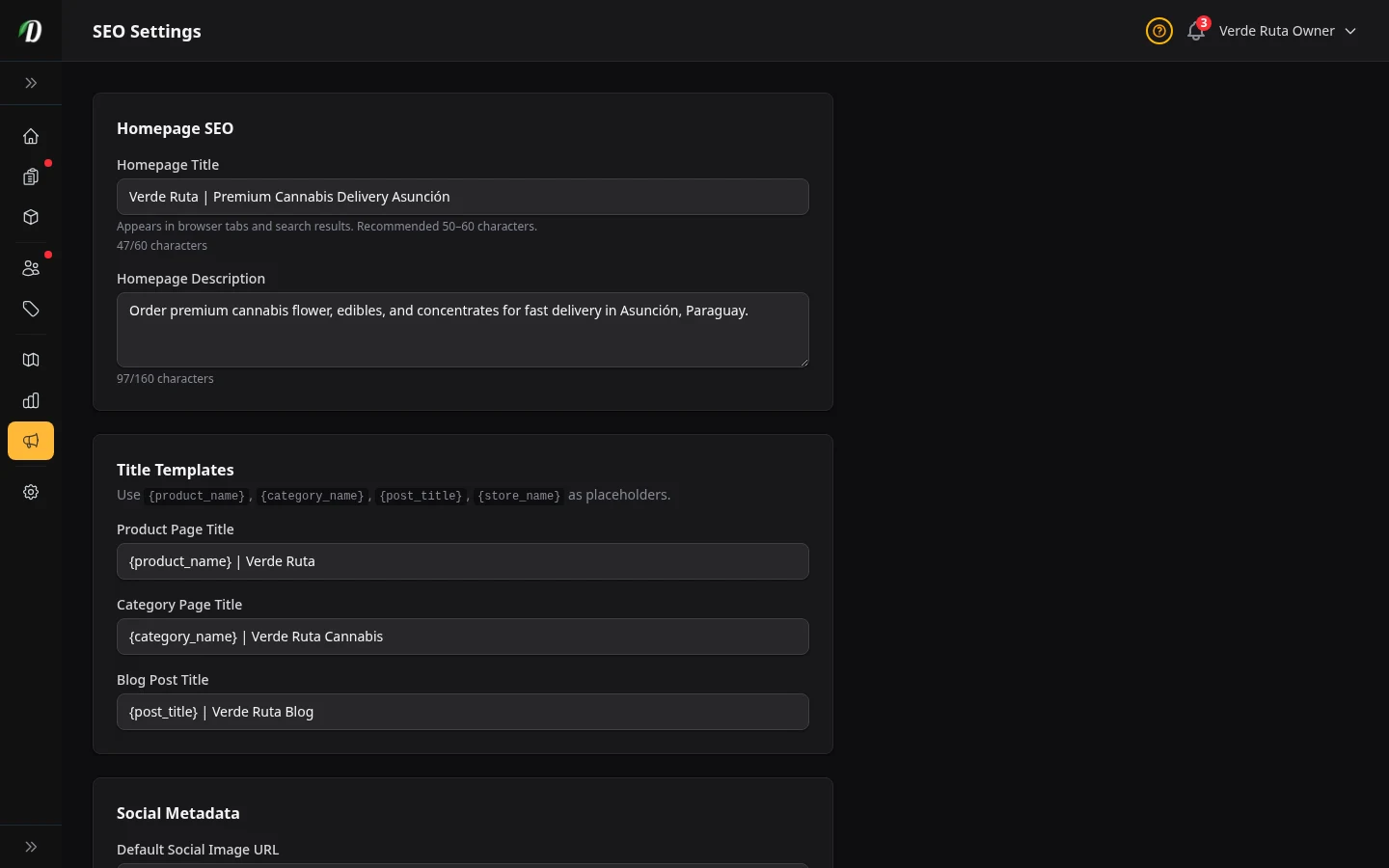
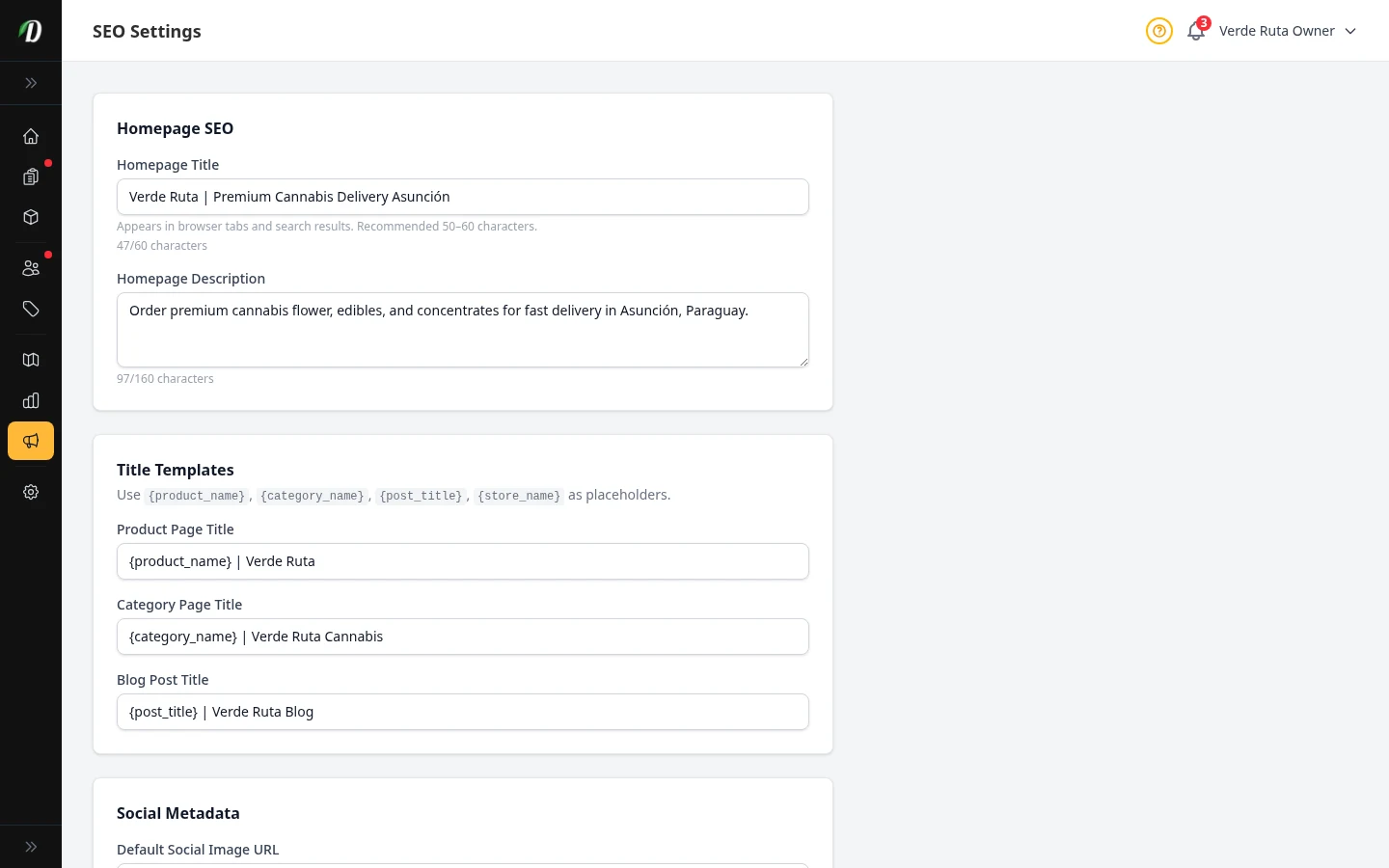
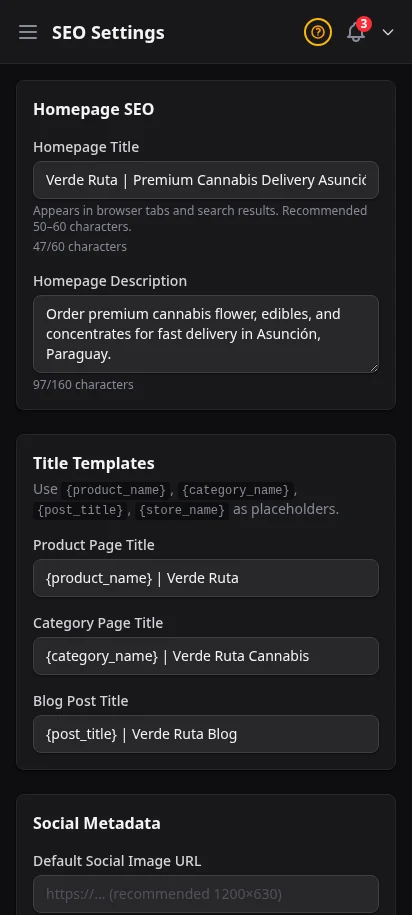
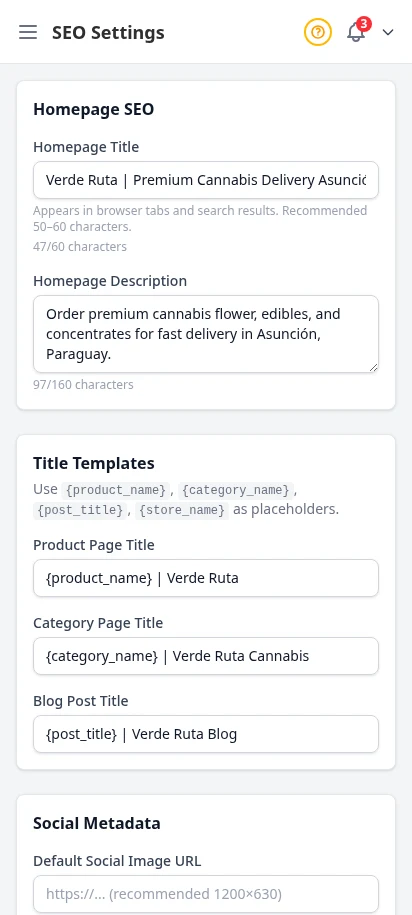
Set your store's global SEO defaults: homepage title, description, and share image. Every storefront page is server-side rendered with sitemaps and structured data. SEO MAX adds weekly AI blog posts, per-product SEO title and meta fields on the live storefront, strain library sync, star ratings in Google, and the Search Console report.
- Global meta title and description defaults
- Open Graph image configuration
- Server-side rendered pages for crawlability on Google
- SEO MAX add-on: AI blog automation, per-product meta, strain sync, Search Console report
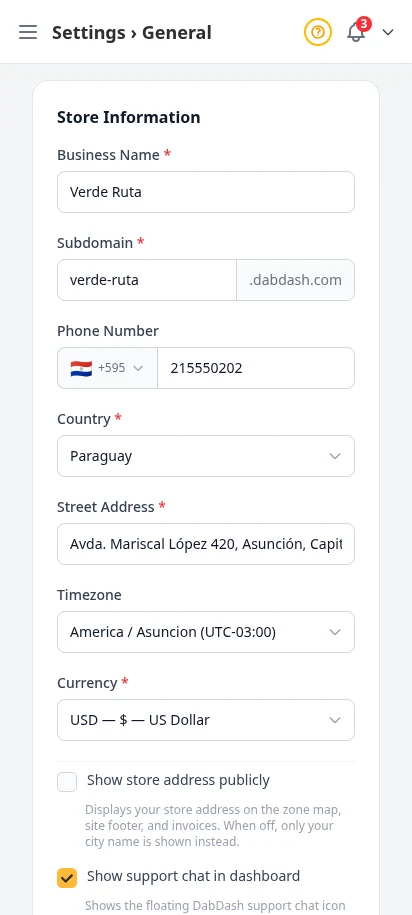
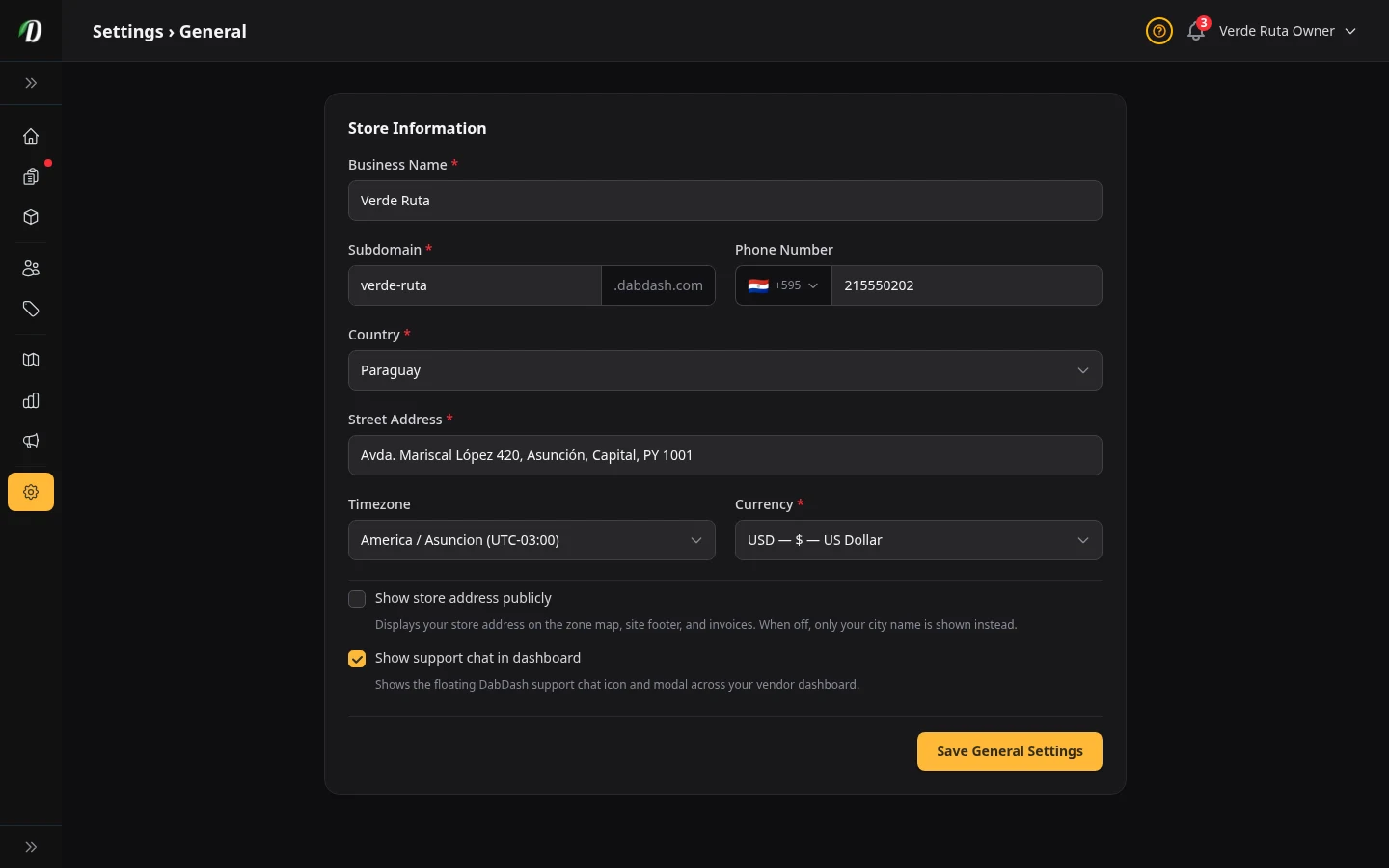
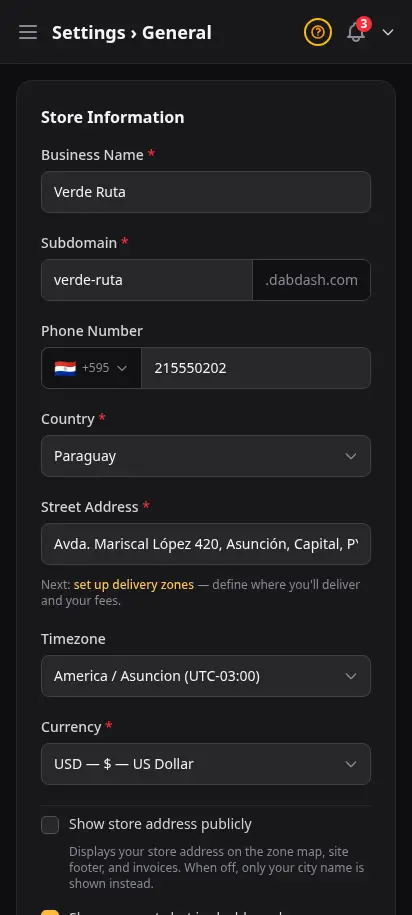
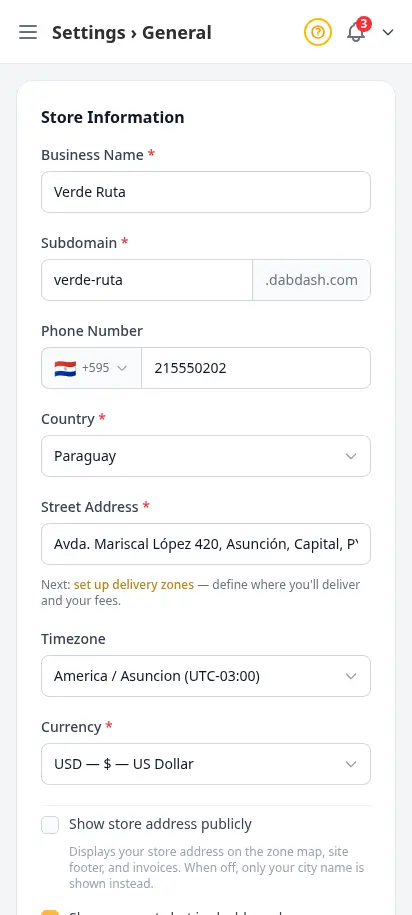
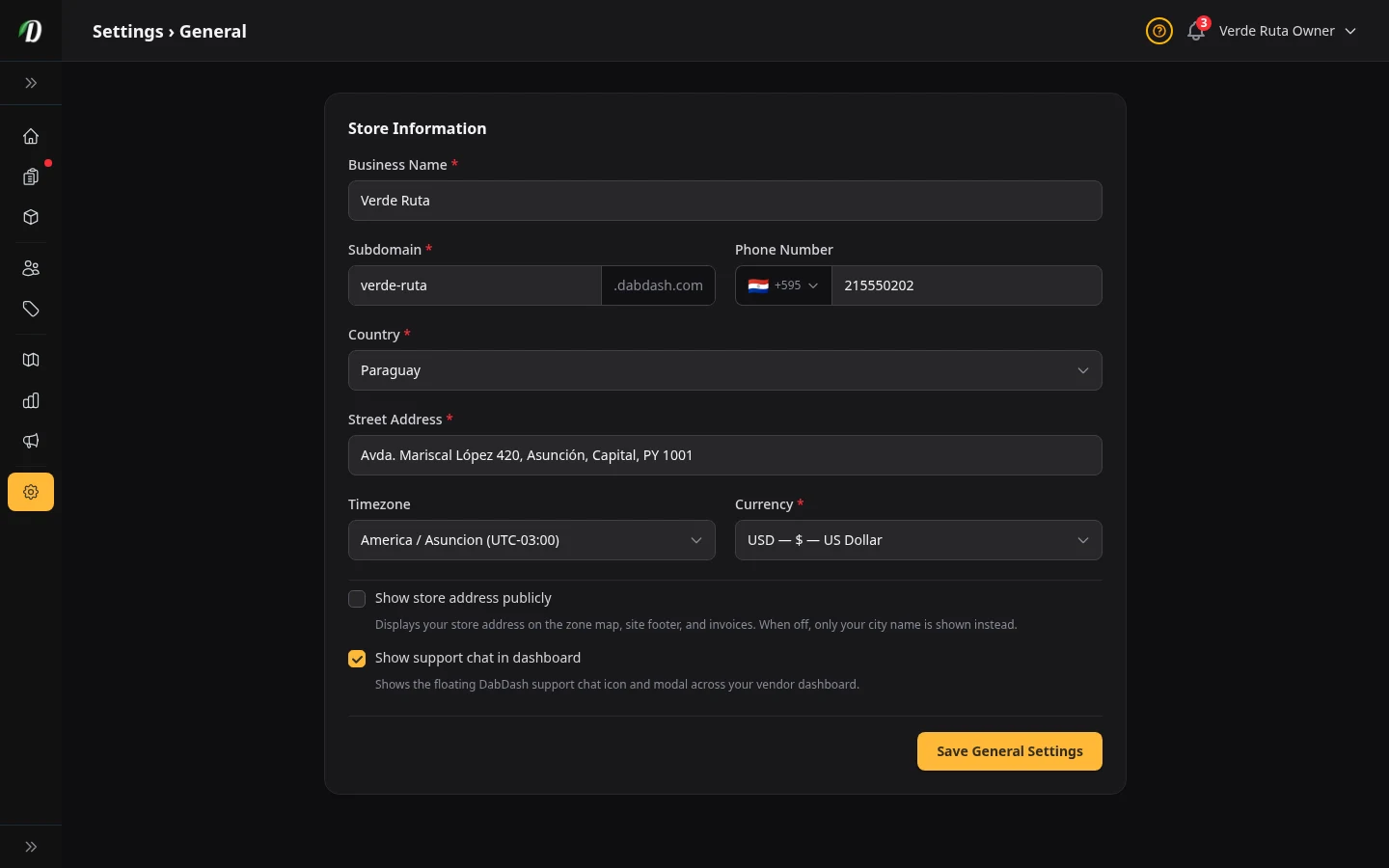
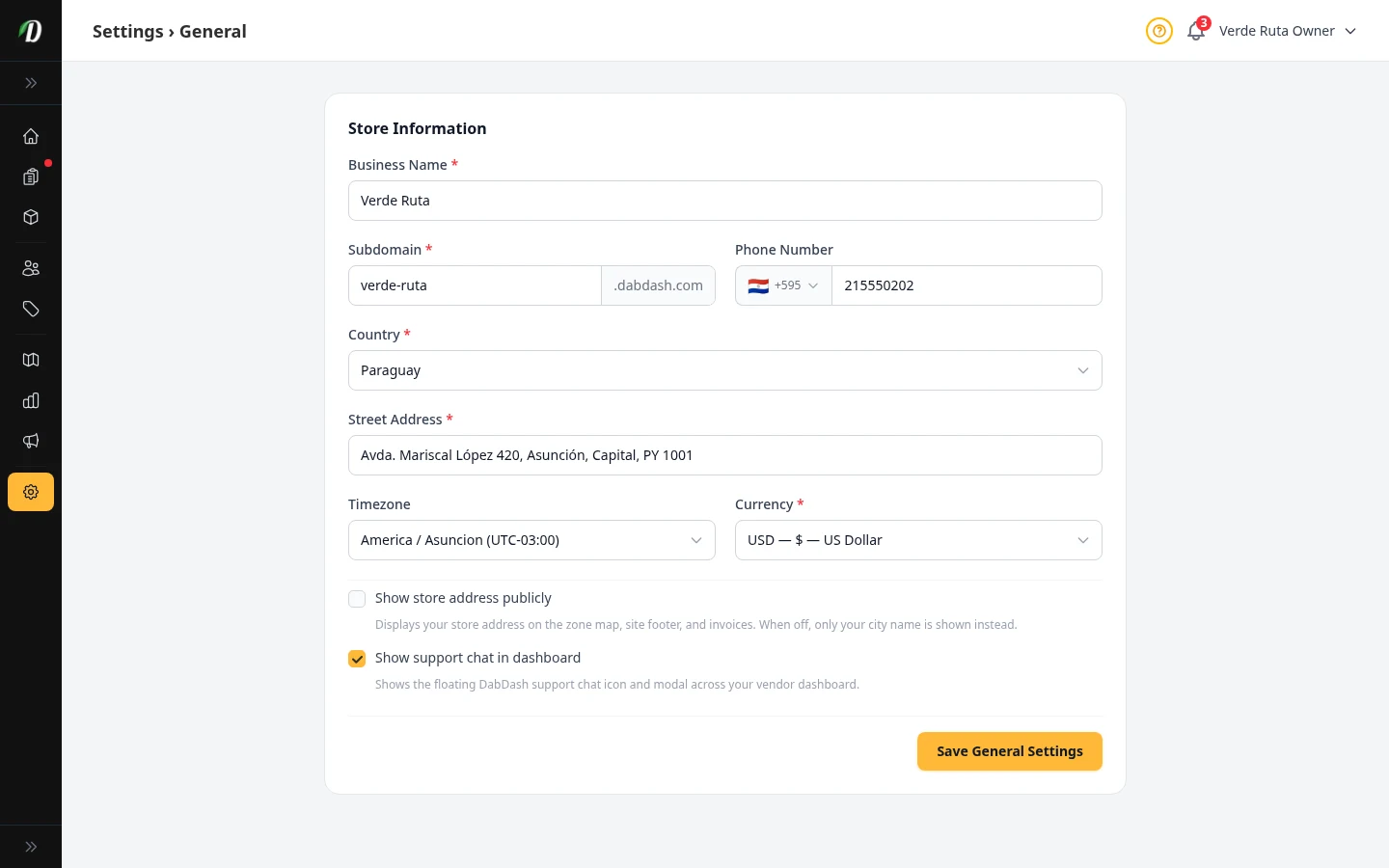
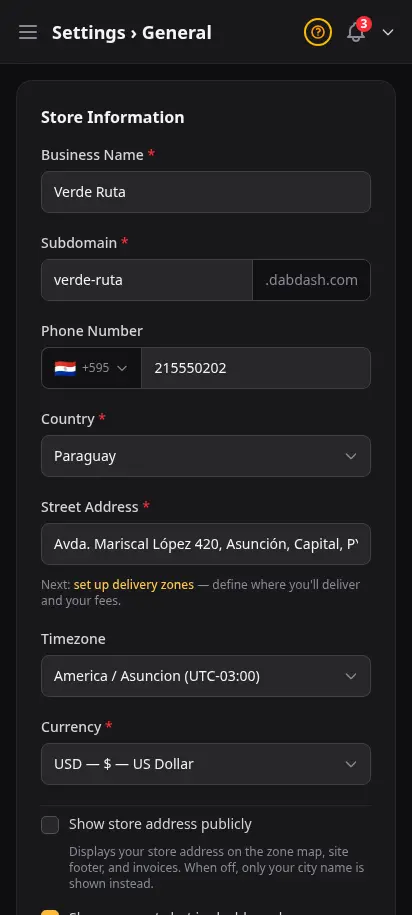
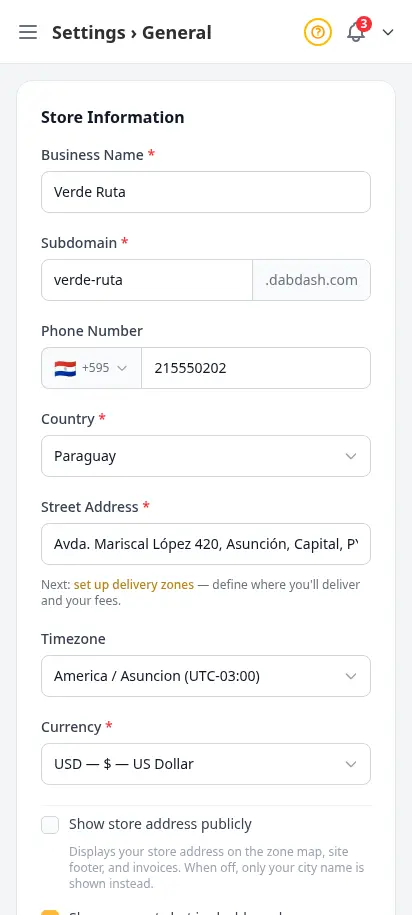
Your store info, rules, and legal basics in one pass
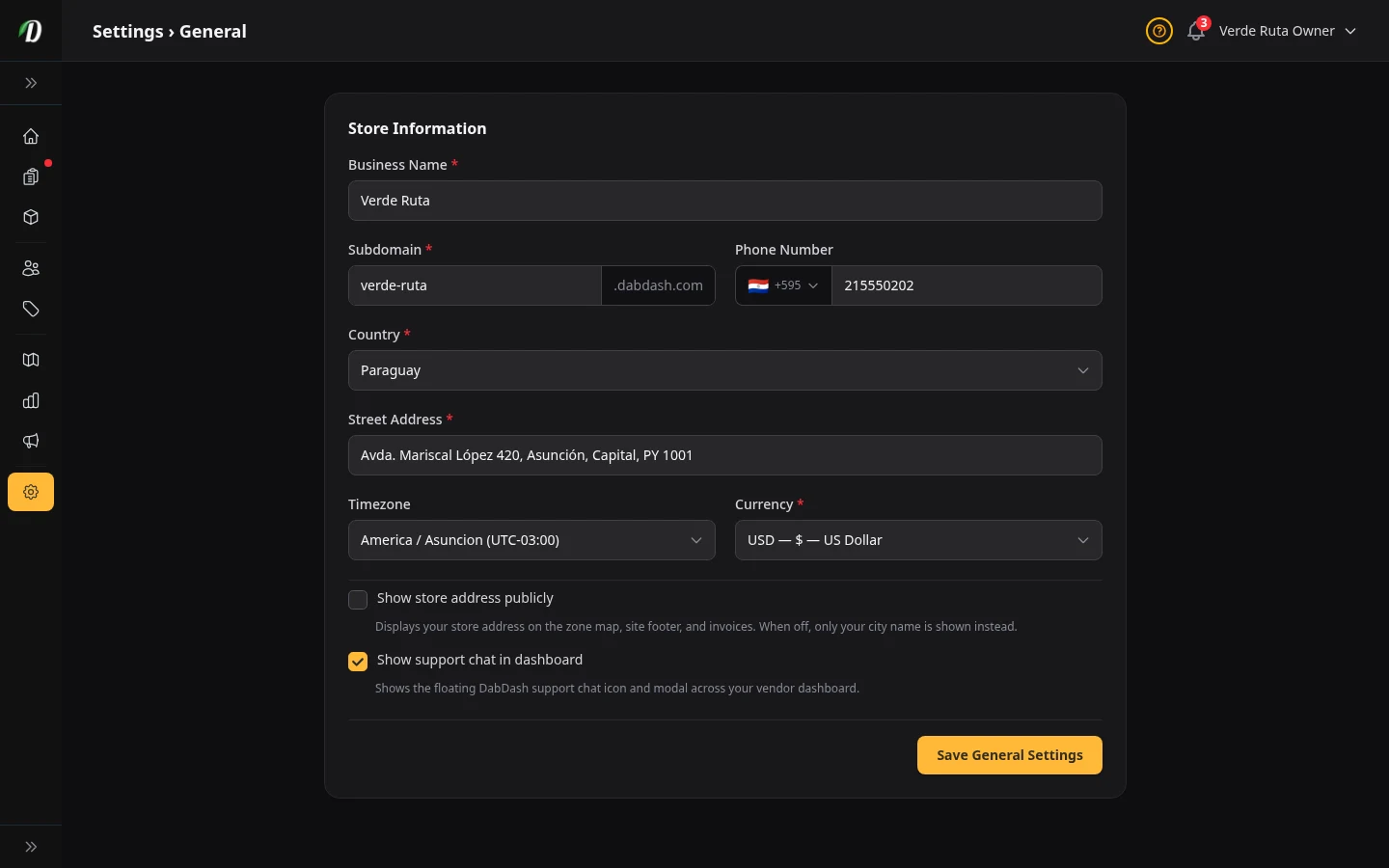
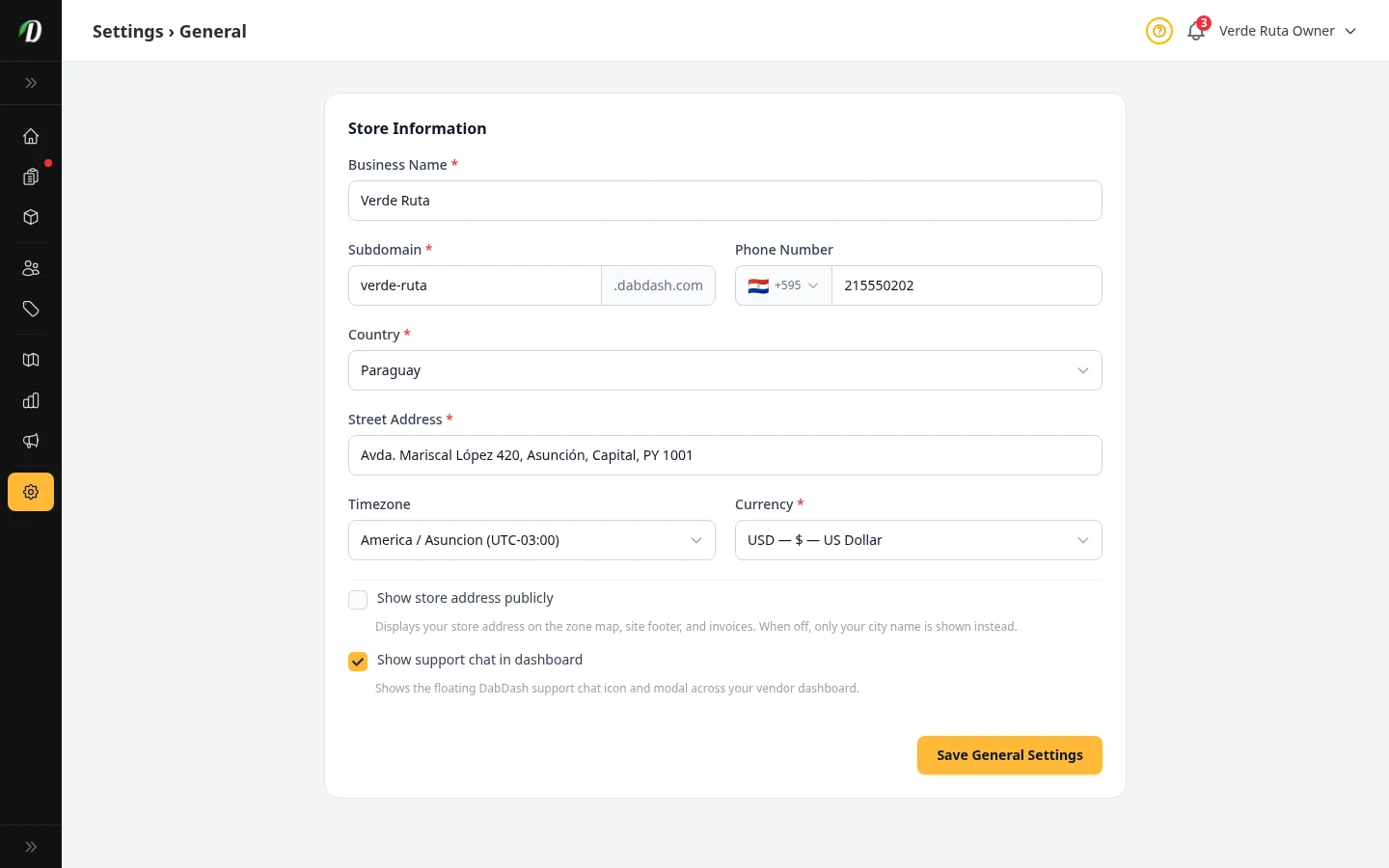
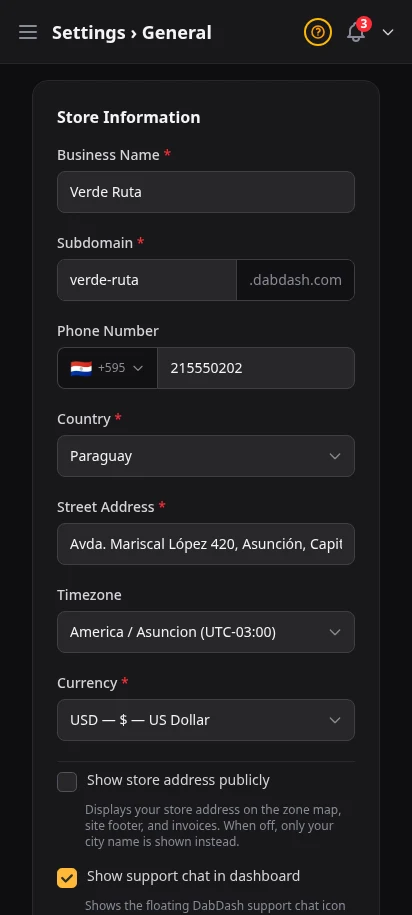
Set your business details, tune your storefront rules, and handle age check basics without bouncing between pages. It is a cleaner setup path for new cannabis retailers who need to get live quickly and confidently.
- Business name, address, and phone
- Timezone and storefront rules in one place
- Age check and legal controls ready during setup
- Built to shorten first-day store launch time
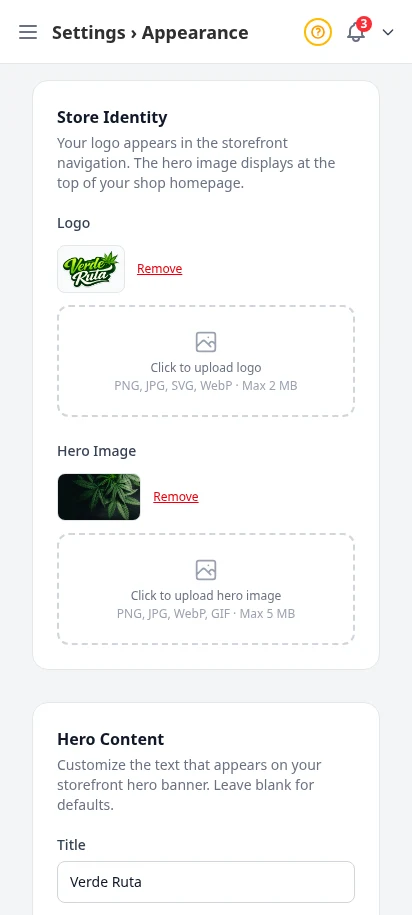
Make it look like yours
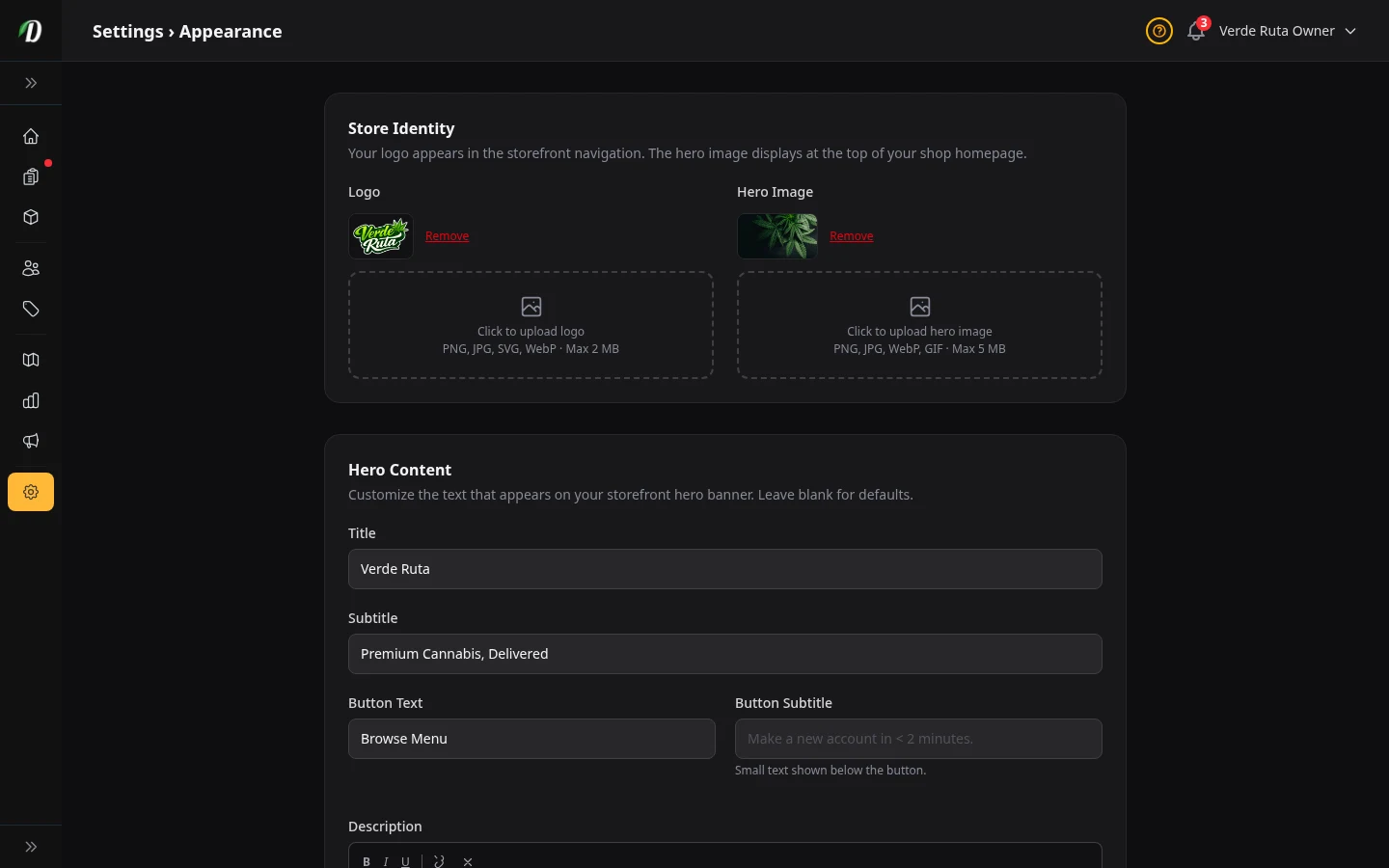
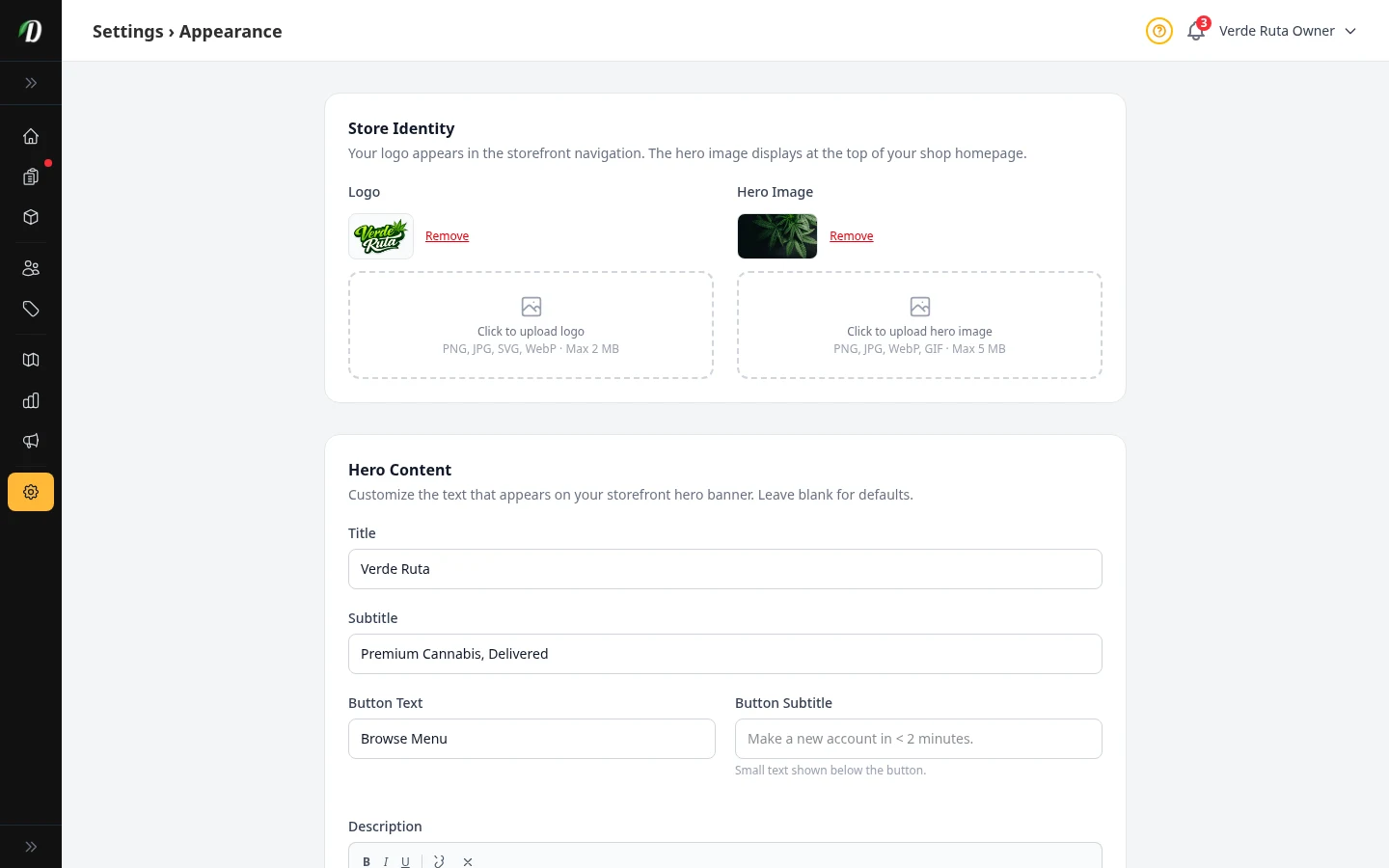
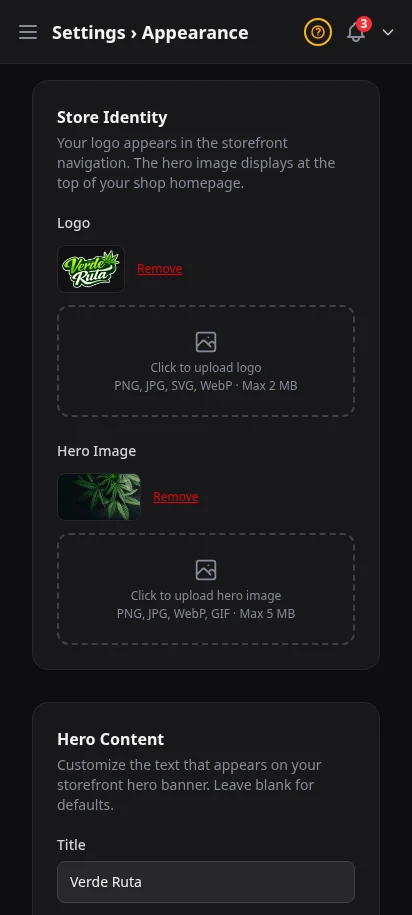
Upload your logo and favicon. Choose primary and accent colors. Select a font family. Toggle between dark and light mode for your storefront. Set a hero image for your homepage. Your storefront adapts instantly — no code required.
- Logo and favicon upload
- Primary and accent color pickers
- Font family selector (Inter, Poppins, Roboto, and more)
- Dark/light mode toggle for storefront
- Homepage hero image
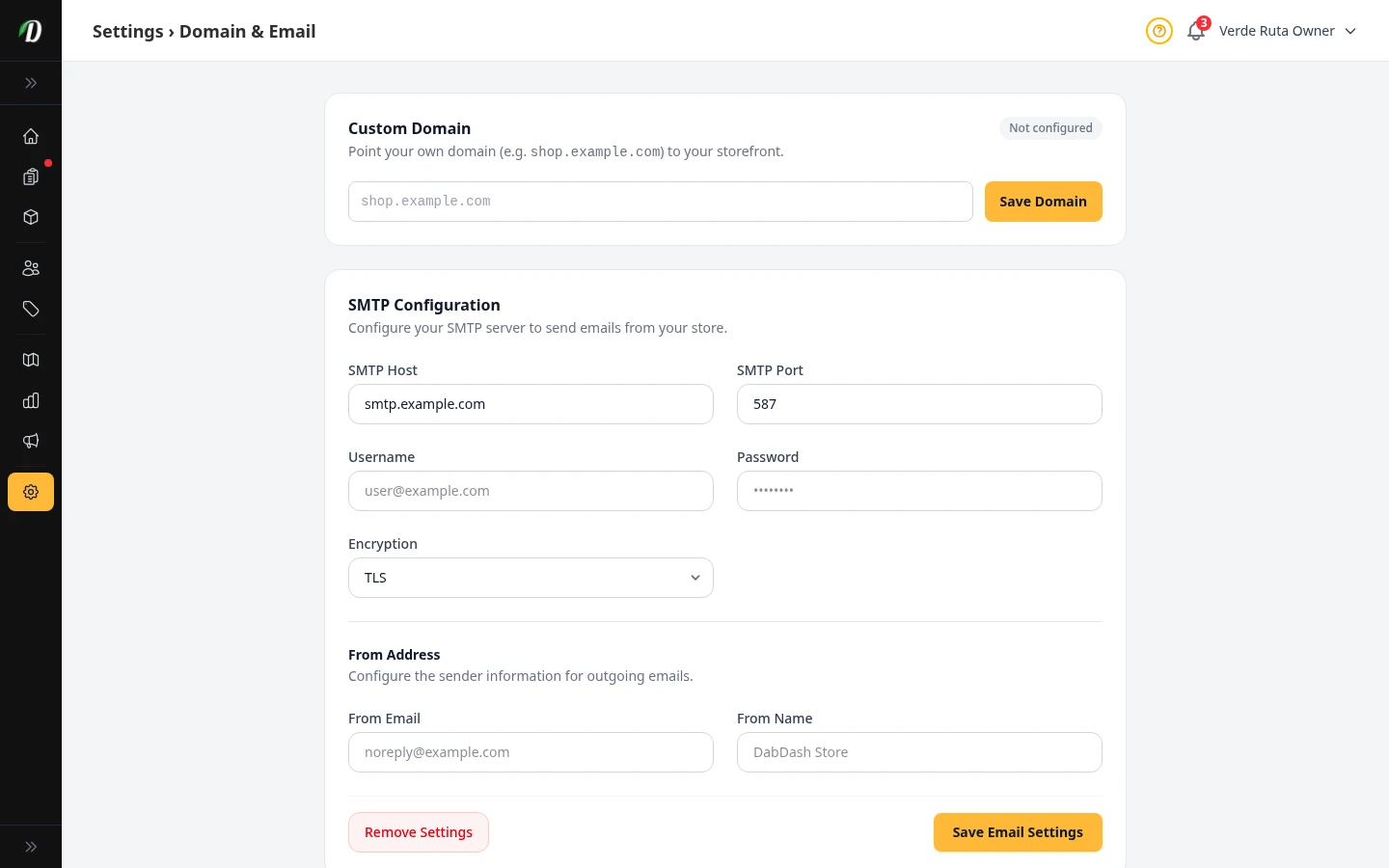
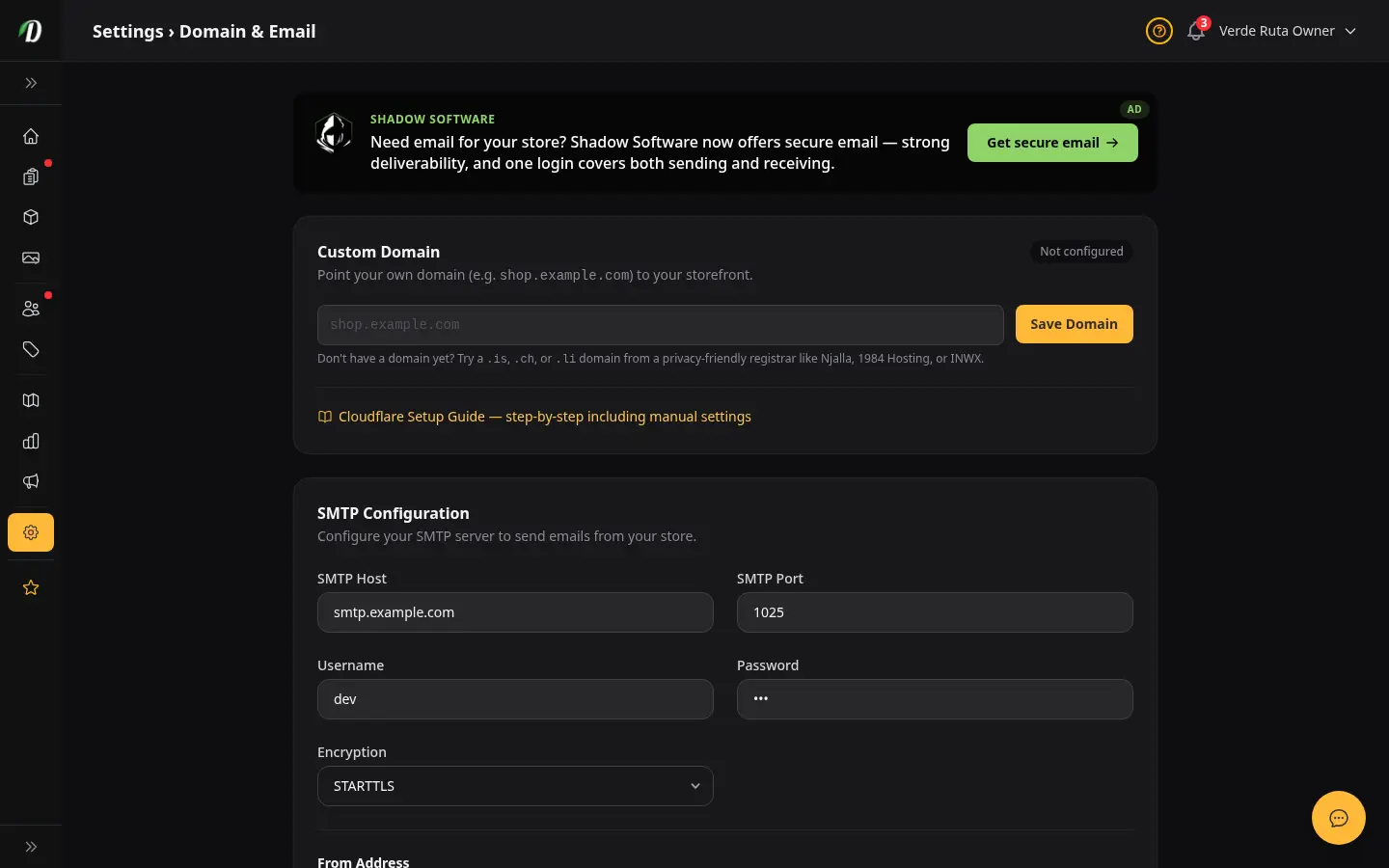
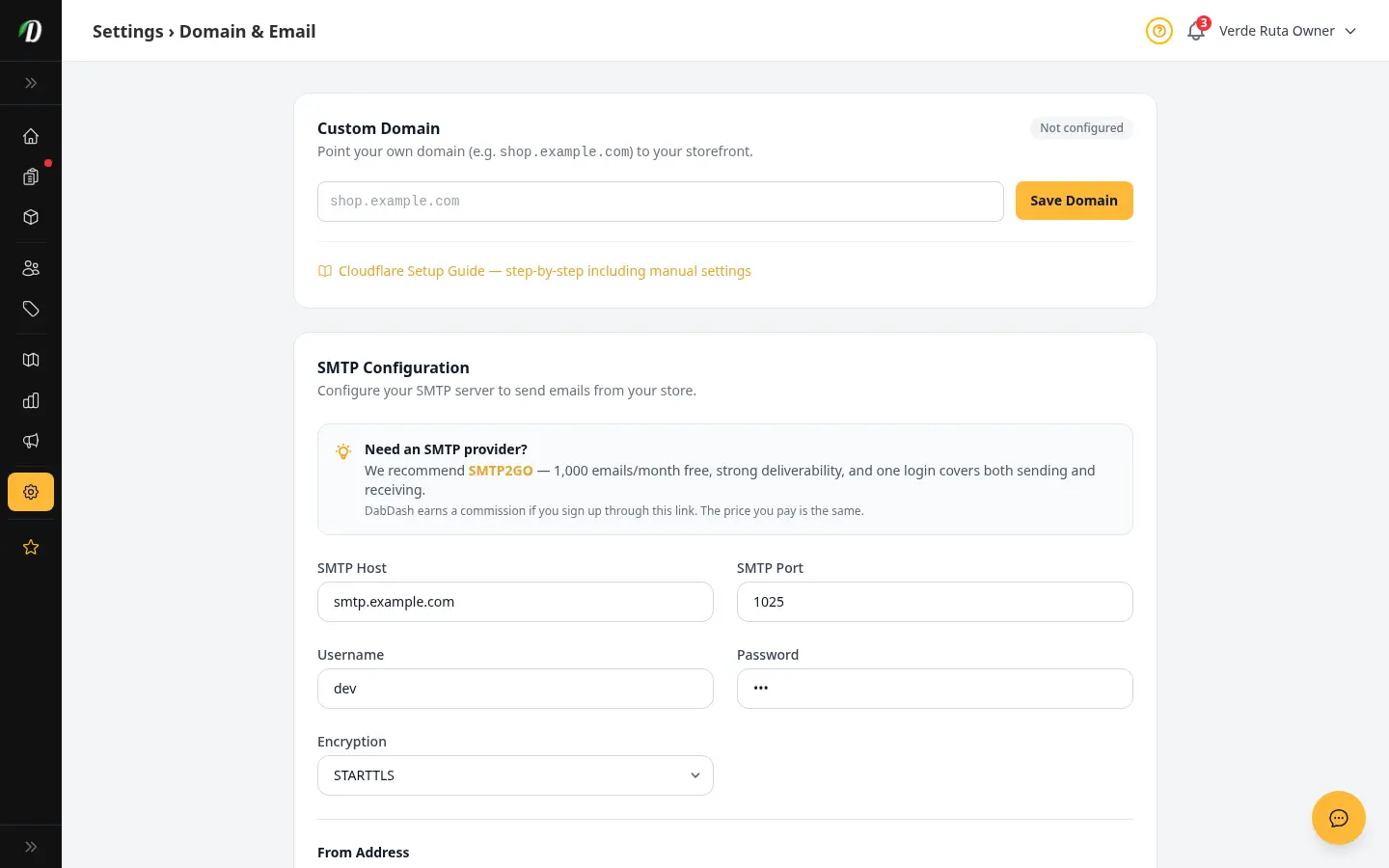
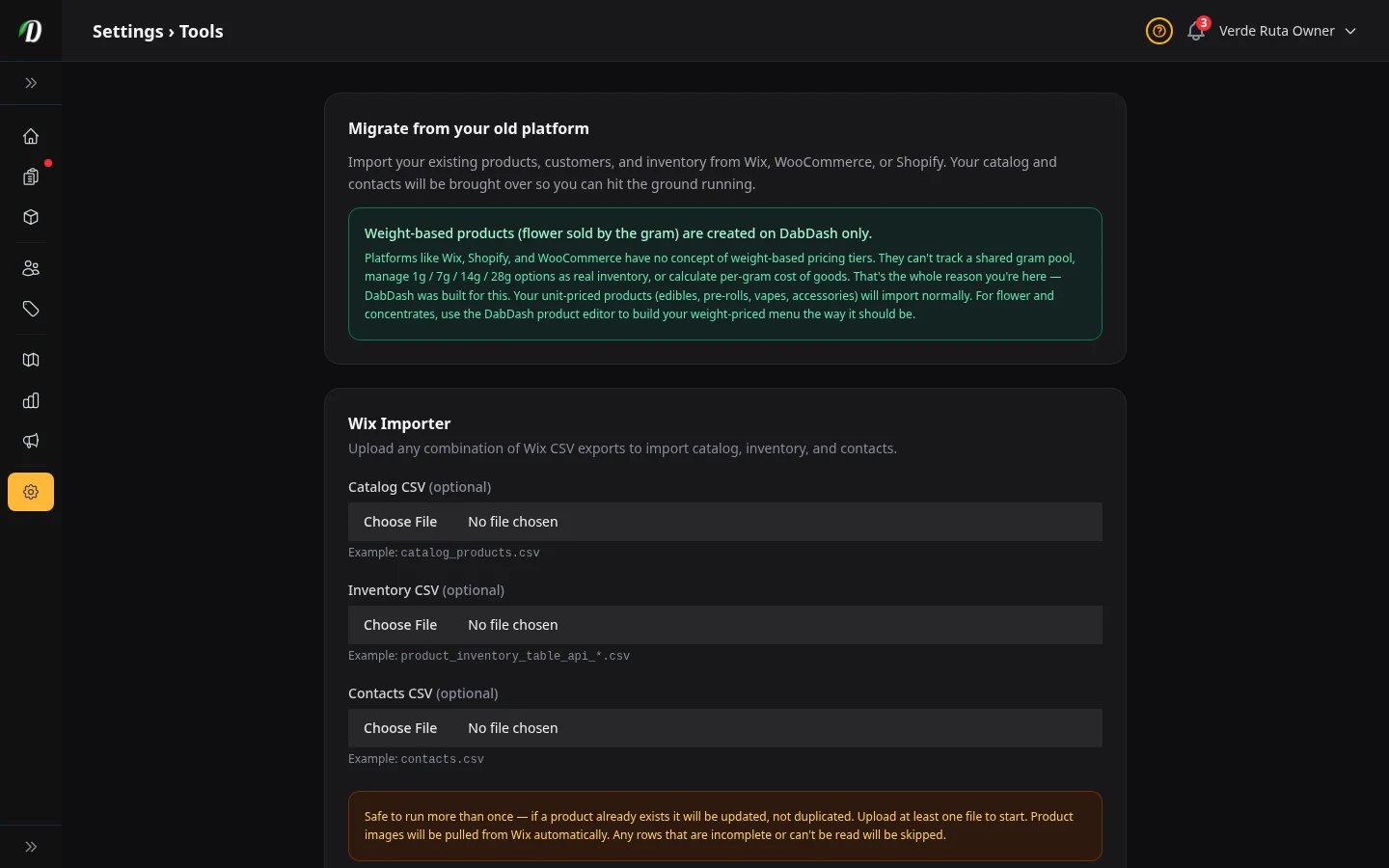
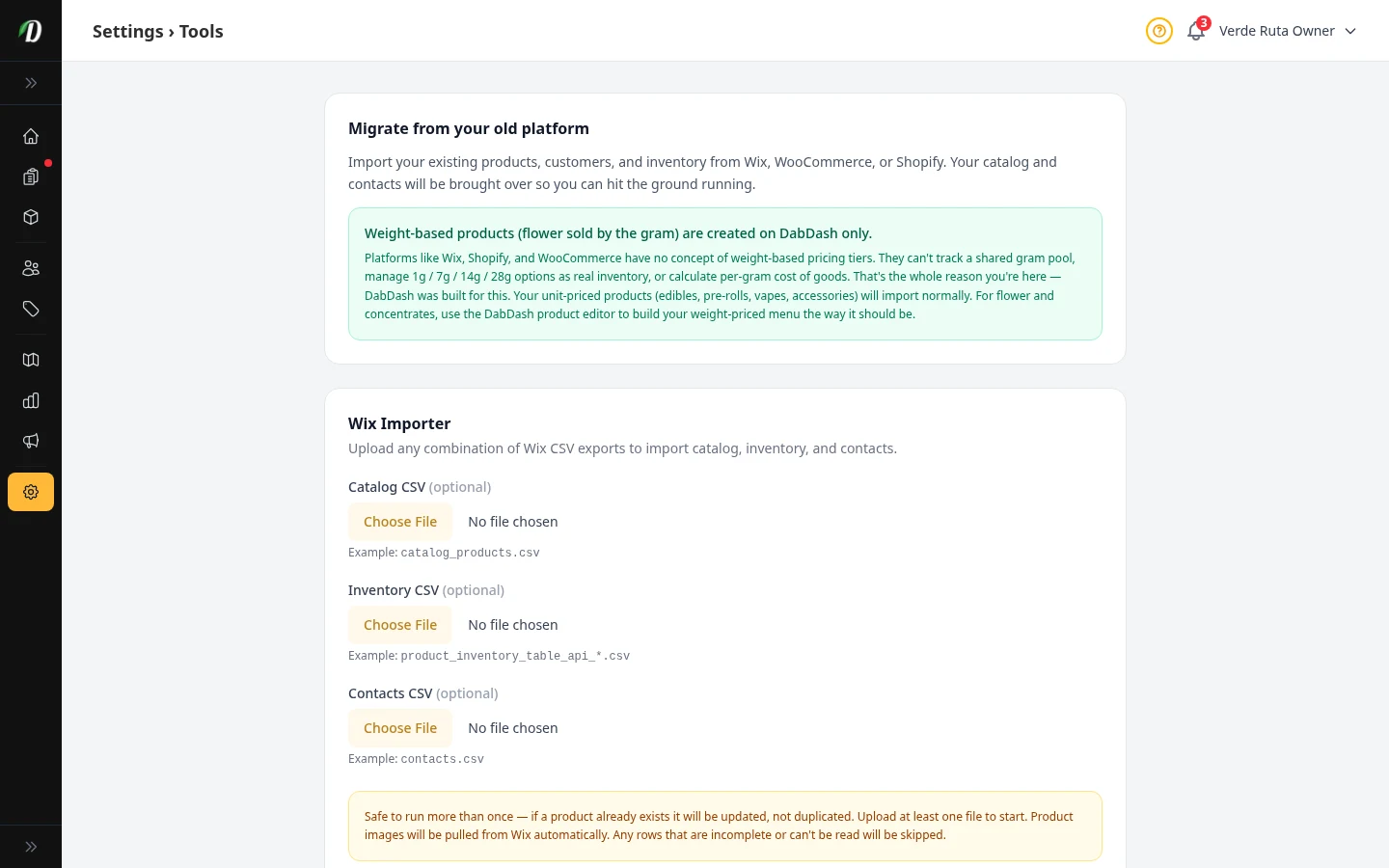
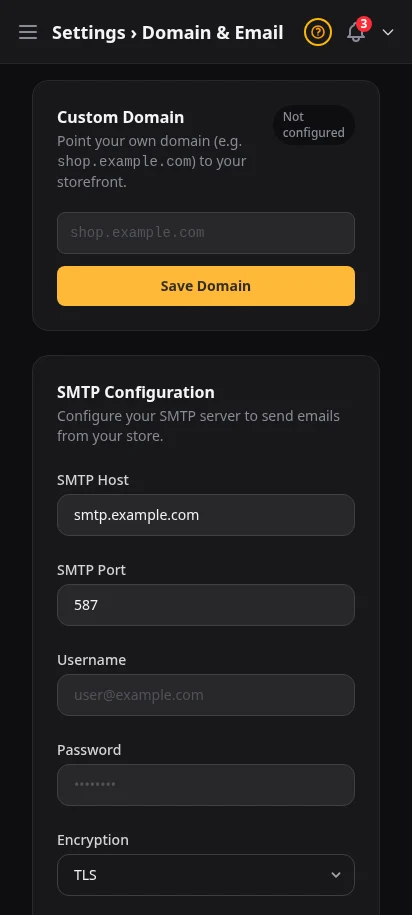
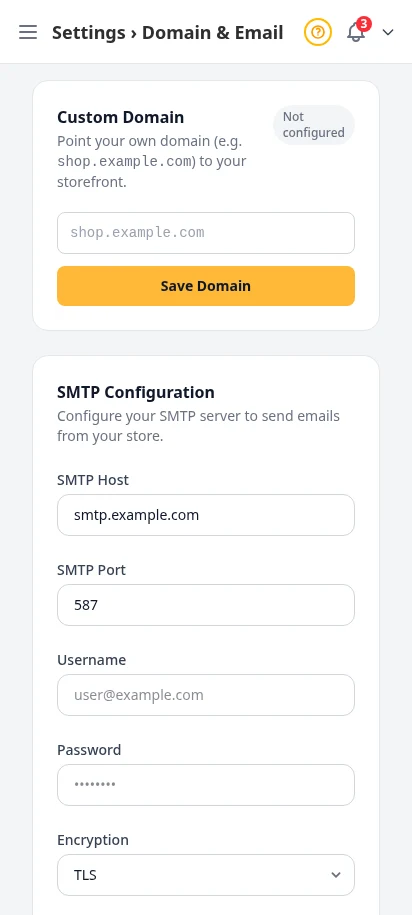
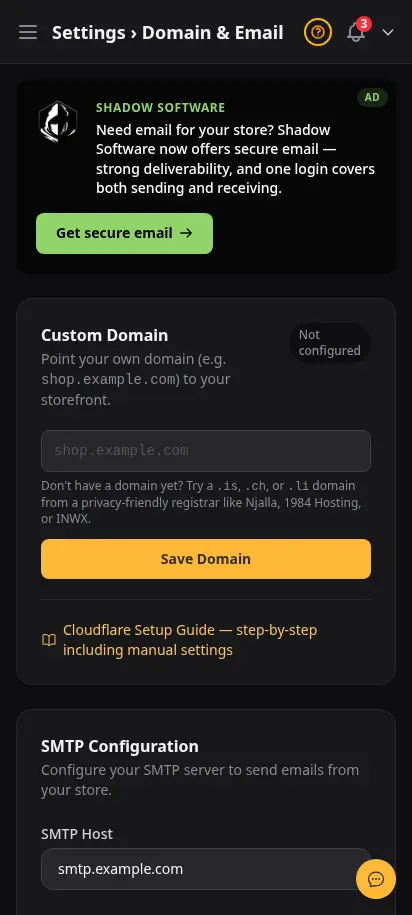
Connect your brand and move your store in cleanly
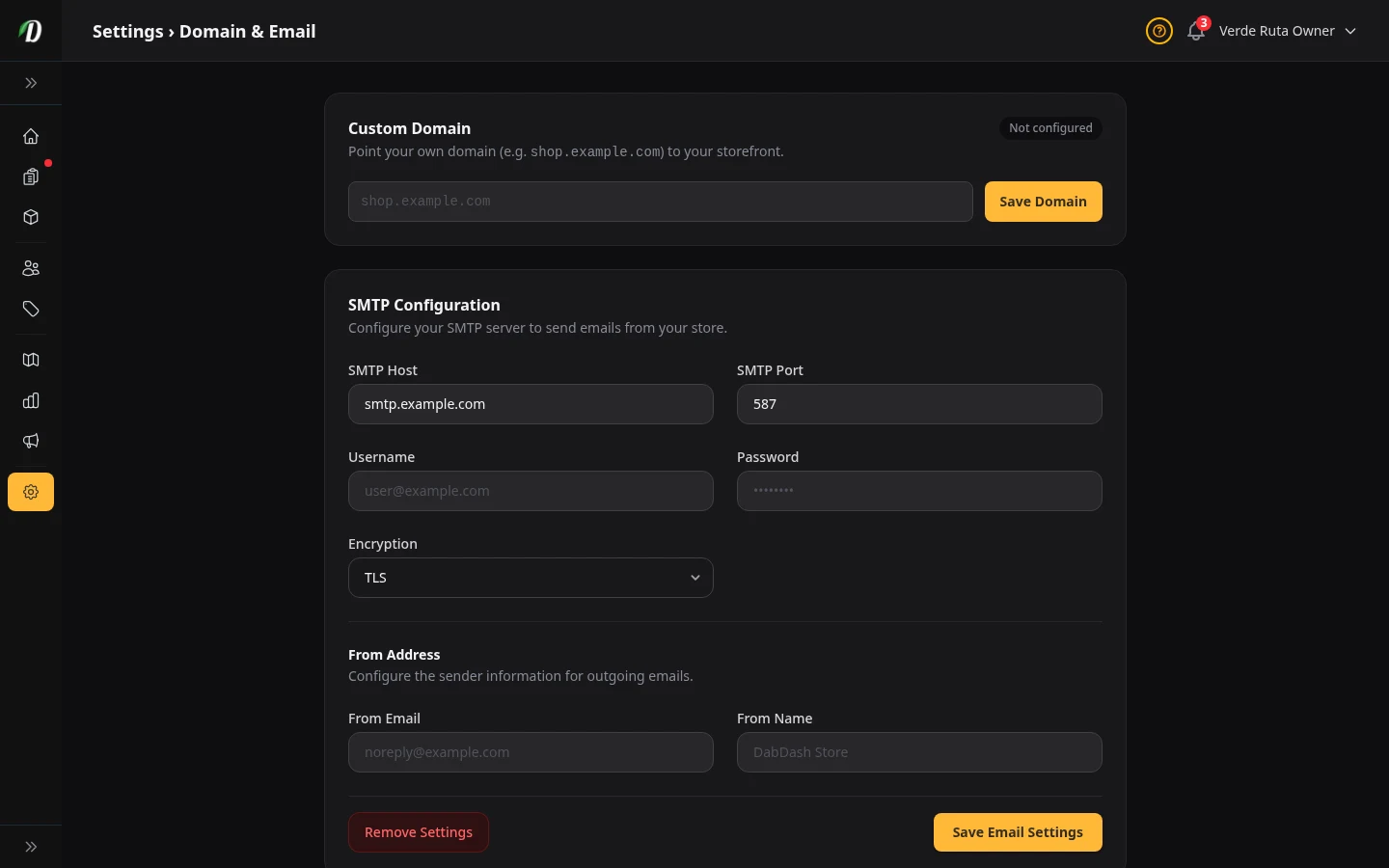
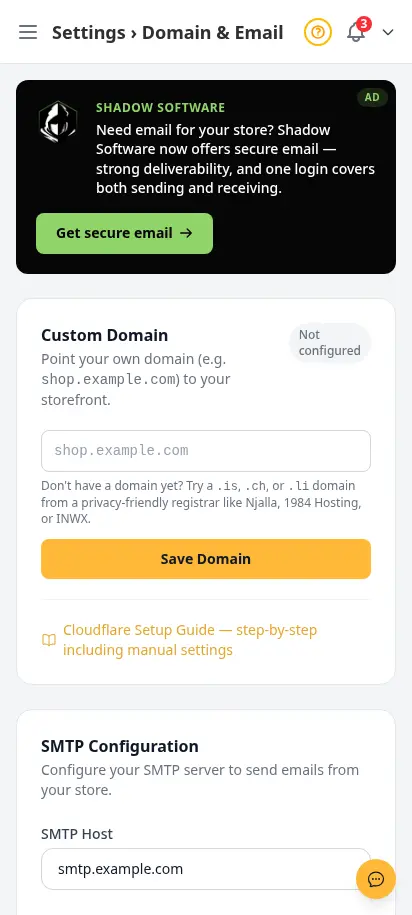
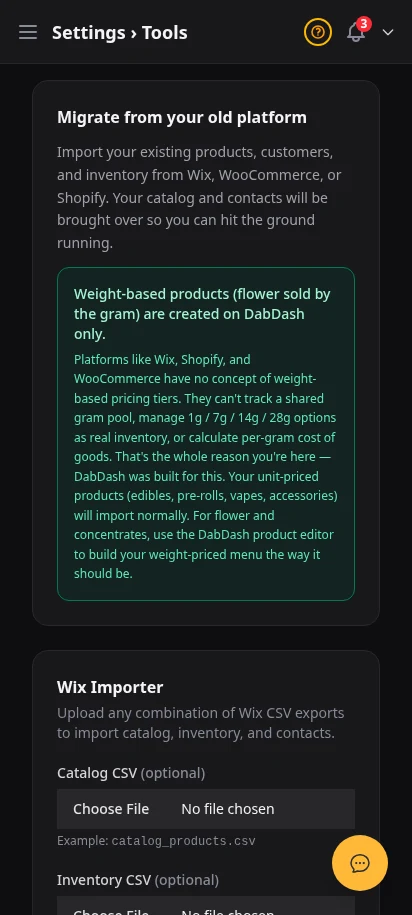
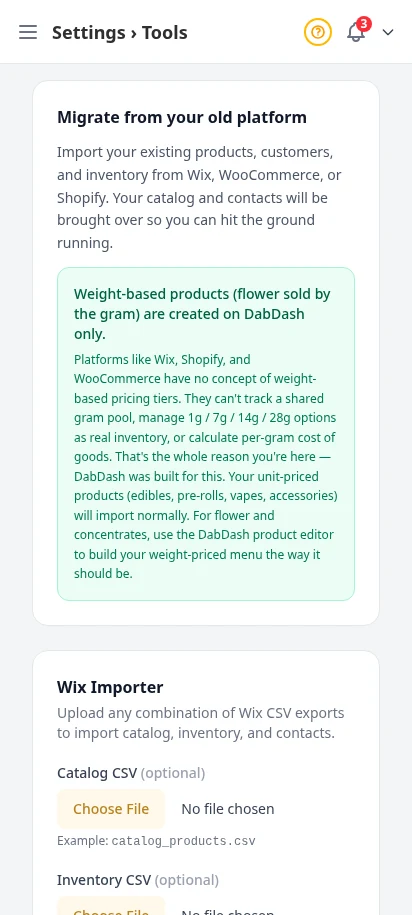
Point your own domain, set your sending email details, and use import tools to bring your store over without guesswork. This is the part of onboarding that makes the store feel real fast.
- Custom domain setup with verification details
- Email sender setup for customer messages
- Import tools for moving store data in
- Less setup confusion during launch week
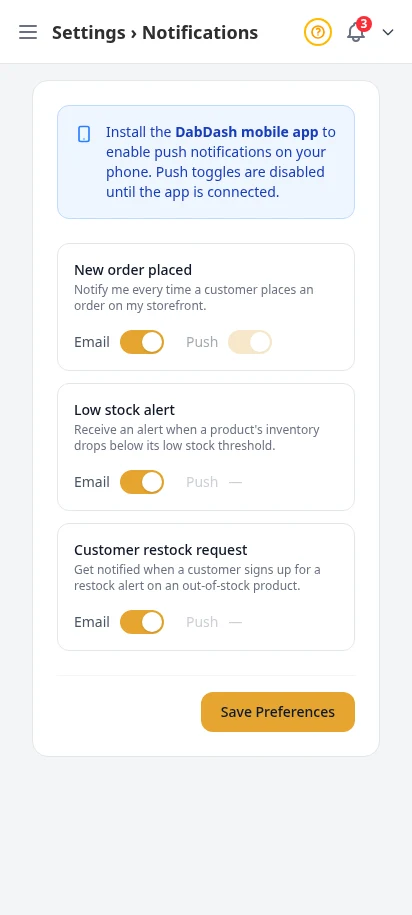
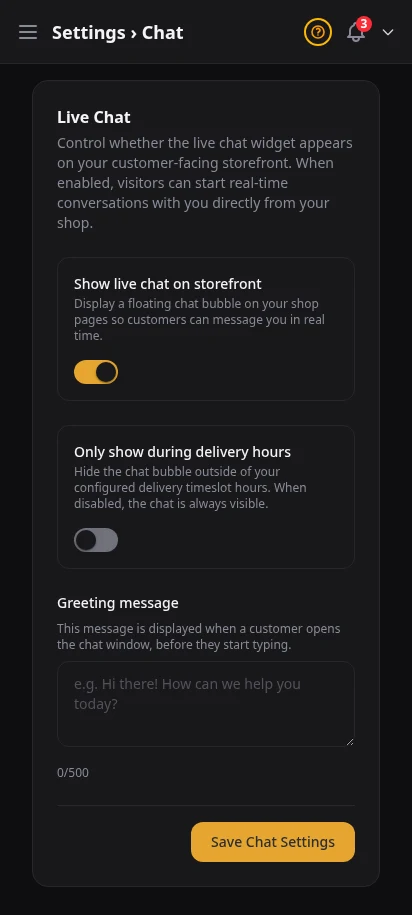
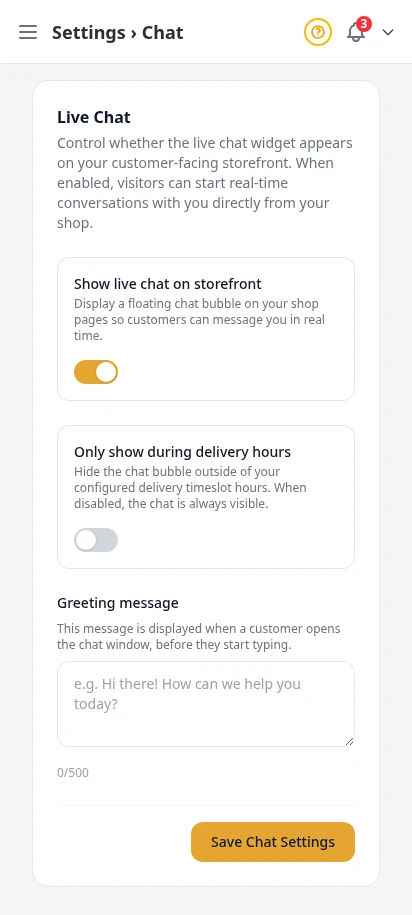
Control alerts and customer chat without the clutter
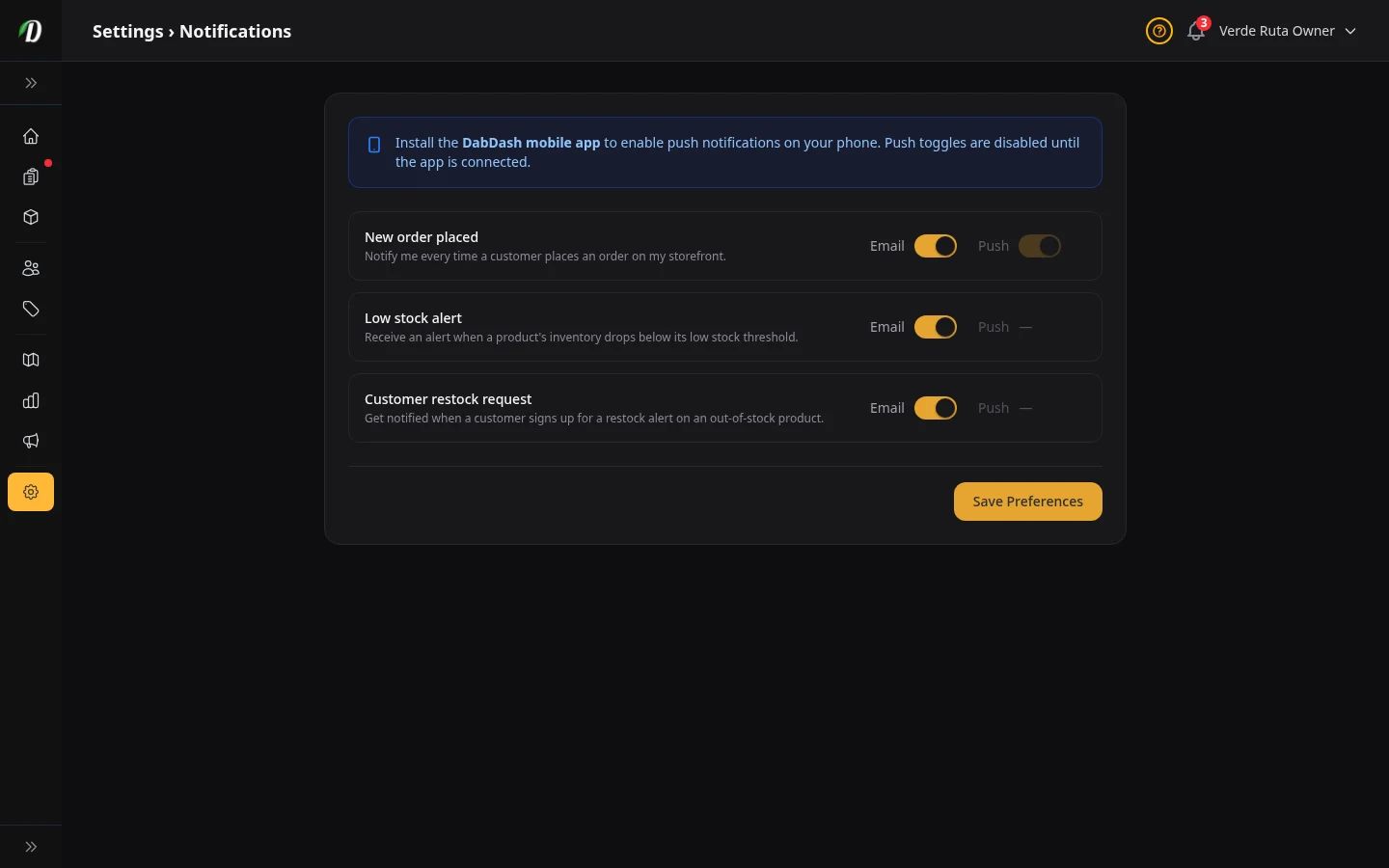
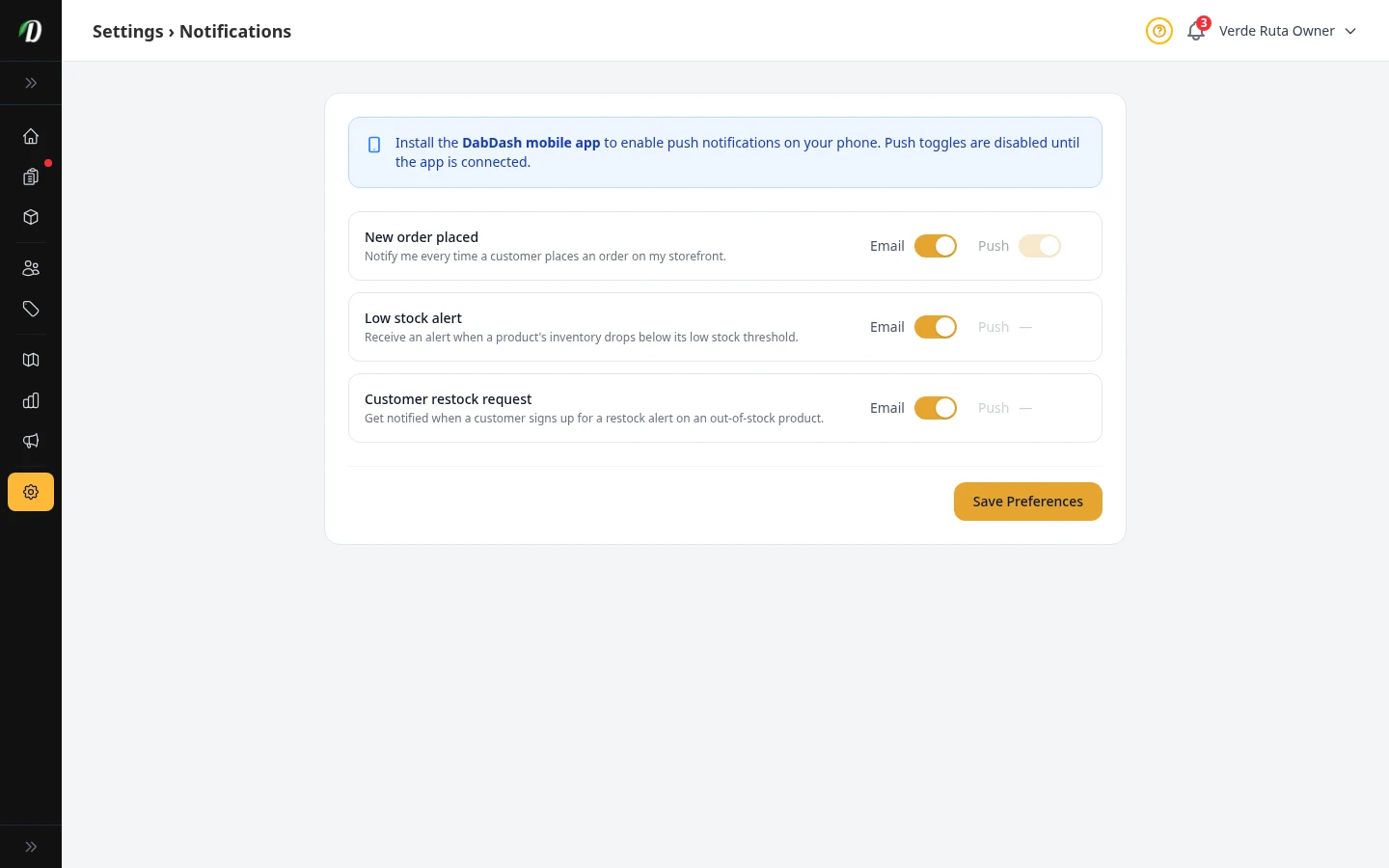
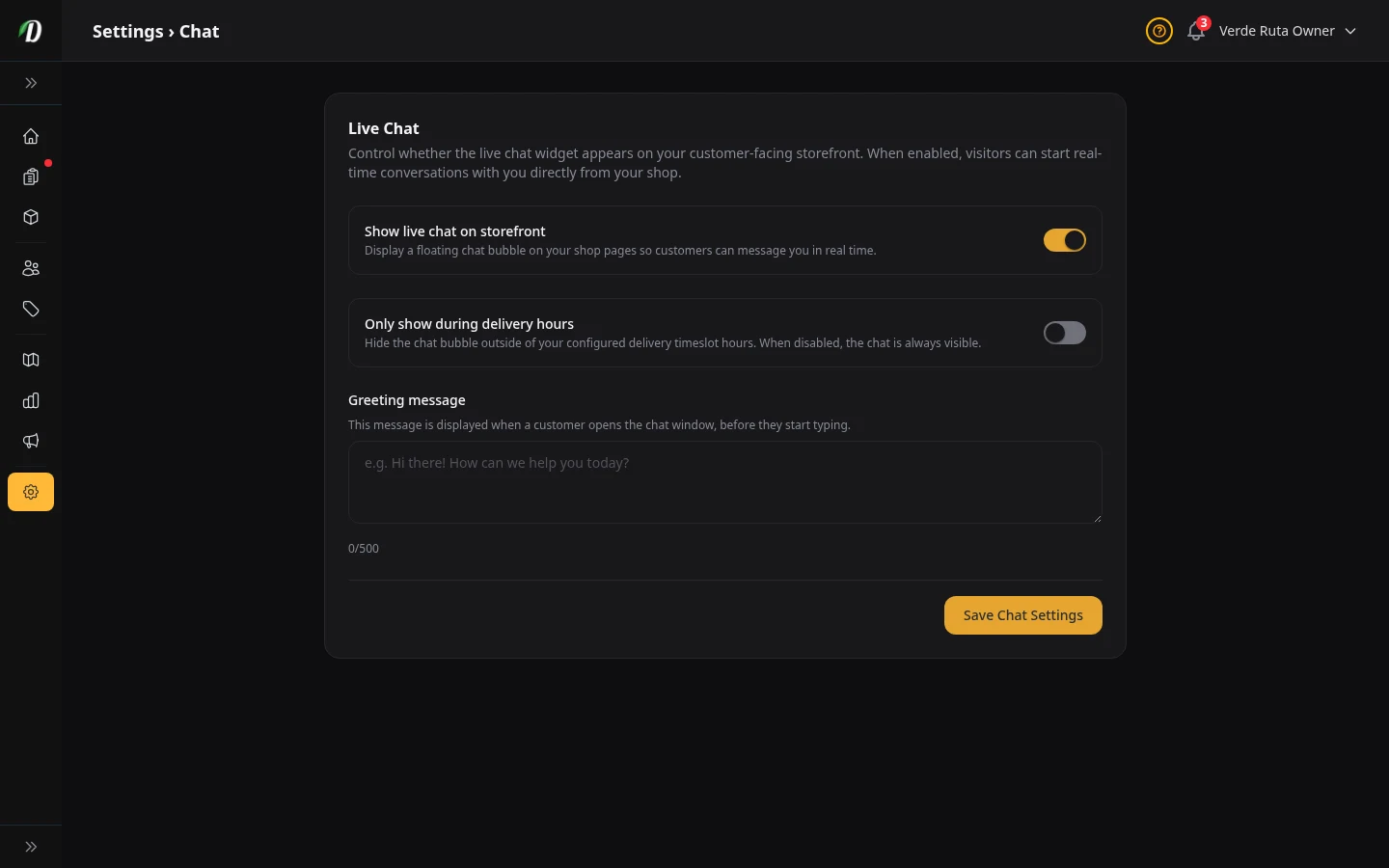
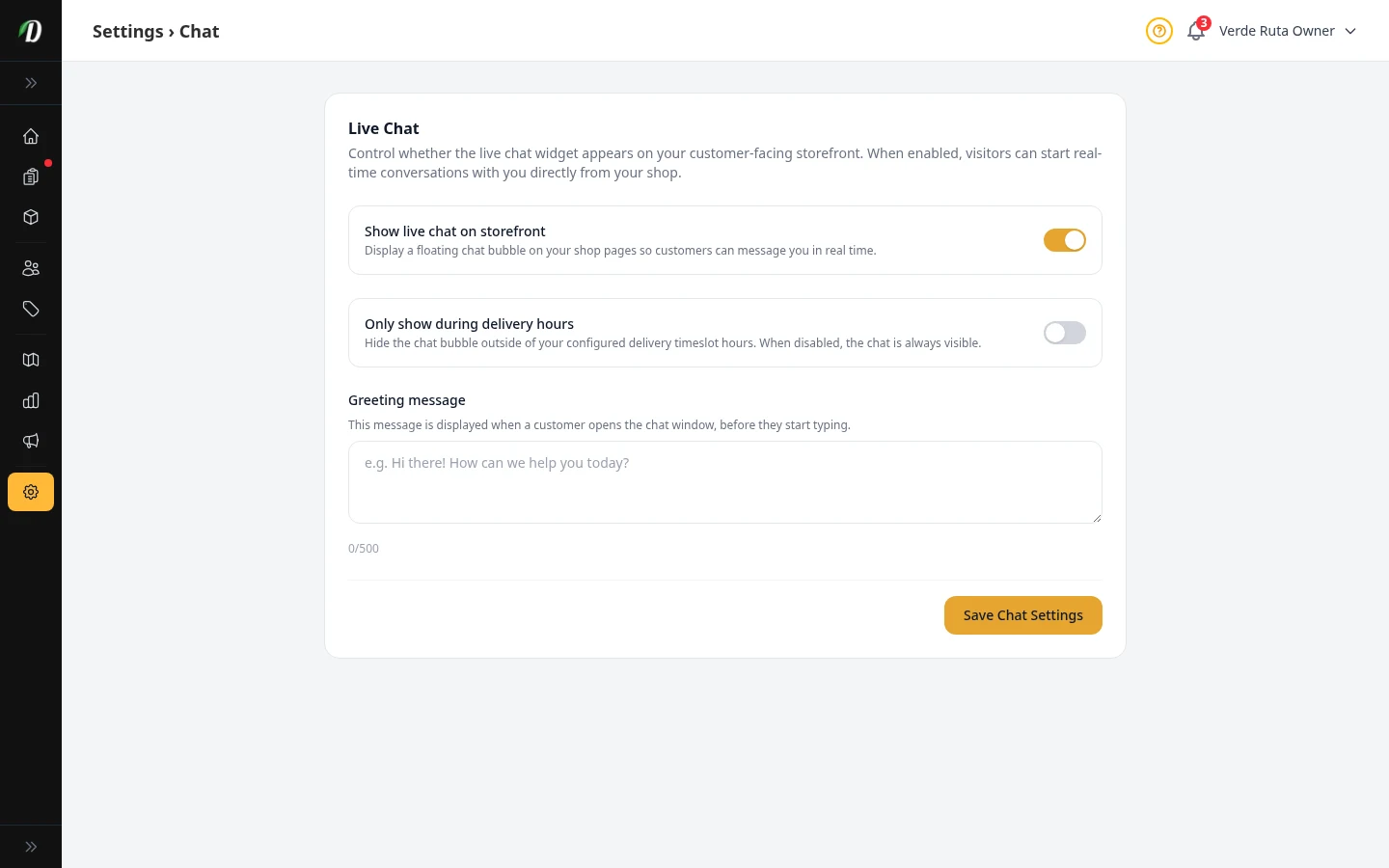
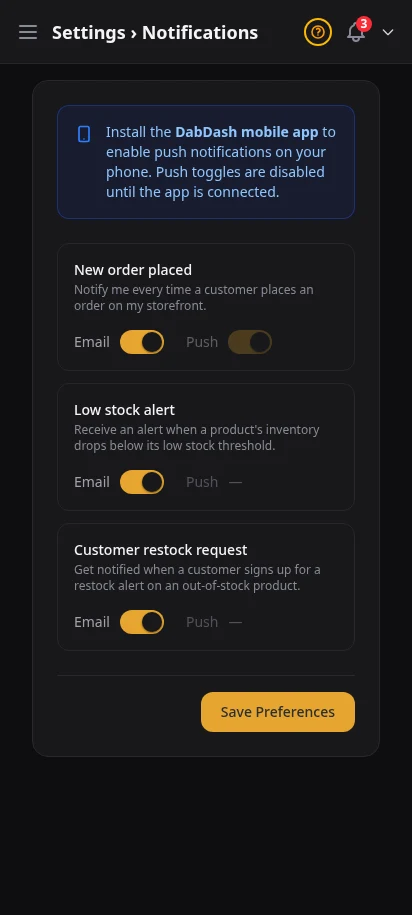
Pick which alerts matter, then turn on live chat with a welcome message and hours that match your real operation. The result feels calm, clear, and manageable for busy delivery teams.
- Toggle order, stock, and restock alerts
- Enable chat from one settings page
- Set greeting text and live hours
- All messages land in the customer inbox
- No extra chat tool to learn
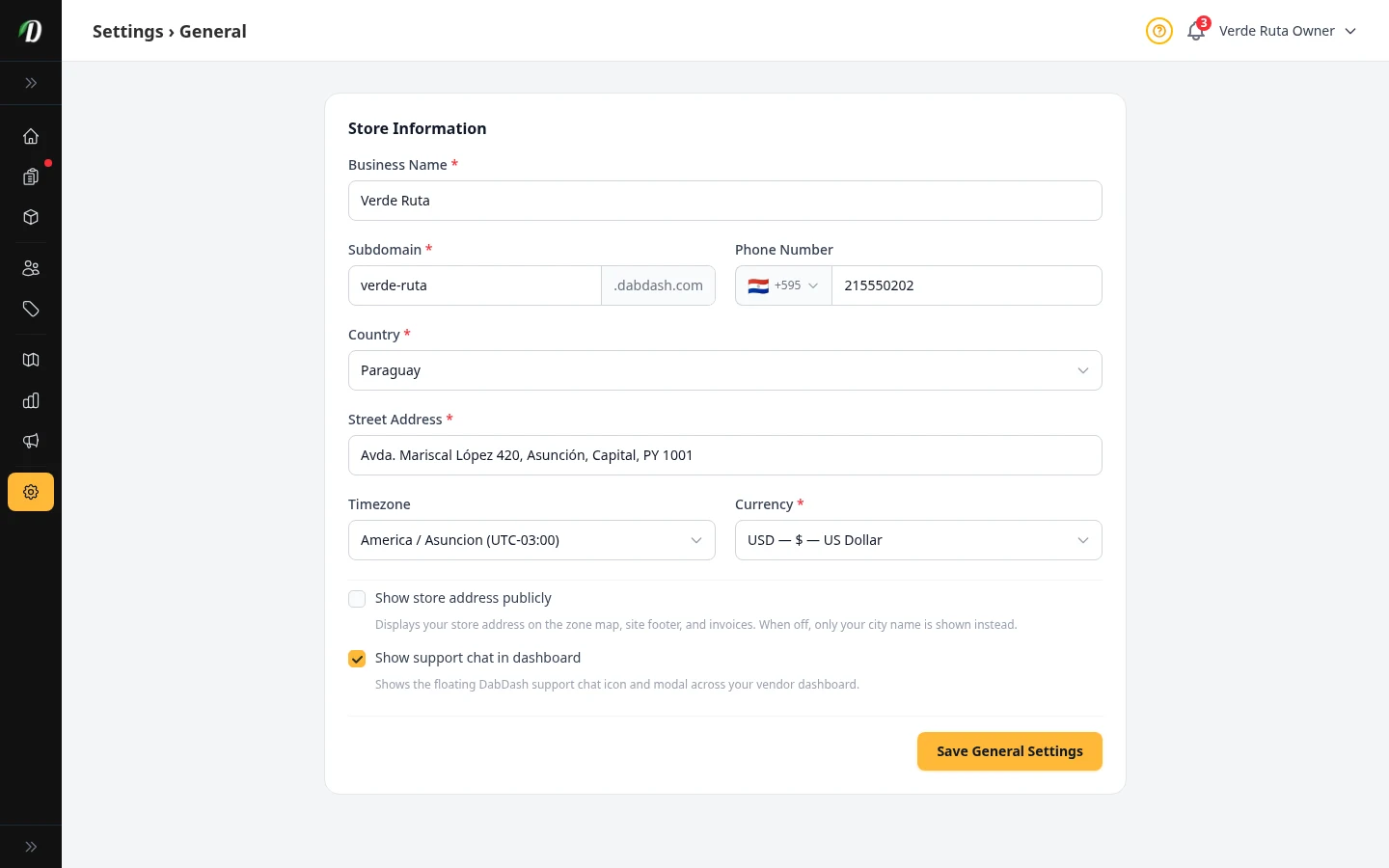
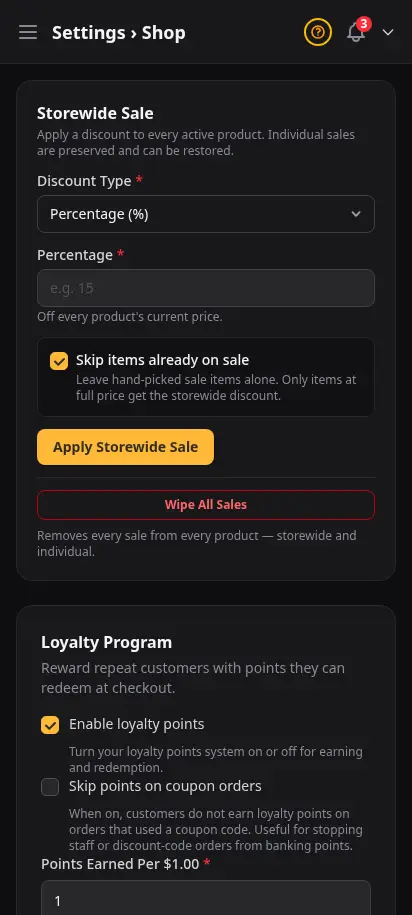
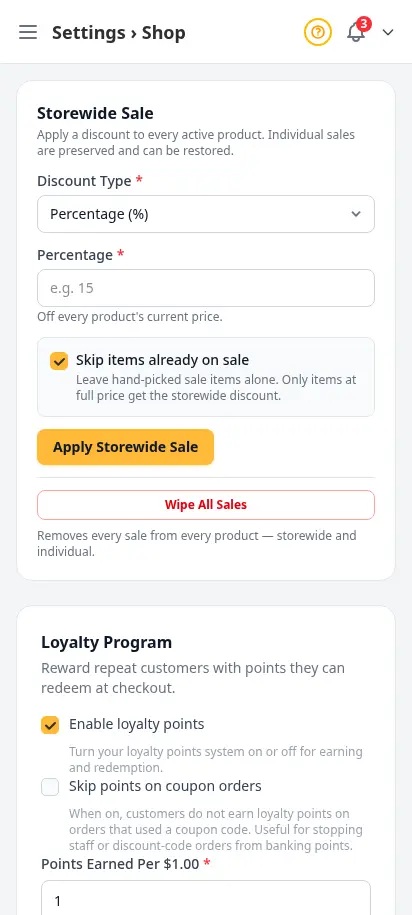
Set the rules customers see at checkout
Minimum order amounts, delivery fees, order limits, and storefront behavior live here. These are the knobs experienced operators tune first — before they worry about promos or ads.
- Minimum order and delivery fee defaults
- Order limits and cutoff behavior
- Storefront toggles customers feel immediately
- Separate from zone-level fee overrides
- Changes apply on next page load
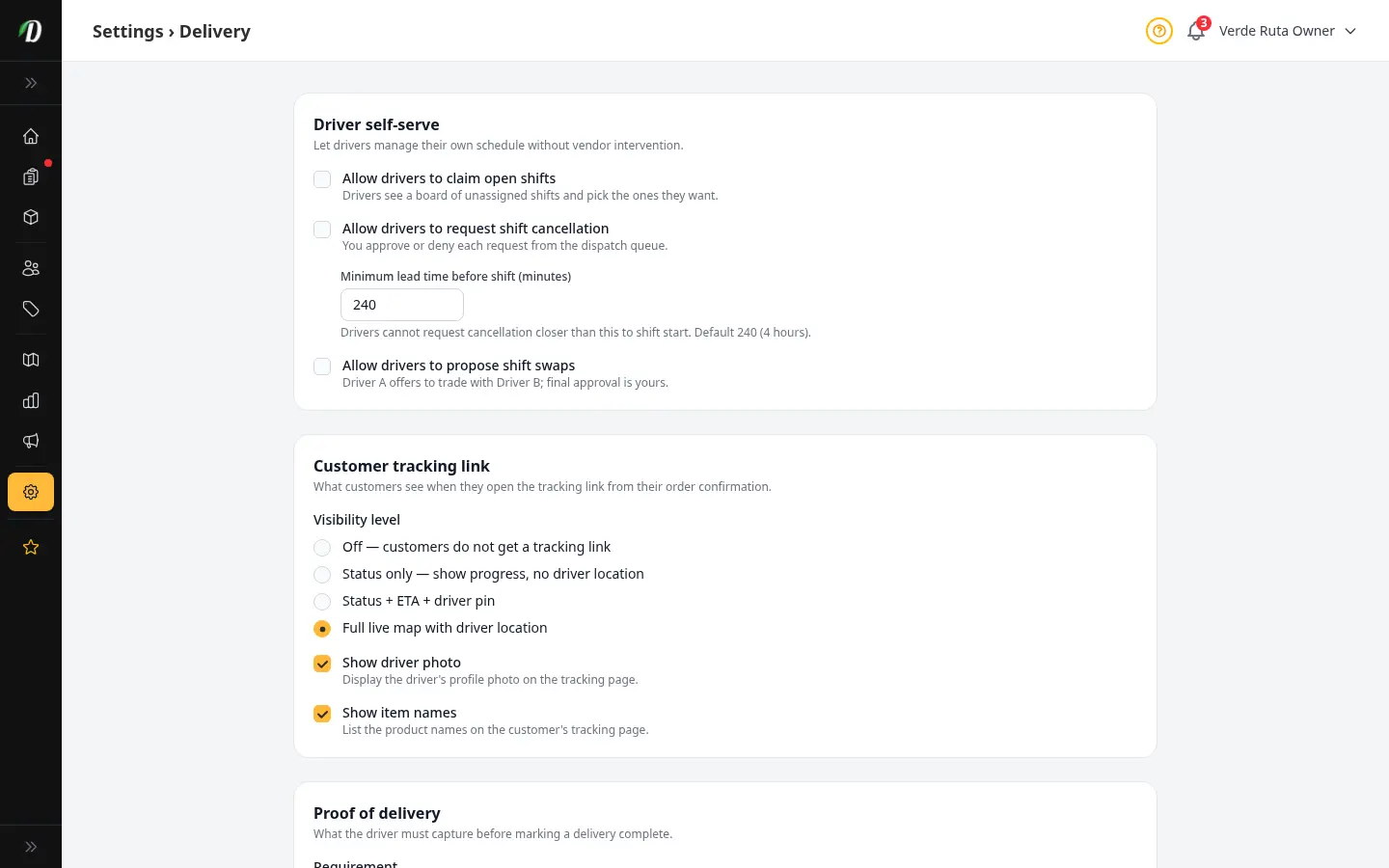
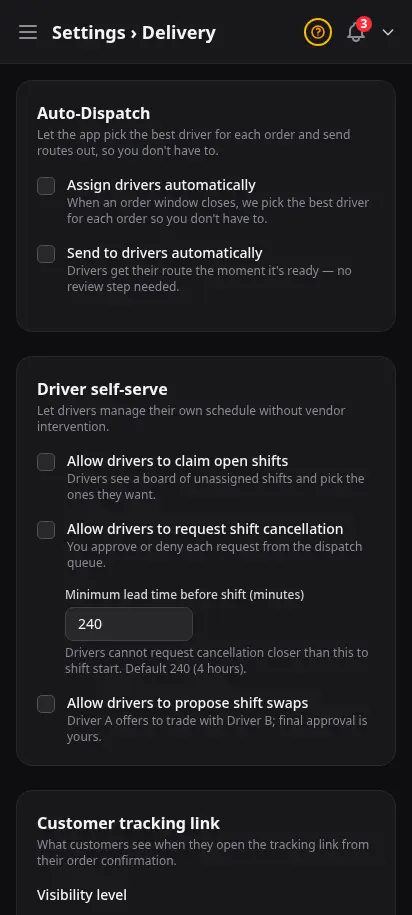
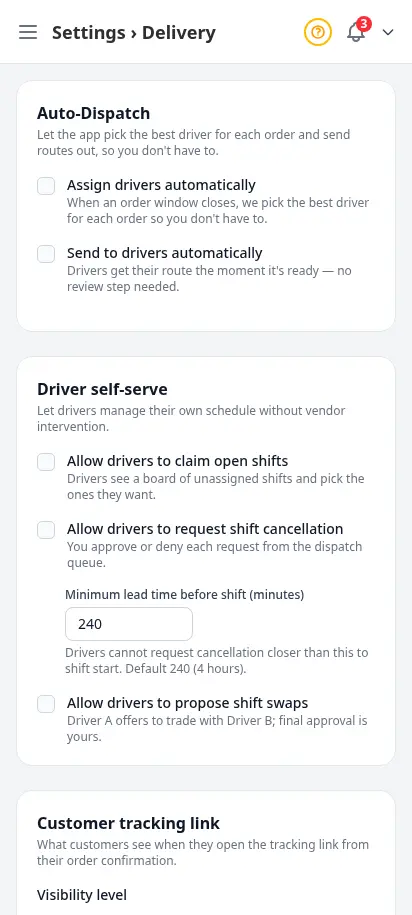
Control what drivers and customers can do on their own
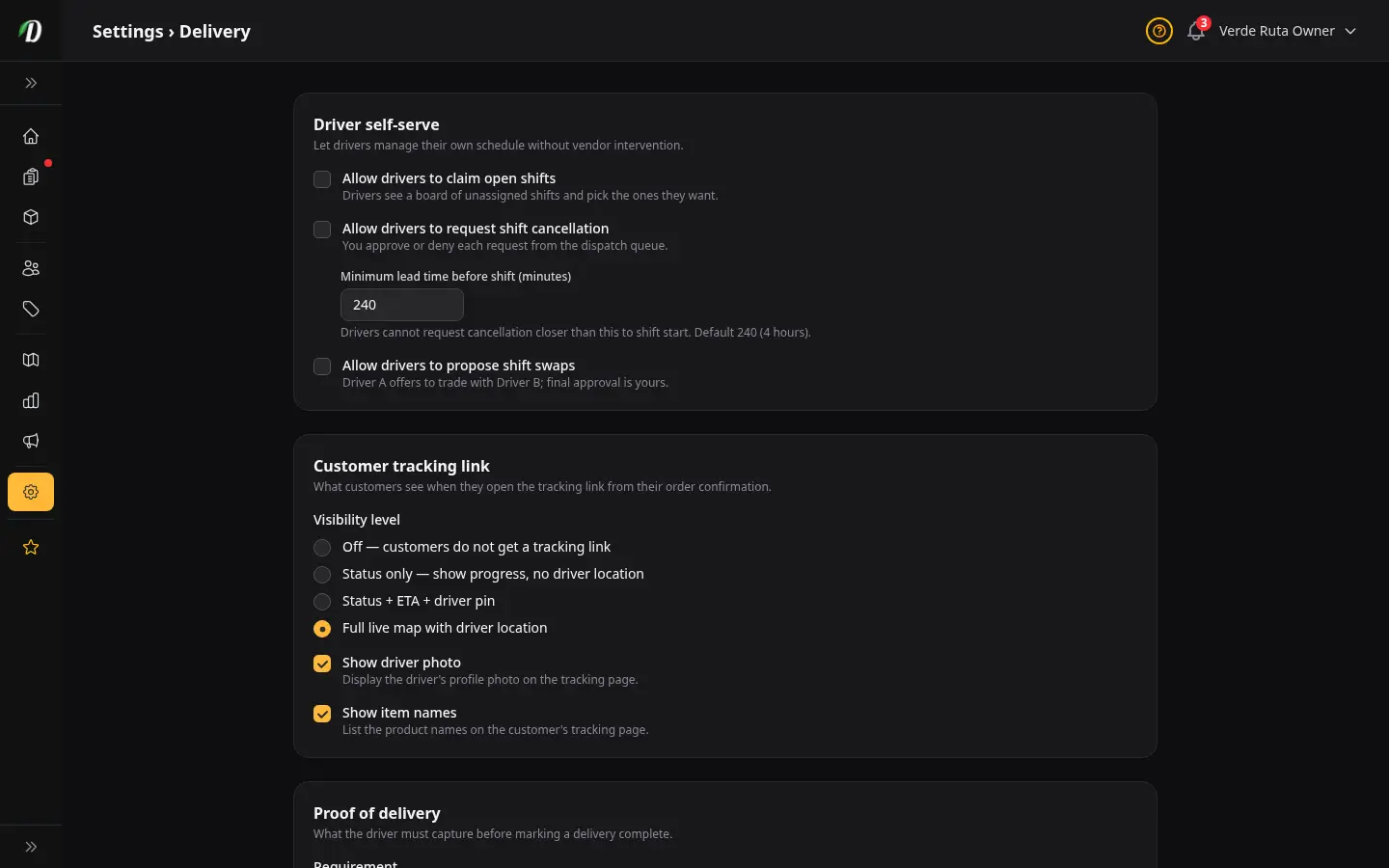
Proof of delivery, live tracking, shift self-serve, and notification defaults — configured once, enforced everywhere. Built with input from dispatch leads who needed fewer phone calls on busy Fridays.
- Driver self-serve: open shifts, swaps, cancellations
- Customer tracking visibility toggles
- Proof-of-delivery requirements
- Notification defaults for route changes
- Pairs with driver app and dispatch queue
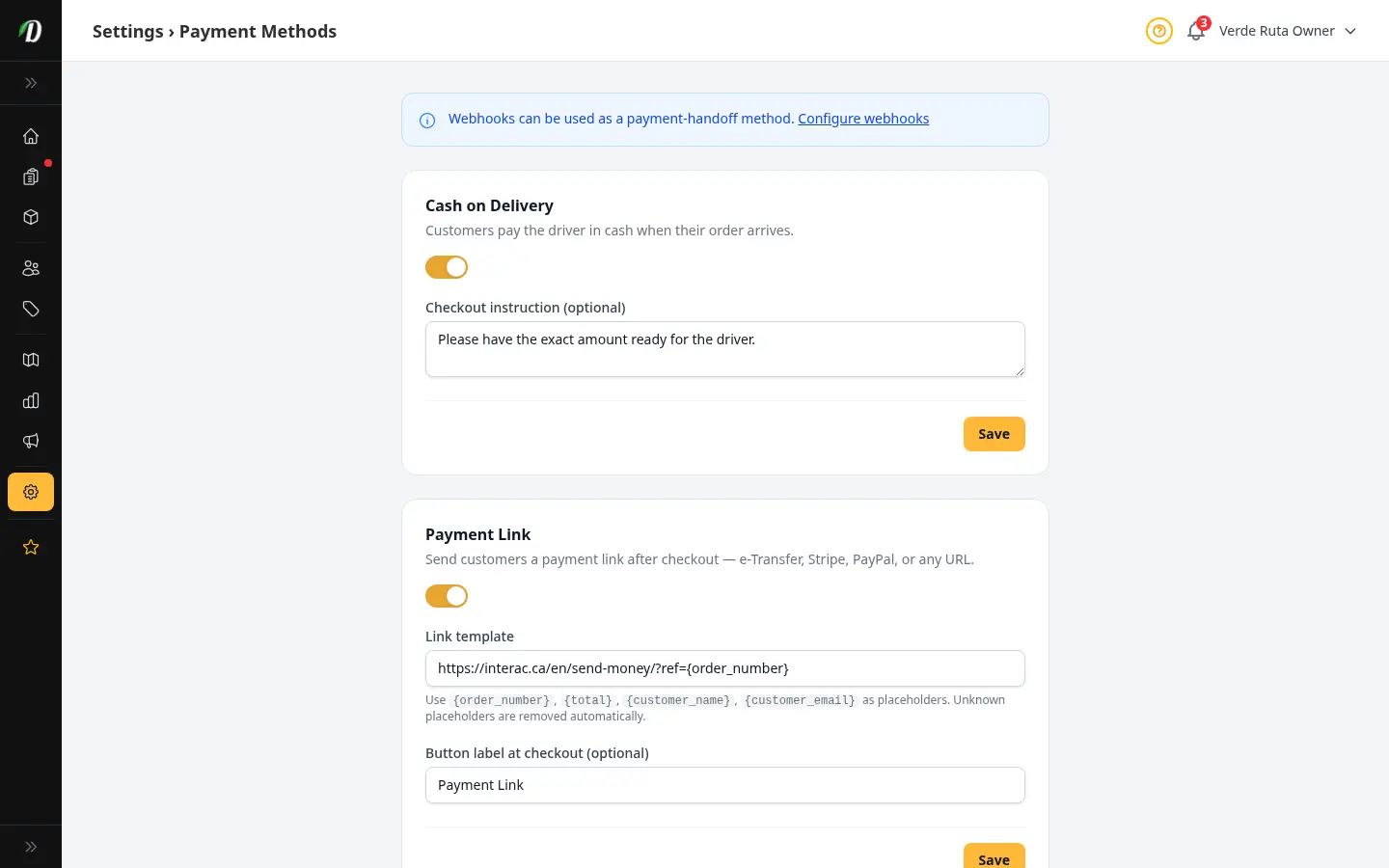
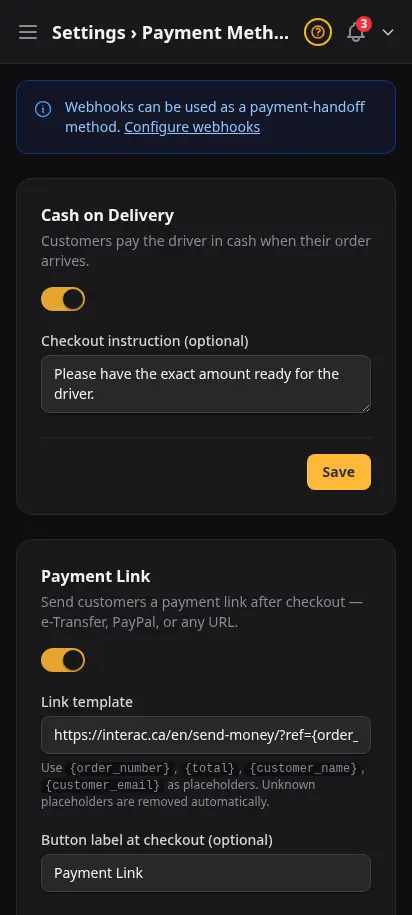
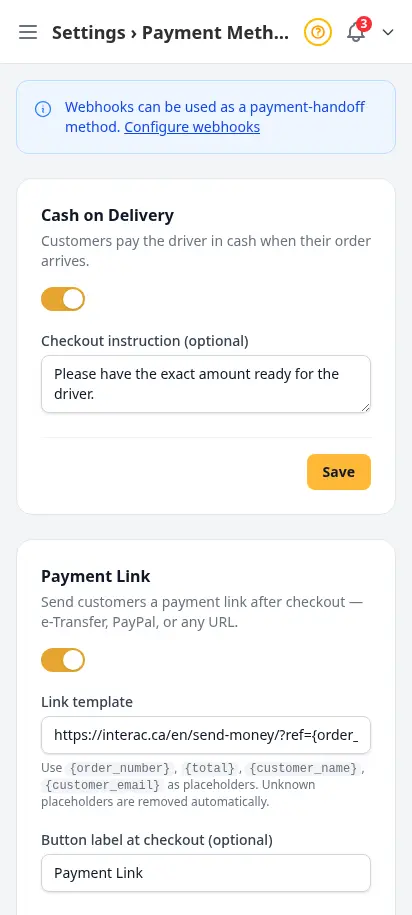
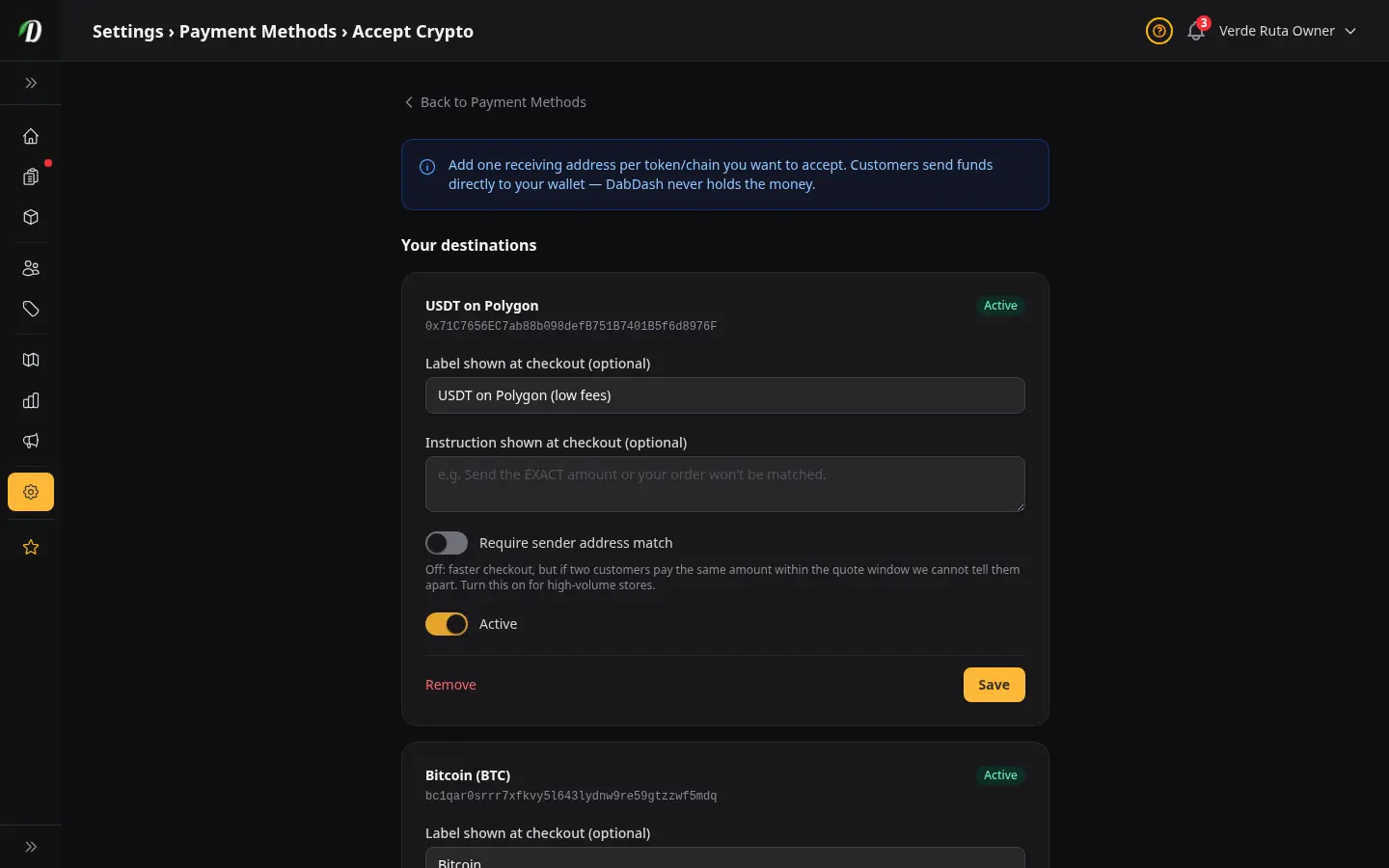
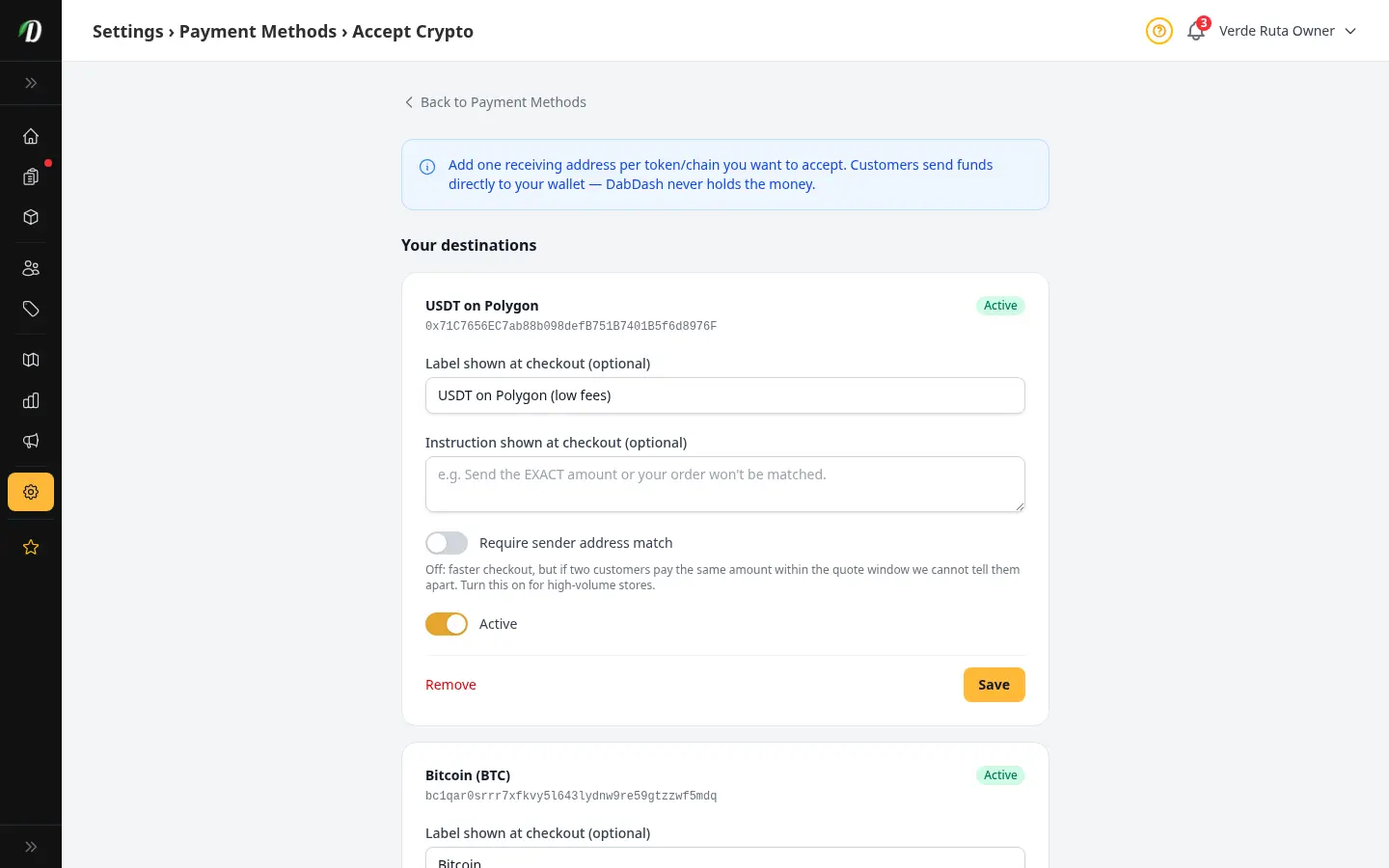
Turn on only what your market actually uses
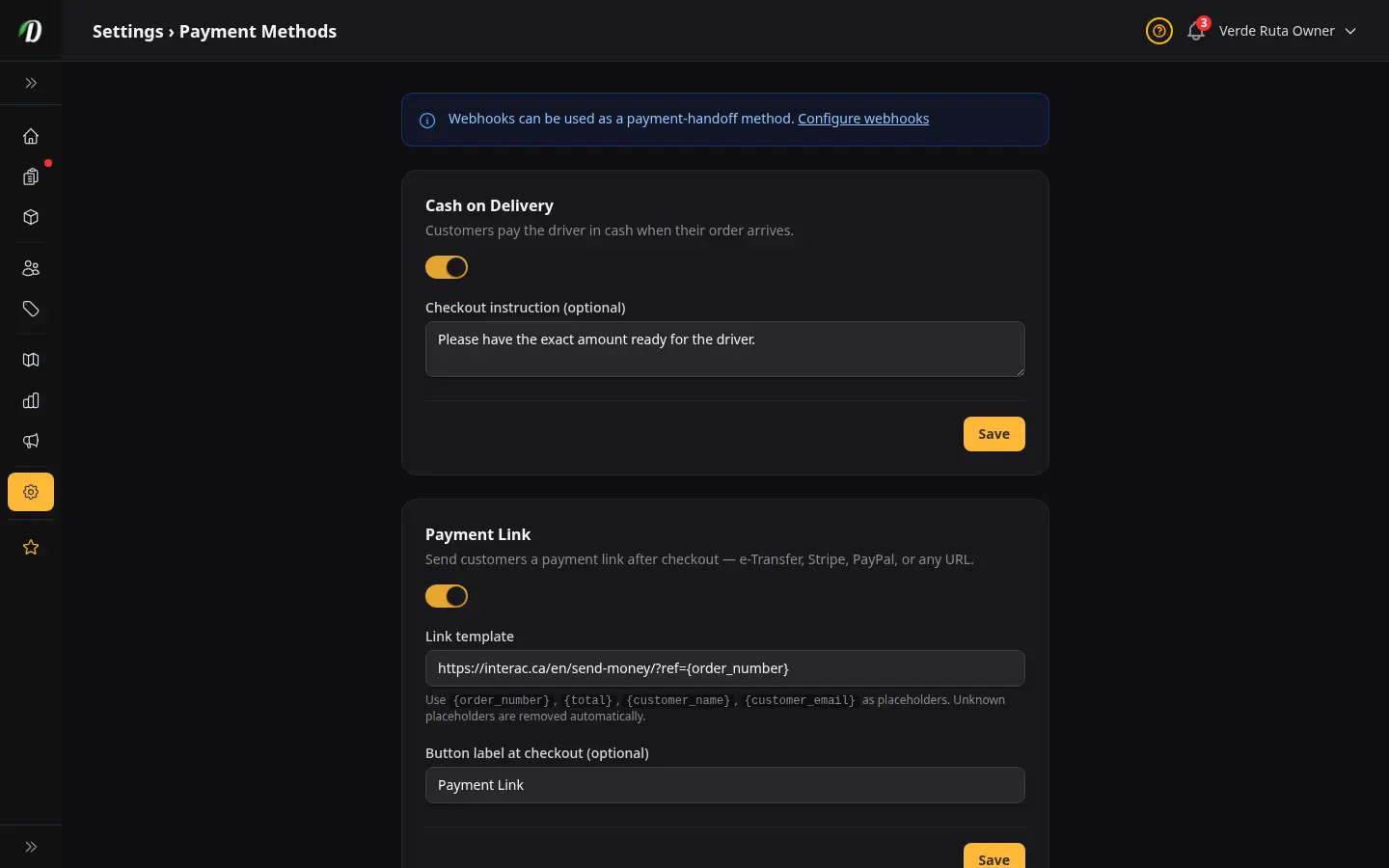
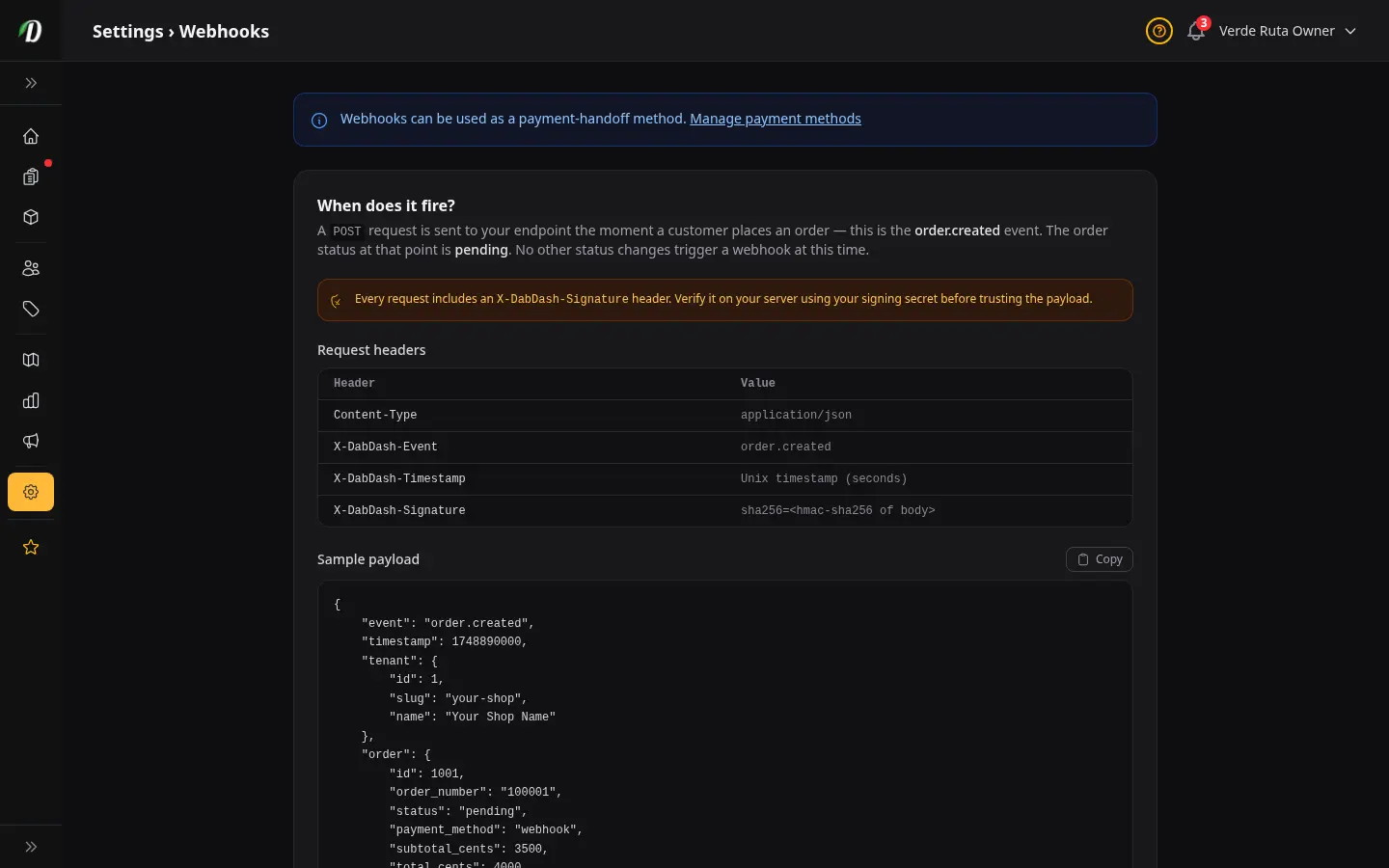
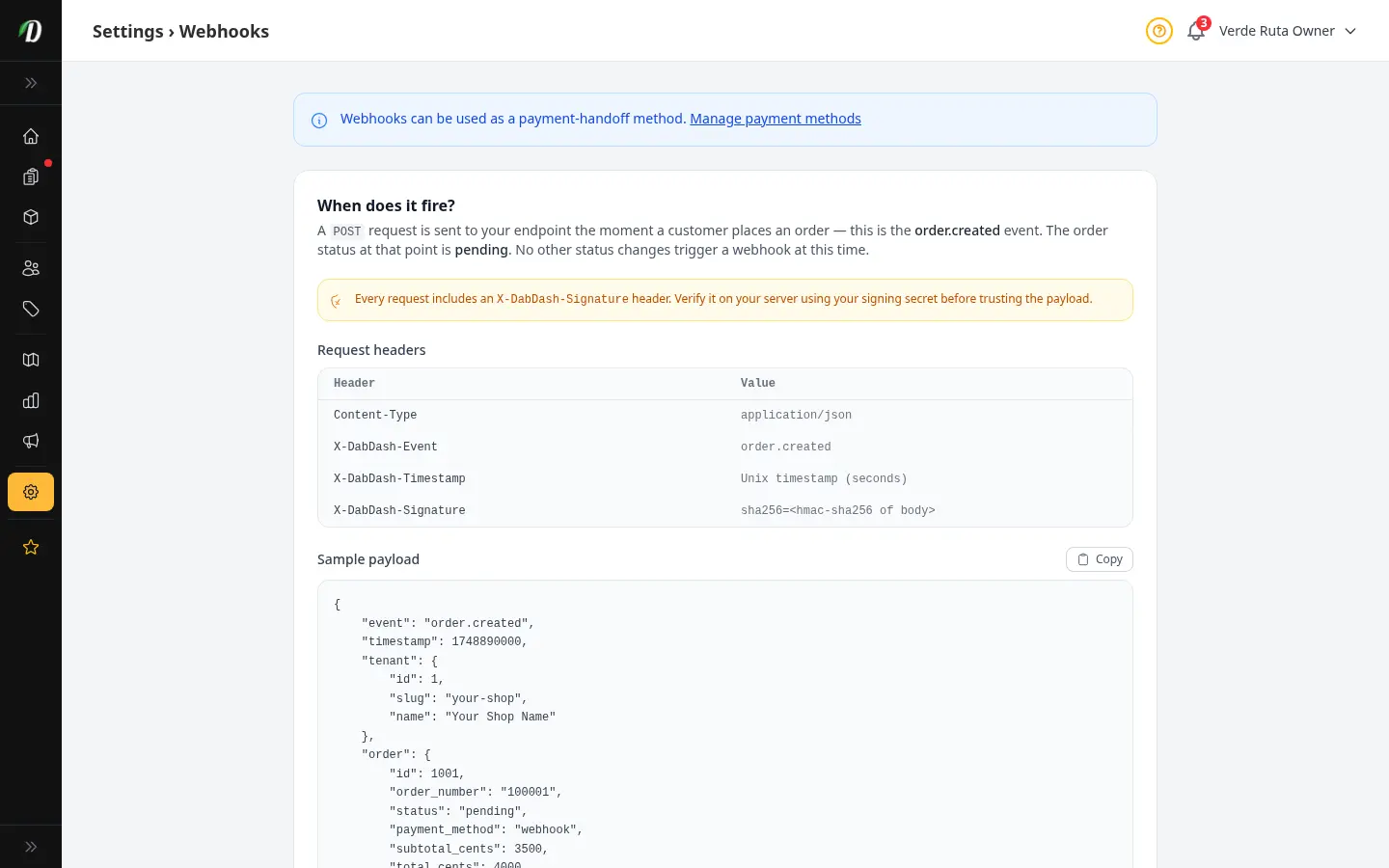
Cash on delivery, payment links, QR codes, webhooks, and crypto — enable any combination. Customers see only active methods at checkout. No card processor lock-in; you collect how your market expects.
- Cash on delivery with custom instruction line
- Payment link with per-order URL templates
- QR upload for Interac, Venmo, Cash App
- Webhook handoff to your CRM pipeline
- Crypto destinations per network you support
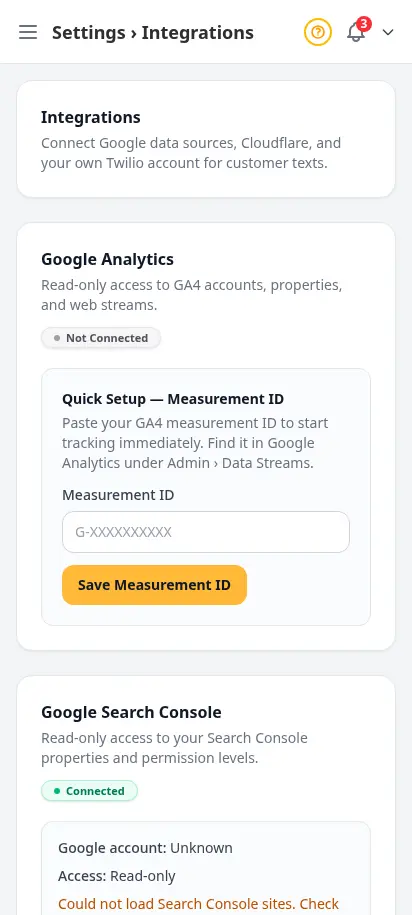
Connect analytics, search, and CDN without a developer
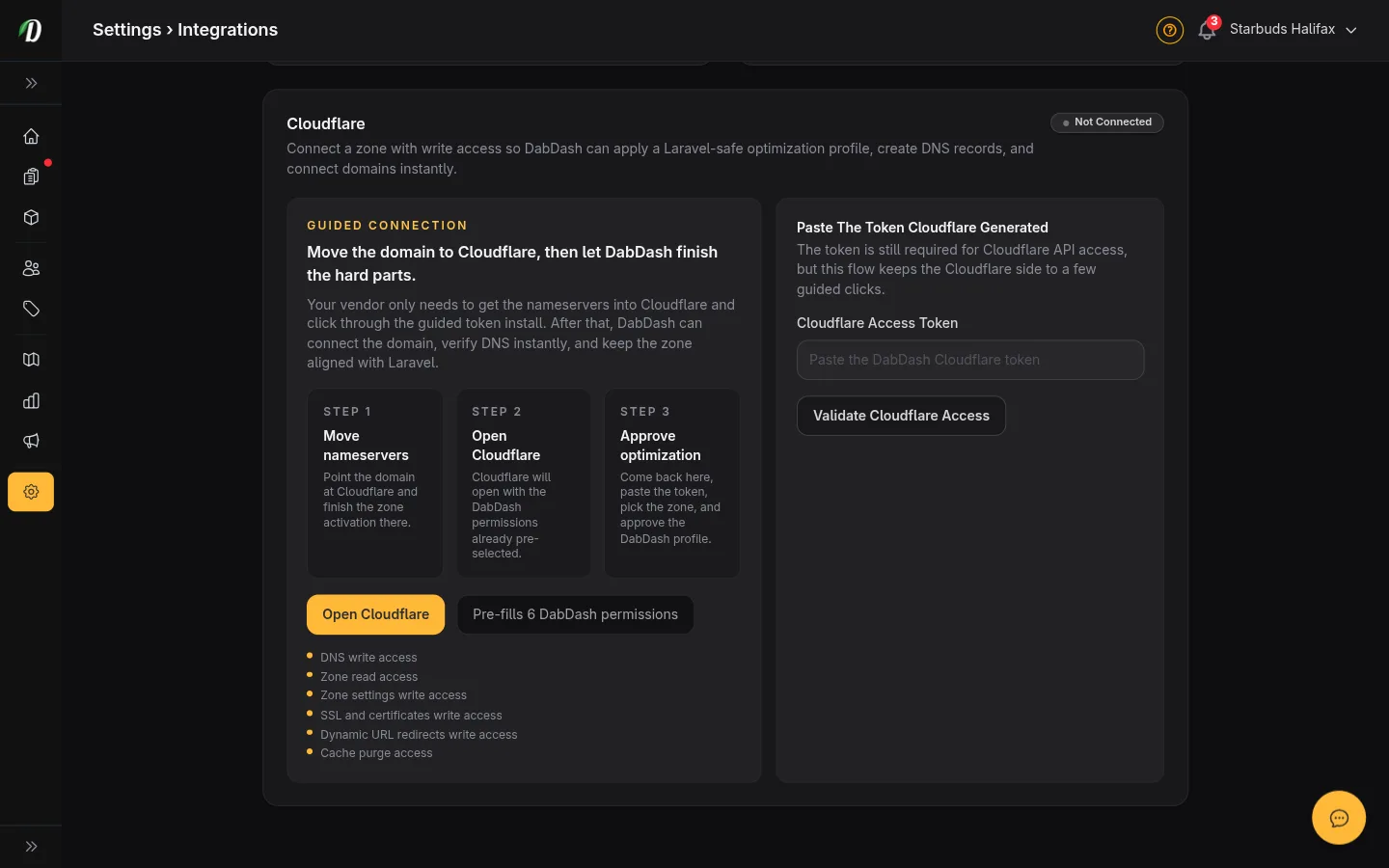
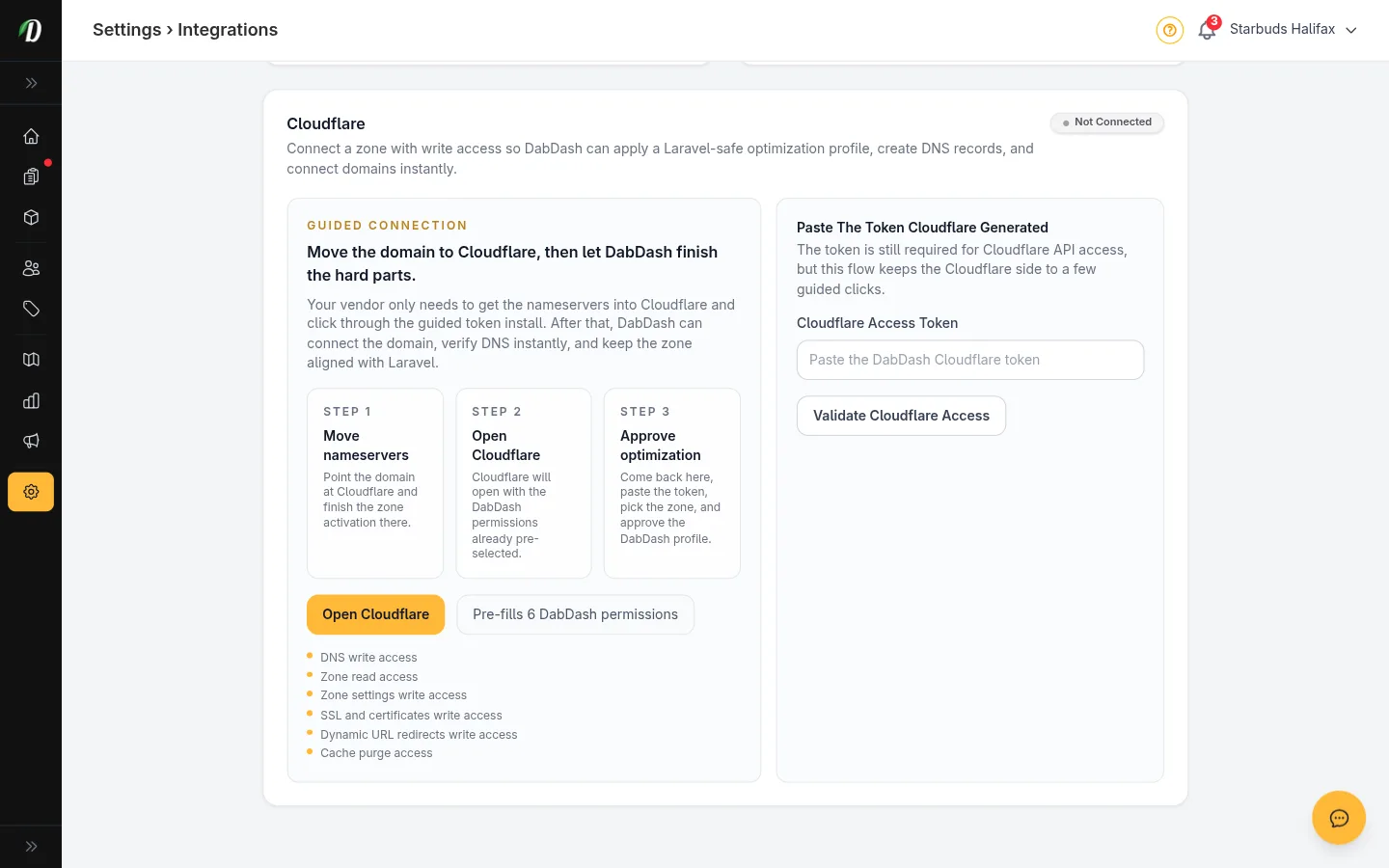
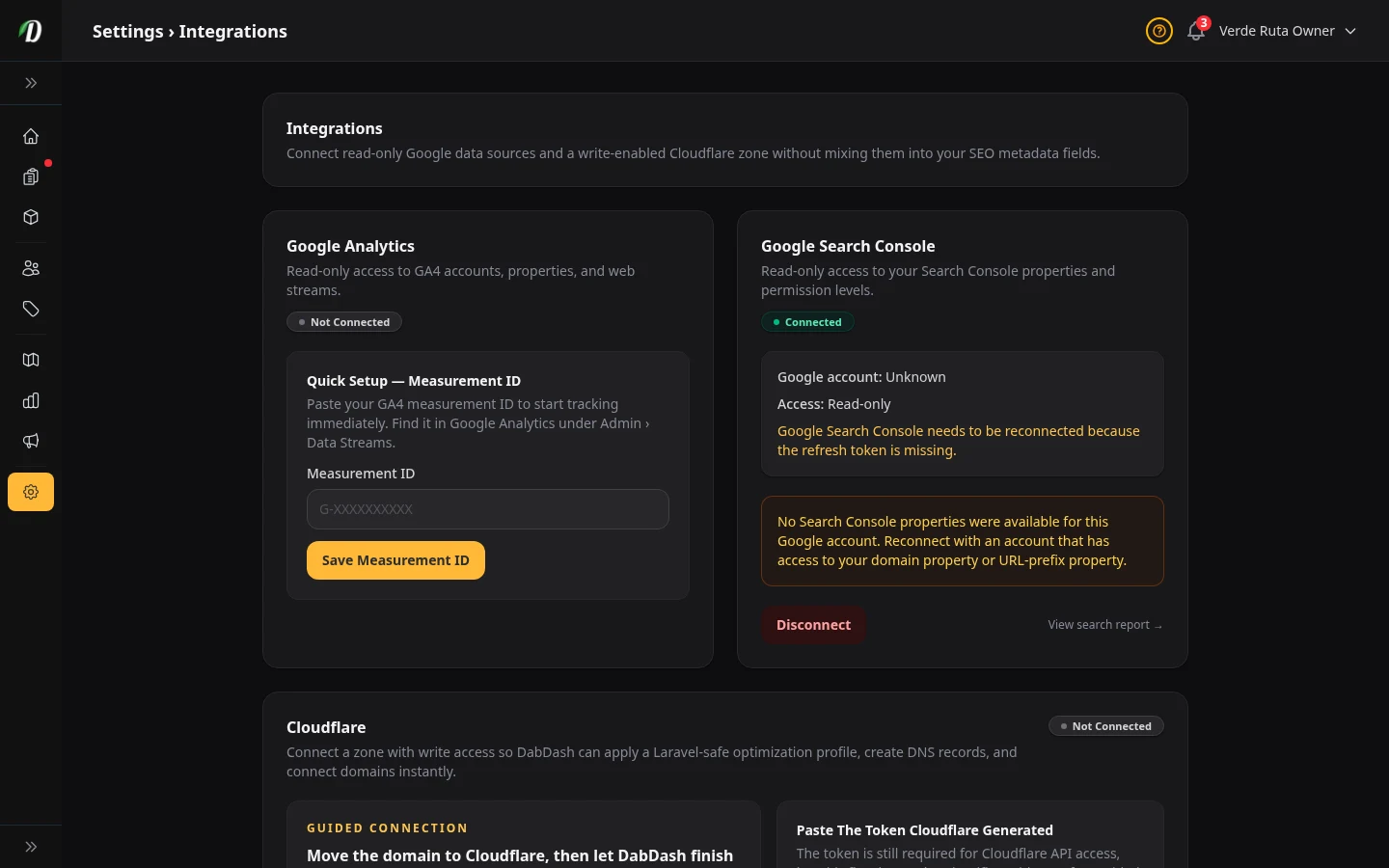
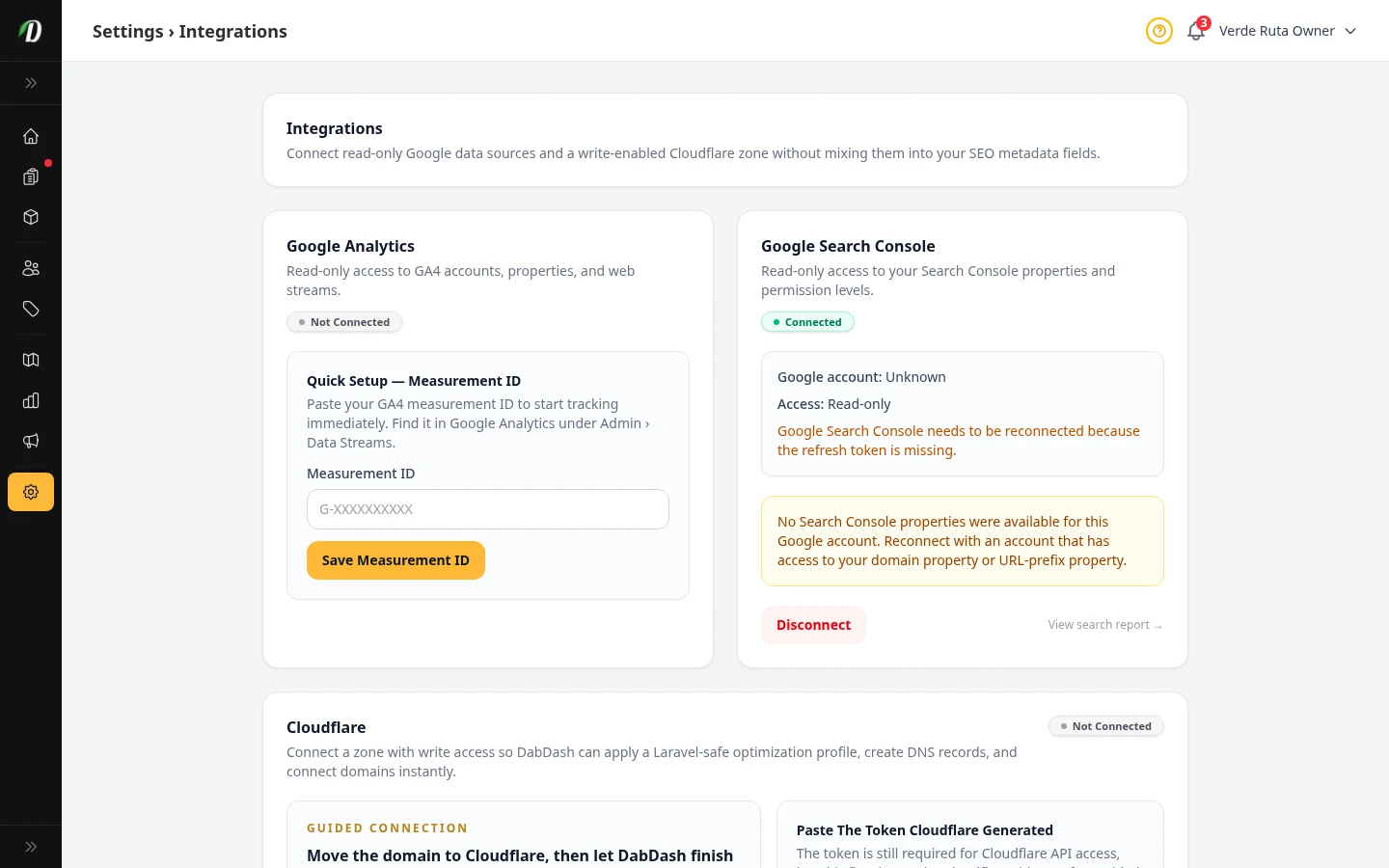
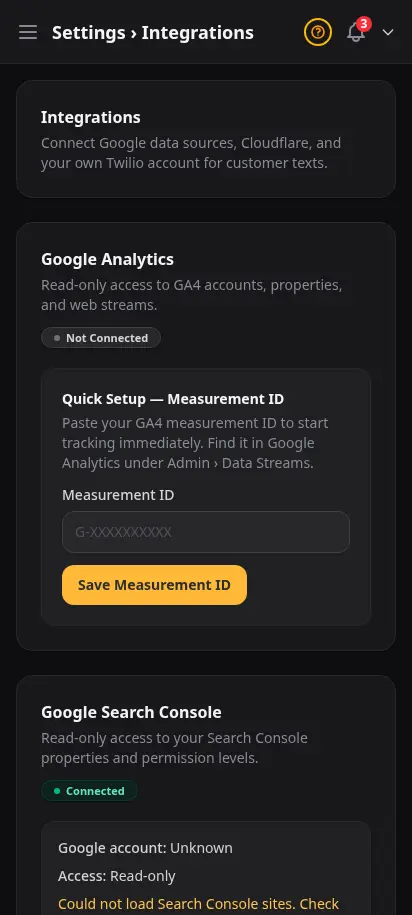
Paste a GA4 ID, connect Google Search Console, or link Cloudflare — each integration is independent. Read-only OAuth where possible; your credentials stay scoped to what each service needs.
- Google Analytics 4 measurement ID
- Search Console for ranking visibility
- Cloudflare zone linking
- Firebase push for mobile alerts
- Enable only what you use


Let Claude or Cursor query your live store data
Connect any MCP-compatible AI tool to your tenant endpoint. Ask about inventory, orders, or promotions in plain English — the same read-only access you trust in the dashboard, exposed for operators who live in AI workflows.
- Dedicated MCP endpoint per store
- API tokens with one-time reveal
- Works with Claude Desktop, Cursor, and more
- Read-only store observability tools
- Revoke tokens without affecting staff logins
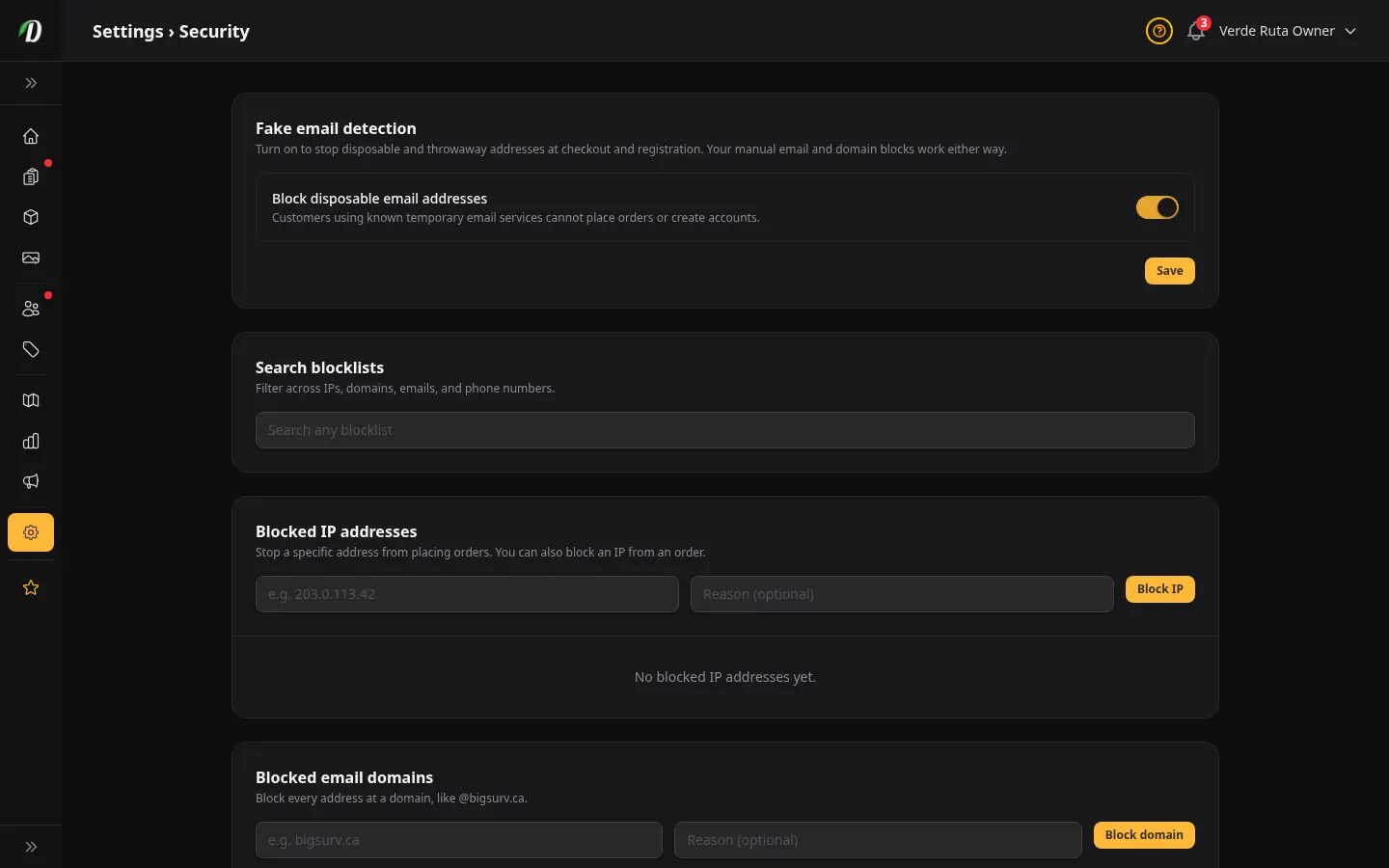
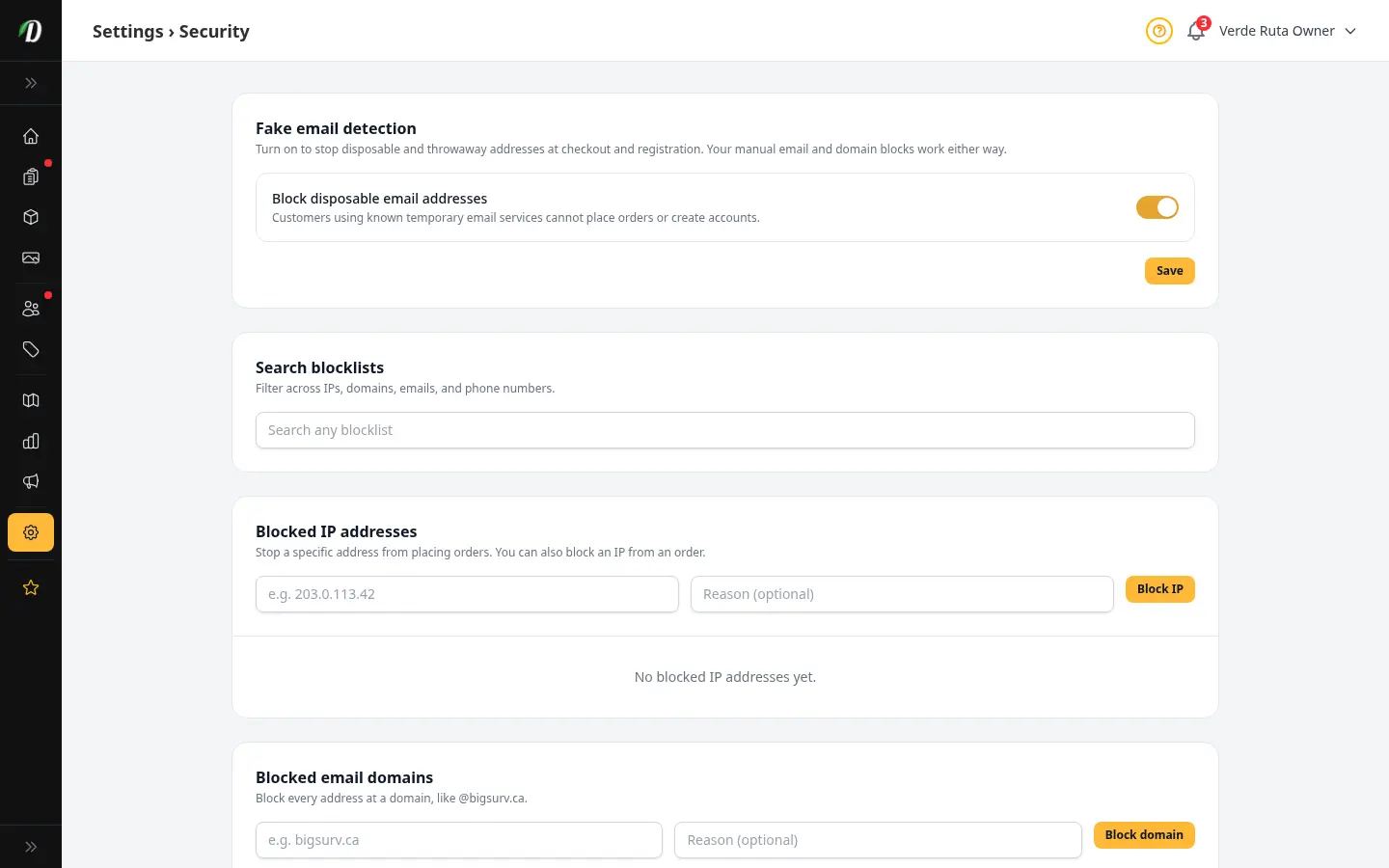
Block repeat fraud before it reaches your orders
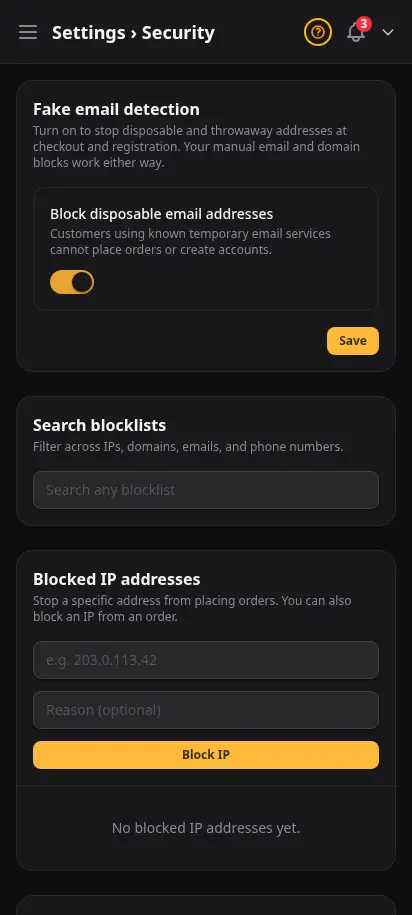
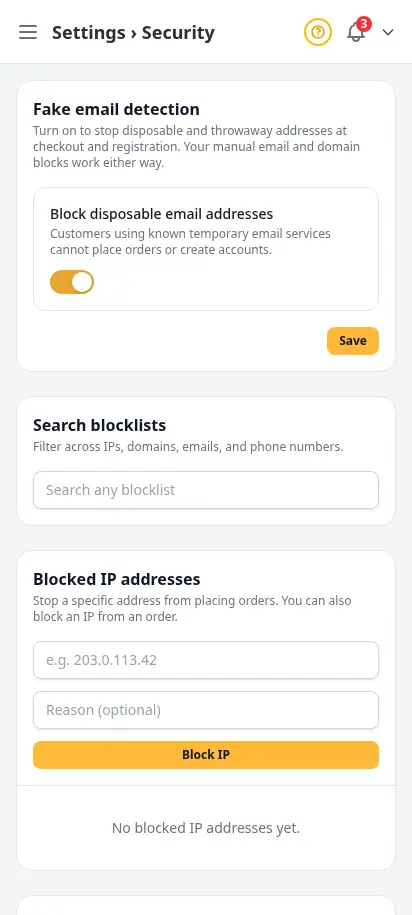
Disposable email detection plus manual blocklists for IPs, domains, emails, and phone numbers. Each list works independently — security teams can add a bad actor in seconds without touching product or zone settings.
- Toggle disposable email blocking
- Blocked IP addresses with notes
- Blocked email domains and full addresses
- Blocked phone numbers at checkout
- Global search across all blocklists
Gate your storefront the way your license requires
Age wall, minimum age, and ID photo requirements — set once in Compliance settings. Mandatory ID capture flows into customer profiles and fulfillment documents your team already prints.
- Age verification wall before browse
- Configurable minimum age (typically 21)
- ID upload: none, optional, or mandatory
- Terms and privacy policy footer links
- Pairs with customer ID review workflow
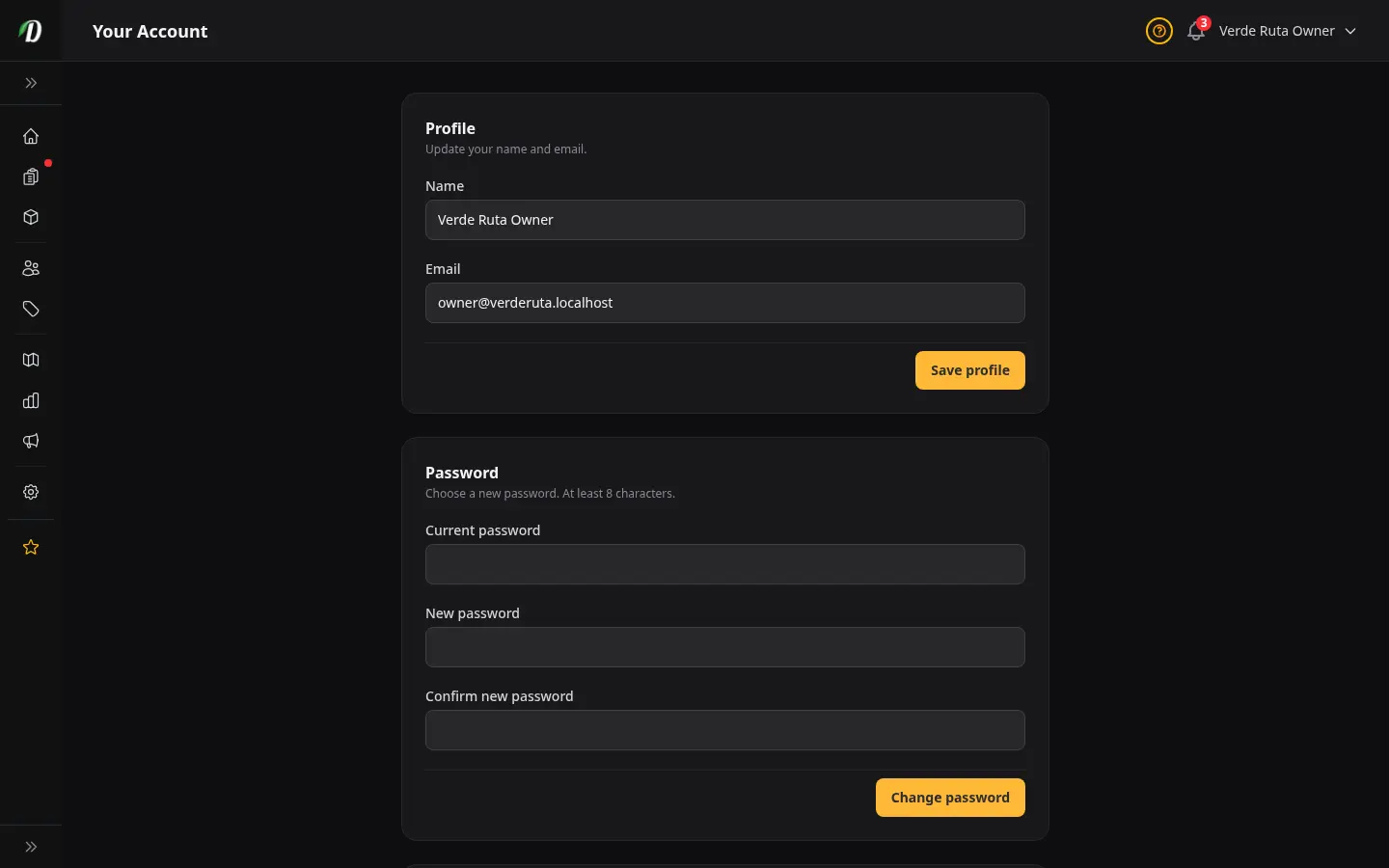
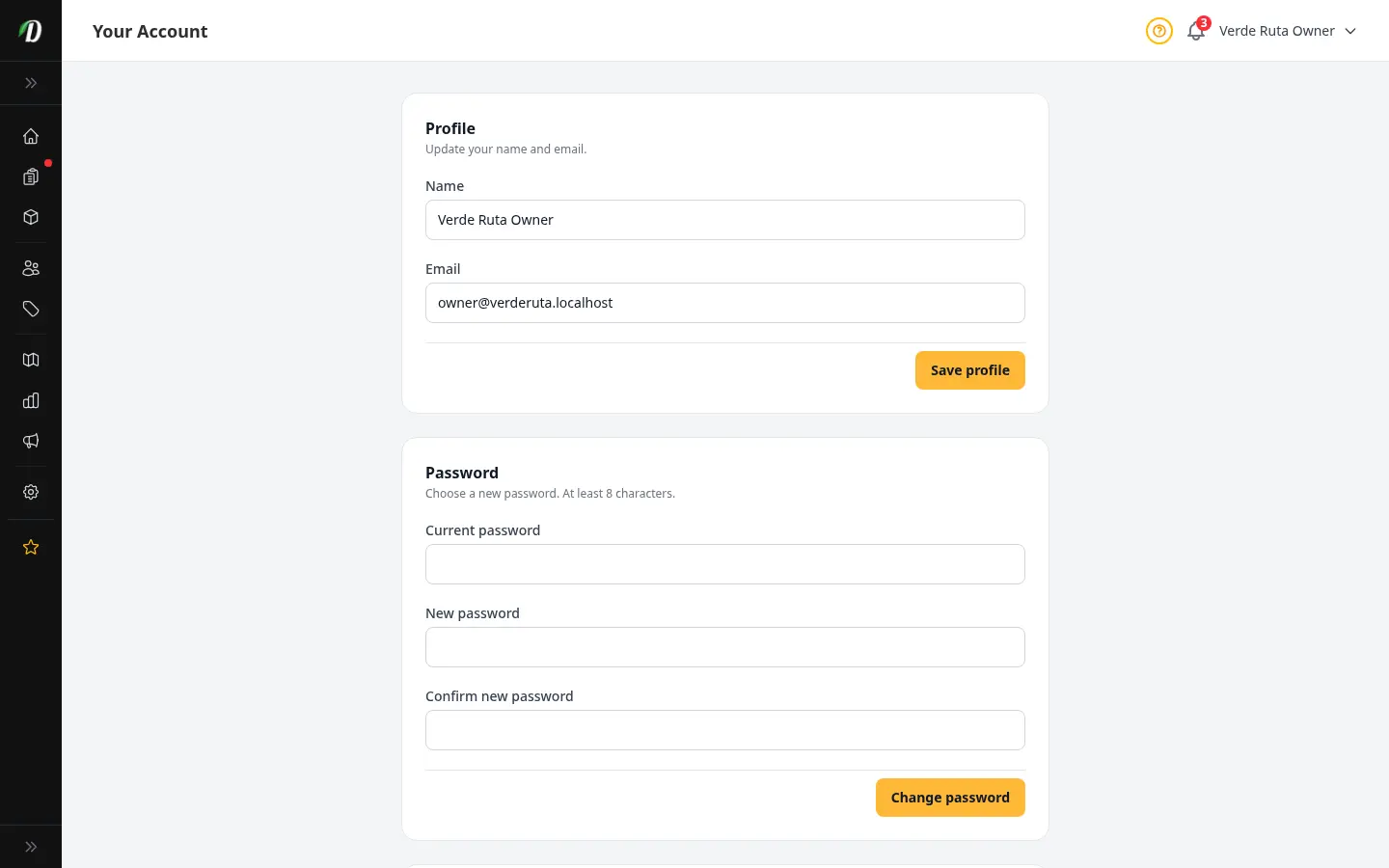
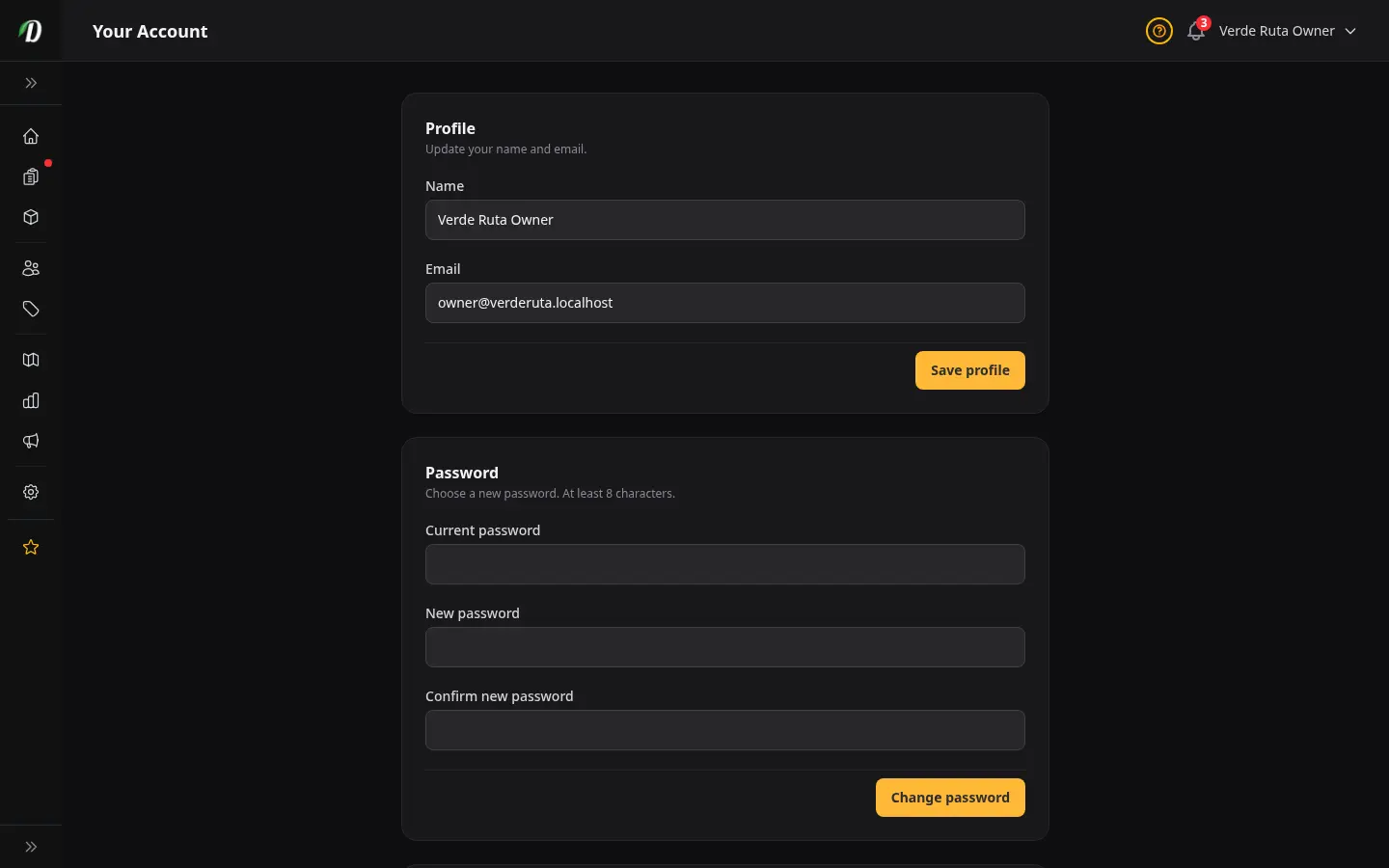
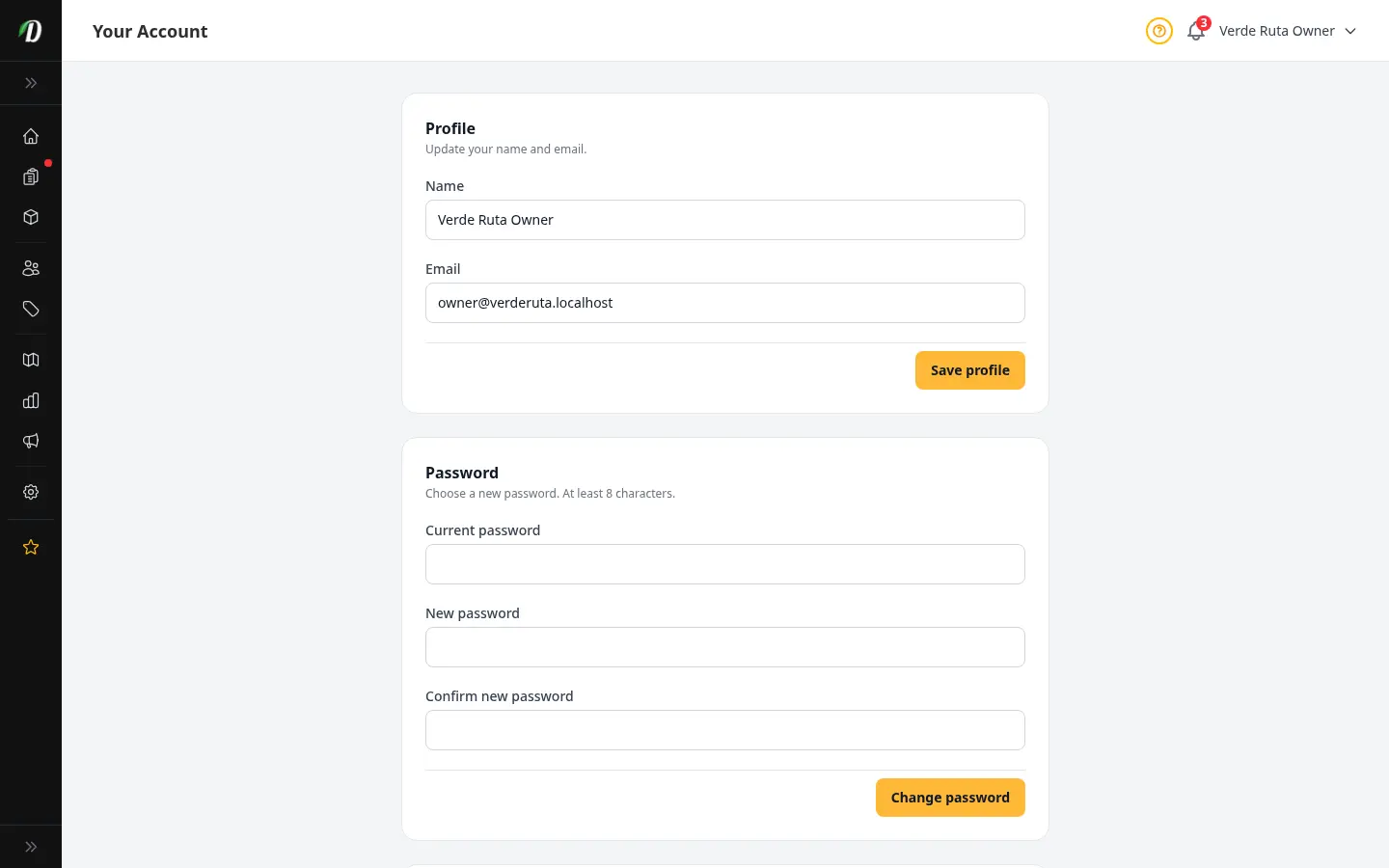
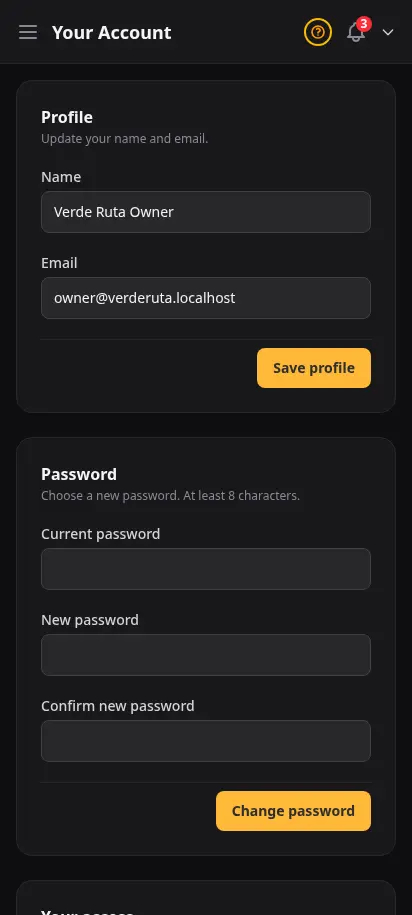
Your personal profile, kept separate from the store
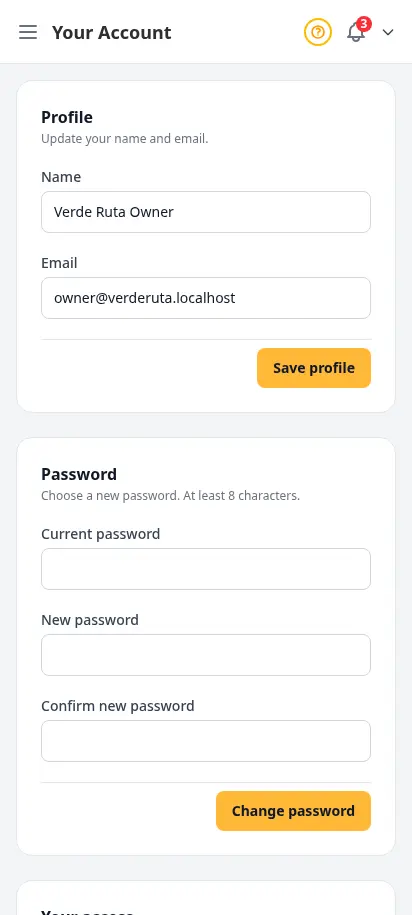
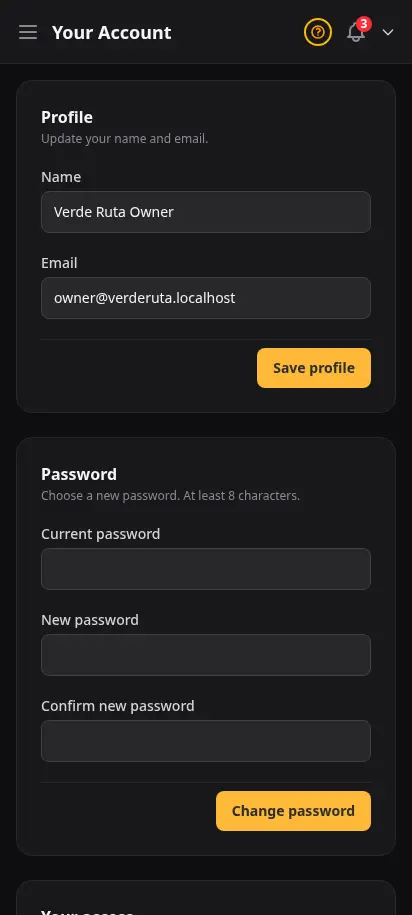
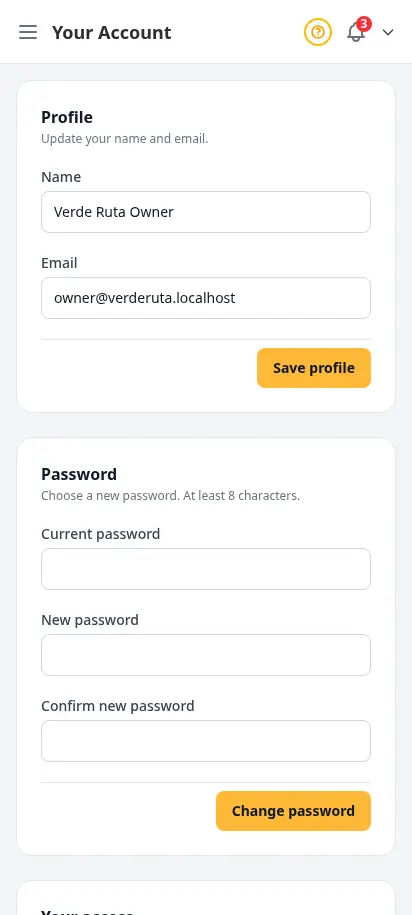
Your account is just yours — your name, your sign-in email, your password. Update it any time without touching anything customer-facing. If you run more than one store, the same account works across all of them.
- Edit your display name and contact email
- Change your password from a dedicated page
- Separate from the store profile — store info lives in General settings
- Use the same account across every store you operate
Bring your team in — share only what they need
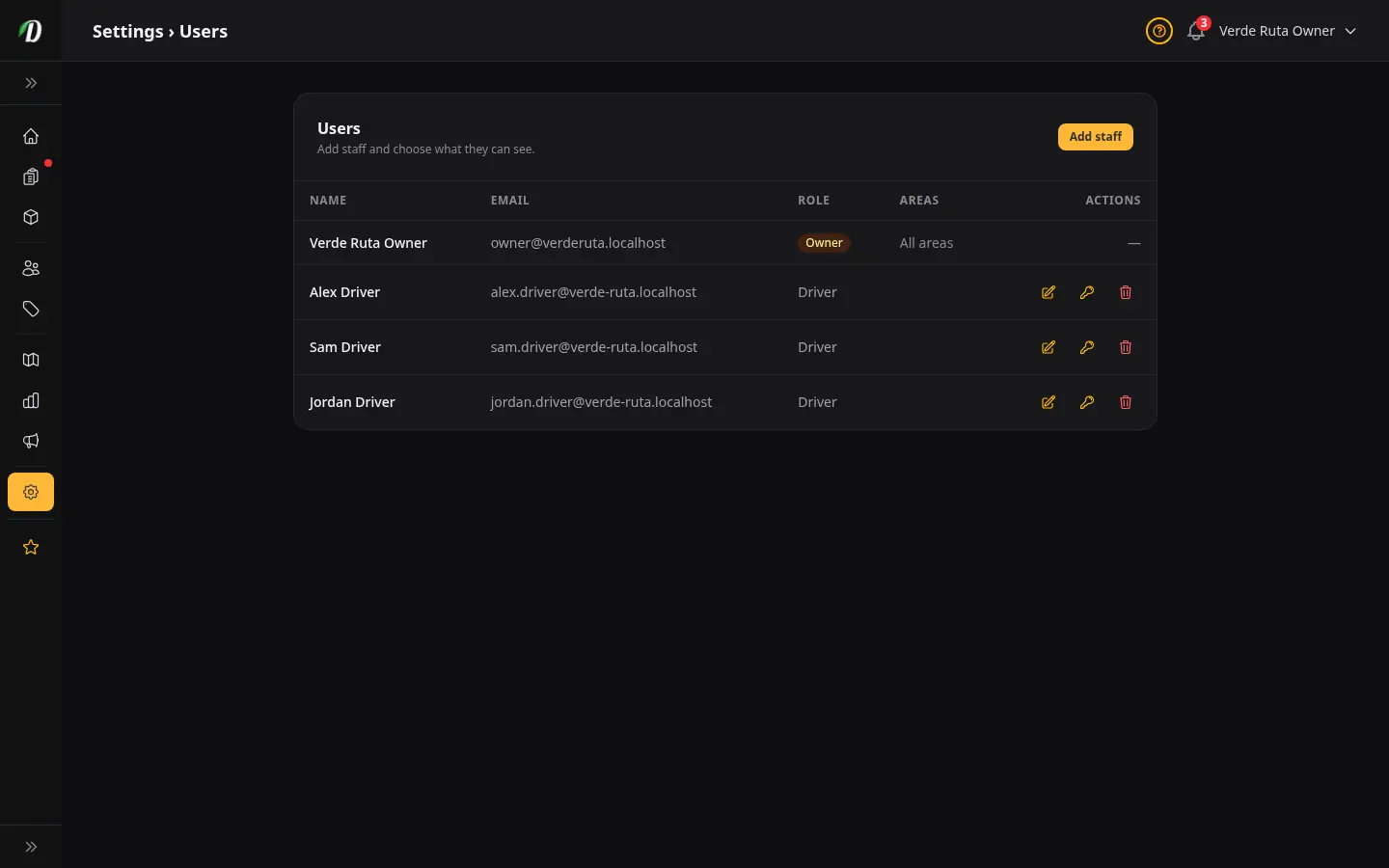
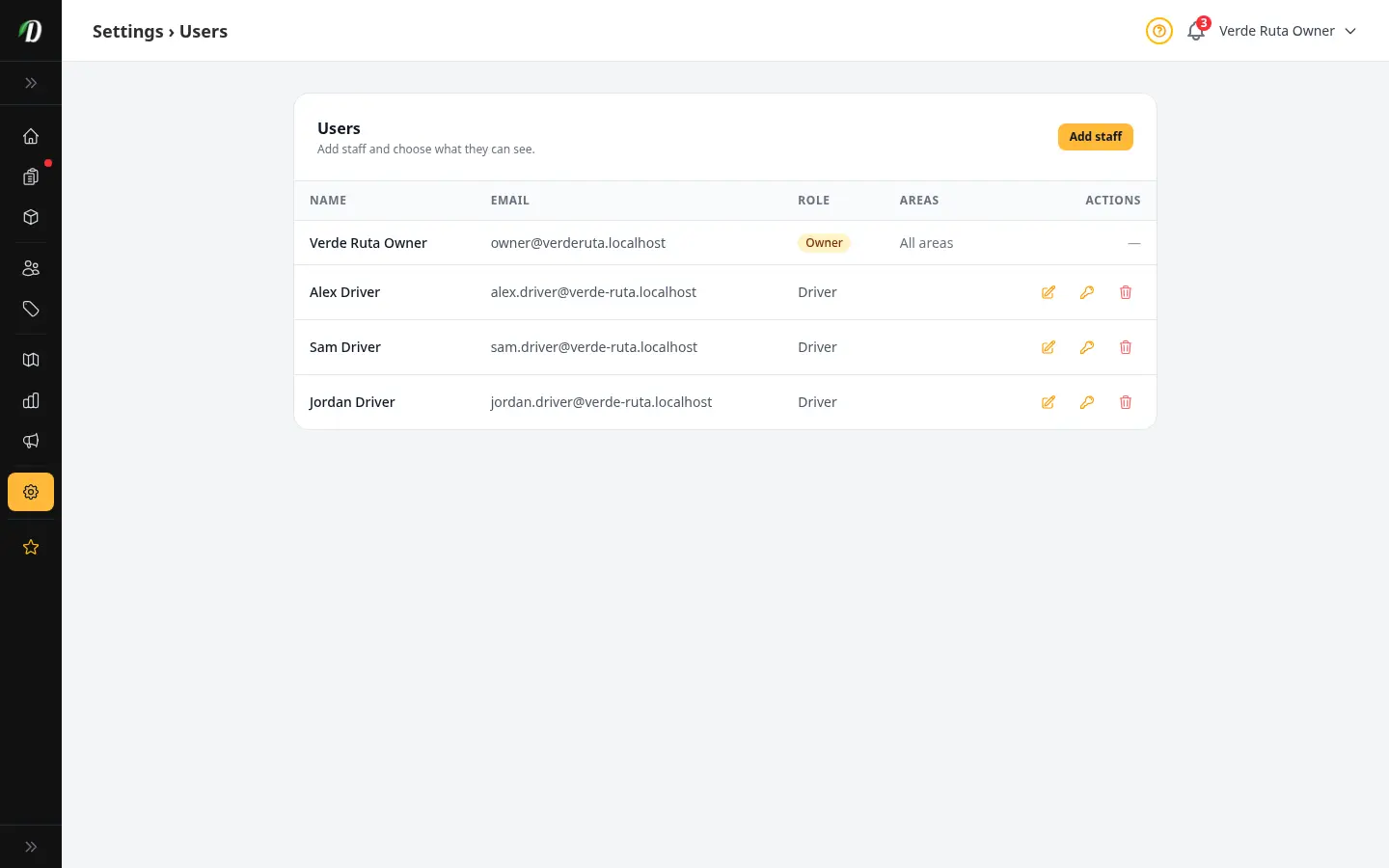
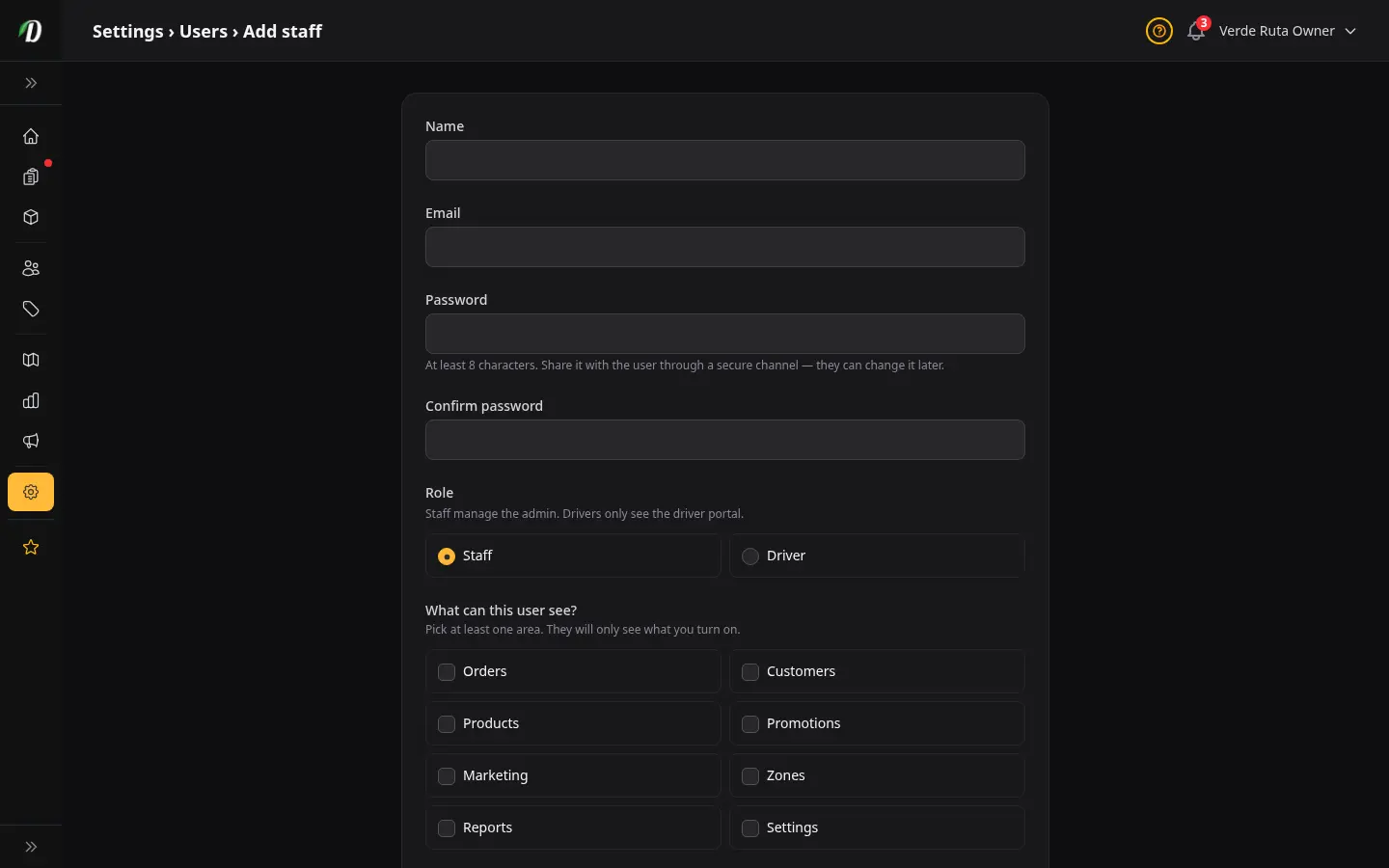
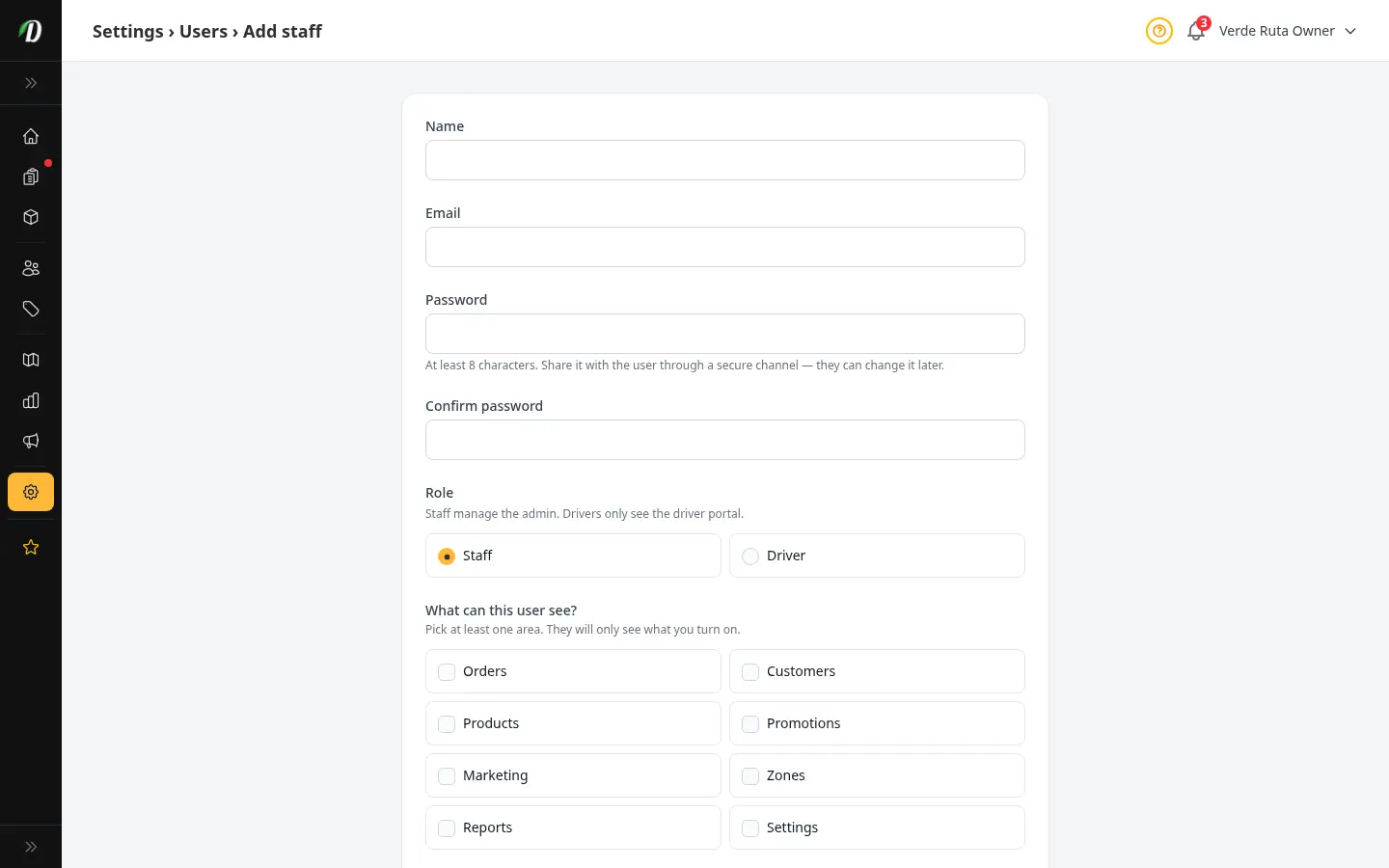
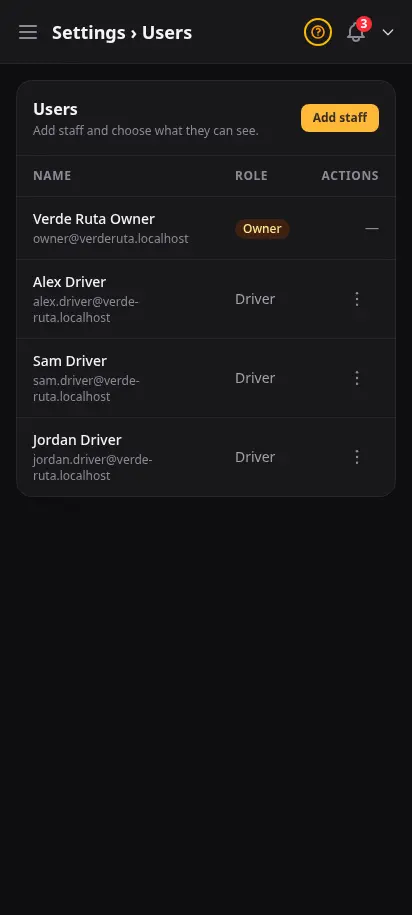
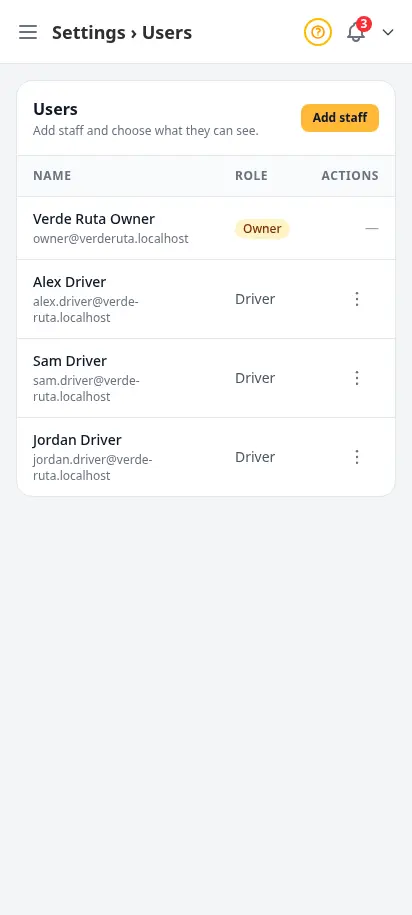
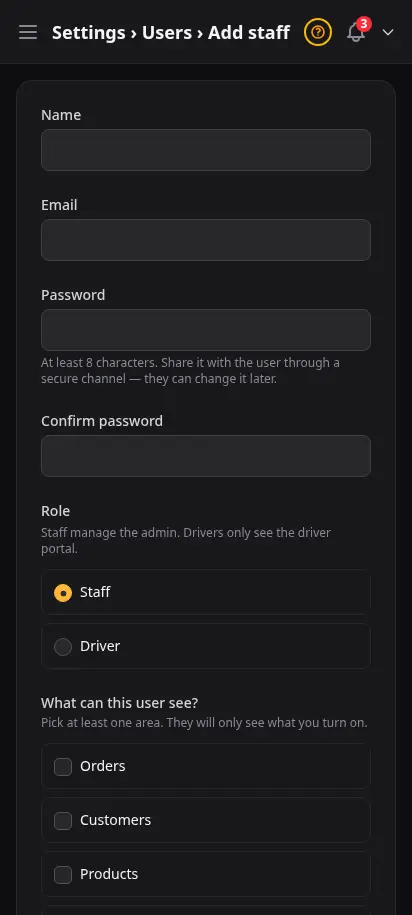
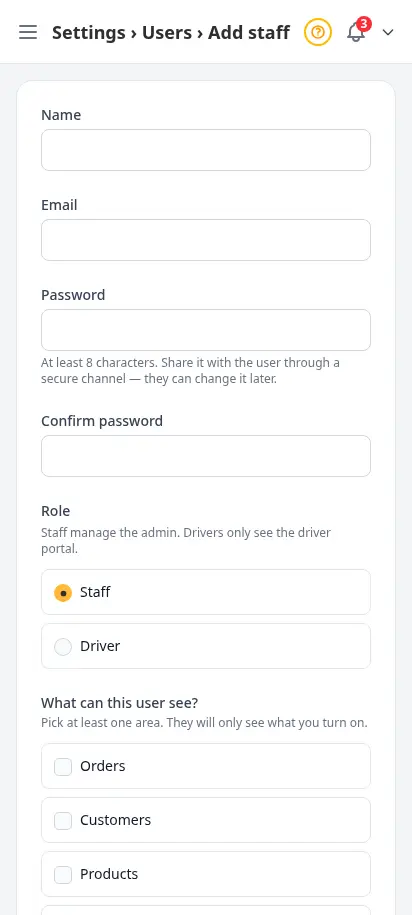
Add staff with their own login. For each person, pick exactly which areas of the dashboard they can see — orders, products, zones, customers, settings, and more. New hires get a clean view focused on their job. Reset their password or remove them in one click when things change.
- Per-area permissions: turn on orders, products, zones, settings, and more
- Each staff member has their own login and password
- Reset password in one click — no email round-trip needed
- Remove a team member cleanly when they move on
- Permissions are scoped to your store — no cross-store leakage
You've seen the platform. Now build your store.
Start your free 14-day trial. No credit card required. Full access from day one.
Customize your view
Choose how you'd like to see the screenshots.
Device
Theme