Text (SMS) Campaigns
Send text blasts to opted-in customers using your own Twilio number. Connect Twilio, compose a message, preview your SMS audience, and track delivery in the text log.
Quick Start
- Open Settings → Integrations and connect your Twilio account (Account SID, Auth Token, and sending number).
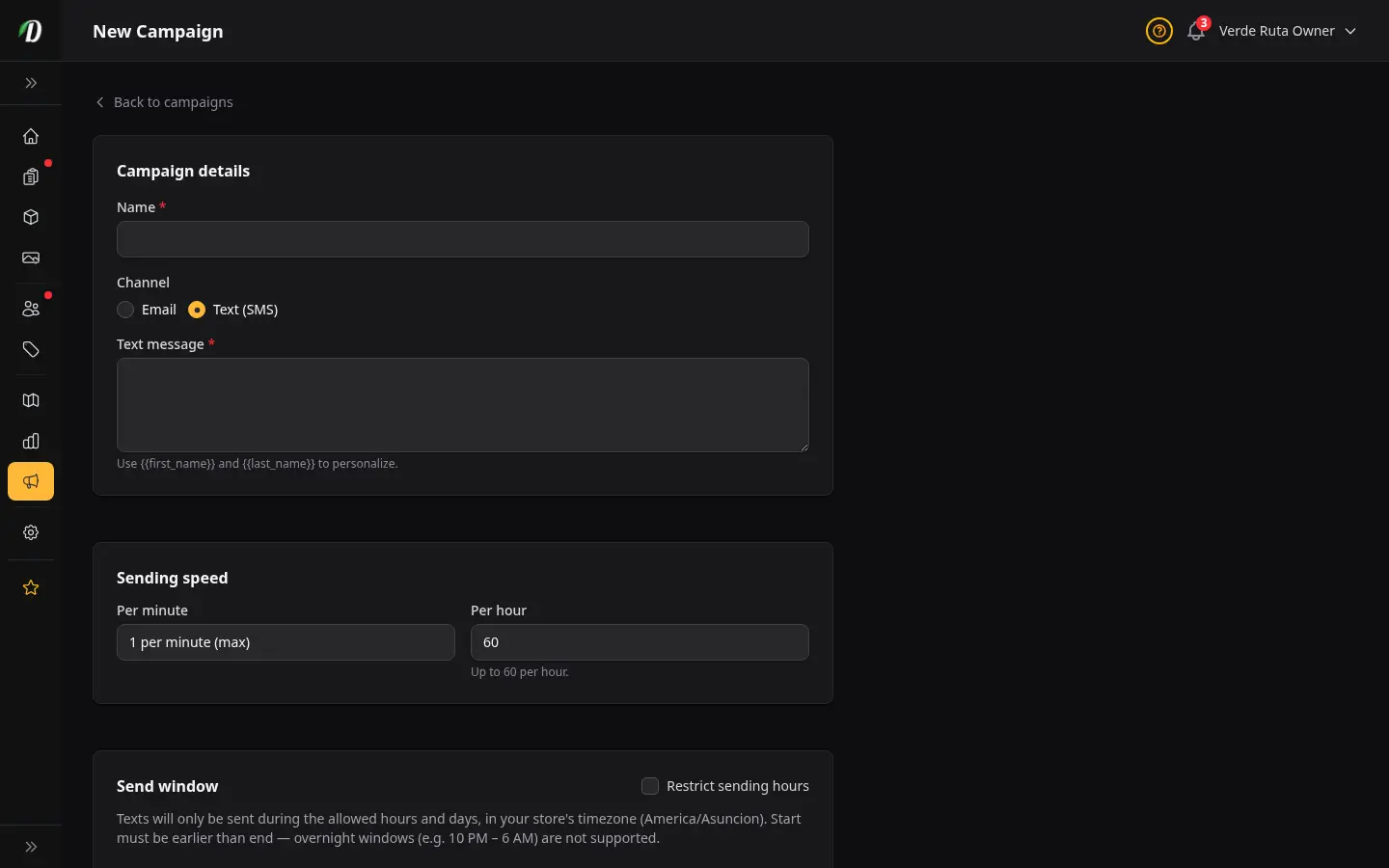
- Open Marketing → Campaigns and click New Campaign.
- Choose Text (SMS) as the channel and write your message. Use
{{first_name}}to personalize. - Review the audience preview — only opted-in shop customers with a validated mobile number are included.
- Click Send Now and watch progress on the campaign stats page.
Bring Your Own Twilio
DabDash does not send texts from a shared platform number. You connect your own Twilio account, send from your number, and pay Twilio directly. Copy the status webhook URL from the integrations page into your Twilio console so delivery results flow back to your Text log.
Who Receives Marketing Texts
- Existing shop customers with a phone on file who have not opted out of marketing texts.
- Only numbers classified as valid mobiles are included. Landlines, VoIP, and numbers still being checked are skipped.
- Imported contact lists are not used for text campaigns — SMS blasts go to your customer base only.
- Numbers that replied STOP or hard-failed delivery are skipped automatically.
Optional Phone Verification
Under Settings → Notifications, you can turn on Verify phone before marketing texts after Twilio is connected. It defaults to off. When on, customers who opt in to deal texts at checkout or from their account profile can verify with a one-time code. Orders still go through if they skip verification — they just are not added to text campaigns until their number is verified.
Compliance Basics
Marketing text blasts require documented opt-in. Keep promotional texts separate from transactional order updates. Honor STOP replies immediately — DabDash records opt-outs on the customer record. Check TCPA, CASL, and local cannabis advertising rules for your market before your first send.
Frequently Asked Questions
How do I send a text blast in DabDash?
Connect Twilio under Settings → Integrations, then go to Marketing → Campaigns, click New Campaign, choose Text (SMS) as the channel, write your message (160 characters recommended), review the opted-in customer audience, and click Send Now.
Do I need my own Twilio account for SMS campaigns?
Yes. DabDash uses bring-your-own Twilio — you connect your account, send from your number, and pay Twilio directly per message. DabDash queues sends and logs delivery; it does not provide a shared platform number.
Who can receive a marketing text campaign in DabDash?
Only existing shop customers who have not opted out of marketing texts and whose phone number is classified as a valid mobile. Imported contact lists are not used for SMS campaigns. Numbers that replied STOP or hard-failed delivery are excluded automatically.
Where do I see text delivery results in DabDash?
Open Settings → Text log to see every outbound text — campaigns, transactional order updates, and inbox replies — with delivery status from Twilio callbacks.